
How to make a trading journal from your broker's CSV, without a subscription
By Flavio
Your broker exports every buy and sell as a CSV row. A journal needs trades: one row per round trip with its P&L, your notes and tags. Here's how to do it in a spreadsheet, and the shorter way on a Mac.
You want to review your trades every week: what worked, what you shouldn’t have taken, which mistakes cost the most. Your broker can export your history as a CSV file. Open it and you find executions, one row for every buy and sell, not trades.
To turn that into a journal you group the rows into round trips, from the first buy to the last sell, and work out each one’s P&L after fees. Then you add a note and a tag to each trade. You can do it in a spreadsheet for free, or let CSV Trade Journal do the grouping on your Mac.
This is about keeping records of trades you already made. Nothing here is trading advice. The account and trades below are made up.
What’s in a broker CSV
Here’s one morning from a made-up Interactive Brokers export. Four rows for AAPL, all on November 2:
| Time | Side | Quantity | Price | Commission |
|---|---|---|---|---|
| 09:41:12 | Buy | 100 | 226.40 | 0.35 |
| 09:58:03 | Buy | 50 | 225.90 | 0.35 |
| 11:12:44 | Sell | 75 | 228.10 | 0.35 |
| 13:30:20 | Sell | 75 | 229.35 | 0.35 |
That’s one trade: a buy, an add, and two partial exits. The position goes from 0 to 150 and back to 0. A journal wants it as a single line: AAPL, long, 150 shares, average entry 226.2333, average exit 228.725, net P&L +$372.35.
How to do it in a spreadsheet
The free way is Numbers, Excel or Google Sheets. Open the CSV, then:
- Sort the rows by account, symbol and time.
- Add a column with the position after each row: the previous position plus the quantity, with sells counted as negative. A trade ends where the position comes back to 0.
- For each trade, add up what the buys cost and what the sells brought in. For the AAPL trade that’s $33,935.00 out and $34,308.75 in, so the gross P&L is $373.75.
- Subtract the commissions. Four rows at $0.35 is $1.40, so the net is $372.35.
- Add columns for the setup, the mistake, the stop and your notes.
It works, and for a few trades a month it’s fine. It gets harder with a busy month. A short sale makes the position negative. A single fill can take you from long 50 to short 30, and has to be split between two trades. Exits that come in pieces need first-in-first-out matching if you want each sale’s profit.
Then there’s the next export. Brokers let you pick the dates, and the easy thing is to download the whole month again. In the made-up month below, the second file repeated 4 rows that were already in the first. In a spreadsheet you find those duplicates by hand, or your P&L is wrong. The calendar, the win rate by tag and the R multiples are more formulas on top.
The shorter way: import the CSV
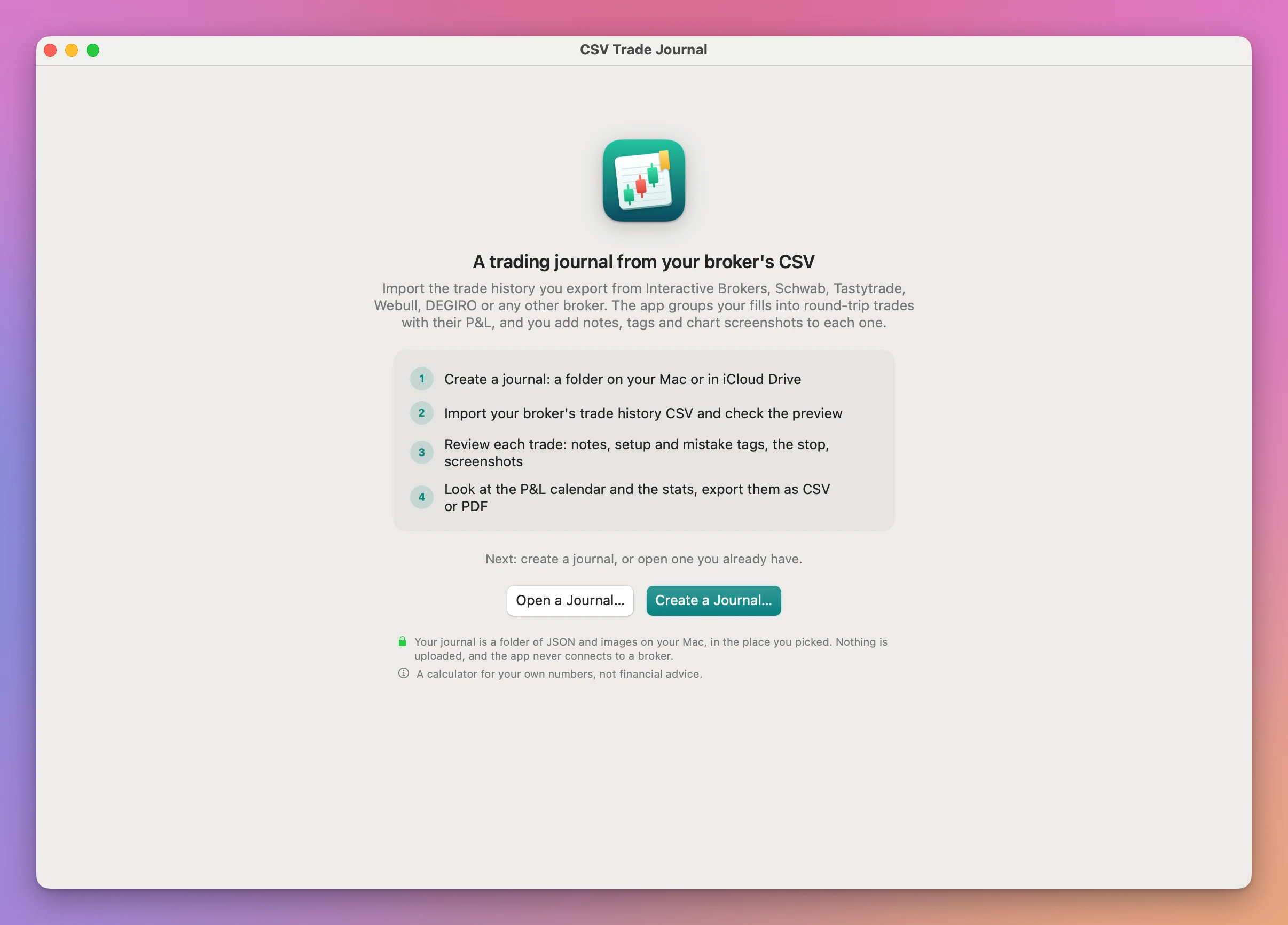
CSV Trade Journal reads the CSV, groups the fills into trades and keeps the journal in a folder on your Mac. There’s no account and nothing is uploaded.
The first time, click Create a Journal… and pick where the folder goes.
Then:
- Click Import Broker CSV… and pick the file, or drop it on the window. The app reads the header to see which broker it’s from. It knows the layouts of Interactive Brokers, Schwab, Tastytrade, Webull and DEGIRO. For any other broker, pick Other (map the columns) and choose which column is the date, symbol, quantity and price.
- Check the preview. It counts the new fills, the trades they make, the fills already in the journal and the rows it skipped, with a sentence for each skipped row.
- Click Add 29 Fills to the Journal (the number is the fills you left ticked).
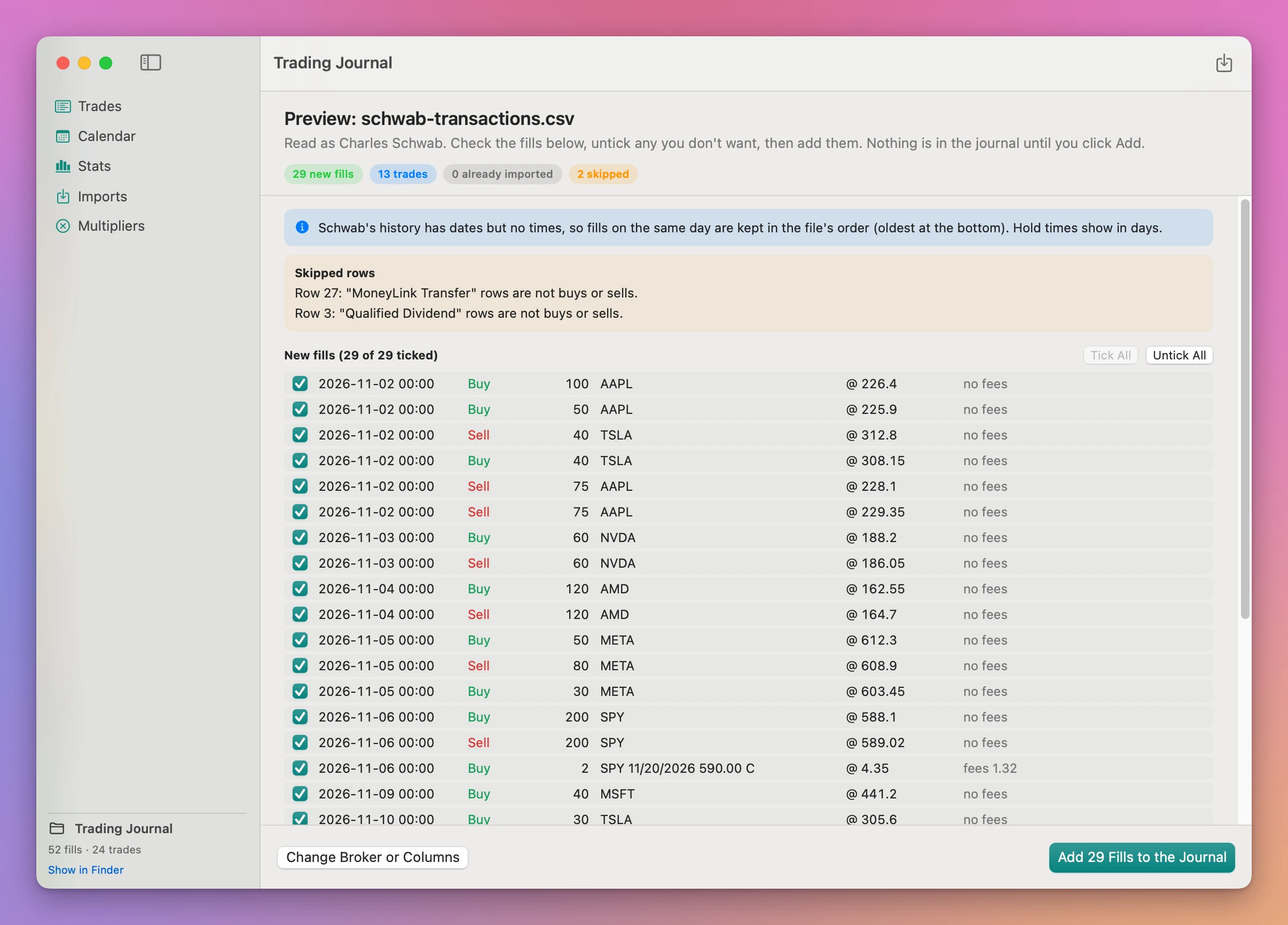
With the made-up Interactive Brokers month split in two files, the first import added 29 fills that made 13 trades. The second file had 27 rows. The preview counted 23 as new and 4 as already imported, and after adding them the journal had 52 fills and 24 trades, one still open. Nothing had to be cleaned up.
Add your notes and look at the month
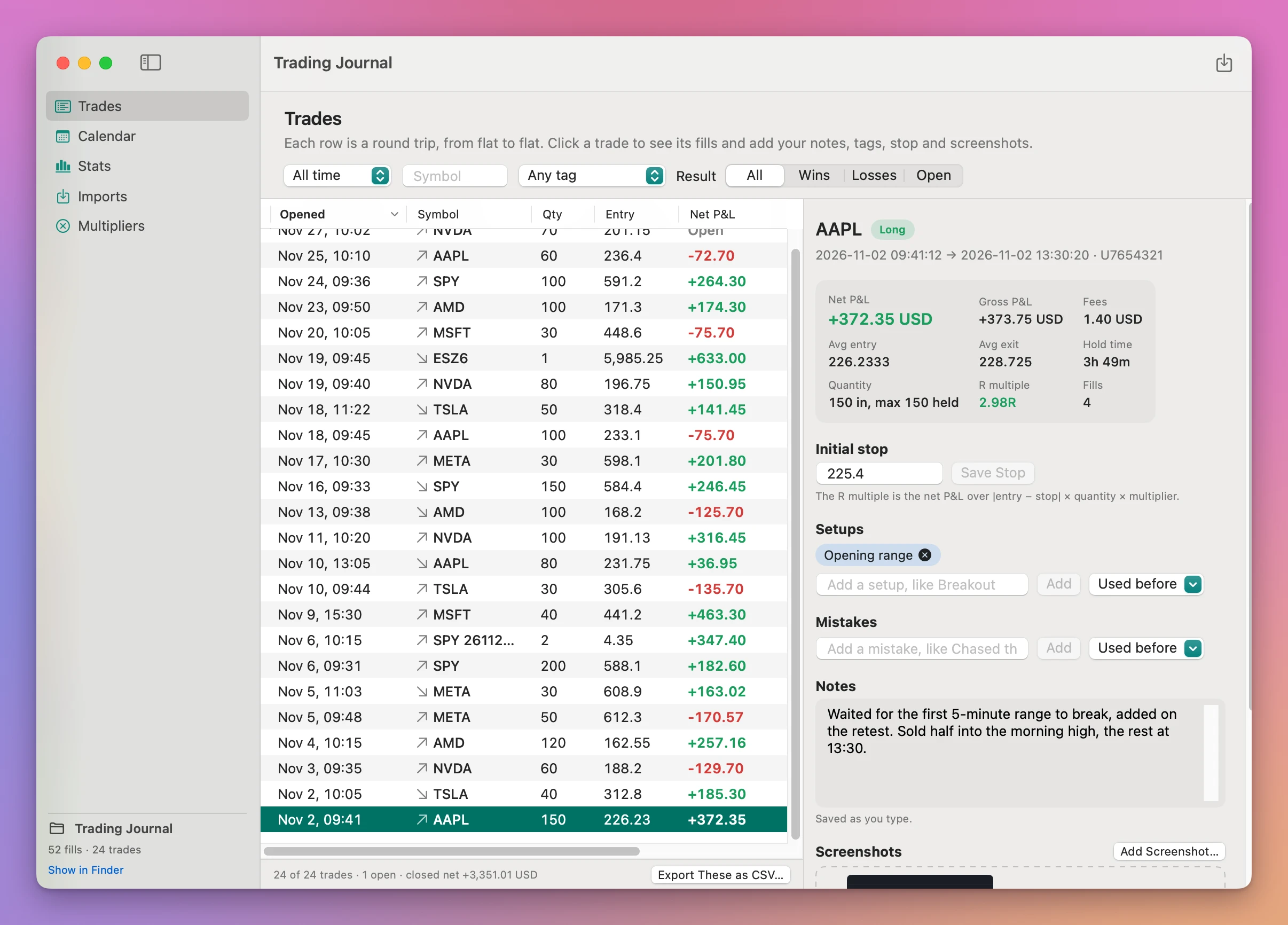
Click a trade to see its numbers and its fills. The AAPL trade from the table above shows up as one line: 150 shares, +372.35 USD net, 1.40 USD in fees, a hold time of 3h 49m.
Type the stop you had in Initial stop and click Save Stop. With a stop at 225.40, that trade is 2.98R, the net P&L divided by the money you risked. Add a setup tag like “Opening range”, a mistake tag if there was one, a note, and a chart screenshot with Add Screenshot….
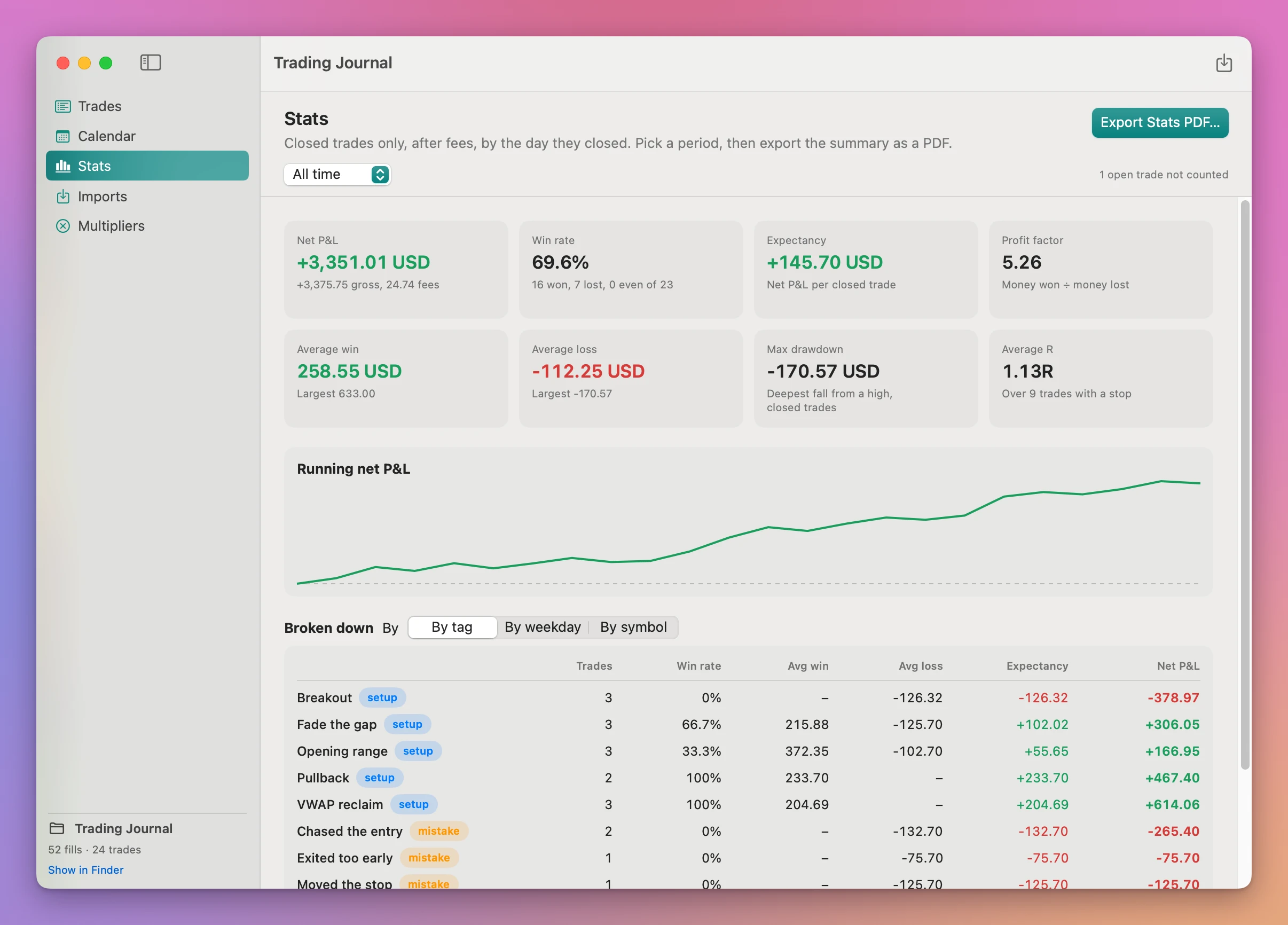
Calendar shows each day’s net P&L after fees, and Stats shows the win rate, expectancy, profit factor, max drawdown and a breakdown by tag. That breakdown is the weekly review: in the made-up month, the trades tagged “Chased the entry” lost $265.40.
Spreadsheet, online journal or app
Online journals like Tradervue, TraderSync, Edgewonk and TradesViz do all this and more: several sync with your broker and draw your executions on a chart. They’re subscriptions and keep your history on their servers.
| Spreadsheet | Online journal | CSV Trade Journal | |
|---|---|---|---|
| Cost | Free | Monthly or yearly | $19 once |
| Grouping rows into trades | Formulas you build | Automatic | Automatic |
| Overlapping exports | Remove duplicates by hand | Handled | Counted as already imported |
| Notes, tags, stop, screenshots | Extra columns | Yes | Yes |
| Calendar and stats by tag | You build them | Yes | Yes |
| Charts of your executions | No | Yes | No |
| Where the data is | Your file | Their servers | A folder on your Mac |
Before you rely on it
The broker layouts were built from public samples and each broker’s documentation, and tested with made-up files, not real exports. If your broker’s file doesn’t read, or the broker changes its export, Other (map the columns) reads it by matching columns. Some files leave things out: Schwab’s has no times, Webull’s has no fees, and each leg of an options spread is its own trade. Trades in different currencies are kept apart, not converted.
CSV Trade Journal costs $19, paid once, and runs on macOS 14 or later.
Get CSV Trade Journal
Import your trade history CSV from Interactive Brokers, Schwab, Tastytrade, Webull, DEGIRO or any broker, and get round-trip trades with P&L, notes, tags, screenshots, a P&L calendar and stats. No account, no subscription.
See CSV Trade Journal → · Read the docs · $19. See the app page for tax details.
More trading and investing tutorials → · All app tutorials →