Asking Google to index your page
By Flavio
Published · Updated
Tagged: SEO, Web Platform
Learn how to ask Google to index a new or updated page faster using the URL inspection tool in Google Search Console and the Request indexing button.
You can ask Google to index a specific page using the URL inspection tool in Google Search Console. Enter the URL, then click “Request indexing”, and Google adds the page to its crawl queue.
I stumbled on a discussion on Twitter and saw you can ask Google to index a specific page that you just wrote, so it’s indexed (added to the Google results) faster.
Why would you need that? Google finds new pages by following links and reading sitemaps. For a brand new website that discovery takes a while, because almost nothing links to it yet, so crawlers rarely come by. Requesting indexing manually puts your URL in front of Google directly.
I think this is only useful for new websites, so as I’m working on a new website I figured I’d test it.
How to request indexing
Assuming you have set up your domain on Google Search Console (do it if not) go on URL inspection and enter the page you want to be indexed at the top, press enter to see this appear. GSC CLI talks to the same property from the terminal when you want clicks, impressions, or index status without the dashboard. SEO Bot is the Mac app I use for that property, plus crawls and the follow-up checks. The seobot commands for the same checks are in how to run SEO checks from the terminal.
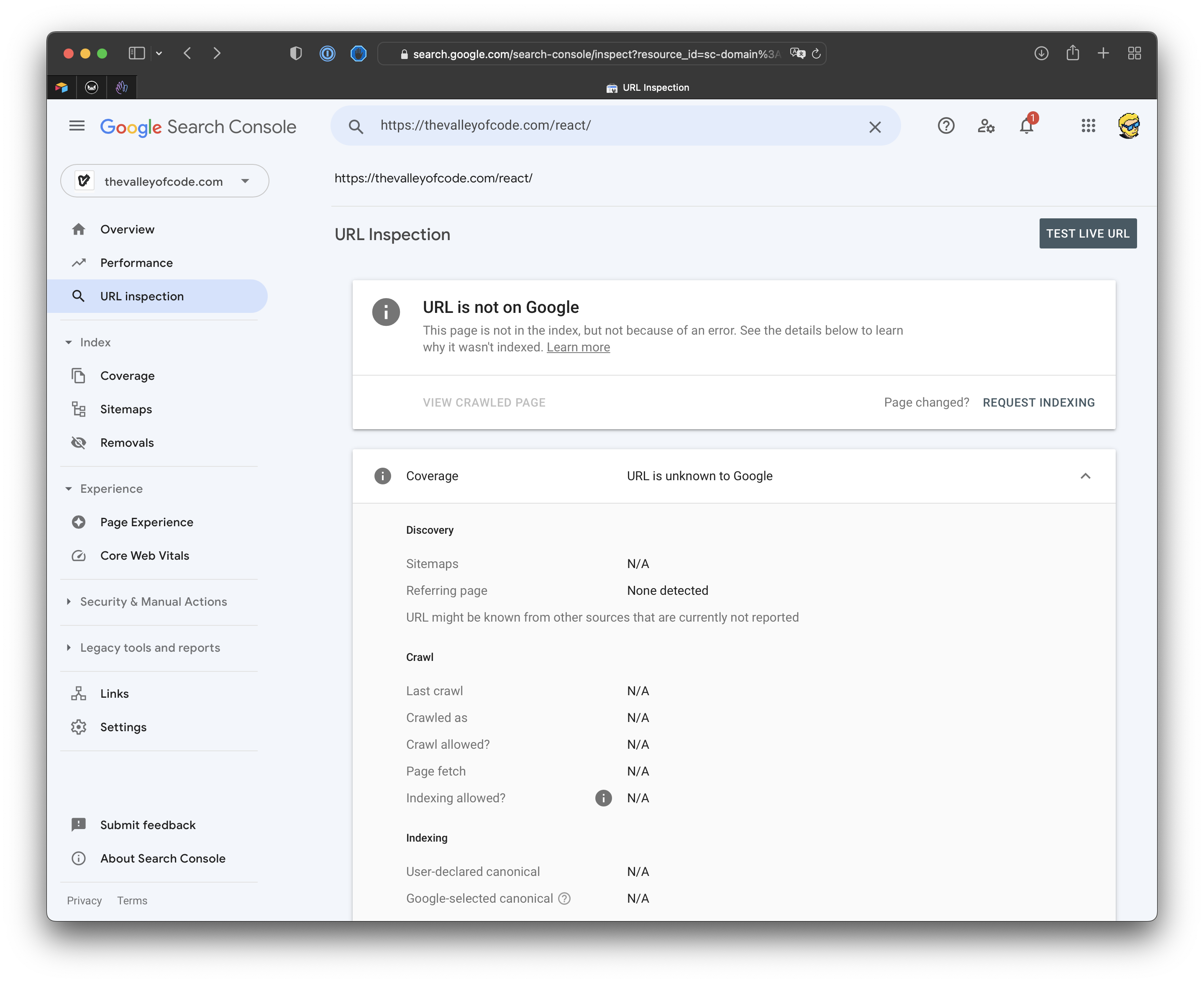
The tool first tells you whether the URL is already on Google. Mine wasn’t, as you can see. The same flow also works for a page that’s already indexed but that you just updated, to ask for a fresh crawl.
Click “Request indexing”, wait a few seconds… done!
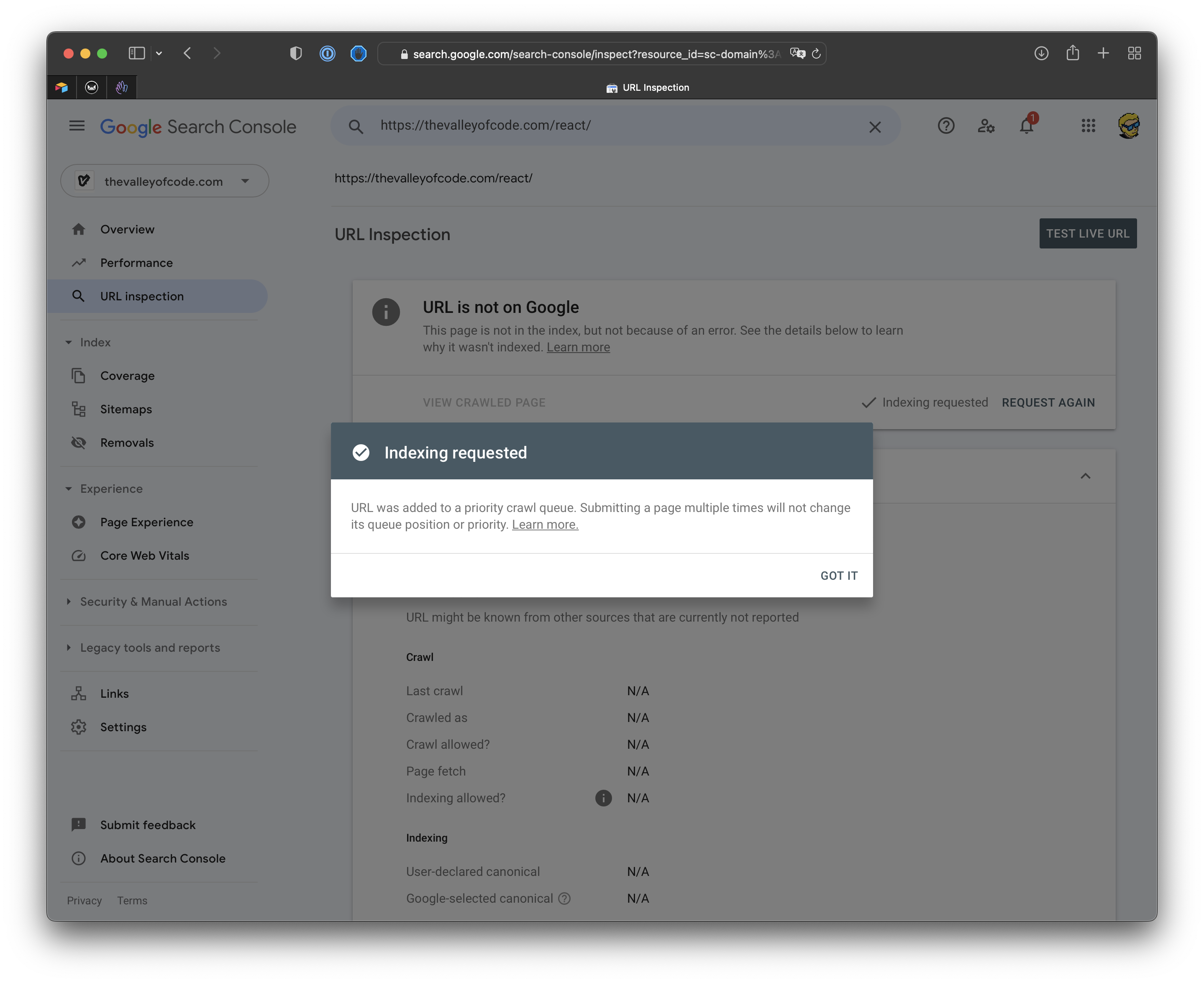
What happens next
Your page enters a crawl queue. Google visits it when it gets to it, often within a few days. Then it decides whether to add it to the index.
That last part is the piece people miss. Requesting indexing is a request, not a command. If Google considers the page thin, a duplicate of another page, or blocked by your own robots or noindex settings, it can crawl it and still leave it out of the results. The tool speeds up discovery, nothing more.
Don’t spam the button
Clicking “Request indexing” over and over doesn’t speed anything up. Search Console also caps how many requests you can submit per day, so pushing a whole site through this tool won’t work anyway.
For many pages, submit a sitemap and let Google work through it on its own. Save the manual request for the pages you care about most: a new homepage, an important article, a page you just fixed.
Want me to talk about your product? You can sponsor this site.
Related posts about seo: