Use Go to get a list of repositories from GitHub
By Flavio
Published · Updated
Tagged: Go
Learn how to query the GitHub Search API with Go using only net/http, then unmarshal the JSON into structs and print the top starred repos as a table.
In this post I’m going to ask to the GitHub API information about public repositories, using just the Go net/http stdlib package, without any additional library.
I checked the code with Go 1.27. Start from a module:
go mod init example.com/github-apiGitHub has a nice public API called Search, which you can inspect at https://docs.github.com/en/rest/search/search#search-repositories.
The Search API works without authentication, but only for 10 requests per minute. That’s plenty for this post. If you go over it, GitHub answers with a 403: create a fine-grained personal access token and send it in an Authorization: Bearer <token> header (you’ll need http.NewRequest() instead of http.Get() to set headers) to get 30 requests per minute.
In particular, I’m interested in getting the Go repos with more than 10k stars at this point in time.
We can pass it a query to get exactly what we want. Looking at the Search API docs we’ll have to make an HTTP GET request to https://api.github.com/search/repositories passing the query ?q=stars:>=10000+language:go&sort=stars&order=desc: give me the repositories with more than 10k stars, with language Go, sort them by number of stars.
Simplest snippet: we use http.Get from net/http and we read everything that’s returned using io.ReadAll:
package main

import (
	"io"
	"log"
	"net/http"
)

func main() {
	res, err := http.Get("https://api.github.com/search/repositories?q=stars:>=10000+language:go&sort=stars&order=desc")

	if err != nil {
		log.Fatal(err)
	}

	body, err := io.ReadAll(res.Body)
	res.Body.Close()
	if err != nil {
		log.Fatal(err)
	}
	if res.StatusCode != 200 {
		log.Fatal("Unexpected status code", res.StatusCode)
	}

	log.Printf("Body: %s\n", body)
}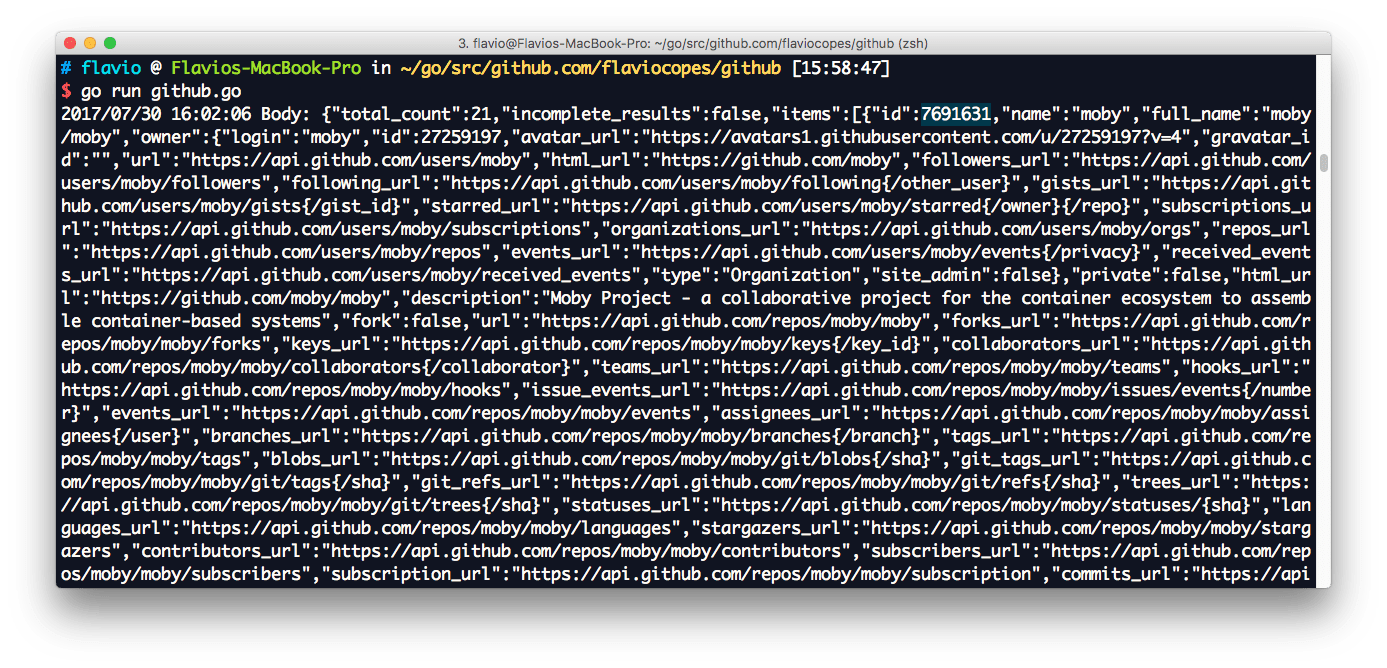
It’s not much readable, as you can see. You can paste what you get using an online formatter to understand the actual structure.
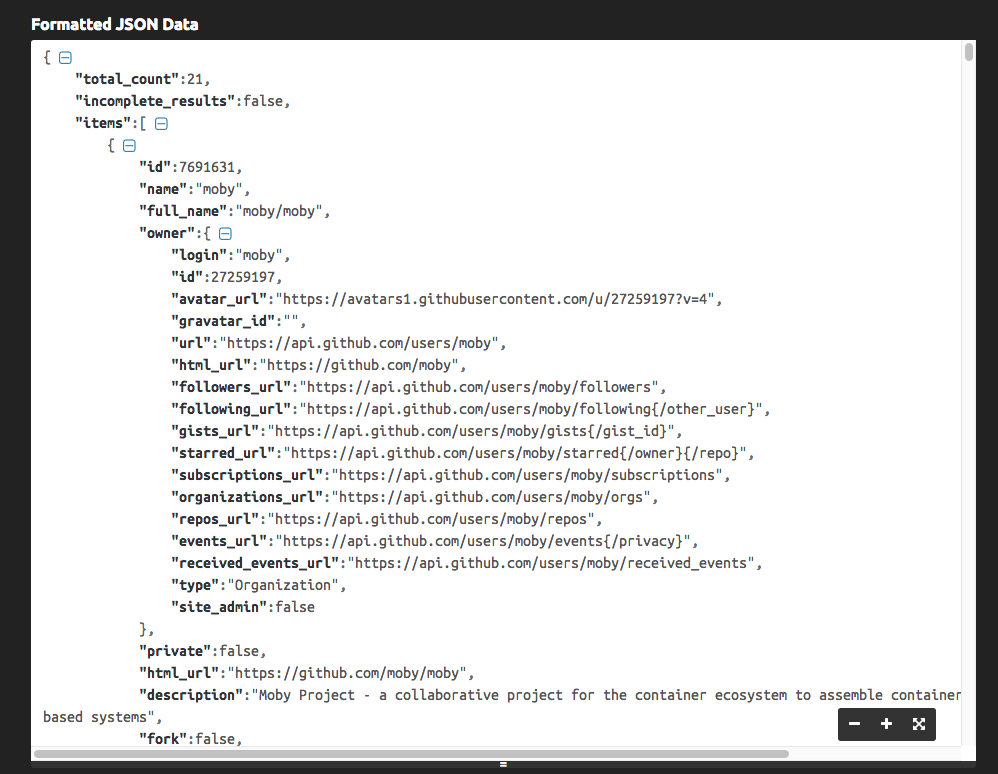
Let’s now process the JSON and generate a nice table from it.
If you’re new to the JSON topic, make sure you’re familiar with how to process JSON with Go.
package main

import (
	"encoding/json"
	"fmt"
	"io"
	"log"
	"net/http"
	"os"
	"text/tabwriter"
	"time"
)

// Owner is the repository owner
type Owner struct {
	Login string
}

// Item is the single repository data structure
type Item struct {
	ID              int
	Name            string
	FullName        string `json:"full_name"`
	Owner           Owner
	Description     string
	CreatedAt       string `json:"created_at"`
	StargazersCount int    `json:"stargazers_count"`
}

// JSONData contains the GitHub API response
type JSONData struct {
	Count int `json:"total_count"`
	Items []Item
}

func main() {
	res, err := http.Get("https://api.github.com/search/repositories?q=stars:>=10000+language:go&sort=stars&order=desc")
	if err != nil {
		log.Fatal(err)
	}
	body, err := io.ReadAll(res.Body)
	res.Body.Close()
	if err != nil {
		log.Fatal(err)
	}
	if res.StatusCode != http.StatusOK {
		log.Fatal("Unexpected status code", res.StatusCode)
	}
	data := JSONData{}
	err = json.Unmarshal(body, &data)
	if err != nil {
		log.Fatal(err)
	}
	printData(data)
}

func printData(data JSONData) {
	log.Printf("Repositories found: %d", data.Count)
	const format = "%v\t%v\t%v\t%v\t\n"
	tw := new(tabwriter.Writer).Init(os.Stdout, 0, 8, 2, ' ', 0)
	fmt.Fprintf(tw, format, "Repository", "Stars", "Created at", "Description")
	fmt.Fprintf(tw, format, "----------", "-----", "----------", "----------")
	for _, i := range data.Items {
		desc := i.Description
		if len(desc) > 50 {
			desc = string(desc[:50]) + "..."
		}
		t, err := time.Parse(time.RFC3339, i.CreatedAt)
		if err != nil {
			log.Fatal(err)
		}
		fmt.Fprintf(tw, format, i.FullName, i.StargazersCount, t.Year(), desc)
	}
	tw.Flush()
}
The above code creates 3 structs to unmarshal the JSON provided by GitHub. JSONData is the main container, Items is a slice of Item, the repository struct, and inside item, Owner contains the repository owner data.
Given the HTTP response res returned by http.Get we extract the body using res.Body and we read all of it in body with io.ReadAll.
After checking the res.StatusCode matches the http.StatusOK constant (which corresponds to 200), we unmarshal the JSON using json.Unmarshal into our JSONData struct data, and we print it by passing it to our printData struct.
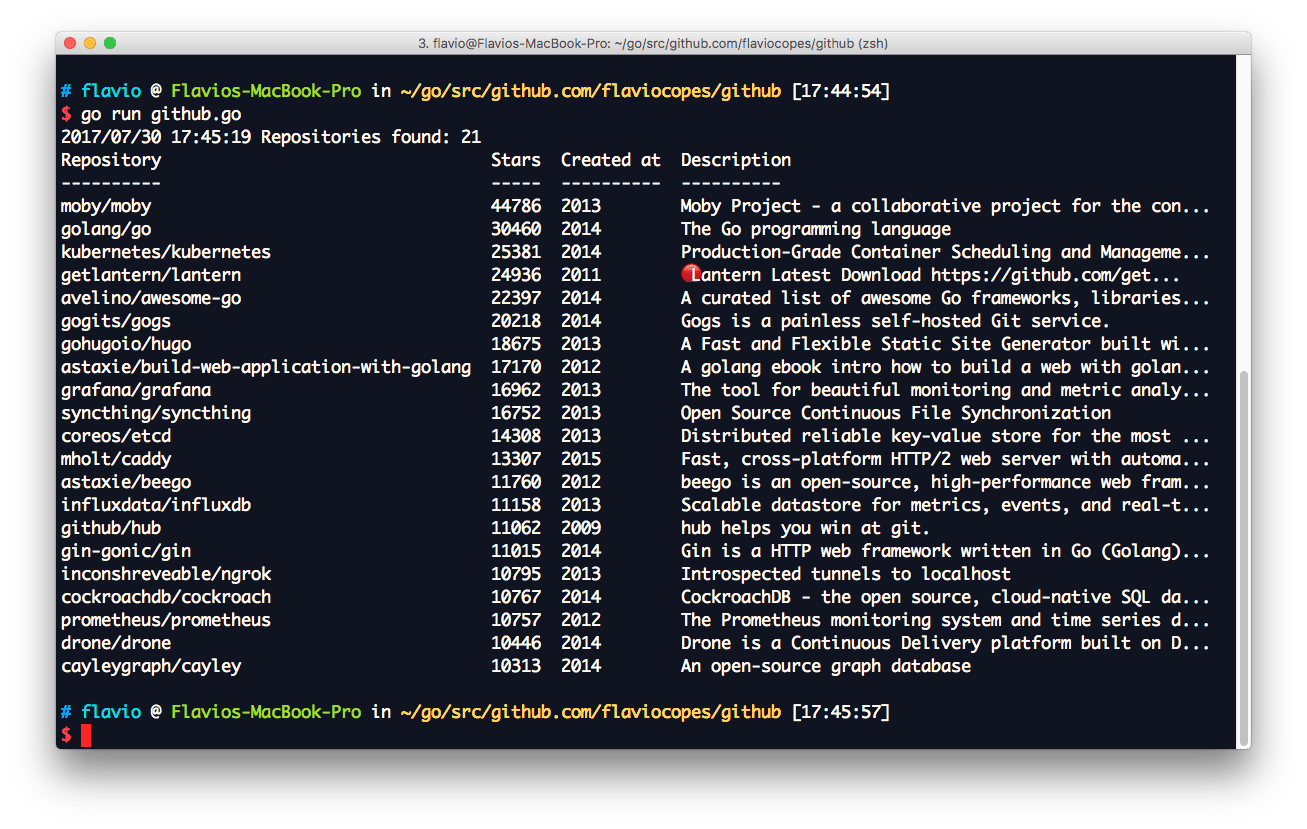
Inside printData I instantiate a tabwriter.Writer, then process and format the JSON data accordingly to output a nice table layout:
Want me to talk about your product? You can sponsor this site.