How to fix error serializing Date object JSON in Next.js
By Flavio Copes
Why the Next.js Pages Router throws a JSON serializable error when getServerSideProps returns a Date, how to fix it, and why the App Router handles Date fine.
Next.js throws this error because props returned from getServerSideProps() or getStaticProps() must be JSON-serializable, and a Date object is not. The quickest fix is to run your data through JSON.parse(JSON.stringify(data)) before returning it.
This is a Pages Router error. If you’re on the App Router, jump to the last section: there Date crosses to the client on its own.
Let’s see why this happens and what the options are.
If you’ve used Next.js with a database on the Pages Router you’ve surely ran into an issue like this.
You fetch some data in getServerSideProps() or getStaticProps(), for example like this with Prisma:
export async function getServerSideProps() {
  let cars = await prisma.car.findMany()

  return {
    props: {
      cars,
    },
  }
}
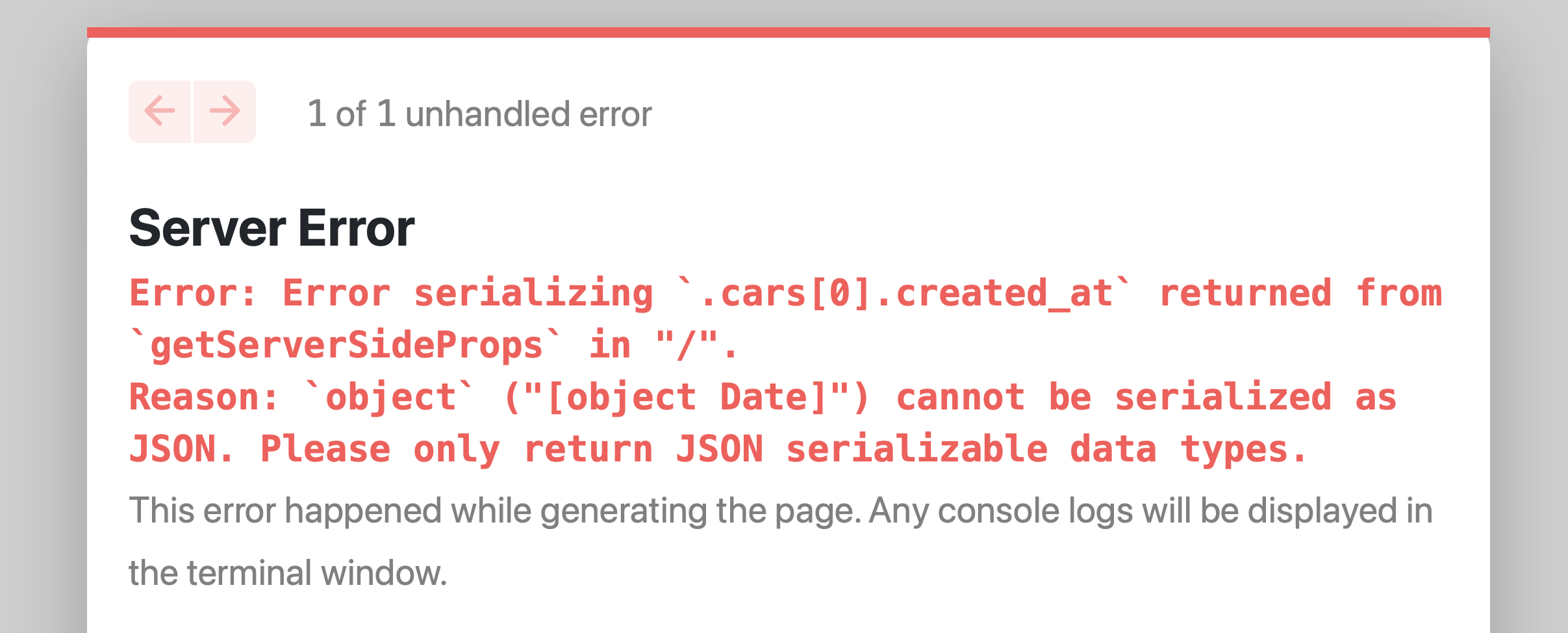
Now if the database table has a field that contains a date, that’s converted to a Date object in JavaScript and you’ll get an error like this:
Why does Next.js require JSON-serializable props?
Next.js takes the props you return on the server and embeds them as JSON in the page HTML, so React can hydrate the page in the browser with the same data.
JSON only knows strings, numbers, booleans, null, arrays and plain objects. There is no Date type. So instead of silently sending you something different than what you returned, Next.js stops and complains.
The quick fix
In this case the solution can be as simple as this:
export async function getServerSideProps() {
  let cars = await prisma.car.findMany()

  cars = JSON.parse(JSON.stringify(cars))

  return {
    props: {
      cars,
    },
  }
}
JSON.stringify() converts each Date object to an ISO string like "2022-05-08T07:00:00.000Z", and JSON.parse() gives you back plain objects containing that string.
I like this solution because it’s obvious, visible, and not intrusive.
One thing to remember: in the component, that field is now a string. If you call car.createdAt.getFullYear() you’ll get an error, because strings don’t have date methods. When you need a real date again, rebuild it:
const createdAt = new Date(car.createdAt)Using superjson
Another solution is to use a library called superjson and its Next.js adapter next-superjson:
npm install next-superjson superjsonand add it to next.config.js:
/** @type {import('next').NextConfig} */
const nextConfig = {
  reactStrictMode: true,
}

const { withSuperjson } = require('next-superjson')

module.exports = withSuperjson()(nextConfig)
With this setup, Date objects survive the round trip and arrive in your component as real dates. I found it on the James Perkins blog post Dealing with Date objects in Next data fetching. The adapter only touches files under pages, so it’s a Pages Router tool. It’s still maintained: next-superjson 2.x (October 2025) requires Next.js 16, and on Next.js 15 you install next-superjson@1.
The same error with other objects
A similar error happens for example if you try to return a complex object like a Fetch response:
export async function getServerSideProps() {
  const res = await fetch(...)

  return {
    props: {
      res
    },
  }
}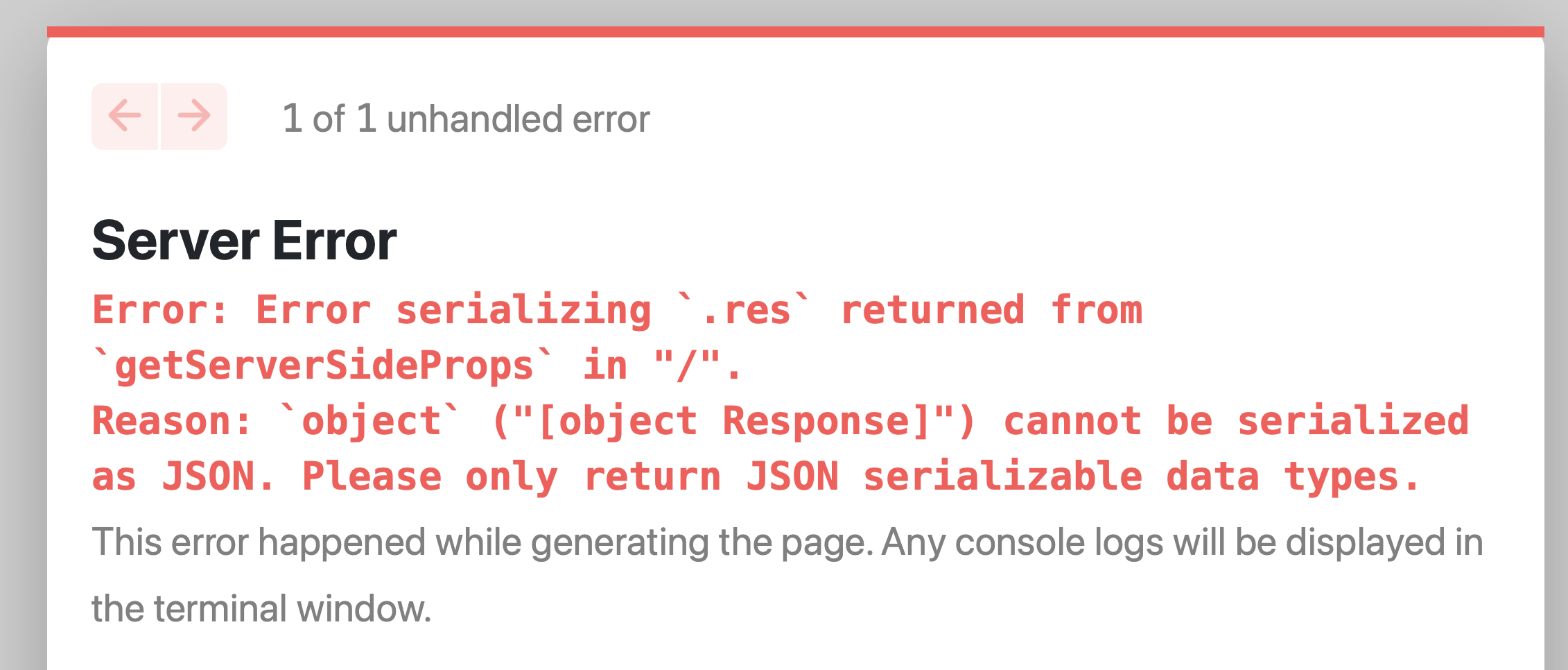
In this case stringifying won’t help, because a response object holds things like streams that can’t be represented in JSON at all.
The fix is to extract the data you actually need, and return that:
export async function getServerSideProps() {
  const res = await fetch(...)
  const data = await res.json()

  return {
    props: {
      data
    },
  }
}
What about the App Router?
In the App Router (the default for new Next.js 16 projects) this specific error does not happen with dates. Props go from Server Components to Client Components through React’s own serialization, and that one understands Date, along with Map, Set and a few others.
So this works as is, and car.createdAt is a real Date in the Client Component:
import prisma from 'lib/prisma'
import CarsList from './cars-list'

export default async function CarsPage() {
  const cars = await prisma.car.findMany()

  return <CarsList cars={cars} />
}
You still hit a similar error with values React can’t serialize: class instances (a Prisma Decimal is the classic one), functions, and a Response object. The message reads Only plain objects can be passed to Client Components from Server Components. The fix is the same idea: convert the value to a string or number, or await res.json() and pass the data, not the Response.
For more on keeping server work off the client, see run code only on server or client in Next.js.
Want me to talk about your product? You can sponsor this site.
Related posts about next: