# I built 37 terminal text effects in pure JavaScript
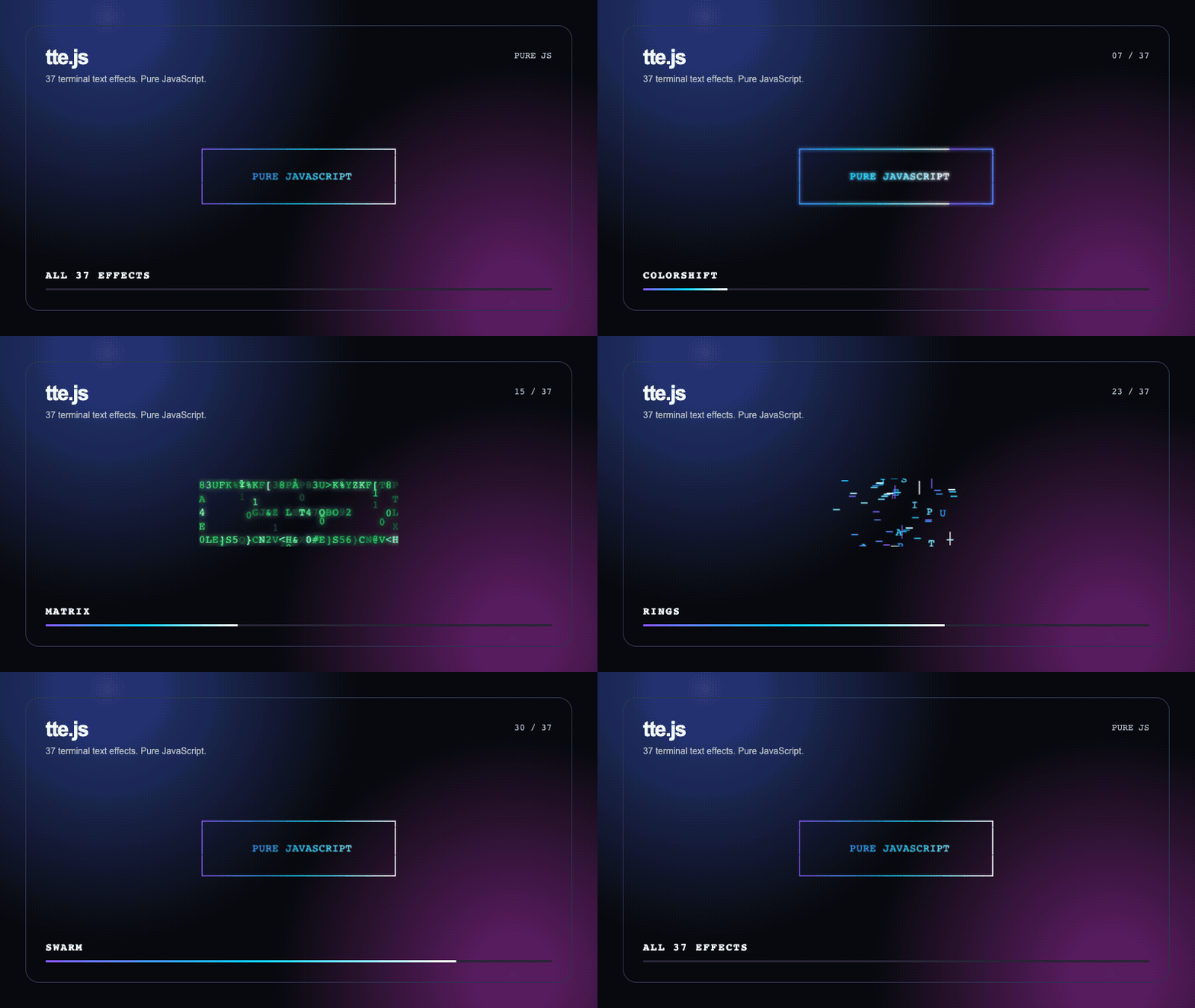
> I built tte.js, a dependency-free browser library that animates text and ASCII art with 37 Canvas effects.
Author: [Flavio Copes](https://flaviocopes.com/about/) | Published: 2026-08-30 | Canonical: https://flaviocopes.com/terminal-text-effects-javascript/
I saw [DHH share terminal text effects running on the Omarchy homepage](https://x.com/dhh/status/2093771424234099030), and I wanted to build a browser version.
Text burned into view. Letters scattered, bounced, decrypted, and snapped back into place.
[Christoffer Hallas](https://x.com/hicsfh) ported [ttfx](https://github.com/omacom/ttfx) to WebAssembly for that page. ttfx is a Rust port maintained by 37signals and omacom.
The original project is [TerminalTextEffects](https://github.com/ChrisBuilds/terminaltexteffects), created by [ChrisBuilds](https://github.com/ChrisBuilds). The 37 effect names, concepts, and animation designs originate there.
I wanted to see how far I could get with plain JavaScript.
The result is [tte.js](https://flaviocopes.com/software/tte-js/).
## A browser-native version
tte.js does not run a terminal inside the page.
It reads the text from an HTML element, turns it into a character grid, then draws animated cells and particles on a Canvas placed over the original text.
The source element stays in the document. It controls the font and layout, and screen readers can still read it.
Canvas only handles the visual animation.
The library has no runtime dependencies. It does not load WebAssembly, and it does not need a framework.
## Using an effect
First, add the text you want to animate:
```html
WELCOME TO THE TERMINAL
```
Then create the effect:
```js
import { createTextEffect } from './tte.js/src/index.js'
createTextEffect('#title', {
effect: 'laseretch',
duration: 2400,
colors: ['#8a5cff', '#00d1ff', '#ffffff'],
})
```
The returned object lets you play, stop, restart, replace, or destroy the animation.
You can also register the included `` custom element and configure an animation directly from HTML.
## The effect engine
Every effect receives the same character grid.
For each animation frame, it returns the characters to draw, their positions, colors, and opacity. Effects can also return particles for sparks, smoke, rain, bubbles, and other movement outside the text grid.
This keeps the rendering code separate from each animation.
A seeded random function makes the results repeatable. Pass the same seed and you get the same paths and character choices again.
That helped while building the effects. It also makes recorded demos predictable.
## All 37 effects
The first version had three effects: `laseretch`, `decrypt`, and `wipe`.
I then adapted the complete 37-effect catalog to the browser-native engine.
The library now includes:
`beams`, `binarypath`, `blackhole`, `bouncyballs`, `bubbles`, `burn`, `colorshift`, `crumble`, `decrypt`, `errorcorrect`, `expand`, `fireworks`, `highlight`, `laseretch`, `matrix`, `middleout`, `orbittingvolley`, `overflow`, `pour`, `print`, `rain`, `randomsequence`, `rings`, `scattered`, `slice`, `slide`, `smoke`, `spotlights`, `spray`, `swarm`, `sweep`, `synthgrid`, `thunderstorm`, `unstable`, `vhstape`, `waves`, and `wipe`.
They share one API, but each effect builds its own timing and movement.
The [live gallery](https://flaviocopes.com/software/tte-js/demo/) runs every effect. You can change the speed, palette, and random seed, then replay individual animations.
## Building the GIF
I also wanted one file that showed the whole library.
The repository includes a capture page and a Node.js script. Playwright renders each effect at fixed progress points, saves the frames, then FFmpeg joins them into the GIF above.
The complete run takes 14 seconds.
## Credits and license
The effect art belongs to the upstream projects.
ChrisBuilds created TerminalTextEffects and its animation engine. The ttfx project translated that work to Rust and helped me understand the behavior of each effect. Christoffer Hallas brought ttfx to the Omarchy homepage through WebAssembly.
tte.js reimplements the effects with JavaScript and Canvas. It does not include the ttfx WebAssembly build or code from the Omarchy integration.
TerminalTextEffects and ttfx use the MIT License. tte.js uses the same license.
The download preserves the copyright notices and includes the original MIT license text from both projects. It also includes a third-party notice explaining where the work came from.
## Publishing small things
This is the kind of project I want to publish more often.
It does not need a new domain, a business model, or a large launch. It can be a useful library, a demo, and a short explanation of how it works.
I added a Libraries section to my existing [software catalog](https://flaviocopes.com/software/). That gives small experiments a permanent home without pretending every repository must become a product.
You can [try every effect](https://flaviocopes.com/software/tte-js/demo/) or [download tte.js](https://flaviocopes.com/software/tte-js/tte-js.zip). The ZIP contains the source, tests, demo, capture script, documentation, MIT license, original upstream licenses, and attribution notice.