
An app by Flavio
Page Saver
Save web pages on your Mac as single HTML files, compare snapshots, and get an alert when a page you watch changes, dies or gets taken over.
Buy Page Saver · $19One-time purchase. Tax included.
macOS 14 or later · Apple silicon and Intel
Latest version 1.3.1, released November 22, 2026
A competitor raised their prices last month, and you only noticed when a customer told you. The API docs you depend on cut a rate limit, and you found out from a failing deploy. A post you linked three years ago now points to a parked domain full of casino ads.
Web pages change and disappear, and nobody tells you. Bookmarks keep the address, not what the page said.
Page Saver is a Mac app that keeps web pages for offline reading. Every page is saved as one HTML file, with its CSS, images and fonts inside it and its scripts removed, so it opens the same way years from now, even if the site is gone.
Save the same URL again and you get a new snapshot of it. Page Saver compares the snapshots word by word, so you see exactly what a page changed: a price, a limit in the docs, a line in the terms.
It can also do the saving for you. Watch a page, or a whole collection of pages, and Page Saver checks them on a schedule, even while the app is closed. You get an alert when a page changes, when it dies, or when its domain lapses and turns into a parked page.
Here’s the app at work:
The pages, sites and companies in the video and the screenshots are made up.
Who it’s for
- Founders keeping an eye on competitors. Put their pricing pages, feature pages and changelogs in a collection and watch it daily. When a plan goes from $12 to $15, or a feature moves to a higher tier, you get an alert with the exact words that changed, and the old page is still there to look at.
- Developers who depend on someone else’s docs. API docs change quietly. A rate limit drops from 100 to 60 requests a minute, an endpoint gets deprecated, a field gets renamed. Watch the pages your code relies on, and you find out from an alert.
- Bloggers, writers and newsletter editors. The pages you link to return 404 after a redesign, or their domain expires and comes back as a parked page full of casino ads. Watch them with notifications only for problems, and you hear when one dies, moves to another site or gets taken over.
- Anyone who needs proof of what a page said. Terms of service, privacy policies, refund policies, a job post, an offer you accepted. Each snapshot records the date, the HTTP status and a hash of the text, so later you can show what the page said on a given day.
- Researchers and travelers. Save the articles and references you read, and search the full text of all of them. Crawl the docs of a library before a flight, or a small blog or forum that might not be online next year, and browse it offline like the real site.
Watching competitors, start to finish
Here’s how you’d set up a watch on three competitors’ pricing pages.
- Click New Collection at the bottom of the sidebar and call it
Competitors. - Paste the first pricing page in the address field and click Save. Page Saver loads it in an off-screen browser, scrolls it so lazy images load, and saves it. Do the same for the other two, and drag them onto
Competitors. - Right-click
Competitorsand pick Watch…. Choose daily at 09:00, and notifications for any change. - Close the app. The checks keep running in the background while the Mac is awake.
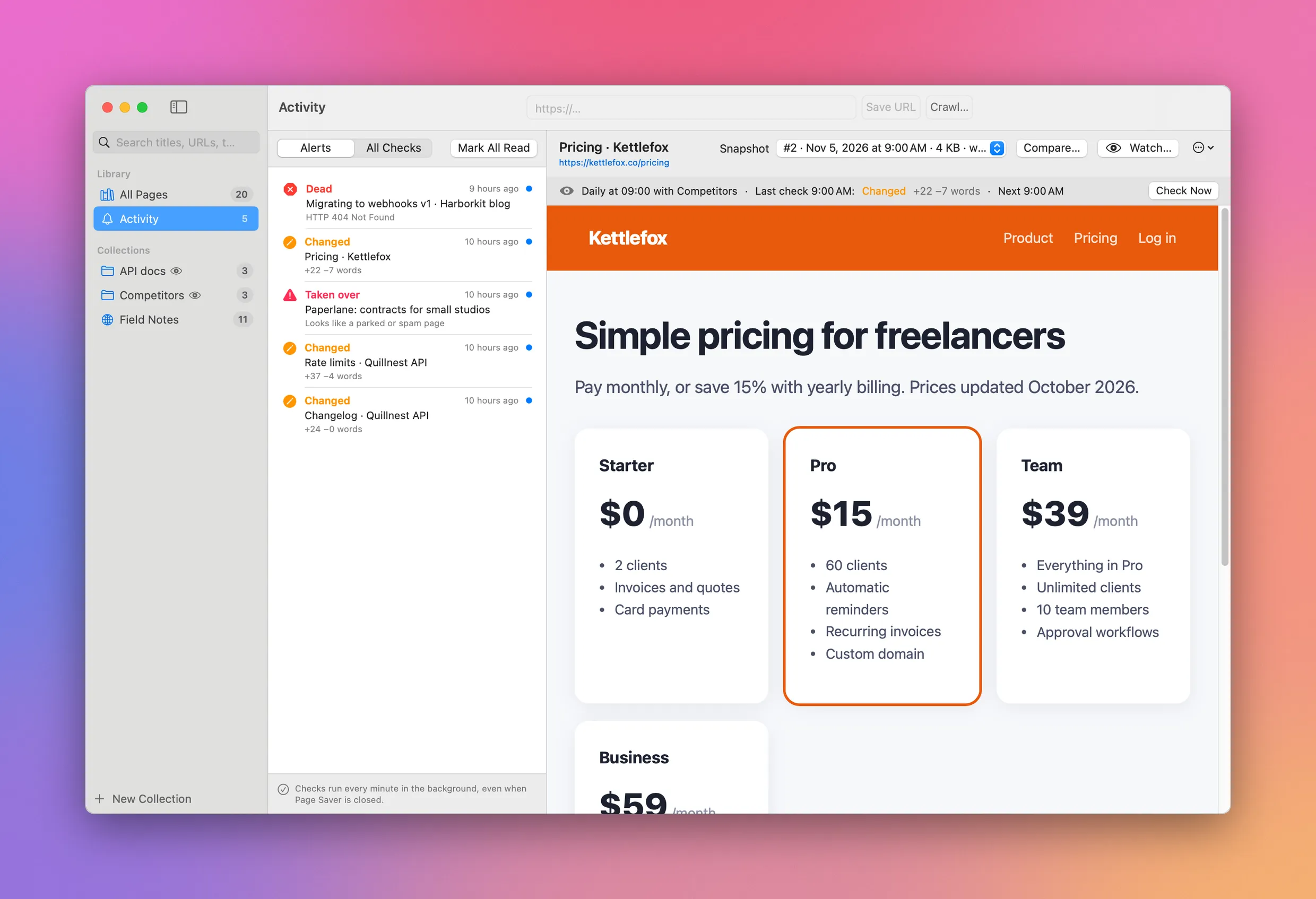
- One morning a notification says the Kettlefox pricing page changed, with the count of words added and removed.
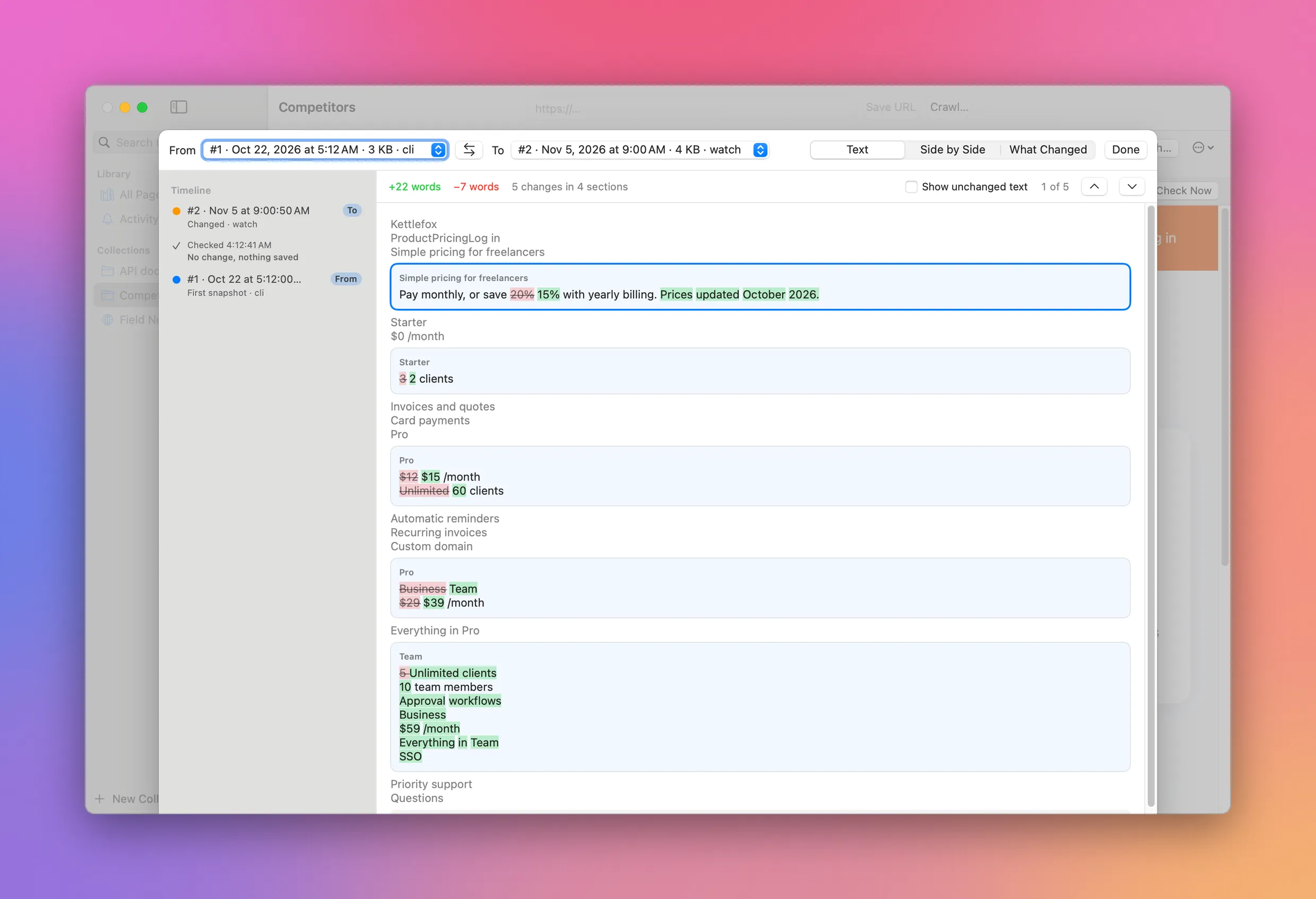
- Click it. Page Saver opens Compare with the two snapshots already picked. Text shows the Pro plan went from $12 to $15, and “Unlimited clients” became 60.
That’s three pages checked every morning for as long as you want. By hand it’s three tabs opened, read and compared from memory, every day, and you’d still miss the line that changed in the middle of a long page.
Save a page
Paste a URL in the address field and click Save. Links in the saved page still point at the live site.
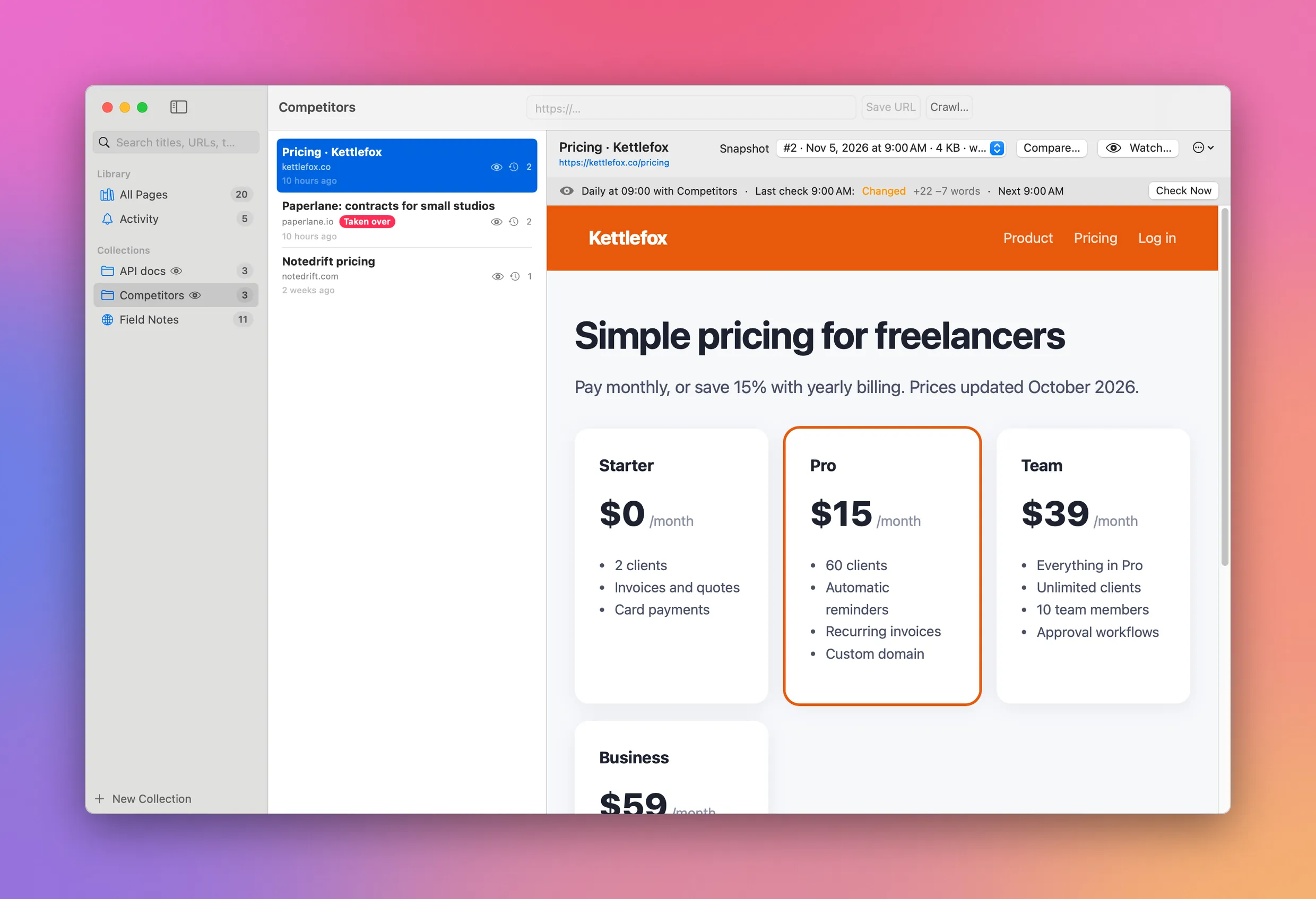
You can also save from the browser, which is the way to keep pages behind a login, or content you scrolled into view:
- Safari. The Safari extension ships inside the app. Click the Page Saver button in the toolbar, or right-click the page.
- Chrome. Click the button, press
Option+Shift+S, or right-click the page. The button shows a green check once the page is in your library. - The terminal.
pagesaver save <url>does the same from a script, or from a coding agent.
The search field looks through titles, URLs and the full text of every page you saved. A page can be in many collections, and deleting a collection keeps its pages in the library.
See what changed
Open a page with two or more snapshots and click Compare…. The timeline on the left lists every snapshot, and every check that found nothing new. Pick any two to compare.
Text shows the page text with removed words in red and added words in green, grouped under the heading they belong to. Here the Pro plan went from $12 to $15, and “Unlimited clients” became 60:
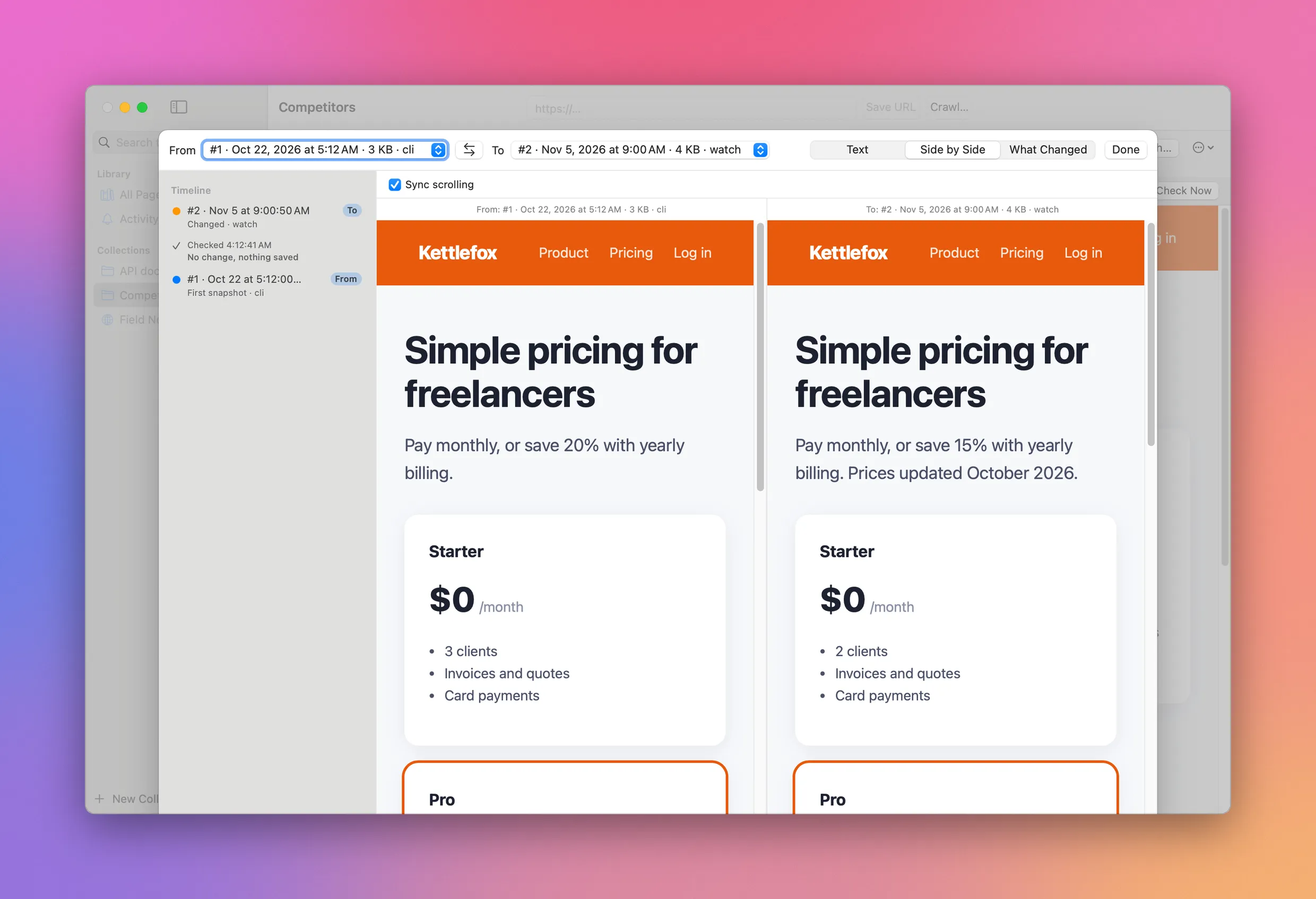
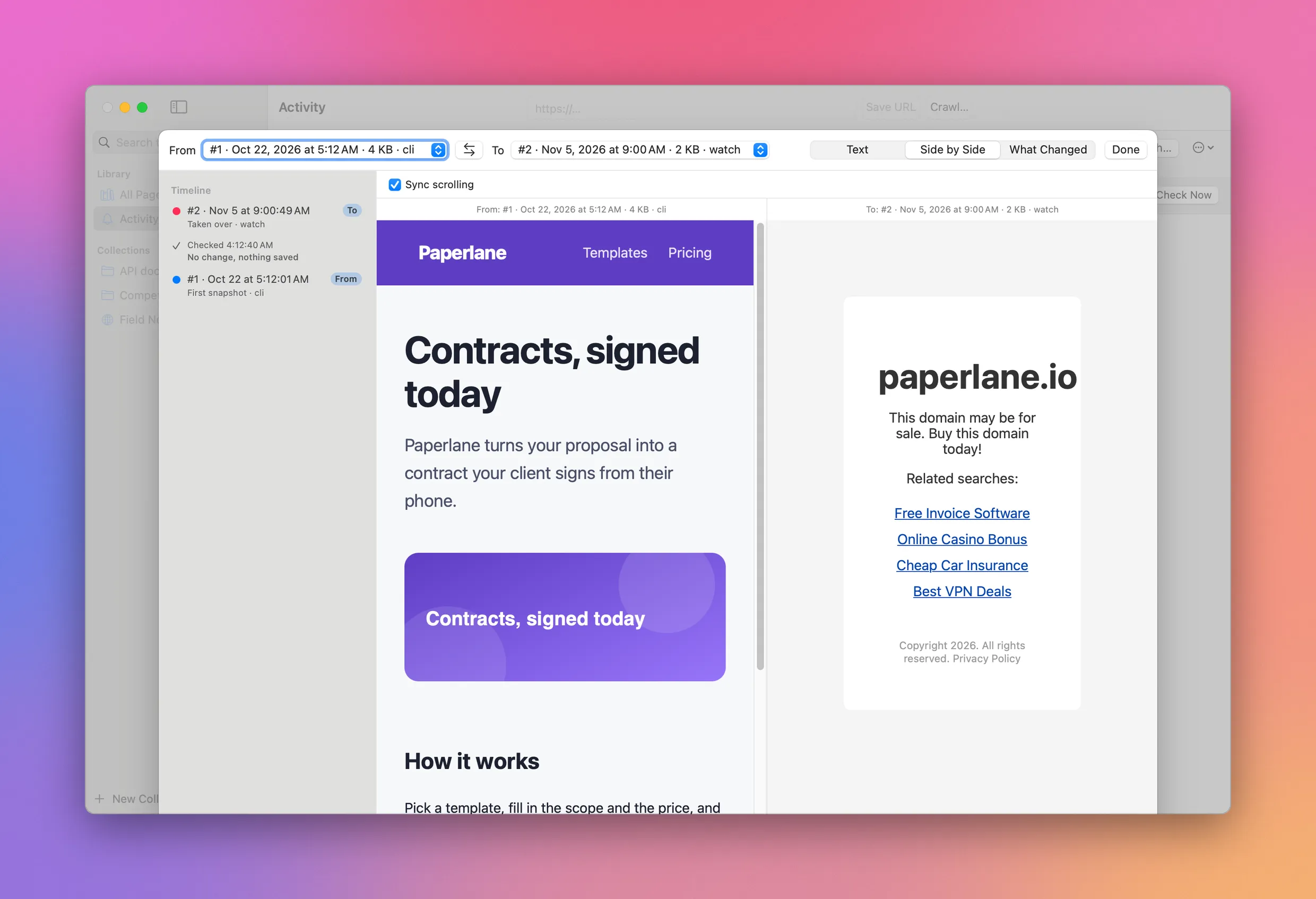
Side by Side shows the two saved pages next to each other, and scrolls them together:
What Changed lists the headings, links and images that were added or removed.
Watch pages for changes
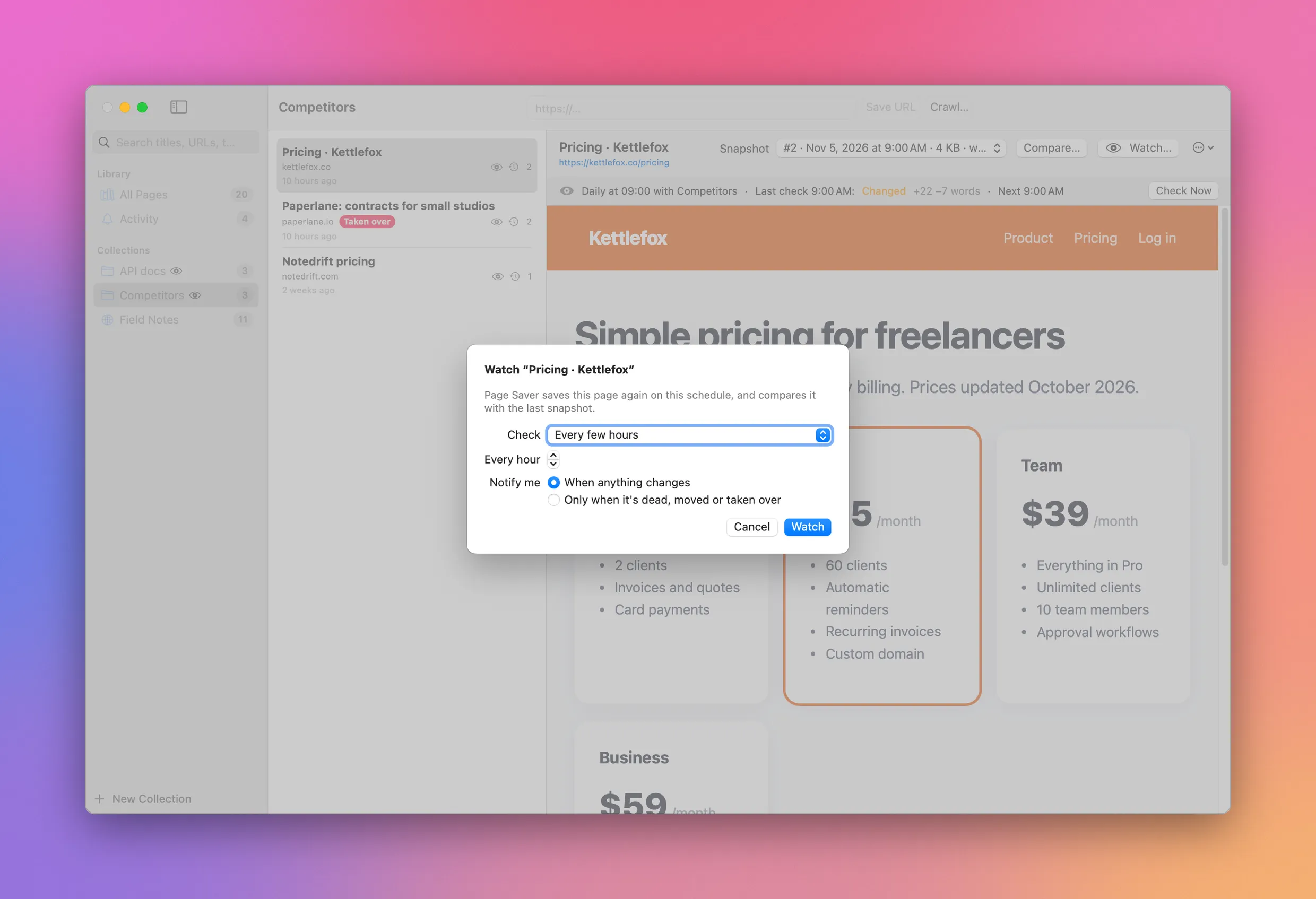
Click Watch… on a page, or right-click a collection, to save it again on a schedule: every few minutes, every few hours, every day at a time, or every week. Watching a collection also checks the pages you add to it later. You choose whether to get a notification for any change, or only when something is wrong.
Each check ends up as one of these:
| Result | When | Saves a snapshot |
|---|---|---|
| No change | The text is the same as the last snapshot | No |
| Changed | The text is different. The alert counts the words added and removed | Yes |
| Dead | An HTTP error, a DNS failure, or no answer in 30 seconds | Yes, when the server sent a page |
| Moved | It redirects to a different site, with similar content | Yes |
| Taken over | It looks like a parked domain or a spam page, or almost all of its text was replaced | Yes |
The alerts land in Activity, newest first, and as macOS notifications. Click one and Page Saver opens Compare with the two snapshots of that check already picked.
Here the domain of a (made-up) competitor expired, and the page that used to sell contracts now sells casino bonuses:
The checks keep running while Page Saver is closed. The first time you watch something, the app installs a small background agent that wakes up every minute, sees whether a check is due, and quits right away when nothing is. You can turn it off in System Settings › General › Login Items & Extensions.
Save a whole site
Click Crawl… to save every page of a site into a collection. You can save the whole site, only the pages under a path like /docs/, or one page and the pages it links to, and cap how deep to go and how many pages to save.
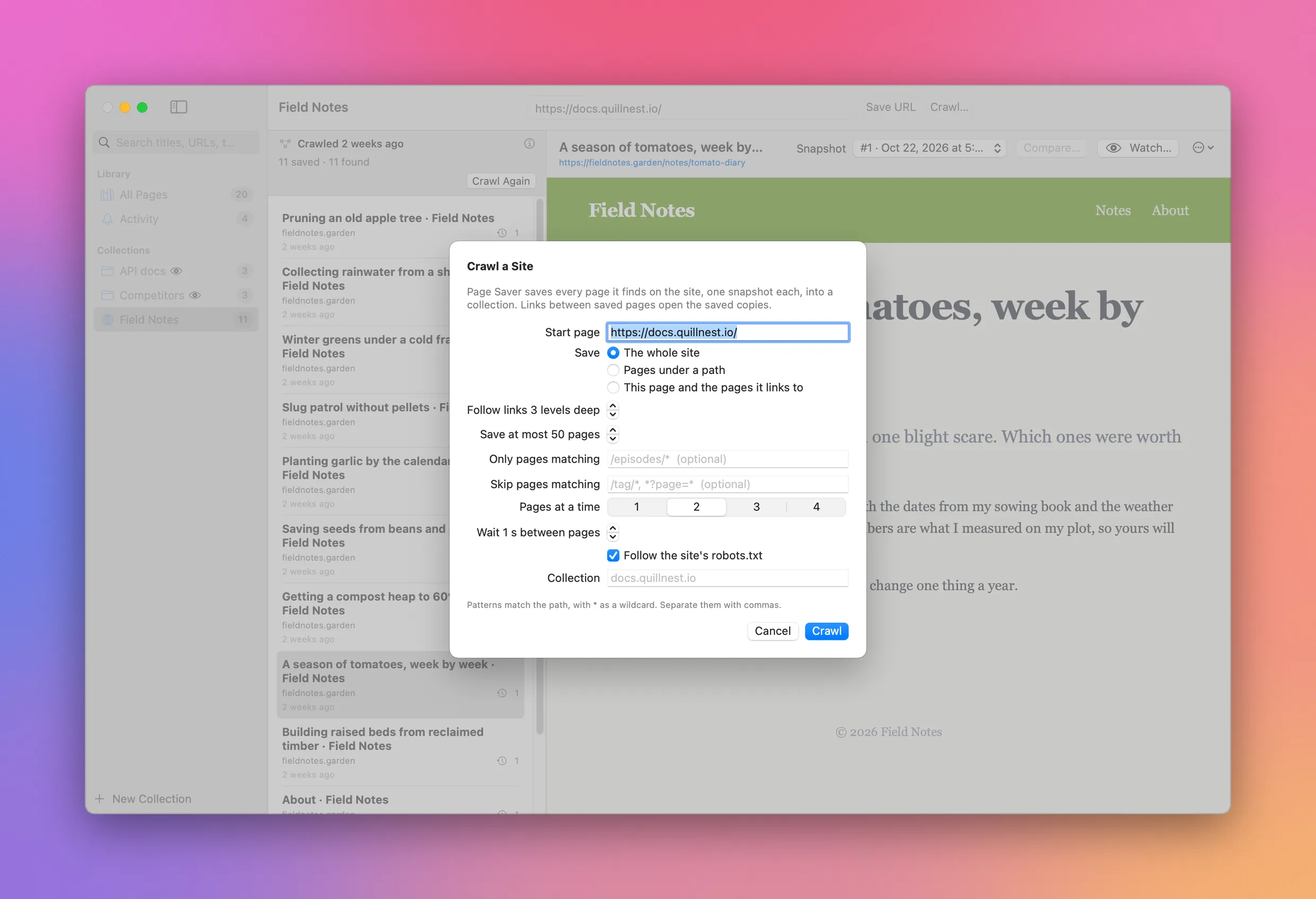
The crawler is polite by default: two pages at a time, a second between pages, and it follows the site’s robots.txt. A crawl you stop picks up where it left off.
Then you read the site offline. When you click a link to a page you saved, Page Saver opens the saved copy instead of going online.
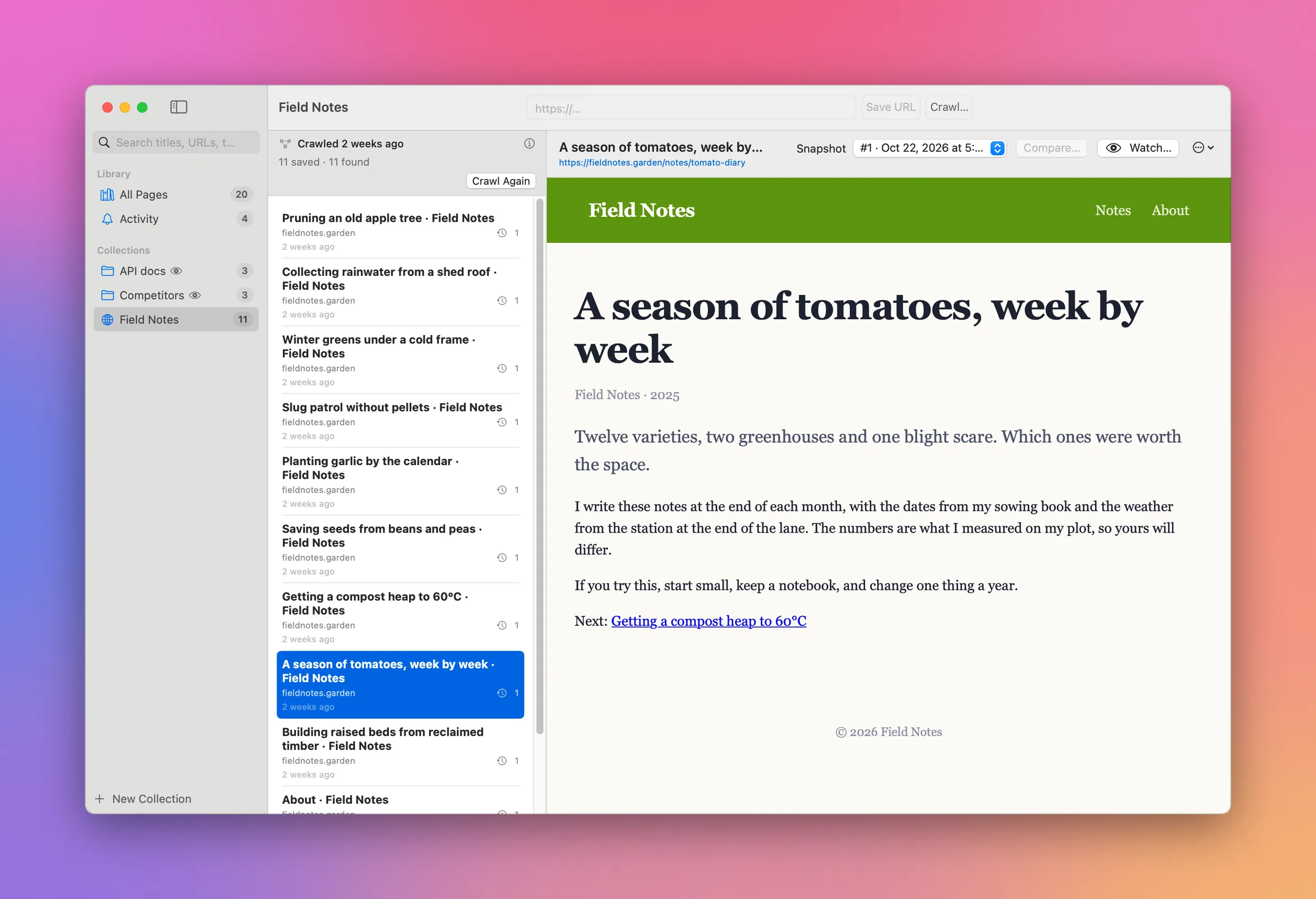
Crawl Again saves a new snapshot of every page, and picks up pages added to the site since. Watch the collection with Crawl the site again each time turned on and it happens on a schedule.
The command line
The pagesaver command lives inside the app and works on the same library, so the app picks up what it saves right away. Link it into your PATH:
ln -s "/Applications/Page Saver.app/Contents/MacOS/pagesaver" ~/.local/bin/pagesaverpagesaver save https://kettlefox.co/pricing --collection Competitors
pagesaver snapshots https://kettlefox.co/pricing
pagesaver watch add --collection Competitors --daily 09:00
pagesaver crawl https://docs.quillnest.io/ --scope path --path /api/ --max 50
pagesaver search "rate limit"Run pagesaver to see every command. pagesaver capabilities describes them for an agent.
How a page is saved
Page Saver downloads every stylesheet, image, font and icon on the page and puts it inside the HTML file as a data URI. Scripts and event handlers are removed, and a content security policy blocks any network request left in the file, so opening a saved page never calls home. Web components keep their content.
Each snapshot also records the HTTP status, the URL after redirects and a hash of the page text. That’s how a check tells “no change” from “changed” without saving a copy every time.
Everything stays on your Mac, in ~/Library/Application Support/PageSaver: a SQLite index with full-text search, and one HTML file per snapshot. Back up that folder to back up your library. There’s no account and no server.
Why not use bookmarks, or Safari’s Save As
Bookmarks keep the address. If the page changes or dies, the bookmark doesn’t know. Safari’s File › Save As can keep a copy of one page, and it’s free. You still save each page by hand, name the file, and compare two versions by reading them.
Online page monitors exist too. They run on their servers, and your list of watched pages lives in someone else’s account.
| Bookmarks and Save As | Page Saver | |
|---|---|---|
| Keeping a page | One file at a time, saved by hand | One click, from the app, Safari, Chrome or the terminal |
| Knowing it changed | Open it and read it again | An alert with the count of words added and removed |
| What changed | Compare two copies yourself | Word diff, side by side, or the list of changes |
| Dead or parked links | You find out when a reader tells you | Dead, Moved and Taken over alerts |
| A whole site offline | Not practical | Crawl it into a collection |
| Where it lives | Your Mac | Your Mac, no account |
What it doesn’t do
- It doesn’t run scripts in saved pages. Scripts are removed so a page opens the same way later. Menus, players and anything that needs JavaScript to respond won’t work in the saved copy.
- It doesn’t check while the Mac sleeps. Watches need the Mac awake.
- It doesn’t crawl other sites. A crawl stays on the start page’s site, and
blog.example.comcounts as a different one fromexample.com. - It doesn’t log in for you. Save pages behind a login from Safari or Chrome while you’re signed in.
- It doesn’t know every domain suffix. “A different site”, for the moved and taken-over checks, means a different registrable domain. Page Saver knows the common multi-part suffixes like
co.ukandgithub.io, but not the full Public Suffix List. - It isn’t on the Mac App Store. Page Saver isn’t sandboxed, so it can share its library with the command line tool.
Questions
Does a saved page need the internet to open?
No. The CSS, images and fonts are inside the file, and a content security policy blocks any request left in it. Links to pages you didn’t save still go to the live site.
How do I turn on the Safari extension?
It’s off until you turn it on in Safari › Settings › Extensions. The first time you save a page, Safari asks for permission: pick Always Allow on Every Website, because the extension downloads images and fonts from other domains.
And Chrome?
Load the extension bundled in Page Saver with Load unpacked in chrome://extensions. The Page Saver docs show where to find it and how to register the native host.
Does it work on Intel Macs?
Yes. Page Saver needs macOS 14 Sonoma or later, and runs on Apple silicon and Intel Macs.
Can a coding agent use it?
Yes. The agent runs pagesaver save, pagesaver search and the other commands on the same library the app shows. pagesaver capabilities describes them.
What you get
$19 once, tax included. You get the notarized Mac app with its Safari extension, the Chrome extension, and the pagesaver command.
After purchase, download the signed and notarized Mac app from your purchase page. Unzip it and move Page Saver.app to Applications.
Page Saver checks for updates once a day. Choose Page Saver › Check for Updates… to check now and Install and Relaunch to install.