
How to check which product photos are missing from a shoot
By Flavio
Every product needs a front, a back, a side and a detail shot, and the folder holds hundreds of files. Here's how to check by hand in the Finder, where that gets hard, and how to see every missing angle in a grid while you shoot.
You’re photographing products for a shop. Every product needs the same angles, say a front, a back, a side and a detail, and the files are named after the product code, like MUG-0412_front.jpg. Before the products go back, you want to know which ones still miss a shot.
The short answer: the Finder can show you the files sorted by name, and you count each product’s files by eye. That works for a dozen products. For more, an app like Product Shot List Checker compares the folder with your product list and shows every missing angle in a grid.
The shoot here is made up: 12 homeware products (mugs, teapots, bowls, cups and a plate) and 43 photo files in a folder called Capture. The screenshots are from macOS 15.
How do I check the folder in the Finder?
Open the folder your photos land in. Choose View › as List, then click the Name column so the files are sorted by name. Each product’s photos now sit together: MUG-0412 back, detail, front, side.
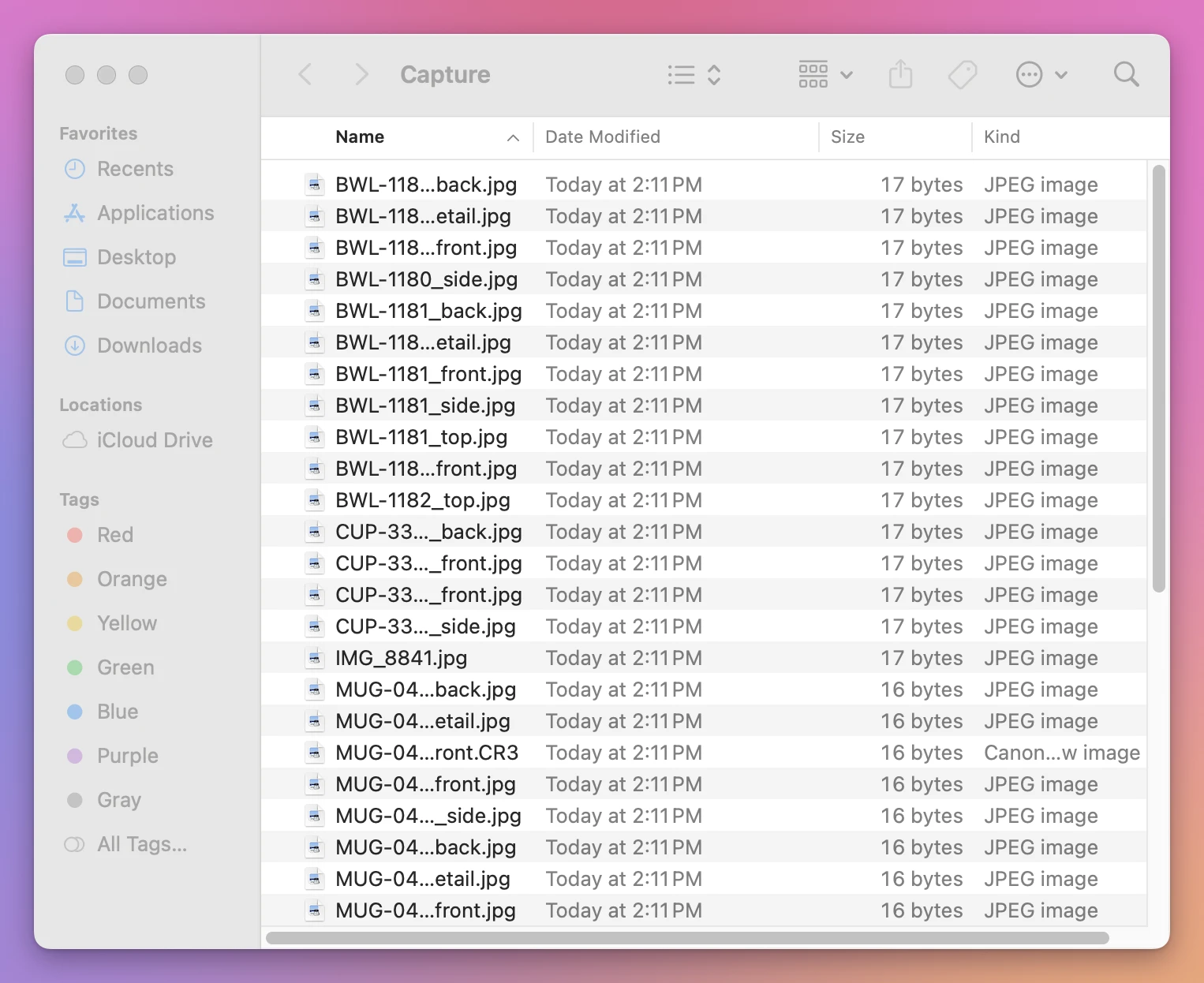
Now go down the list product by product and count. Four files, fine. Three files, which angle is missing? Then check that each code is on your product list.
Here’s what that looked like in the test folder:
- At a normal window width the Finder cuts long names in the middle, so
MUG-0413_detail.jpgshows asMUG-04…etail.jpg. You widen the Name column or hover over each name. - A RAW and a JPEG of the same shot are two rows, so MUG-0412 has five files and still only four angles.
CUP-3380_side.jpgsits next to the CUP-3307 and CUP-3308 files and looks like the others. It’s a typo for CUP-3308, and nothing in the Finder says so.IMG_8841.jpghas no product code at all.- New photos keep arriving while you shoot, so you start again.
Twelve products is a lot of squinting already. A shoot of a hundred products means going through hundreds of rows, more than once, and it’s easy to skip one.
What does the app do differently?
Product Shot List Checker knows your product list and your views, so it can say what’s missing instead of what’s there. It reads only the file names, never the photos, and it never renames or moves anything. It costs $19, paid once.
Here’s how it reads a name:
How do I check a shoot with the app?
- Open the app and click Type or Paste the Codes, then type or paste the product codes into Product codes, one per line. (Import a List… takes a CSV or text file instead.)
- Type the views in Views every product needs:
front, back, side, detail. One product here, a flat bowl, only needs two, so its line in the list readsBWL-1182: front, top. - Click Choose a Folder… and pick the Capture folder.
- Under How the photos are named, check that Between the parts is
_and the order is Product code, then view. Three real names from the folder show how they’re read.
The grid fills in right away:
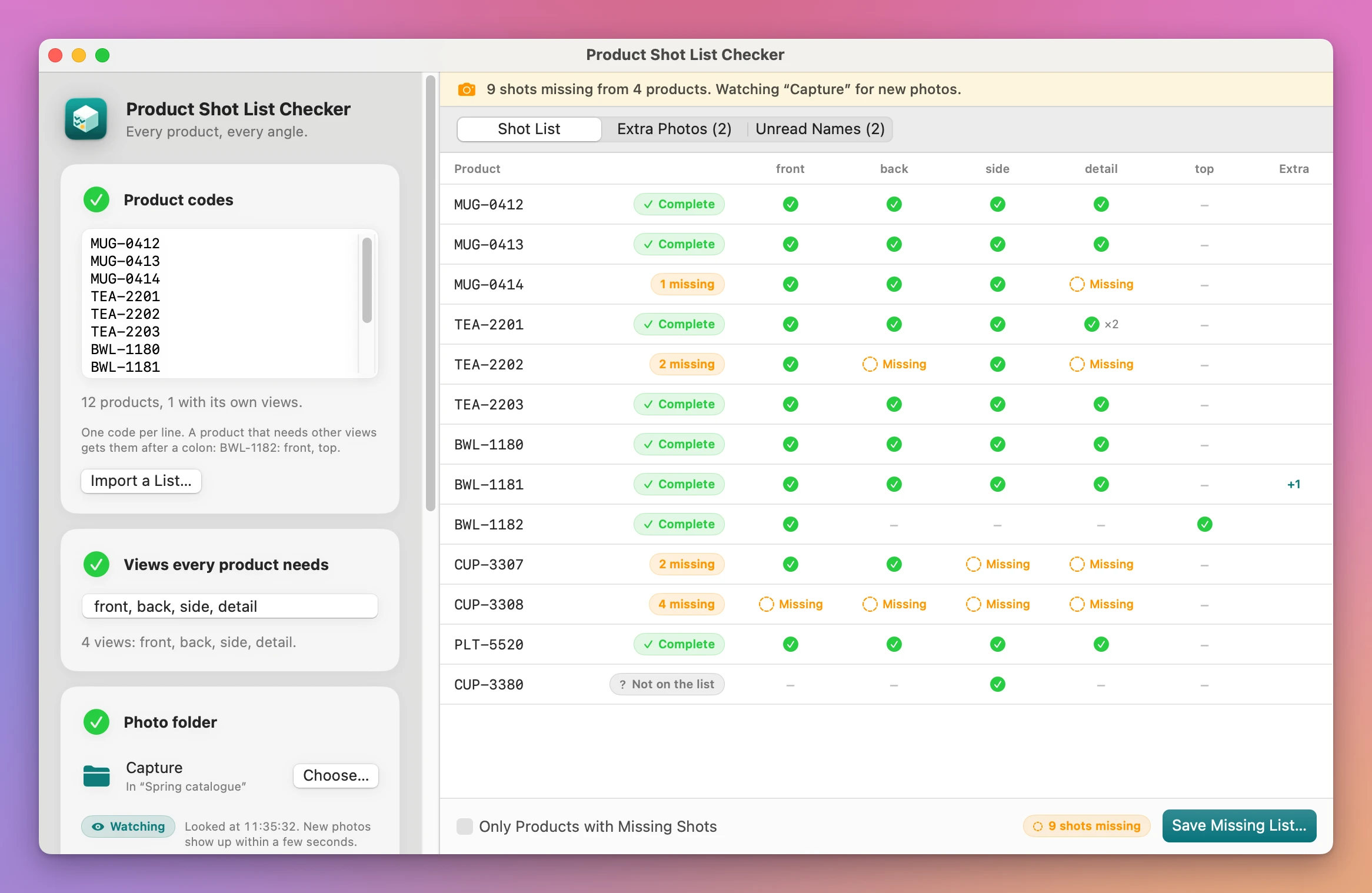
Green ticks are the shots that are there. Orange Missing cells are the ones to take. The RAW and JPEG of MUG-0412’s front count as one shot, and TEA-2201’s two detail takes show as ×2. The typo shows up as its own row, CUP-3380, Not on the list.
The two names it couldn’t read are under Unread Names, each with the reason:
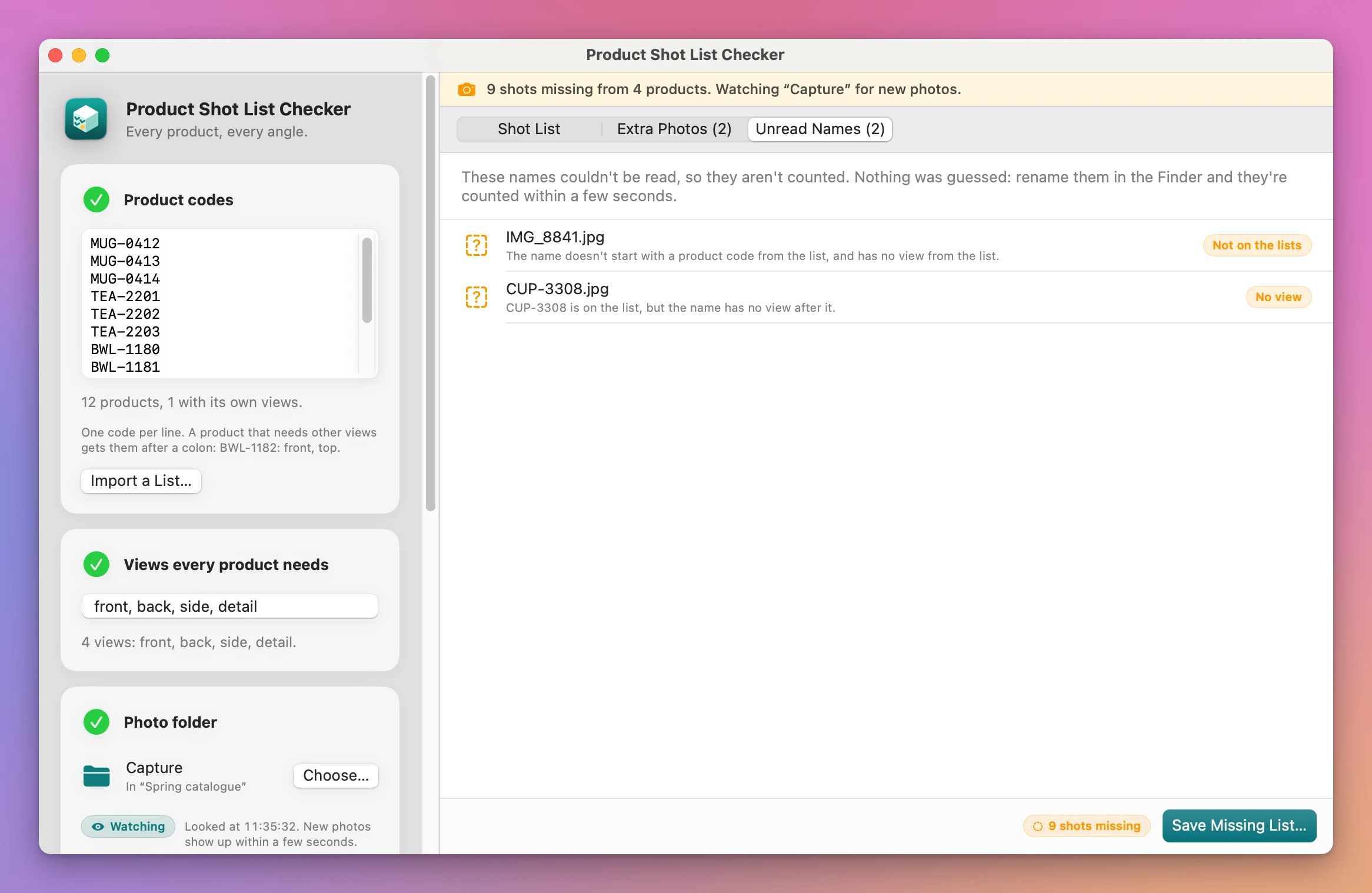
In the test, renaming CUP-3308.jpg to CUP-3308_front.jpg and adding two more photos to the folder took the count from 9 missing shots to 6 within a few seconds, without touching the app. An empty file added at the same time went under Unread Names as Empty file, not into the grid.
How do I hand over the list?
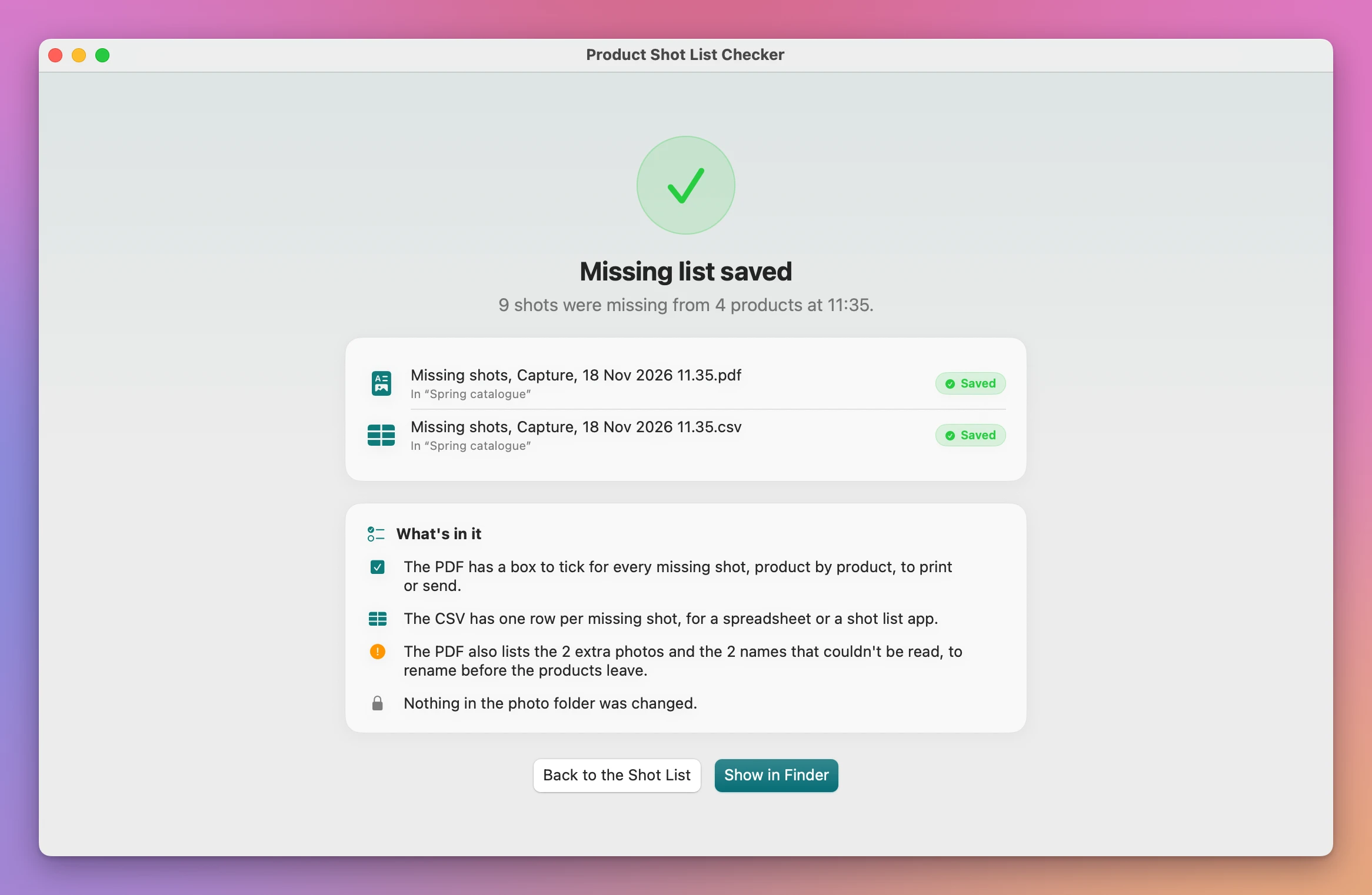
Click Save Missing List…. The app saves a PDF with a box to tick for every missing shot, product by product, and a CSV with the same name next to it, one row per missing shot. The PDF also lists the extra photos and the names that couldn’t be read, so they can be renamed before the products leave.
Which way should I use?
| The Finder | Product Shot List Checker | |
|---|---|---|
| What you see | The files that are there | The shots that are missing |
| A typo in a code | Looks like any other file | A row marked Not on the list |
| A name without a view | Easy to miss | Under Unread Names, with the reason |
| RAW plus JPEG | Two rows to count | One shot |
| New photos | Sort and count again | Updated within a few seconds |
| Telling the client | Type it yourself | A PDF and a CSV |
For a handful of products, the Finder’s list view is enough. For a shoot where products leave the studio at the end of the day, the grid is faster than counting and it doesn’t skip a row.
Get Product Shot List Checker
Paste or import your product codes, type the views every product needs (front, back, side, detail), and choose the folder your photos land in. A grid of products by views shows which shots are done and which are missing, updates as new photos arrive, lists names it can't read without guessing, and saves a PDF and CSV of what's missing. It reads file names only.
See Product Shot List Checker → · Read the docs · $19. See the app page for tax details.
More for working photographers tutorials → · All app tutorials →