
A day trading pre-market checklist you'll actually follow
By Flavio
A pre-market checklist is a short list of habits you finish before the session starts: sleep, the news, your key levels, your max loss. Here's what to put on it, how to keep it with free tools on a Mac, and how to see the days you skipped it.
You’ve read that good traders have a morning routine, and you wrote one. Some mornings you follow it. On the morning after a losing day, or when you wake up late, you open the charts and the list stays in a drawer.
The short answer: keep the checklist short, mark the three or four items you won’t trade without, and give it a deadline, the moment your session starts. Then keep a record of each morning, so you can see how often you really did it.
This is about habits, not advice. Nothing here says what or when to trade.
What goes on a pre-market checklist?
Things you can do every morning, that you can check honestly, and that you decided ahead of time matter. A starting point:
| Item | Type | Why it’s there |
|---|---|---|
| How well I slept | Rating 1 to 5 | For a rule like “no trading on a bad night’s sleep” |
| Read today’s news and economic calendar | Tick | So a scheduled report doesn’t surprise you |
| Key levels I’m watching | Short text | You write them before the open, not in the middle of a move |
| Max loss for today | Number in $ | The number that ends your day, set while you’re calm |
| Max number of trades today | Number | Optional, a limit on overtrading |
| Platform, charts and orders checked | Tick | Optional |
| Not trying to make back yesterday’s loss | Tick | Optional, an honest question to yourself |
Mark the first four as must-do: if any is empty when the session starts, that’s a day you said you wouldn’t trade. The rest are there for your log.
How do I keep it on a Mac for free?
Two apps that come with the Mac get you most of the way.
Apple Notes has checklists. Make a note with your items, and use Format › Checklist to turn the lines into tick boxes. Each morning, duplicate the note and name it with the date, so you keep a copy per day. It’s free and quick. It doesn’t know the time, though, so nothing changes at 9:30 if a box is still empty, and to know how often you skipped the news you’d have to open every note and count.
Reminders can repeat a to-do. Make one called “Pre-market checklist”, give it a time like 8:30, and set it to repeat on weekdays. That’s a free nudge at the right moment. It’s one tick, though, not a list with a max-loss number and your key levels, and it has no idea when your session starts.
A spreadsheet, with one row per day and one column per item, gives you the log and lets you count. It has no reminder and no deadline, and on a bad morning, it’s the one file you don’t open.
Why the deadline matters
A checklist without a deadline is easy to finish “later”, after the first trade. What makes it work is a plain rule: the must-do items are done before the session starts, or today isn’t a trading day for you.
Do it with Pre-Market Checklist
Pre-Market Checklist is a Mac app I made for this. It costs $19, paid once. The screenshots are from a test Mac with made-up mornings.
It starts with the routine from the table above, and you change it on the Routine page: the titles, the type of each item, and which ones are Must do. In Settings you pick your trading days, the reminder time and the session start, 8:30 and 9:30 to begin with, in your Mac’s time zone. If you trade the US open from Europe, type the start in your own time, like 15:30.
Each morning the Today page shows an orange Not ready yet banner with the number of must-do items left before the start.
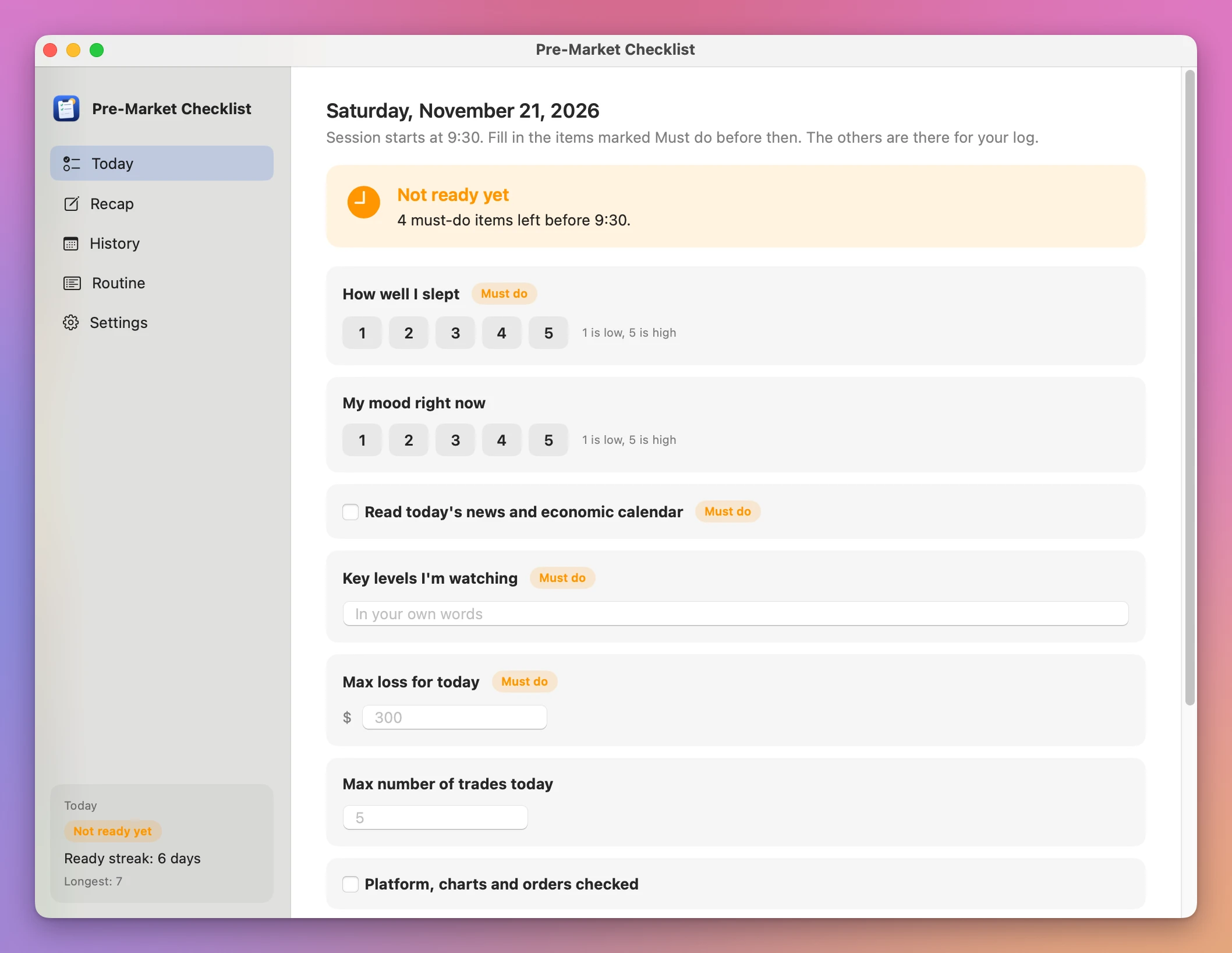
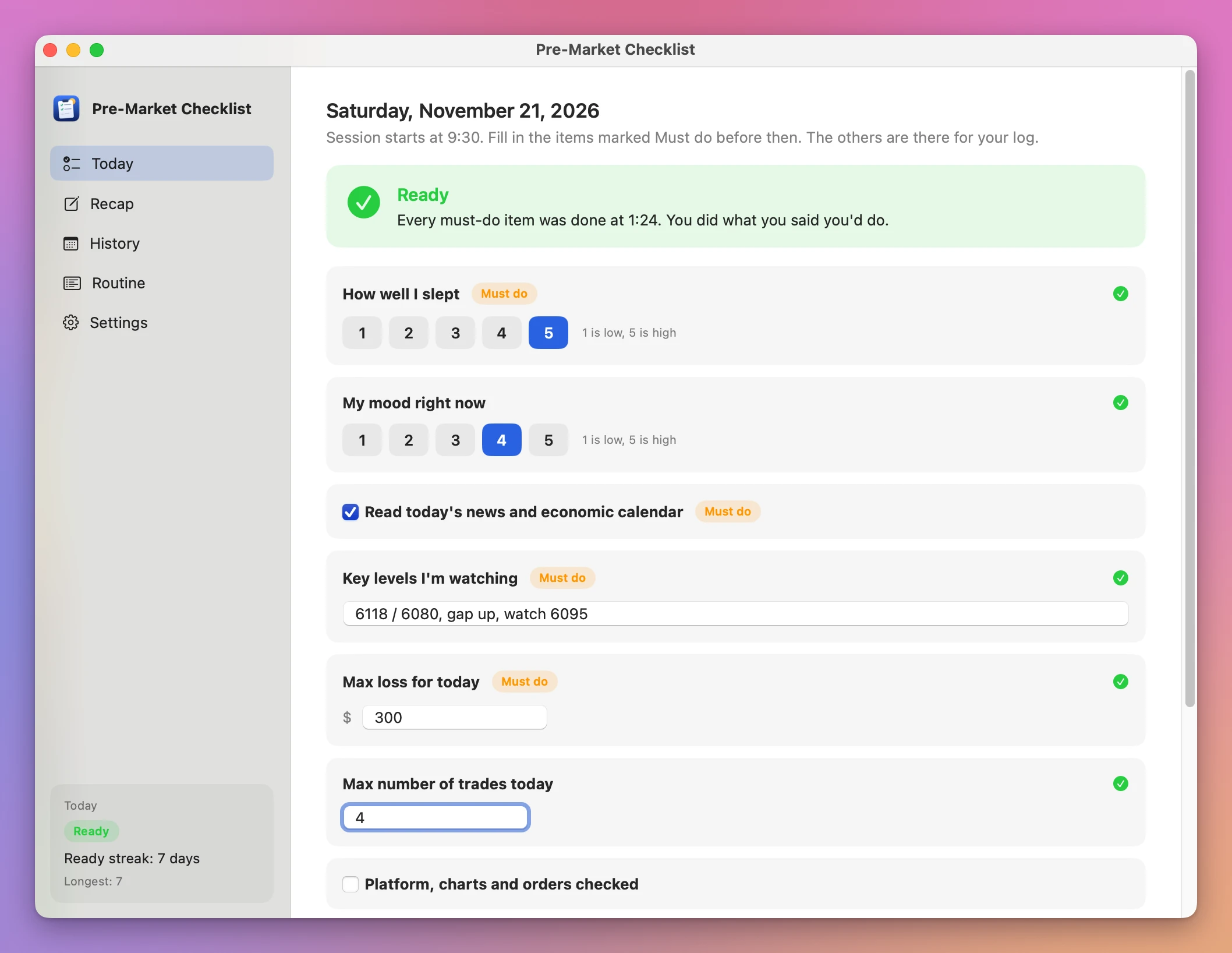
Fill in the items and the banner turns green, with the time you finished. Everything saves as you type.
If the session starts and a must-do item is still empty, the day becomes Not today. The banner names the item, it gets a red outline, and the menu bar icon turns red. Here the session start was set to 0:30 to show it.
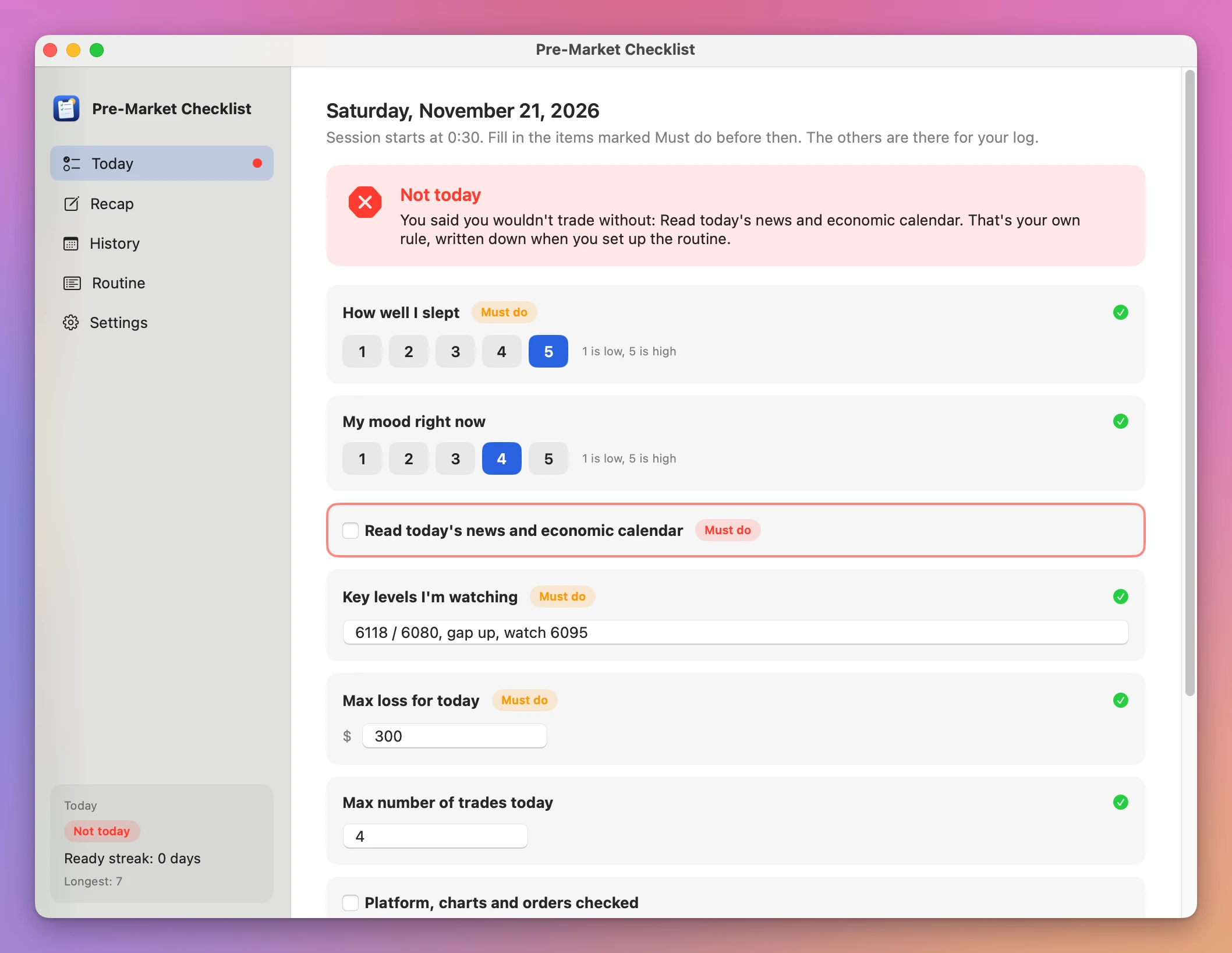
That’s all it does. Your broker and your charts keep working. “Not today” is the rule you wrote, shown back to you.
See how often you really did it
The History page colors each trading day on a calendar: green for Ready, red for Not today, grey for a day off. Click a day to see what you wrote.
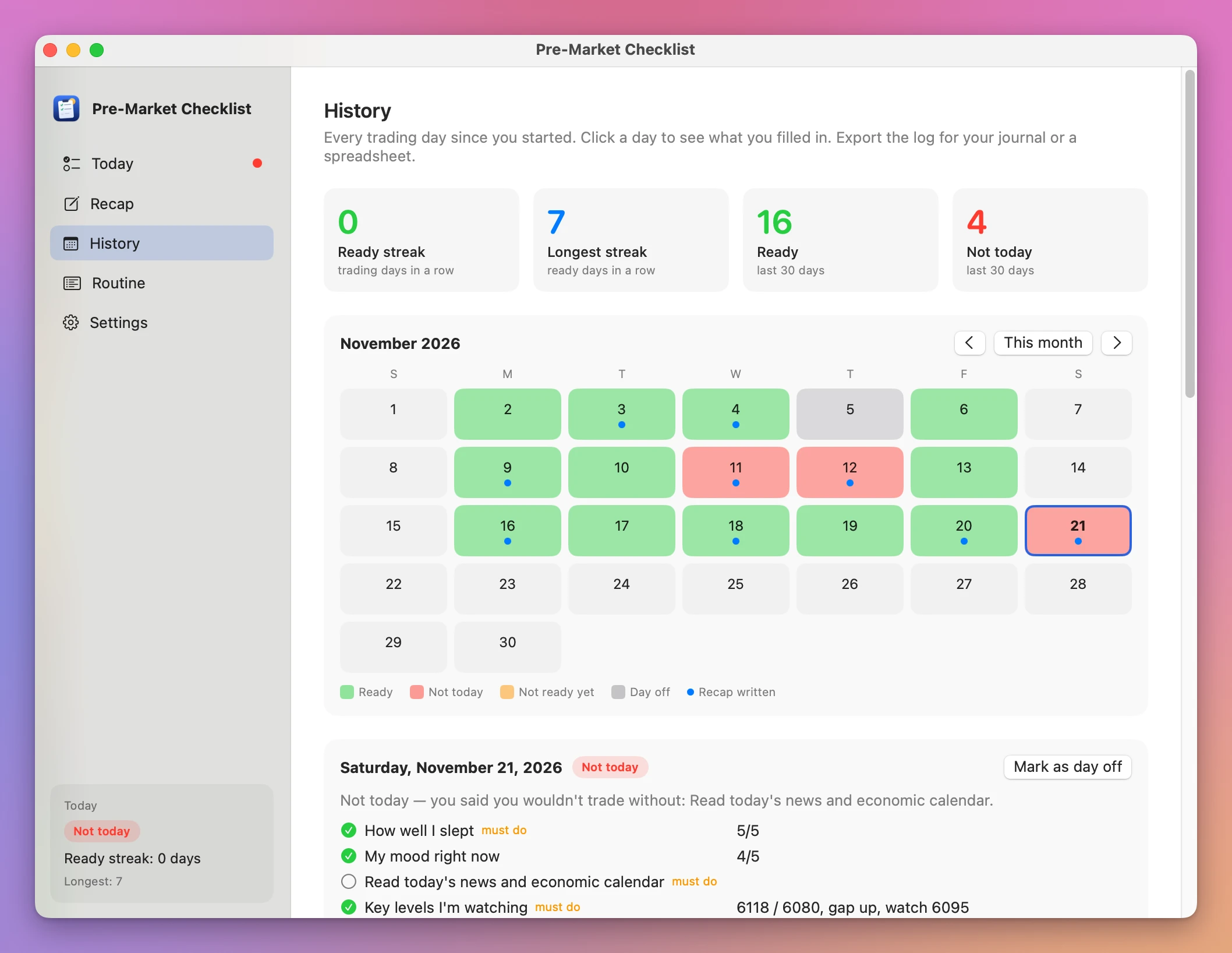
Under the calendar, How often each item was done counts each item. Over four made-up weeks of mornings, from October 26 to November 20, it read like this:
| Item | Done | Average |
|---|---|---|
| How well I slept | 19 of 19 | 3.8 |
| Read today’s news and economic calendar | 18 of 19 | |
| Key levels I’m watching | 18 of 19 | |
| Max loss for today | 19 of 19 | 297.37 |
| Platform, charts and orders checked | 17 of 19 | |
| Not trying to make back yesterday’s loss | 17 of 19 |
That’s 16 Ready days, 3 Not today and 1 day off. The three red days had three different causes: the news skipped on October 29, no key levels on November 11, and everything finished after the start on November 12.
After the session, the optional Recap page asks what went well, what didn’t, your P&L, whether you kept your rules, and your mood. Export CSV… in History gives you one row per answer for a spreadsheet or a trading journal.
Which way should you use?
| Notes checklist | Reminders | Spreadsheet | Pre-Market Checklist | |
|---|---|---|---|---|
| Your routine as a list | Yes | One to-do | Yes | Yes, with numbers, text and ratings |
| Reminder at a set time | No | Yes | No | Yes |
| Knows when your session starts | No | No | No | Yes |
| A record of each morning | If you duplicate the note | No | If you fill a row | Yes, on a calendar |
| How often you skipped an item | Count by hand | No | With formulas | Yes |
| Cost | Free | Free | Free | $19, paid once |
If you follow your routine nearly every day, a Notes checklist and a Reminders nudge are enough. If you keep skipping it on exactly the days it matters, having the deadline and the count in front of you is what the app adds.
Pre-Market Checklist is a checklist for your own routine and numbers, not financial advice.
Get Pre-Market Checklist
Your trading routine as a checklist you fill in before the session, with a daily log, streaks, an optional recap and a clear Not today when you skipped what you said matters.
See Pre-Market Checklist → · Read the docs · $19. See the app page for tax details.
More trading and investing tutorials → · All app tutorials →