
Find the license for a stock music track after a copyright claim
By Flavio
A copyright claim lands on an old video and you need the license PDF for one track. Here's how to find it in your Downloads folder and put together the proof for that track, with Finder or with Stock License Binder.
A copyright claim shows up on a video you posted months ago. You licensed the music, and the dispute form asks for the license and the order number. Somewhere in your Downloads folder there’s a PDF that proves it.
The short answer: search Downloads for the track’s ID rather than its name, open the PDFs that match with Quick Look, then copy the license and the receipt into a new folder and compress it. If you deal with claims often, Stock License Binder keeps each license with the track and the videos that used it, and makes that folder for you.
Why the track’s name finds nothing
Stock sites name their files after the order, not the track. Here’s a made-up Downloads folder with ten license files from five sites, the kind of names those sites use:
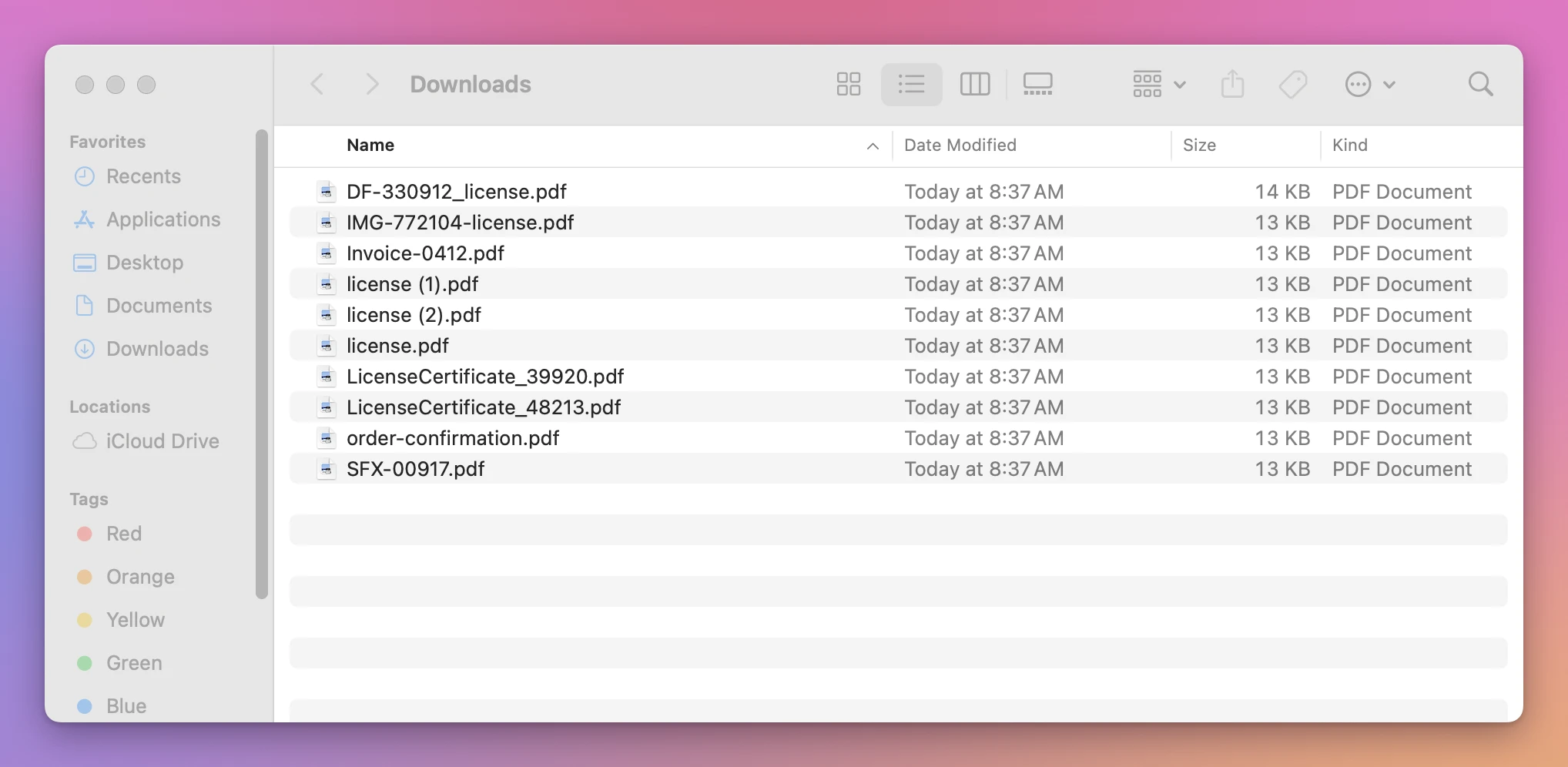
The track is called Morning Coffee Groove. No file has that name in it. Three files are just license, and the receipt is Invoice-0412.
The claim email usually quotes the track’s title and the site’s ID for it, like TRK-48213. Search for the number: LicenseCertificate_48213.pdf comes up.
On your own Mac, Spotlight also reads the text inside most PDFs, so a search for the track’s title can find a license whose file name doesn’t have it. That works when the PDF is text and not a scanned picture.
The free way, with Finder
- Open your Downloads folder and click in the search field at the top of the window.
- Type the ID from the claim, then click Downloads next to Search: so Finder looks only there.
- Select each result and press Space to see it with Quick Look. Check the track’s name and the license on the PDF.
- Find the receipt the same way, by the order number on the license.
- Choose File → New Folder, name it after the track, and drag a copy of the license and the receipt into it, holding Option so the originals stay where they are.
- Right-click the folder and choose Compress. You get a ZIP to attach to the dispute form.
It’s free and it works for one claim. It gets slow when you don’t know the ID, when the license was bought by a colleague, or when the claim is about a video and you have to work out which of its tracks was flagged. Nothing in Finder knows which videos used which track.
The shorter way, with Stock License Binder
Stock License Binder is a Mac app that keeps a copy of each license file with the asset’s name, its ID, the site, the order number, the day you bought it, and the videos that used it. It costs $19, paid once.
You add a license once, when you buy the track. Click Add License Files…, or drag the PDF and the receipt onto the window. The app reads the file name to fill in the details it can: morning_coffee_groove_license_TRK-48213_2026-03-14.pdf becomes Morning Coffee Groove, TRK-48213, March 14, 2026. Under Used in, type each video that uses it.
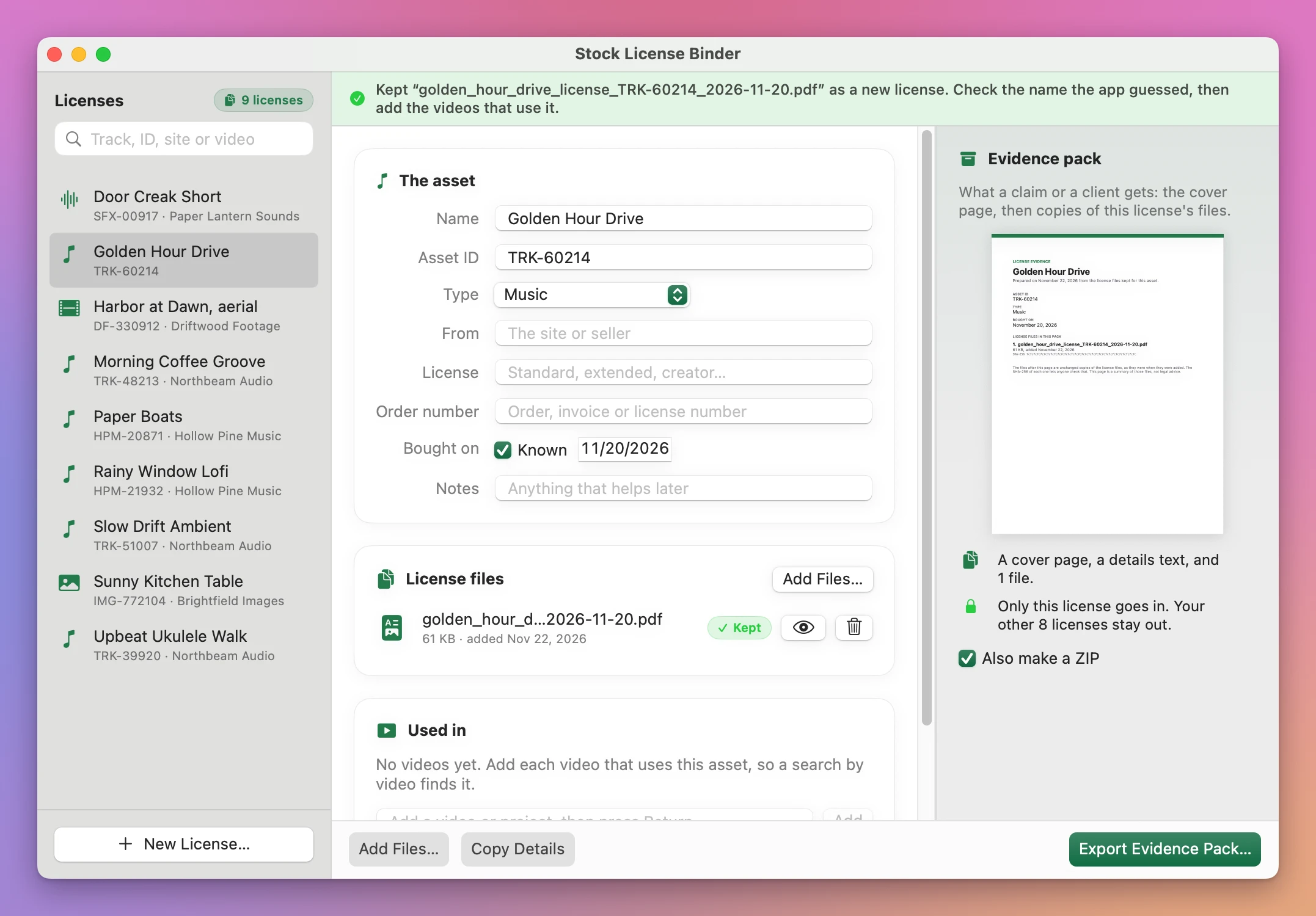
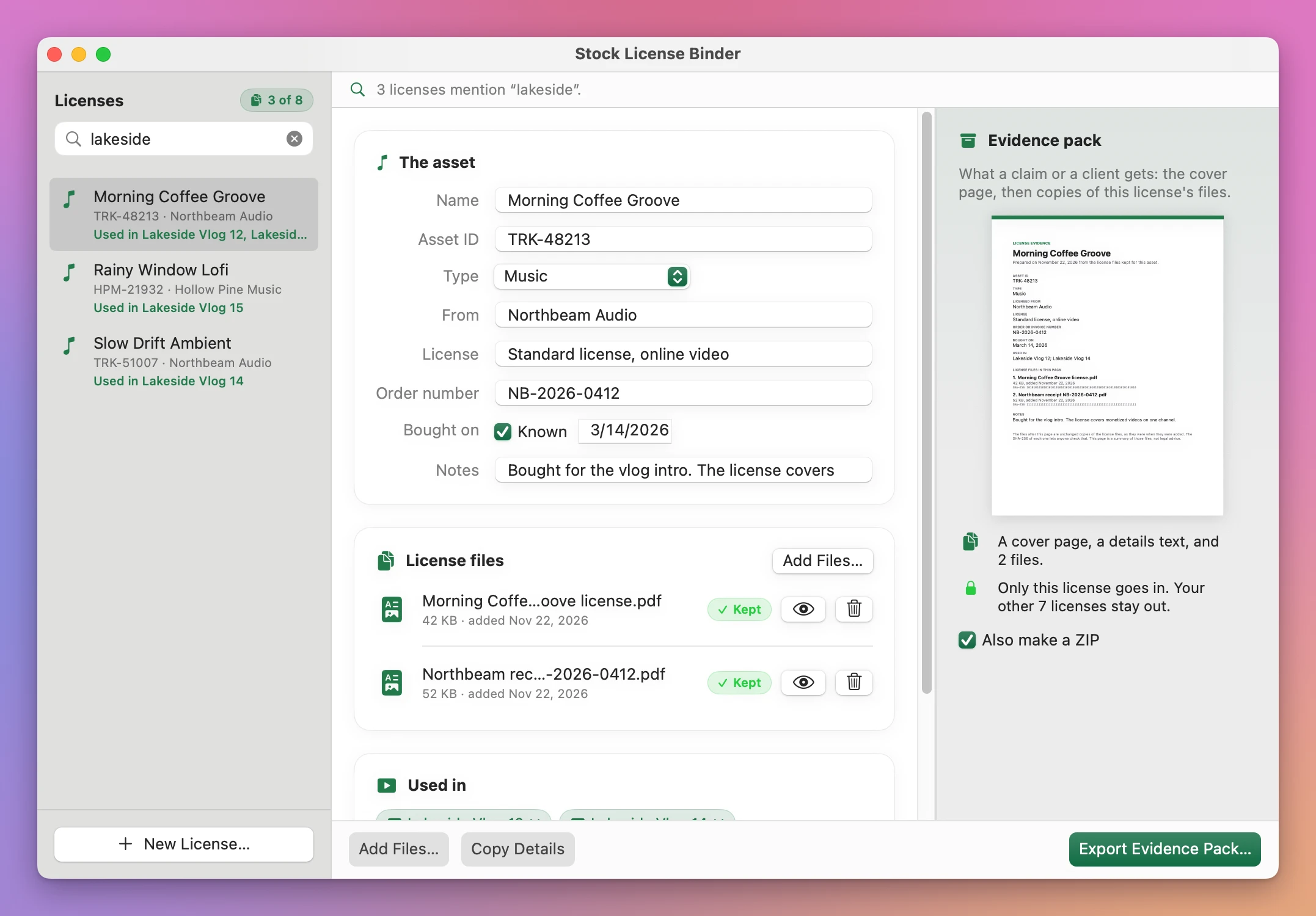
When the claim comes in, type the track’s name, its ID or the video’s name in the search field. A search for a video lists every license used in it.
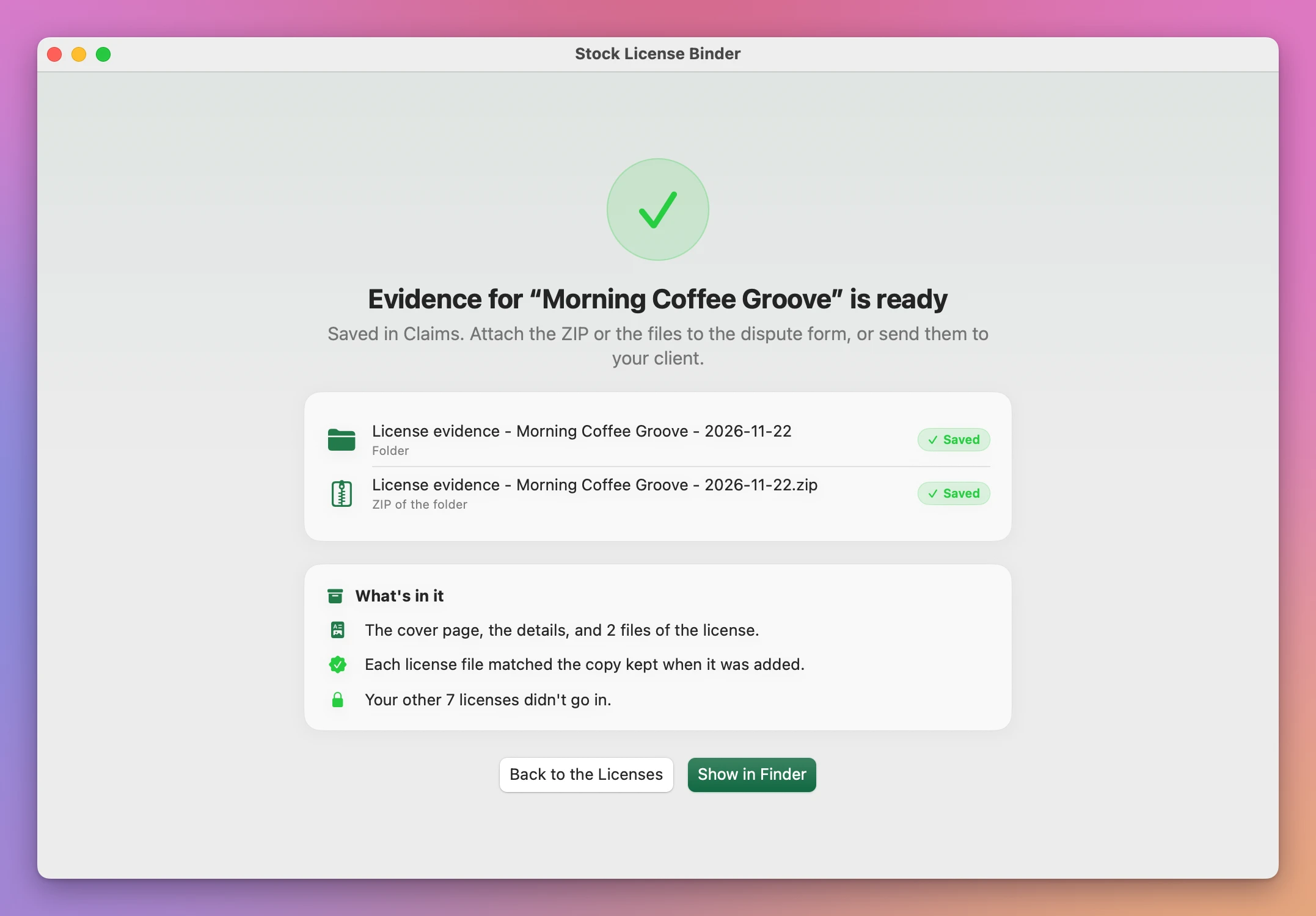
Click Export Evidence Pack… and choose a folder. You get a folder named after the track and the day, with a cover page PDF that lists the license and each file with its fingerprint, a Details.txt with the same facts, and copies of that track’s license files. A ZIP of the folder goes next to it. Copy Details puts the same text on the clipboard for a form that only takes text.
The screenshots use made-up licenses from made-up sites, on macOS 15.
How the two compare
| Finder | Stock License Binder | |
|---|---|---|
| Cost | Free | $19, paid once |
| Find by track ID | Yes, if it’s in the file name | Yes |
| Find by the track’s name | With Spotlight, if the PDF has text | Yes |
| Find every track of a video | No | Yes, from Used in |
| Make the folder for the claim | By hand, then Compress | One click, folder and ZIP |
| Summary of the license | You write it | Cover page and Details.txt |
| Other licenses kept out | If you’re careful | Always |
| Setup | None | Add each license once |
If you get one claim a year, Finder is enough: search for the ID and compress a folder. If you buy tracks every week, add each license to the app when you download it, with the videos it goes into, and the next claim takes a search and a click.
Stock License Binder keeps your records. It doesn’t check a license with the site or tell you whether it covers your use, and it isn’t legal advice.
Get Stock License Binder
Keep every stock music, footage and photo license with the asset, the site, the date and the videos that used it. When a copyright claim comes in, search for the track or the video and export the evidence for that one asset.
See Stock License Binder → · Read the docs · $19. See the app page for tax details.