
How to price a video editing job with cutdowns and vertical versions
By Flavio
A client asks for one video and ends up with cutdowns, 9:16 and 1:1 versions and captions. Here's how to count every file and price the job before you quote, by hand and with Video Editing Quote Builder.
A client asks for “a two-minute film for the launch”. You price two minutes of editing. Then the brief grows: three 15-second cutdowns for ads, a vertical and a square version of each for social, captions on everything. The price stays the one you sent.
The fix is to price files, not minutes. List every file the client will receive, put a price on each kind, and send a quote that says what’s included and what costs extra. You can do it with a pencil or a spreadsheet, or with Video Editing Quote Builder, which counts the files for you.
How many files is “one video”?
More than it sounds. Every cutdown is a new cut, and every extra shape (9:16 for Reels and Shorts, 1:1 or 4:5 for feeds) is a new export of every cut, with its own reframing.
Take the brief above: a 2:30 film made in 16:9, three 15-second cutdowns, each of the four cuts also in 9:16 and 1:1.
| What | Files |
|---|---|
| The film in 16:9 | 1 |
| Three cutdowns in 16:9 | 3 |
| The film and the cutdowns in 9:16 | 4 |
| The film and the cutdowns in 1:1 | 4 |
| Total | 12 |
Twelve files. The client said “a film”. The number to remember is versions: extra shapes times cuts, here 2 × 4 = 8.
Price each kind of work
Give each kind of work its own rate, and write them down once. Here’s a set of made-up rates, the ones the screenshots below use:
- Editing, $150 per finished minute, at least $300 for any edit
- Each cutdown, $75
- Each extra aspect-ratio version, $40
- Captions, $10 per finished minute, cutdowns included
- Color grade, $30 per finished minute of the main edit
- Each round of changes after the included two, $120
- Rush delivery, 25% on top
With those, the film above is 2.5 × $150 = $375 for the edit, 3 × $75 = $225 for the cutdowns, 8 × $40 = $320 for the versions, 3:15 of captioned video at $10 a minute = $32.50, and 2.5 × $30 = $75 for the grade. That’s $1,027.50, against the $375 you’d quote for “a two-minute film”.
Doing it by hand
A note or a spreadsheet works. For each deliverable, write the length, count the cuts, multiply by the shapes, then multiply each line by its rate. Round each line to the cent and add the lines, so the total matches what the client adds up. Then write two lists at the bottom: what the price includes (the files, two rounds of changes) and what costs extra (another round, another cutdown, a rush).
It’s slow in two places. You redo the counting every time a brief changes, and a spreadsheet only counts what you remembered to add a row for.
Doing it with Video Editing Quote Builder
Video Editing Quote Builder is a Mac app I built for this. It costs $19, paid once. The data in these screenshots is made up.
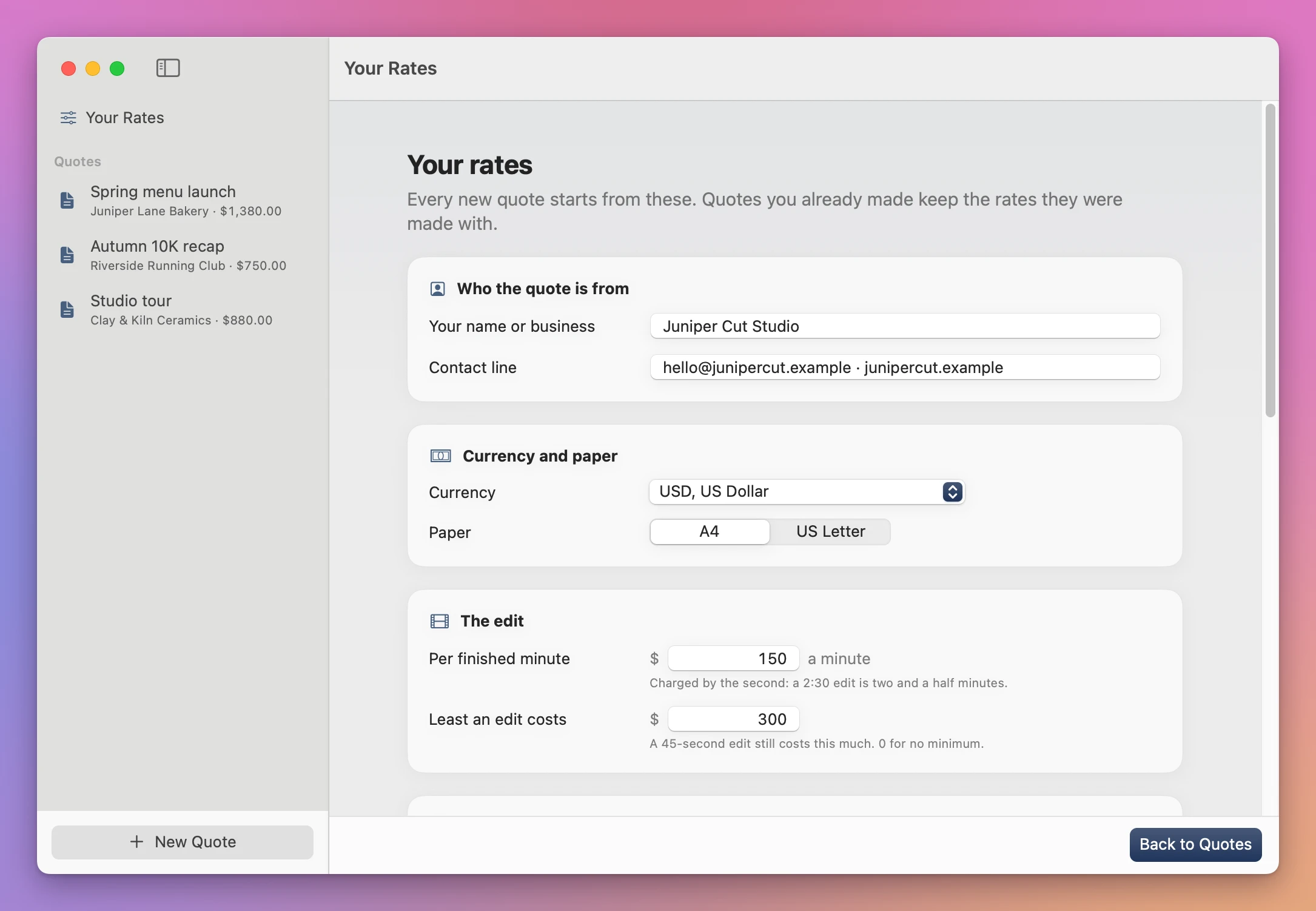
The first time, click Set Your Rates and type what you charge. Each rate has a sentence under it that says how it’s counted. A value that isn’t a number gets “Type an amount, like 150.” under the field.
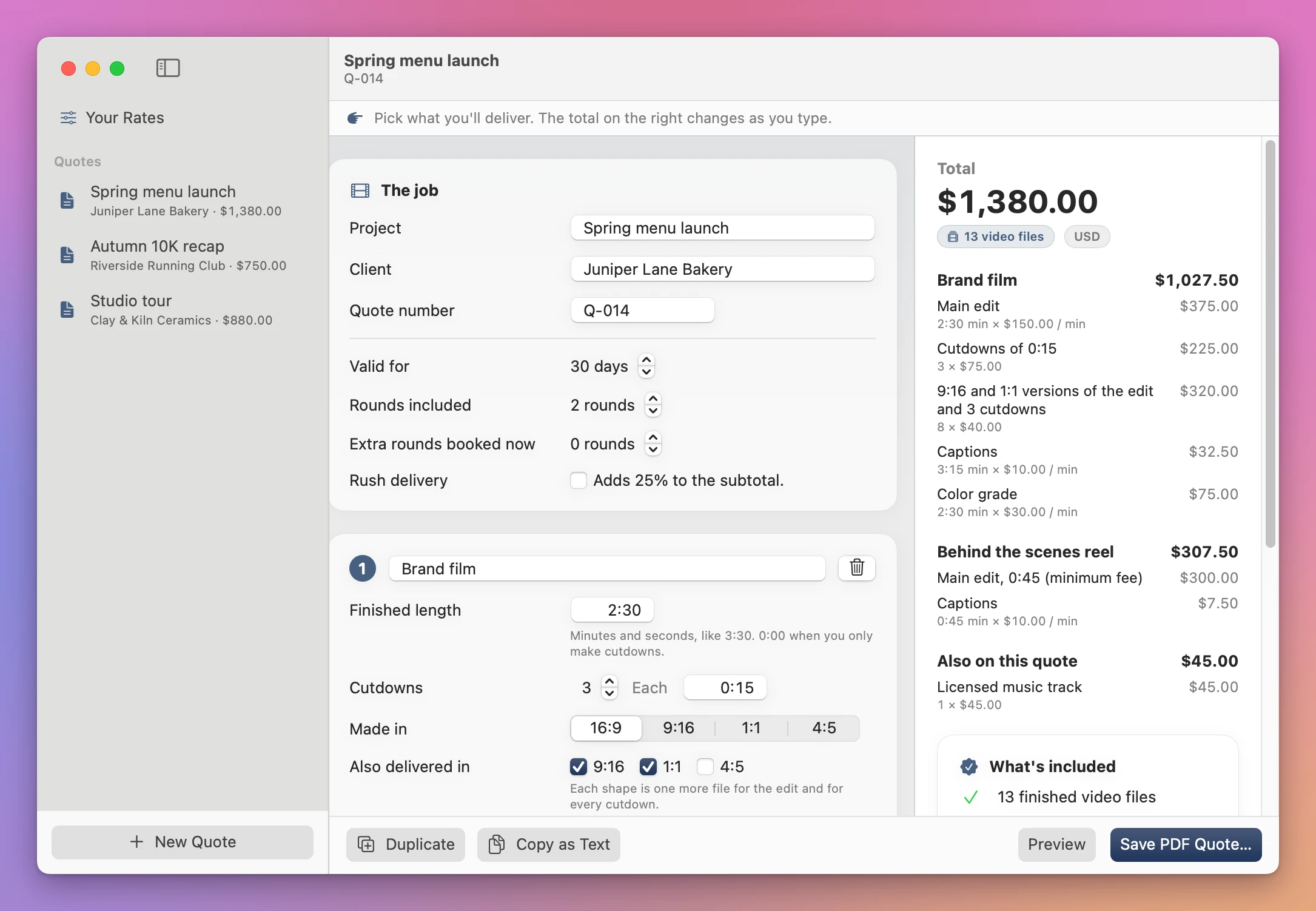
Click Start a Quote, type the project and the client, then fill in the deliverable: its Finished length, the number of Cutdowns and their length, the shape it’s Made in, and the shapes it’s Also delivered in. Tick Captions and Color grade. The right side prices every line as you go and counts the files: 13 here, the film’s 12 and a vertical reel.
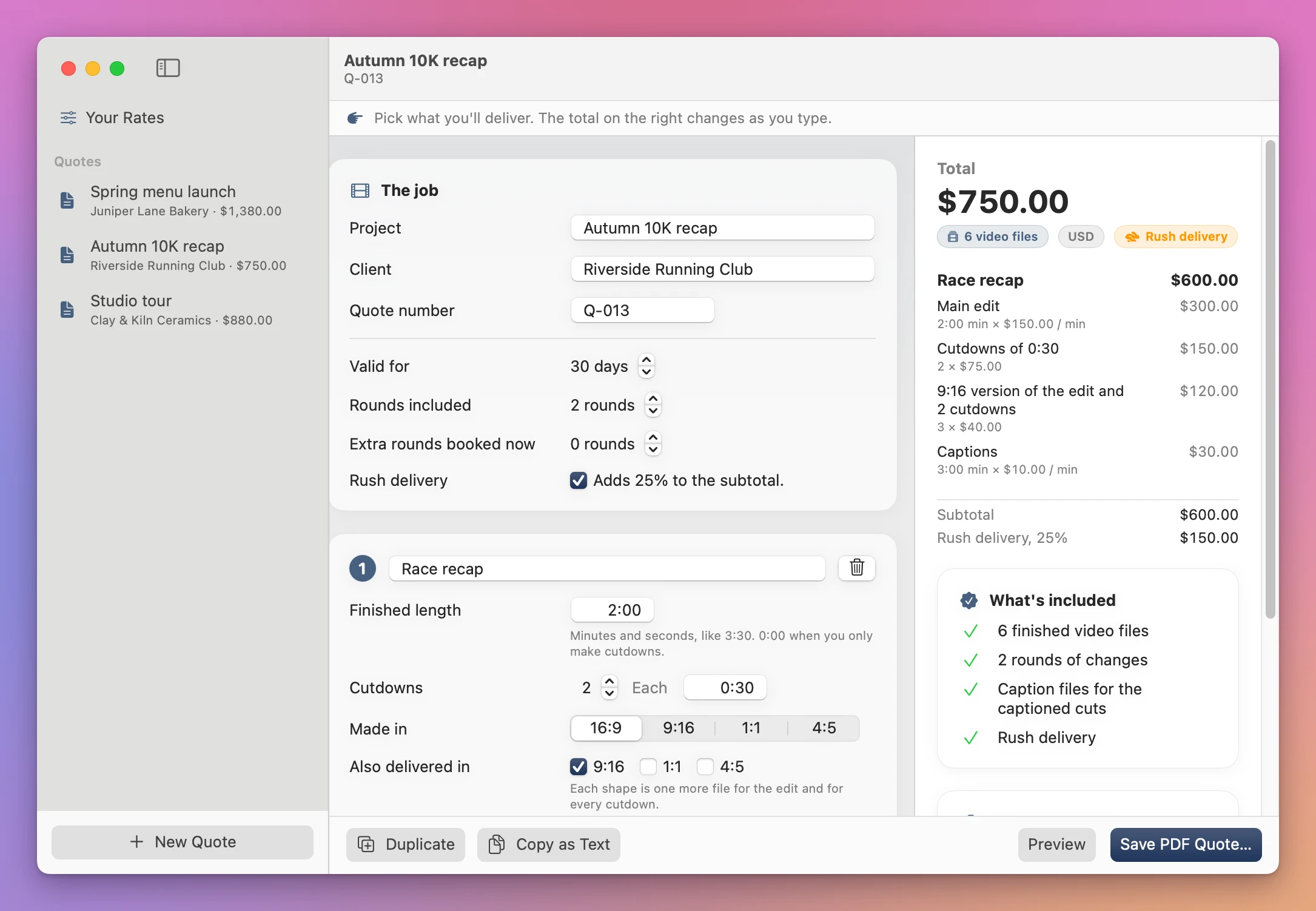
A 45-second reel shows the minimum at work: 0:45 at $150 a minute would be $112.50, and the line reads “Main edit, 0:45 (minimum fee)” at $300. Tick Rush delivery and the rush fee goes on its own line under the subtotal.
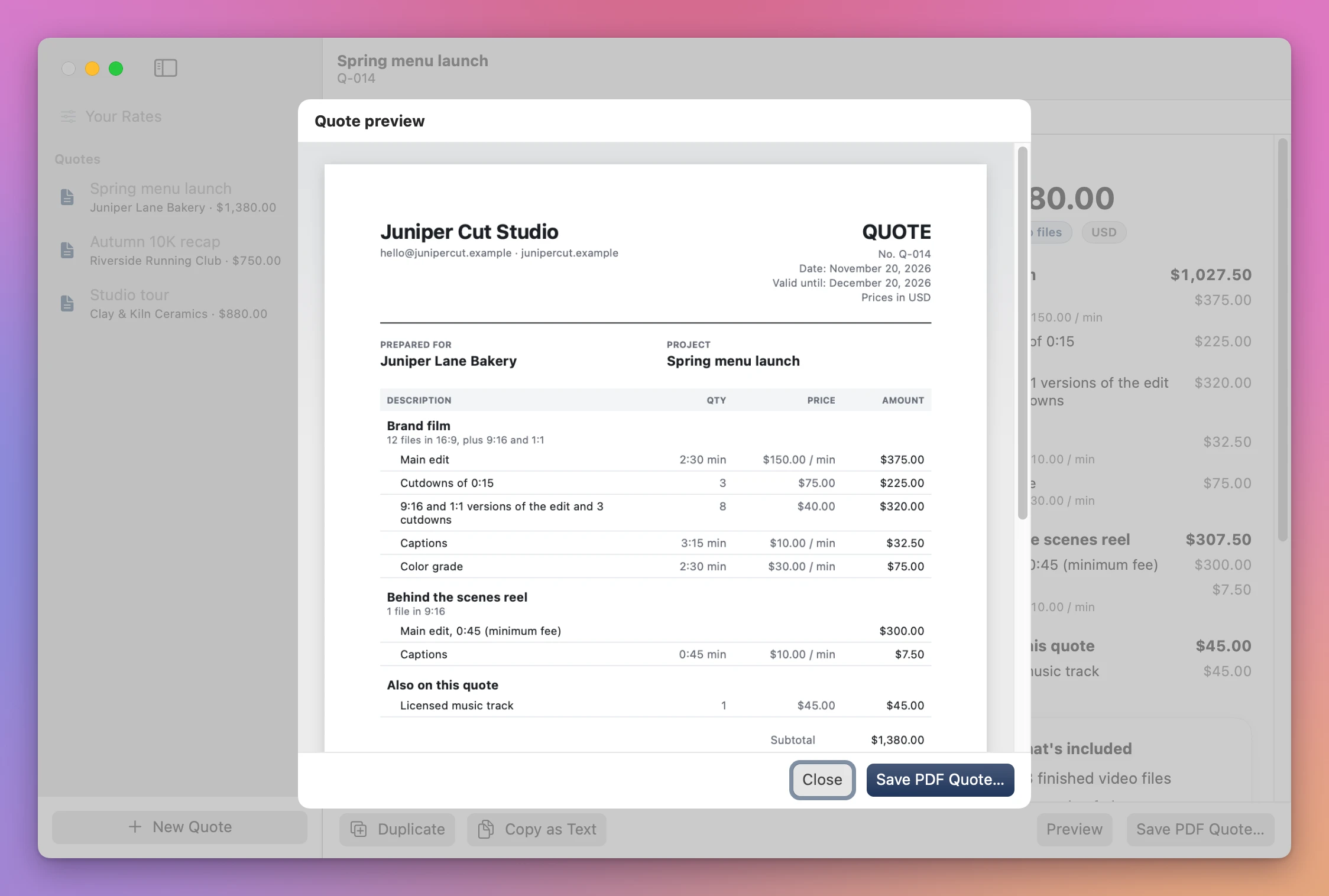
Click Preview to see the page, then Save PDF Quote…. The PDF lists each deliverable with its files and lines, the total, What’s included and What costs extra, with your notes at the bottom.
For the next job, Duplicate copies the quote with a new number and today’s date. Change the length and the client, and it’s ready.
By hand or with the app
| By hand or in a spreadsheet | Video Editing Quote Builder | |
|---|---|---|
| Counting versions of every cut | You multiply | Counted from the ticks |
| Minimum fee for short edits | A formula you write | A rate you type once |
| Rounding to the cent | Per line, if you remember | Always per line |
| What’s included and what costs extra | Written each time | Printed from your rates |
| Next quote | Copy the file | Duplicate |
| Cost | Free | $19 once |
Get Video Editing Quote Builder
Save your editing rates once, then price each job by its deliverables: the finished length, the cutdowns, the 9:16 and 1:1 versions, captions, color, rush and extra rounds of changes. Save a PDF quote with every item listed, what is included and what costs extra.
See Video Editing Quote Builder → · Read the docs · $19. See the app page for tax details.