
How to rebalance a portfolio with new money, without selling
By Flavio
Put each deposit into the funds that are furthest below their target, and the portfolio moves back toward your allocation with no sales. Here's how to work it out in a spreadsheet, and the faster way.
You add money to your investments every month, and the portfolio has drifted away from the split you picked. Selling to fix it can mean fees, and taxes in a taxable account. You’d rather fix it with the money you’re adding anyway.
You can. Put the new money into the funds that are furthest below their target, and leave the rest alone. The drift shrinks every month, with no sales. The question is how many shares of which fund, and that takes some arithmetic.
This is about the arithmetic, not about what to hold. The portfolio below is made up and its targets are just an example, not a recommendation.
The example portfolio
A made-up household with $71,661.10 invested in two accounts, a taxable Brokerage account and a Roth IRA. This month there’s $2,000 to add.
| Fund | Account | Value | Now | Target |
|---|---|---|---|---|
| VTI | Brokerage | $24,599.00 | 34.3% | 35% |
| VXUS | Brokerage | $13,408.50 | 18.7% | 25% |
| QQQ | Brokerage | $6,147.60 | 8.6% | 0% |
| VTI | Roth IRA | $11,576.00 | 16.2% | 20% |
| BND | Roth IRA | $12,978.00 | 18.1% | 15% |
| BNDX | Roth IRA | $2,952.00 | 4.1% | 5% |
VXUS is 6.3 points below its target. QQQ is a fund this household wants to move away from, so its target is 0%. BND is above target.
How to do it in a spreadsheet
The free way is a spreadsheet, in Numbers, Excel or Google Sheets. Put each fund on a row with its value, price and target, then:
- Add the deposit to the total: $71,661.10 + $2,000 = $73,661.10.
- For each fund, multiply that total by the target, and subtract what the fund is worth now. That’s the gap. VXUS should be $18,415.28 and is $13,408.50, so its gap is $5,006.78.
- Ignore the funds with a negative gap (QQQ and BND here). Those are above target, and you’re not selling.
- Split the $2,000 among the others in proportion to their gaps.
- Divide each amount by the fund’s price and round down to whole shares.
With the example numbers, step 4 gives VXUS $993.76, VTI in the Roth IRA $626.46, VTI in the Brokerage $234.68 and BNDX $145.10. After rounding down, that’s 15 VXUS, 2 VTI in the Roth IRA, 2 BNDX, and no VTI in the Brokerage, because $234.68 doesn’t buy one $289.40 share. $365.05 stays as cash.
It works. Building it takes an evening, and then there’s the upkeep. The plain target-minus-current formula tells you to sell QQQ and BND, so you need step 3. Rounding leaves money uninvested. A fund in two accounts is two rows. And next quarter, one formula pointing at the wrong cell gives you a wrong answer with no warning.
A better split: fill the furthest one first
A proportional split spreads the money over every fund below target, even the ones that are nearly there. Another way is to level up from the bottom.
Measure each fund as its value divided by its target value. The fund with the lowest level gets money first. When it catches up with the next lowest, both rise together, and so on, until the money runs out. Then the leftover from rounding buys one more share of the fund furthest behind, if that share brings it closer.
That’s a lot of steps to repeat in a spreadsheet each month. This is what Rebalancing Calculator does in its New cash only mode.
The faster way: Rebalancing Calculator
Rebalancing Calculator is a Mac app I built for this. It keeps your holdings and targets saved, so next month you only type the new prices and the amount. It costs $19, paid once. As the app itself says: “A calculator for your own numbers, not financial advice.”
Bring the holdings in once
Click Import CSV… and pick a CSV with your positions. The import sheet guesses which column is which from the header row, and shows a sample value next to each choice. The example file has a money market line without shares and a total line at the bottom, and the sheet says in a sentence why it skips each one.
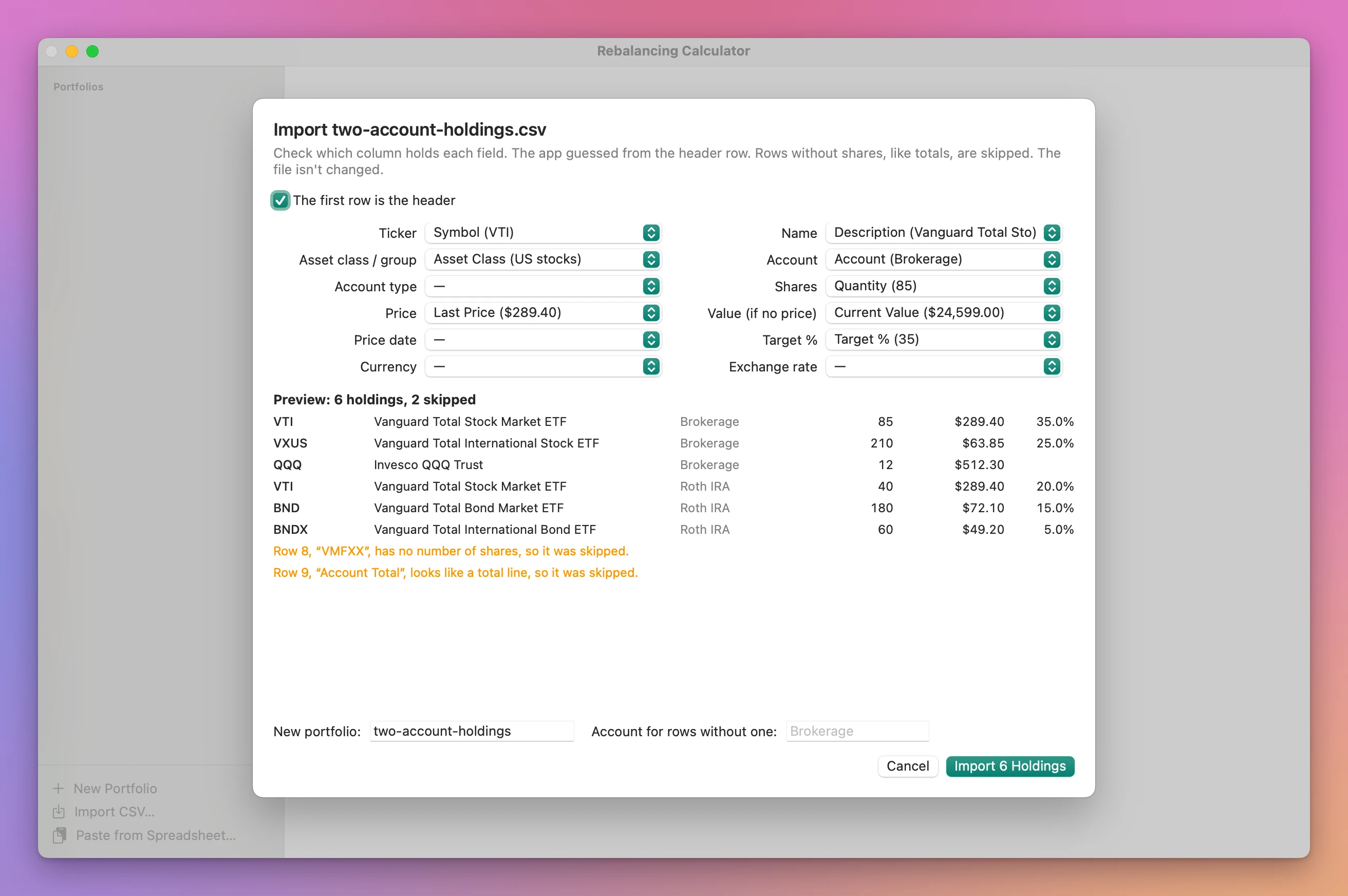
You can also type the holdings with Add Holding, or paste rows from a spreadsheet with Paste from Spreadsheet…. The import doesn’t know any broker’s file by name: you match the columns once, and check the preview. The app never connects to a broker and never looks up prices.
Check the drift
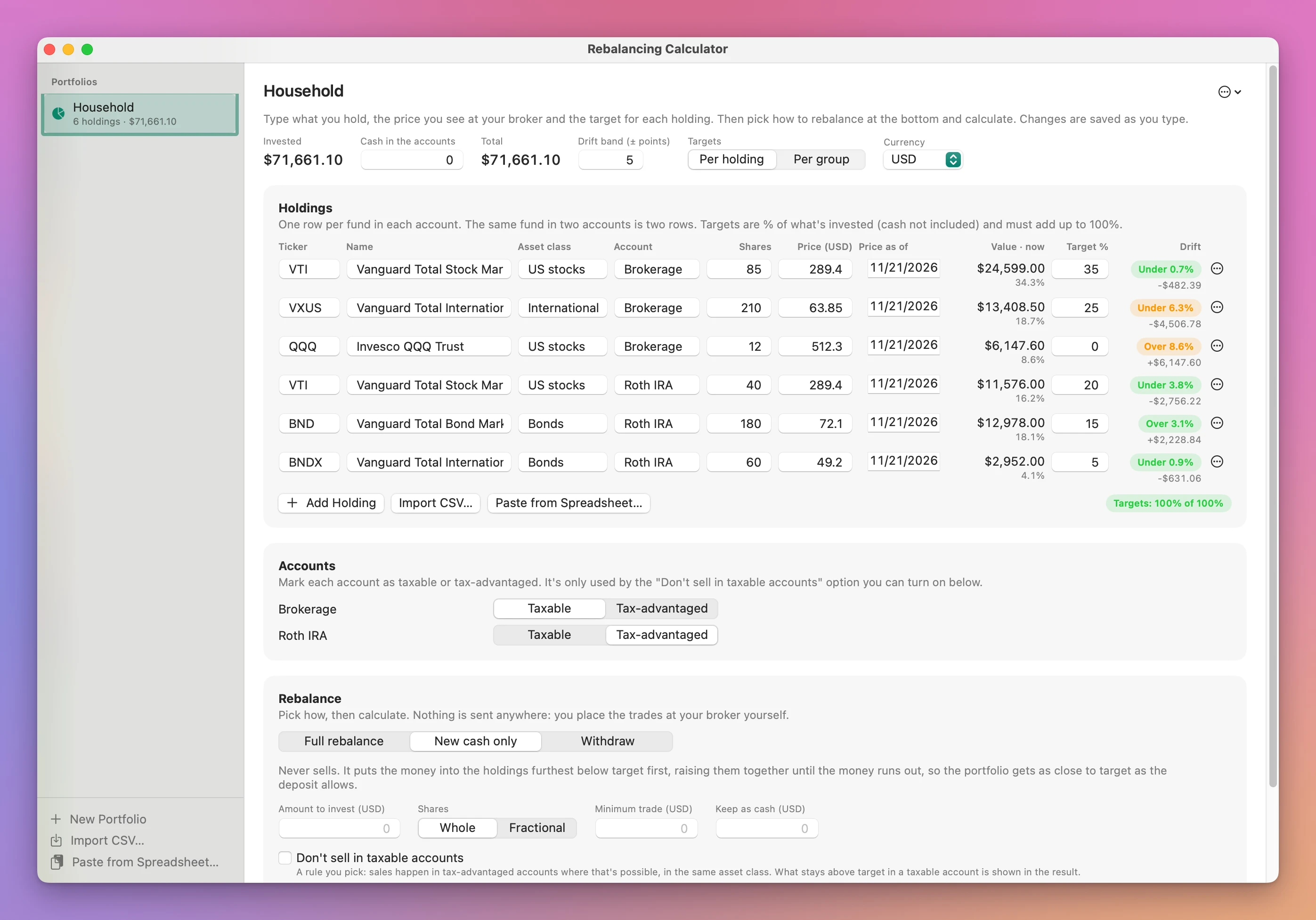
Each holding shows its current percentage, its target and a drift pill. It turns orange when the holding is outside the Drift band, 5 points here. In the example, VXUS is “Under 6.3%” and QQQ is “Over 8.6%”.
Calculate the new-cash trades
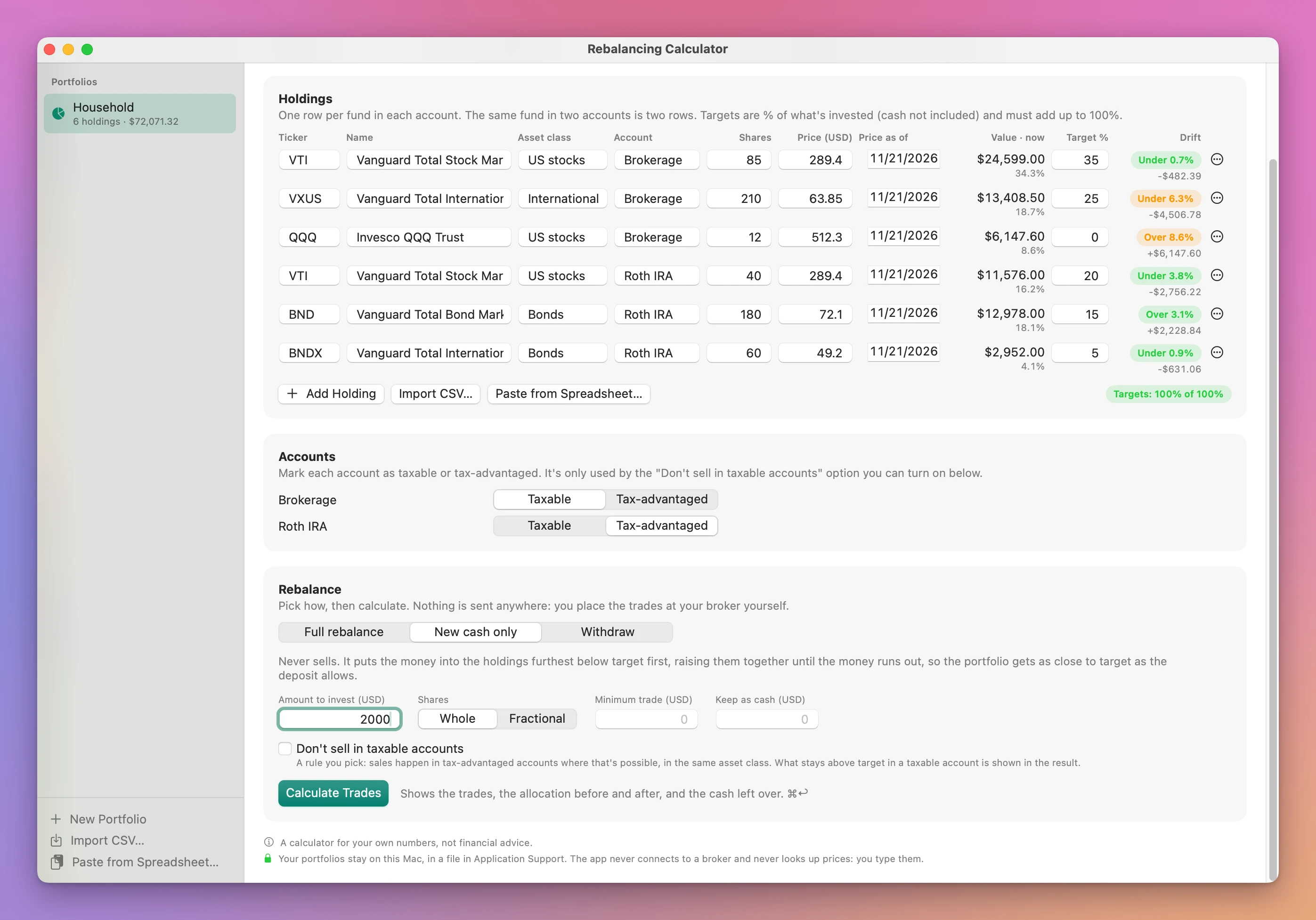
In the Rebalance card, pick New cash only, type the amount in Amount to invest, keep Whole shares, and click Calculate Trades.
For the example portfolio, with $2,000 and no other cash in the accounts, the plan was three buys:
- Buy 26 VXUS in Brokerage at $63.85 = $1,660.10
- Buy 1 VTI in Roth IRA at $289.40 = $289.40
- Buy 1 BNDX in Roth IRA at $49.20 = $49.20
$1.30 is left over as cash. A note says how to split the deposit between the accounts: $1,660.10 into Brokerage and $338.60 into the Roth IRA. Another says that QQQ stays above target, because new cash only never sells it, and a full rebalance or a withdrawal would.
Copy as Text copies the list, and Export CSV… saves it. You place the trades at your broker yourself, then update the shares in the app.
The two splits side by side
| Spreadsheet, proportional split | Rebalancing Calculator, new cash only | |
|---|---|---|
| VXUS (furthest below) | 15 shares, $957.75 | 26 shares, $1,660.10 |
| VTI in Roth IRA | 2 shares, $578.80 | 1 share, $289.40 |
| BNDX | 2 shares, $98.40 | 1 share, $49.20 |
| VTI in Brokerage | none | none |
| Left as cash | $365.05 | $1.30 |
| Next month | Paste prices, check the formulas | Type the prices and the amount |
Both are valid ways to split a deposit. The proportional split spreads it around. The level-up split puts most of it into VXUS, the fund furthest behind, and leaves almost nothing uninvested.
When new money isn’t enough
A deposit can only push up what’s below target. Here QQQ, with a 0% target, goes only from 8.6% to 8.3% of the portfolio with the $2,000, because new cash only never sells. If the gap is much larger than what you add each month, it can take a long time to close.
For that, the app has Full rebalance, which sells what’s above target and buys what’s below, and Withdraw for taking money out. With Don’t sell in taxable accounts turned on, a full rebalance keeps the sales in the tax-advantaged accounts where it can, and says in a note what it couldn’t move. It doesn’t know about tax lots, gains or fees, so check those with your broker before you sell.
Get Rebalancing Calculator
Type your holdings and target allocation to see how many shares to buy or sell, or how to split new money without selling, across several accounts.
See Rebalancing Calculator → · Read the docs · $19. See the app page for tax details.
More trading and investing tutorials → · All app tutorials →