
How to keep track of revision rounds with a video client
By Flavio
Your quote included two rounds of revisions and the client is on round four. Keep a dated log of each round with TextEdit and export it as a PDF, or let Revision Round Tracker count the rounds against the deal, price the extra ones and write the PDF for you.
You quoted a promo video with two rounds of revisions. The client has now sent notes four times, and you want to charge for the extra rounds. Before you send that quote, you need a short record: when each round of notes arrived, which version answered it, and which rounds go beyond what you agreed.
You can keep that record for free in TextEdit, which comes with every Mac, and export it as a PDF. It works as long as you remember to update it after every round. Revision Round Tracker keeps the same record, counts the rounds against the deal for you and writes the PDF.
The project here is made up: a “Spring Promo Edit” for a client called Juniper Studio, with two rounds included at $150 for each extra one.
What should the record of revision rounds say?
Keep it plain and dated. For each round, write down:
- the date you sent the new version;
- the name of the version, like “v3”;
- what the client asked for, in their words;
- whether it counts toward the deal. A fix of your own mistake shouldn’t.
At the top, say what the deal included and how many rounds went past it.
How do I keep the log in TextEdit?
Open TextEdit from the Applications folder and write the deal at the top, then one entry per round. Here’s the log for the promo after four rounds and one fix, saved as a plain text file:
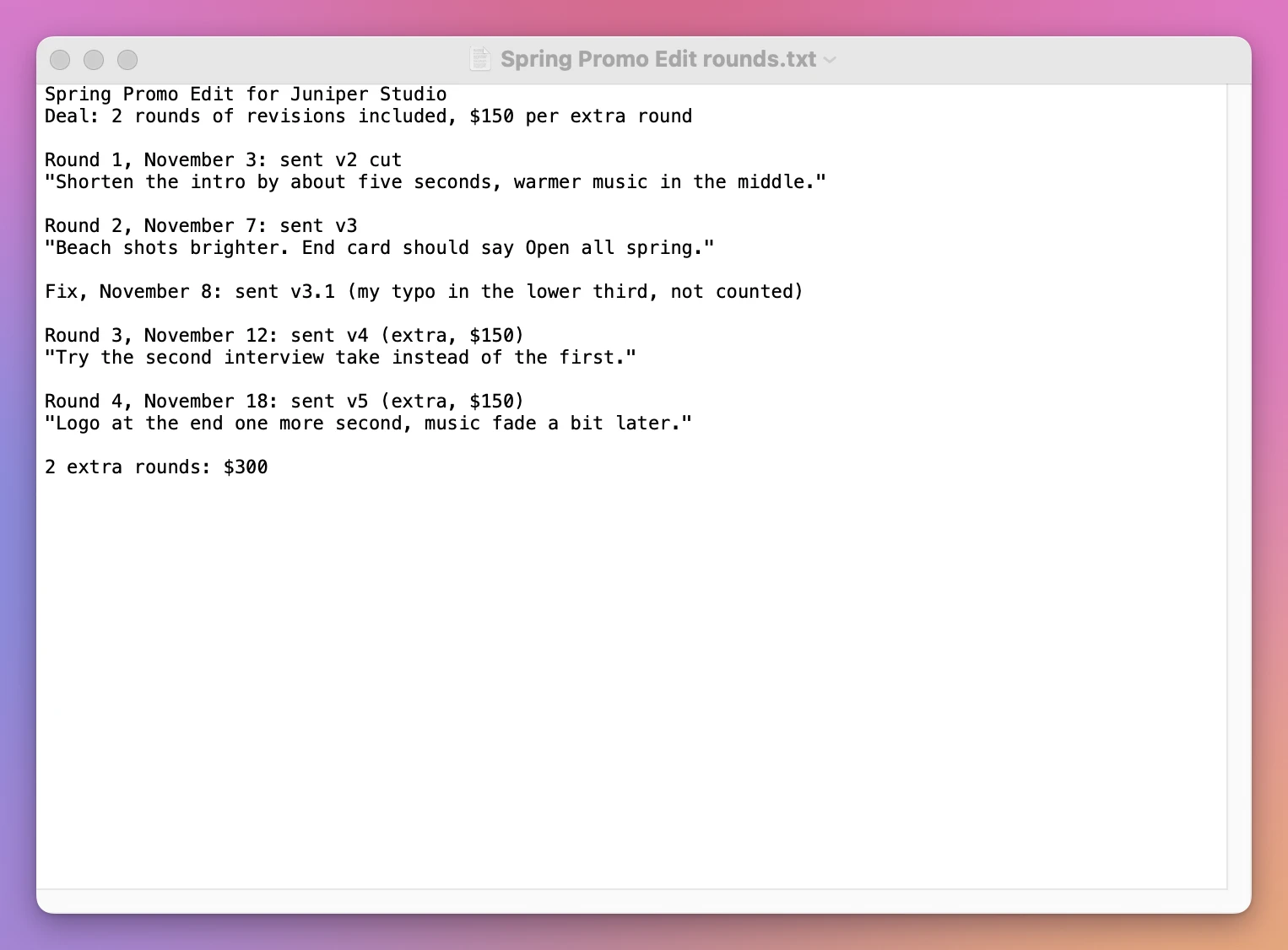
To send it as a PDF, TextEdit’s File menu has Export as PDF…. The screenshots here are from macOS 15 Sequoia.
This works, and it costs nothing. Where it gets slow is the upkeep. The notes arrive by email and chat, so after each round you copy them into the document by hand. You count the rounds yourself, leave out the fixes, multiply by the price, and rewrite the sentence at the top. The files the client sent, like a marked-up still, stay in Downloads, away from the log.
How do I track rounds with Revision Round Tracker?
Revision Round Tracker is a Mac app that does this one job. It costs $19, paid once.
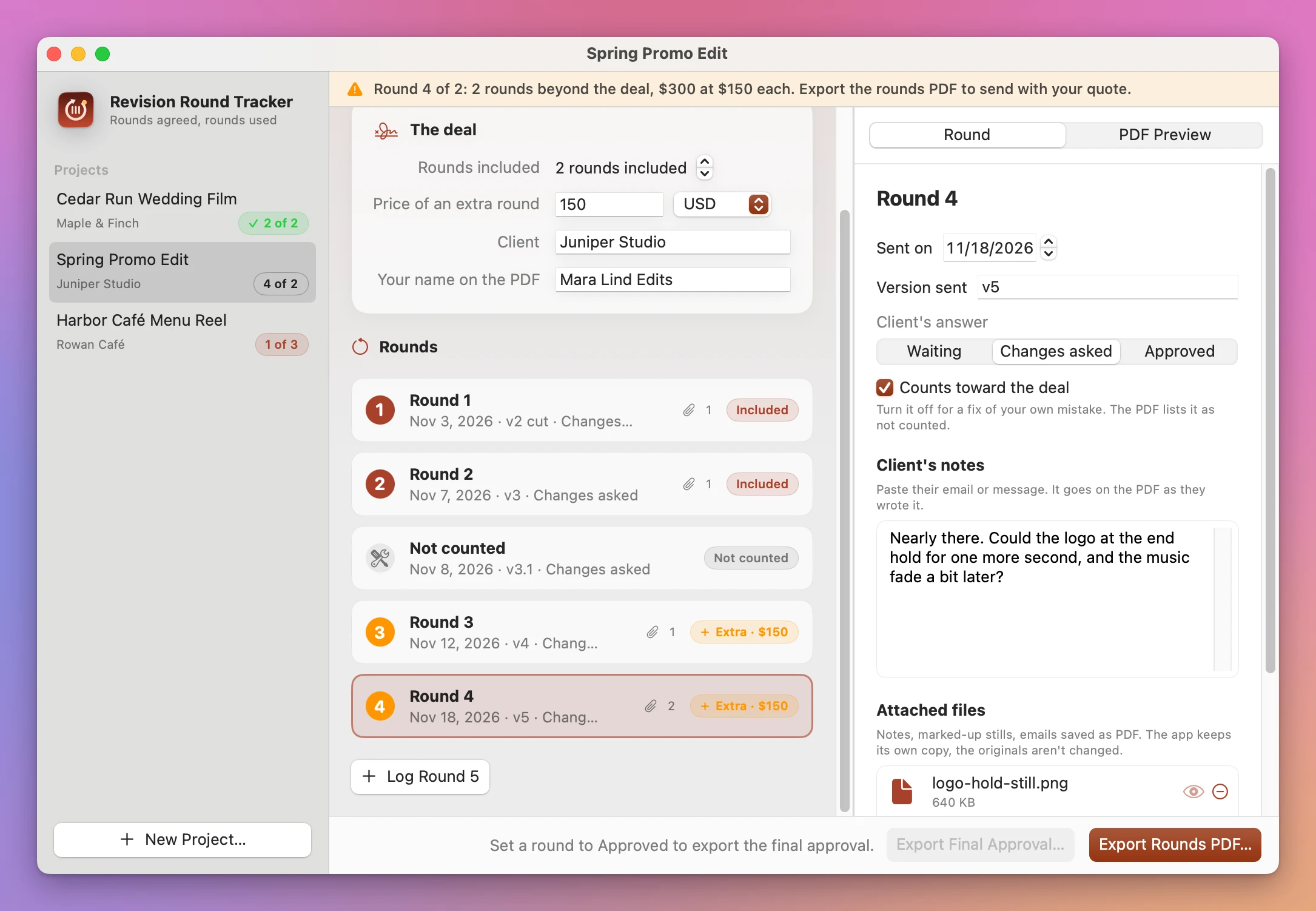
Click New Project…, type the project and the client, set Rounds included to 2 and type 150 as the Price of an extra round. Each time the client sends notes, click Log Round and fill in Sent on, Version sent, the Client’s answer and Client’s notes. Drop their files on Attached files, and the app keeps its own copy.
For the typo fix, turn off Counts toward the deal. The round stays in the list as Not counted.
The line at the top of the window keeps the count, and rounds 3 and 4 get an orange Extra · $150 pill:
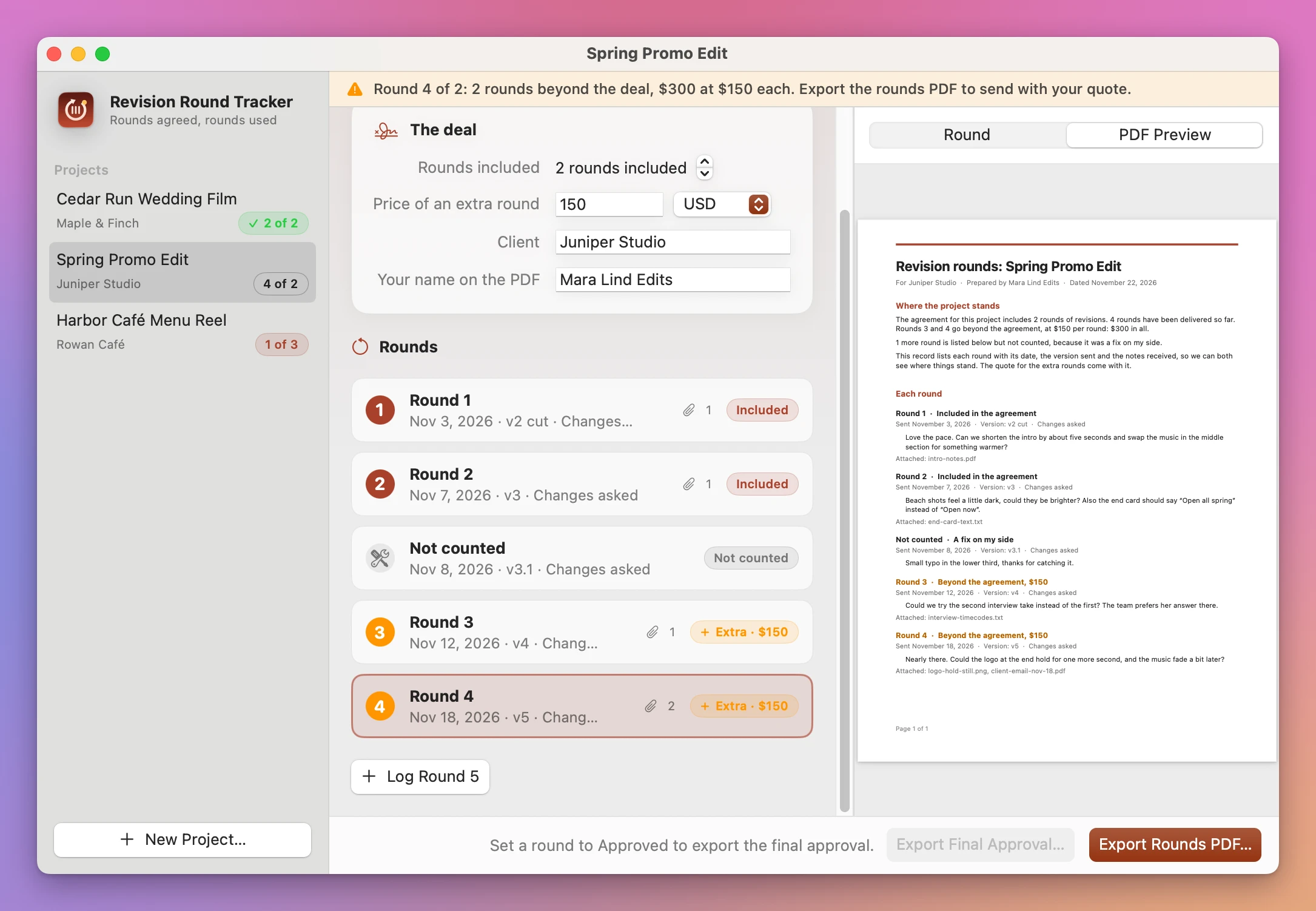
Click PDF Preview to see the PDF before you save it. It starts with where the project stands, “Rounds 3 and 4 go beyond the agreement, at $150 per round: $300 in all”, and then lists every round with its date, version, answer, notes and attached files:
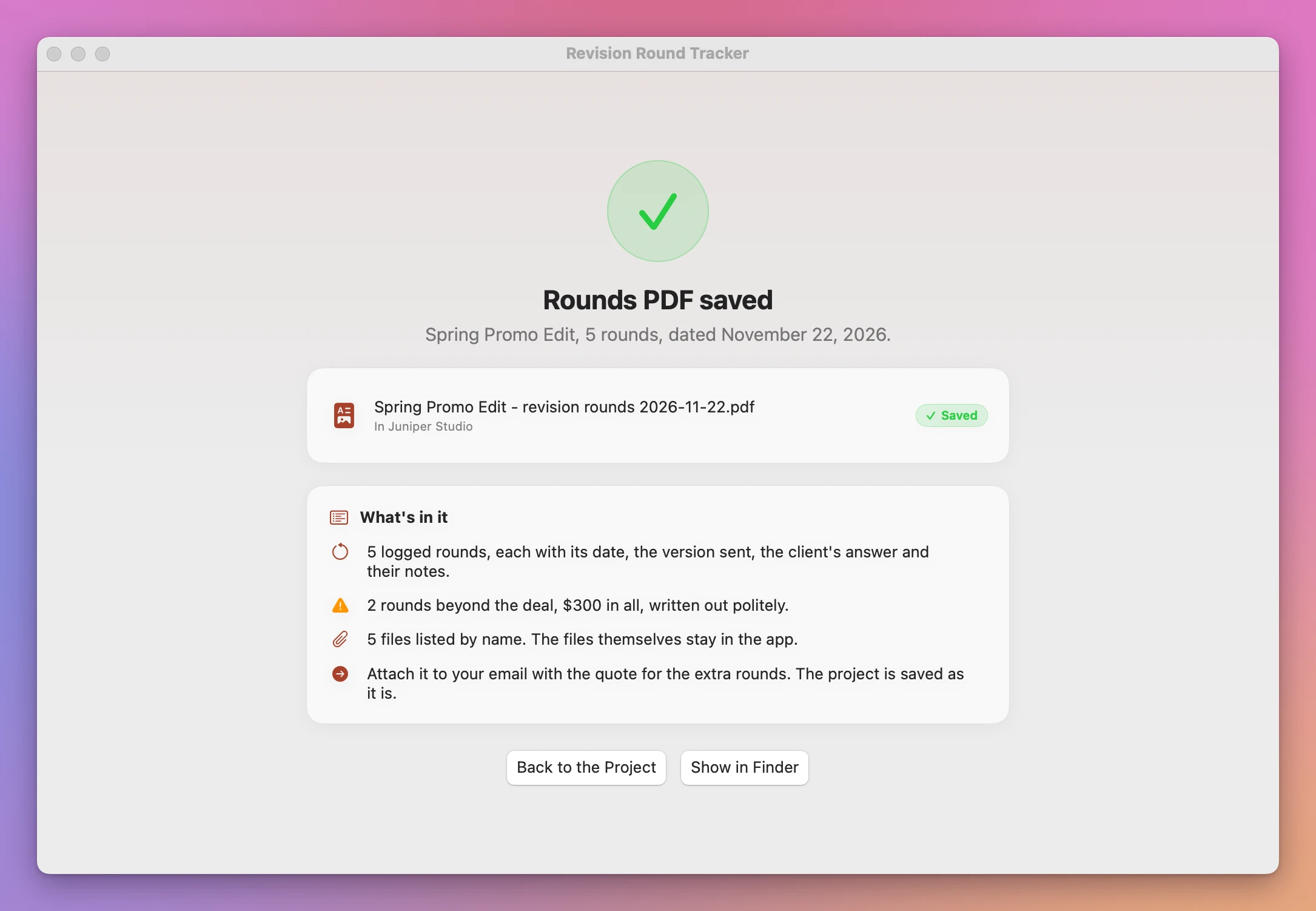
Click Export Rounds PDF…, pick where to save it, and attach the PDF to the email with your quote.
When the client finally approves a version, set its answer to Approved and click Export Final Approval… for a dated record of the sign-off.
TextEdit or the app?
| TextEdit log | Revision Round Tracker | |
|---|---|---|
| Cost | Free, already on your Mac | $19, paid once |
| Counting the rounds | By hand | ”Round 4 of 2” at the top |
| Price of the extra rounds | You multiply | ”$300 at $150 each” |
| A fix of your own | Remember to leave it out | Turn off Counts toward the deal |
| The client’s files | In Downloads | Copied into the project |
| The PDF | File › Export as PDF…, as you wrote it | Dated, with a summary and every round |
| Final approval | Another line in the log | Its own PDF with the round and their words |
For one client with two rounds, the TextEdit log is enough. If you juggle several projects and the extra rounds are a real part of your income, the app saves you the bookkeeping and the awkward sentence at the top.
Get Revision Round Tracker
Write down how many rounds of revisions the deal includes and what an extra one costs, then log each round with its date, version, the client's notes and files. The app says "Round 4 of 2" and what the extra rounds cost, and saves a dated PDF of every round to send with your quote, plus a record of the final approval.
See Revision Round Tracker → · Read the docs · $19. See the app page for tax details.