
Mac & Windows app by Flavio
Order Note Extractor
Open your orders CSV from Etsy, Shopify or WooCommerce, and get the engraving text, font, color, date and gift note of every order in clean columns, with the buyer's exact note beside each row. Rows that need a person are marked, and you print a production card for each order.
Buy Order Note Extractor for Mac · $19Buy Order Note Extractor for Windows · $19Buy once, use forever. Up to 3 computers you own (license). Plus tax where it applies. Mac and Windows versions are sold separately.
macOS 14 or later (Apple silicon and Intel) · Windows 10 and Windows 11 (x64 and ARM64)
Latest Mac version 1.0.0, released November 27, 2026
Monday morning, 30 personalized orders. One buyer wrote Font: Serif, Color: Navy, Text: Owen & Theo. The next one typed three lines with Initials: NJQ, a thread color, and “Please rush, it’s for Saturday!” at the end. Another wrote just “Forever & Always” for a bar bracelet that fits 14 characters.
You copy each value into a spreadsheet, one cell at a time, with the order page open next to it. That works for five orders. At thirty, a name gets a typo, the rush request ends up nowhere, and you find out the engraving didn’t fit when the bracelet is already on the machine.
Order Note Extractor does the copying. Open the orders file your store exports, and the personalization of every order lands in its own columns: Engraving Text, Font, Color, Date, Gift Note. The buyer’s note stays right next to each row, word for word, and anything that didn’t fit a column shows up in orange so you can’t miss it.
Watch a 30-second demo of Order Note Extractor:
Who it’s for
- Engravers on Etsy. Bracelets, rings, keychains, cutting boards. Every buyer fills the Personalization box their own way, and a bar bracelet takes 14 characters, not 16. The app counts them for you.
- Embroidery and custom apparel shops. The name on the back, the number, the size and the thread color all arrive in one line of free text. A missing size means a shirt made twice, so the app flags it before you start.
- Gift box shops and florists on Shopify. The gift message goes on a printed card word for word, and “deliver by Friday” is mixed into the same note. The message lands in its column and the delivery request stays visible.
- Mug and print-on-demand sellers who batch personalization into a spreadsheet for a production partner or a design template every morning.
- Two-person shops where one person takes the orders and the other makes them. The maker gets a card per order with the values in big letters and the buyer’s own words under them.
How it works
- Export your orders as a CSV file: Etsy’s Sold Order Items, Shopify’s orders export, a WooCommerce export, or your own spreadsheet.
- Click Choose Orders CSV…, or drag the file onto the window.
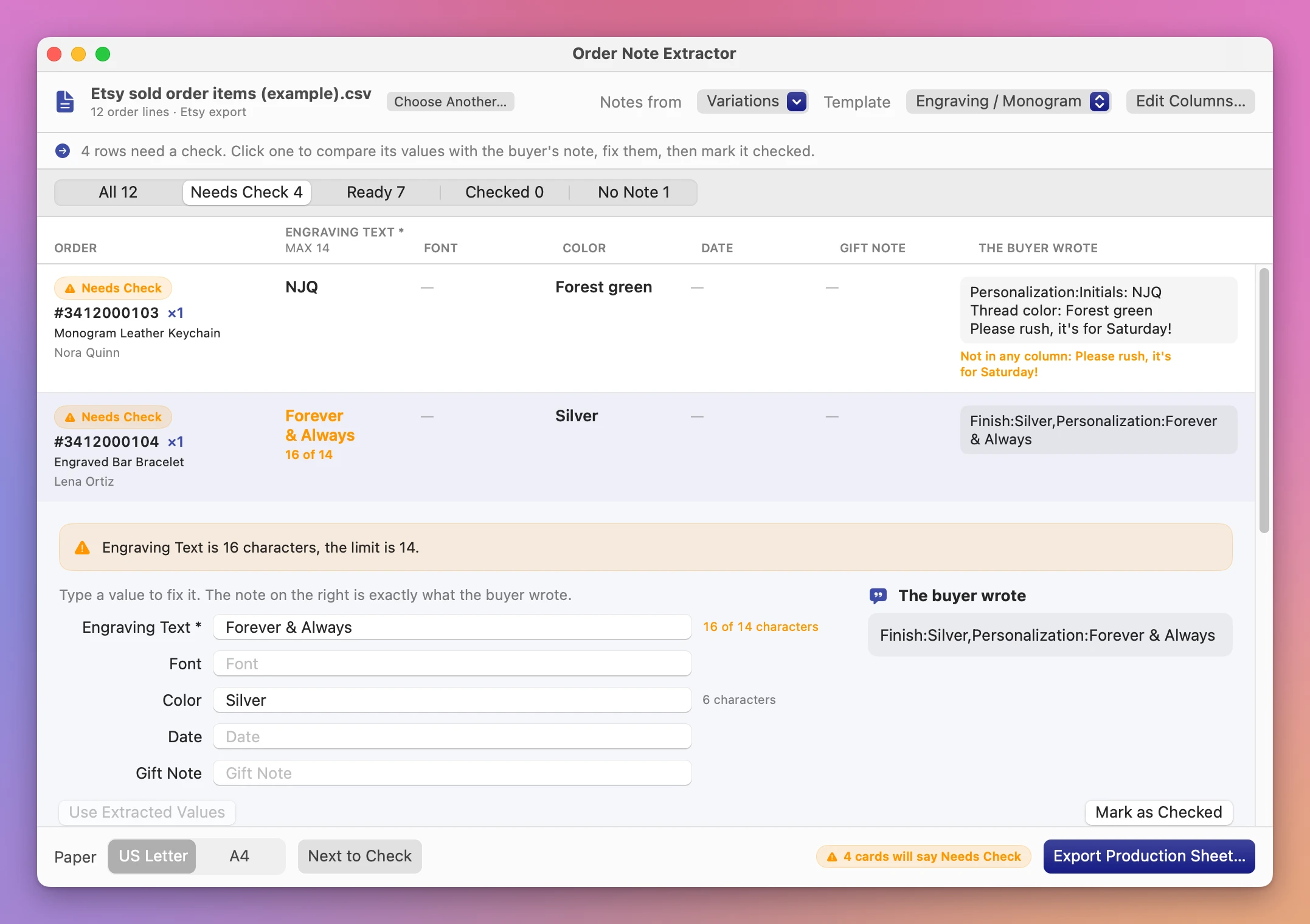
- Look at the rows marked Needs Check. Click one, compare the values with the note next to them, type a fix, and click Mark as Checked.
- Click Export Production Sheet… and choose a folder. You get a CSV for your spreadsheet and a PDF of production cards to print.
What you get
Columns you choose, labels buyers actually type
The columns come from a template. Three come with the app: Engraving / Monogram (Engraving Text, Font, Color, Date, Gift Note), Custom Apparel (Name on Back, Number, Size, Thread Color, Font) and Gift Box Notes (To, Gift Message, From, Deliver By).
Each column has the labels buyers type for it. Engraving Text listens for Text, Name, Initials, Monogram, Line 1 and Etsy’s Personalization. Color also picks up Colour, Finish, Metal and Thread Color. You can mark a column Required, and give it a character limit, like 14 for a bracelet. Add your own columns, make your own templates, and switch between them from the Template menu.
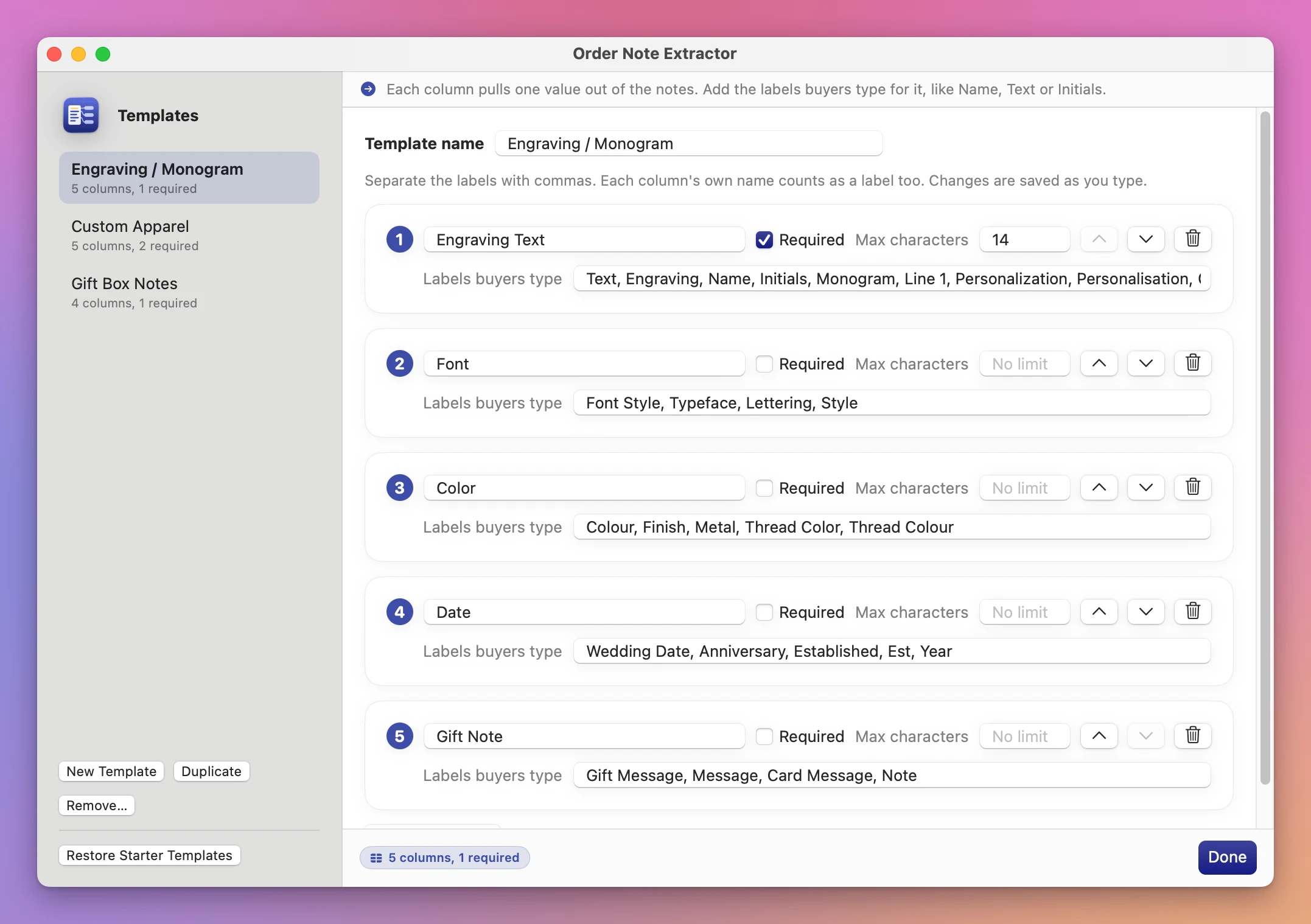
It reads notes the way buyers write them
Values separated by commas, pipes, semicolons or new lines. Etsy’s Personalization: with the real labels inside it. Shopify’s note attributes and line item properties, even with the underscore some apps put in front. A comma inside a gift message, like “Happy birthday, little man”, stays in the message.
What the app won’t do is guess. A note that says only “please rush for Saturday!” isn’t put in a column: it’s shown in orange as text that’s not in any column, and the row needs a check.
Every row gets a status
- Ready: every required value found, nothing left over, every value within its limit.
- Needs Check: a required value is missing, the note has extra text, a value is too long, or two values went into the same column.
- Checked: you looked at it and confirmed it.
- No Note: the buyer didn’t write anything.
Next to Check takes you through the rows that need you, one after the other.
Fix a value while you read the note
Click a row and it opens: a field for each column, how many characters each value has, and the buyer’s note on the right, exactly as they typed it. Change “Forever & Always” to what fits, click Mark as Checked, and move on. Use Extracted Values puts back what the app read.
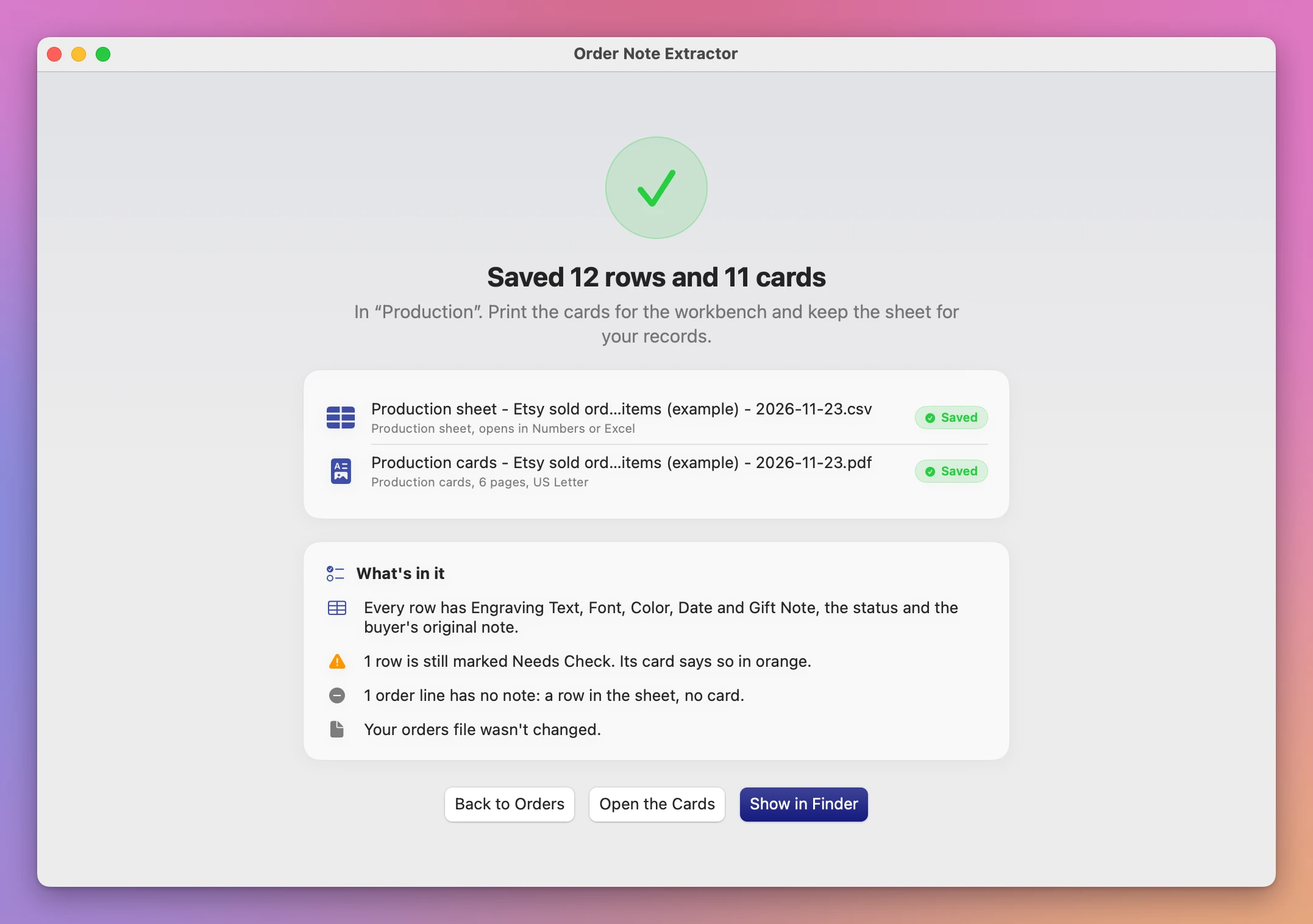
A production sheet and cards for the workbench
Export Production Sheet… saves two files in the folder you choose. The production sheet is a CSV with the order number, item, quantity, buyer, every column, the status, what to check, the text left over, and the original note. It opens in Numbers, Excel or Google Sheets, and leading zeros and line breaks stay as they were.
The production cards are a PDF on US Letter or A4, one card per order with a note. The values are big enough to read from the bench, the character count is under each limited value, and the buyer’s note is printed under them. Cards for rows still marked Needs Check say so in orange.
Why not do it by hand
Etsy and Shopify show each order’s personalization on the order page and on the packing slip. That’s one order at a time, with no columns and nothing that counts characters.
Numbers and Excel open the orders CSV fine, but the note is one cell of free text per order. Text to Columns splits on one separator, so it breaks as soon as one buyer uses a pipe and another a new line, and it doesn’t know that “Initials” and “Name” belong in the same column. Formulas get you further, until a buyer writes the labels in a different order. And copying by hand is where the typos come from.
| Order pages and slips | A spreadsheet | Order Note Extractor | |
|---|---|---|---|
| Values in columns | No | Text to Columns, one separator | Commas, pipes, semicolons, new lines |
| Different labels for one thing | You read them | A formula per label | Labels per column, in a template |
| Text that fits no column | You read it | Lost in the split | Shown in orange, row marked |
| Character limits | You count | A LEN formula | Counted on every row and card |
| The buyer’s own words | On the order page | In another column, if you kept it | Beside every row, on every card |
| Cost | Free | Free | $19 plus tax where it applies, paid once |
What it doesn’t do
- It doesn’t connect to your store. You export the orders as a CSV file and open it in the app.
- It doesn’t change anything. Not the orders file, not your store. It reads the file and saves new ones.
- It doesn’t guess unlabeled text. If a buyer writes only “Clara” with no label, it’s left over for you to place, unless the store adds a label like Etsy’s Personalization.
- It doesn’t make the engraving or embroidery file, or fix spelling, or translate.
- It doesn’t read PDFs or screenshots of orders, only CSV files.
Questions
Which stores’ files does it read?
Etsy’s Sold Order Items CSV, Shopify’s orders export (Notes, Note Attributes and line item properties), WooCommerce order exports, and any spreadsheet saved as CSV with an order number column. The app finds the order, item, quantity, buyer and note columns by their names. If the personalization is in a column with another name, pick it under Notes from.
Can I try it before using my own orders?
Click Try Example Orders on the first screen. It opens twelve made-up Etsy orders for engraved bracelets, mugs, keychains and cutting boards, with every kind of status.
Does anything get uploaded?
No. Your orders and your buyers’ names stay on your Mac. The app connects to the internet only to check for updates.
What it needs
macOS 14 Sonoma or later, on Apple silicon and Intel Macs. It asks macOS for no permission: it reads the files you choose or drag onto its window, and saves in the folder you pick.
Order Note Extractor isn’t made by, affiliated with or endorsed by Etsy, Shopify, WooCommerce, eBay, Squarespace or Apple. The orders, buyers and notes in the screenshots are made up.
Buy Order Note Extractor
$19 plus tax where it applies, paid once.
Download the app from the order page or your Creem receipt, unzip it and move it to Applications. I sign the app with my Apple Developer ID, and Apple notarizes the download.
The app checks for updates once a day. When a new version is ready, click Install and Relaunch. The first time, it asks for the license key from your Creem receipt, and remembers it. To check anytime, choose Order Note Extractor → Check for Updates….