
An app by Flavio
Photo Credit Checker
Choose a folder of exported photos and type what was agreed with the client once: creator, credit line, copyright notice, and optionally usage terms, email and website. See which photos are right, which have a field missing, which carry a different value, and where the IPTC and XMP copies disagree. Save a PDF and CSV report. It only reads your photos.
Buy Photo Credit Checker · $19One-time purchase. Plus tax where it applies.
macOS 14 or later · Apple silicon and Intel
Latest version 1.0.0, released November 24, 2026
You’re sending 40 photos to a magazine. The contract says the credit line is “Mara Lind for Harbor Weekly” and the copyright notice is ”© 2026 Mara Lind”. Most of the files say that. One was exported with last year’s metadata preset and says 2025. One went through a retouching app on the way and lost its credit line.
You find out when the photo editor writes back, or when the photo runs with the wrong credit.
On a Mac you can check one file at a time. Preview’s Inspector has an IPTC tab that shows the creator, the copyright and the credit, cut short when they’re long. Forty photos is forty Inspector windows, and you compare each line with the contract by eye.
Photo Credit Checker reads the whole folder at once. You type what was agreed with the client once and keep it as a preset. The app reads the credit fields of every photo and tells you which are right, which have a field missing, and which carry a different value, with the value it found. Then it saves a PDF and a spreadsheet you can keep or send.
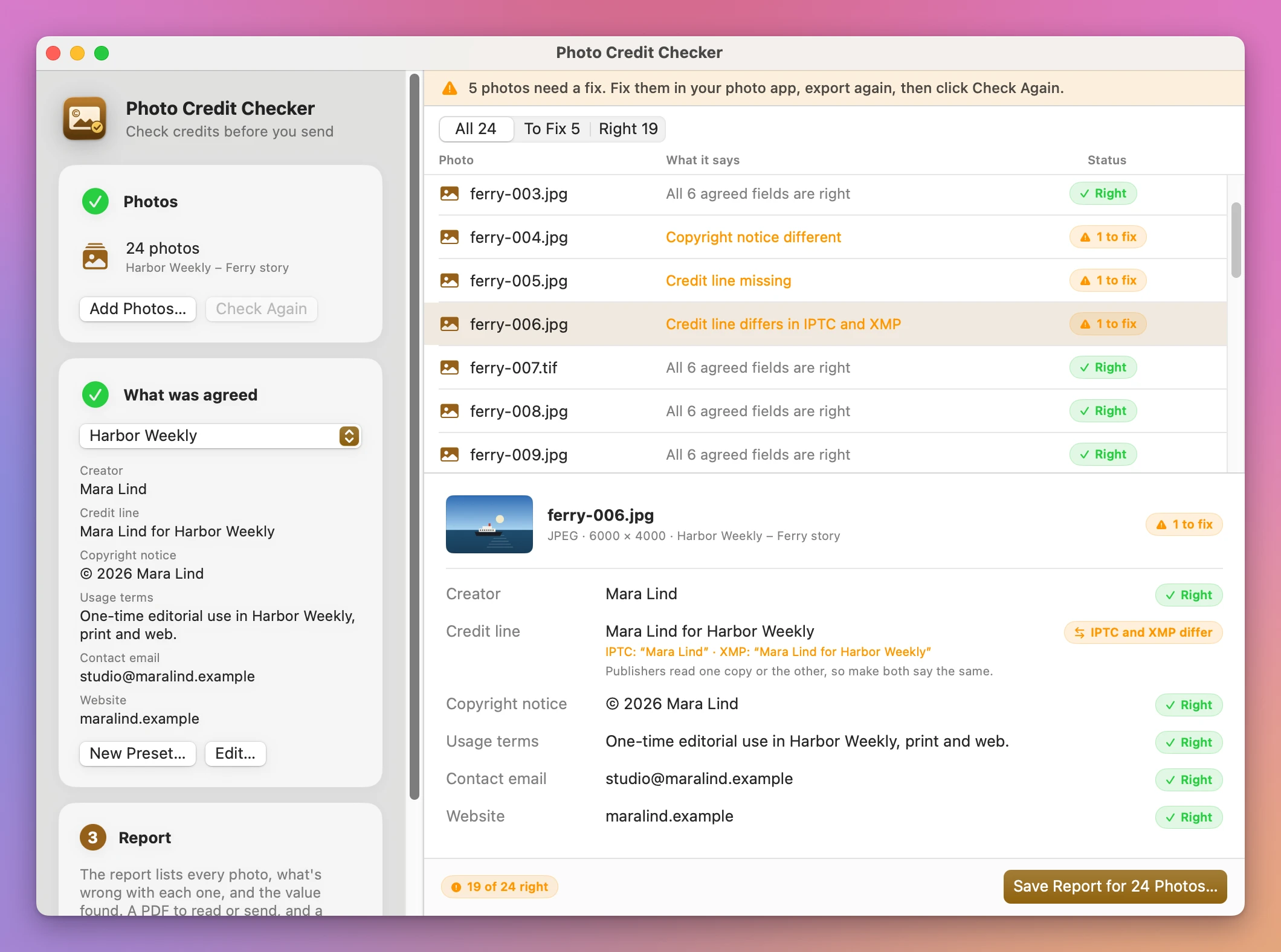
It only reads. This first version doesn’t write or fix metadata: you fix the files in Lightroom or whatever app you export from, export again, and click Check Again.
Watch a 30-second demo of Photo Credit Checker:
Who it’s for
- Editorial photographers sending a story to a magazine or a newspaper. The contract fixes the credit line, like “Mara Lind for Harbor Weekly”, and you want every file to say it before the photo desk opens the folder.
- Photographers supplying an agency or a stock library. Files with no creator or no copyright notice get rejected at upload, and a rejected batch means exporting and uploading again.
- Wedding and event photographers who deliver the same day to a couple and to a venue, each with its own credit line and usage terms. Last year’s Lightroom metadata preset still says ”© 2025”, and one export used it.
- Studio managers and assistants who export for several photographers and need to show, before anything goes out, that each file carries the right photographer’s name and email.
- Anyone who retouches in a second app. Some apps rewrite one copy of a field and leave the other alone. The file then says two different things, and which one the client sees depends on their software.
How it works
- Click Choose a Folder of Photos… and pick the folder you exported, or drag it onto the window or onto the app’s icon in the Dock. It reads JPEG, TIFF, PNG and HEIC files, in subfolders too.
- The list shows what each photo says. Click Type What Was Agreed… and type a name for the preset, the creator, the credit line and the copyright notice. Add the usage terms, the contact email and the website if they’re part of the deal. Click Save Preset.
- Each photo shows Right or how many fields need a fix. Click To Fix to see only those, and click a photo to see each field.
- Fix the photos in your photo app, export them again, and click Check Again.
- Click Save Report for 24 Photos… to save the PDF and the spreadsheet.
What you get
A preset per client
What was agreed with Harbor Weekly isn’t what was agreed with the wedding venue. Each client or outlet gets a preset with its own creator, credit line, copyright notice, and optionally usage terms, contact email and website. Pick one from the menu and the whole folder is compared again.
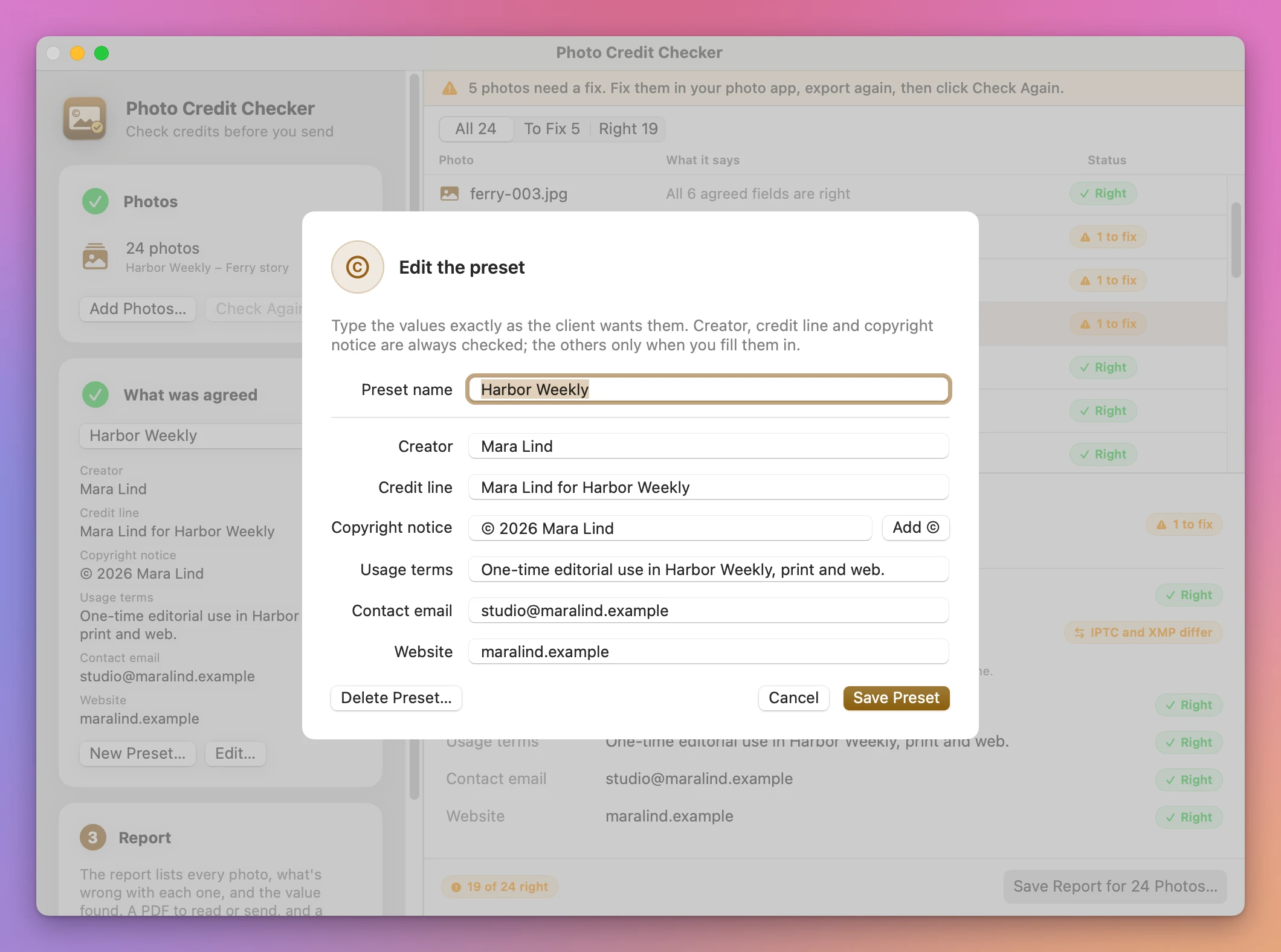
The first three fields are always checked. Usage terms, email and website are checked only when you fill them in. Add © puts the © sign at the start of the copyright notice, so you don’t have to find it on the keyboard.
Don’t know what the photos say yet? Open the folder before you make a preset and the list shows the creator and copyright of every photo. New Preset From This Photo… starts a preset with the values a good photo already carries.
Every field, and where it went wrong
Click a photo and you see every field: the value in the file, what was agreed when it’s different, and a pill that says Right, Missing, Different or IPTC and XMP differ. When a value only differs in capitals, spacing or the way © is written (“(c)” for ”©”), it says so, because that’s a one-minute fix.
When the two copies of a field disagree
A photo keeps its credits twice: in the older IPTC block and in the newer XMP block. Lightroom writes both. A publisher’s system may read either one. When an app on the way changes one and not the other, the file carries two credit lines, and nothing on your Mac shows you that: Preview shows one value.
Photo Credit Checker reads the two copies separately, from the file itself. When they disagree it shows both, side by side, like IPTC: "Mara Lind" · XMP: "Mara Lind for Harbor Weekly".
A report to keep or send
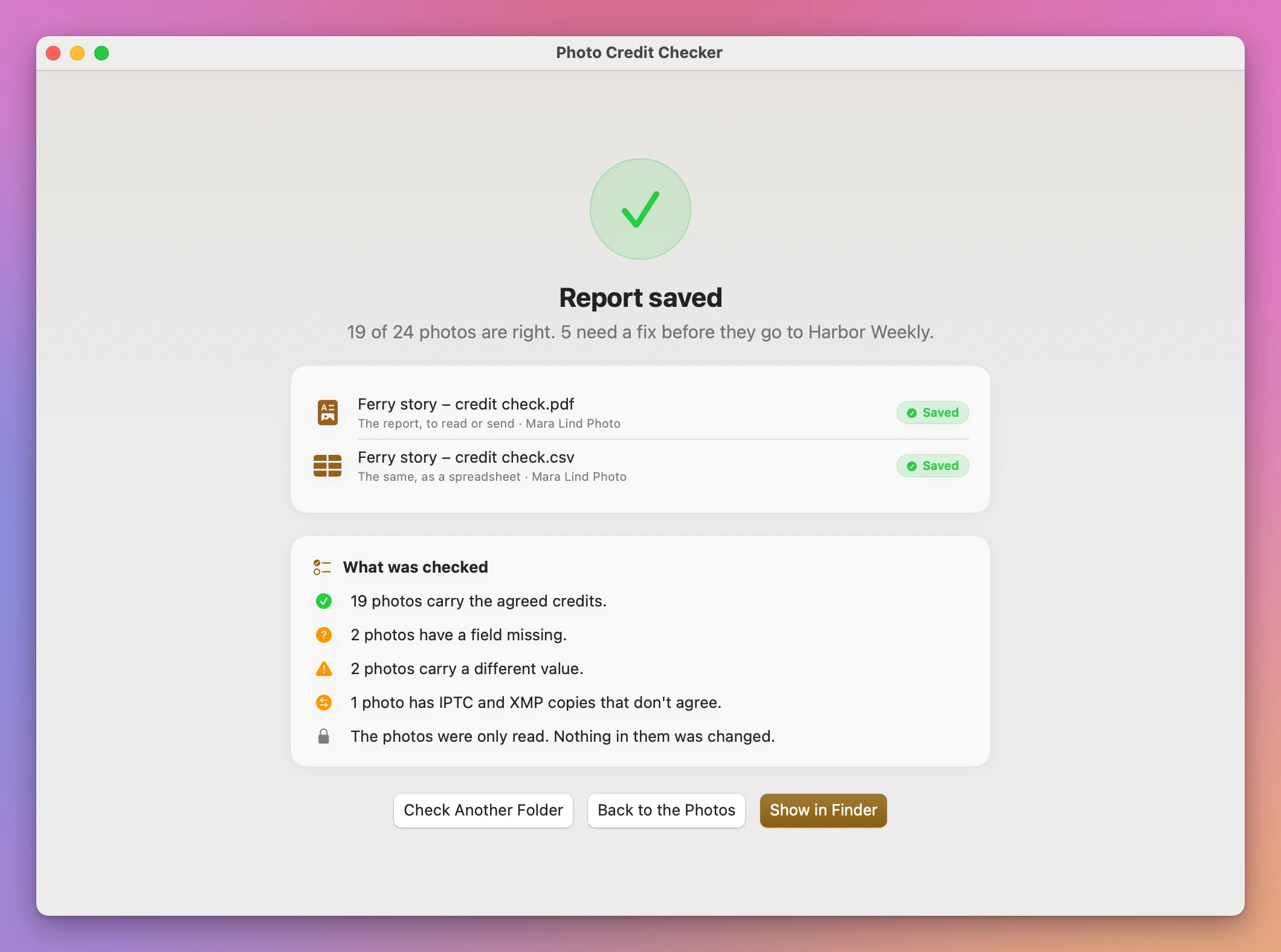
Save Report… writes a PDF with what was agreed, every photo that needs a fix with one line per problem, the files that couldn’t be read, and the list of photos that are right. A spreadsheet (CSV) with the same name goes next to it, with the agreed value, the IPTC copy, the XMP copy and the result of every field of every photo.
Why not do it by hand
| What you have for free | Photo Credit Checker | |
|---|---|---|
| Preview’s Inspector | The IPTC fields of one photo, cut short when they’re long | Every photo in the folder, compared with what was agreed |
| IPTC and XMP | One value shown, so a disagreement stays hidden | Both copies read separately, and shown when they differ |
| Lightroom or Photo Mechanic | The metadata in your catalog | What ended up inside the exported files |
| Proof | A screenshot per photo | A PDF and a spreadsheet for the whole folder |
Preview is fine for one file, and your photo app is where you fix the credits. What neither does is compare a whole exported folder with the values in the contract, or tell you when a file carries two different credit lines.
My other photo apps do different jobs. Photo Metadata Cleaner exports copies with location and personal metadata removed, for photos you post publicly. Photo Credit Checker goes the other way: it makes sure the credits you want are still in the files. PDF Metadata Mapper works on PDF documents, not photos.
What it doesn’t do
- It doesn’t write or fix metadata. It never changes a photo. Fix the credits in your photo app and export again.
- It doesn’t read RAW files or sidecar files. Only exported JPEG, TIFF, PNG and HEIC files, with the credits inside them.
- It doesn’t check the EXIF artist and copyright that cameras write. It checks the IPTC and XMP fields publishers read.
- It checks up to 5,000 photos at a time. Check a bigger delivery in parts.
Questions
Which fields does it read?
Creator, credit line, copyright notice, usage terms, the creator’s work email and the creator’s website. The first three are read from both the IPTC block and the XMP block. The other three only exist in XMP.
Does it change my photos?
No. It only reads them, and the report can’t take the name of a photo it checked.
Does anything get uploaded?
Nothing. The photos are read on your Mac. The app connects to the internet only to check for updates.
What it needs
macOS 14 Sonoma or later, on Apple silicon and Intel Macs. It asks macOS for no permission: it reads the folders you choose.
Photo Credit Checker isn’t made by, affiliated with or endorsed by the IPTC, Adobe, Apple or any photo agency.
Buy Photo Credit Checker
$19 plus tax where it applies, paid once.
Download the app from the order page or your Creem receipt, unzip it and move it to Applications. I sign the app with my Apple Developer ID, and Apple notarizes the download.
The app checks for updates once a day. When a new version is ready, click Install and Relaunch. The first time, it asks for the license key from your Creem receipt, and remembers it. To check anytime, choose Photo Credit Checker → Check for Updates….