How to check if a video has an alpha channel on a Mac
By Flavio
QuickTime Player shows a transparent video over black, so you can't see whether the alpha is there. Here's how to check a ProRes 4444 or PNG for transparency on a Mac, and how to spot the dark halo that comes from straight and premultiplied alpha.
You exported a lower third as ProRes 4444 so it would have a transparent background, and double-clicked it to check. QuickTime Player plays it on black. Did the transparency make it into the file, or not?
The short answer: QuickTime Player can’t tell you, because it always shows the video over black. To see the transparency, the video has to be shown over something that isn’t black. On a Mac you can do that in an editing app, or with Alpha Channel Checker, which opens the file and tells you.
The files in this tutorial are made up: a lower third for a baker called Mara Ellis, exported as ProRes 4444, with a soft glow around the bar. The screenshots are from macOS 15.
What QuickTime Player shows
Double-click the file and QuickTime Player opens it. Here’s the test lower third, moved to its last second, where the bar has slid in:
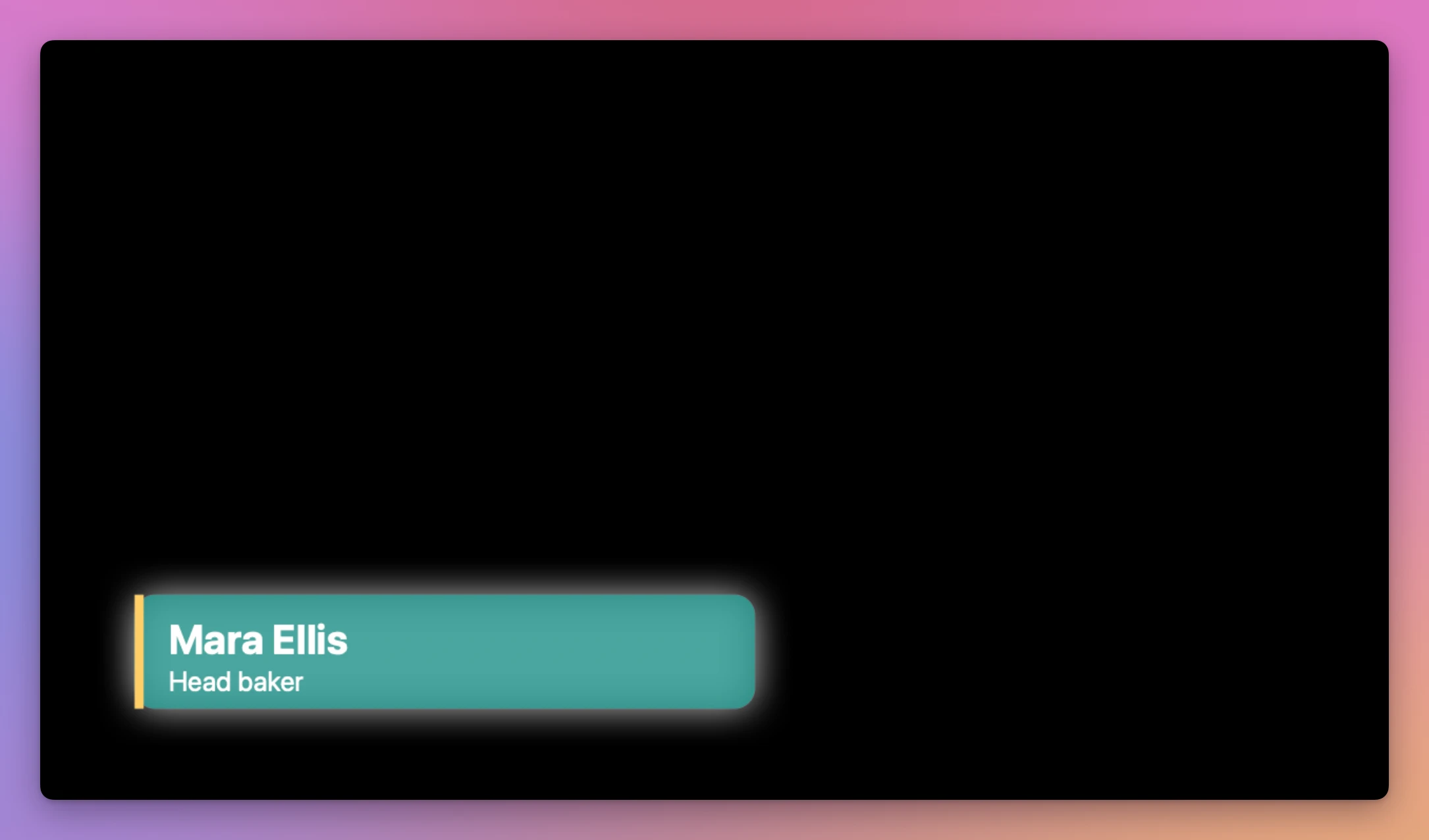
Everything around the bar is black. That black could be transparency, or it could be a black background baked into the file. QuickTime Player shows both the same way, and its window has no setting to change the background.
So with the tools that come with the Mac, the free way is an editing app. Import the file, put it on a timeline above a bright clip or a coloured background, and look. If you see the bright clip around the bar, the alpha is there.
Why the codec isn’t the answer
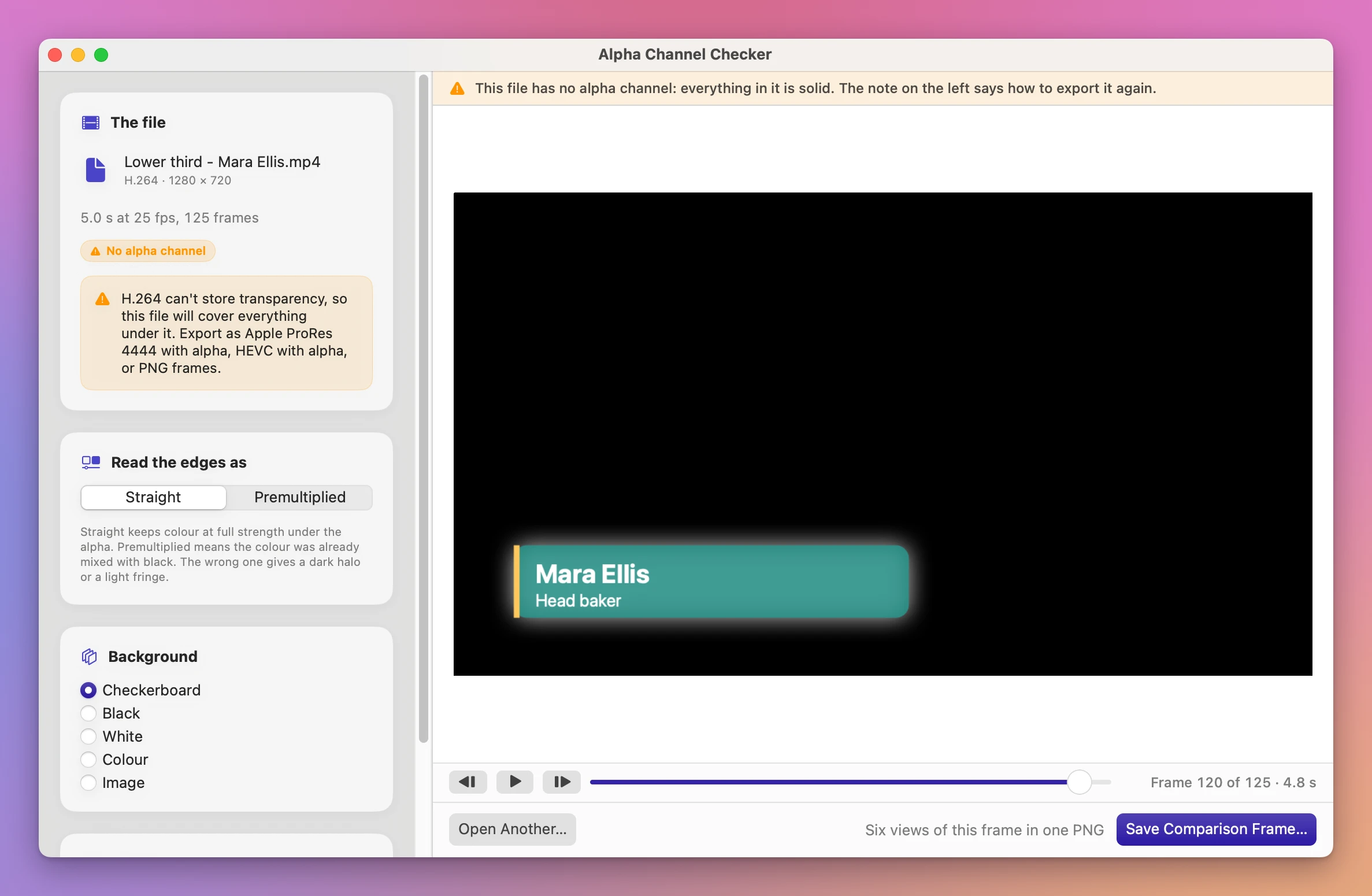
ProRes 4444 can store an alpha channel, but it doesn’t have to. Export settings usually have a separate choice for it, often called “RGB + Alpha” or simply “Alpha”, and a ProRes 4444 exported without it has the same codec name. H.264 can’t store transparency at all, and neither can ProRes 422.
Then there’s a second question, which causes most of the trouble in an edit: how the colour at the soft edges is stored.
- Straight alpha keeps the colour at full strength and lets the alpha say how much of it shows.
- Premultiplied alpha stores the colour already mixed with black.
When an editing app reads one as the other, soft edges, shadows and glows get a dark outline (a halo) or a light fringe. The file can say which one it is, but not every app writes that label correctly.
Check it with Alpha Channel Checker
Alpha Channel Checker is a Mac app I made for this. It costs $19, paid once.
Click Choose a Video or Image… and pick the file, or drag it onto the window. The app looks at 12 frames spread over the video and answers on the left. For the ProRes 4444 lower third it said Has transparency, with how much of the picture is see-through and how much is soft edges.
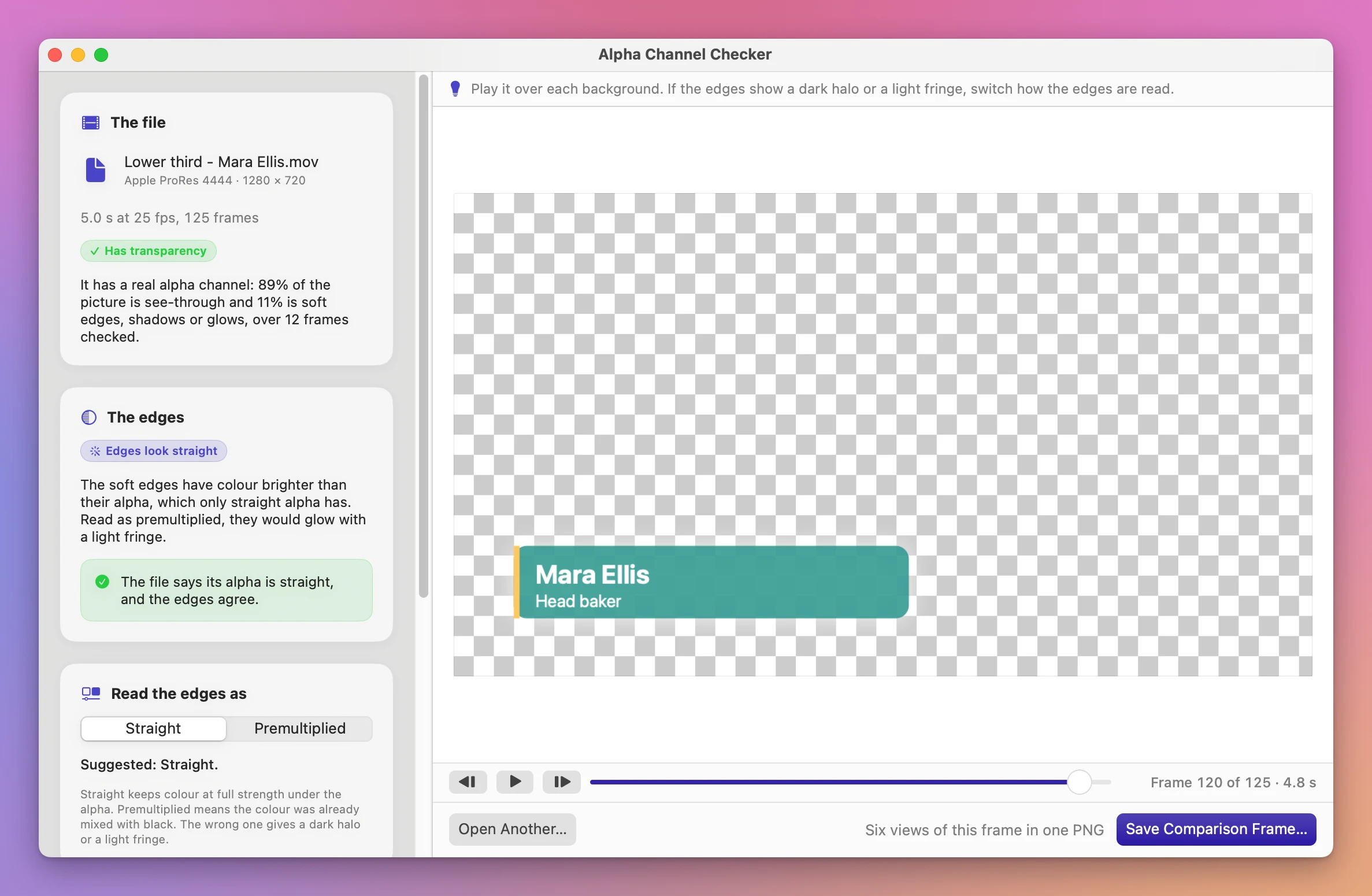
Under The edges it says whether the soft edges look straight or premultiplied, and whether that agrees with the file’s label. Pick a Background (Checkerboard, Black, White, a colour or an image) and press Space to play it.
For a file exported without alpha, the answer is No alpha channel, with what to do. Here’s the same lower third exported as H.264:
Spot the dark halo
The second test file has the classic mistake: its colour is premultiplied, but the file says straight. The app shows Edges look premultiplied, and an orange note says that editing apps that trust the label will show a dark halo.
To see it, pick White as the background and switch Read the edges as to Straight, which is what an editing app would do. A grey shadow appears around the bar. Switch to Premultiplied and it’s gone.
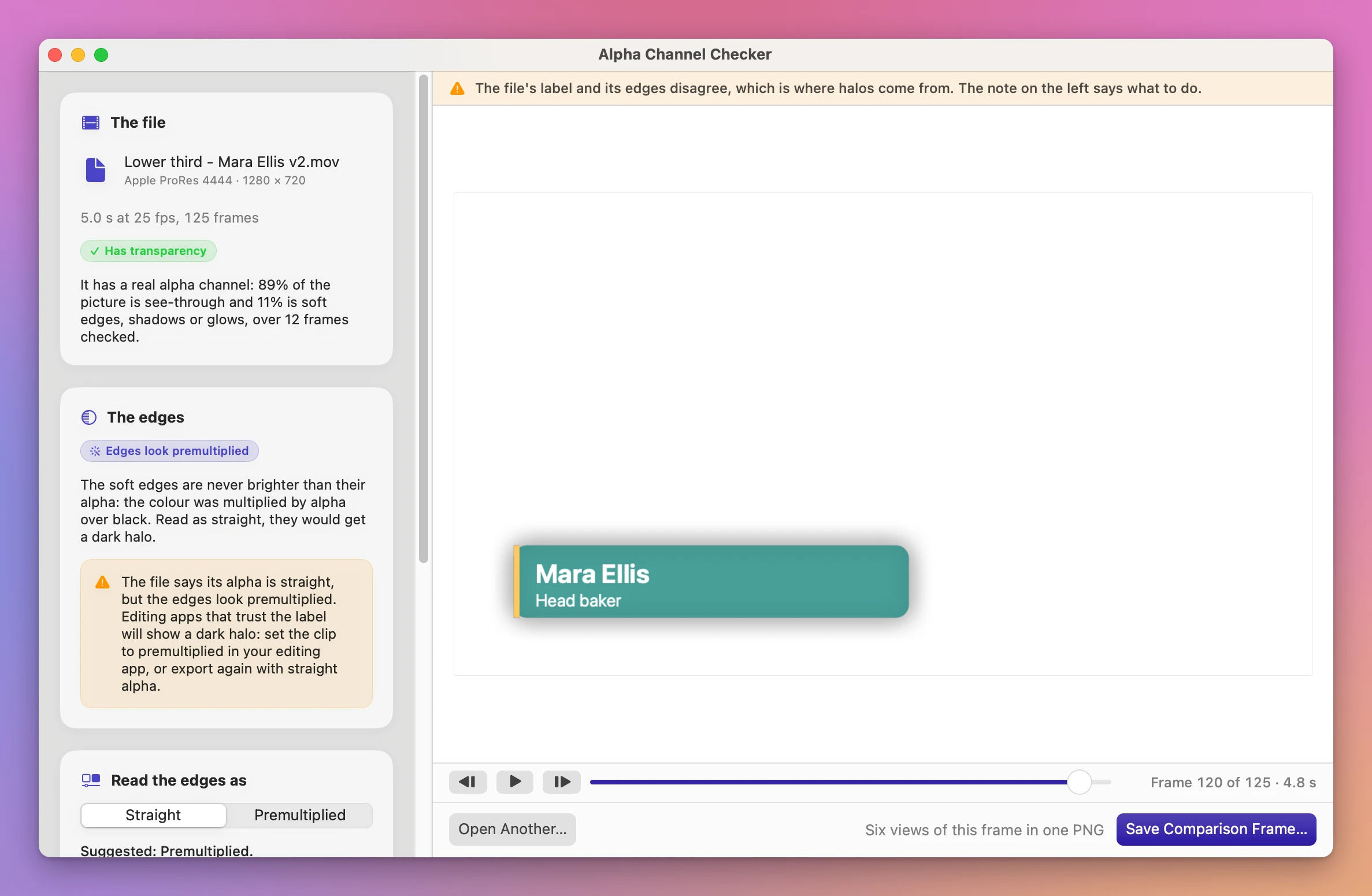
The fix is one of two: set the clip to premultiplied in your editing app, or export again with straight alpha. Save Comparison Frame… saves one PNG with the frame over black and white read both ways, your background and the alpha on its own, which is handy to attach when you send the file back.
The ways compared
| QuickTime Player | An editing app | Alpha Channel Checker | |
|---|---|---|---|
| Shows the transparency | No, it plays on black | Yes, on a timeline over another clip | Yes, over five backgrounds |
| Says if the alpha is there | No | You look and decide | Has transparency or No alpha channel |
| Straight or premultiplied | No | A clip setting you flip | Read from the edges and the file’s label |
| Steps for one file | A double-click | Import, timeline, background clip | Open the file |
| Cost | Free | Comes with the editing app | $19, paid once |
If you already have the file on a timeline, the editing app is enough. If you want to check before it gets there, or send proof with it, the app is the shorter way.
Get Alpha Channel Checker
Open a lower third, logo or overlay and play it over a checkerboard, black, white, a colour or your own background. See whether it really has an alpha channel, look at the alpha on its own, switch between straight and premultiplied to catch dark halos, and save a comparison frame to send. The file is never changed.
See Alpha Channel Checker → · Read the docs · $19. See the app page for tax details.
Want me to talk about your product? You can sponsor this site.