The AHA Stack Masterclass
Build a complete web app with Astro, HTMX, Alpine.js and PocketBase, with accounts, teams, Stripe subscriptions and deployment, in 125 text lessons.
In this course we build a real web app with the AHA Stack, the stack I created. Astro renders the pages on the server, HTMX updates parts of the page without a full reload, and Alpine.js handles the small interactive bits. PocketBase stores the data and the user accounts.
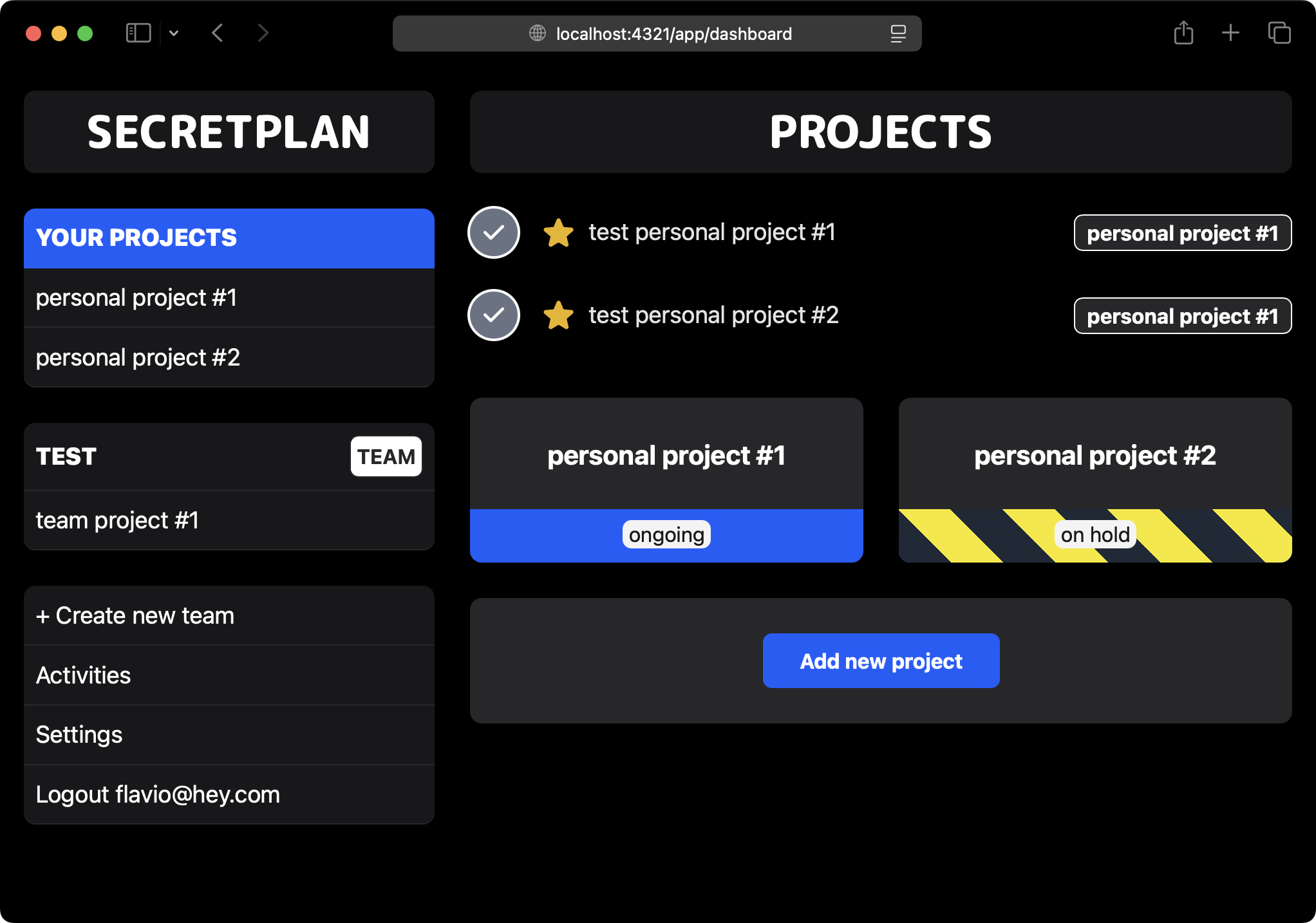
The app is Secretplan, a project management tool similar to Basecamp. It’s free for individuals and paid for teams, so we also build the parts most tutorials skip: permissions, team invites, Stripe subscriptions and deployment.
The course costs $49. You pay once and keep lifetime access. Nearly 200 developers have enrolled.
What you get
- 125 text lessons in 12 modules, with code and screenshots at every step
- The full source code on GitHub, with a branch at the end of each module so you can compare your code with mine
- A Discord chat with the other students
- A 30-day money-back guarantee
What you’ll build
By the end of the course, Secretplan has:
- projects and tasks, with statuses, starred tasks and a list of what’s done
- signup, login, password reset and email validation, with Cloudflare Turnstile on the forms
- image uploads with drag and drop
- teams that unlock with a Stripe subscription, and invites to add people to them
- an activity log you can filter by team, project and person
- an installable PWA with an offline screen
- a production deploy on Railway, with Docker
Along the way we handle what comes up in every real app: protecting routes and APIs, CSP and CSRF, failed requests and 404 pages, caching and loading states.
Why pay when the free courses exist?
My free Astro, HTMX and Alpine.js courses teach each tool on its own, and ahastack.dev explains how they fit together.
This course is the next step. We put the tools in one app and keep going until it’s something you could launch. Most of the hard questions only show up at that point: where each piece of data lives, how a team member sees a project while a stranger doesn’t, what to do when a Stripe webhook arrives, how to deploy two services that talk to each other.
Who it’s for
You know HTML, CSS and some JavaScript, and you want to build web apps without a frontend framework like React or Vue.
You don’t need to know Astro, HTMX, Alpine.js or PocketBase already. We install and configure each one from scratch. We write TypeScript, but only the basics.
Read a free lesson
Want to see what the lessons look like before you buy? Read Show the modal, the lesson where HTMX loads the first piece of the app from the server.
What’s inside
- Foundations
- PocketBase setup
- Getting started with Astro
- Building the core app
- Sidebar and productivity features
- Authentication and user data isolation
- File uploads, security, and error handling
- Teams and payments
- Invites and advanced team workflows
- Activities and PWA enhancements
- Caching and performance
- Deployment to Railway with Docker
See the detailed topic list
- Foundations
- Introduction
- App requirements and architecture
- Data storage choices
- Initial data modeling approach
- PocketBase setup
- Installing PocketBase locally
- Exploring the admin UI and API
- Creating collections: projects and tasks
- Editing API rules and permissions
- Updating PocketBase
- Exporting and versioning the PocketBase configuration
- Getting started with Astro
- Creating a new Astro project
- Adding Tailwind integration
- Running and verifying the development setup
- Building the core app
- Creating the dashboard route and sample data
- Fetching data from PocketBase in Astro
- Establishing an app layout and styling lists
- Displaying project status
- Understanding SSR tradeoffs and enabling SSR in Astro
- Building modal UX for creating projects
- Introducing HTMX and wiring up actions
- Creating projects via forms and modals
- Building a single project page
- Adding tasks to a project and listing them
- Troubleshooting common issues
- Sidebar and productivity features
- Building a responsive sidebar with mobile hamburger menu
- Using hx-boost for snappier navigation
- Sorting projects by status
- Fixing TypeScript errors and polishing UI details
- CRUD operations
- Deleting projects and tasks
- Editing project status and name
- Editing task text
- Marking tasks as done and separating done vs active lists
- Starring tasks and surfacing starred tasks in the dashboard
- Authentication and user data isolation
- Signup and login flows
- Logout handling
- Redirects for app routes
- Route and API protection
- Scoping lists to the current user
- Associating new data with the current user
- Forgot password and email validation
- Adding Cloudflare Turnstile for bot protection
- PocketBase schema snapshots provided
- File uploads, security, and error handling
- Reviewing file and folder structure
- Security topics: CSP, CSRF, and XSS hygiene
- Showing task images and enlarging thumbnails
- Drag and drop uploads and deletions
- Handling errors in requests and 404s
- Dealing with HTMX connection errors
- Teams and payments
- Designing teams model and paid feature gating
- Creating teams collection and team pages
- Listing and managing team projects in the sidebar
- Team activation via webhooks
- Adding, listing, and highlighting team projects
- Invites and advanced team workflows
- Invites collection and team settings
- Listing team members and pending invites
- Accepting and rejecting invites
- PocketBase permission adjustments for multi-member rendering
- Fixing edge cases in starred task editing
- Changing team name
- Subscription cancellation and freezing projects
- Stripe subscription management links
- Handling team deletion and data cleanup
- Activities and PWA enhancements
- Activities collection and first event recording
- Activities page and logging across the codebase
- Personal settings: user profile name
- Filters by team, project, person
- Surfacing “tasks done today” in dashboards
- Performance optimizations and service worker for offline screen
- Enabling PWA installability
- Caching and performance
- Preventing double roundtrips with HX-Redirect
- Adding loading spinners and disabling double clicks
- Caching modals and assets
- Reducing accidental text selection
- Preloading experiments and further optimization ideas
- Deployment to Railway with Docker
- End-to-end deployment overview
- Creating Railway account and services
- PocketBase service setup
- Dockerfile for the Astro app
- Branch configuration and environment variables
- Deploying the website
- Cloudflare Turnstile site updates
- Stripe webhook secret configuration
- Verifying cache behavior in production
Enroll
The course costs $49. You pay once, keep lifetime access, and get your money back within 30 days if it’s not for you.
Frequently Asked Questions
- How is the course delivered? The course is delivered online through text lessons.
- Is there a money-back guarantee? Yes, I offer a 30-day money-back guarantee if you’re not satisfied with the course.
- How long do I have access to the course? You have lifetime access to the course materials after enrollment.
- I joined the 2024 edition of the Bootcamp. Do I need to buy this? No. It’s the same course in a self-paced format, so you already have it.
Our order process is conducted by our online reseller Paddle.com. Paddle.com is the Merchant of Record for all our orders. Paddle provides all customer service inquiries and handles returns