Undoing and recovery
I posted my password / API key on GitHub
Rotate any exposed secret immediately, then keep credentials out of Git with a .env file, .gitignore, and the git-secrets pre-commit hook.
Bots scan GitHub, GitLab, and BitBucket around the clock for committed passwords, API keys, and database credentials. They find leaks within minutes.
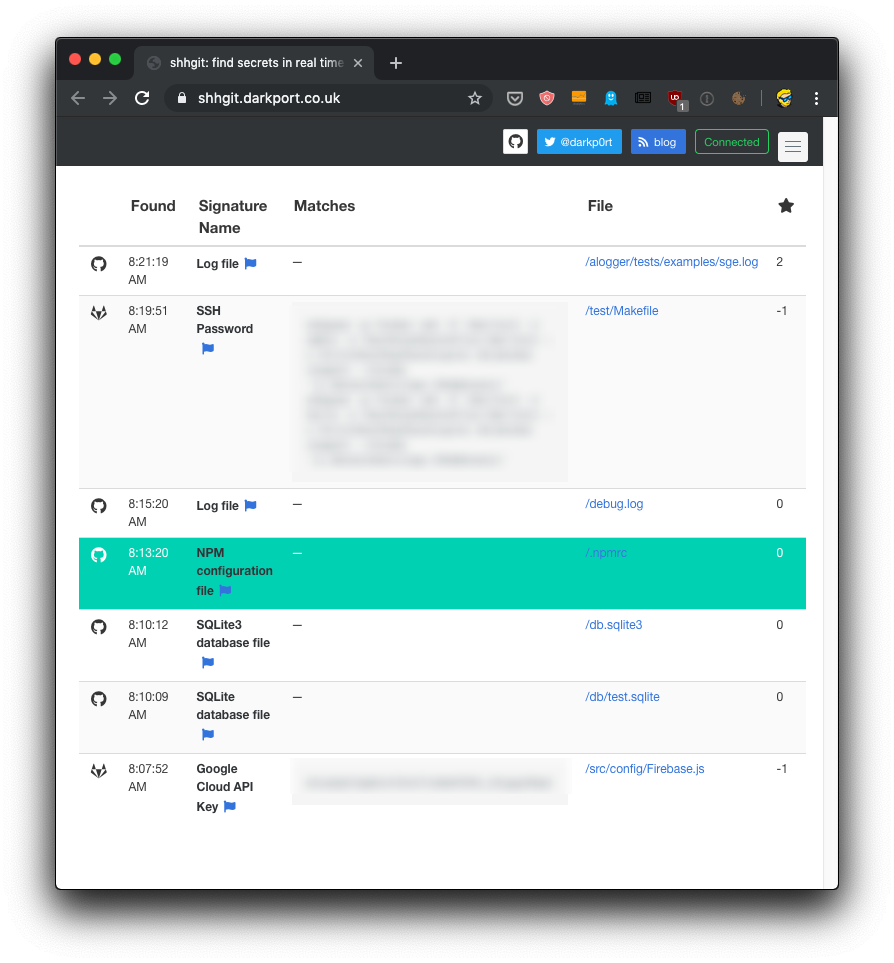
We all make mistakes. When a secret hits a public repo, rollback is not enough. The secret stays in Git history forever. Anyone who cloned the repo before you fixed it still has the old commits.
Rotate the exposed credential first. Invalidate the password or revoke the API key before you worry about cleaning up the commit. Your users and your project depend on that step.
Keep secrets out of source code
Never put API keys or passwords inside source files. They hide in there quietly.
Store them in a .env file at the project root instead. Add .env to .gitignore so Git never tracks it. Load values at runtime with a tool like dotenv. If you need a solid .gitignore for your stack, I built a free gitignore generator that creates one for you.
Block commits before they happen
Use git-secrets to catch secrets before they reach the repo.
On macOS, install it with Homebrew:
brew install git-secretsThen go into the repository and install the pre-commit hook:
git secrets --installThe tool runs before Git creates the commit.
If you use Amazon Web Services, register its credential patterns:
git secrets --register-awsScan the repo immediately:
git secrets --scanSilence means no matches. If something turns up, fix it before you push.
Prevention beats panic. A leaked key on a public repo is an emergency every time.
Lesson completed