
An app by Flavio
Answer Keeper
Paste a ChatGPT reply in Answer Keeper and keep it on your Mac with its headings, lists and tables. Highlight the sentences that matter with six pastel pens, see only your highlights, and star the answers you come back to.
Buy Answer Keeper · $20One-time purchase. Tax included.
macOS 15 or later · Apple silicon and Intel
You asked ChatGPT to plan a trip, compare three standing desks, or explain index funds, and the answer was good. Two weeks later you want it again. It’s somewhere in a sidebar of a hundred chats called “New chat”, and the part you cared about is three screens down.
$20 including tax, paid once.
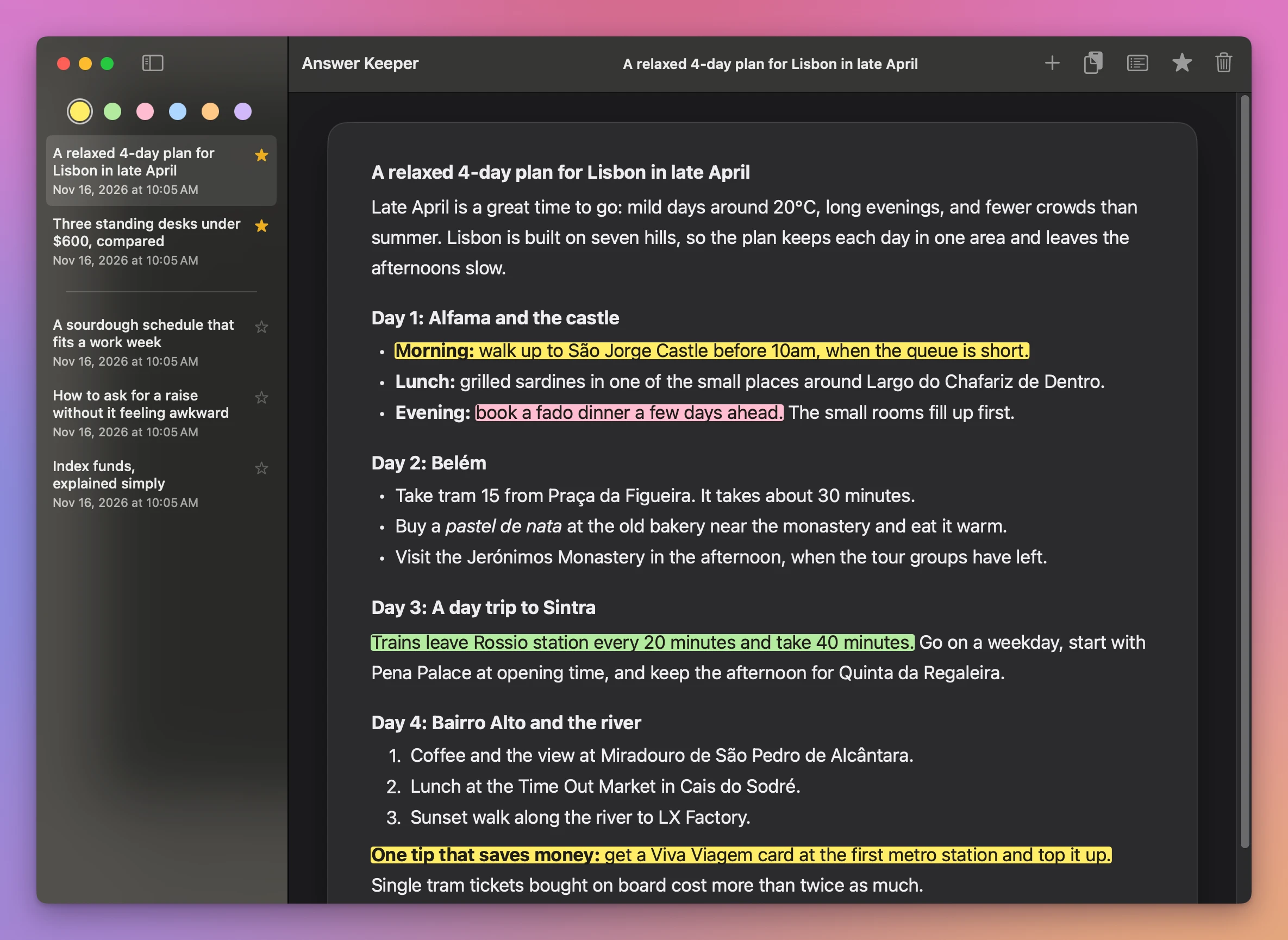
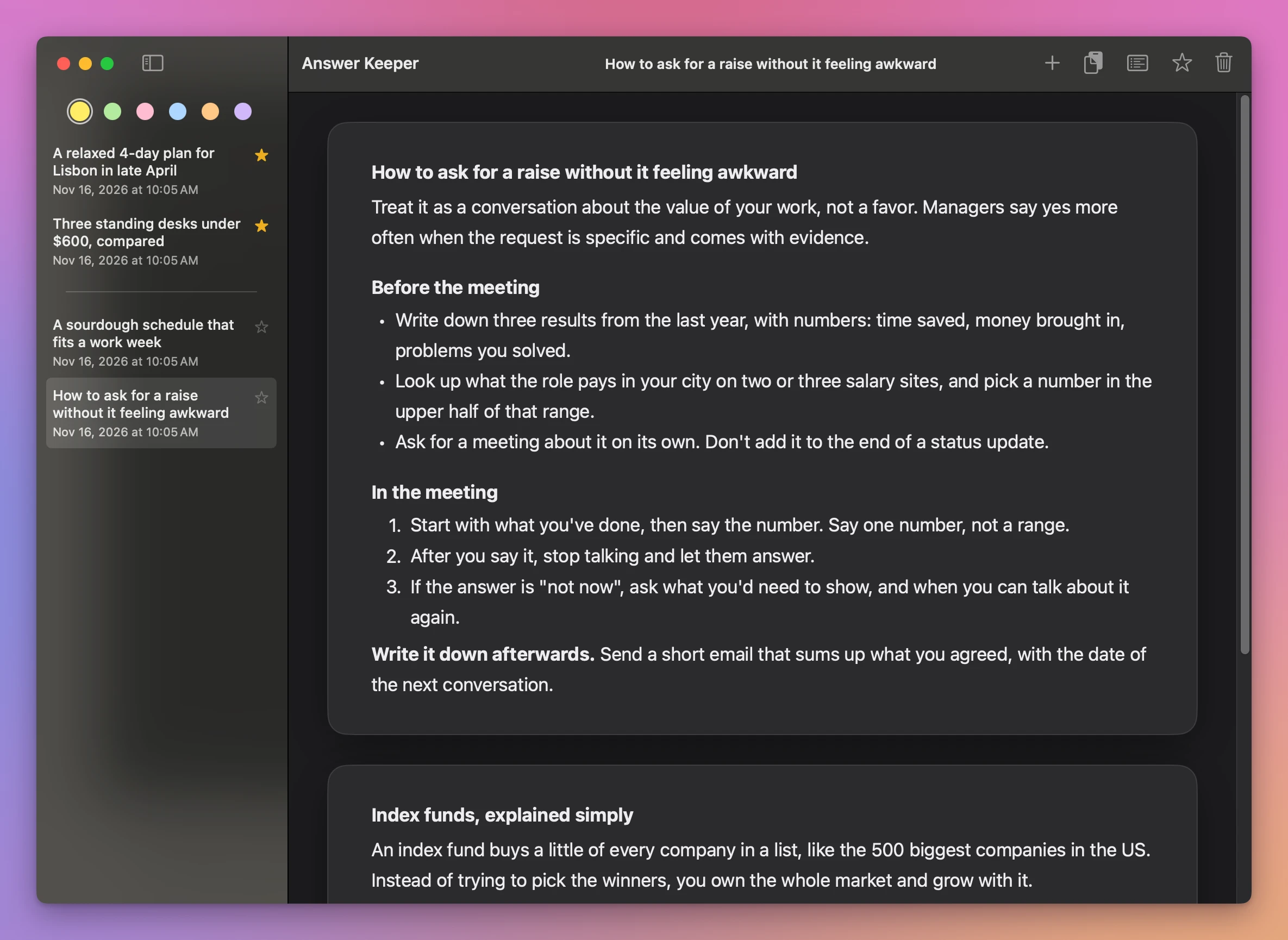
Answer Keeper is a Mac app for the ChatGPT answers worth keeping. You copy a reply, paste it in Answer Keeper, and it stays on your Mac as a page that looks like it did in ChatGPT: headings, lists, bold text, links and tables. Then you highlight the sentences that matter, like you would on paper.
How it works
- Copy a reply in ChatGPT. Click the copy button under it, or select the part you want and press ⌘C.
- Press ⌘V in Answer Keeper. The reply becomes a page in the list on the left, named after its first line. Double-click the name to call it something else.
- Highlight what matters. Pick a pen at the top of the list and drag over the words. You don’t have to be precise: a drag that starts in the middle of a word takes the whole word.
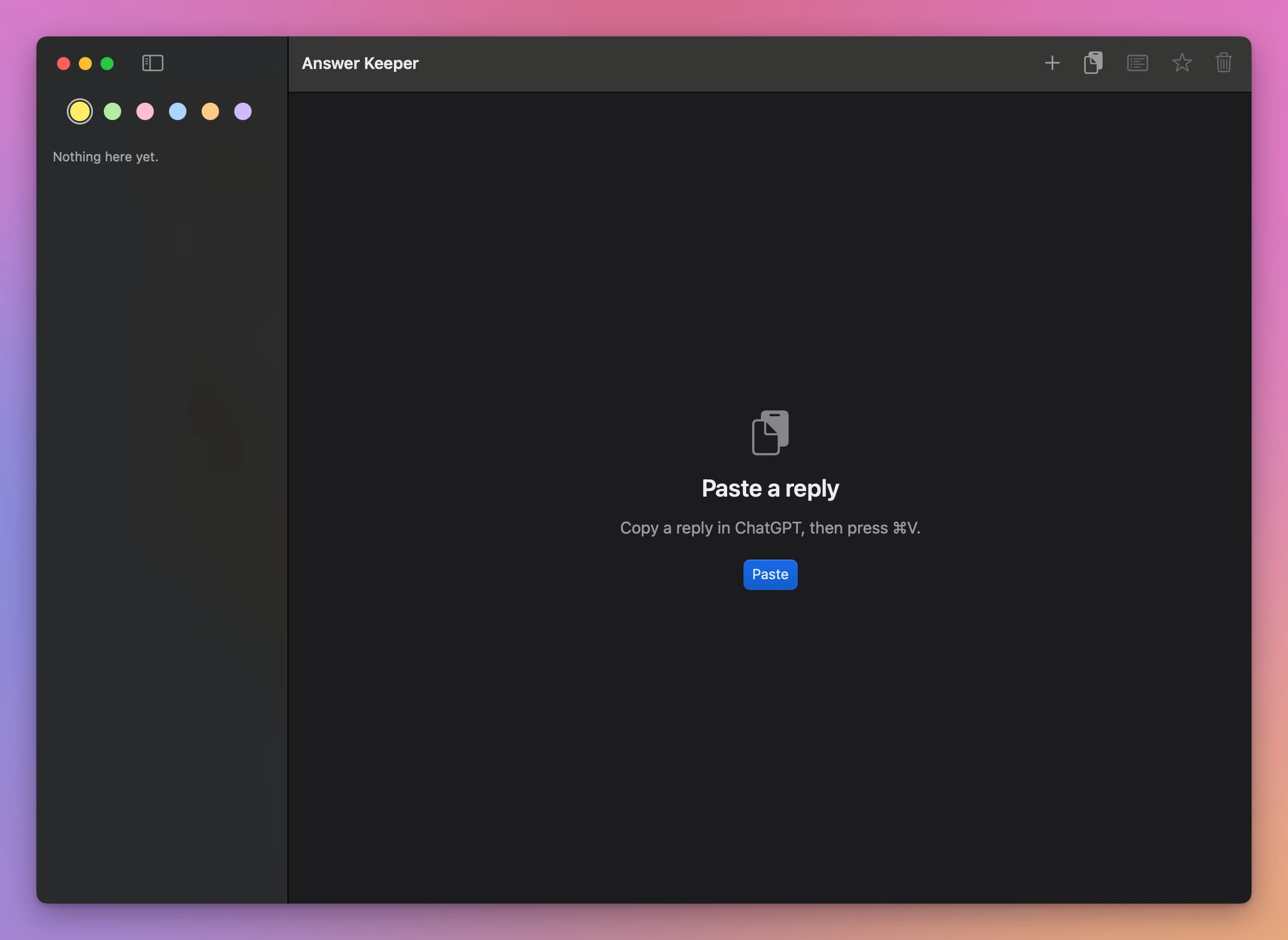
That’s it. There’s no account to make and nothing to set up. The first time you open Answer Keeper, the window says what to do: copy a reply in ChatGPT, then press ⌘V.
Six pens, and only your highlights
There are six pastel pens: yellow, green, pink, blue, orange and purple. Use one color for what to do and another for what to remember, or just yellow for everything. A highlight drawn across several lines in one drag is one highlight, and ⌘Z takes it back.
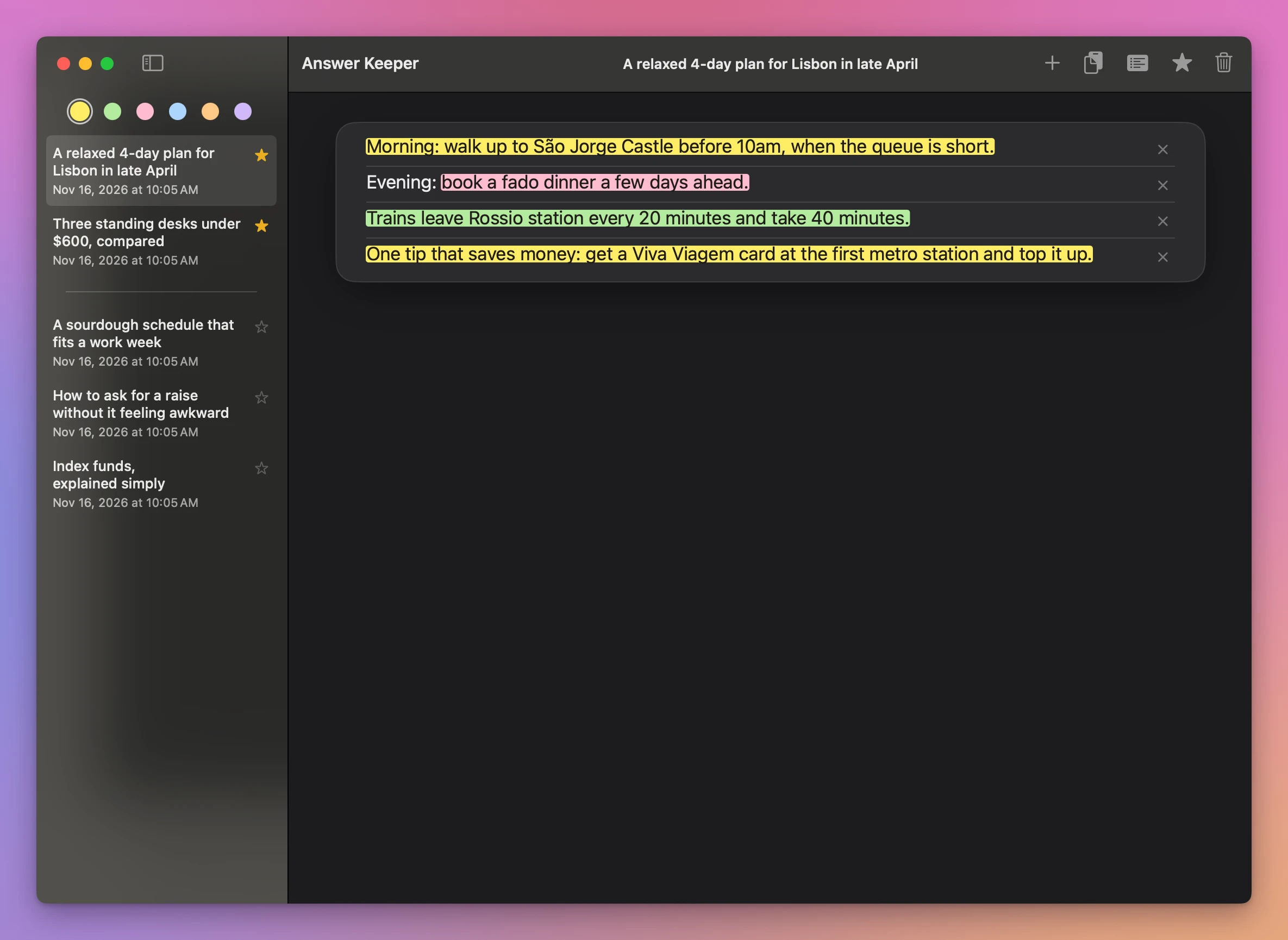
When you come back to an answer, you often only want the parts you marked. The list button in the toolbar shows just the highlighted sentences of the chat, in order. The × next to one removes that highlight.
Tables stay tables
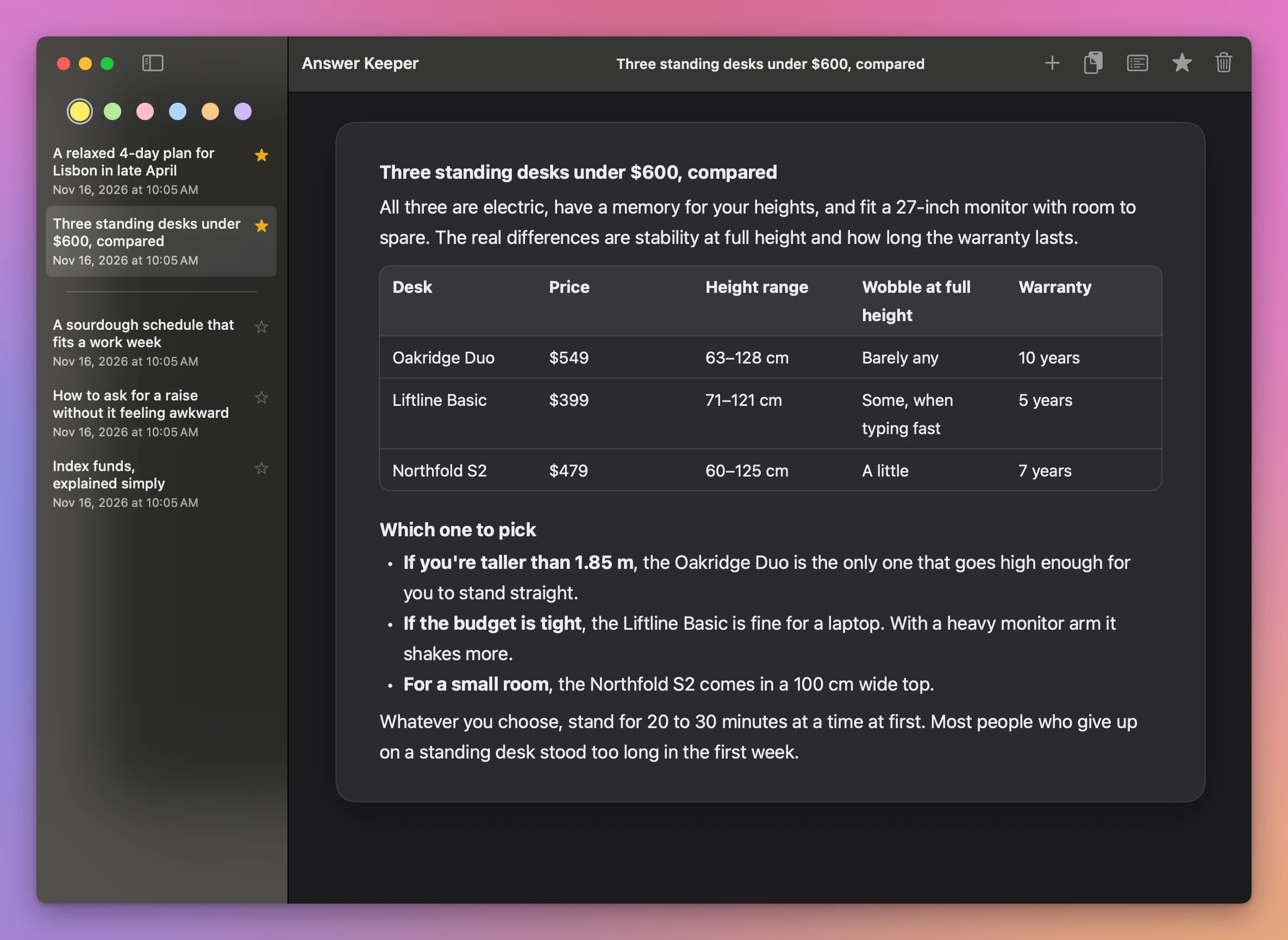
ChatGPT likes tables, and they’re often the part you want to keep. Notes keeps a pasted table, but a wide one is cut off on the right and scrolls sideways. In Answer Keeper the table fits the page, with its header row and every column.
Keep the good ones close
- Star a chat and it moves to the top of the list, above a line, so the answers you use most are always the first ones you see.
- Put chats together. Asked about the same thing twice? Drag one chat onto the other in the list. It’s added at the bottom, in its own box, and the list has one chat instead of two.
- What you saved is what ChatGPT wrote. The pasted text can’t be edited by accident. You can still copy any part of it, or the whole chat.
ChatGPT’s history, Notes, or Answer Keeper
| ChatGPT’s own history | Pasted in Notes | Answer Keeper | |
|---|---|---|---|
| Finding last month’s good answer | Scroll and search a list of every chat | In a note you named | In a short list of the answers you kept |
| Headings, lists and tables | Yes | Kept, but the spacing goes and wide tables are cut off | Kept, tables fit the page |
| Highlighting a sentence | No | Five colors, exactly the letters you select | Six pens, one drag, whole words |
| Only the parts you marked | No | No | One click |
| Where it lives | Your ChatGPT account | Notes, and iCloud if you use it | A file on your Mac |
| Changing it by accident | No | Easy | Can’t |
Good to know
Answer Keeper is my own app. It’s not made by, affiliated with or endorsed by OpenAI. ChatGPT is OpenAI’s name, used here only to say what the app works with.
Answer Keeper doesn’t connect to ChatGPT or read your account. It only keeps what you paste. Your chats are saved in a file on your Mac and never sent anywhere. The app goes online only to check your license key and look for updates.
It’s made for ChatGPT, and what you paste is rich text from the browser, so a reply copied from another AI chat in the browser usually pastes the same way. Plain text works too.
Buy Answer Keeper and get started
Answer Keeper costs $20 including tax, paid once. There’s no subscription.
After buying, your receipt has the app and a license key. Unzip the app and drag Answer Keeper to your Applications folder. It runs on macOS 15 Sequoia or later, on Apple silicon and Intel Macs. It’s signed with my Apple Developer ID and checked by Apple, so it opens like any other app you download.
Enter the license key in Answer Keeper → License… to get updates automatically. A key works on 3 Macs. Once a day, the app checks for a new version, shows what’s new, and installs it with Install and Relaunch. Your receipt always has the latest version, too.