
An app by Flavio
Chat to PDF for WhatsApp
Turn a chat exported from WhatsApp into a PDF with every message, its sender, date and time, and the photos where they were sent. For a lawyer, a court, a landlord, or to keep.
Buy Chat to PDF for WhatsApp · $20One-time purchase. Tax included.
macOS 14 or later · Apple silicon and Intel
Your lawyer asks for the messages with your landlord. Or the insurance company wants the chat where the builder promised to fix the roof. You scroll back through months of WhatsApp, take forty screenshots, and still miss the photo that matters.
WhatsApp can export a chat, but what you get is a text file full of dates and a pile of photos with names like 00000012-PHOTO-2023-05-14-21-07-02.jpg. Nobody wants to read that, least of all a judge.
$20 including tax, paid once.
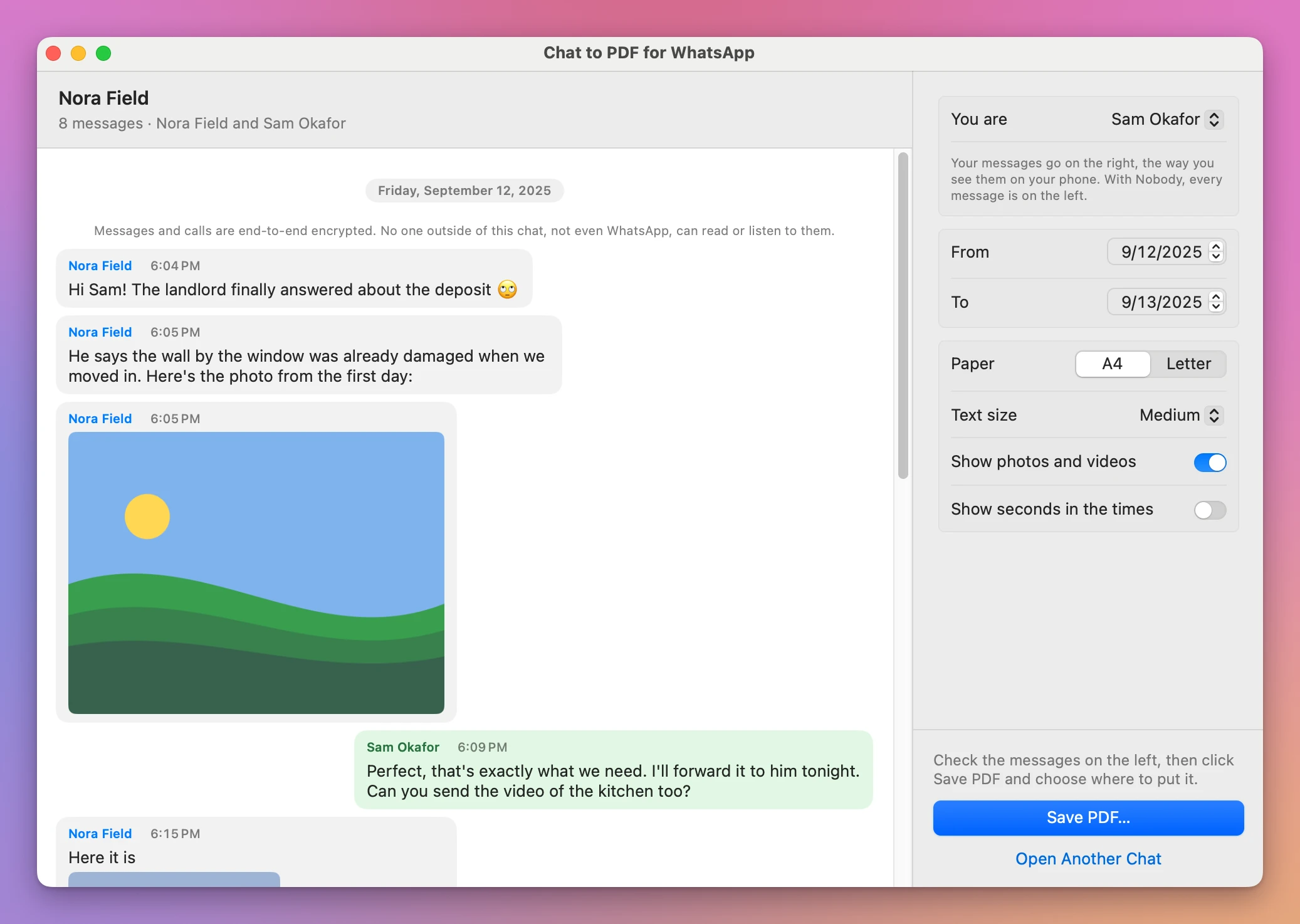
Chat to PDF for WhatsApp is a Mac app that puts the export back together. Drop the zip on its window and the chat shows as bubbles, with the photos. Pick who you are, the dates you need and the paper, and click Save PDF…. You get a clean PDF with every message, who sent it, the date and the time, and the photos right where they were sent.
What’s in the PDF
A first page says what the document is: the chat’s name, the people in it, the dates it covers, the number of messages and the day you made the PDF.
Then the messages, as bubbles, with a heading for each day. Every message has the sender’s name and the time. Your messages are on the right, like on your phone.
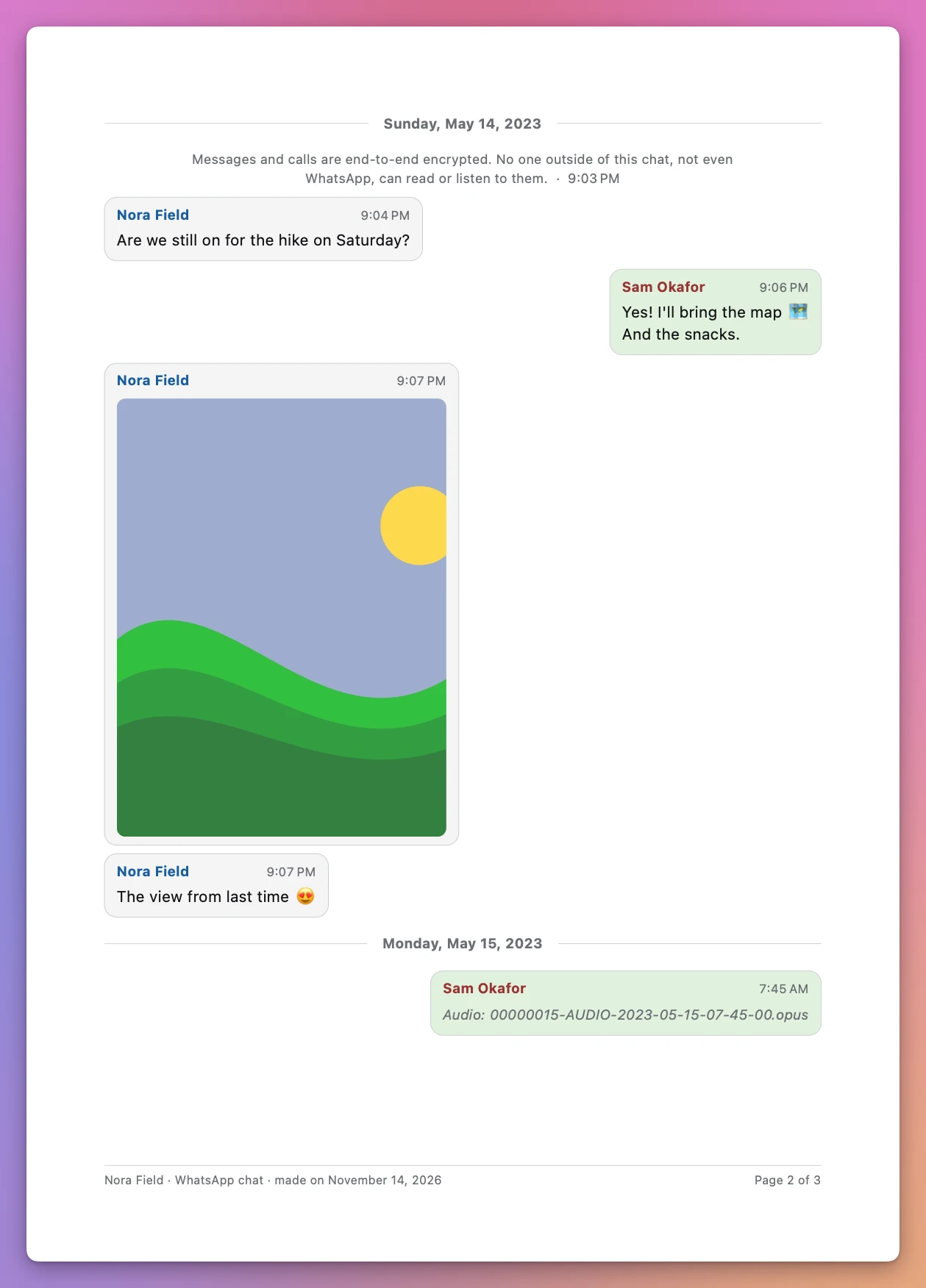
- Photos inline, at a size that prints well, turned the right way up.
- A video is its first frame, with a play sign and its file name.
- A voice note, a document or a contact card can’t go on paper, so it’s a line with its file name, like “Audio: 00000015-AUDIO-2023-05-15-07-45-00.opus”.
- WhatsApp’s own lines, like “Anna added Marco” or “Messages and calls are end-to-end encrypted”, are centered in grey.
- Edited messages say “Edited” under the bubble.
- On every page, at the bottom: the chat’s name, the day the PDF was made, and “Page 3 of 41”.
Emoji print in color. Arabic and Hebrew read right to left, and a line that mixes them with English keeps its order. A long message carries over to the next page with the sender’s name and “(continued)”, and a short one is never cut in half.
Choose what goes in
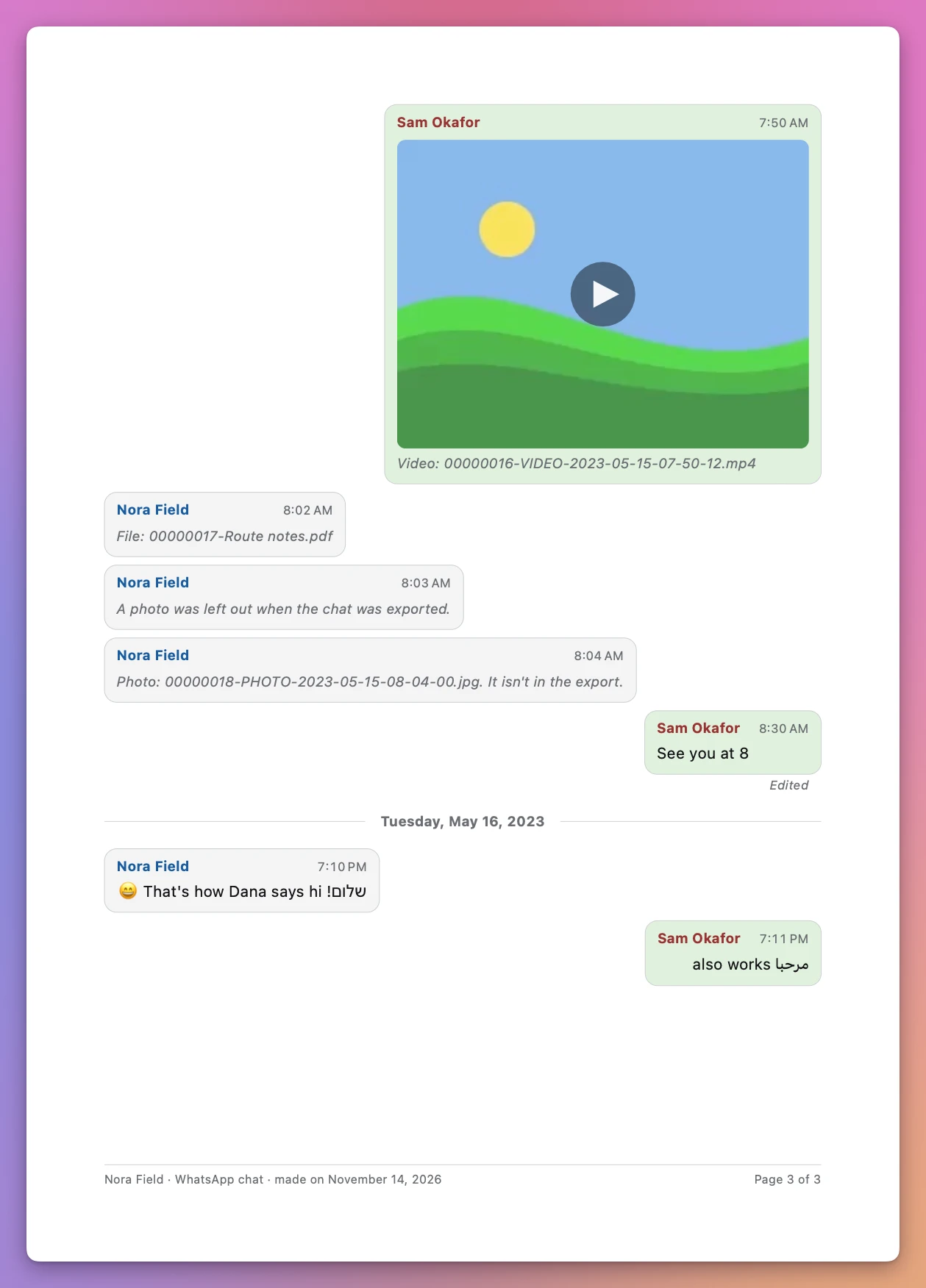
- You are: your bubbles go on the right. A chat between two people is named after the other person, so the app already knows which one is you.
- From and To: only the days you need. The first page counts only the messages in those dates.
- Paper: A4 or Letter.
- Text size: Small, Medium or Large.
- Show photos and videos: off, each photo is a line with its file name, for a shorter PDF.
- Show seconds in the times: “21:03:12” instead of “21:03”.
iPhone and Android, in many languages
The export looks different on an iPhone and on Android, and the dates change with the phone’s language. “14/05/2023, 21:03”, “5/14/23, 9:03 PM”, “14.05.23” and “2023-05-14” are all the same day. The app reads them all, with AM and PM in English and other languages, and checks the whole chat to decide which number is the day.
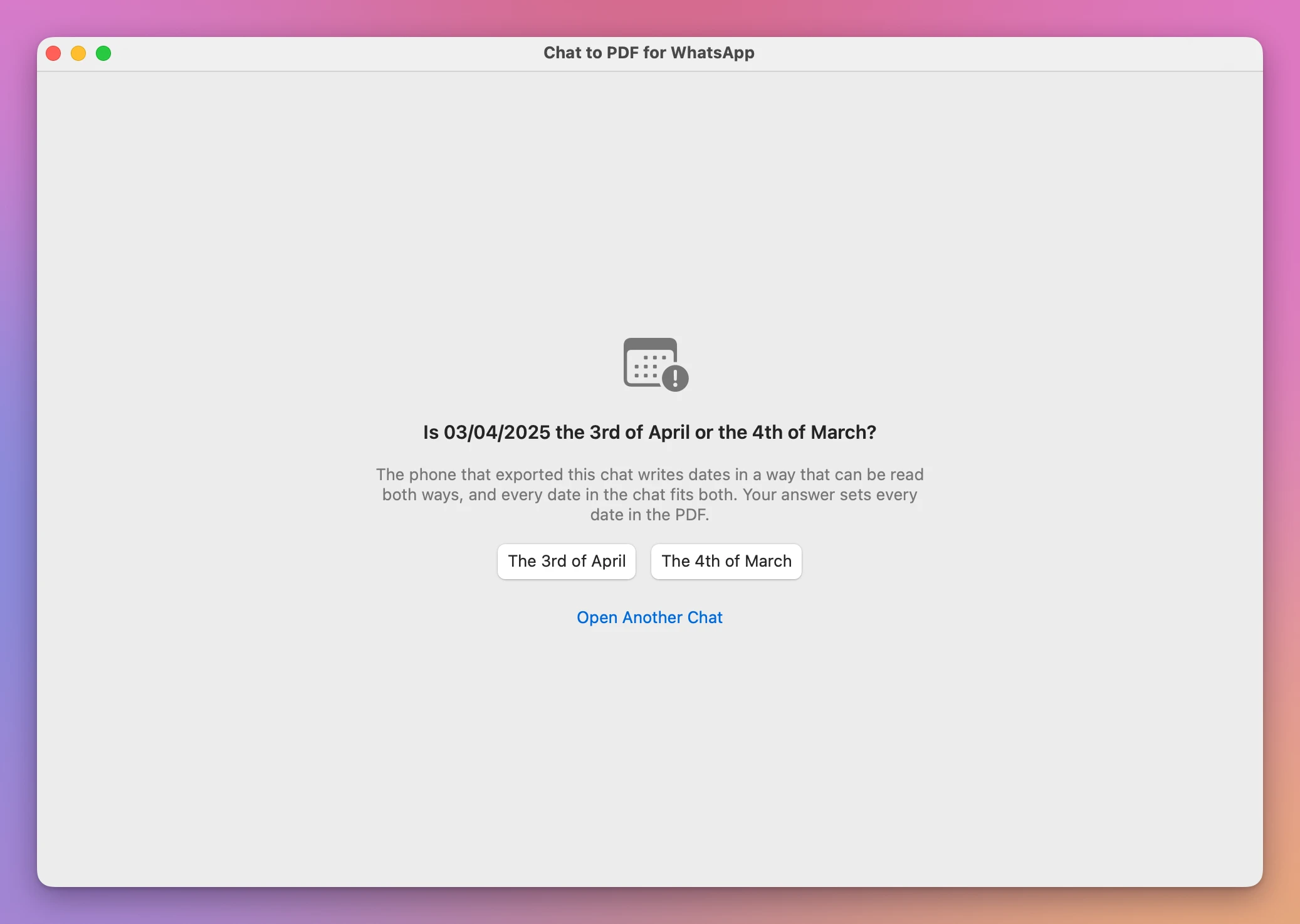
Sometimes it can’t. A chat where every date is like 03/04/2025 could be the 3rd of April or the 4th of March. Then the app asks you before it shows anything, because the dates in a PDF for a court have to be right.
It tells you what’s missing
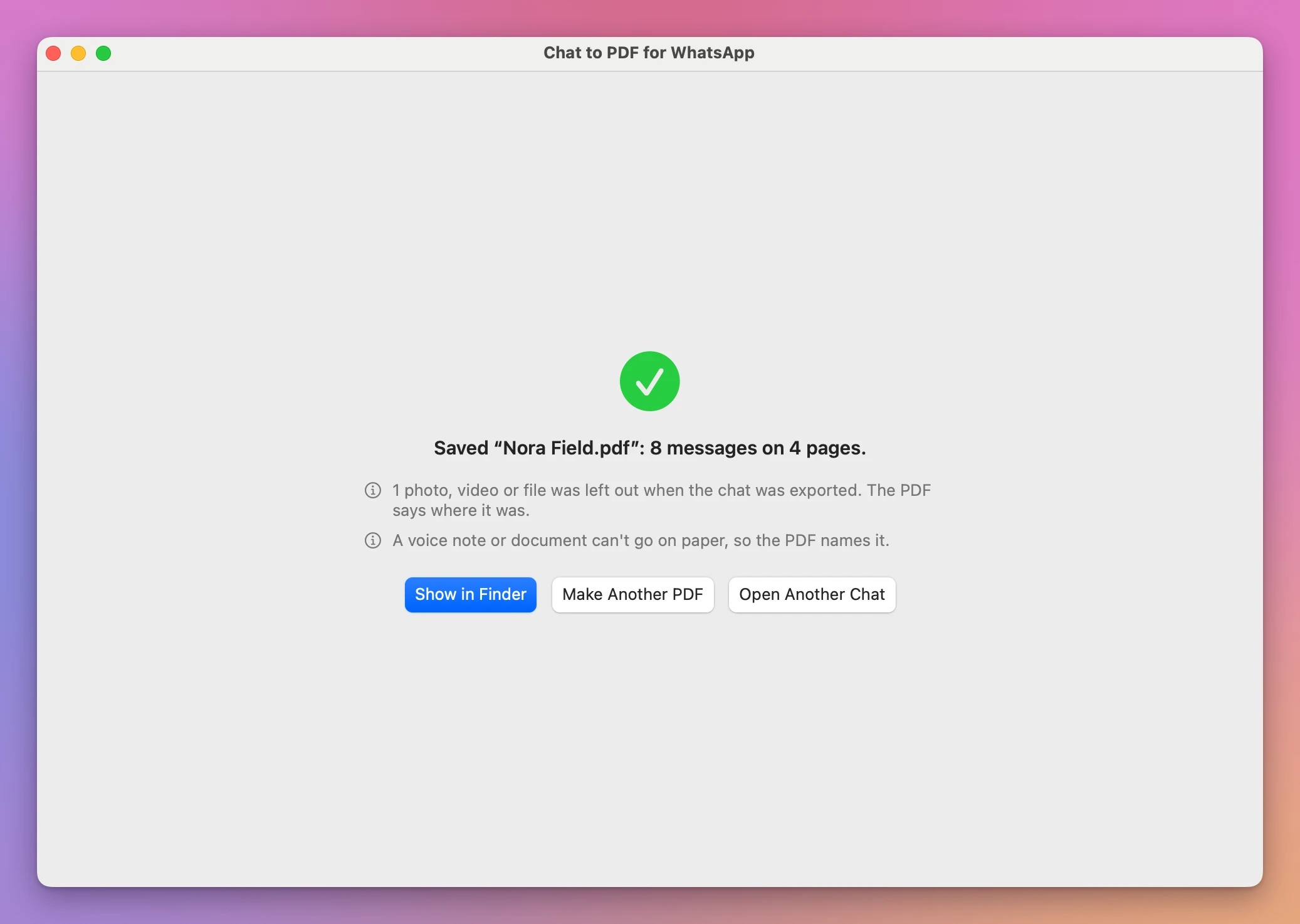
An export isn’t always complete. If you exported the chat without its media, or WhatsApp left some files out, some photos aren’t in the zip. The PDF doesn’t skip them in silence: it says, where each one was, that it was left out.
When the PDF is saved, the window tells you what’s in it and what isn’t, and why.
By hand, or with Chat to PDF for WhatsApp
| Screenshots or the export’s text file | Chat to PDF for WhatsApp | |
|---|---|---|
| Every message, with date and time | Screenshots show times, not always dates. The text file has both, in a wall of text | Each message has its sender and time, under a heading for its day |
| Photos | Separate files with long numbered names | Inside the bubble they were sent in |
| Who said what | Easy to lose across dozens of screenshots | Names on every bubble, yours on the right |
| A few weeks out of years of chat | Scroll and crop | Pick From and To |
| What’s missing | You can’t tell | Each missing file named, where it was |
| Pages | Unnumbered images | ”Page 3 of 41” on every page |
A chat with 50,000 messages becomes a PDF of thousands of pages in seconds.
Good to know
Chat to PDF for WhatsApp is my own app. It’s not made by, affiliated with or endorsed by WhatsApp or Meta.
Everything stays on your Mac. The app reads only the chat you choose, never changes it, and saves the PDF only where you pick. It asks before it replaces a file.
You export the chat from WhatsApp on your phone first: open the chat, tap its name, then Export chat. Pick the choice that includes the media to get the photos: With all media on an iPhone, Include media on Android. The app can only print what’s in the export, so a photo WhatsApp left out is a line that says so.
WhatsApp writes the lines about attachments in your phone’s language, like “image omitted” or “(file attached)”. The app knows them in English, Italian, German, Spanish and Portuguese. In another language, the photo is still found when its file is in the export, but a line about a left-out file may show as plain text in the bubble.
A PDF made by the app is a faithful copy of the export, not a certified one. If a court needs something more, ask your lawyer what they accept.
Buy Chat to PDF for WhatsApp and get started
Chat to PDF for WhatsApp costs $20 including tax, paid once. There’s no subscription.
After buying, your receipt has the app and a license key. Unzip the app and drag Chat to PDF for WhatsApp to your Applications folder. It runs on macOS 14 Sonoma or later, on Apple silicon and Intel Macs. It’s signed with my Apple Developer ID and checked by Apple, so it opens like any other app you download.
Enter the license key in Chat to PDF for WhatsApp → License… to get updates automatically. A key works on 3 Macs. Once a day, the app checks for a new version, shows what’s new, and installs it with Install and Relaunch. Your receipt always has the latest version, too.