
Mac & Windows app by Flavio
Episode Tail Checker
Open your finished podcast episodes before you upload them. See trailing dead air, a stray clip playing after the outro, an ending cut off mid-sound and a long silence before the start, listen to each edge, and export trimmed WAV copies and a QA sheet.
Buy Episode Tail Checker for Mac · $19Buy Episode Tail Checker for Windows · $19Buy once, use forever. Up to 3 computers you own (license). Plus tax where it applies. Mac and Windows versions are sold separately.
macOS 14 or later (Apple silicon and Intel) · Windows 10 and Windows 11 (x64 and ARM64)
Latest Mac version 1.0.0, released November 29, 2026
The episode is mixed and exported. You drag it into your podcast host, and a week later a listener writes: “the episode just keeps going in silence for a minute after the end”. A marker was left far past the outro on the timeline, and the export ran all the way to it.
Other times it’s worse. A pickup line you muted on the timeline still rendered, 18 seconds after the music fades out. Or the export range stopped half a second early and the outro music cuts off mid-chord. Nobody listens to the last minute of a finished file before uploading it, so these go out.
Episode Tail Checker opens a batch of finished episodes and looks at their first and last seconds. It tells you which ones have dead air at the end, a stray clip after the ending, an ending cut off mid-sound or a long silence before the start. You listen to each edge, nudge the trim points if needed, and export trimmed WAV copies with a QA sheet. Your originals are never changed.
Watch a 30-second demo of Episode Tail Checker:
Who it’s for
- Independent podcasters who export and upload themselves. You finish the edit at 11 p.m. and upload before bed. You want a last check that the file ends where the episode ends, without scrubbing through it again.
- Editors delivering finished episodes to clients. You send four episodes a week. A QA sheet with each file’s lead-in, end and trailing silence goes with them, so the client sees they were checked.
- Producers of daily or news shows. Short episodes exported in a hurry from the same template, where one stray marker leaves 40 seconds of silence at the end of every file until someone notices.
- Audiobook and course narrators. Chapters and lessons with a strict head and tail of silence, where a platform asks for a set amount of room tone at the start and end of each file.
- Shows re-exporting a back catalog. New intro, new outro, 60 old episodes rendered again overnight. You open the whole folder and see which renders went wrong.
How it works
- Click Choose Episodes… and pick your finished episodes, or a folder of them, or drag them onto the window. WAV, AIFF, M4A, MP3, FLAC and CAF all open. To try it first, click Try Example Episode Exports.
- Each episode gets a pill in the list: Dead air, Stray audio, Cut off, Lead-in or Clean. Click one to see its start and end.
- Listen with Play Head, Play Last 12 s and Play Stray Clip. Move the copy’s start or end with the −1 s, −0.1 s, +0.1 s and +1 s buttons if you want more or less.
- Click Export Trimmed Copies & QA Sheet… and pick a folder.
What you get
A check of both edges of every episode
The app reads the first 15 seconds of each file, and scans back from the end, a minute at a time, until it finds where the program really ends. Anything quieter than -50 dBFS counts as silence, so room hiss and a muted track still read as silence. Then it flags four things:
- Trailing dead air, more than 3 seconds of silence after the last sound.
- Stray audio after the ending, a short burst of sound (a cough, a muted pickup, a rehearsal take) after 4 seconds or more of silence past the outro.
- Cut off at the end, when the last 80 milliseconds are still louder than -24 dBFS and not fading: the export stopped mid-sound.
- Long lead-in, more than 2 seconds of silence before the episode starts.
An episode with none of these is Clean, and gets no copy unless you ask for one.
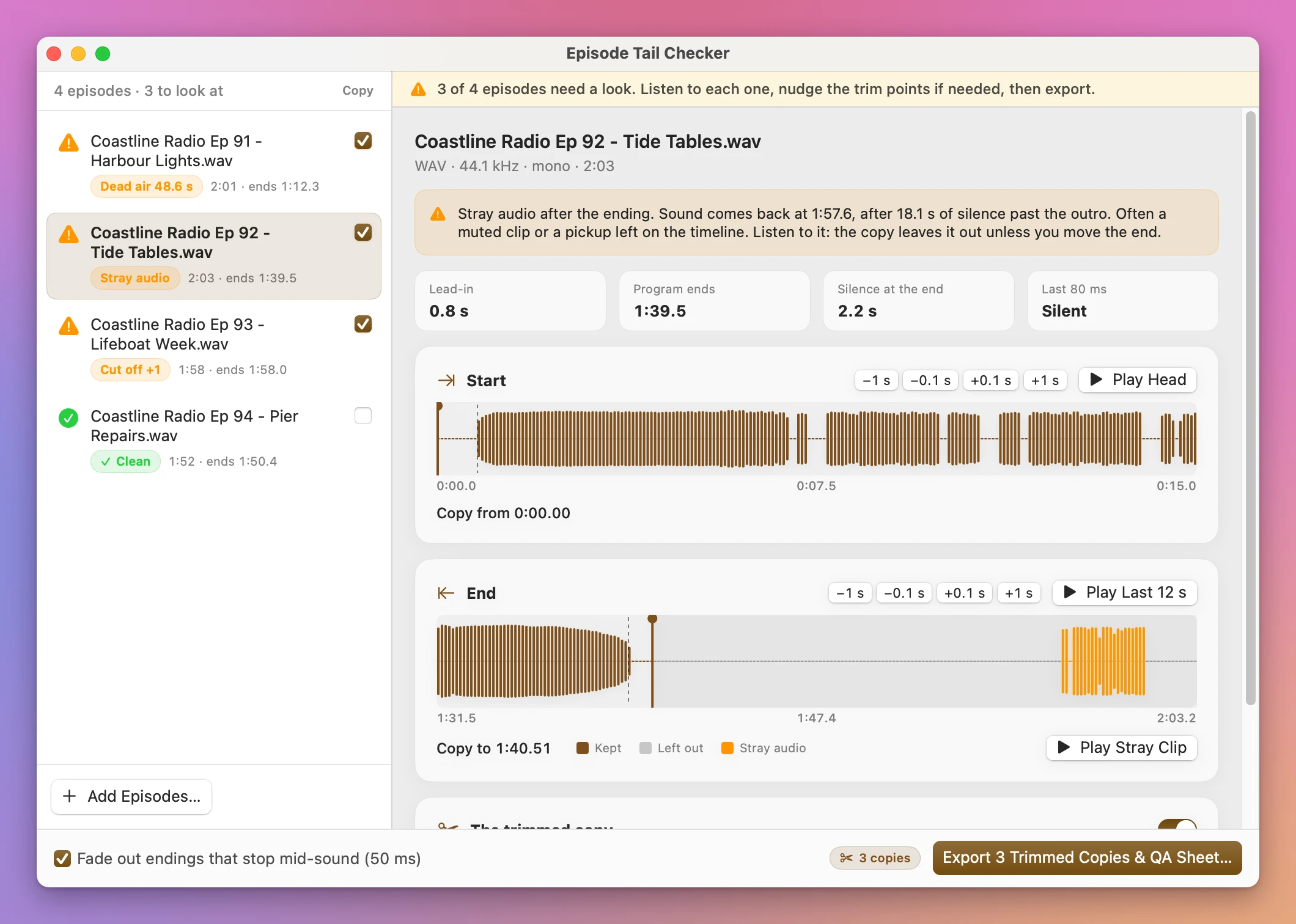
The start and end, drawn and playable
For the selected episode you see the first 15 seconds and the last stretch of the file as waveforms. The part the copy keeps is in brown, the part it leaves out in grey, and stray audio in orange. A dashed line marks the first sound and the program’s end. Play Head plays the first 12 seconds of the copy, Play Last 12 s plays its last 12 seconds, and Play Stray Clip plays the stray sound with half a second before it, so you can decide if it should stay.
Trim points you can move
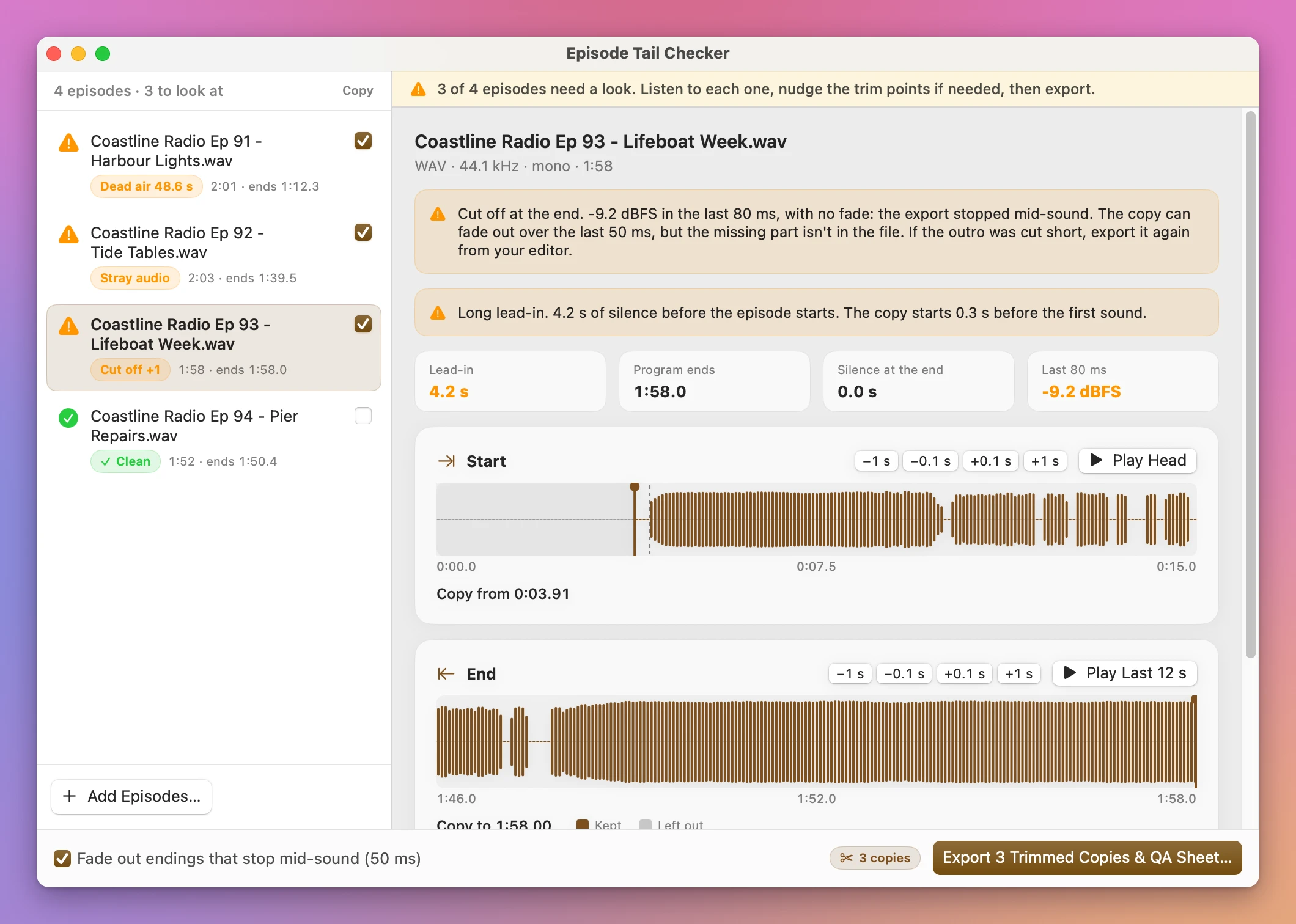
The app suggests where each copy starts and ends: 0.3 seconds before the first sound when the lead-in is long, and 1 second after the program when there’s dead air or stray audio. Each point moves by a tenth of a second or a whole second at a time. Reset Trim Points goes back to the suggestion, and Keep Whole File keeps everything.
A fade on endings that stop mid-sound
When an ending is cut off, the copy can fade out over its last 50 milliseconds, so it doesn’t end with a click. The app says plainly that this can’t bring back the missing part: if the outro was cut short, export it again from your editor.
Trimmed copies and a QA sheet
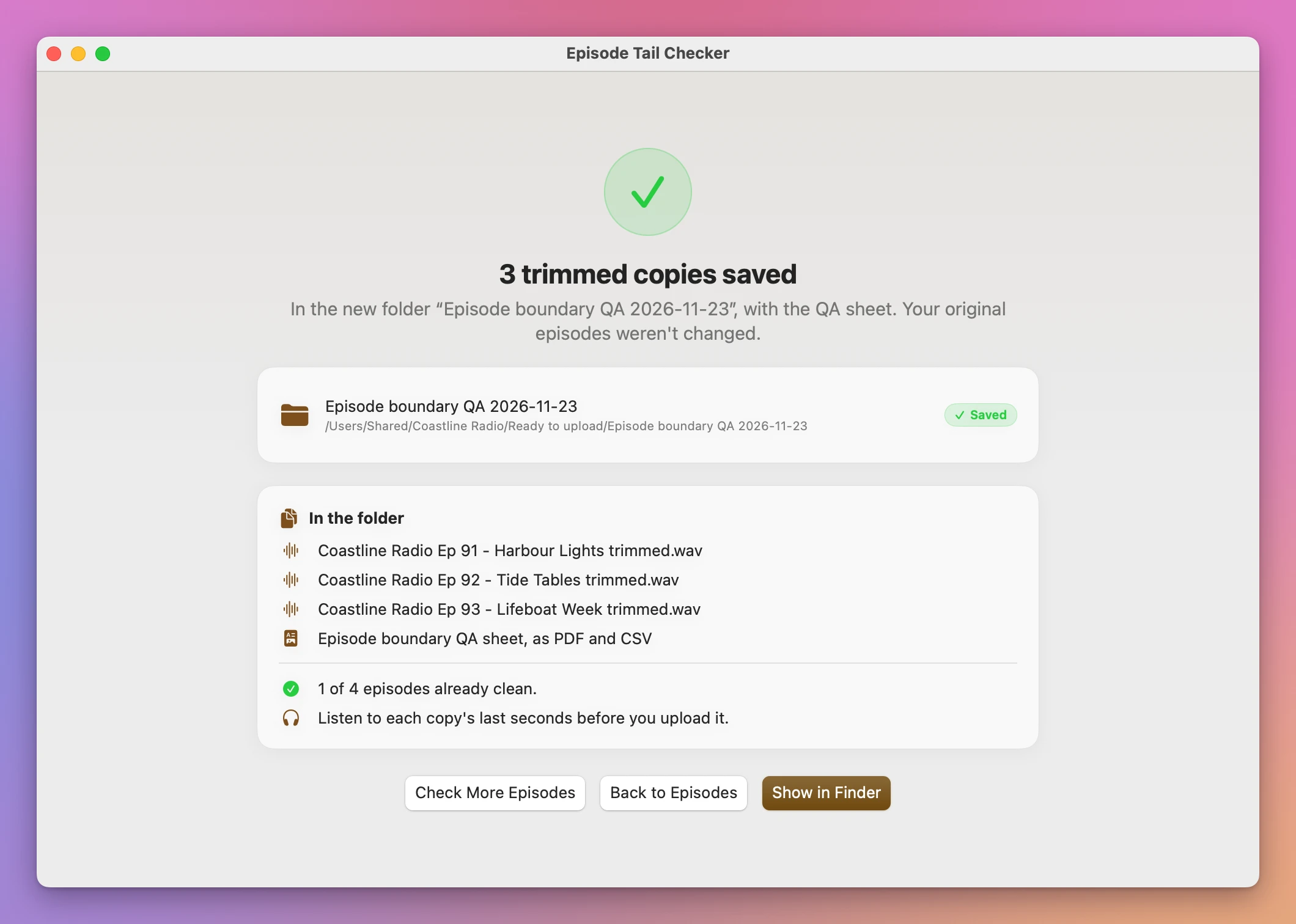
Export Trimmed Copies & QA Sheet… makes a new folder, “Episode boundary QA” and the date, inside the folder you pick, with:
- a trimmed copy of every ticked episode, as a 24-bit WAV at the original’s sample rate, called ”… trimmed.wav”
- Episode boundary QA sheet.pdf, one block per episode with its verdict, its numbers and a drawing of its last seconds
- Episode boundary QA sheet.csv, with each file’s duration, lead-in, main end, trailing dead air, stray audio times, cut-off flag and trimmed duration, for your spreadsheet
Why not do it by hand
Any audio editor can do this. Open the episode in Audacity, zoom to fit, look at the right end of the waveform, select the silence after the outro and delete it, fade the last half second if it ends abruptly, and export. For one episode it’s a couple of minutes.
The trouble is that nobody does it for every file. A long silence at the end only shows if you zoom out, a stray clip 18 seconds after the outro is a tiny blip you scroll past, and a cut-off ending looks like any loud ending until you play the last second. With four episodes a week, the check is the first thing skipped. Your editor also won’t tell you what it found, so there’s no record for a client.
| By hand in an audio editor | Episode Tail Checker | |
|---|---|---|
| Finds dead air at the end | If you zoom out and look | Flagged, with its length |
| Finds a stray clip after the outro | If you spot the blip | Flagged, drawn in orange, playable |
| Finds an ending cut off mid-sound | Only by listening | Flagged from the level of the last 80 ms |
| Several episodes at once | One project each | A folder at a time |
| Trims the copy | Select, delete, fade, export | Suggested points, one export for all |
| A record for you or a client | No | QA sheet as PDF and CSV |
What it doesn’t do
- It doesn’t change your episodes. It writes trimmed copies next to the QA sheet.
- The copies are WAV files. If you upload MP3s, encode the copy to MP3 the way you usually do.
- It can’t bring back audio that isn’t in the file. A cut-off ending gets a short fade, but the missing outro has to come from a new export.
- It listens to levels, not words. A long dramatic pause, or a short post-credits clip you put there on purpose, looks the same as a mistake, so listen before you export.
- It doesn’t check loudness, clipping or anything in the middle of the episode. It looks at the start and the end.
- It doesn’t upload anything to your podcast host.
Questions
Is my audio uploaded anywhere?
No. Everything happens on your Mac. The app connects to my update server only to check for new versions.
Which files does it open?
Episodes in WAV, AIFF, M4A, MP3, FLAC and CAF, one at a time, several at once, or a whole folder.
Does it work with my editor or my host?
It works on the files your editor exports, whatever made them. Episode Tail Checker isn’t made by, affiliated with or endorsed by Apple or any podcast host or audio editor maker.
What does it need?
macOS 14 Sonoma or later, on an Apple silicon or Intel Mac. It asks for no permission.
Buy Episode Tail Checker
$19 plus tax where it applies, paid once. You get the app as a download, signed and notarized by Apple, and a license key for updates. The app opens and works without the key: it asks for it once, the first time it installs an update.