
How to use Folder Manifest Maker
Folder Manifest Maker
Export relative paths, file sizes, modification dates and optional SHA-256 checksums in a CSV and printable PDF.
Free to read. You can explore the guide before buying the app.
On this page
Install
Download the ZIP from the purchase page or your Creem receipt. Unzip it and move Folder Manifest Maker to Applications. The app is signed and notarized, and runs on macOS 14 Sonoma or later on Apple silicon and Intel.
The app checks for updates once a day. When a new version is ready, click Install and Relaunch. To check anytime, choose Folder Manifest Maker → Check for Updates….
If your copy still asks for a key, download the latest version from your purchase page and replace the old app in Applications.
Set up the inventory
Choose Folder to inventory. The app scans the source and its subfolders. Enter an optional PDF title of up to 45 characters on one line. Leave it empty to use the source folder name.
Turn on Include SHA-256 checksums if you want a content hash for each regular file. The scan can take longer on a large drive.
Preview and export
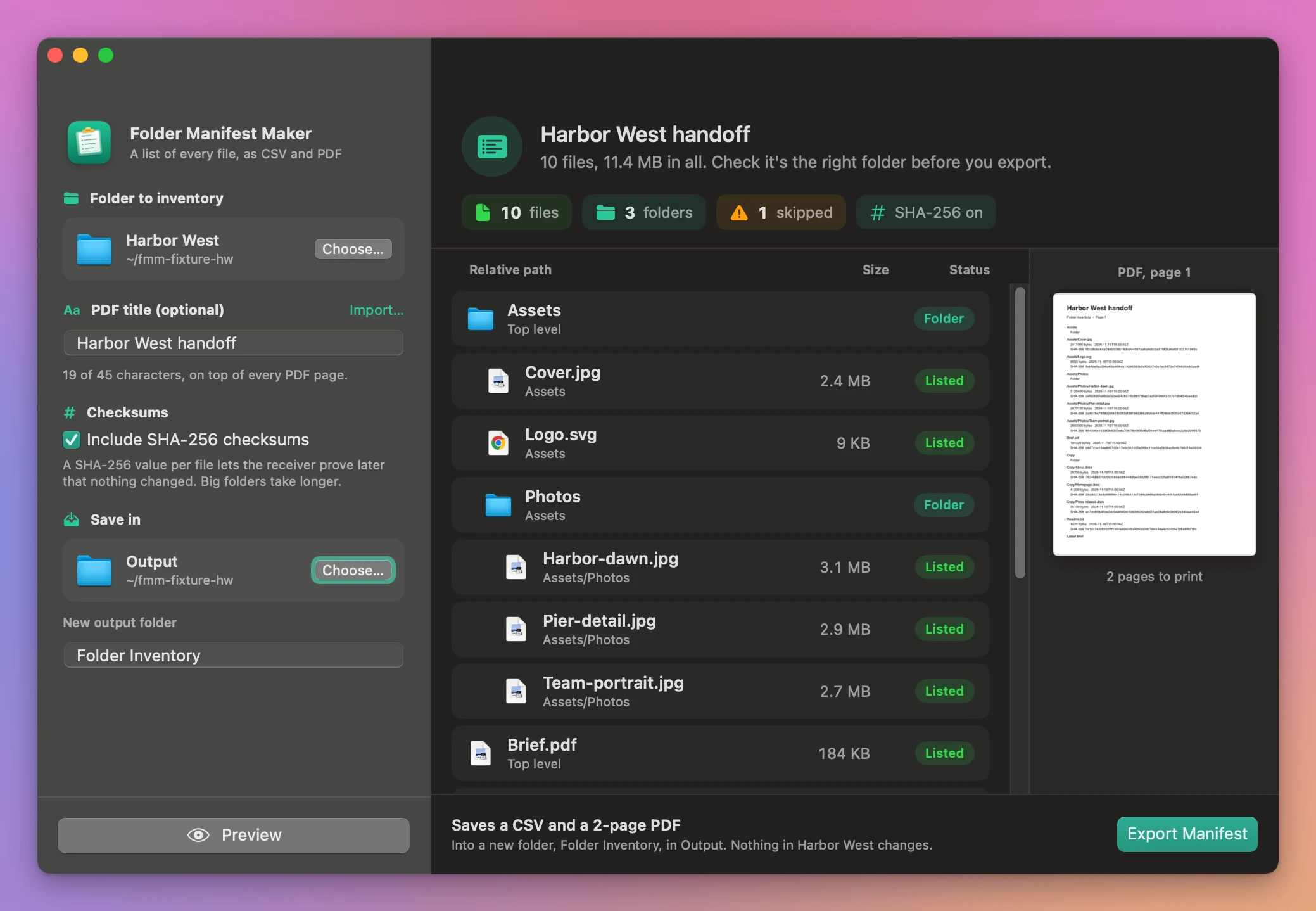
Choose Save in, enter a new output folder name and click Preview. The preview starts with the total size and counts of files, folders and skipped links, packages and special files. Each entry has its size and a colored pill: green for a listed file, green-blue for a folder, orange for a skipped item. The first page of the PDF is drawn next to the list, with the number of pages it will print on.
Click Export Manifest. When it’s done, the window lists both files with their page and row counts, with Open PDF and Show in Finder. Folder manifest.csv contains relative paths, types, sizes in bytes, UTC modification times and the optional checksums. Folder manifest.pdf uses the title and wraps long paths across lines. Open the PDF to print it or send it with the folder.
If an output folder already exists, choose a different name or location and preview again. Changes to the inputs also require a new preview. Cancel stops the work before delivery.
See Folder Manifest Maker → · $20 including tax.