
An app by Flavio
PDF Highlights Exporter
Export PDF highlights, comments and page references into a Markdown reading note.
Buy PDF Highlights Exporter · $20One-time purchase. Plus tax where it applies.
macOS 14 or later · Apple silicon and Intel
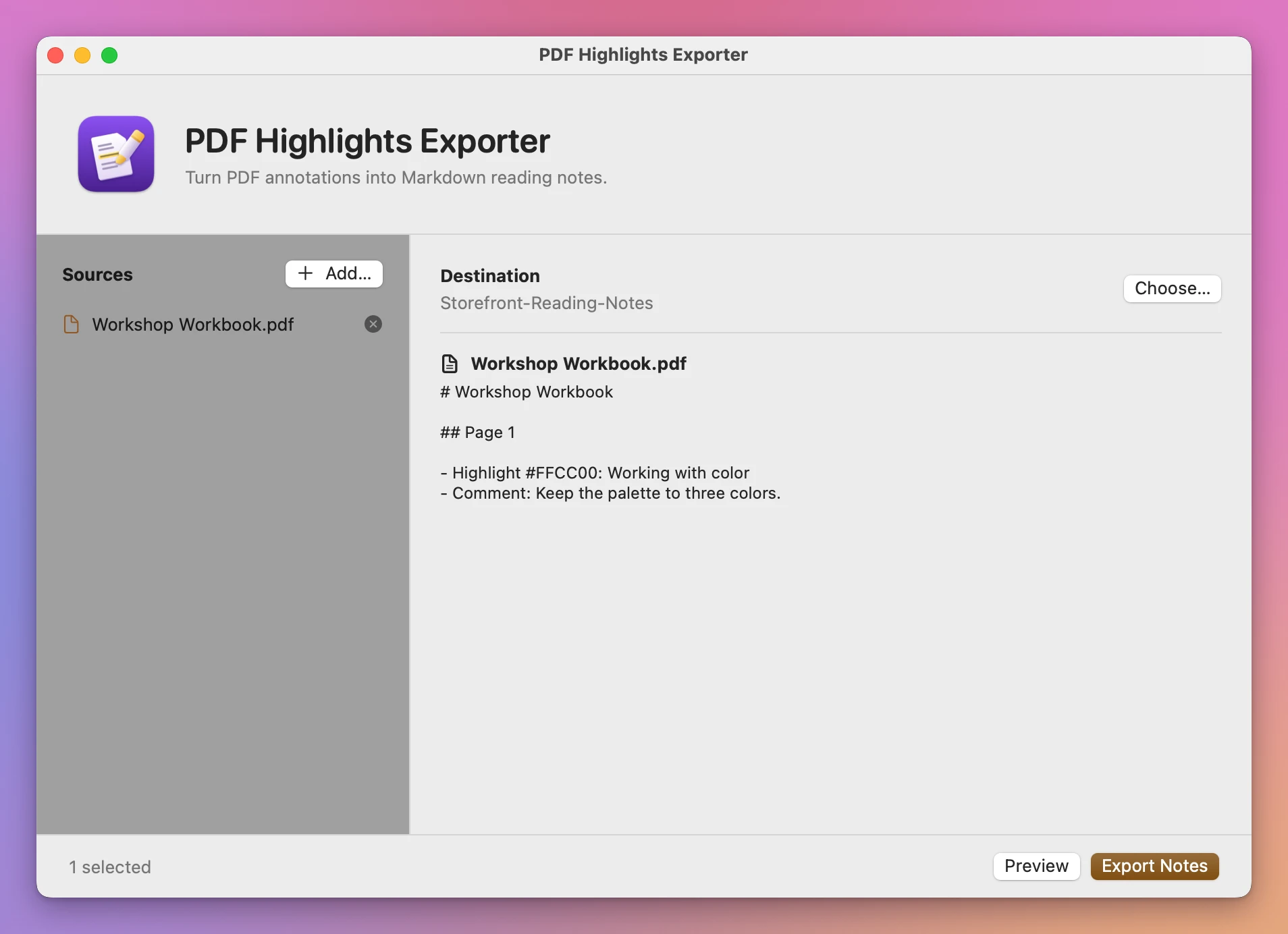
After reading a PDF, you want the passages you marked and the comments you left next to them. Add the PDF to PDF Highlights Exporter and preview the reading note.
Who it’s for
- Students. You highlight readings for a course all semester. Before the exam, export every PDF into notes you can search, with the page number next to each quote.
- Researchers and PhD students. You annotate dozens of papers. Put the highlights into Obsidian, Logseq or any Markdown notes app, and you have the quote and the page to cite.
- Lawyers and paralegals. You mark up contracts and filings. Export the marked passages and your comments into a summary instead of retyping them.
- Book clubs and avid readers. You read ebooks as PDFs and want to keep the passages you liked after you close the file.
- Editors and reviewers. You leave comments on a manuscript or a report. Send the author a list of every comment, page by page.
Why not copy them by hand
Preview shows your highlights in its sidebar, but it has no way to save them as text. Copying each passage, then going back to look up the page number, takes longer than the reading did. Your notes stay locked inside the PDF.
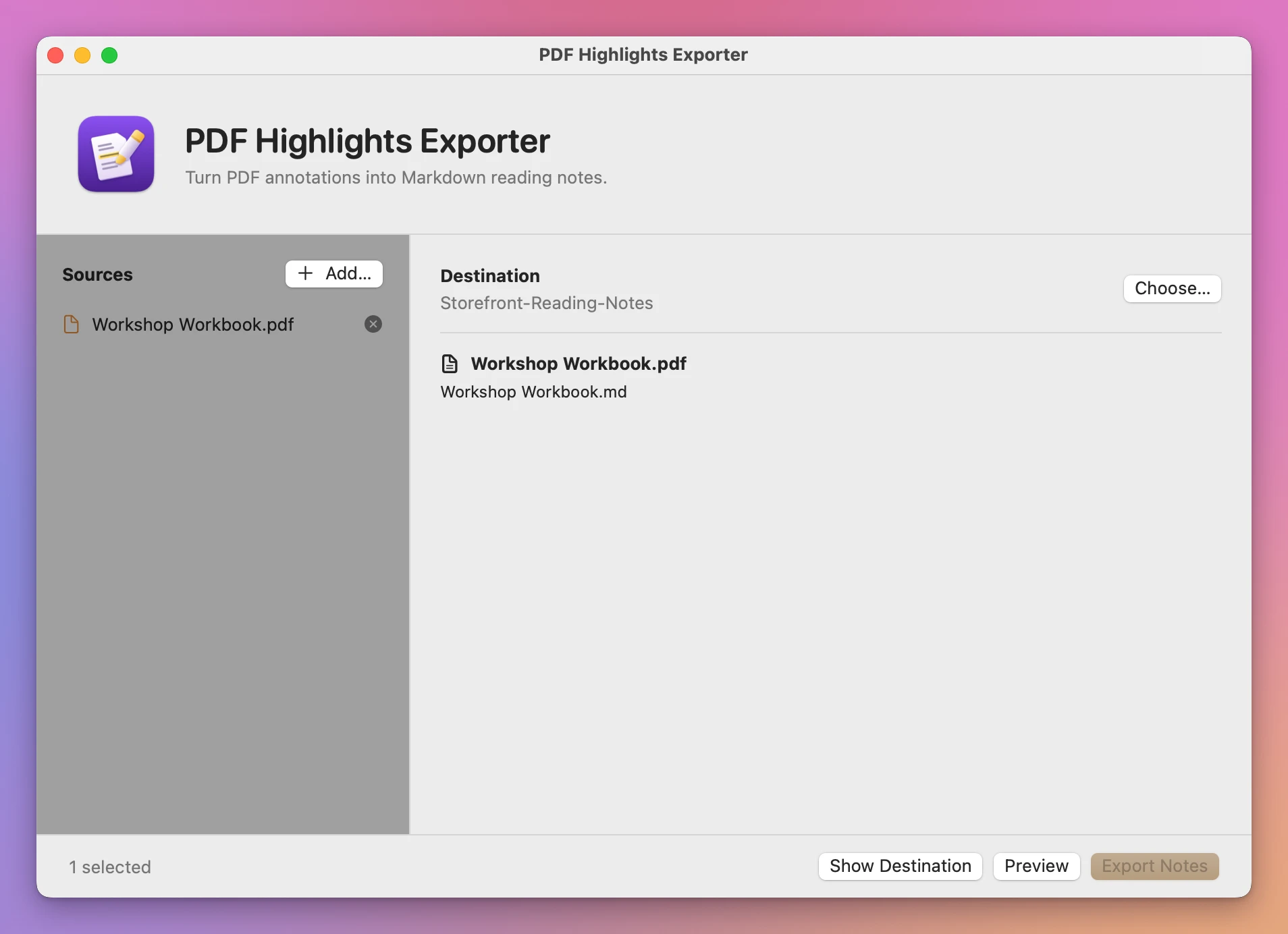
PDF Highlights Exporter gives you a plain Markdown file for each PDF that opens in any notes app or text editor.
Keep the page number with the passage
A workshop workbook has a highlight on page 1 and a note to keep the palette to three colors. The exported note puts both under Page 1. It records the highlight’s color, so you can tell your yellow highlights from annotations in another color.
Add several PDFs to export a separate Markdown file for each document. Open the files in a text editor or import them into your notes app.
Use it on your Mac
PDF Highlights Exporter runs on macOS 14 Sonoma or later, on Apple silicon and Intel.
Processing happens on your Mac.
Buy PDF Highlights Exporter
$20 plus tax where it applies, paid once.
Download the ZIP after checkout, unzip it and drag the app to Applications. The download is signed and notarized.
The app checks for updates once a day. When a new version is ready, click Install and Relaunch. To check anytime, choose PDF Highlights Exporter → Check for Updates….