
An app by Flavio
Photo Print Sheet
Put wallet photos, a 5×7 for a frame and a few small ones on one sheet of paper, each at its exact size, with cut marks. Print at 100% or save a PDF.
Buy Photo Print Sheet · $20One-time purchase. Tax included.
macOS 14 or later · Apple silicon and Intel
You want four wallet photos for the grandparents, a 5×7 for a frame on the shelf and two tiny ones for a locket. You open the photos on your Mac, press Print, and the print panel shrinks each one to fit the page. One photo per sheet, none of them the size you wanted.
So you try to arrange them in a page layout app, measuring with a ruler on the screen, and waste three sheets of photo paper finding out the 5×7 came out as 4.8×6.7.
$20 including tax, paid once.
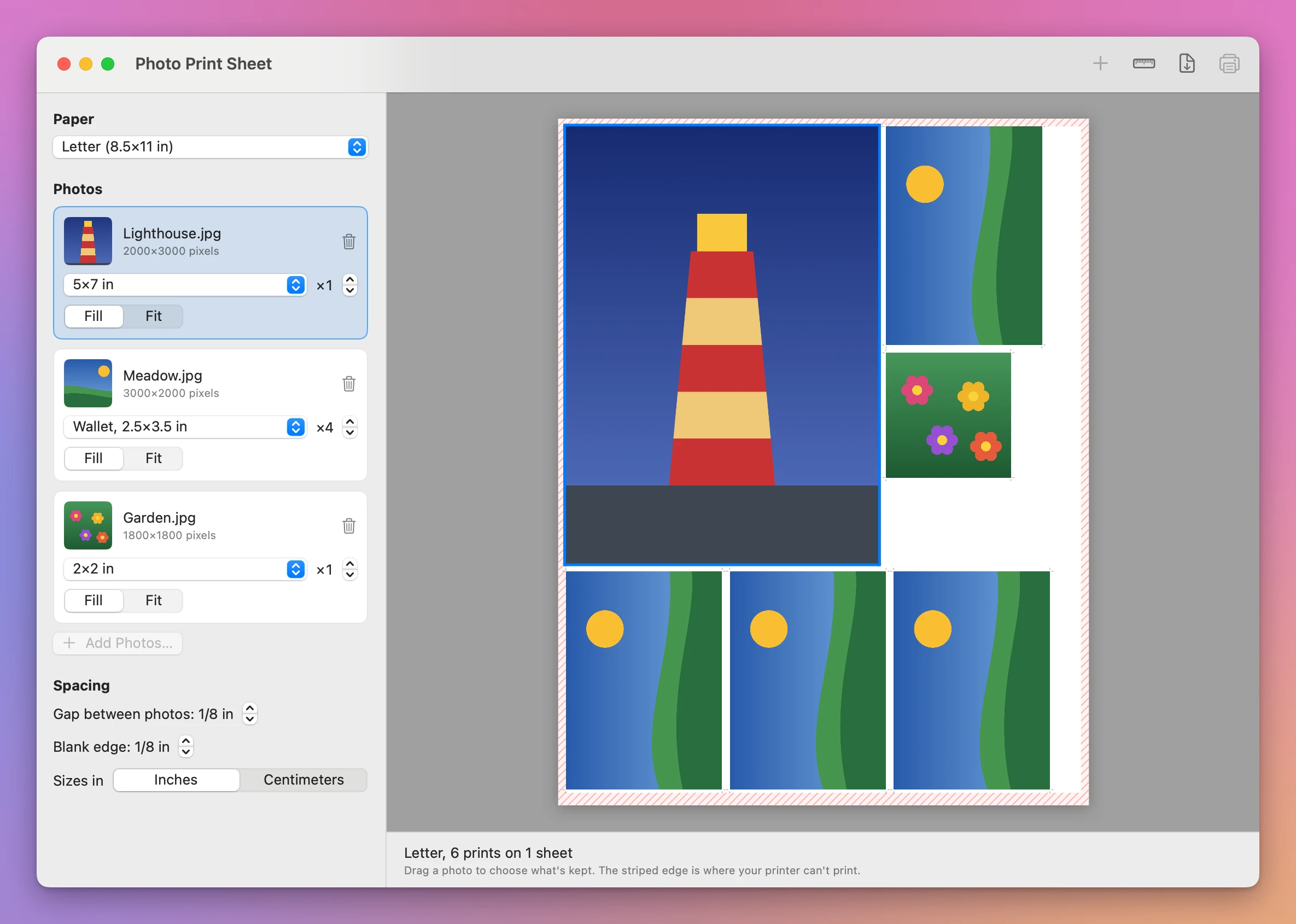
Photo Print Sheet is a Mac app that puts several photos on one sheet, each at the exact size you pick, ready to print and cut. You pick the paper, add photos, give each a size and a number of copies, and the app fills as few sheets as it can.
How it works
- Click Add Photos… and pick your pictures, or drop them on the window.
- Pick the paper: A4, Letter, 4×6 in, 10×15 cm, 5×7 in, 13×18 cm, A5, or a size you type.
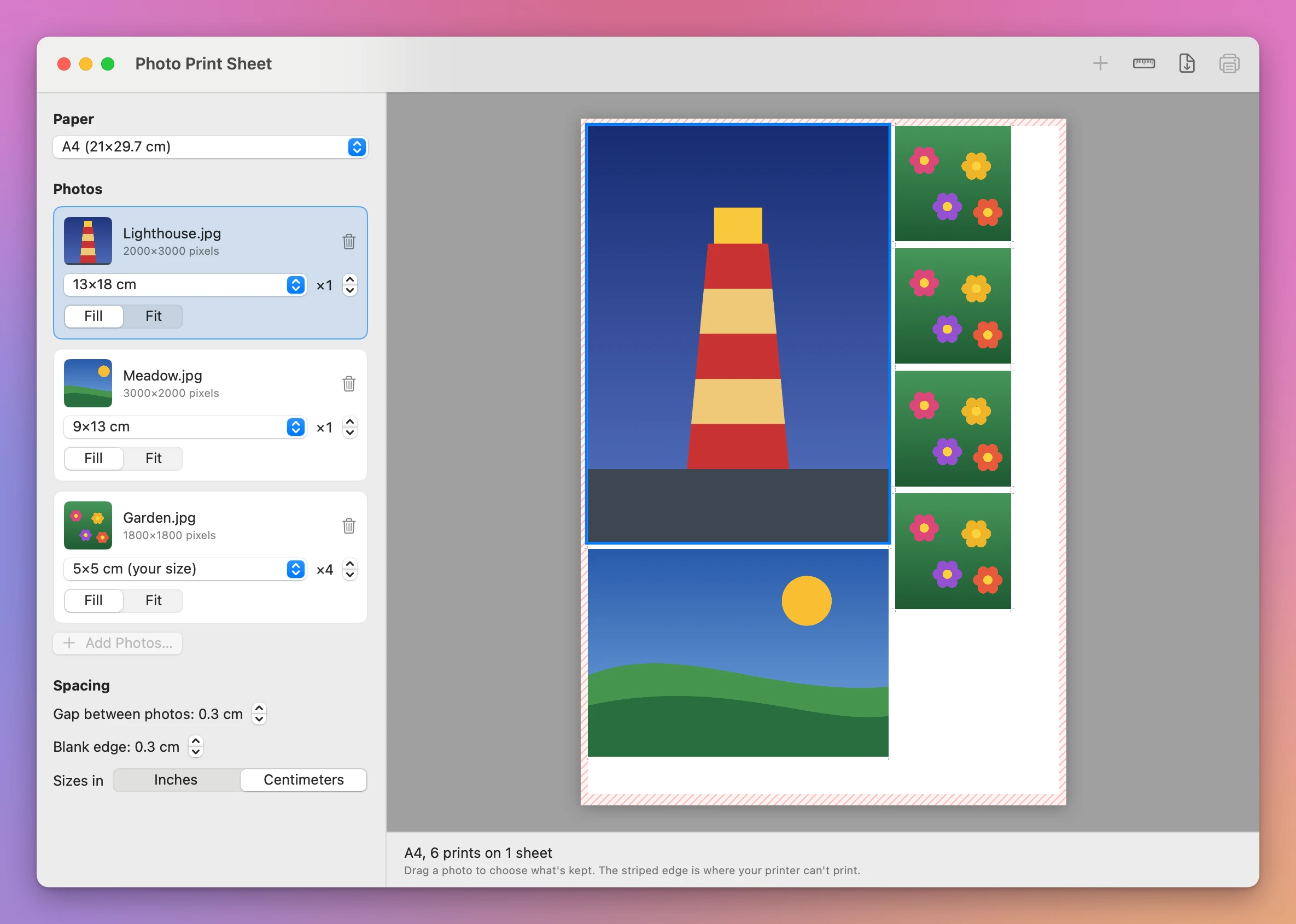
- Give each photo a size: wallet (2.5×3.5 in), 3.5×5, 4×6, 5×7, 8×10, 2×2, 9×13 cm, 10×15 cm, 13×18 cm, or a size you type. Add copies with the arrows next to it.
- Click Print…, or Save PDF… to print later or at a shop.
The sheet on the right is drawn by the same code that makes the PDF and the printed page, at the right proportions, so what you see is what prints.
Every photo at its size
A photo fills its size, and what doesn’t fit is cropped. Drag the photo on the sheet to choose what’s kept: a face that sits off to the side stays in the picture. Or pick Fit to see the whole photo, with white borders.
The app turns a photo on the sheet when that saves paper. Eight wallet photos fit on one Letter sheet only if they lie down, so they do, and you turn them back when you cut them. Thin cut marks sit in the gap between the photos, and you set how wide that gap is.
Sizes show in inches or centimeters, picked from your Mac’s region, with a switch. A 5×7 in shows its size in centimeters too.
It warns you before you waste paper
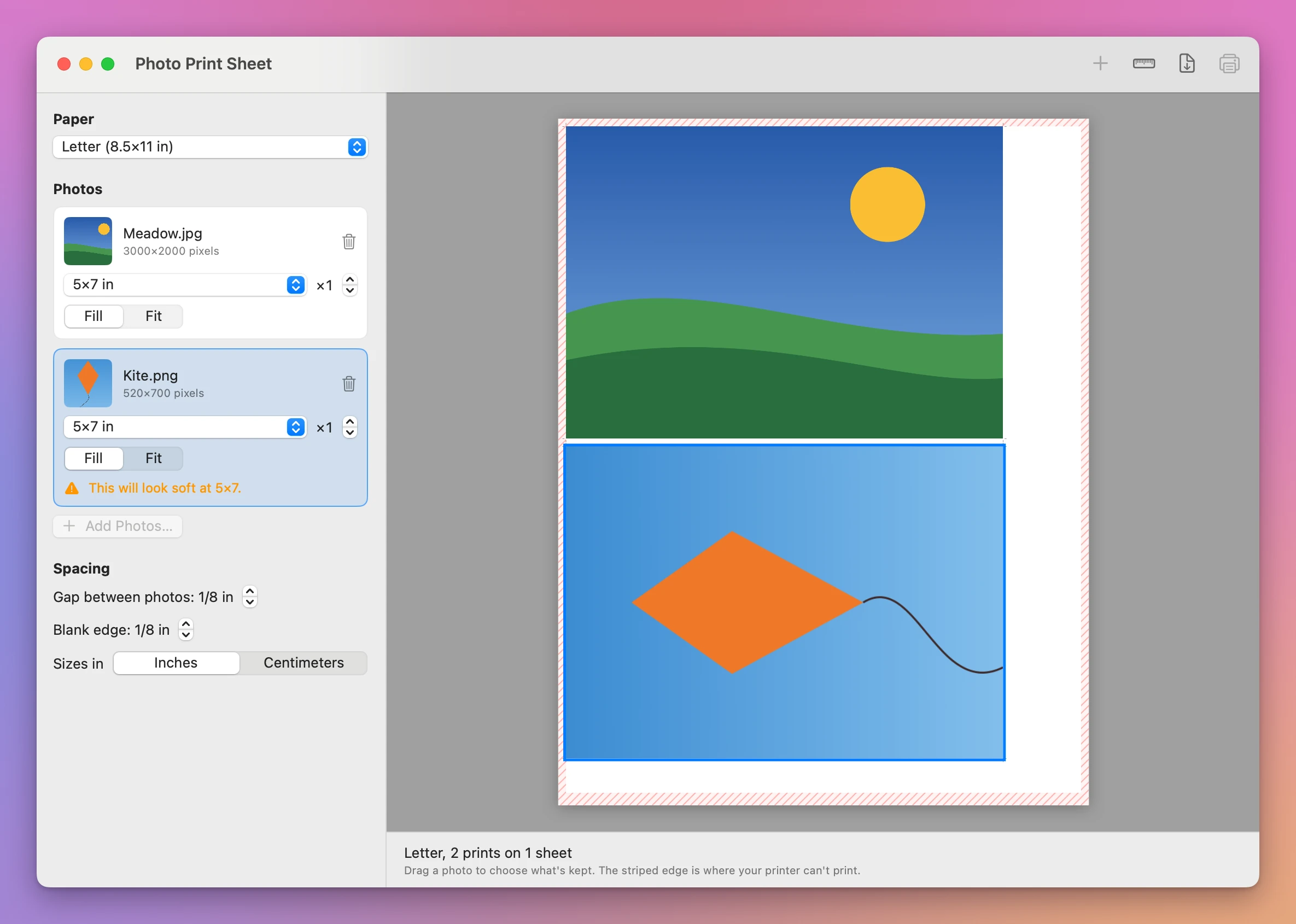
A photo with too few pixels for its size says so: “This will look soft at 5×7.” A smaller size will look sharper. You can still print it.
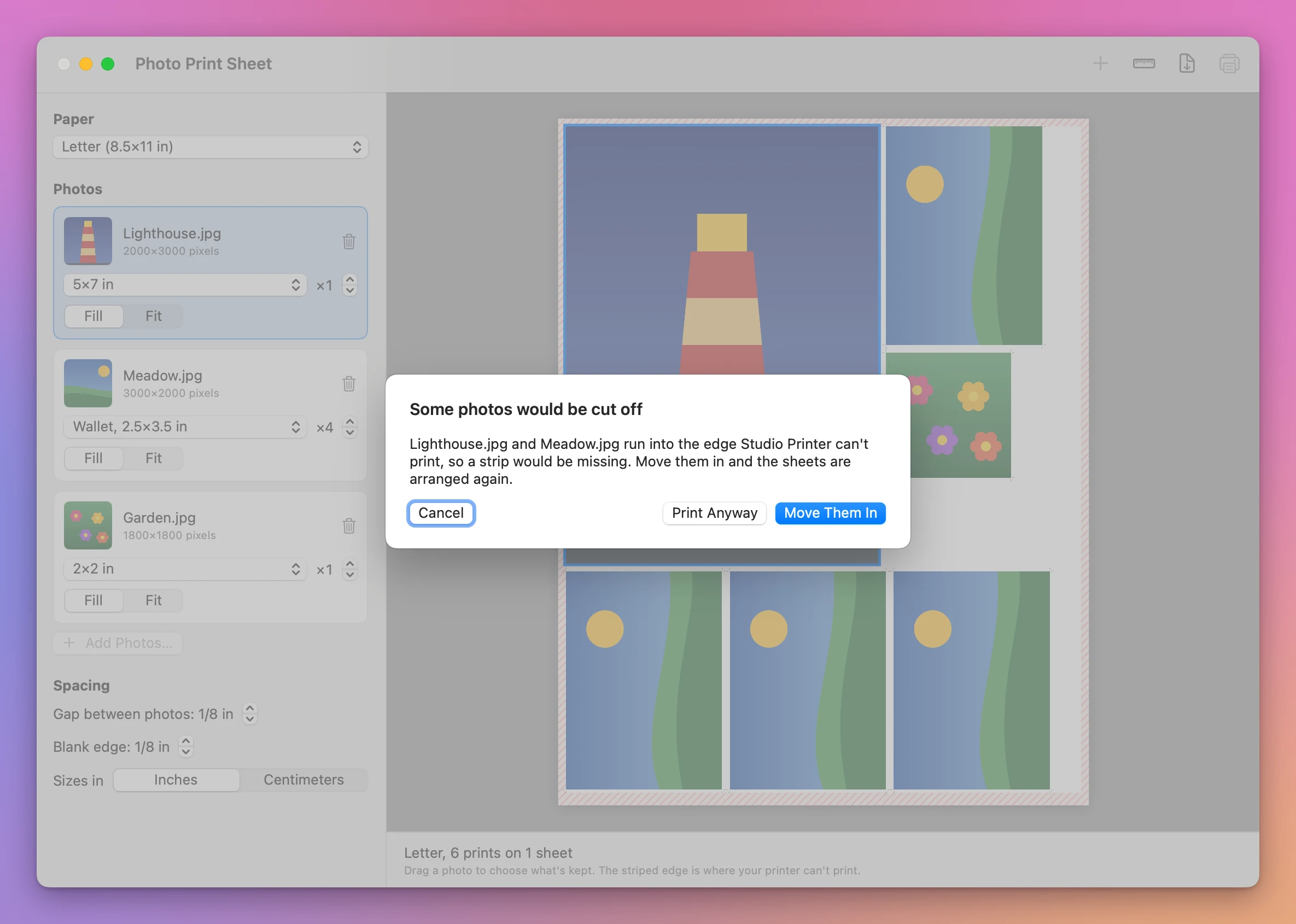
Most printers can’t print right to the edge of the paper. The sheet shows that edge striped, and nothing is placed there. When you print, the app checks the printer you picked in the print panel. If that printer leaves a wider edge, it names the photos that would lose a strip and offers to move them in.
A photo bigger than the paper, like an 8×10 on 4×6 paper, is left out, and the window says which one.
Check your printer once
Some printers shrink the page a little, which is enough to make a 2×2 photo too small for its frame. Print Test Ruler… prints a line 10 cm long and a line 4 in long. Measure them with a ruler. If they’re shorter or longer, turn off Scale to Fit in the print options and print again.
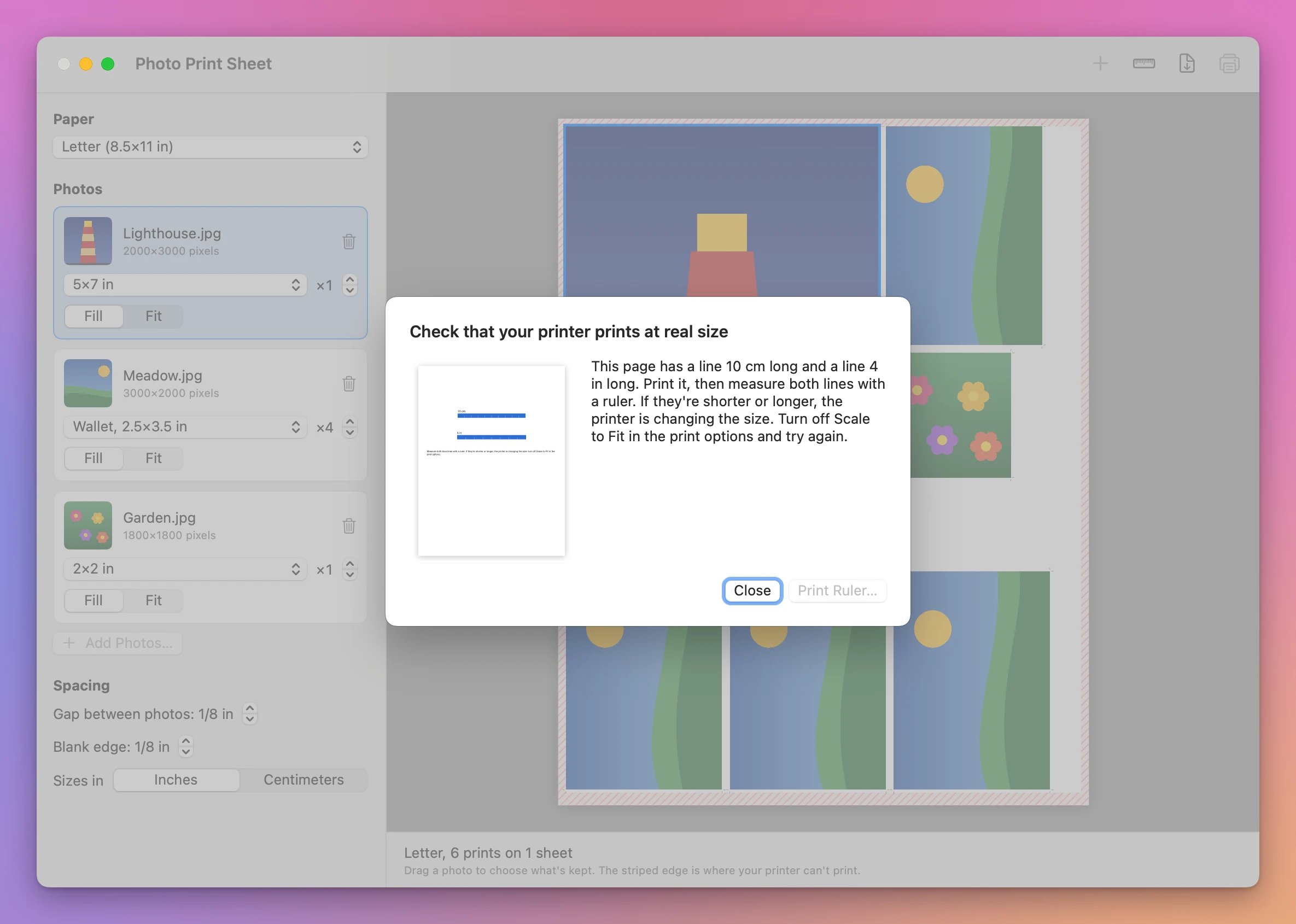
How real size was checked
The sizes were measured, not judged by eye. The PDF the app saves and a PDF made with Save as PDF in the print panel were both measured: every photo is where the sheet shows it and the size it says, to a fraction of a millimeter. Paper is another matter. The app hasn’t been tried on every physical printer, and printers differ, so print the test ruler once and measure it. Then you know your printer prints at real size.
Cut marks need a gap. With the gap at zero the photos touch and there are no marks, so you cut along their edges.
Good to know
Photo Print Sheet is my own app. It’s not made by, affiliated with or endorsed by Apple or any printer or paper maker.
Your photos stay on your Mac. The app reads only the pictures you add, never changes them, and saves the PDF only where you pick. It asks before it replaces a file.
It doesn’t edit photos: no color fixes, no red-eye, no text on the sheet. It doesn’t save a layout to open later.
Buy Photo Print Sheet and get started
Photo Print Sheet costs $20 including tax, paid once. There’s no subscription.
After buying, your receipt has the app and a license key. Unzip the app and drag Photo Print Sheet to your Applications folder. It runs on macOS 14 Sonoma or later, on Apple silicon and Intel Macs. It’s signed with my Apple Developer ID and checked by Apple, so it opens like any other app you download.
Enter the license key in Photo Print Sheet → License… to get updates automatically. A key works on 3 Macs. Once a day, the app checks for a new version, shows what’s new, and installs it with Install and Relaunch. Your receipt always has the latest version, too.