
An app by Flavio
Releases Manager
See every app release on one timeline, find projects waiting to ship, and prepare your next release from your Mac.
Buy Releases Manager · $20One-time purchase. Tax included. Full source code.
macOS 14 or later · Apple silicon and Intel
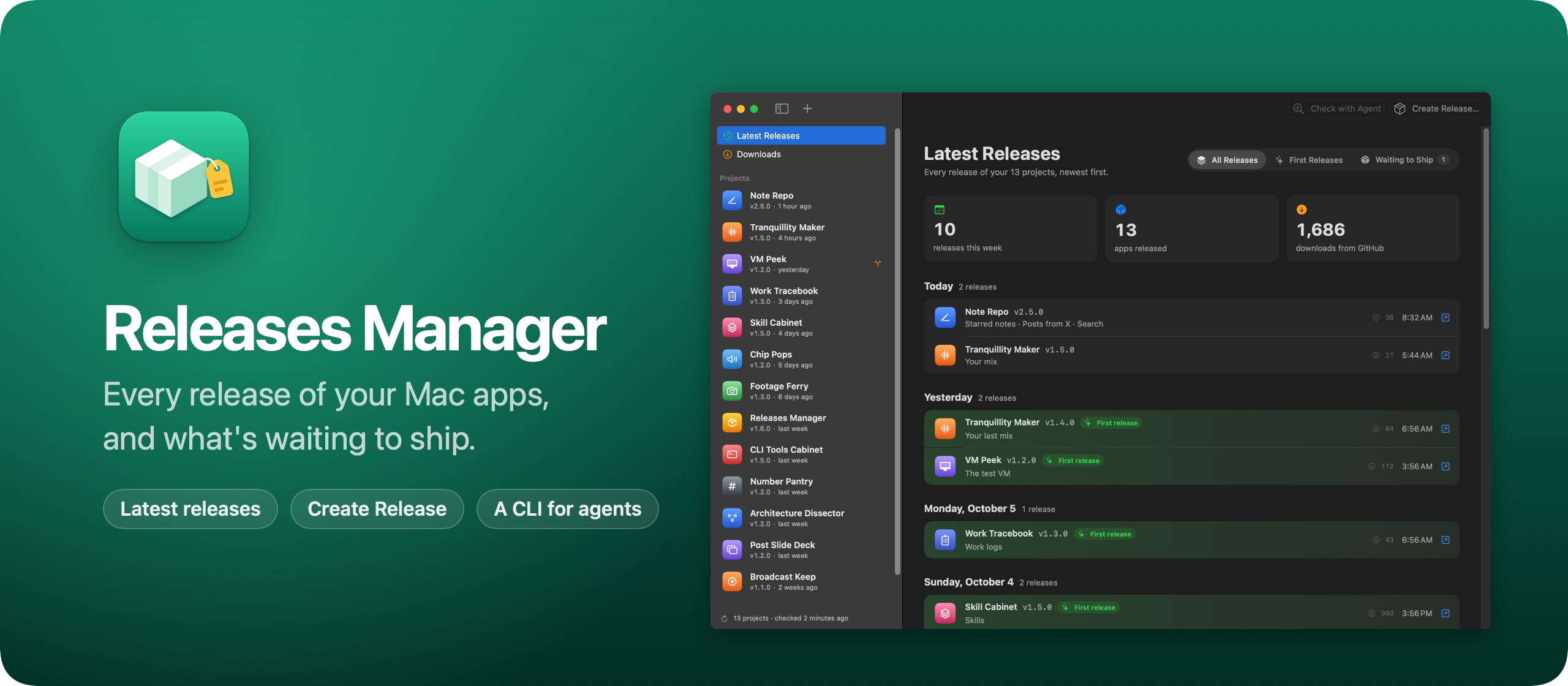
Releases Manager is a macOS app that keeps track of the apps I make.
In September I released CLI Tools Cabinet, Note Repo, Tranquillity Maker and Skill Cabinet, and then new versions of three of them. GitHub shows one repo at a time, so I had no single place to see what I shipped and what was waiting for a release. Releases Manager is that place.
Here’s the app in 30 seconds:
The home page is Latest Releases, every release of every project on one timeline, grouped by day. Each row shows what changed and how many people downloaded it. The changes come from the project’s CHANGELOG.md, or from the “What’s new” part of the release notes on GitHub. The release that launched an app gets a green background, so a new app stands out.
Above the timeline, Waiting to ship lists the projects with commits since their last release, and the ones whose version is already newer than the last release. That’s my to-do list for the week.
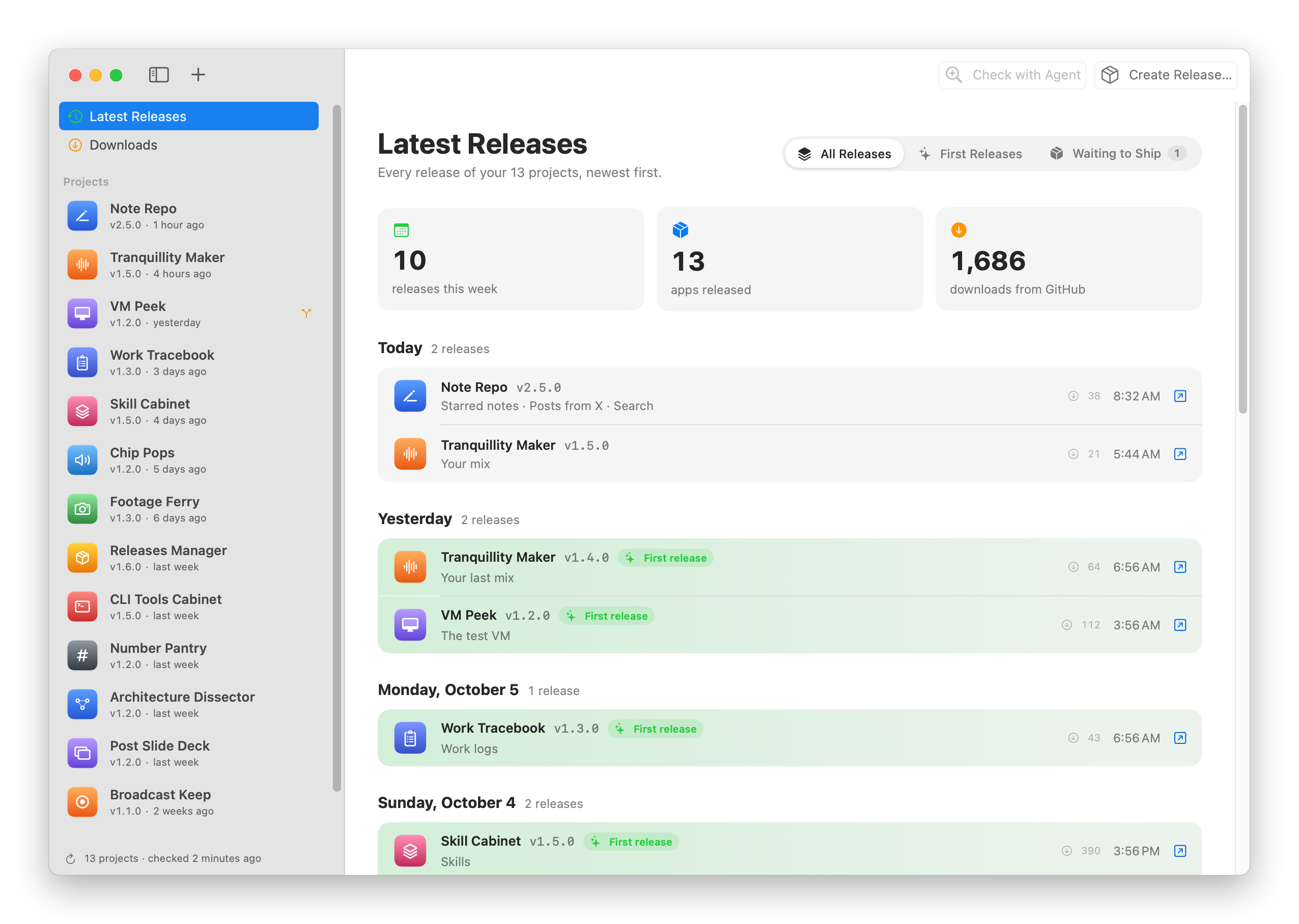
Each project has a page with its version and the file it comes from, its branch, the commits since the last release, and every release with its downloads.
When something is ready, Create Release suggests the next version, with buttons for a patch, minor or major bump. It opens the project in Cursor and puts the release prompt in the chat, with the version, the repo, and the commits since the last release. Nothing runs until I read it and send it.
The prompt asks the agent to use the skill I wrote to publish my apps, and lists the steps for agents that don’t have it. It works for projects that aren’t on GitHub yet, too. The agent then creates the repo first.
To add a project, drop its folder on the window, or click Add More… at the end of the sidebar. It lists the apps and command-line tools next to my projects that aren’t in Releases Manager yet, the ones I worked on last first. The first time I opened it, it found 34 of them in my ~/dev folder. Clones of other people’s repos stay out, since Releases Manager knows my GitHub account from the projects I already track.
Agents can do all of this without the window. The releases command does everything the app does, every command takes --json, and releases help --json describes them all:
releases recent
releases show tranquillity-maker --json
releases open drives the app. An agent can show me a project, or open its Create Release sheet with the version and the notes filled in, so I review it before anything happens:
releases open tranquillity-maker --release --bump minorReleases Manager reads my projects and their git history on my Mac, and has no accounts. It asks GitHub for the releases with the GitHub CLI’s token when I’m logged in, so private repos work too. The token stays in memory and never gets written to disk.
Under the hood it’s a Swift package with no dependencies: a core library with all the logic, and the SwiftUI app and the releases command on top of it. The app watches the list file, so a project an agent adds from the terminal shows up in the window right away.
What you get
Releases Manager costs $20 including tax, paid once. You get the full MIT-licensed source code, so you can use it, change it, and build your own version. There is no subscription.
Download and install
After buying, connect your GitHub account in Polar and accept the invitation to the private repository. Open its Releases page to download the app and source.
Unzip the Mac app and drag Releases Manager to your Applications folder. It runs on macOS 14 or later · Apple silicon and Intel.
Releases Manager is signed with my Apple Developer ID and notarized by Apple.
Download later versions manually from the private repository’s Releases page and replace your installed copy.
The releases command is built from source with ./Scripts/install-cli.sh. The repository README covers the build and setup.