
An app by Flavio
Transfer for Kindle
Plug your Kindle into your Mac and see its books. Send your own EPUB, PDF and other books to it by cable, copy books back, and save your highlights as Markdown, plain text or CSV.
Buy Transfer for Kindle · $20One-time purchase. Tax included.
macOS 14 or later · Apple silicon and Intel
You plugged your Kindle into your Mac to put a book on it, and nothing showed up. Kindles from 2024 on, and the Kindle Scribe, don’t appear in the Finder at all. An older one does, as a disk named Kindle, but all you get is a documents folder full of file names, and an EPUB you copy there doesn’t open on the Kindle.
$20 including tax, paid once.
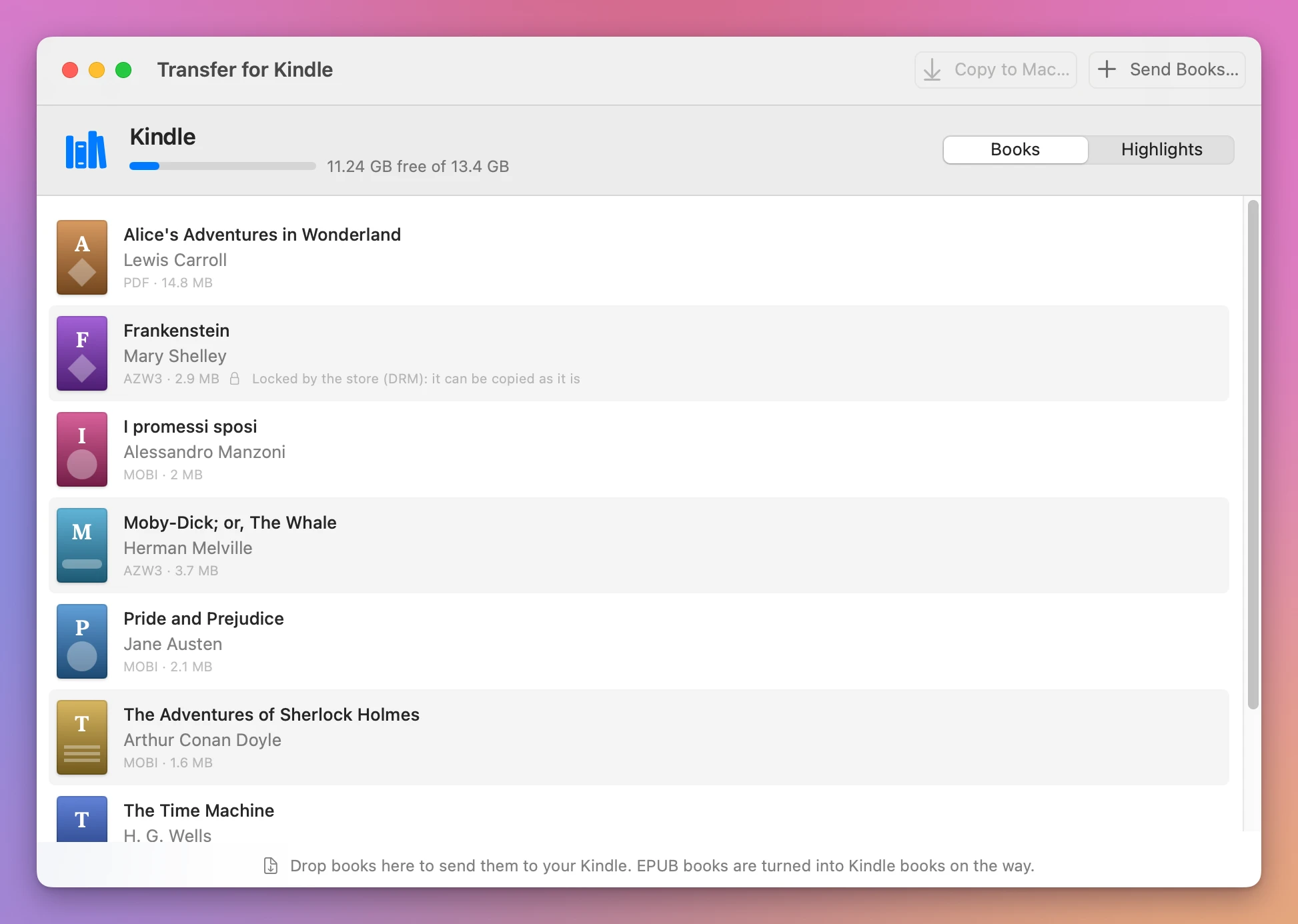
Transfer for Kindle is a Mac app for the Kindle at the other end of the cable. It shows the books on it with their title, author and cover, sends your own books to it, copies books back to your Mac, and gets your highlights and notes off it. An EPUB is turned into a book the Kindle opens, right on your Mac, so there’s nothing to upload and nothing to email to yourself.
Your Kindle, on your Mac
Plug the Kindle in with a USB cable that carries data, and unlock it. The app finds it on its own.
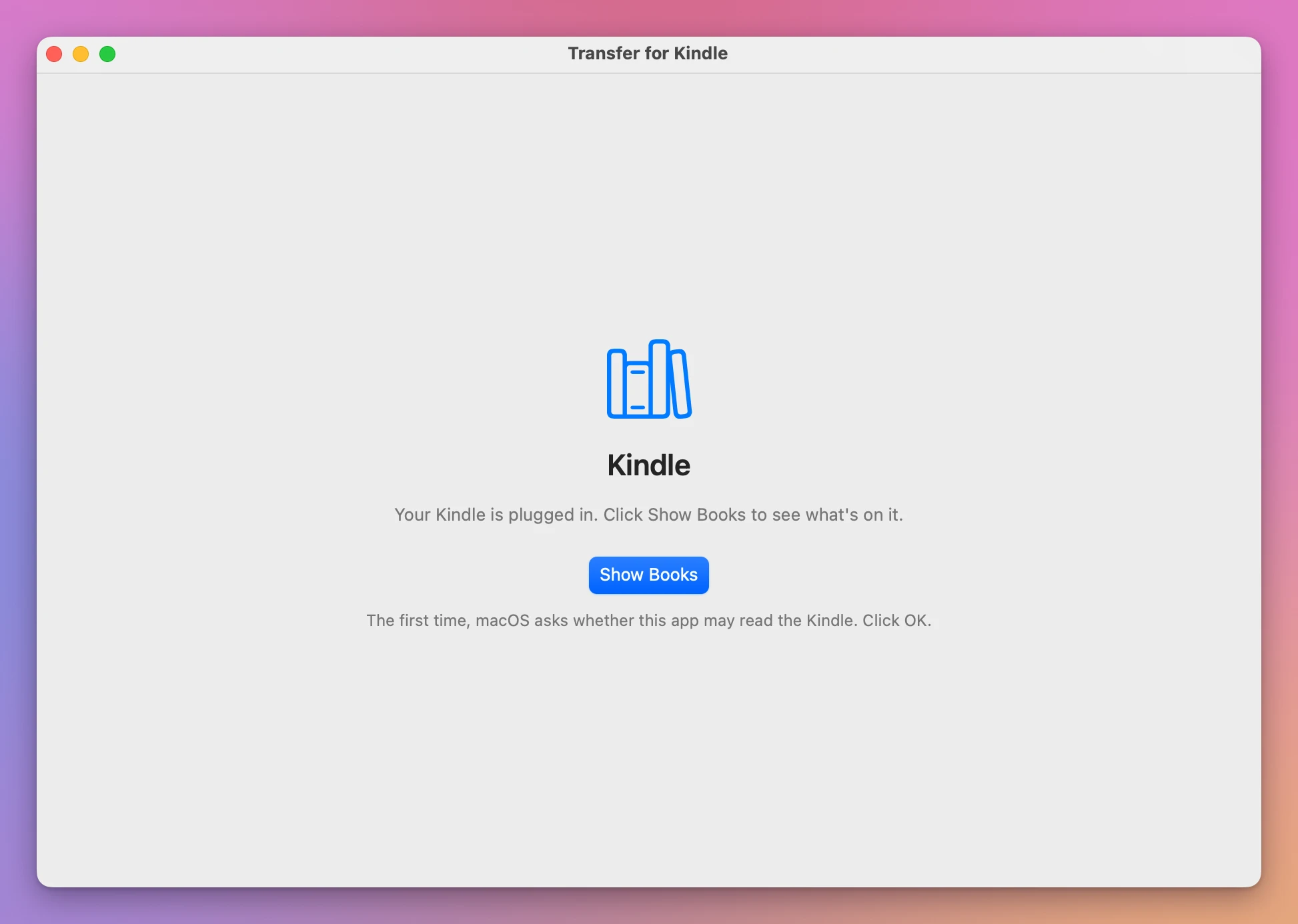
A Kindle that shows up as a disk waits for a click on Show Books, because that’s when macOS asks whether the app may read it. Click OK, once.
Then the window shows the Kindle’s name, how much room is left, like “11.24 GB free of 13.4 GB”, and every book with its title, author, cover, format and size. A book you bought from a store is marked “Locked by the store (DRM): it can be copied as it is”. An EPUB someone copied there with the Finder gets a note that the Kindle can’t open it, and how to send it as a book it opens.
Send books by cable
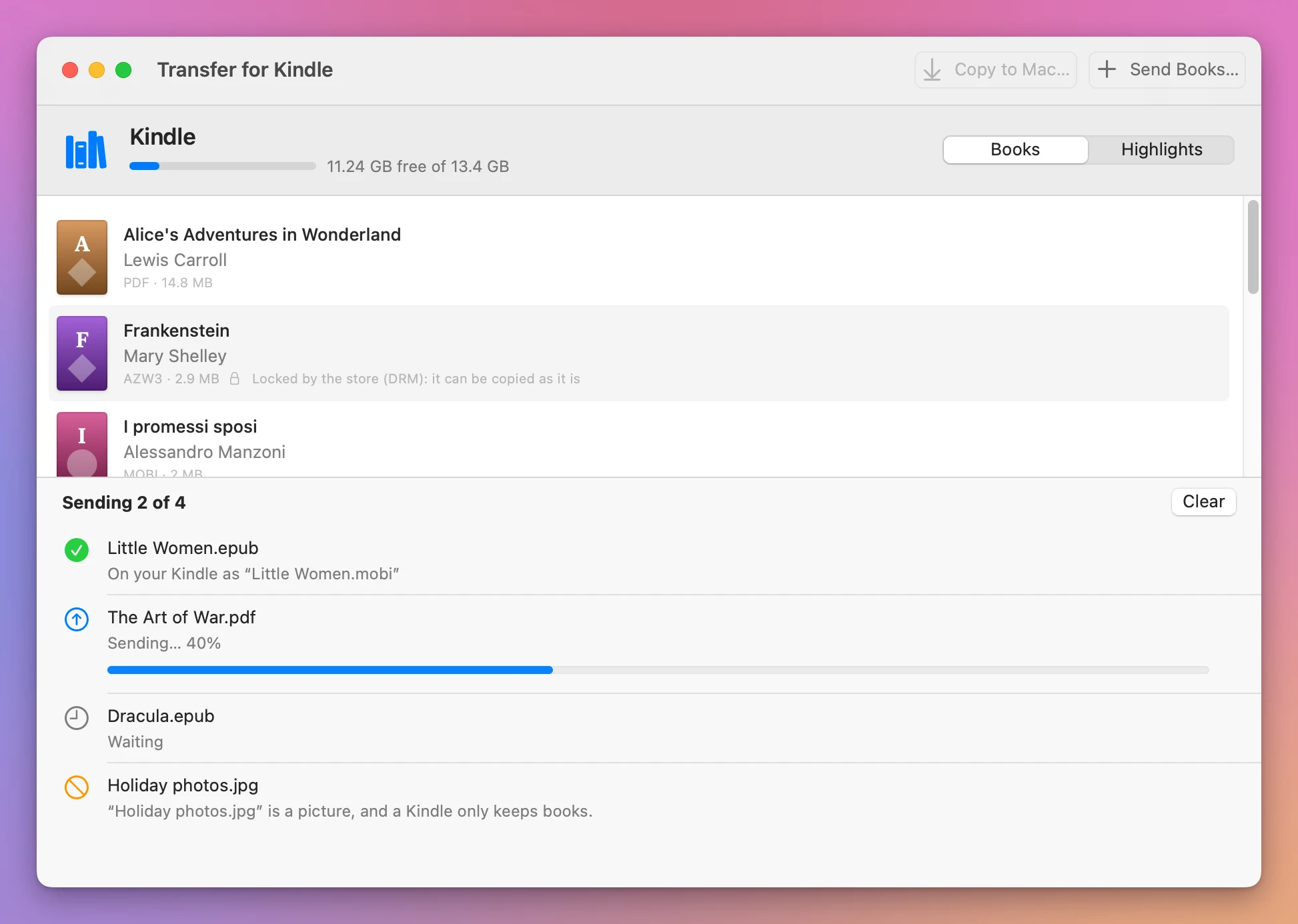
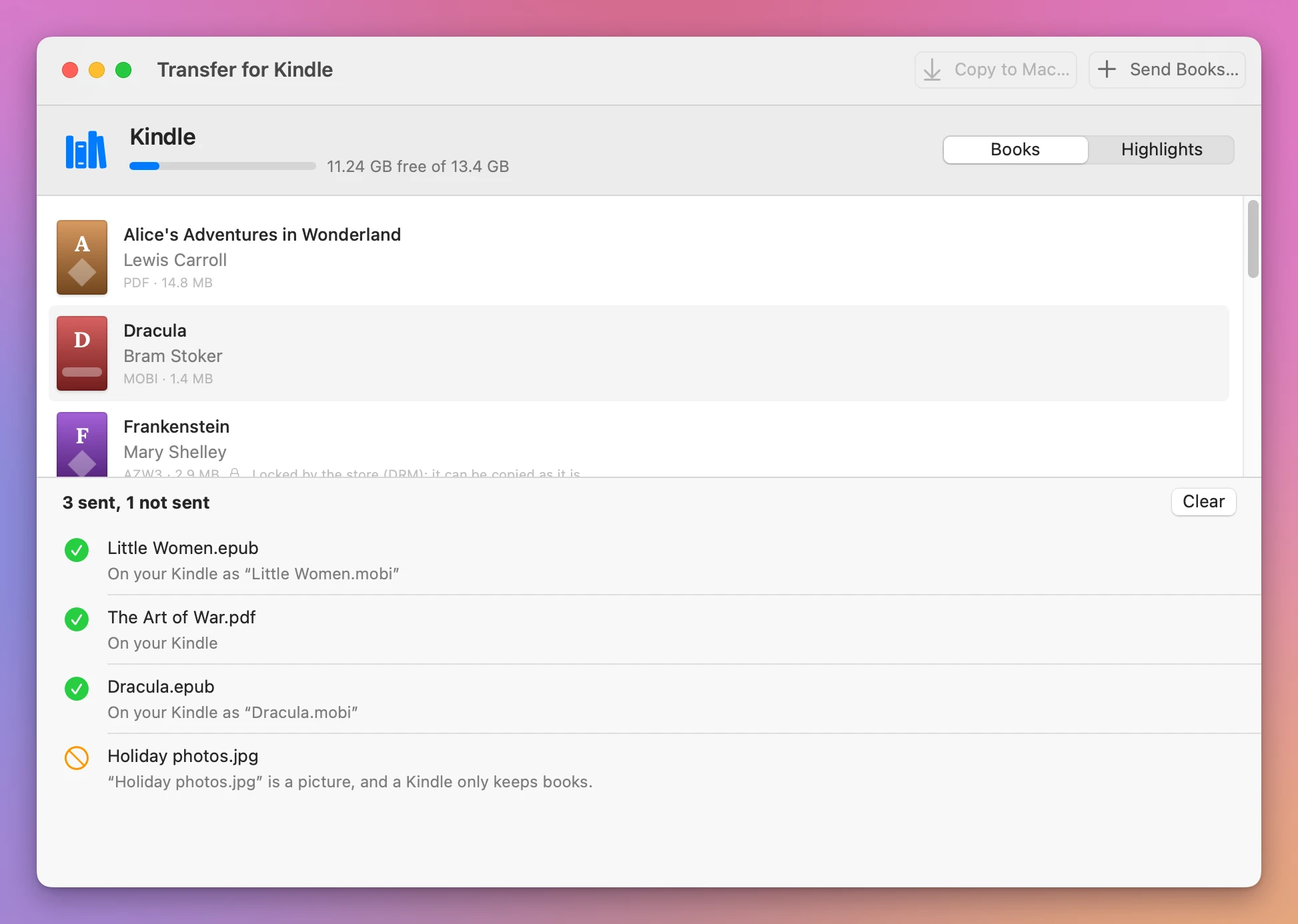
Drag books onto the window, or click Send Books…. PDF, MOBI, AZW3, KFX and TXT files go as they are. An EPUB is turned into a book the Kindle opens, on your Mac, and lands on the Kindle with the same name ending in .mobi.
Each book gets its own line while it goes, like “Sending… 40%”, and the top says “Sending 2 of 4”.
From an EPUB, the Kindle gets the chapters in order, the headings and paragraphs, bold and italics, links, pictures, the cover, the table of contents, the title and the author. The EPUB’s own fonts and page layout don’t come along, so the Kindle shows the book in its own font.
A file the Kindle can’t open is turned down before anything is sent, with what to do instead. A Word document gets “Save it as a PDF and drop the PDF”, and a ZIP file gets “Open it first and drop the books inside it”.
Copy books to your Mac
Select one or more books and click Copy to Mac…, then pick a folder. It starts in Downloads. The books are copied as they are, including the ones with DRM, and each line ends with where it went, like “Copied to Downloads as “Walden.pdf””.
Your highlights
Every passage you highlight on a Kindle, every note and every bookmark goes into one long file on it, My Clippings.txt, all books mixed together in the order you made them. Click Highlights and the app lists them by book, with the page, the location and the date, and a note under the passage it’s on.
When you change a highlight on the Kindle, it keeps the old one in that file too. The app shows only the newer one.
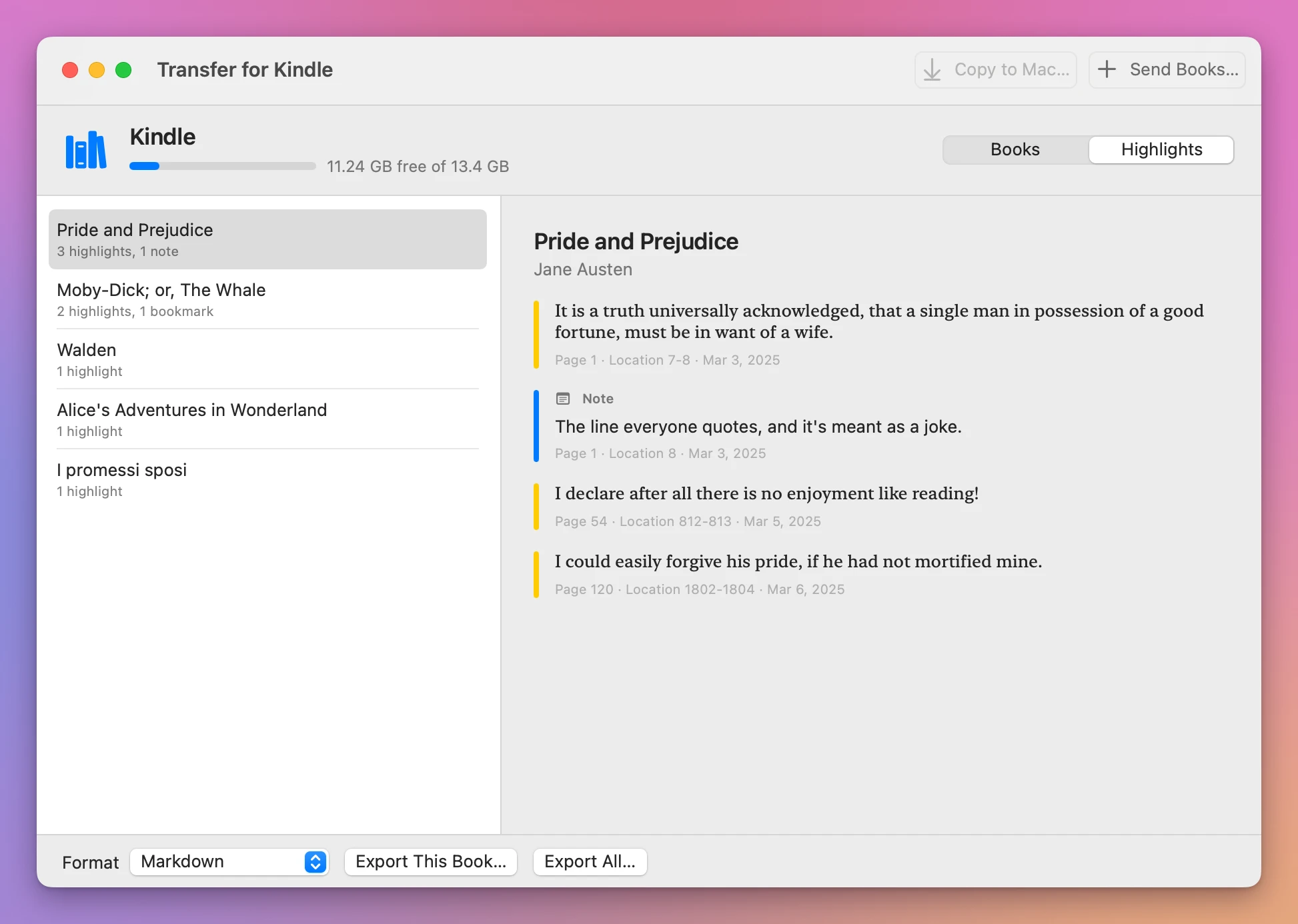
Pick the format at the bottom and save one book with Export This Book…, or all of them with Export All…:
- Markdown, for a notes app
- Plain Text, for anything
- CSV, for a spreadsheet, with the book, author, type, page, location, date and text on each row
Remove a book
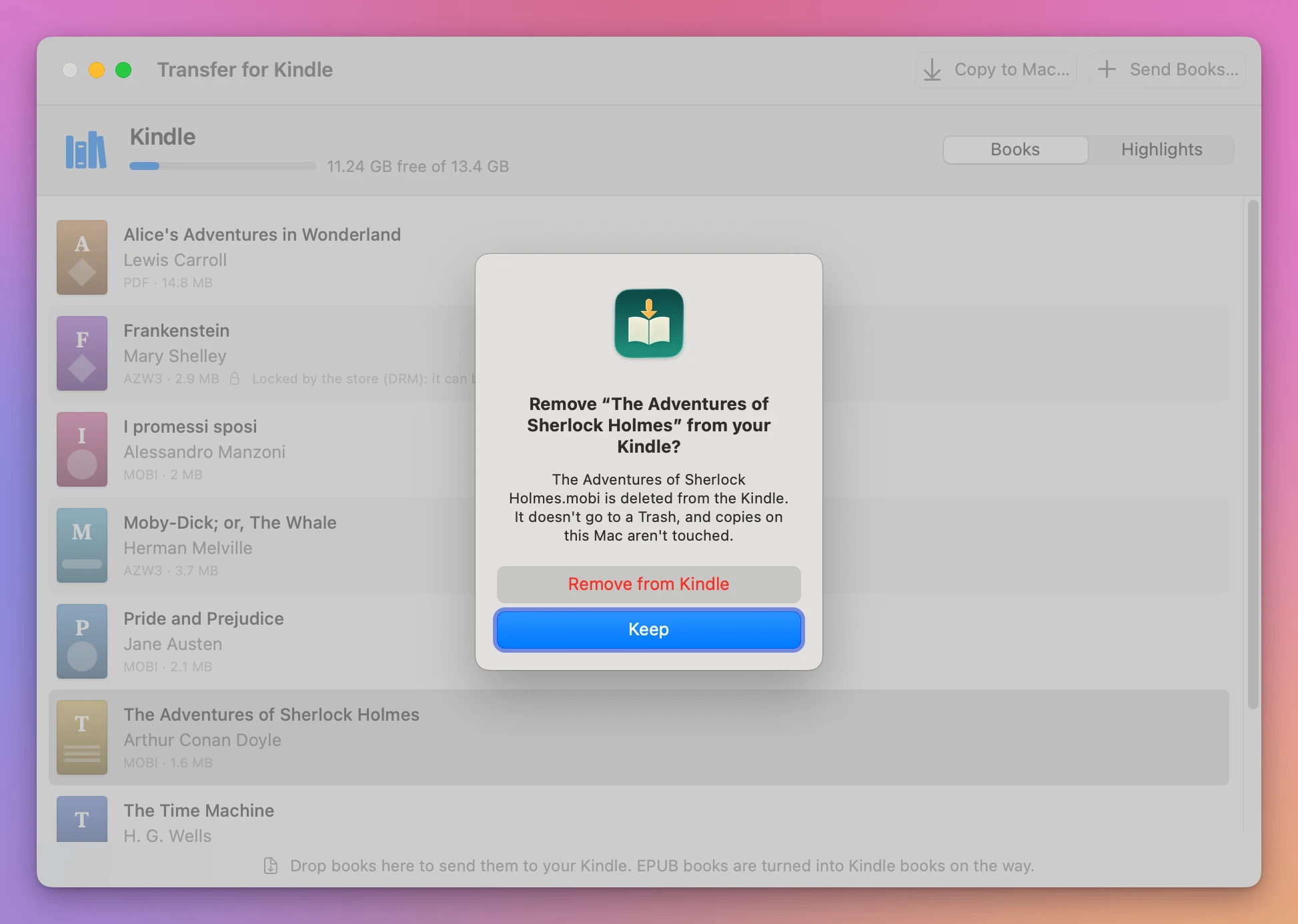
Select a book and choose Remove from Kindle…, or press Delete. The app asks first, and Keep is the default button, so Return or Escape keeps the book.
In the Finder, or with Transfer for Kindle
| In the Finder | Transfer for Kindle | |
|---|---|---|
| A Kindle from 2024 on | Doesn’t show up | Supported, but not tested on one yet (see below) |
| An older Kindle | A disk named Kindle | Its name, the free space, and Show Books |
| The books | File names in a documents folder | Title, author and cover, with the DRM ones and the EPUBs the Kindle can’t open marked |
| An EPUB | Copied as it is, and the Kindle doesn’t open it | Turned into a book the Kindle opens, on your Mac |
| A Word document or a picture | Copied, and the Kindle can’t open it | Not sent, with what to do instead |
| A name already on the Kindle | Asks whether to replace it | Not sent again, nothing replaced |
| Your highlights | One long text file, every book mixed | By book, saved as Markdown, plain text or CSV |
Your books stay safe
The app never replaces a file, on the Kindle or on your Mac. When a book with that name is already on the Kindle, it says ““Little Women.mobi” is already on your Kindle, so it wasn’t sent again.” When a copy on your Mac would take a name that’s in use, it gets the next free one, like Walden 2.pdf.
Nothing is removed without a click on Remove from Kindle in the confirmation. A removed book doesn’t go to a Trash, so copy it to your Mac first if you want to keep it.
The EPUB is turned into a Kindle book on your Mac. Your books and your highlights go from the Kindle to your Mac and back over the cable, and nothing is uploaded anywhere.
Books with DRM are copied as they are, and never opened or converted. An EPUB with DRM can’t be read on a Kindle, so the app tells you instead of sending it.
Good to know
Transfer for Kindle is my own app. It’s not made by, affiliated with or endorsed by Amazon. Kindle is a trademark of Amazon.
I tested it on my Kindle, an older one that shows up in the Finder as a disk named Kindle. My books were listed, a DRM-free EPUB I sent was converted and opened on the Kindle, I copied a book back to my Mac, exported my highlights, and removed the book I’d sent.
Kindles from 2024 on and the Kindle Scribe don’t show up in the Finder, because they connect to the Mac in a different way. The app supports that way too, but I haven’t tested it on a real one yet, so I can’t promise it works with yours.
The highlights are read in the words a Kindle writes in English and Italian, and the main ones in German, Spanish, French and Portuguese. When the app can’t read a date, it shows it as the Kindle wrote it.
Buy Transfer for Kindle and get started
Transfer for Kindle costs $20 including tax, paid once. There’s no subscription.
After buying, your receipt has the app and a license key. Unzip the app and drag Transfer for Kindle to your Applications folder. It runs on macOS 14 Sonoma or later, on Apple silicon and Intel Macs. It’s signed with my Apple Developer ID and checked by Apple, so it opens like any other app you download.
Enter the license key in Transfer for Kindle → License… to get updates automatically. A key works on 3 Macs. Once a day, Transfer for Kindle checks for a new version, shows what’s new, and installs it with Install and Relaunch. Your receipt always has the latest version, too.