How to copy GoPro videos to a Mac without the GoPro app
By Flavio
Put the card in a card reader and use the Finder or Image Capture, both already on your Mac. What each one copies from a GoPro's card, what happens to the dates, and how to leave the camera's small files behind.
You don’t need GoPro’s app to get your videos onto a Mac. Take the card out of the camera, put it in a card reader, and copy the videos with the Finder. It takes a drag.
One thing first: a GoPro plugged into the Mac with its USB cable doesn’t show up as a disk in the Finder. The card in a card reader does, like any memory card. Most recent Macs need a USB-C card reader, or have an SD slot built in.
I tried everything below on a stand-in card: a disk image formatted like a camera’s card, named NO NAME, with made-up clips named the way a GoPro names them, the camera’s .THM and .LRV files next to each one, and a long recording split into chapters.
Where are the videos on the card?
Open the card in the Finder sidebar, under Locations. The videos are in DCIM, then 100GOPRO. A full card can have 101GOPRO, 102GOPRO and so on, so look in every folder in DCIM.
On the stand-in card, 100GOPRO has 21 files: 7 videos (.MP4) and 14 small files the camera makes next to them, a .THM thumbnail and an .LRV low-resolution copy for each video. The tutorial about the .LRV and .THM files explains what they’re for.
Copy with the Finder
The quickest way copies everything:
- Open a Finder window on the folder where you want the videos, like a new folder in Movies.
- Open a second Finder window on the card’s
DCIMfolder. - Drag
100GOPROfrom the card to the first window.
On the stand-in card that copied the 21 files, 775 MB, in about 4 seconds. The card is a file on the Mac’s own disk there, so a real card in a reader is slower: expect minutes for many gigabytes.
Every file kept its Date Modified, to the second. That matters, because sorting by date is the simplest way to keep a GoPro recording’s chapters in order.
Only the videos
You don’t need the .THM and .LRV files on the Mac. To copy only the videos:
- Open
100GOPROon the card and choose View > as List. - Choose View > Use Groups. The videos go in a group called Movies, the small files in one called Other.
- Click the first video, hold Shift and click the last one.
- Drag them to the folder on your Mac.
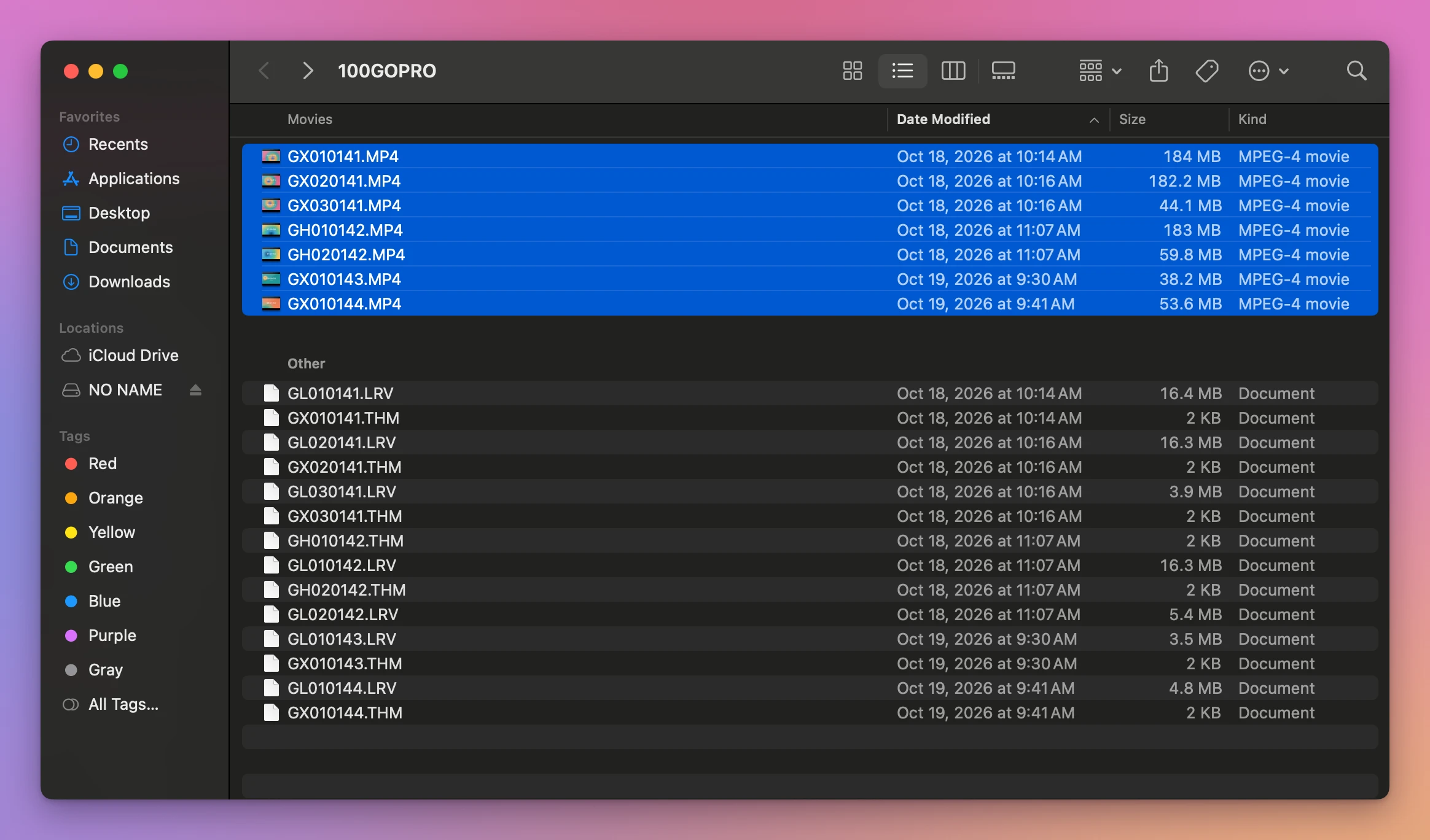
To see how much you’re copying, hold Option and choose File > Show Inspector:
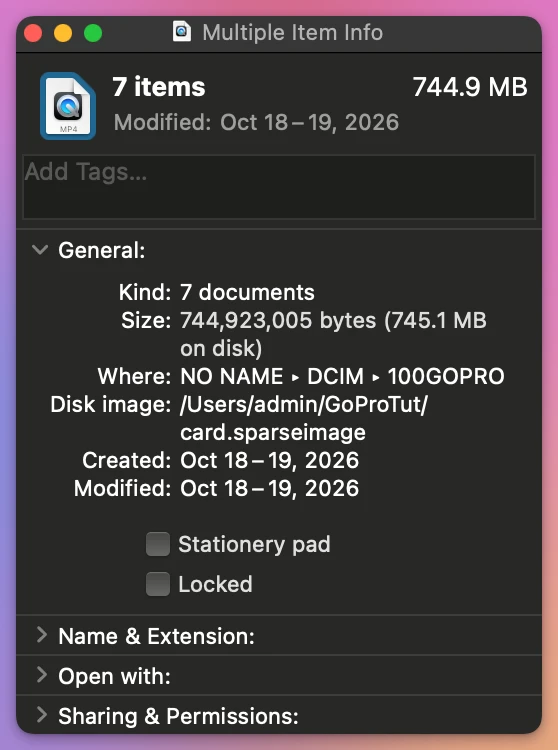
The 7 videos were 744.9 MB of the 775 MB. On a real card the share of the small files depends on the camera, but the steps are the same.
Copy with Image Capture
Image Capture is the Mac’s app for importing from cameras and cards. Open it from the Applications folder and the card shows up under Devices:
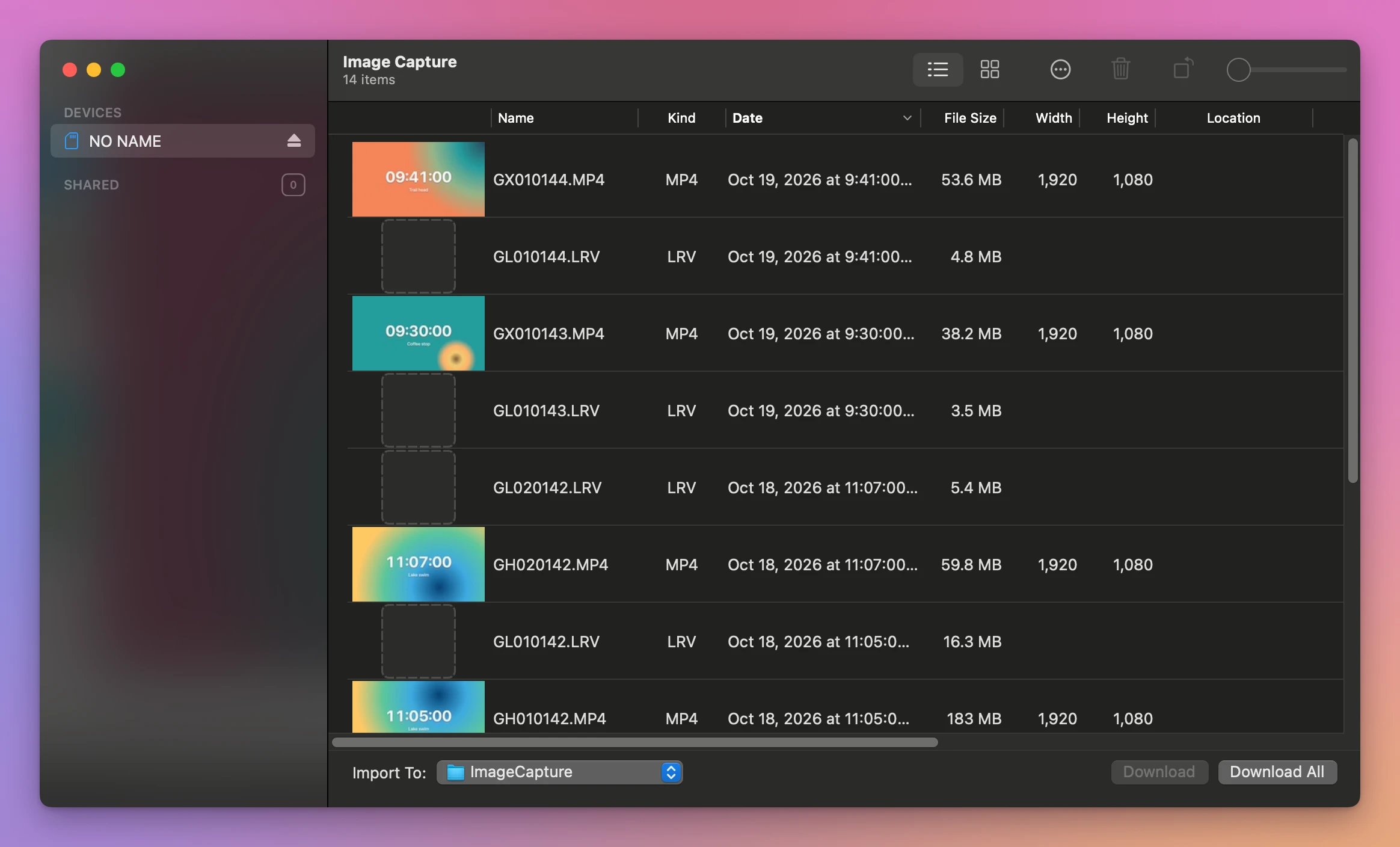
It said “14 items”: the 7 videos and their 7 .LRV files. The .THM files weren’t listed. Pick a folder in Import To, then click Download All.
It copied 21 files, the .THM files too, in about 4 seconds. The dates changed, though. Each file’s Date Modified became its Date Created on the card, the time that chapter started: GX010141.MP4, modified at 10:14 on the card, was 10:12 on the Mac.
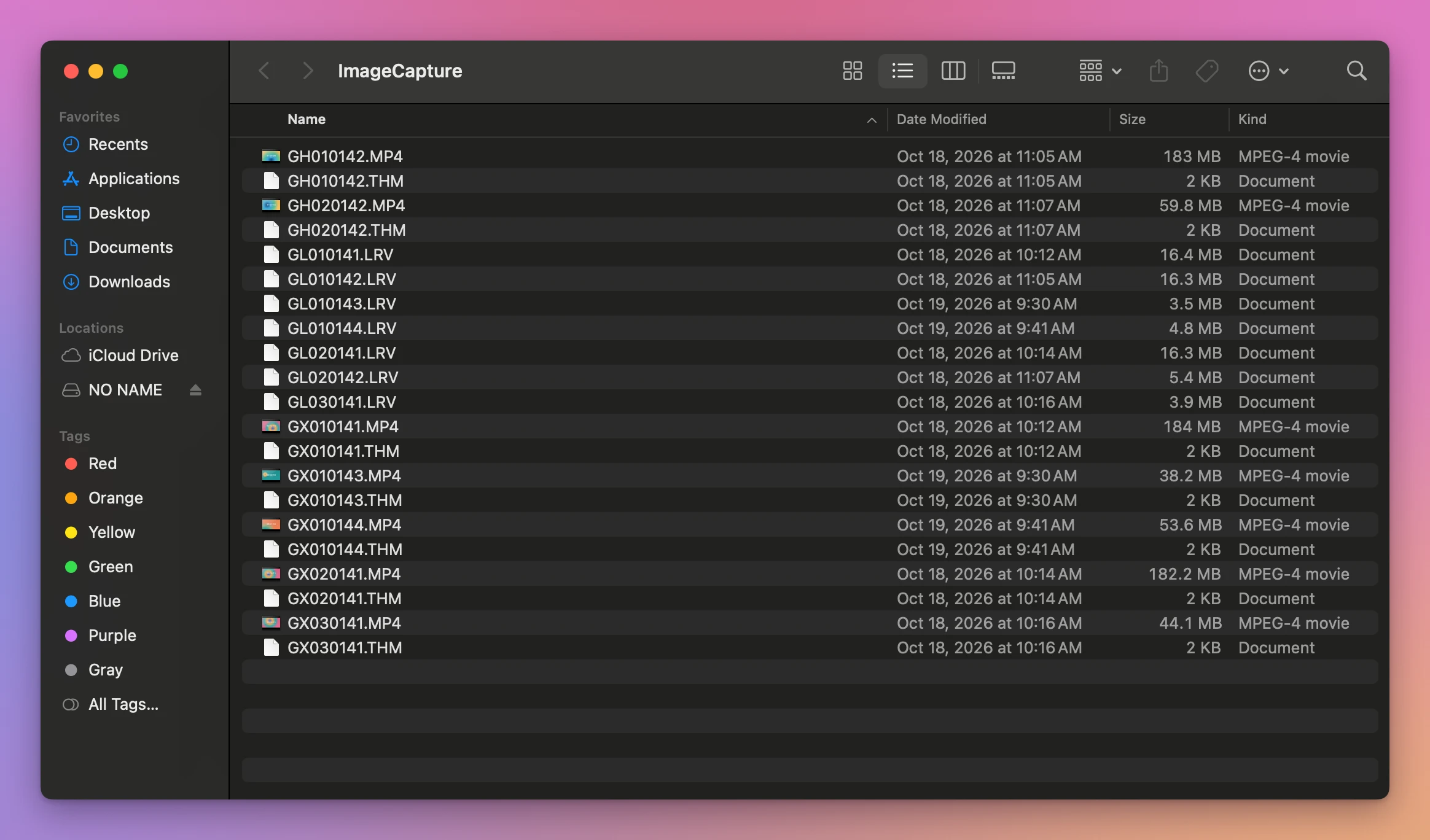
The chapters still sort in the right order by date, since each one starts after the one before. If you want the dates exactly as on the card, use the Finder.
The two ways side by side
| Finder | Image Capture | |
|---|---|---|
| Files copied from the stand-in card | 21, or only the 7 videos if you select them | 21, the .THM files too |
| Files it lists | 21 | 14, no .THM files |
| Time for 775 MB on the stand-in card | About 4 seconds | About 4 seconds |
| Date Modified on the Mac | The same as on the card | The time each file’s recording started |
After the copy
The chapters of a long recording are still separate files on the Mac: GX010141.MP4, GX020141.MP4 and GX030141.MP4 for one ride. Copying doesn’t join them. And they’re still on the card too, until you delete them there.
Copy one video per recording
Joiner for GoPro is a Mac app I made that reads the chapters straight from the card and saves one video per recording on the Mac. It’s not made by, affiliated with or endorsed by GoPro. It costs $19, paid once.
So instead of copying 3 chapters and their 6 small files, you get one file. Here’s the folder it saved to after Join 2 Recordings on the stand-in card:
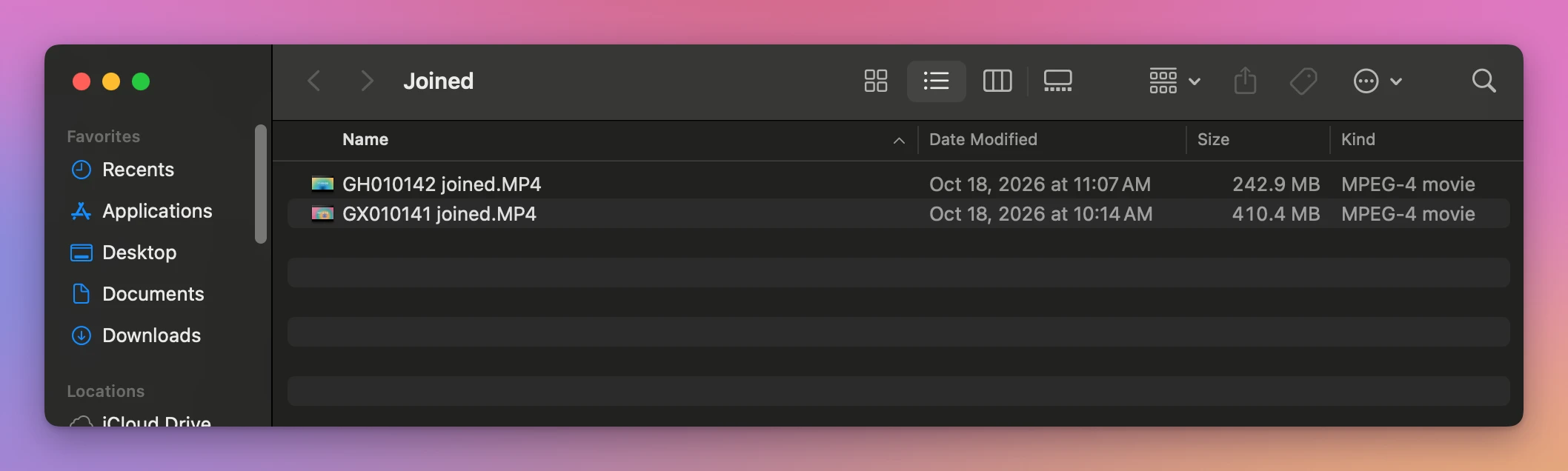
The picture and the sound are copied as they are, not compressed again, so GX010141 joined.MP4 is about the size of its three chapters together, 410.4 MB, with the dates of its first chapter. Videos the camera didn’t split are listed under the recordings: tick two or more to make one video of them, or copy them with the Finder.
Get Joiner for GoPro
Put the chapters your GoPro split a long recording into back together, into one video on your Mac, straight from the card. Nothing loses quality, the GPS and motion data stay, and the small .THM and .LRV files can go with the originals.
See Joiner for GoPro → · Read the docs · $19. See the app page for tax details.
Want me to talk about your product? You can sponsor this site.