What are the .SRT files on a DJI drone's card, and how do I read one on a Mac?
By Flavio
Next to each video, a DJI drone can save an .SRT file with the flight data of every moment: time, camera settings, position and height. Here's how to open one in TextEdit and see where the drone was in Maps.
Next to each video on a DJI drone’s card there can be a file with the same name ending in .SRT, like DJI_20261018101530_0007_D.SRT. The Finder calls it “Document”, and pressing the Space bar on it shows nothing.
It’s a subtitle file, written as plain text. Instead of dialogue, its lines hold the drone’s flight data for each moment of the video: the date and time, the camera settings, the position and the height. A video player that shows subtitles can show it over the video, and on a Mac, TextEdit can open it.
Where does it come from?
The drone writes it while it records, when Video Subtitles is on. In the DJI Mini 4 Pro manual it’s one of the camera settings of the DJI Fly app, listed for normal video recording, MasterShots and QuickShots. If your card has no .SRT files, that switch is the first thing to check.
There’s one .SRT per video file. When the drone splits a long flight into parts, each part gets its own.
What’s inside one?
I tried this on a stand-in card: a disk image formatted like a drone’s card, with made-up clips named the way a DJI drone names them, and an .SRT next to each video. I wrote the stand-in .SRT files in the layout of a published sample from a recent DJI drone, with made-up values. The position is out at sea, off the coast of Ireland, and the files are cut short: 2 minutes per part instead of the 4 GB a drone stops at.
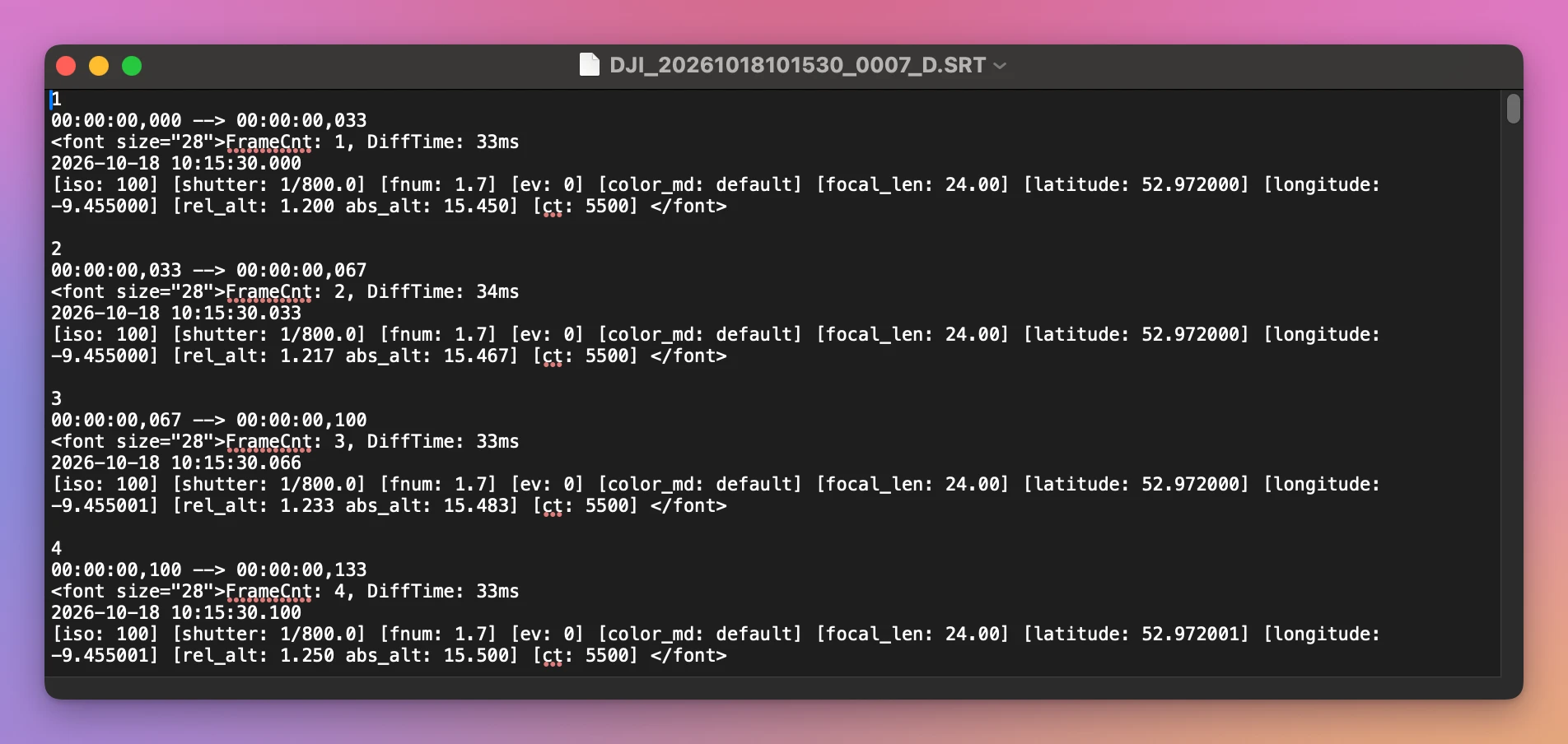
Each moment of the video is a block of five lines:
1
00:00:00,000 --> 00:00:00,033
<font size="28">FrameCnt: 1, DiffTime: 33ms
2026-10-18 10:15:30.000
[iso: 100] [shutter: 1/800.0] [fnum: 1.7] [ev: 0] [color_md: default] [focal_len: 24.00] [latitude: 52.972000] [longitude: -9.455000] [rel_alt: 1.200 abs_alt: 15.450] [ct: 5500] </font>| Line | What it says |
|---|---|
1 | The block’s number |
00:00:00,000 --> 00:00:00,033 | When in the video this block shows, from the start of this file |
FrameCnt: 1, DiffTime: 33ms | The frame count, and the time since the previous one |
2026-10-18 10:15:30.000 | The date and time on the drone |
[iso: 100] [shutter: 1/800.0] [fnum: 1.7] [ev: 0] | The camera’s exposure settings |
[latitude: 52.972000] [longitude: -9.455000] | Where the drone was |
[rel_alt: 1.200 abs_alt: 15.450] | Two heights: one relative, one absolute |
In this layout there’s a block per frame. My stand-in videos are 30 frames a second, so the 2 minute part has 3,600 blocks and its .SRT is 1.1 MB. Which fields your drone writes depends on the model and its firmware, so yours may have more or fewer.
Open it in TextEdit
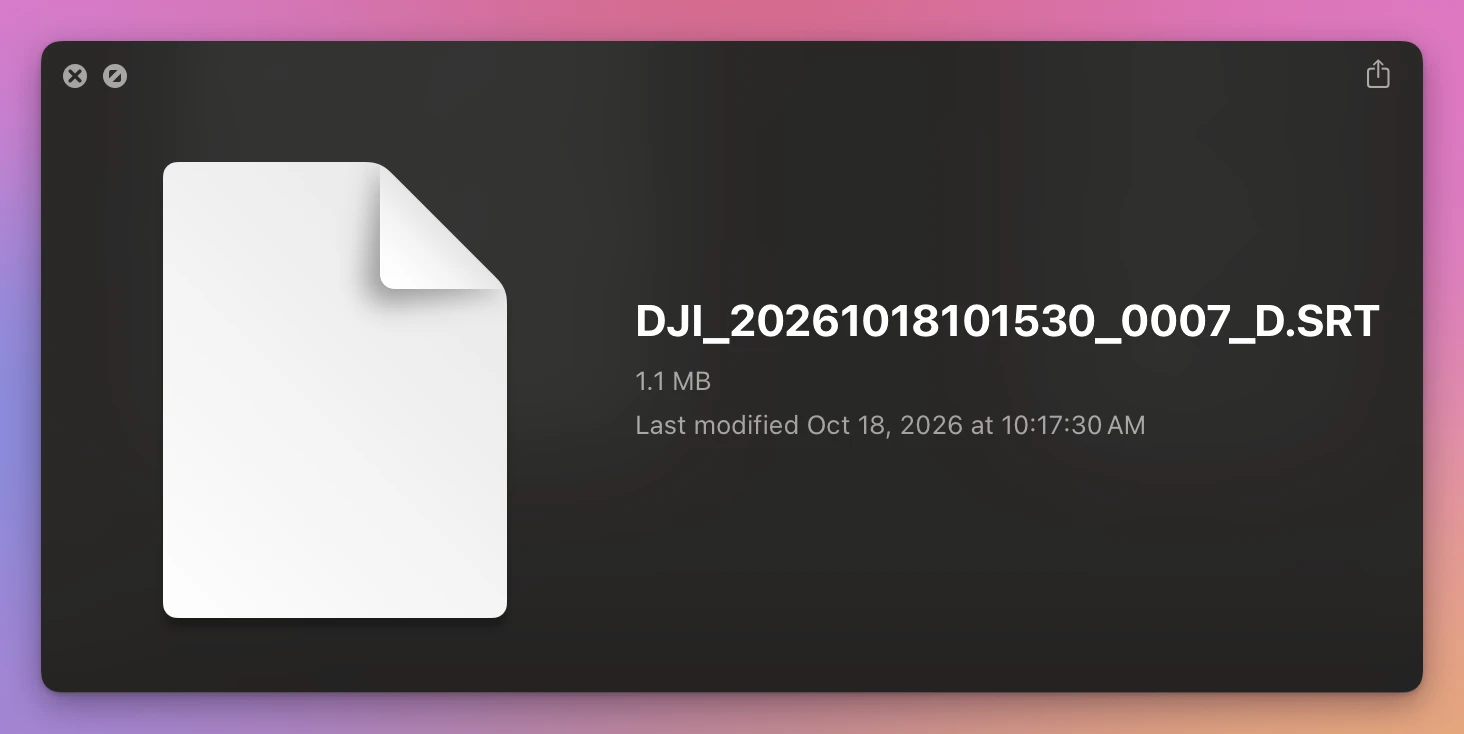
Quick Look, the Space bar in the Finder, didn’t show what’s inside:
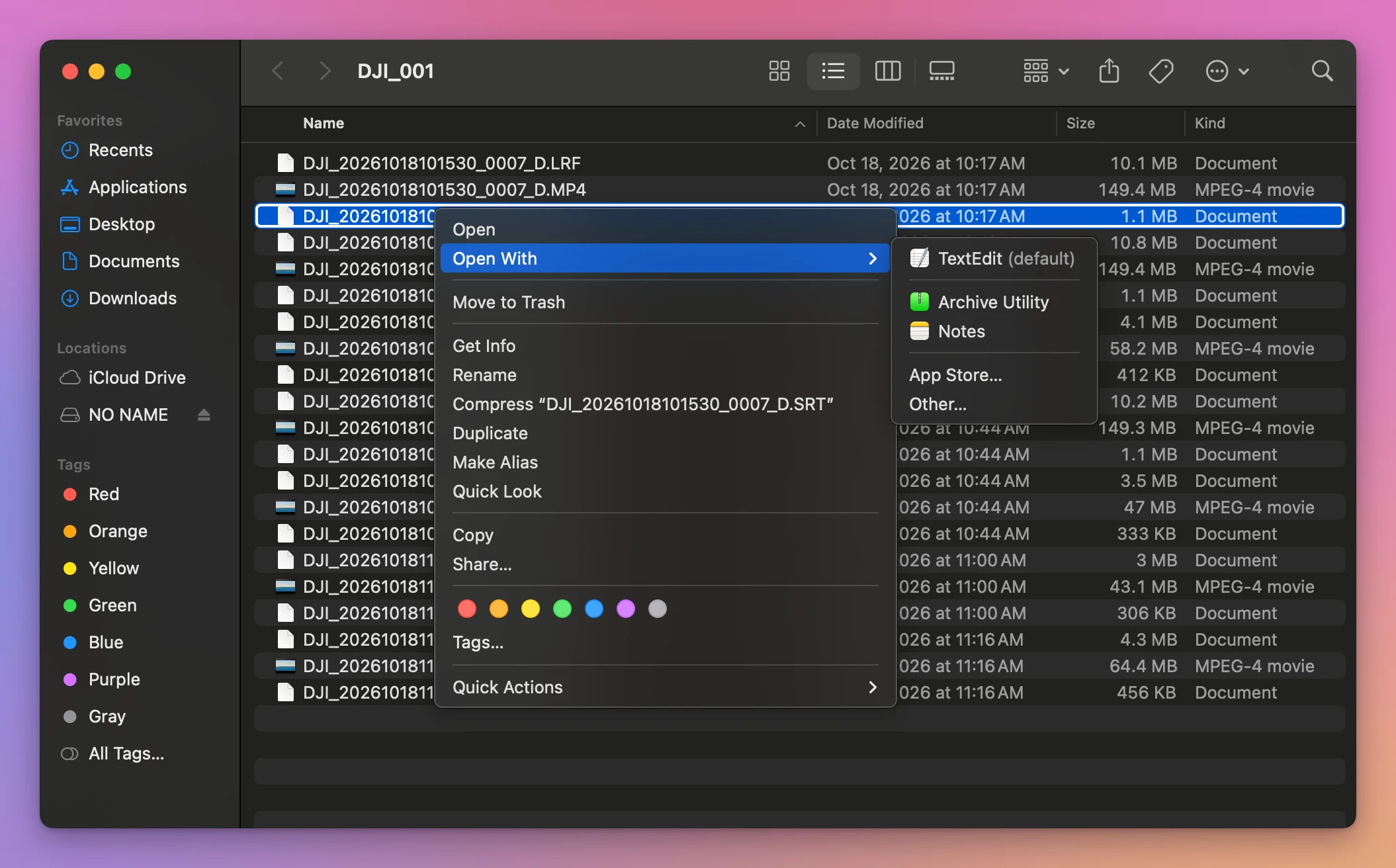
Right-click the file and choose Open With. On the Mac I used, TextEdit was already the default for .SRT files:
TextEdit opened it as plain text, nothing changed:
Close it without saving, so the drone’s file stays as it was.
To find a moment, use Edit > Find (Command-F) with the time from the video, like 00:01:30,. Each block starts with that time.
See where the drone was, in Maps
The latitude and longitude are numbers Maps understands. Copy them from a block, like 52.972000, -9.455000, and paste them into the search field of the Maps app:
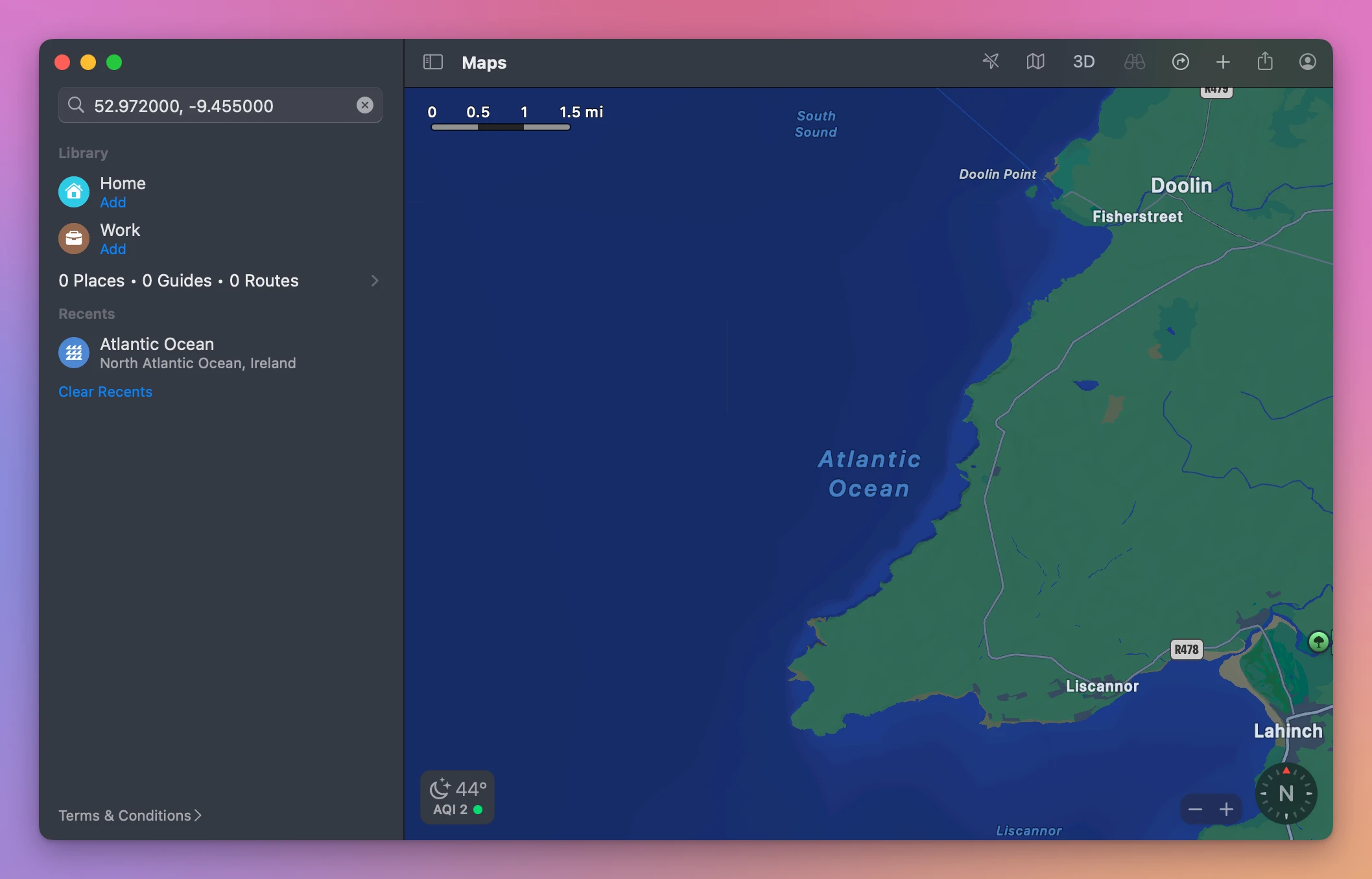
Maps found the spot in the Atlantic Ocean, off the coast of Ireland, where I placed the made-up flight. Do it with blocks from the start and the end of a video and you see where it began and ended.
When the drone splits the flight
Every part has its own .SRT, and each one starts again at 00:00:00,000. The block that shows 2 minutes into the flight is block 1 of the second part’s file. If you join the videos, the .SRT files have to be joined too, with every time moved by the length of the parts before it, or the data no longer matches the picture.
Keep the flight data when you join
Joiner for DJI is a Mac app I made that joins the parts of a flight into one video and merges their .SRT files into one that lines up with it. It’s not made by, affiliated with or endorsed by DJI. It costs $20, paid once.
On the stand-in card, the joined flight came with a joined .SRT file, and the row said so:
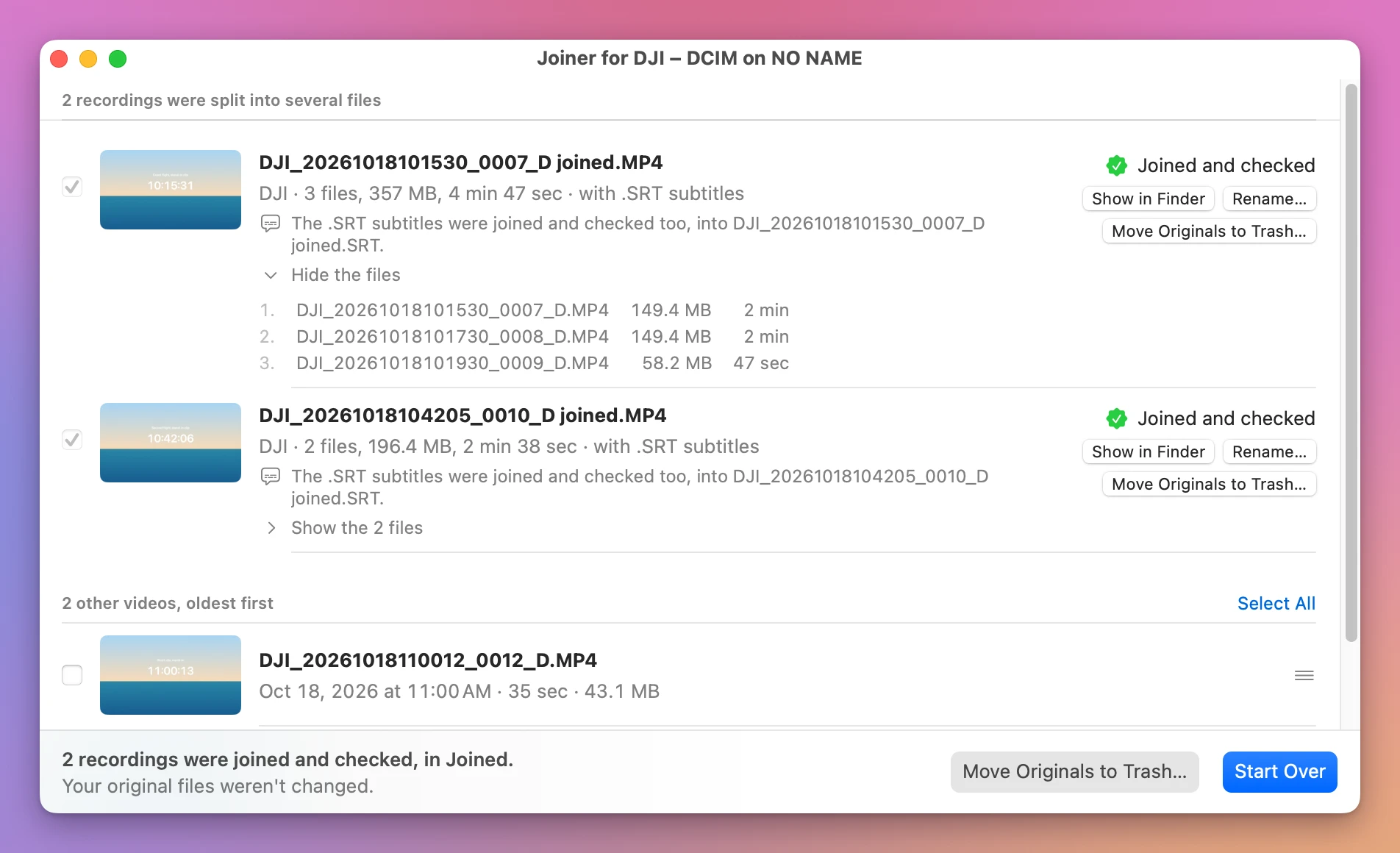
The joined DJI_20261018101530_0007_D joined.SRT has 8,610 blocks, one for every frame of the 4 minute 47 second flight, and opens in TextEdit like the drone’s own files.
Get Joiner for DJI
Put the parts your DJI drone split a flight into back together, into one video on your Mac, straight from the card, with the .SRT flight data merged to match. Nothing loses quality, and the small .LRF files can go with the originals.
See Joiner for DJI → · Read the docs · $20. See the app page for tax details.
Want me to talk about your product? You can sponsor this site.