How long will my video script take to read? Time each section on a Mac
By Flavio
Find out how long a script reads before you record it, section by section and with a different pace for each speaker. The word-count way works for one voice; Script Runtime Estimator shows where a longer script runs over its length.
You have a script for a video that must stay under three minutes, or a spot that must be exactly thirty seconds, and you want to know if it fits before anyone sits in front of a microphone.
The quick answer is a word count divided by a reading pace. That works for one voice and no pauses. When the script has sections, two speakers and a few pauses, Script Runtime Estimator times each section at its speaker’s pace and shows where the time runs out.
How fast do people read a script aloud?
Pace is measured in words a minute. About 150 is a calm voiceover, 130 is slow and clear, and a quick YouTube host talks at 170 or more. Two speakers in the same script rarely read at the same pace.
Pauses count too. A one-second pause after a punchline, a three-second music sting at the start and four seconds of footage with no talking add up fast in a 30-second spot.
The examples here use a made-up script for a three-minute how-to video, “Bike tune-up in 3 minutes”: nine sections, 448 words, a HOST and a VOICEOVER, five pauses and three timed directions.
The free way: word count and arithmetic
Every writing app counts words. In Pages it’s View › Show Word Count, in Google Docs Tools › Word count, and Word shows it at the bottom of the window. Select a part of the text and they count just that part.
- Select the first section and note its words.
- Divide by the pace of whoever reads it, then multiply by 60 for seconds. The cold open has 33 words for the host: 33 ÷ 150 × 60 is about 13 seconds.
- Add the pauses and the music: a one-second pause and a three-second sting make the cold open 17 seconds.
- Do the same for each section, and add the totals as you go, so you know when each one starts.
- Compare the running total with your target to see where the time runs out.
For one voice and a single number, that’s two minutes of work and it’s enough. For the example script, it’s nine sections, two paces, five pauses and three directions, and you do it all again after every edit. The other free check is to read the script aloud with the stopwatch in the Clock app. That’s the most honest number you’ll get, for that one take, but it doesn’t say which section to cut.
The faster way: time every section at once
Script Runtime Estimator is a Mac app I made for this. It costs $19, paid once.
Click Open a Script… and pick the script, or drag it onto the window. It reads text, Markdown, Word, RTF and Fountain files, and Paste a Script… takes text copied from anywhere.
The app finds the sections from the headings and the speakers from the names before their lines, like HOST:. Type the length under Length it must fit and each speaker’s words a minute under Reading pace.
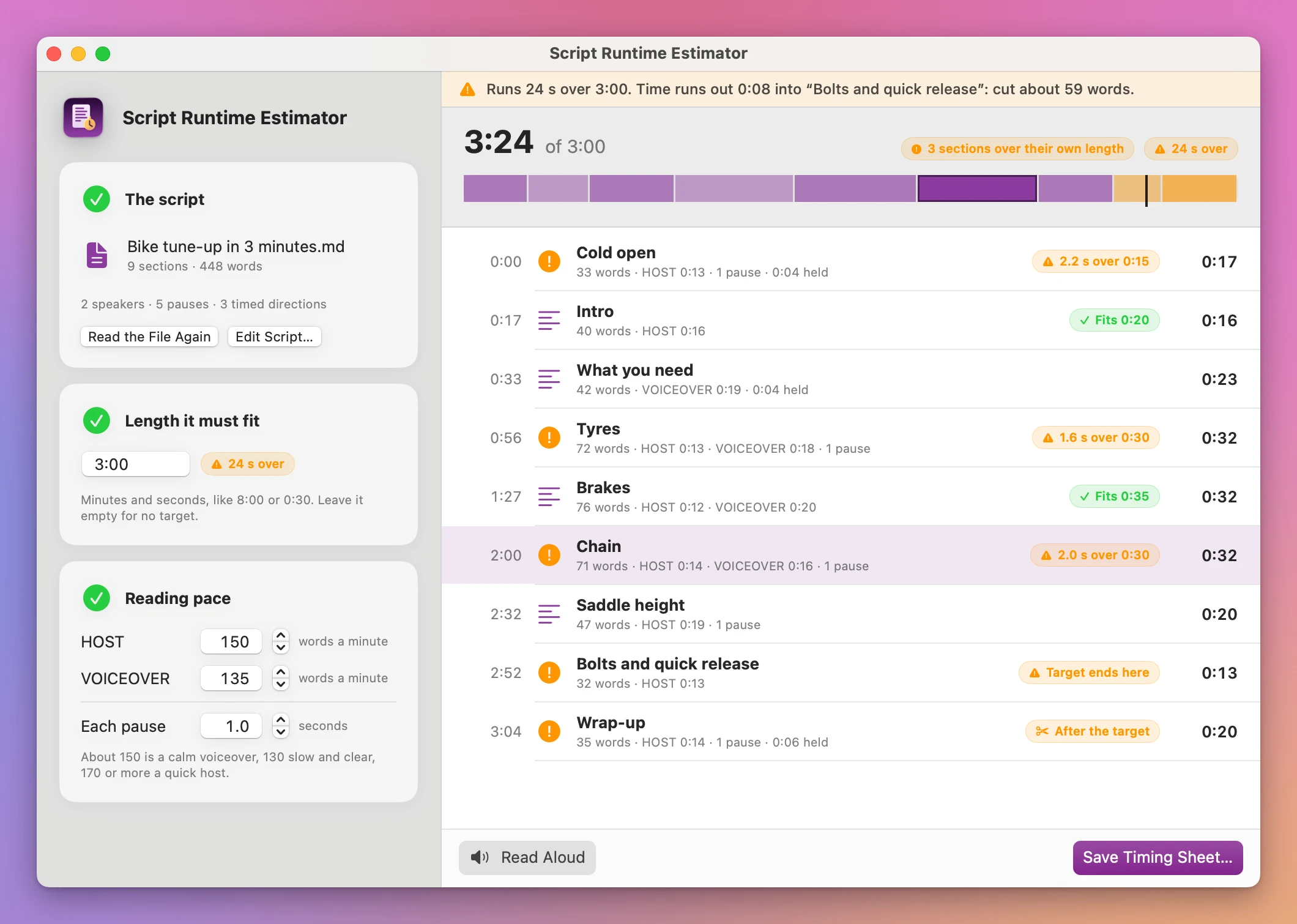
With the host at 150 and the voiceover at 135, the script reads 3:24, 24 seconds over. Time runs out eight seconds into “Bolts and quick release”, and the wrap-up starts after the three minutes. The hint line says to cut about 59 words.
It also caught three sections that run longer than the length in their heading. The cold open was written as ## Cold open (0:15) and reads 17 seconds.
This is how the app gets from the script to those numbers:
Mark pauses and directions in the script
Write [PAUSE] where the speaker stops. It lasts one second, or what you set under Each pause, and [PAUSE 2s] lasts two. Anything else in square brackets is a direction and isn’t read, and a direction with a length in it adds that time: [MUSIC STING 3s], [B-ROLL 0:04].
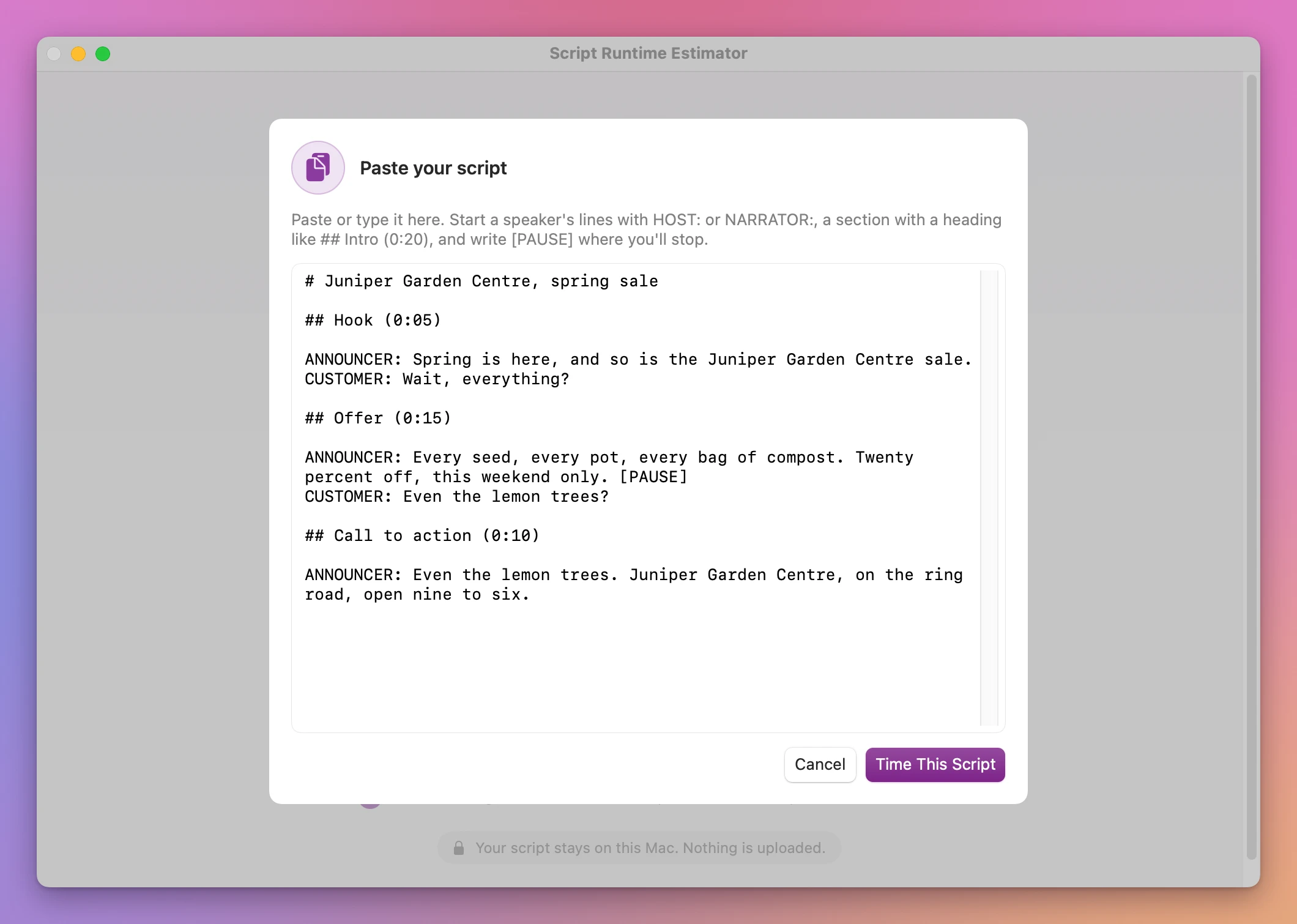
The same marks work in a short spot. Here’s a 30-second radio spot pasted in, with a length in each heading:
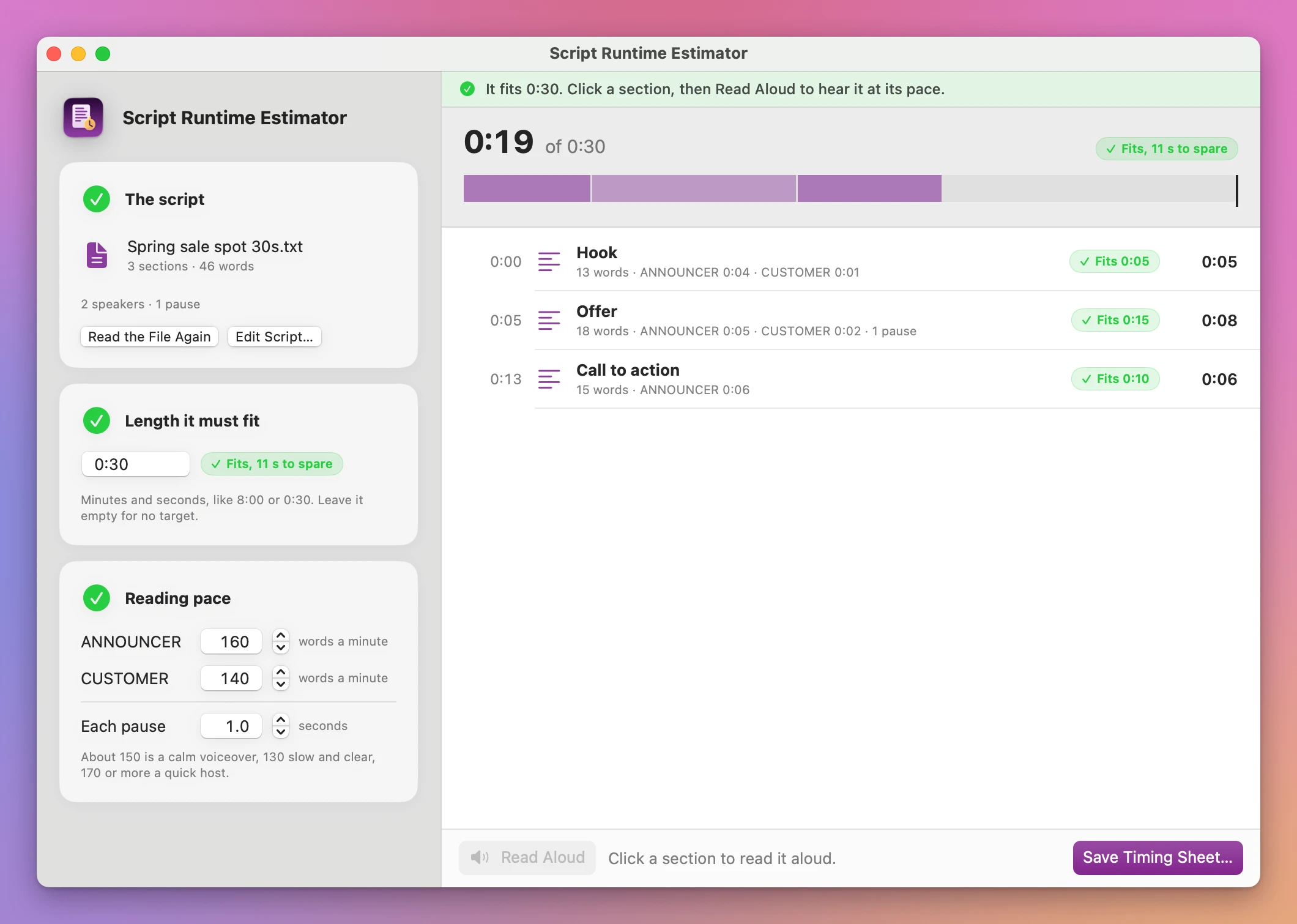
With the announcer at 160 and the customer at 140, it reads 19 seconds, and each section fits its own length.
Cut, check again, and save a timing sheet
Cut words in your writing app, save, and click Read the File Again. The new lengths show right away, so you can trim a section and see it fit without counting anything.
When it fits, click Save Timing Sheet… and pick a folder. You get a PDF to send to the voice talent and a CSV for a spreadsheet, each with every section’s start time and length. Read Aloud reads a section with the Mac’s voice at each speaker’s pace, if you want to hear how 170 words a minute sounds before you ask someone to read that fast.
Which way to use
| Word count and arithmetic | Stopwatch read | Script Runtime Estimator | |
|---|---|---|---|
| Time per section | You select and divide each one | You note the times | Yes, with start times |
| A pace per speaker | You do the math | The reader’s pace that day | Yes |
| Pauses and music | You add them | As read | Yes |
| Where the target runs out | You add it up | You watch the clock | Yes, with words to cut |
| After an edit | Start over | Read it again | Read the File Again |
| Cost | Free | Free | $19 once |
For a short script with one voice, the word count is enough. For a longer one with sections and several speakers, an estimate per section saves the arithmetic, and one real read of a section is still the best way to set each speaker’s pace.
Get Script Runtime Estimator
Open or paste a video or voiceover script, set a reading pace for each speaker and the length it must fit. Every section is timed with its start time, the ones past the target are marked, and you get about how many words to cut. Save a timing sheet as a PDF and a spreadsheet.
See Script Runtime Estimator → · Read the docs · $19. See the app page for tax details.
Want me to talk about your product? You can sponsor this site.