Keep daily notes on your Mac without a cloud account
By Flavio
Updated
Apple Notes keeps notes in On My Mac when you don't turn on iCloud. Note Repo keeps daily notes in one folder on your Mac, with no sign-in, and you back them up or move them to another Mac by copying that folder in the Finder.
You want a note for today, and you don’t want an account to get it.
There are two ways on a Mac. Apple Notes keeps notes in On My Mac when you don’t turn on iCloud. Note Repo has no sign-in at all, opens on today, and keeps everything in one folder on the Mac, which you copy in the Finder to back it up or to take it to another Mac.
Can Apple Notes keep notes without iCloud?
Yes. On a Mac without iCloud, Notes opens with a Welcome to Notes screen. Click Continue, and a Turn On iCloud dialog offers System Settings and Cancel. Click Cancel. The sidebar then shows On My Mac with a Notes folder.
Notes › Settings… shows where new notes go. On the test Mac, Default account was On My Mac, and it was the only choice in the menu. Below it, Enable the On My Mac account is checked, with the line “Notes in On My Mac are stored on this computer.”
The screenshots come from a test Mac running macOS 15 Sequoia, and the notes in them are made up.
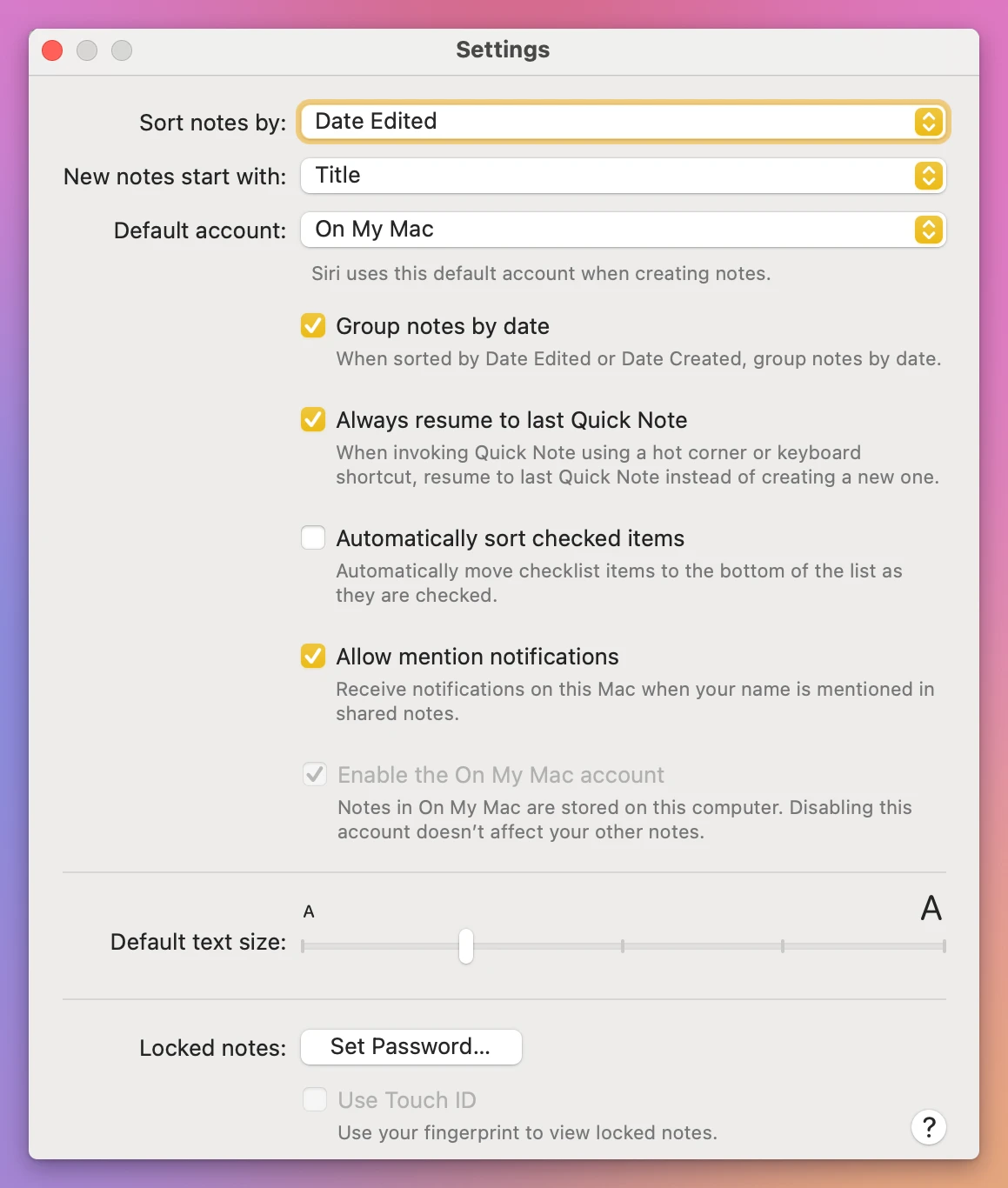
For a daily note, press Command-N, type the date as the first line, press Return and write. Here “Friday, November 13” became the note’s title, and the note showed up under Today in the list.
It’s free and it’s on every Mac. The date is yours to type every morning, and each day is one more note in the list.
How does Note Repo work without an account?
Note Repo is a daily notes app. It costs $20, paid once.
It opens on today with a bullet ready. Type a line, press Return for the next one, Tab to nest it under the line above and Shift-Tab to bring it back. There’s no save button. Scroll up and the earlier days are there, only the ones where you wrote something.
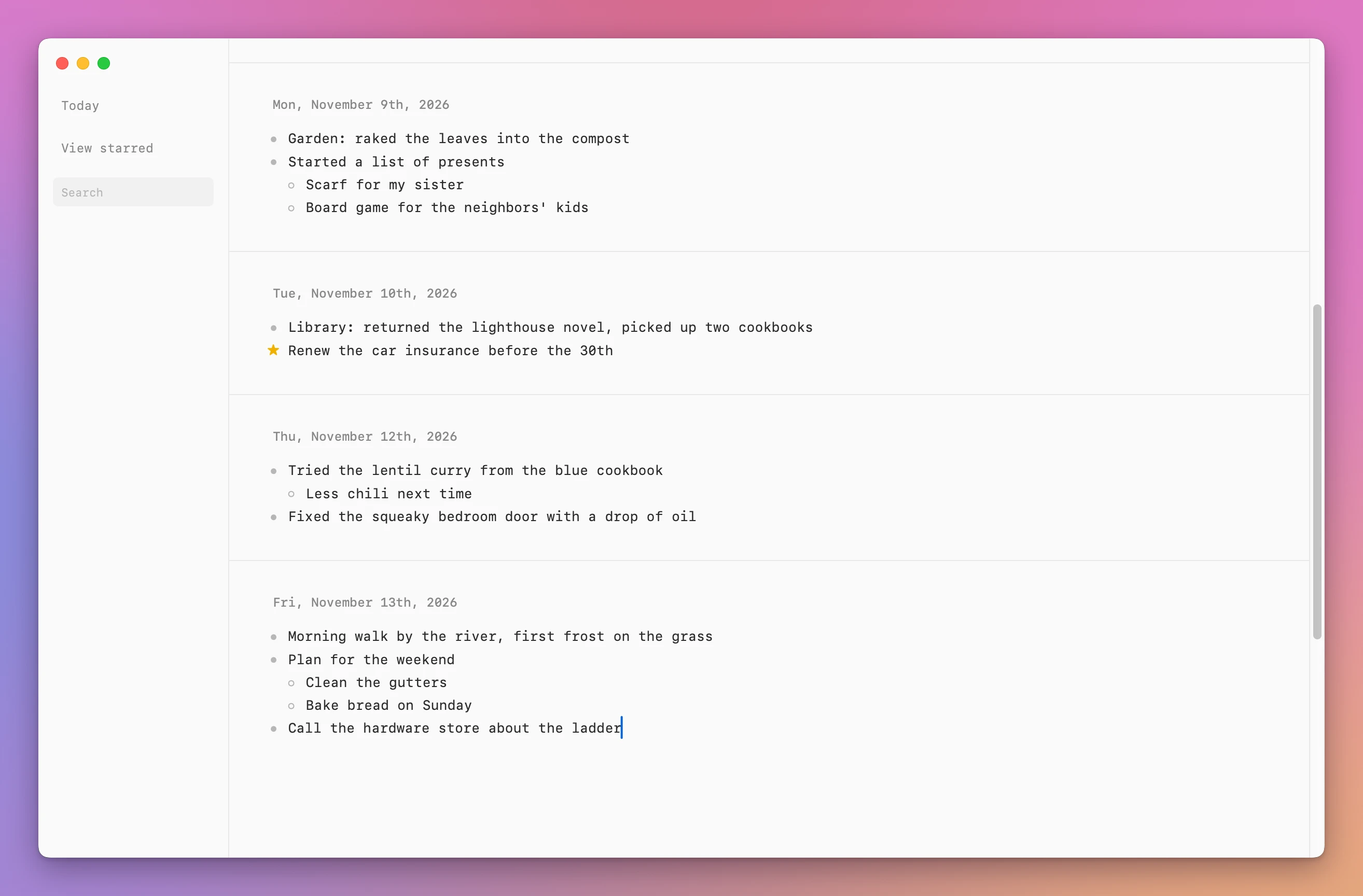
There’s nothing to sign in to. On the left you get Today, View starred and Search, and no menu has an account item. Note Repo › License… is for the key in your purchase receipt, which turns on updates. Without it, the notes work all the same.
Its own page says Note Repo goes online to read the title of a link you paste. With a license key, it also checks the key with Polar about once a week and asks updates.flaviocopes.com once a day whether there’s a newer version. None of these requests contain your notes, the page says.
Where are the notes on the Mac?
In one folder. Quit Note Repo first (Note Repo › Quit Note Repo). In the Finder, choose Go › Go to Folder…, paste this and press Return:
~/Library/Application Support/NoteRepo
The folder holds three files whose names start with “notes”.
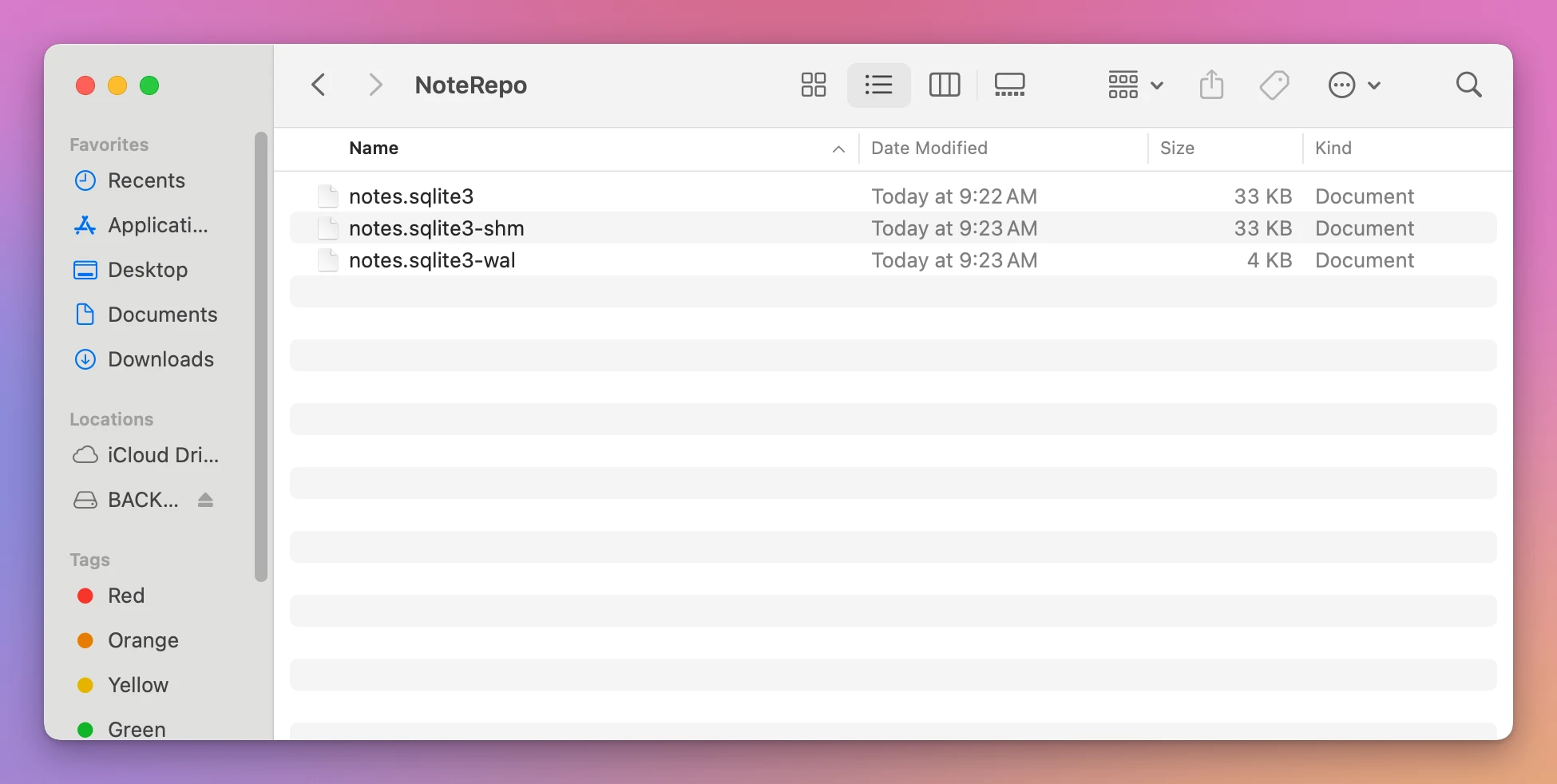
Treat the folder as one thing. On the test Mac, the line typed last before quitting was still in one of the two smaller files, and a copy of the big file alone opened with an empty today. Copy the whole folder, with the app quit.
How do I back up the notes to a USB stick?
With the NoteRepo folder open in the Finder, choose Go › Enclosing Folder. The Finder shows Application Support with NoteRepo selected. Choose Edit › Copy “NoteRepo”.
Click the stick under Locations in the sidebar, then choose Edit › Paste Item. Here a disk named BACKUP stood in for the stick, and the NoteRepo folder appeared on it with its three files.
Keep a daily work log with Note Repo shows the same backup for a work log, and putting the copy back on the same Mac.
How do I move the notes to another Mac?
The notes aren’t inside the app, so installing Note Repo on the other Mac brings none of them. Install it, open it once and quit it. It opens on an empty today and makes its own NoteRepo folder. Then:
- Plug in the stick and open it in a Finder window.
- In a second Finder window, choose Go › Go to Folder… and go to ~/Library/Application Support, then choose Go › Enclosing Folder. The window shows Library, with Application Support selected.
- Drag NoteRepo from the stick onto Application Support.
The Finder asked: “A newer folder named “NoteRepo” already exists in this location. Do you want to replace it with the older one you’re copying?”
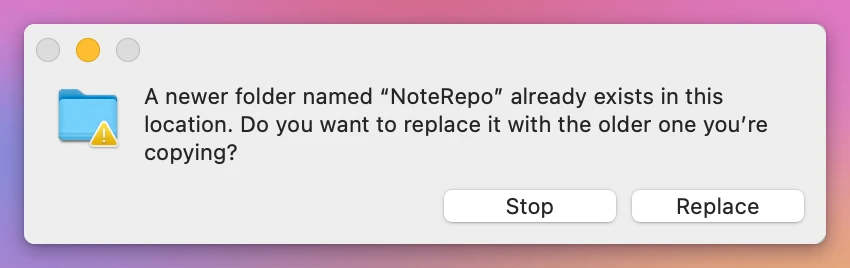
The newer folder is the empty notebook the app just made. Click Replace, then open Note Repo. On the test Mac, it opened on today with the last line typed before the backup, and searching for “cookbook” found Thursday and the Tuesday before it.
This restore was done on the test Mac, over a new empty notebook. On another Mac the folder goes in the same place. A USB stick works, and so does any other way you already use to move a folder between two Macs.
| Notes, On My Mac | Note Repo | |
|---|---|---|
| Account | None, click Cancel at Turn On iCloud | None, nothing to sign in to |
| Where it’s set | Notes › Settings… › Default account | Nothing to set |
| Starting today | Command-N, type the date | Opens on today with a bullet |
| Earlier days | One note per day in the list | Above today, in one scroll |
| Where the notes are | On the Mac, as the setting says | The NoteRepo folder in Application Support |
| Cost | Free, comes with the Mac | $20, paid once |
Why is Note Repo empty on the new Mac?
The NoteRepo folder from the stick hasn’t replaced the app’s own yet. On the test Mac, Note Repo showed an empty today until it did. Quit Note Repo, drag the folder from the stick onto Application Support again, and click Replace.
Get Note Repo
A quiet daily notes app for macOS. Nested lists, images, search, and notes stored on your Mac.
See Note Repo → · Read the docs · $20. See the app page for tax details, with full source code.
Want me to talk about your product? You can sponsor this site.