
An app by Flavio
Voicemail Keeper
Find the voicemails in an iPhone backup on your Mac, listen to them, and save each one as a sound file that plays anywhere, with the date of the call.
Buy Voicemail Keeper · $20One-time purchase. Tax included.
macOS 14 or later · Apple silicon and Intel
Sometimes a voicemail is the only recording you have of someone’s voice. The phone it was on is old, or broken, or gone. What’s left is a backup you made on your Mac a while ago, and no way to look inside it.
Voicemail Keeper finds the voicemails in that backup, lets you listen to them, and saves each one as a sound file you can keep, copy and share.
Before you buy
The app can only help when all of this is true:
- The backup was made on a Mac, in the Finder or in iTunes, or copied to one. An iCloud backup doesn’t have the voicemails in a form the app can reach.
- The carrier had Visual Voicemail, the list of voicemails you see in the Phone app. Without it, voicemails stay with the carrier and never reach a backup.
- You know the backup’s password, if it has one. It’s the password chosen in the Finder when “Encrypt local backup” was turned on. Nobody can recover it, me included.
If the iPhone still works, you may not need this app. In the Phone app, tap Voicemail, tap the voicemail, then the share button, and save it to Files or send it to yourself. It’s free and takes a minute.
$20 including tax, paid once.
How it works
- Click Find Backups on This Mac. The window lists the iPhone backups with each phone’s name, model and the day of the backup. If the backup is on another drive, copy its folder to your Mac and use Open a Backup Folder…
- Click Open next to the backup you want. If it has a password, type it and click Unlock. The password is only used while the app is open. It’s never saved.
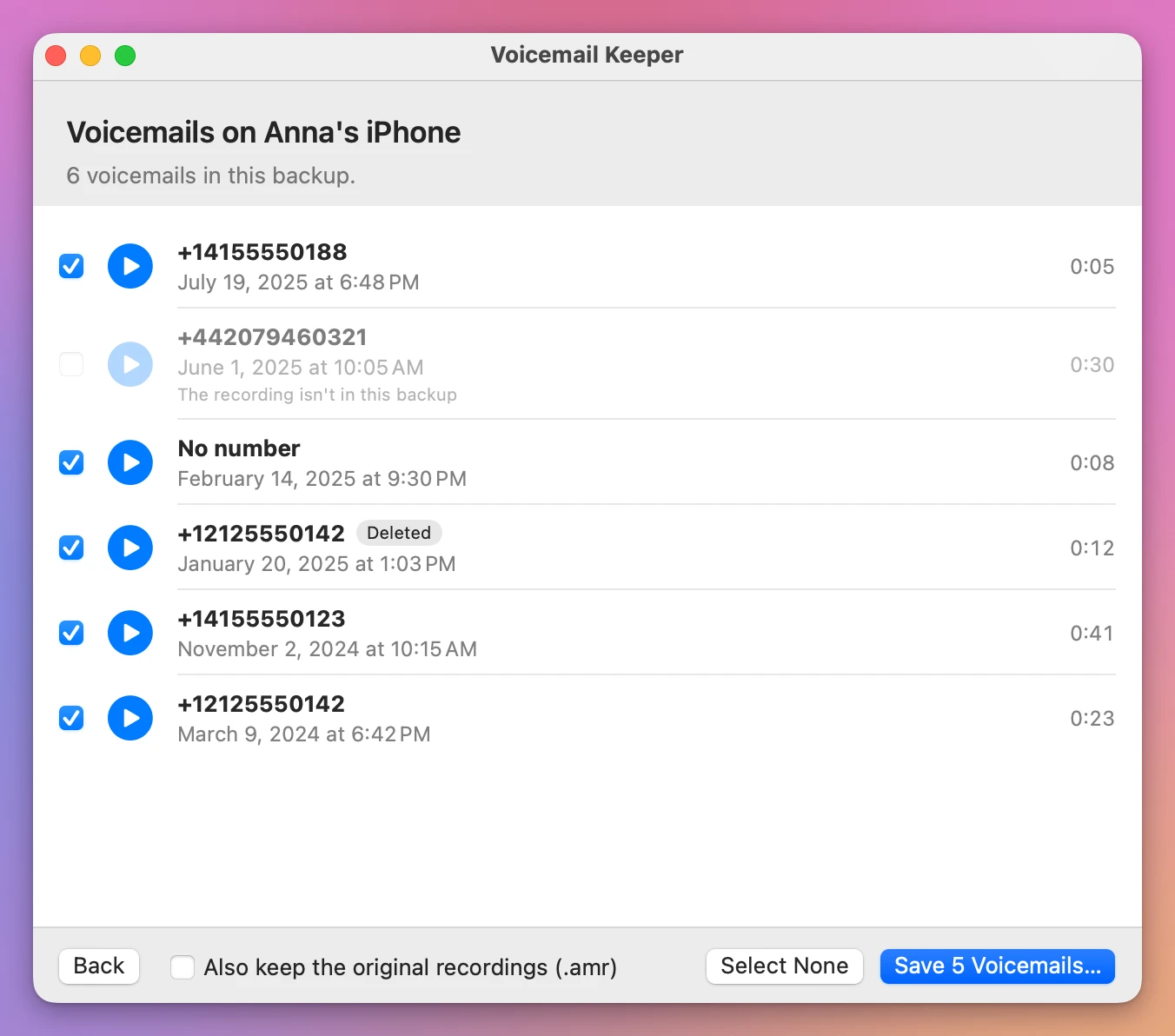
- The voicemails show with the caller’s number, the date and the length. Deleted marks the ones that were in the iPhone’s Deleted Messages list. Click the play button to listen.
- Untick any you don’t want, click Save, and choose a folder.
The app makes a new folder, called “Voicemails from” and the phone’s name, so nothing that’s already there is touched. Each voicemail is an .m4a file named by its date, time and number, like 2024-03-09 18.42 +12125550142.m4a. The file’s date is the day of the call, so the Finder sorts them the way they arrived. You can also keep the iPhone’s own recording next to each one. A voicemails.csv file lists them all, and opens in Numbers or Excel.
It tells you what it saved
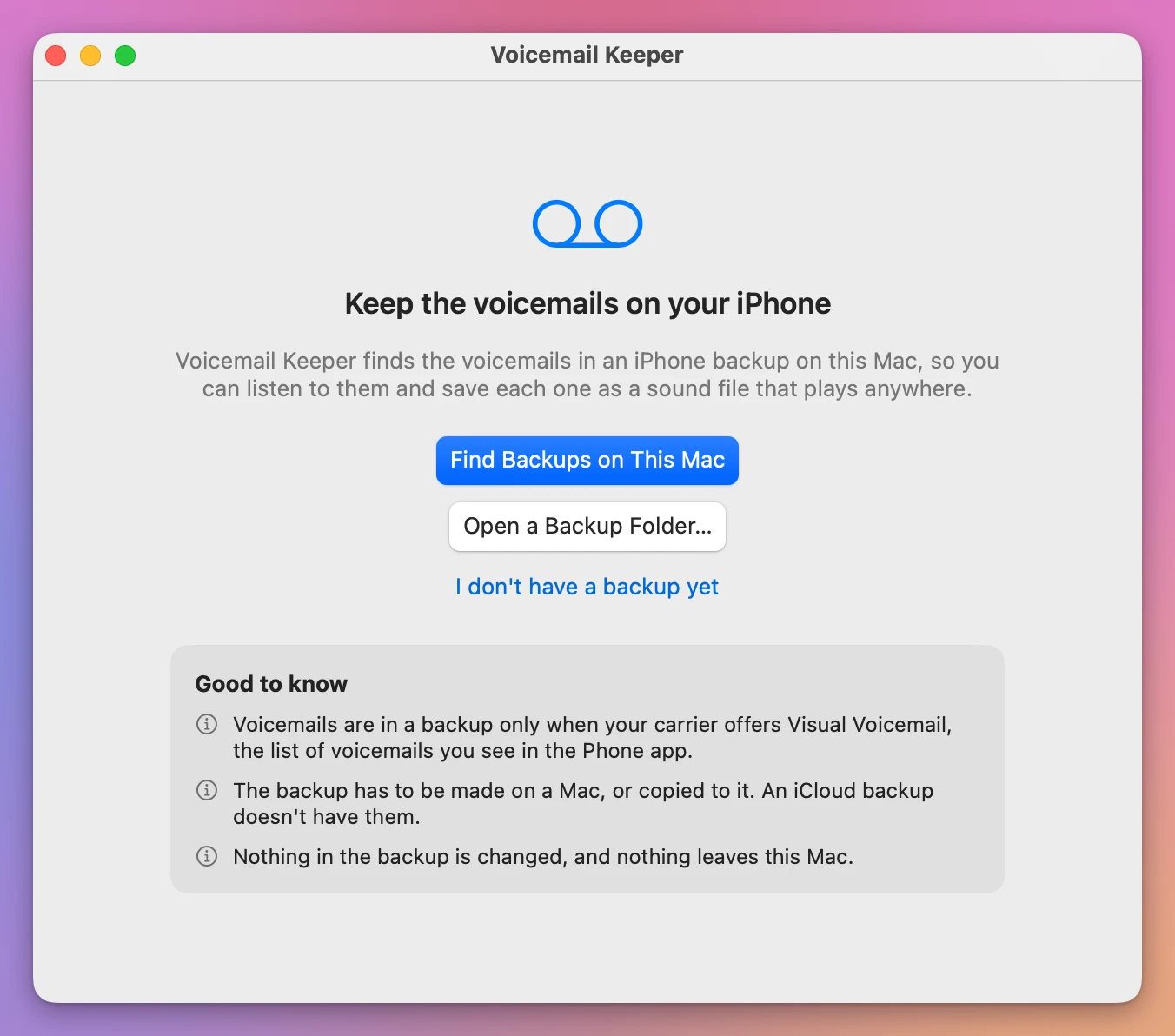
A voicemail counts as saved only after the app has played the file back from the disk. When it’s done, the window says what was saved, what wasn’t, and why.
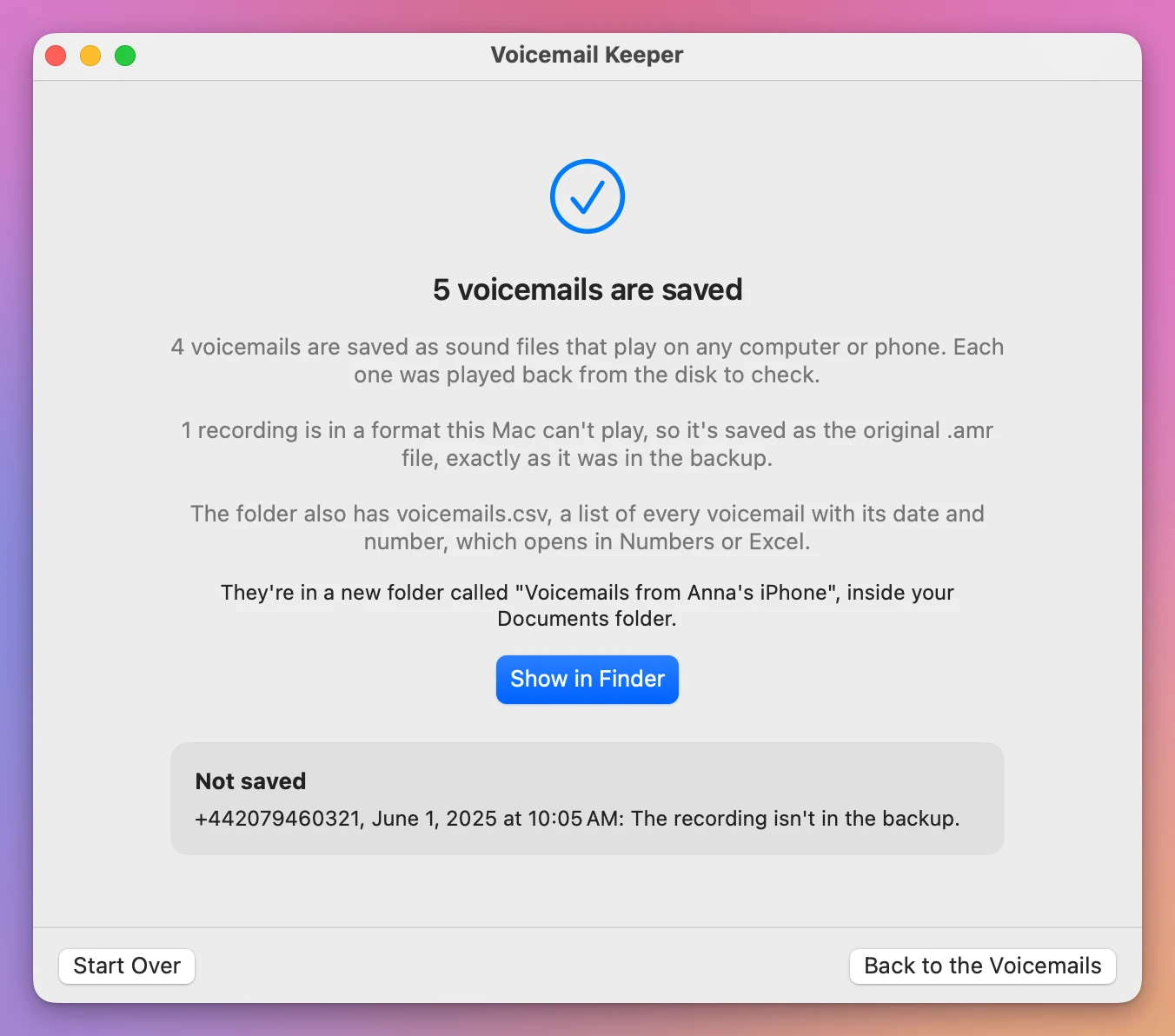
If your Mac can’t read a recording, the app keeps the original file exactly as it was in the backup, and says so. If the backup lists a voicemail but doesn’t have its recording, the app names it instead of skipping it in silence.
No backup yet?
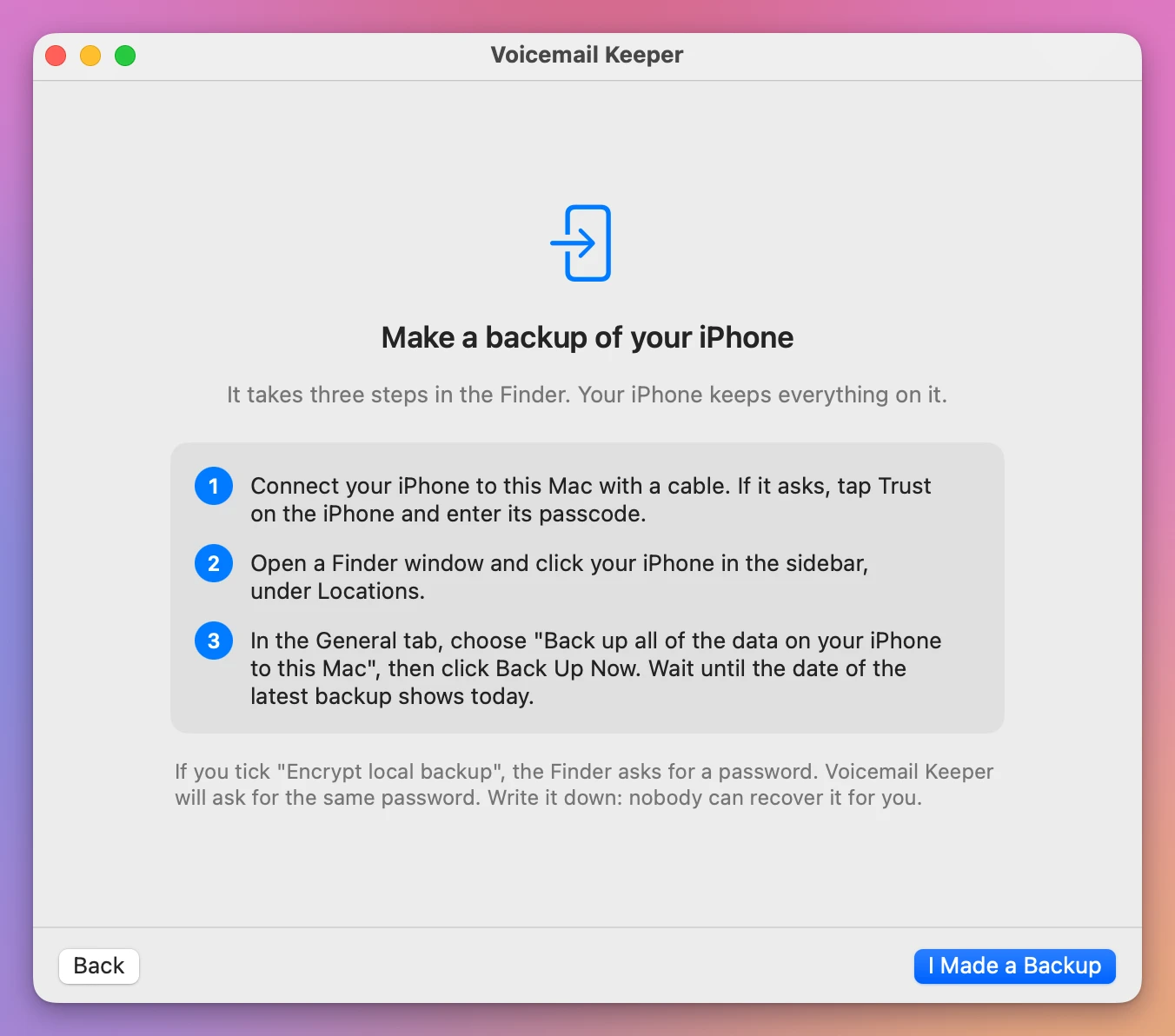
If you have the iPhone but no backup of it, the app shows how to make one in the Finder, in three steps.
What it doesn’t do
- It doesn’t read iCloud backups, and it can’t get voicemails the carrier never sent to the phone.
- It doesn’t change, move or delete anything in the backup. It only reads it.
- It doesn’t send anything anywhere. Your backup and your voicemails stay on your Mac.
- It can’t open a backup without its password.
Each new version of iOS can change how a backup is laid out. When Voicemail Keeper finds something it doesn’t expect, it stops and says “This backup was made by a version of iOS this app doesn’t know yet”, instead of showing you something wrong.
What it needs
Before you buy, one thing you should know. I couldn’t test Voicemail Keeper on a real iPhone backup with real voicemails. I tested it on backups I made myself, with and without a password, laid out the way iPhone backups are publicly described, and the app read, played and saved every voicemail in them. But Apple doesn’t document how it stores voicemails in a backup, so a real one may differ in ways I couldn’t see. If the app doesn’t understand your backup, it says so and changes nothing.
A Mac with macOS 14 Sonoma or later, Apple silicon or Intel, and the iPhone backup on it.
macOS keeps iPhone backups in a folder that can be protected. If macOS won’t let the app look inside, the window shows how to turn on Full Disk Access in System Settings, and notices on its own when it’s on. Or copy the backup’s folder to your Desktop and open it from there.
Voicemail Keeper is my own app. It’s not made by, affiliated with or endorsed by Apple.
Buy Voicemail Keeper and get started
Voicemail Keeper costs $20 including tax, paid once. There’s no subscription.
After buying, your receipt has the app and a license key. Unzip the app and drag Voicemail Keeper to your Applications folder. It’s signed with my Apple Developer ID and checked by Apple, so it opens like any other app you download.
Enter the license key in Voicemail Keeper → License… to get updates automatically. A key works on 3 Macs. Once a day, the app checks for a new version, shows what’s new, and installs it with Install and Relaunch. Your receipt always has the latest version, too.