
An app by Flavio
Window on the World
Put public webcams of mountains, lakes, cities and beaches on one wall on your Mac. Paste a link and the app works out if it's a live stream, a still or a 360° panorama.
Buy Window on the World · $20One-time purchase. Tax included.
macOS 15 or later · Apple silicon and Intel
I kept checking the same webcams: is there snow on the pass, is the lake calm, is it sunny where I’m going this weekend. Each one is on a different website, each website with its own player, cookie banner and ads, and that’s a lot of tabs.
So I made an app that puts them all on one wall.
$20 including tax, paid once.
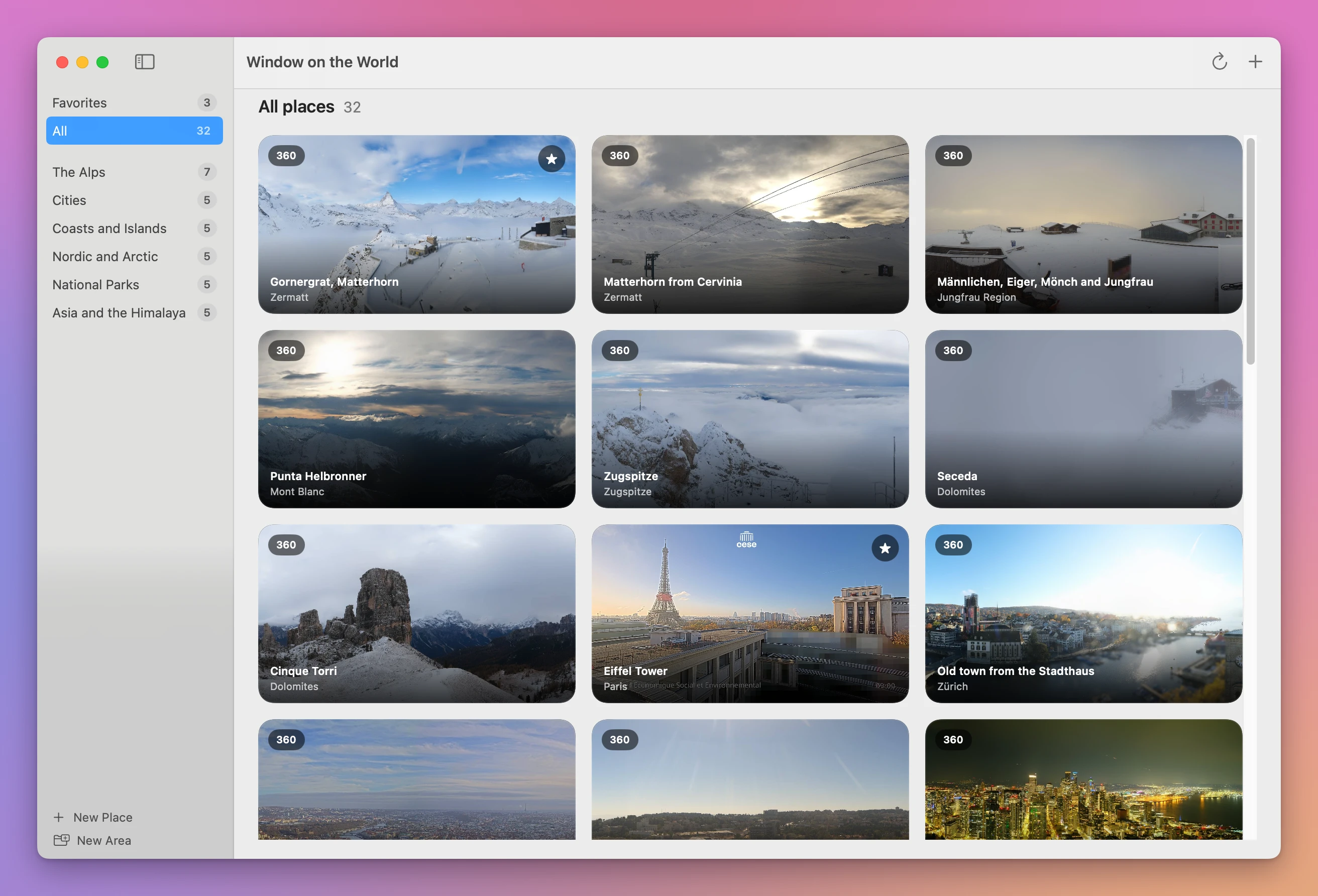
Window on the World is a Mac app for public webcams. Every webcam is a tile with its latest picture, refreshed on its own while the app is in front. Click one to watch it full size.
32 famous places to start with
The first time you open it, the wall already has 32 webcams of famous places, grouped in six areas:
| Area | Places |
|---|---|
| The Alps | Zermatt and the Matterhorn, the Jungfrau region, Mont Blanc, the Zugspitze, the Dolomites |
| Cities | Paris, Zürich, Prague, Jerusalem, Seattle |
| Coasts and Islands | Cape Town, Santorini, the Amalfi Coast, Sydney |
| Nordic and Arctic | Tromsø, the North Cape, Lofoten, Nordfjord, Reykjavík |
| National Parks | Grand Canyon, Mount Rainier, Yellowstone, Rocky Mountain, Hawaiʻi Volcanoes |
| Asia and the Himalaya | Mount Fuji, Everest, Hong Kong |
They’re spread around the world on purpose, so at any hour of the day some of them are in daylight. Keep the ones you like and delete the rest.
Add any webcam from its link
Click + and paste the link of a webcam page. The app reads it and works out what’s there:
- a still picture that the website updates every few minutes
- a 360° panorama, like the ones on Roundshot and Panomax
- a live video stream
- a picture with the day’s timelapse, like the webcams on Windy
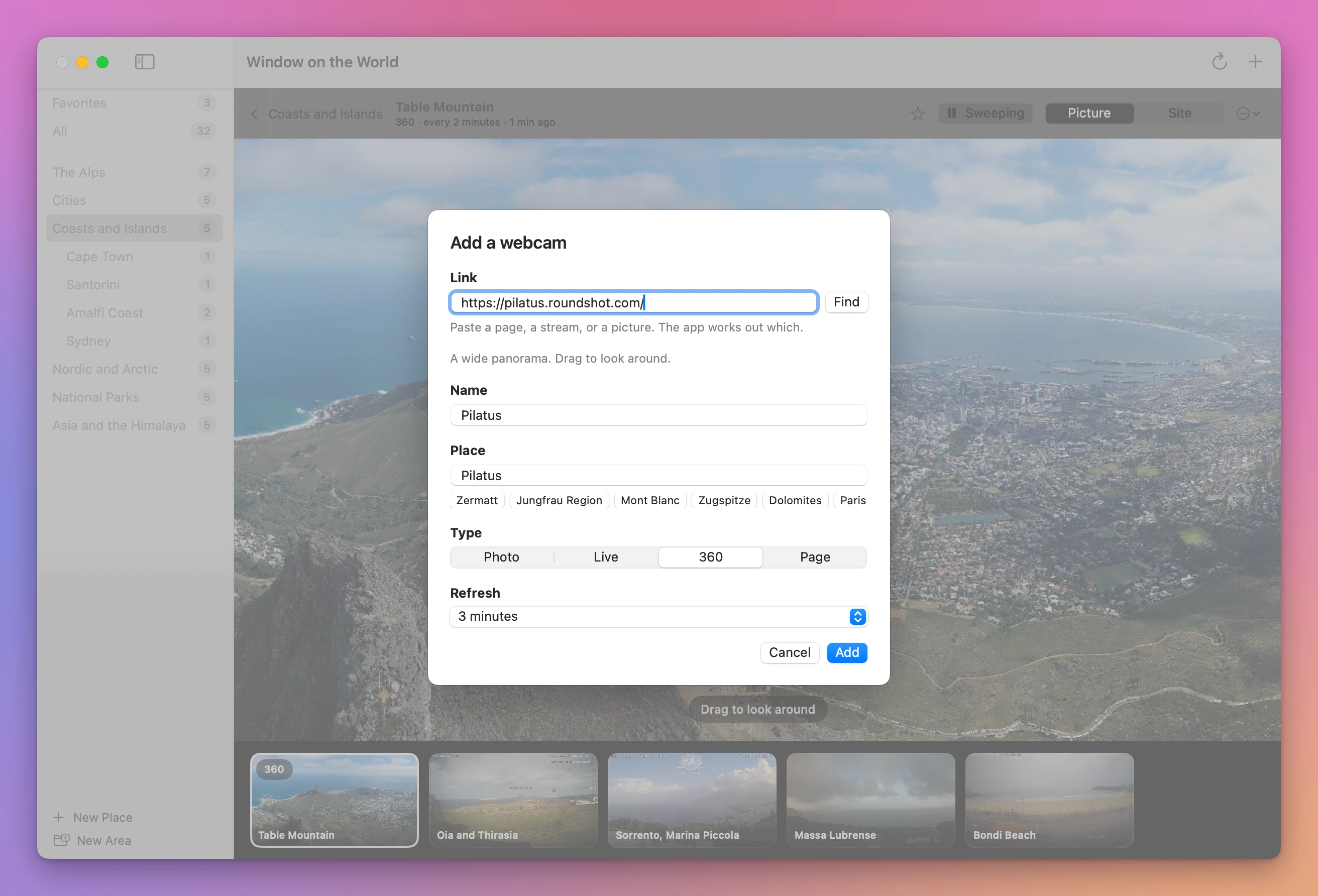
It fills in a name, and you pick the place it goes in and how often it refreshes. A tourism office page, a ski area page, a mountain hut’s website: if there’s a webcam picture on the page, the app usually finds it. When it can’t, it can still show the page itself.
Areas and places
Webcams are grouped in two levels. An area is a region, like the Alps. A place is a town or a spot inside it, like Zermatt. Click an area to see all its webcams, and its places show up under it.
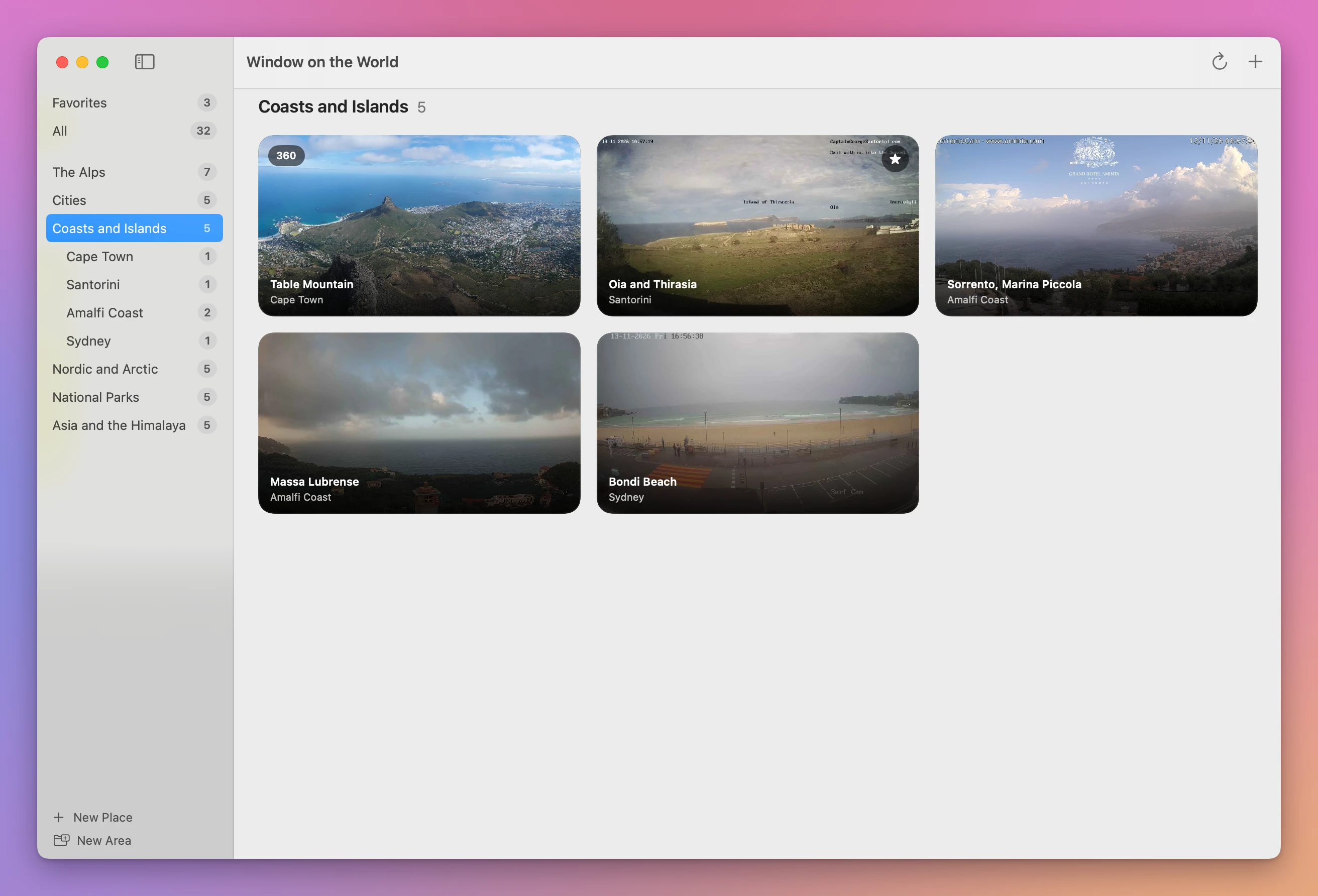
New Area and New Place sit at the bottom of the sidebar. Right-click an area, a place or a webcam to rename it, move it or delete it. Star the webcams you look at every day, and they’re in Favorites, where the app opens.
Watch one big
Click a tile and the webcam fills the window. A panorama can be dragged left and right, or click Sweep and it pans across slowly by itself. The webcams you were looking at are in a row at the bottom, one click away.
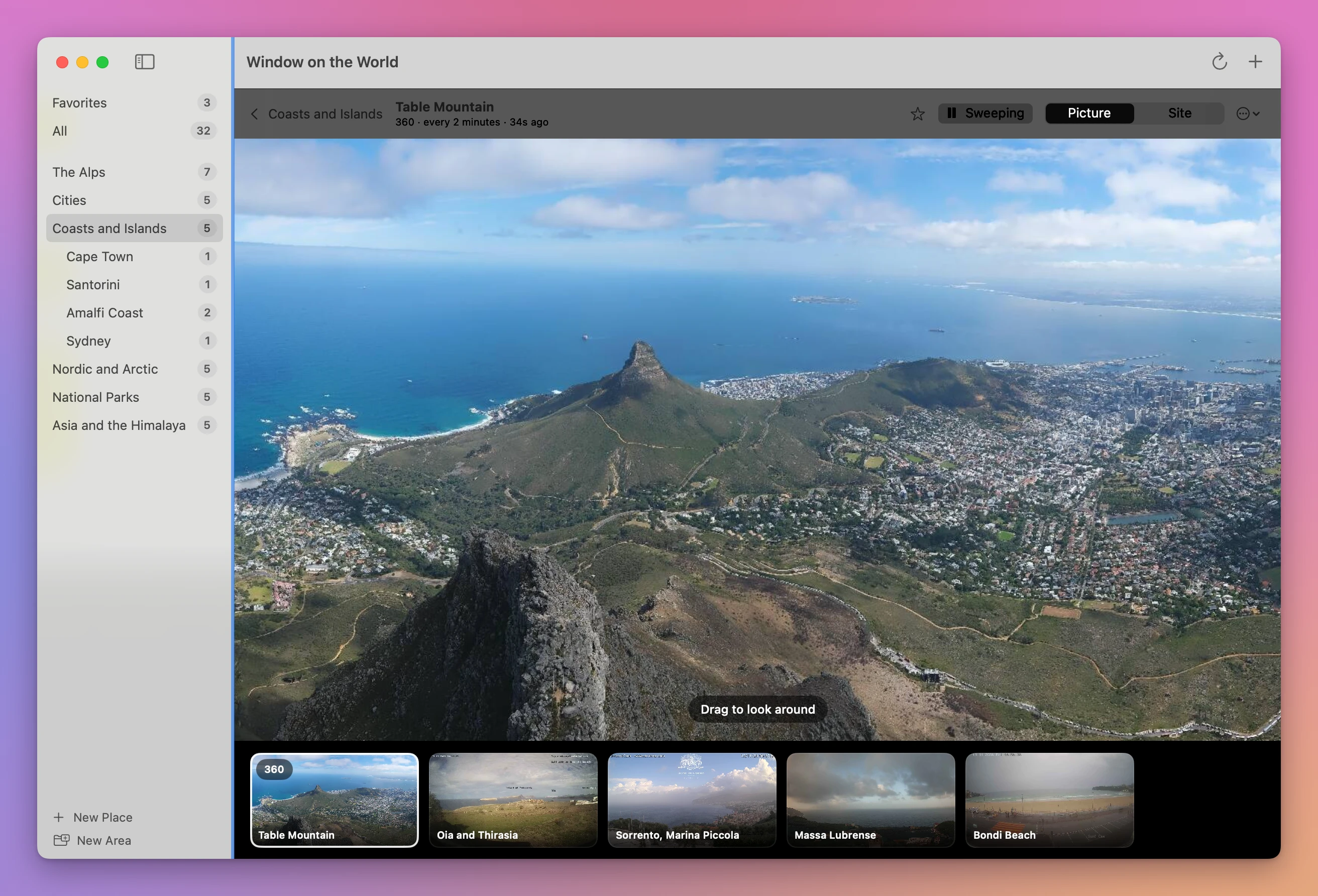
The buttons at the top switch between the Picture, the Live stream, Today (the day’s timelapse, when the webcam has one) and the webcam’s own Site.
Tabs in a browser, or one wall
| Browser tabs | Window on the World | |
|---|---|---|
| See 10 places | Open 10 pages, one at a time | One wall |
| Each webcam’s website | Its own player, cookie banner and ads | Just the picture |
| An up-to-date picture | Reload each tab | Refreshes on its own while the app is in front |
| A 360° panorama | Each website’s own viewer | Drag it, or Sweep |
| Group them | Bookmarks folders | Areas and places, and Favorites |
Good to know
Window on the World shows public webcams from the websites that publish them. The pictures belong to those websites. The app downloads them straight from there, as your browser would, and only while it’s in front, so a hidden app downloads nothing.
Webcams come and go. Some stop during the night or out of season, and a website can change or take one down. When a picture can’t be loaded, the tile says so, and Open in Browser takes you to the webcam’s own page.
There are no accounts and no analytics. Your webcams are saved in a file on your Mac.
Buy Window on the World and get started
Window on the World costs $20 including tax, paid once. There’s no subscription.
After buying, your receipt has the app and a license key. Unzip the app and drag Window on the World to your Applications folder. It runs on macOS 15 Sequoia or later, on Apple silicon and Intel Macs. It’s signed with my Apple Developer ID and checked by Apple, so it opens like any other app you download.
Enter the license key in Window on the World → License… to get updates automatically. A key works on 3 Macs. Once a day, the app checks for a new version, shows what’s new, and installs it with Install and Relaunch. Your receipt always has the latest version, too.