The complete guide to Convex
By Flavio Copes
Learn Convex by building a real-time app with TypeScript, queries, mutations, authentication, indexes, search, file storage, background jobs, and tests.
Convex gives you a database, backend functions, and live updates through one TypeScript API.
You write a function that reads some data. Your frontend subscribes to that function. When the underlying data changes, Convex updates the result and sends it to the frontend.
That changes how you build an application. A task list can stay current across browser tabs without polling, a separate WebSocket server, or a cache invalidation system you maintain yourself.
I use Convex in many of my projects, including the platforms behind my AI Workshop and Bootcamp courses. I also used it for my Astro membership starter. That walkthrough covers one specific app. Here we’ll learn Convex itself, from the first table to the things you need before shipping.
We’ll build a small task app with Astro and TypeScript. The first screen is a shared development board. Then we’ll build a private version with sign-in and per-user data. We’ll use the same task model to explore pagination, full-text search, attachments, scheduled work, and testing.
You don’t need React. The database and backend concepts work with any supported client. I’ll also show where React’s hooks fit if that’s your frontend.
The examples use the APIs documented in October 2026. Features, plan limits, and pricing can change; check the linked references when planning a production deployment.
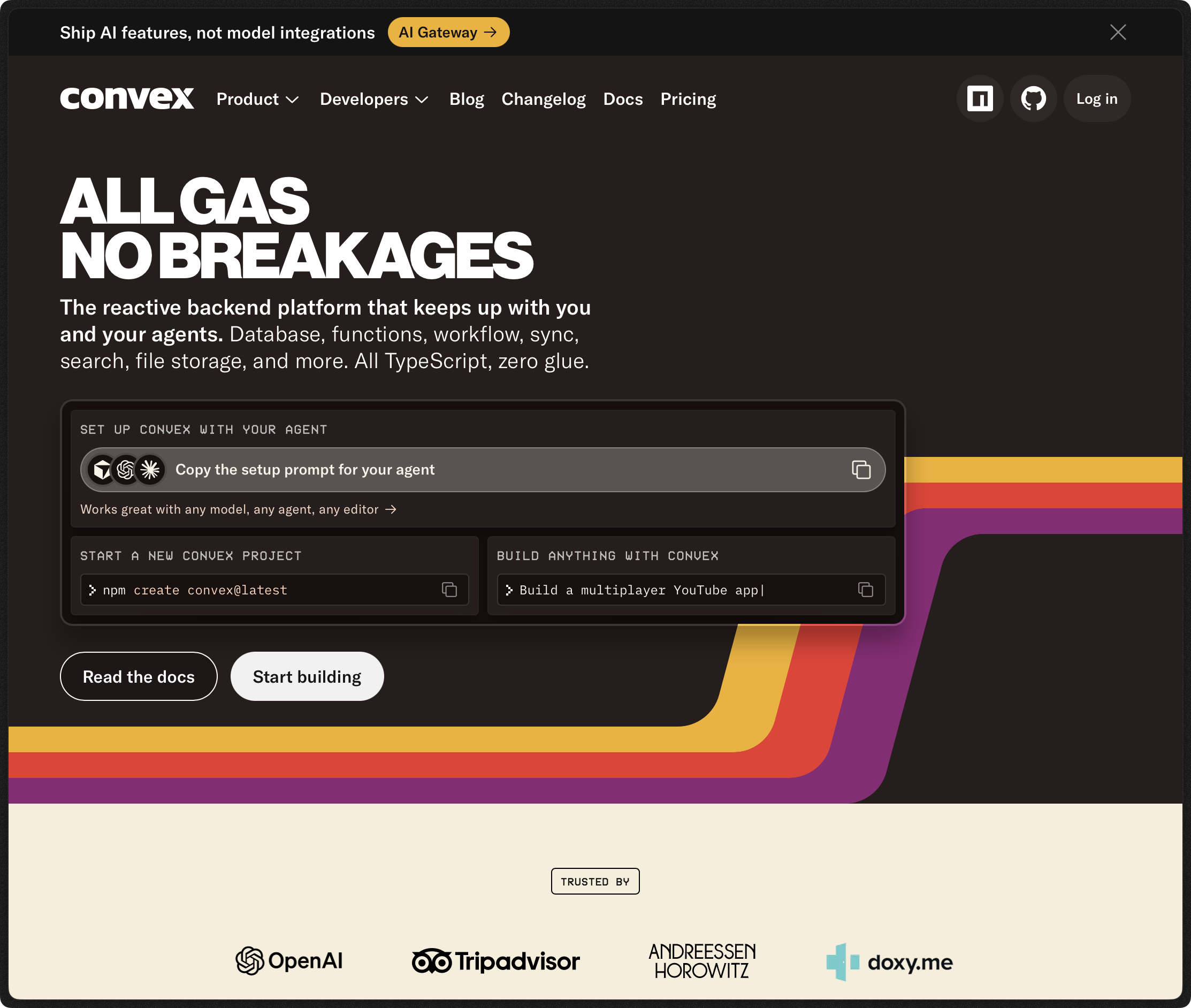
The Convex website is where you can create an account and open the dashboard.
Before you start
You should be comfortable with JavaScript functions, objects, modules, and async / await.
The JavaScript course covers those prerequisites. The TypeScript course explains the types we’ll use for documents and function arguments.
Install a current Node.js LTS release supported by Astro and Convex, and have npm available. You’ll need a Convex account for the hosted development path. The authentication chapter also uses a Clerk development application.
We’ll keep the frontend small so we can spend our time on Convex. You can use the same backend from React, Vue, Svelte, a mobile app, or an HTTP client.
The first shared board deliberately allows anonymous access. Use a disposable development deployment and invented tasks. We’ll remove its public functions before deployment.
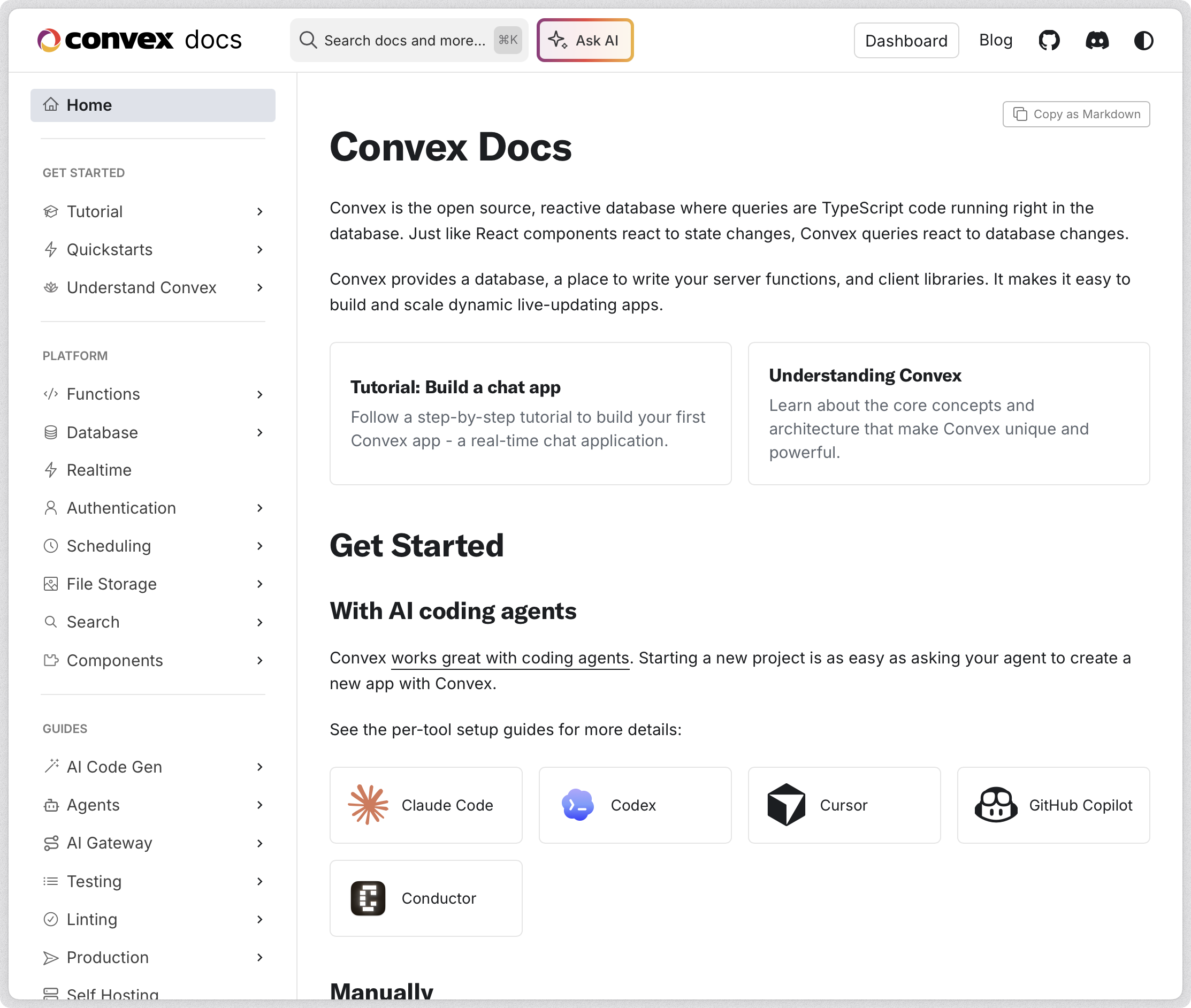
The Convex documentation has quickstarts for different frontends and guides for each backend feature.
What Convex does
A typical web application has a browser, an API server, and a database. Your API server handles permissions and turns database results into responses.
With Convex, you still write backend code. It runs as Convex functions alongside the database.
Your frontend calls those functions through the Convex SDK. TypeScript knows their arguments and return values because Convex generates types from your backend.
The platform also provides scheduling, file storage, search, and integrations with authentication providers. You can add reusable backend packages called components.
This is the basic request path:
The database stores documents in tables. A document looks like a JavaScript object with fields such as title, done, and owner.
You don’t write SQL in Convex. You query tables through its database API, with indexes defined in your schema. Relationships use document IDs.
Convex is useful when your application needs current shared state: dashboards, collaboration, task management, chat, and interfaces showing background-job progress.
It also means adopting Convex’s backend model. Existing SQL tools and database-specific extensions don’t transfer directly. We’ll return to those tradeoffs after building the app.
Queries, mutations, and actions
Convex separates backend functions according to what they do.
| Function | Reads the database directly | Writes the database directly | Calls external APIs | Typical use |
|---|---|---|---|---|
| Query | Yes | No | No | List tasks |
| Mutation | Yes | Yes | No | Create or complete a task |
| Action | Through queries | Through mutations | Yes | Send an email or call an AI API |
| HTTP action | Through queries | Through mutations | Yes | Receive a webhook or serve an HTTP route |
A query computes a result from a consistent database snapshot. Convex tracks its dependencies so subscribed clients can receive updates.
A mutation changes the database in a transaction. If it throws, its database changes roll back.
An action runs work that can involve the outside world. It can use fetch, then call a mutation to save the result. The external request and database write are separate operations.
HTTP actions receive a standard Request and return a Response. They’re useful when another service needs a URL to call.
Keep this separation in mind while following the examples. Trying to call fetch from a mutation or access ctx.db from an action usually means the work belongs in a different function. The function overview explains the supported combinations.
Create the project
We’ll use an empty Astro project. Astro handles the HTML and browser bundle; Convex handles the database and backend functions.
Create it and install the client:
npm create astro@latest convex-tasks -- --template minimal
cd convex-tasks
npm install convex
If the Astro setup asks whether to install dependencies, accept. Keep TypeScript enabled.
Start Convex in its own terminal:
npx convex devFollow the CLI prompts to sign in and create a project. Choose a hosted development deployment for this walkthrough.
Keep this command running. It watches your convex/ directory, uploads backend changes, and regenerates the client types.
This is separate from Astro’s development server. You’ll run that in another terminal:
npm run devThe Convex CLI supports local development deployments too. The hosted path avoids setting up a local backend while learning the API. A hosted development deployment is still reachable over the network, so treat its public functions accordingly.
What the generated files are for
After initialization, the important files look like this:
convex-tasks/
  convex/
    _generated/
      api.d.ts
      api.js
      dataModel.d.ts
      server.d.ts
      server.js
    tsconfig.json
  src/
    pages/
      index.astro
  .env.local
  package.json
The exact generated files can differ as the tooling evolves.
api contains references to your public functions. internal contains references to internal functions. The generated server module provides query, mutation, and action with types for your schema.
dataModel provides types such as Doc<'tasks'> and Id<'tasks'>.
Never edit _generated by hand. Change your schema or backend functions and let the CLI regenerate it. The generated-code reference describes these modules.
We’ll use process.env in backend configuration. Make its types explicit:
npm install --save-dev @types/nodeAdd "types": ["node"] inside compilerOptions in convex/tsconfig.json, preserving the other generated options. This supplies TypeScript declarations; it doesn’t change which APIs the Convex runtime supports.
Set the frontend URL
The CLI writes deployment configuration to .env.local. Find the development deployment’s client URL in the dashboard or CLI output.
Add it to the same file using Astro’s public environment-variable prefix:
PUBLIC_CONVEX_URL=https://your-development-deployment.convex.cloudReplace that URL with your deployment’s real URL. Leave the CLI’s existing variables in place.
The deployment URL is public configuration. Your browser needs it to connect.
A deploy key, an email-service API key, or a Clerk secret key is different. Those grant privileges and must stay outside browser bundles.
Restart Astro after changing its environment variables. Leave .env.local out of Git.
Define the database schema
A schema tells Convex which fields documents contain. It also defines the indexes your queries can use.
We’ll define two tables. demoTasks powers the first anonymous board. tasks powers the authenticated app we’ll build later. Keeping them separate means we can remove the demo API without migrating anonymous records into private accounts.
Create convex/schema.ts:
import { defineSchema, defineTable } from 'convex/server'
import { v } from 'convex/values'

export default defineSchema({
  demoTasks: defineTable({
    title: v.string(),
    done: v.boolean(),
  }),
  tasks: defineTable({
    owner: v.string(),
    title: v.string(),
    done: v.boolean(),
    completedAt: v.optional(v.number()),
    attachmentId: v.optional(v.id('_storage')),
  })
    .index('by_owner', ['owner'])
    .index('by_owner_done', ['owner', 'done'])
    .searchIndex('search_title', {
      searchField: 'title',
      filterFields: ['owner'],
    }),
})
Save the file and watch the convex dev terminal. Fix any schema error before continuing.
Every stored document also has an _id and _creationTime. Convex creates those fields. You don’t put them in defineTable.
_id identifies the document. _creationTime is its creation timestamp in milliseconds. It doesn’t change when you edit the document.
The owner string will come from a verified identity. It won’t come from an input field or a browser-supplied user ID.
The optional fields can be absent. That’s different from accepting null: a nullable field needs a validator such as v.union(v.string(), v.null()).
We’ll use the indexes later. For now, notice that schema definitions, index definitions, and search-index definitions live together. See the schema documentation for other supported shapes.
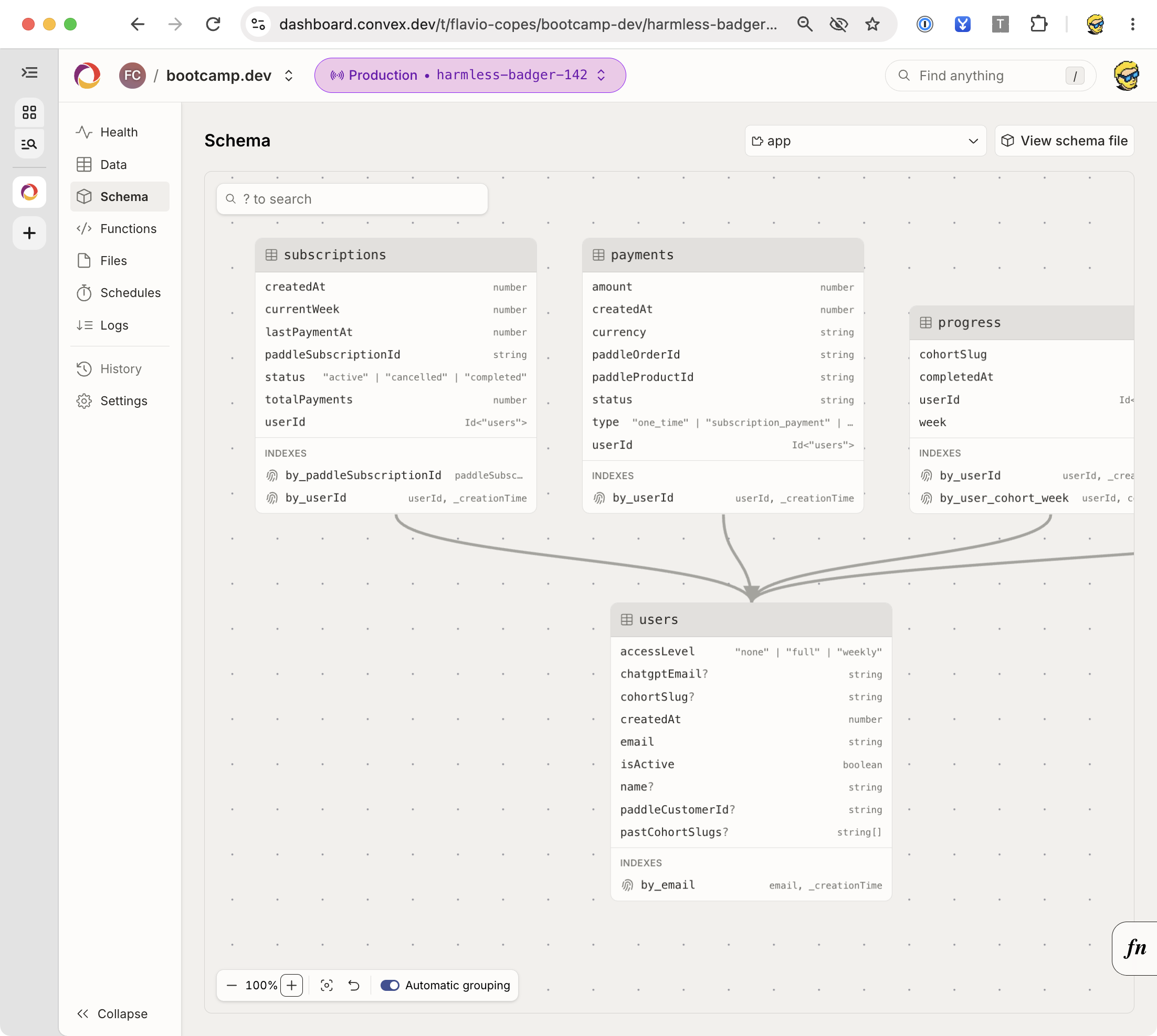
Here is part of the schema in my Bootcamp platform. The dashboard shows the fields, indexes, and references between tables.
Understand Convex values and IDs
Convex validates values at runtime. TypeScript helps while you write code, but browser requests still cross a trust boundary.
These are common validators:
| Validator | Accepted value | Example use |
|---|---|---|
v.string() | String | Task title |
v.boolean() | Boolean | Completion state |
v.number() | JavaScript number | Timestamp |
v.int64() | Signed 64-bit integer represented as a bigint | Integer data requiring that representation |
v.id('tasks') | ID for the named table | Task reference |
v.array(v.string()) | Array of strings | A bounded set of labels |
v.object({ title: v.string() }) | Object matching a shape | Nested structured data |
v.optional(v.string()) | String or an omitted field | Optional note |
v.union(v.literal('open'), v.literal('closed')) | One of the allowed strings | Status |
v.null() | null | Explicit empty value |
Use the data-types reference when passing values beyond ordinary JSON types. A Date, Map, or class instance isn’t automatically a supported database value. Store a timestamp or another supported representation.
A table-specific ID gives TypeScript more information than a plain string:
import type { Id } from './_generated/dataModel'

const rememberTask = (id: Id<'tasks'>) => {
  console.log(id)
}
That snippet belongs in backend code under convex/, where the import path resolves. From src/, adjust the path to the generated module.
An ID validator checks the argument’s table type. It doesn’t prove that the record exists, that the caller owns it, or that it hasn’t been deleted.
Those checks belong in your function.
Write your first query and mutations
The shared board needs to list tasks, add them, change their completion state, and delete them.
We’ll keep the backend small. It will return the newest 50 tasks, validate titles, and reject updates to missing records.
Create convex/demoTasks.ts:
import { mutation, query } from './_generated/server'
import { ConvexError, v } from 'convex/values'

export const list = query({
  args: {},
  handler: async (ctx) => {
    return await ctx.db.query('demoTasks').order('desc').take(50)
  },
})

export const create = mutation({
  args: { title: v.string() },
  returns: v.id('demoTasks'),
  handler: async (ctx, args) => {
    const title = args.title.trim()
    if (title.length === 0 || title.length > 200) {
      throw new ConvexError('Use a title between 1 and 200 characters')
    }
    return await ctx.db.insert('demoTasks', { title, done: false })
  },
})

export const setDone = mutation({
  args: { id: v.id('demoTasks'), done: v.boolean() },
  returns: v.null(),
  handler: async (ctx, args) => {
    const task = await ctx.db.get(args.id)
    if (!task) throw new ConvexError('Task not found')
    await ctx.db.patch(args.id, { done: args.done })
    return null
  },
})

export const remove = mutation({
  args: { id: v.id('demoTasks') },
  returns: v.null(),
  handler: async (ctx, args) => {
    const task = await ctx.db.get(args.id)
    if (!task) throw new ConvexError('Task not found')
    await ctx.db.delete(args.id)
    return null
  },
})
ctx is the function’s context. In queries it provides read access to the database. In mutations it also provides write methods.
The args validators run before the handler. The title-length rule runs inside the handler because it expresses a business rule beyond “this is a string.”
The function name becomes part of its API reference. demoTasks.ts exporting create becomes api.demoTasks.create.
setDone accepts the state the caller wants. Repeating “set done to true” keeps the task done. A toggle would reverse the state every time a separate request runs, which is often harder to reason about during retries or repeated clicks.
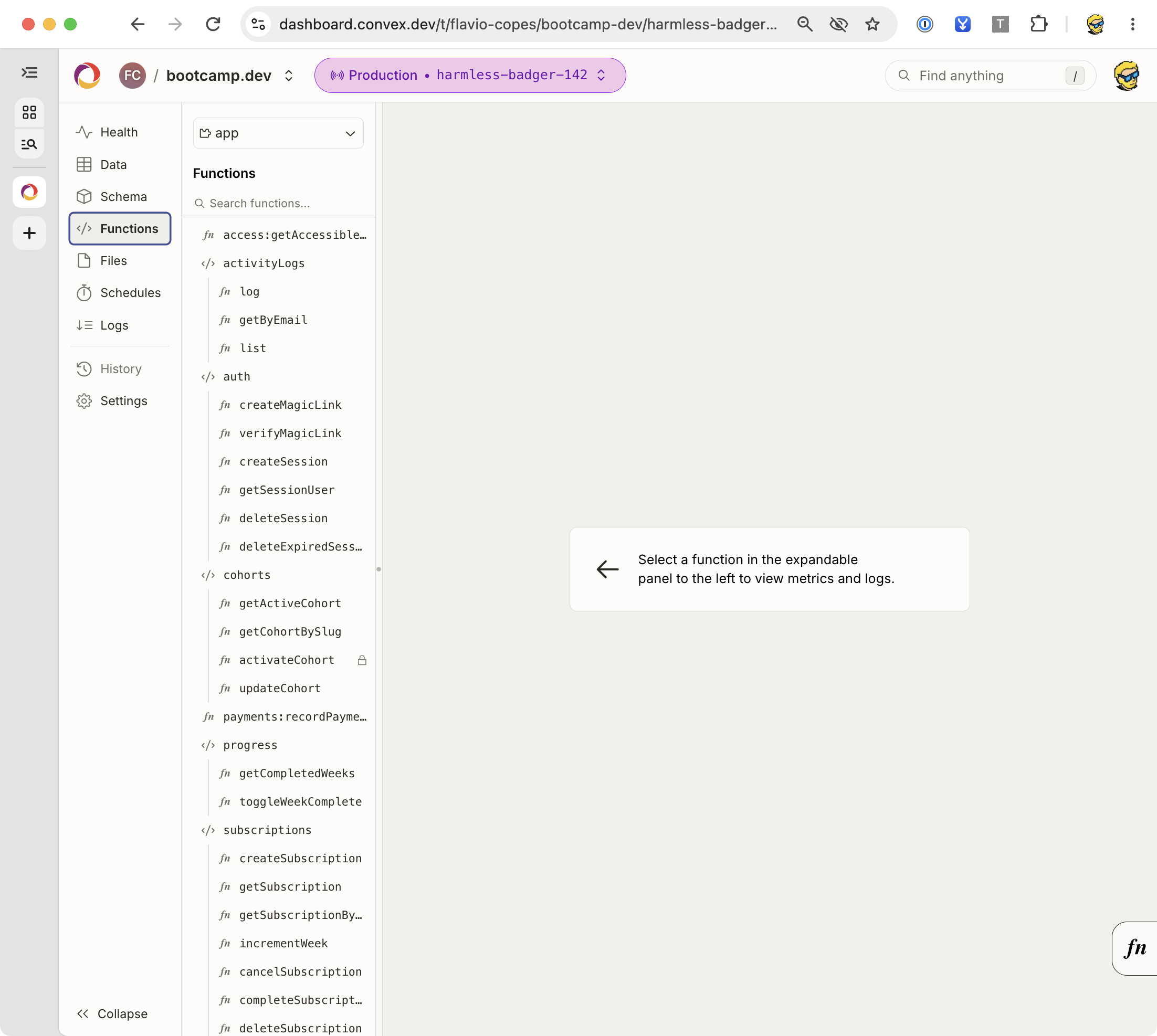
The Functions panel lists your deployed functions. This is the backend of my Bootcamp platform, with functions for authentication, course access, and student progress.
Runtime return validation
Some functions above have a returns validator. It checks the value leaving the function.
For document lists, you can define an explicit object validator, including _id and _creationTime. We’ll let TypeScript infer those document results here, so we don’t repeat the schema in every example.
Argument validators and return validators serve different purposes. Type inference doesn’t replace runtime validation of incoming requests. See argument and return-value validation.
Try the API from the terminal
Once convex dev has uploaded the functions, create a task:
npx convex run demoTasks:create '{"title":"Read the Convex guide"}'
npx convex run demoTasks:list '{}'
The first command returns an ID. The second returns a list containing your task, its ID, and its creation time.
Open the dashboard if you want to inspect the stored document:
npx convex dashboardThe dashboard is useful for inspecting tables and running functions. It is an administrative tool; a normal frontend call doesn’t get the dashboard’s privileges.
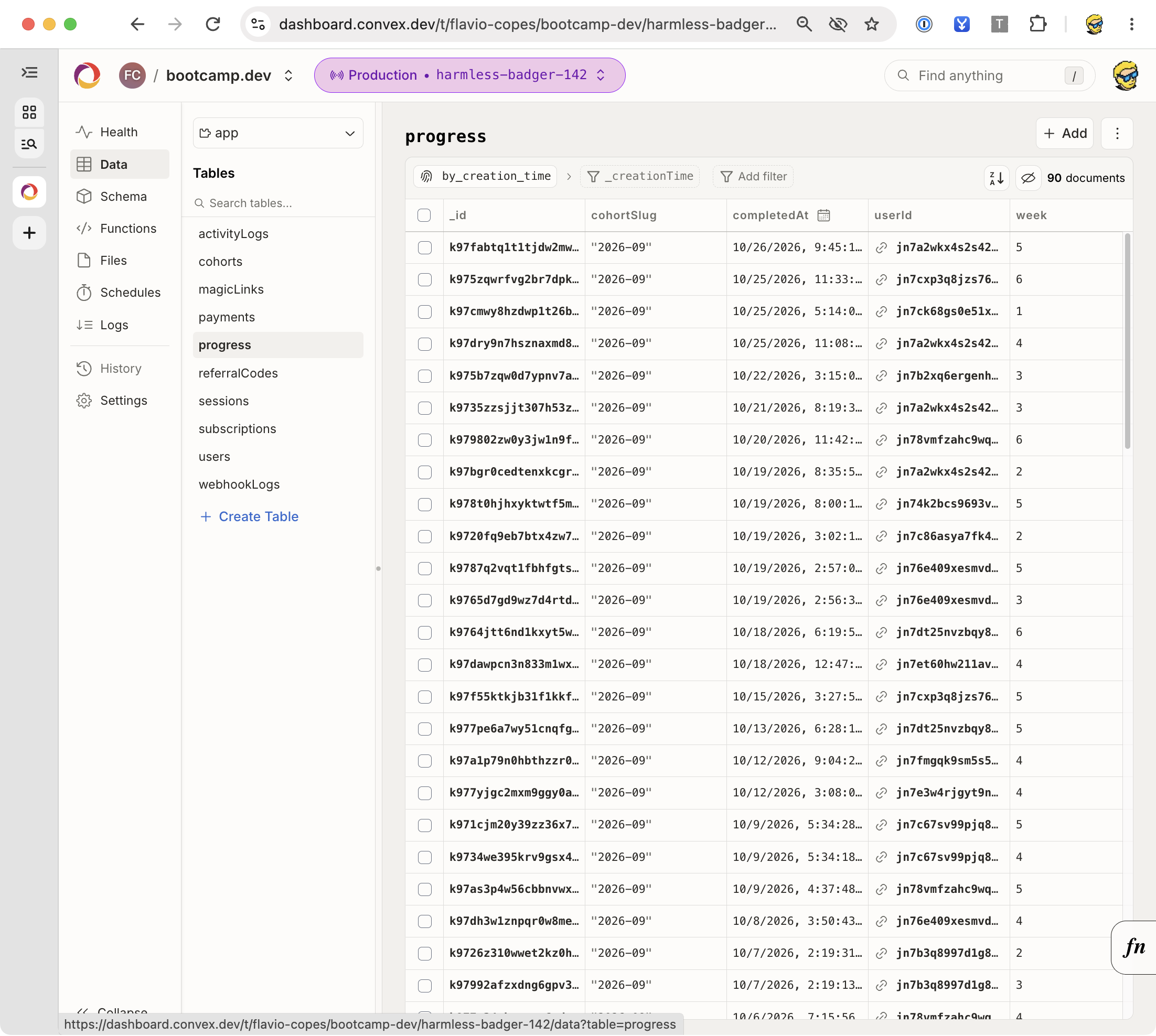
This is the Data panel for my Bootcamp platform. Each row in the progress table records a completed week for a student.
Build the shared board
Now we’ll give those functions a UI. We’ll use the browser’s DOM APIs and Convex’s JavaScript client.
Replace src/pages/index.astro with:
---
---

<html lang="en">
  <head>
    <meta charset="utf-8" />
    <meta name="viewport" content="width=device-width" />
    <title>Convex tasks</title>
  </head>
  <body>
    <main>
      <h1>Shared development board</h1>
      <p>Anonymous demo. Use invented tasks.</p>
      <form id="task-form">
        <label for="title">New task</label>
        <input id="title" name="title" required maxlength="200" />
        <button type="submit">Add task</button>
      </form>
      <p id="message" role="status" aria-live="polite">Connecting…</p>
      <ul id="tasks"></ul>
    </main>
    <script>
      import '../demo'
    </script>
  </body>
</html>

<style>
  body { font-family: system-ui, sans-serif; margin: 2rem auto; max-width: 42rem; padding: 0 1rem; }
  form, li { display: flex; flex-wrap: wrap; align-items: center; gap: 0.75rem; }
  li { margin: 0.75rem 0; }
  input[name='title'] { flex: 1; padding: 0.5rem; }
  button { padding: 0.5rem; }
  #message { min-height: 1.5rem; }
</style>
The script import lets Astro bundle the TypeScript file and its dependencies. We don’t put node_modules paths in a raw browser script tag.
Create src/demo.ts:
import { ConvexClient } from 'convex/browser'
import { api } from '../convex/_generated/api'

const client = new ConvexClient(import.meta.env.PUBLIC_CONVEX_URL)
const form = document.querySelector<HTMLFormElement>('#task-form')!
const input = document.querySelector<HTMLInputElement>('#title')!
const list = document.querySelector<HTMLUListElement>('#tasks')!
const message = document.querySelector<HTMLParagraphElement>('#message')!
const submit = form.querySelector<HTMLButtonElement>('button')!

const showError = (error: unknown) => {
  console.error(error)
  message.textContent = 'The request failed. Check your connection and try again.'
}

const unsubscribe = client.onUpdate(api.demoTasks.list, {}, (tasks) => {
  list.replaceChildren()
  message.textContent = tasks.length ? '' : 'No tasks yet. Add your first task.'

  for (const task of tasks) {
    const item = document.createElement('li')
    const label = document.createElement('label')
    const checkbox = document.createElement('input')
    const text = document.createElement('span')
    const remove = document.createElement('button')

    checkbox.type = 'checkbox'
    checkbox.checked = task.done
    checkbox.addEventListener('change', async () => {
      checkbox.disabled = true
      try {
        await client.mutation(api.demoTasks.setDone, {
          id: task._id,
          done: checkbox.checked,
        })
      } catch (error) {
        checkbox.checked = task.done
        showError(error)
      } finally {
        checkbox.disabled = false
      }
    })

    text.textContent = task.title
    label.append(checkbox, ' ', text)
    remove.type = 'button'
    remove.textContent = 'Delete'
    remove.setAttribute('aria-label', `Delete ${task.title}`)
    remove.addEventListener('click', async () => {
      remove.disabled = true
      try {
        await client.mutation(api.demoTasks.remove, { id: task._id })
      } catch (error) {
        remove.disabled = false
        showError(error)
      }
    })

    item.append(label, remove)
    list.append(item)
  }
}, showError)

form.addEventListener('submit', async (event) => {
  event.preventDefault()
  const title = input.value.trim()
  if (!title) return
  submit.disabled = true
  try {
    await client.mutation(api.demoTasks.create, { title })
    input.value = ''
    input.focus()
  } catch (error) {
    showError(error)
  } finally {
    submit.disabled = false
  }
})

window.addEventListener('pagehide', () => {
  unsubscribe()
  void client.close()
}, { once: true })
We use textContent for task titles. A title containing HTML should appear as text, never become executable markup.
This deliberately rebuilds a small list when the result changes. A large UI should preserve individual DOM nodes or use a framework’s reconciliation. Convex gives you updated data; rendering remains the frontend’s job.
The pagehide cleanup suits this one-page example. An app with client-side navigation or back-forward cache restoration needs lifecycle handling that recreates the subscription when the view becomes active again.
Check the behavior
Open Astro’s URL in two browser tabs.
Create a task in the first tab. It should appear in both. Complete it in the second tab. The first tab should update. Delete it and check both again.
Delete all tasks and confirm the empty message appears. Submit a title with only spaces and confirm no task is created.
For a backend error, use the terminal to submit an invalid title:
npx convex run demoTasks:create '{"title":" "}'The mutation should fail without inserting a document. Browser constraints are convenient, but this backend check is what protects the data.
How real-time updates work
client.onUpdate() establishes a subscription to a query and its arguments.
Convex runs that query, tracks the database data it read, and delivers the result. When a relevant write changes those dependencies, Convex can rerun it and deliver the new result.
You subscribe to a function result, rather than a stream of raw table edits. The function can filter, combine, and shape documents before returning them.
Here’s what happens when another tab completes a task:
The real-time documentation describes this dependency model.
A subscription isn’t an audit log. If a value changes several times, a subscriber’s job is to see current application state. Use explicit event documents when you need a durable record of every event.
Also, a clock isn’t a database write. A query that compares a deadline with Date.now() doesn’t wake itself up when that deadline passes. Use a client timer for presentation, or schedule a mutation that changes stored state at the deadline.
We’ll use that distinction in the scheduling chapter.
Queries and HTTP requests
Use ConvexClient when you want live subscriptions.
Use ConvexHttpClient for a one-time read from a server, build script, or HTTP handler:
import { ConvexHttpClient } from 'convex/browser'
import { api } from './convex/_generated/api.js'

const client = new ConvexHttpClient(process.env.CONVEX_URL!)
const tasks = await client.query(api.demoTasks.list, {})
console.log(tasks)
This standalone script belongs at the project root, where the generated import path resolves. Run TypeScript with a runner that supports your project setup.
An HTTP read doesn’t subscribe to changes. If you use it during a static build, the HTML contains the data as it existed at build time.
For a static Astro page, the browser client can subscribe after loading. For server-rendered Astro, a request-time HTTP query can render initial data. Personalized server reads also need the authenticated request’s token and appropriate cache controls.
The JavaScript client documentation covers both clients.
What a mutation’s transaction guarantees
Suppose a mutation inserts a task and an activity record. Both database writes commit together, or neither commits.
You don’t need to open or close a transaction manually around the handler.
Convex uses optimistic concurrency control. Conflicting transactions can be retried against newer data. Keep transaction logic deterministic within Convex’s supported runtime so it can be rerun safely.
A function that checks a condition and writes the corresponding change belongs in one mutation. Splitting the check into a query and the write into a later mutation creates a gap where another request can change the data.
For example, “read the last available seat, then reserve it” should be a single mutation. A browser query that says one seat is free is only a display value; it can’t authorize a later reservation by itself.
Convex’s OCC and atomicity guide explains how conflicting reads and writes are handled.
A transaction doesn’t include an external service
A payment provider can’t join a Convex database transaction.
If an action charges a card and then its database write fails, the charge may still exist. If you retry carelessly, you may charge again.
Record an operation ID, use the provider’s idempotency mechanism, and reconcile uncertain results. The exact design depends on the service. We’ll look at the database side of that pattern later.
Add authentication
The shared board taught us the API, but every anonymous visitor can change it.
Now we’ll build the private app. Its tasks table already has an owner field and owner indexes. Every private function will derive ownership from a verified identity.
Convex can integrate with providers such as Clerk, Auth0, and WorkOS. Convex Auth is another option with its own setup. We’ll use Clerk’s JavaScript SDK so the frontend stays independent of React.
The important boundary is the same with each provider: the browser obtains a token, Convex verifies it, and your functions enforce access to application data.
Configure Clerk and Convex
Create a Clerk development application. Enable the sign-in methods you want to use.
Activate the Convex integration in the Clerk dashboard. Copy the application’s Frontend API URL as the token issuer. This adds the convex audience to Clerk session tokens. Follow the current Convex and Clerk integration instructions if the dashboard wording changes.
Set the issuer on the development Convex deployment:
npx convex env set CLERK_JWT_ISSUER_DOMAIN https://your-clerk-instance.clerk.accounts.devUse the issuer from your Clerk application, including its scheme. A custom domain or production application will have different configuration.
Create convex/auth.config.ts:
import type { AuthConfig } from 'convex/server'

export default {
  providers: [
    {
      domain: process.env.CLERK_JWT_ISSUER_DOMAIN!,
      applicationID: 'convex',
    },
  ],
} satisfies AuthConfig
Let convex dev upload the configuration.
Install the browser SDK:
npm install @clerk/clerk-js @clerk/uiAdd your Clerk publishable key to the frontend’s .env.local:
PUBLIC_CLERK_PUBLISHABLE_KEY=pk_test_your_clerk_publishable_keyThe real publishable key comes from Clerk. Restart Astro after changing the file.
No Clerk secret key is needed in this browser example. The publishable key is intended for the frontend; a secret key isn’t.
Authentication and authorization are different checks
Authentication answers “who called this function?”
Authorization answers “can that person read or change this task?”
A valid login doesn’t grant access to every document. And hiding a Delete button doesn’t protect its backend mutation.
We’ll put both checks on the server. Create convex/lib/auth.ts:
import { ConvexError } from 'convex/values'
import type { MutationCtx, QueryCtx } from '../_generated/server'
import type { Id } from '../_generated/dataModel'

export async function requireOwner(ctx: QueryCtx | MutationCtx) {
  const identity = await ctx.auth.getUserIdentity()
  if (!identity) throw new ConvexError('Sign in to continue')
  return identity.tokenIdentifier
}

export async function requireTask(
  ctx: QueryCtx | MutationCtx,
  id: Id<'tasks'>,
) {
  const owner = await requireOwner(ctx)
  const task = await ctx.db.get(id)
  if (!task || task.owner !== owner) {
    throw new ConvexError('Task not found')
  }
  return task
}
tokenIdentifier distinguishes identities by issuer and subject. It avoids assuming that a subject string is globally unique across every identity provider.
We return the same error for a missing task and somebody else’s task. A caller doesn’t need to learn whether another person’s document exists.
This helper receives a database-capable context. Actions will authorize through a query or mutation rather than receiving direct database access. The authentication-in-functions guide covers the identity object.
Build the private task API
Create convex/tasks.ts:
import { mutation, query } from './_generated/server'
import { ConvexError, v } from 'convex/values'
import { requireOwner, requireTask } from './lib/auth'

export const list = query({
  args: {},
  handler: async (ctx) => {
    const owner = await requireOwner(ctx)
    return await ctx.db
      .query('tasks')
      .withIndex('by_owner', (q) => q.eq('owner', owner))
      .order('desc')
      .take(50)
  },
})

export const create = mutation({
  args: { title: v.string() },
  returns: v.id('tasks'),
  handler: async (ctx, args) => {
    const owner = await requireOwner(ctx)
    const title = args.title.trim()
    if (title.length === 0 || title.length > 200) {
      throw new ConvexError('Use a title between 1 and 200 characters')
    }
    return await ctx.db.insert('tasks', { owner, title, done: false })
  },
})

export const setDone = mutation({
  args: { id: v.id('tasks'), done: v.boolean() },
  returns: v.null(),
  handler: async (ctx, args) => {
    const task = await requireTask(ctx, args.id)
    if (task.done === args.done) return null
    await ctx.db.patch(task._id, {
      done: args.done,
      completedAt: args.done ? Date.now() : undefined,
    })
    return null
  },
})

export const rename = mutation({
  args: { id: v.id('tasks'), title: v.string() },
  returns: v.null(),
  handler: async (ctx, args) => {
    await requireTask(ctx, args.id)
    const title = args.title.trim()
    if (title.length === 0 || title.length > 200) {
      throw new ConvexError('Use a title between 1 and 200 characters')
    }
    await ctx.db.patch(args.id, { title })
    return null
  },
})

export const remove = mutation({
  args: { id: v.id('tasks') },
  returns: v.null(),
  handler: async (ctx, args) => {
    const task = await requireTask(ctx, args.id)
    if (task.attachmentId) await ctx.storage.delete(task.attachmentId)
    await ctx.db.delete(task._id)
    return null
  },
})
The create function derives owner from the authenticated context.
list uses an owner index so it reads the caller’s range of tasks. rename, setDone, and remove check the specific record’s owner before changing anything.
setDone records a completion timestamp. Setting it back to open removes completedAt: in a patch, undefined removes an optional field.
remove also deletes the task’s attachment if one exists. That relies on the one-file-per-task ownership model we’ll implement in the storage chapter.
Public and internal functions
The functions created with query, mutation, and action are public API entry points. Knowing their names is enough to attempt calling them; a secret-looking file path doesn’t protect them.
Use internalQuery, internalMutation, and internalAction for functions only other backend functions should call. Their references appear under internal.
An internal function still needs a sensible contract. A public caller must authorize data before passing it into internal work. For example, an action that accepts any task ID and forwards it to an internal delete mutation would expose a delete API through that action.
The internal-functions documentation explains this distinction.
Build the sign-in screen
We’ll give the private app its own page at /private/. The shared board can stay at / while you learn, but its backend functions must be removed before you deploy a real app.
Create src/pages/private.astro:
---
---

<html lang="en">
  <head>
    <meta charset="utf-8" />
    <meta name="viewport" content="width=device-width" />
    <title>My Convex tasks</title>
  </head>
  <body>
    <main>
      <h1>My tasks</h1>
      <div id="sign-in"></div>
      <div id="user-button"></div>
      <p id="message" role="status" aria-live="polite">Loading sign-in…</p>
      <section id="workspace" hidden>
        <form id="task-form">
          <label for="title">New task</label>
          <input id="title" name="title" required maxlength="200" />
          <button type="submit">Add task</button>
        </form>
        <ul id="tasks"></ul>
      </section>
    </main>
    <script>
      import '../private'
    </script>
  </body>
</html>

<style>
  body { font-family: system-ui, sans-serif; margin: 2rem auto; max-width: 42rem; padding: 0 1rem; }
  form, li { display: flex; flex-wrap: wrap; align-items: center; gap: 0.75rem; }
  li { margin: 0.75rem 0; }
  input[name='title'] { flex: 1; padding: 0.5rem; }
  button { padding: 0.5rem; }
</style>
Create src/private.ts:
import { Clerk } from '@clerk/clerk-js'
import { ui } from '@clerk/ui'
import { ConvexClient } from 'convex/browser'
import { api } from '../convex/_generated/api'

const form = document.querySelector<HTMLFormElement>('#task-form')!
const input = document.querySelector<HTMLInputElement>('#title')!
const list = document.querySelector<HTMLUListElement>('#tasks')!
const workspace = document.querySelector<HTMLElement>('#workspace')!
const message = document.querySelector<HTMLParagraphElement>('#message')!
const signIn = document.querySelector<HTMLDivElement>('#sign-in')!
const userButton = document.querySelector<HTMLDivElement>('#user-button')!
const submit = form.querySelector<HTMLButtonElement>('button')!
const client = new ConvexClient(import.meta.env.PUBLIC_CONVEX_URL)
const clerk = new Clerk(import.meta.env.PUBLIC_CLERK_PUBLISHABLE_KEY)
let unsubscribe: (() => void) | undefined
let sessionId: string | null | undefined
let generation = 0

const showError = (error: unknown) => {
  console.error(error)
  message.textContent = 'The request failed. Please try again.'
}

function stopSubscription() {
  unsubscribe?.()
  unsubscribe = undefined
  list.replaceChildren()
  workspace.hidden = true
}

function subscribe() {
  if (unsubscribe) return
  unsubscribe = client.onUpdate(api.tasks.list, {}, (tasks) => {
    message.textContent = tasks.length ? '' : 'No tasks yet.'
    list.replaceChildren()
    for (const task of tasks) {
      const item = document.createElement('li')
      const label = document.createElement('label')
      const checkbox = document.createElement('input')
      const text = document.createElement('span')
      const remove = document.createElement('button')
      checkbox.type = 'checkbox'
      checkbox.checked = task.done
      checkbox.addEventListener('change', async () => {
        checkbox.disabled = true
        try {
          await client.mutation(api.tasks.setDone, {
            id: task._id,
            done: checkbox.checked,
          })
        } catch (error) {
          checkbox.checked = task.done
          showError(error)
        } finally {
          checkbox.disabled = false
        }
      })
      text.textContent = task.title
      label.append(checkbox, ' ', text)
      remove.type = 'button'
      remove.textContent = 'Delete'
      remove.setAttribute('aria-label', `Delete ${task.title}`)
      remove.addEventListener('click', async () => {
        remove.disabled = true
        try {
          await client.mutation(api.tasks.remove, { id: task._id })
        } catch (error) {
          remove.disabled = false
          showError(error)
        }
      })
      item.append(label, remove)
      list.append(item)
    }
  }, showError)
}

form.addEventListener('submit', async (event) => {
  event.preventDefault()
  const title = input.value.trim()
  if (!title) return
  submit.disabled = true
  try {
    await client.mutation(api.tasks.create, { title })
    input.value = ''
    input.focus()
  } catch (error) {
    showError(error)
  } finally {
    submit.disabled = false
  }
})

async function start() {
  await clerk.load({ ui })
  const removeListener = clerk.addListener(({ session }) => {
    const nextId = session?.id ?? null
    if (nextId === sessionId) return
    sessionId = nextId
    const current = ++generation
    stopSubscription()
    client.setAuth(async () => null)
    clerk.unmountSignIn(signIn)
    clerk.unmountUserButton(userButton)

    if (!session) {
      message.textContent = 'Sign in to see your tasks.'
      clerk.mountSignIn(signIn, {
        withSignUp: true,
        fallbackRedirectUrl: window.location.pathname,
        signUpFallbackRedirectUrl: window.location.pathname,
      })
      return
    }

    clerk.mountUserButton(userButton)
    message.textContent = 'Checking your session…'
    client.setAuth(
      async ({ forceRefreshToken }) => await clerk.session?.getToken({
        skipCache: forceRefreshToken,
      }) ?? null,
      (authenticated) => {
        if (current !== generation) return
        if (authenticated) {
          workspace.hidden = false
          subscribe()
        } else {
          stopSubscription()
          message.textContent = 'Could not verify your session. Sign in again.'
        }
      },
    )
  })

  window.addEventListener('pagehide', () => {
    removeListener()
    stopSubscription()
    void client.close()
  }, { once: true })
}

void start().catch(showError)
This is longer than the backend because we’re writing a small frontend without a component framework.
The auth callback waits for Convex to accept the token before subscribing. A provider having a session doesn’t mean Convex has finished authenticating it.
When the session changes, we remove the previous subscription and clear the rendered list. That prevents one account’s data staying on screen after switching accounts. The generation counter ignores an auth callback belonging to an older session.
This setup uses Clerk’s current Convex integration and ordinary session tokens. If you have an older integration based on a JWT template named convex, add template: 'convex' to the token options here and in the attachment helper below.
The imported ui supplies Clerk’s mounted sign-in and account components. The token-fetching callback lets Convex ask for a fresh token when it needs one. Don’t fetch a token once at startup and keep using it forever.
Clerk’s JavaScript quickstart covers its mounted UI and application configuration. This screen is a learning example; a larger Astro app can use Clerk’s Astro integration to share authentication UI and server helpers.
Check private access
Visit /private/ and create an account. Add a task. Open another tab signed into the same account and check that both stay current.
Use a different browser profile or a private window to sign into a second account. Its task list should be empty.
Sign out and check that the previous tasks disappear immediately. A signed-out caller should be rejected by tasks.list and every task mutation.
We’ll automate those server-side checks in the testing chapter. The second-account check is useful because an application can look correct with one user while exposing every user’s data.
Read data efficiently with indexes
An index organizes documents by fields you query together.
Our by_owner index groups a person’s tasks. by_owner_done groups by owner first, then completion state. Within equal index values, Convex uses creation time for ordering.
Add this function to convex/tasks.ts to fetch only open tasks:
export const open = query({
  args: {},
  handler: async (ctx) => {
    const owner = await requireOwner(ctx)
    return await ctx.db
      .query('tasks')
      .withIndex('by_owner_done', (q) =>
        q.eq('owner', owner).eq('done', false),
      )
      .order('desc')
      .take(50)
  },
})
The field order matters. For ['owner', 'done'], you can select an owner and then select that owner’s completion state. It isn’t an efficient index for every completed task across all owners.
Design indexes around actual access patterns. “All my open tasks” and “all tasks completed yesterday across the service” are different queries.
The indexes guide explains equality prefixes and range conditions.
Why filter is different
You could read tasks and then filter for the owner:
const tasks = await ctx.db
  .query('tasks')
  .filter((q) => q.eq(q.field('owner'), owner))
  .take(50)
That is a fragment from a query handler where ctx and owner already exist. It shows the API, but our app should keep using withIndex.
A filter tests documents encountered during the scan. It doesn’t create an indexed range. Convex may need to examine many unrelated documents before finding 50 matches.
An index reduces the candidate range first. This affects read work, query dependencies, and how likely concurrent writes are to conflict with a transaction’s reads.
An index also isn’t a uniqueness constraint. Calling .unique() checks that your query found at most one document; it doesn’t make a field unique at the schema level. Enforce uniqueness by querying the relevant index and inserting in the same mutation.
Use the query-performance guide when deciding which indexes to add.
Avoid unbounded collect calls
.collect() returns every matching document. That can be reasonable for a small, permanently bounded dataset.
A user’s task history isn’t permanently bounded. Prefer .take() for a deliberately limited view and .paginate() for browsing an expanding result set.
A bounded result also helps the browser. Returning thousands of rows that the UI immediately hides still costs network bandwidth and client work.
Add cursor-based pagination
Our first list shows the newest 50 tasks. Older tasks still exist, but the screen can’t reach them.
We’ll add a paginated query so readers can load more. Convex returns a cursor representing the end of a page. The next request passes that cursor back.
Create convex/taskPages.ts:
import { paginationOptsValidator } from 'convex/server'
import { query } from './_generated/server'
import { requireOwner } from './lib/auth'

export const list = query({
  args: { paginationOpts: paginationOptsValidator },
  handler: async (ctx, args) => {
    const owner = await requireOwner(ctx)
    return await ctx.db
      .query('tasks')
      .withIndex('by_owner', (q) => q.eq('owner', owner))
      .order('desc')
      .paginate({ ...args.paginationOpts, numItems: 20 })
  },
})
This example fixes the requested page size on the server. The spread preserves pagination options used by Convex’s clients.
A page has page, continueCursor, and isDone. Treat the cursor as opaque. Don’t parse it, construct one yourself, or reuse it with a different owner’s query.
To understand the protocol, run these calls inside an authenticated client scope where client exists:
const first = await client.query(api.taskPages.list, {
  paginationOpts: { numItems: 20, cursor: null },
})

if (!first.isDone) {
  const next = await client.query(api.taskPages.list, {
    paginationOpts: { numItems: 20, cursor: first.continueCursor },
  })
  console.log(next.page)
}
Those are one-time reads. They explain cursor traversal, but appending their results doesn’t create a maintained live paginated UI.
Live pagination needs to account for changing page boundaries. The React client offers usePaginatedQuery for that. For another frontend, use the supported pagination features of its integration, or explicitly design a snapshot-style browsing experience. Don’t assume several independent subscriptions automatically form a gap-free list.
The pagination documentation explains the client behavior and page-splitting options for larger datasets.
Add full-text search
A normal database index helps find exact values and ranges. A search index helps find words in text.
Our schema already includes search_title with an owner filter. We’ll use it to search only the current user’s titles.
Create convex/taskSearch.ts:
import { query } from './_generated/server'
import { ConvexError, v } from 'convex/values'
import { requireOwner } from './lib/auth'

export const search = query({
  args: { text: v.string() },
  handler: async (ctx, args) => {
    const owner = await requireOwner(ctx)
    const text = args.text.trim()
    if (!text) return []
    if (text.length > 200) throw new ConvexError('Search text is too long')
    return await ctx.db
      .query('tasks')
      .withSearchIndex('search_title', (q) =>
        q.search('title', text).eq('owner', owner),
      )
      .take(20)
  },
})
The owner restriction is part of the search-index query. We don’t fetch everybody’s search results and filter them in the browser.
This is a normal Convex query, so you can subscribe to it. When a matching task changes, the search result can update.
For a search box, keep one active subscription for the current text. Unsubscribe from the previous search when the text changes. A short debounce can reduce requests while someone types.
Full-text search has tokenization and ranking behavior. It isn’t the same as title.includes(text), and it isn’t semantic search. Check the full-text search documentation before promising substring, language, or ranking behavior to users.
Model relationships between tables
Let’s say tasks will eventually belong to projects.
A normalized model uses a projects table and stores projectId: v.id('projects') on each task. An index beginning with projectId lets you list a project’s tasks.
You can fetch a project with ctx.db.get(task.projectId) while building a query result. If that project data changes, Convex can track the read as part of the query’s dependencies.
There is no automatic foreign-key permission check. A function that assigns a task to a project must verify that the project exists and that the caller can use it.
The same applies to deletion. Decide whether deleting a project should delete its tasks, archive them, or reject the deletion. Don’t expect a relational cascade to appear because a field uses v.id().
Keep growing collections in separate documents
An array is fine for a small bounded set, such as a few task labels.
A task’s entire comment history should usually be separate comment documents with a taskId index. Otherwise every new comment rewrites an increasingly large parent document, and readers may receive data they don’t need.
This also makes pagination easier. You can query a task’s comments directly rather than downloading a large array to display its first ten entries.
Shared projects need membership checks
For a team app, owner-only authorization is too narrow.
You might add a projectMembers table with projectId, an identity key, and a role. The mutation checks membership and the required role before changing a project task.
Avoid accepting a role from the client and treating it as authority. The role comes from server-controlled membership data.
An index on ['projectId', 'member'] supports the permission lookup. Creating the membership record should itself enforce who can invite people or change roles.
Call an external API with an action
Queries and mutations stay inside Convex’s transactional model. Actions can talk to external services.
We’ll start with a read-only external request: fetching public repository information from GitHub. This gives us a complete action without introducing an API key or charging for anything.
Create convex/github.ts:
import { action } from './_generated/server'
import { ConvexError, v } from 'convex/values'

export const convexRepository = action({
  args: {},
  returns: v.object({ name: v.string(), stars: v.number() }),
  handler: async (ctx) => {
    if (!await ctx.auth.getUserIdentity()) {
      throw new ConvexError('Sign in to continue')
    }
    const response = await fetch(
      'https://api.github.com/repos/get-convex/convex-backend',
      { headers: {
        Accept: 'application/vnd.github+json',
        'User-Agent': 'convex-tasks-tutorial',
      } },
    )
    if (!response.ok) throw new ConvexError('GitHub request failed')
    const data = await response.json()
    if (typeof data.full_name !== 'string' ||
        typeof data.stargazers_count !== 'number') {
      throw new ConvexError('Unexpected GitHub response')
    }
    return { name: data.full_name, stars: data.stargazers_count }
  },
})
Call it from an authenticated frontend handler:
const repository = await client.action(api.github.convexRepository, {})
console.log(repository.name, repository.stars)
This action validates the response fields it uses. TypeScript doesn’t make third-party JSON trustworthy.
GitHub can rate-limit anonymous requests. A production feature might need a server-side token, caching, and request limits. Keep an API token in Convex’s deployment environment, never a frontend public variable.
An action doesn’t automatically rerun because its external source changed. If you need live UI for an action’s progress or result, save that state through mutations and subscribe to a query.
The actions documentation explains database calls from actions and the runtimes they support.
Actions that need Node.js
Convex’s default runtime supports APIs such as fetch. Some npm packages depend on Node-specific APIs.
For those packages, create a separate action file beginning with 'use node'. Keep queries and mutations in other files.
Use the default runtime when it supports the package you need. Adding a Node action changes its runtime environment; it doesn’t grant direct database access or transactional behavior around network requests.
Always await work you expect the function to finish. Starting a promise and returning doesn’t turn it into a durable background job.
Schedule background work
A browser can close immediately after requesting work. If the backend must continue independently, record the request in a mutation and schedule an internal function.
We’ll build a small delayed reminder. It records a reminder now and marks it ready later. The frontend can subscribe to the stored status. It doesn’t send email yet; that would add an external side effect with different failure handling.
Add this table inside the object passed to defineSchema in convex/schema.ts, alongside the existing tables:
reminders: defineTable({
  owner: v.string(),
  taskId: v.id('tasks'),
  status: v.union(v.literal('pending'), v.literal('ready')),
  dueAt: v.number(),
}).index('by_owner', ['owner']),
Create convex/reminders.ts:
import { internalMutation, mutation, query } from './_generated/server'
import { internal } from './_generated/api'
import { ConvexError, v } from 'convex/values'
import { requireOwner, requireTask } from './lib/auth'

export const schedule = mutation({
  args: { taskId: v.id('tasks'), delaySeconds: v.number() },
  returns: v.id('reminders'),
  handler: async (ctx, args) => {
    const task = await requireTask(ctx, args.taskId)
    if (!Number.isInteger(args.delaySeconds) ||
        args.delaySeconds < 1 || args.delaySeconds > 86400) {
      throw new ConvexError('Choose a delay from 1 second to 1 day')
    }
    const dueAt = Date.now() + args.delaySeconds * 1000
    const id = await ctx.db.insert('reminders', {
      owner: task.owner,
      taskId: task._id,
      status: 'pending',
      dueAt,
    })
    await ctx.scheduler.runAt(dueAt, internal.reminders.markReady, { id })
    return id
  },
})

export const markReady = internalMutation({
  args: { id: v.id('reminders') },
  returns: v.null(),
  handler: async (ctx, args) => {
    const reminder = await ctx.db.get(args.id)
    if (!reminder || reminder.status !== 'pending') return null
    const task = await ctx.db.get(reminder.taskId)
    if (!task || task.owner !== reminder.owner) {
      await ctx.db.delete(reminder._id)
      return null
    }
    await ctx.db.patch(reminder._id, { status: 'ready' })
    return null
  },
})

export const list = query({
  args: {},
  handler: async (ctx) => {
    const owner = await requireOwner(ctx)
    return await ctx.db
      .query('reminders')
      .withIndex('by_owner', (q) => q.eq('owner', owner))
      .order('desc')
      .take(20)
  },
})
The reminder and its scheduled function are committed with the mutation. If the mutation fails, you don’t get a saved reminder without its schedule.
When it runs, the internal mutation checks that the task still exists and still belongs to the expected owner.
Scheduled functions don’t inherit the original caller’s authentication context. That’s why the public mutation authorizes the task first and stores the information the internal function needs.
To try it from authenticated client code, use a task ID returned by tasks.create:
const taskId = await client.mutation(api.tasks.create, {
  title: 'Take a short break',
})
await client.mutation(api.reminders.schedule, { taskId, delaySeconds: 30 })
const stop = client.onUpdate(api.reminders.list, {}, (reminders) => {
  console.log(reminders)
})
Call stop() when the view is removed. The reminder should move from pending to ready after its due time, subject to scheduler execution timing.
Scheduled mutations and scheduled actions differ
Scheduled mutations have exactly-once execution guarantees within Convex’s documented model, including retries for internal errors. A developer error can still make a scheduled mutation fail.
Scheduled actions have at-most-once execution and aren’t automatically retried. Your app must handle failures when the work needs another attempt.
These guarantees don’t make a third-party API call exactly once. A request can succeed at the provider while your app fails to record the response.
The scheduled-functions guide explains both guarantees and scheduling from mutations versus actions.
Design jobs that call external services
An email reminder needs more state than our in-database reminder.
A useful job document has an owner, an operation ID, a status, an attempt count, and the time of its last attempt. Depending on the service, store a provider request ID too.
The public mutation authorizes the request, creates the job, and schedules an internal action. The action calls internal mutations to claim or update the job and then talks to the provider.
Use the same logical operation key across retries. A new random key on each attempt tells the provider each request is a new operation.
Don’t hold a database transaction open around the request. An action’s runQuery and runMutation calls are separate transactions, so design state transitions to tolerate changes between them.
For a payment, “uncertain” is a useful state. It means you need to reconcile, not automatically charge again.
For lengthy workflows with retries and multiple steps, consider a maintained workflow or work-pool component. You’ll still need to define the business meaning of duplicate requests and external success.
Run recurring jobs with cron
A recurring job is useful for housekeeping, such as removing old demo data.
We’ll delete at most 100 old demo tasks per run, so one cron execution doesn’t try to process an entire growing table.
Create convex/maintenance.ts:
import { internalMutation } from './_generated/server'
import { v } from 'convex/values'

export const removeOldDemoTasks = internalMutation({
  args: {},
  returns: v.number(),
  handler: async (ctx) => {
    const cutoff = Date.now() - 24 * 60 * 60 * 1000
    const tasks = await ctx.db
      .query('demoTasks')
      .withIndex('by_creation_time', (q) => q.lt('_creationTime', cutoff))
      .take(100)
    for (const task of tasks) await ctx.db.delete(task._id)
    return tasks.length
  },
})
by_creation_time is a built-in index. We didn’t need to add it to the schema.
Create convex/crons.ts:
import { cronJobs } from 'convex/server'
import { internal } from './_generated/api'

const crons = cronJobs()
crons.interval('clean demo tasks', { hours: 1 }, internal.maintenance.removeOldDemoTasks)
export default crons
This interval runs housekeeping periodically. For calendar schedules, Convex also supports cron expressions.
Cron expressions use UTC. A job at 09:00 UTC doesn’t stay at 09:00 Copenhagen time across daylight-saving changes. Store a user’s time zone and compute the next scheduled time when the product promises local-time reminders.
Convex also prevents overlapping runs of the same cron job; a run can be skipped if the previous one is still running. See cron jobs before using a schedule as a precise delivery promise.
Store task attachments
Convex file storage stores file bytes separately from your application documents. A task stores an ID referring to its attachment.
The common direct-upload flow is:
- An authorized mutation creates an upload URL.
- The browser posts the bytes to that URL.
- A mutation stores the returned storage ID on an application record.
That last step needs care. Accepting any client-supplied storage ID and assigning it to a task doesn’t prove who uploaded that file. A task ownership check protects the task, but doesn’t establish the file’s ownership.
For this small private app, we’ll use an authenticated HTTP upload endpoint. The server authorizes the task, stores the bytes itself, and attaches the resulting ID. The browser never chooses a storage ID to claim.
This is suitable for small attachments. For large uploads, follow the direct-upload documentation and design an upload-session model with explicit ownership and cleanup.
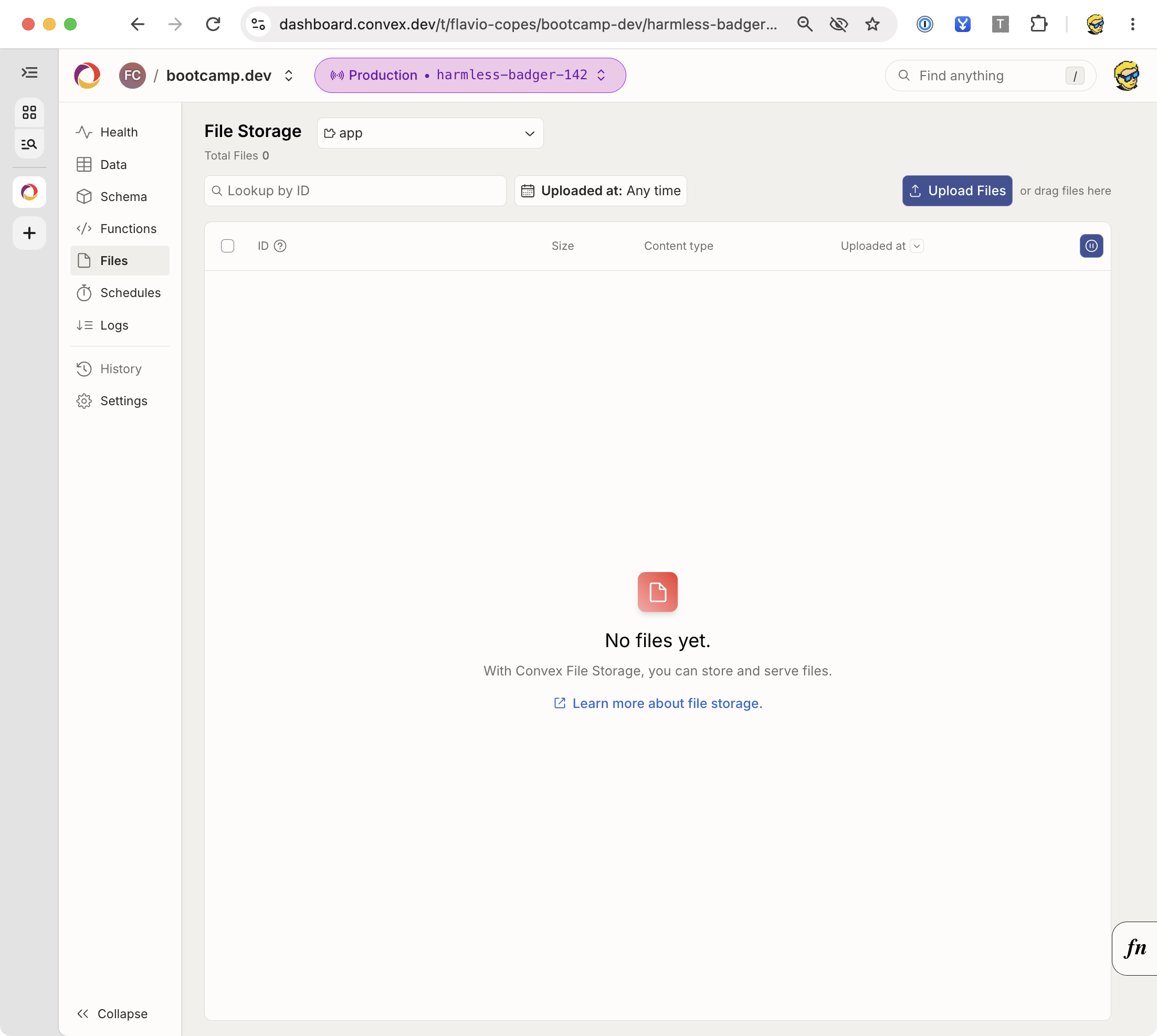
The Files panel lets you inspect stored files. My Bootcamp deployment has no files in Convex storage, so this view is empty.
Add internal attachment functions
Create convex/files.ts:
import { internalMutation, internalQuery } from './_generated/server'
import { ConvexError, v } from 'convex/values'

export const taskForOwner = internalQuery({
  args: { id: v.id('tasks'), owner: v.string() },
  handler: async (ctx, args) => {
    const task = await ctx.db.get(args.id)
    if (!task || task.owner !== args.owner) {
      throw new ConvexError('Task not found')
    }
    return task
  },
})

export const attach = internalMutation({
  args: {
    id: v.id('tasks'),
    owner: v.string(),
    storageId: v.id('_storage'),
  },
  returns: v.null(),
  handler: async (ctx, args) => {
    const task = await ctx.db.get(args.id)
    if (!task || task.owner !== args.owner) {
      throw new ConvexError('Task not found')
    }
    if (task.attachmentId) await ctx.storage.delete(task.attachmentId)
    await ctx.db.patch(task._id, { attachmentId: args.storageId })
    return null
  },
})
These functions trust the owner value supplied by our HTTP action. They are internal, and the HTTP action will derive that value from its verified identity.
We check ownership again during attach. The task might have been deleted or changed after the initial authorization query.
Replacing an attachment deletes its predecessor. This app doesn’t share one storage ID across tasks, so removing one task’s attachment can’t delete another task’s file.
Write authenticated HTTP routes
SDK calls use your deployment’s .convex.cloud URL. HTTP actions use its .convex.site URL, available in the dashboard.
We’ll add an upload route and a download route. Both require a bearer token. We’ll also restrict browser CORS access to the configured frontend origin.
Set the local frontend origin in Convex, matching the URL where Astro is running:
npx convex env set FRONTEND_ORIGIN http://localhost:4321If Astro uses another port, use that origin instead.
Create convex/http.ts:
import { httpRouter } from 'convex/server'
import { httpAction } from './_generated/server'
import { internal } from './_generated/api'
import type { Id } from './_generated/dataModel'

const http = httpRouter()

function cors(request: Request) {
  const origin = request.headers.get('Origin')
  const allowed = process.env.FRONTEND_ORIGIN
  if (!allowed || origin !== allowed) return null
  return {
    'Access-Control-Allow-Origin': allowed,
    'Access-Control-Allow-Headers': 'Authorization, Content-Type',
    'Access-Control-Allow-Methods': 'GET, POST, OPTIONS',
    Vary: 'Origin',
  }
}

const preflight = httpAction(async (_ctx, request) => {
  const headers = cors(request)
  return new Response(null, { status: headers ? 204 : 403, headers: headers ?? {} })
})

http.route({ path: '/upload', method: 'OPTIONS', handler: preflight })
http.route({ path: '/attachment', method: 'OPTIONS', handler: preflight })

http.route({
  path: '/upload',
  method: 'POST',
  handler: httpAction(async (ctx, request) => {
    const headers = cors(request)
    if (!headers) return new Response('Origin not allowed', { status: 403 })
    const identity = await ctx.auth.getUserIdentity()
    if (!identity) return new Response('Unauthorized', { status: 401, headers })
    const id = new URL(request.url).searchParams.get('taskId')
    if (!id) return new Response('Missing taskId', { status: 400, headers })
    try {
      await ctx.runQuery(internal.files.taskForOwner, {
        id: id as Id<'tasks'>,
        owner: identity.tokenIdentifier,
      })
    } catch {
      return new Response('Task not found', { status: 404, headers })
    }
    const blob = await request.blob()
    if (blob.size === 0 || blob.size > 2 * 1024 * 1024) {
      return new Response('Use a file up to 2 MiB', { status: 400, headers })
    }
    if (blob.type !== 'text/plain') {
      return new Response('Use a plain text file', { status: 400, headers })
    }
    const storageId = await ctx.storage.store(blob)
    try {
      await ctx.runMutation(internal.files.attach, {
        id: id as Id<'tasks'>,
        owner: identity.tokenIdentifier,
        storageId,
      })
    } catch {
      await ctx.storage.delete(storageId)
      return new Response('Could not attach file', { status: 409, headers })
    }
    return new Response(null, { status: 204, headers })
  }),
})

http.route({
  path: '/attachment',
  method: 'GET',
  handler: httpAction(async (ctx, request) => {
    const headers = cors(request)
    if (!headers) return new Response('Origin not allowed', { status: 403 })
    const identity = await ctx.auth.getUserIdentity()
    if (!identity) return new Response('Unauthorized', { status: 401, headers })
    const id = new URL(request.url).searchParams.get('taskId')
    if (!id) return new Response('Missing taskId', { status: 400, headers })
    try {
      const task = await ctx.runQuery(internal.files.taskForOwner, {
        id: id as Id<'tasks'>,
        owner: identity.tokenIdentifier,
      })
      const blob = task.attachmentId ? await ctx.storage.get(task.attachmentId) : null
      if (!blob) return new Response('File not found', { status: 404, headers })
      return new Response(blob, {
        headers: {
          ...headers,
          'Content-Type': 'application/octet-stream',
          'Content-Disposition': 'attachment; filename="task-note.txt"',
          'Cache-Control': 'private, no-store',
          'X-Content-Type-Options': 'nosniff',
        },
      })
    } catch {
      return new Response('Task not found', { status: 404, headers })
    }
  }),
})

export default http
The as Id<'tasks'> assertion only helps TypeScript. The internal function’s argument validator checks the actual value at runtime.
CORS controls which browser origins can read the response. It doesn’t authenticate a caller: a non-browser client can supply an Origin header. The bearer token and owner check provide authorization.
The text-only restriction keeps the example narrow. The client-supplied MIME type doesn’t prove the file’s contents are safe. Downloading as an attachment with nosniff avoids rendering uploaded content as a page on the service’s origin. A product that parses or renders uploads needs content validation appropriate to its formats.
The size check runs after buffering the request body. It’s an application limit, not a streaming defense against an arbitrarily large request. Stay within the platform’s request limits, and use a dedicated upload design when handling larger or untrusted traffic.
The cleanup handles a failed attachment step. A process failure between storing bytes and attaching them can still leave an orphan. Production storage needs periodic reconciliation or an explicit upload lifecycle.
Upload from the browser
Add your HTTP-action origin to the frontend’s .env.local:
PUBLIC_CONVEX_SITE_URL=https://your-development-deployment.convex.siteRestart Astro. Create src/attachments.ts with helpers you can call from the private app:
import type { Clerk } from '@clerk/clerk-js'
import type { Id } from '../convex/_generated/dataModel'

async function token(clerk: Clerk) {
  const value = await clerk.session?.getToken()
  if (!value) throw new Error('Sign in to continue')
  return value
}

export async function uploadNote(clerk: Clerk, taskId: Id<'tasks'>, file: File) {
  const url = new URL('/upload', import.meta.env.PUBLIC_CONVEX_SITE_URL)
  url.searchParams.set('taskId', taskId)
  const response = await fetch(url, {
    method: 'POST',
    headers: {
      Authorization: `Bearer ${await token(clerk)}`,
      'Content-Type': 'text/plain',
    },
    body: file,
  })
  if (!response.ok) throw new Error(await response.text())
}

export async function downloadNote(clerk: Clerk, taskId: Id<'tasks'>) {
  const url = new URL('/attachment', import.meta.env.PUBLIC_CONVEX_SITE_URL)
  url.searchParams.set('taskId', taskId)
  const response = await fetch(url, {
    headers: { Authorization: `Bearer ${await token(clerk)}` },
  })
  if (!response.ok) throw new Error(await response.text())
  const objectUrl = URL.createObjectURL(await response.blob())
  const link = document.createElement('a')
  link.href = objectUrl
  link.download = 'task-note.txt'
  link.click()
  window.setTimeout(() => URL.revokeObjectURL(objectUrl), 1000)
}
To expose these helpers in the UI, add this import near the top of src/private.ts:
import { downloadNote, uploadNote } from './attachments'Inside subscribe(), put the following code immediately before item.append(label, remove):
const upload = document.createElement('input')
upload.type = 'file'
upload.accept = '.txt,text/plain'
upload.setAttribute('aria-label', `Attach a text note to ${task.title}`)
upload.addEventListener('change', async () => {
  const file = upload.files?.[0]
  if (!file) return
  upload.disabled = true
  try {
    await uploadNote(clerk, task._id, file)
    message.textContent = 'Note attached.'
  } catch (error) {
    showError(error)
  } finally {
    upload.disabled = false
  }
})
item.append(upload)

if (task.attachmentId) {
  const download = document.createElement('button')
  download.type = 'button'
  download.textContent = 'Download note'
  download.addEventListener('click', () => {
    void downloadNote(clerk, task._id).catch(showError)
  })
  item.append(download)
}
The query subscription delivers the updated attachmentId, so the download button appears after attaching a file.
Try a small text file, replace it, download it, and delete the task. Also test a missing file and a second user’s task ID.
Private files and reusable URLs
ctx.storage.getUrl(storageId) can return a URL for direct downloads. Anyone holding that URL can use it without repeating your app’s ownership check.
Checking permissions before returning the URL protects its initial disclosure. It doesn’t turn the resulting URL into an authenticated download endpoint.
Our HTTP route verifies the bearer token on each download. Don’t also expose a public function returning direct URLs for those same private files.
The file-serving guide explains direct URLs and HTTP-action serving.
Receive webhooks safely
HTTP actions also give external services a URL they can call.
A payment webhook, for example, should verify the provider’s signature over the exact body the provider signed. Don’t parse JSON first if the verification algorithm requires the raw bytes or raw text.
After verification, call an internal mutation that claims the provider’s event ID and updates application state in the same transaction.
A useful event table has an index on ['provider', 'eventId']. The mutation queries that index. If it already processed the event, it returns without repeating the business change. Otherwise it inserts the receipt and applies the change together.
Delivery order matters too. An old webhook arriving late shouldn’t undo a newer state. Some integrations need to compare provider timestamps or retrieve the provider’s current resource before updating your app.
The HTTP handler itself isn’t a database transaction, and successful signature verification isn’t replay protection. Those are separate responsibilities.
Use the HTTP-actions documentation for routing and request handling. My membership-site walkthrough shows how webhook handling fits into a complete application.
Use Convex from React
Our Astro frontend uses the JavaScript client directly. React has an integration that manages subscriptions through hooks.
The React frontend calls the same api.tasks.list and api.tasks.create functions.
In an existing React app, install the Convex and Clerk React clients:
npm install convex @clerk/reactWrap the app with ClerkProvider, then ConvexProviderWithClerk from convex/react-clerk, passing Clerk’s useAuth hook. That adapter obtains tokens and coordinates auth state. A plain ConvexProvider doesn’t automatically connect Clerk to Convex.
The Clerk integration guide provides the full provider setup for React and other supported frameworks.
Inside those providers, this component can list and add private tasks. Save it as src/TaskList.tsx in the React app, adjusting the generated import path if its layout differs:
import { useState } from 'react'
import { useConvexAuth, useMutation, useQuery } from 'convex/react'
import { api } from '../convex/_generated/api'

export default function TaskList() {
  const { isAuthenticated, isLoading } = useConvexAuth()
  const tasks = useQuery(api.tasks.list, isAuthenticated ? {} : 'skip')
  const create = useMutation(api.tasks.create)
  const [title, setTitle] = useState('')
  const [pending, setPending] = useState(false)
  const [error, setError] = useState('')

  if (isLoading) return <p>Checking your session…</p>
  if (!isAuthenticated) return <p>Sign in to see your tasks.</p>
  if (tasks === undefined) return <p>Loading tasks…</p>

  return (
    <section>
      <form onSubmit={async (event) => {
        event.preventDefault()
        if (!title.trim()) return
        setPending(true)
        setError('')
        try {
          await create({ title: title.trim() })
          setTitle('')
        } catch {
          setError('Could not create the task. Please try again.')
        } finally {
          setPending(false)
        }
      }}>
        <label>
          New task
          <input value={title} onChange={(event) => setTitle(event.target.value)}
            required maxLength={200} />
        </label>
        <button disabled={pending}>Add task</button>
      </form>
      <p role="status">{error}</p>
      {tasks.length === 0 ? <p>No tasks yet.</p> : (
        <ul>{tasks.map((task) => <li key={task._id}>{task.title}</li>)}</ul>
      )}
    </section>
  )
}
useQuery returns undefined while the initial result is loading. An empty array means the query completed and found no tasks. Those are different UI states.
Passing 'skip' prevents the private query from running before Convex authentication is ready.
A thrown query error should be handled by your application’s error boundary. Mutation errors happen in event handlers, where you can catch them and display feedback.
For a paginated list, use usePaginatedQuery(api.taskPages.list, {}, { initialNumItems: 20 }). It returns results, status, and loadMore. Render a Load More button when the status allows another page.
Optimistic updates
You can show a change immediately while its mutation is in flight.
In React, useMutation(...).withOptimisticUpdate(...) temporarily updates cached query results. The update is reconciled with the server’s result and rolled back when appropriate.
For tasks.setDone, an optimistic updater can find the task in api.tasks.list and replace its done value. If you also show open-only lists, search results, or counts, consider those views too.
Start with normal reactive mutations. Add an optimistic update when the interaction needs it, and test failure behavior. The database remains authoritative, especially for permissions, balances, and reservations.
The optimistic-updates guide shows the cache API.
Understand vector search
Full-text search finds text matches. Vector search finds nearby numeric representations, commonly embeddings of text or images.
For tasks, semantic search could connect “prepare the talk” with “finish conference slides” even when the exact words differ.
You’d add an embedding field or a separate embeddings table, generate embeddings through an external model, and define a vector index with dimensions matching that model.
Keep the embedding model and its preprocessing consistent. Mixing vectors from different models because they happen to have the same length doesn’t make them comparable.
Convex performs vector search from actions, through ctx.vectorSearch. It returns document IDs and scores. You then fetch the matching application data through a query.
The search itself isn’t a reactive query. A common interface runs semantic search on demand, then subscribes separately to the returned documents if their current state matters.
Keep permissions in the search path
Include an owner or workspace filter field in the vector index, and restrict the search to the caller’s authorized scope.
Recheck permissions when fetching the actual documents. A document may have been deleted, moved, or had its access changed between the vector search and the follow-up query.
For an app using private documents, a high similarity score never grants access. The vector-search guide shows the index definition and action API.
I would add this after the basic full-text search proves insufficient. Task titles are short, and keyword search may already do everything the product needs.
Add backend components
A Convex component is a reusable backend package with its own functions and data model.
Components can provide features such as workflow execution, rate limiting, or aggregation. They can save you from maintaining those mechanisms yourself.
Installing one usually involves adding its npm package, registering it in convex/convex.config.ts with defineApp() and app.use(...), then using its generated references or wrapper API.
Follow the specific component’s setup instructions. A package’s function names and initialization aren’t interchangeable with another component’s.
The component’s data is isolated from your application’s tables. Your app calls its API rather than reaching into its database directly.
You still authorize the application request before calling it. A rate limiter doesn’t decide whether the caller owns a task, and a workflow component doesn’t decide who can launch an export.
Use the components guide to understand registration and boundaries. For our task app, the built-in scheduler is enough for the reminder we wrote.
Test the backend
Authorization deserves automated tests. A frontend that hides another person’s tasks can still have a mutation that accepts any task ID.
We’ll use Vitest and convex-test to execute the backend functions against a mock Convex environment.
Install the test dependencies:
npm install --save-dev convex-test vitest @edge-runtime/vmCreate vitest.config.ts at the project root:
import { defineConfig } from 'vitest/config'

export default defineConfig({
  test: {
    environment: 'edge-runtime',
    include: ['convex/**/*.test.ts'],
  },
})
Create convex/tasks.test.ts:
/// <reference types="vite/client" />

import { convexTest } from 'convex-test'
import { expect, test } from 'vitest'
import { api } from './_generated/api'
import schema from './schema'

const modules = import.meta.glob('./**/*.ts')
const identity = (subject: string) => ({
  issuer: 'https://auth.flaviocopes.com',
  subject,
})

test('signed-out requests cannot list or create private tasks', async () => {
  const t = convexTest(schema, modules)
  await expect(t.query(api.tasks.list, {})).rejects.toThrow()
  await expect(t.mutation(api.tasks.create, { title: 'Private' })).rejects.toThrow()
})

test('an owner can create, rename, complete, reopen, and delete a task', async () => {
  const t = convexTest(schema, modules)
  const alice = t.withIdentity(identity('alice'))
  const id = await alice.mutation(api.tasks.create, { title: ' Read the docs ' })
  expect((await alice.query(api.tasks.list, {}))[0].title).toBe('Read the docs')
  await alice.mutation(api.tasks.rename, { id, title: 'Try the example' })
  await alice.mutation(api.tasks.setDone, { id, done: true })
  let task = (await alice.query(api.tasks.list, {}))[0]
  expect(task.done).toBe(true)
  expect(task.completedAt).toBeTypeOf('number')
  await alice.mutation(api.tasks.setDone, { id, done: false })
  task = (await alice.query(api.tasks.list, {}))[0]
  expect(task.completedAt).toBeUndefined()
  await alice.mutation(api.tasks.remove, { id })
  expect(await alice.query(api.tasks.list, {})).toEqual([])
})

test('another user cannot see or change the task', async () => {
  const t = convexTest(schema, modules)
  const alice = t.withIdentity(identity('alice'))
  const bob = t.withIdentity(identity('bob'))
  const id = await alice.mutation(api.tasks.create, { title: 'Alice only' })
  expect(await bob.query(api.tasks.list, {})).toEqual([])
  await expect(bob.mutation(api.tasks.setDone, { id, done: true })).rejects.toThrow()
  await expect(bob.mutation(api.tasks.rename, { id, title: 'Taken over' })).rejects.toThrow()
  await expect(bob.mutation(api.tasks.remove, { id })).rejects.toThrow()
  expect((await alice.query(api.tasks.list, {}))[0].title).toBe('Alice only')
})

test('invalid titles fail without creating records', async () => {
  const t = convexTest(schema, modules)
  const alice = t.withIdentity(identity('alice'))
  await expect(alice.mutation(api.tasks.create, { title: '   ' })).rejects.toThrow()
  await expect(alice.mutation(api.tasks.create, { title: 'a'.repeat(201) })).rejects.toThrow()
  expect(await alice.query(api.tasks.list, {})).toEqual([])
})

test('repeating setDone preserves the completed state and timestamp', async () => {
  const t = convexTest(schema, modules)
  const alice = t.withIdentity(identity('alice'))
  const id = await alice.mutation(api.tasks.create, { title: 'Finish tests' })
  await alice.mutation(api.tasks.setDone, { id, done: true })
  const before = (await alice.query(api.tasks.list, {}))[0]
  await alice.mutation(api.tasks.setDone, { id, done: true })
  const after = (await alice.query(api.tasks.list, {}))[0]
  expect(after.done).toBe(true)
  expect(after.completedAt).toBe(before.completedAt)
})

test('a deleted task cannot be updated', async () => {
  const t = convexTest(schema, modules)
  const alice = t.withIdentity(identity('alice'))
  const id = await alice.mutation(api.tasks.create, { title: 'Temporary' })
  await alice.mutation(api.tasks.remove, { id })
  await expect(alice.mutation(api.tasks.setDone, { id, done: true })).rejects.toThrow()
})

test('search is restricted to the caller', async () => {
  const t = convexTest(schema, modules)
  const alice = t.withIdentity(identity('alice'))
  const bob = t.withIdentity(identity('bob'))
  await alice.mutation(api.tasks.create, { title: 'Convex notes' })
  await bob.mutation(api.tasks.create, { title: 'Convex practice' })
  const results = await alice.query(api.taskSearch.search, { text: 'Convex' })
  expect(results.map((task) => task.title)).toEqual(['Convex notes'])
})

test('pagination does not include another user', async () => {
  const t = convexTest(schema, modules)
  const alice = t.withIdentity(identity('alice'))
  const bob = t.withIdentity(identity('bob'))
  await alice.mutation(api.tasks.create, { title: 'Alice task' })
  await bob.mutation(api.tasks.create, { title: 'Bob task' })
  const result = await alice.query(api.taskPages.list, {
    paginationOpts: { numItems: 20, cursor: null },
  })
  expect(result.page.map((task) => task.title)).toEqual(['Alice task'])
  expect(result.isDone).toBe(true)
})
The vite/client reference types import.meta.glob for this test file. Convex’s generated backend TypeScript configuration also checks files under convex/.
Run the tests:
npx vitest runThe fake identities are test inputs. They don’t verify Clerk’s token issuance or Convex’s live JWT verification.
Use convex-test for function logic, and supplement it with a real development backend and browser tests. The testing documentation explains the mock’s scope and scheduled-function testing tools.
What to test beyond CRUD
For reminders, test that a caller can’t schedule another person’s task, a deleted task is handled, and a scheduled reminder reaches the intended state.
For attachments, test signed-out requests, cross-user IDs, invalid IDs, empty files, oversized files, and replacement/deletion behavior. Verify CORS preflight from the deployed frontend origin.
For webhooks, test duplicate delivery and out-of-order events. For external jobs, test the case where the provider succeeds but the database update fails.
Those failure cases tell you more than checking whether a happy-path function returns an ID.
Handle errors without losing useful state
A failed query, a failed mutation, and a disconnected client need different UI treatment.
A query error means the requested data couldn’t be produced. Show an error state or an error boundary with a recovery path.
A mutation error means the requested change failed. Keep the user’s input so they can correct it or try again. Our create handlers clear the input only after success.
A lost connection can leave previously loaded data on screen. Decide how to indicate that it may be stale. A task manager might keep the list visible with a reconnecting notice; a financial operation might require a stricter interaction policy.
The SDK manages connection behavior, but it doesn’t make your application a complete offline-first system. Persistent offline storage, conflict resolution, and an offline product promise need their own design.
Application errors and unexpected failures
Use ConvexError for information the frontend is allowed to receive, such as a validation message or a structured application error code.
Don’t include secret values or another person’s record in an error. Log operational context on the backend without dumping credentials or private request bodies.
Unexpected errors need monitoring and investigation. Turning every exception into “task not found” makes it harder to distinguish a permission failure from an outage. Our compact HTTP example uses generic client errors; a production handler should also record sanitized diagnostic information.
The error-handling guide explains how errors reach clients.
Evolve the schema without breaking the app
Adding a required field to a populated table can fail schema validation because existing documents don’t have it.
Use a staged change when the field affects existing data:
- Add the new field as optional, and make readers tolerate its absence.
- Update writers to populate it.
- Backfill old documents in bounded batches.
- Verify the backfill, then make the field required.
Suppose we add priority. New tasks can start writing priority: 'normal' while older tasks render with the same default. Once all documents have a valid priority, tighten the validator.
Renaming a field takes similar coordination. Old browser tabs can keep calling an earlier frontend after you deploy the backend. Keep compatible arguments and return shapes during the transition where necessary.
Indexes also need operational care on large tables. Building a new index requires backfilling it, and removing an index still used by a function breaks that query path. Use the documented staged-index features when the dataset requires them.
Keep backfills bounded
A mutation that rewrites the whole database can exceed read, write, or execution limits.
Process a batch, store progress, and schedule the next batch. Make the operation safe to resume and safe to repeat.
For important data, export or back up before a destructive migration, and test the restore path. A successful export command doesn’t prove that your recovery procedure restores the application you need.
See backup and restore for the current supported options.
Keep development and production separate
A development deployment has its own data and backend environment. Your production deployment should be configured separately.
The same is true for Clerk. A production Clerk application has different configuration from a development instance. Set the production issuer on the production Convex deployment and use the matching publishable key in the production frontend.
Use an environment inventory before deployment:
| Variable | Used by | Public? | Purpose |
|---|---|---|---|
PUBLIC_CONVEX_URL | Astro browser bundle | Yes | SDK deployment URL |
PUBLIC_CONVEX_SITE_URL | Astro browser bundle | Yes | HTTP-action origin |
PUBLIC_CLERK_PUBLISHABLE_KEY | Astro browser bundle | Yes | Clerk frontend configuration |
CLERK_JWT_ISSUER_DOMAIN | Convex auth config | Yes, but configured on backend | Trusted token issuer |
FRONTEND_ORIGIN | Convex HTTP routes | Yes, but configured on backend | Browser CORS allowlist |
CONVEX_DEPLOY_KEY | Trusted deployment process | No | Permission to deploy backend code |
| Provider API keys | Convex actions | No | Access to external services |
Astro’s public variables are embedded when you build the frontend. Changing them in a hosting dashboard without rebuilding won’t update an already-built static bundle.
Setting an email API key on your frontend host doesn’t automatically make it available to Convex actions. Backend variables belong to the Convex deployment that executes the action.
The environment-variable documentation explains deployment-specific configuration.
Deploy the application
The frontend and Convex backend are separate deployments.
For this static Astro app, the frontend can go to Cloudflare Pages. The database and functions continue running on Convex.
Before deployment, remove convex/demoTasks.ts, src/demo.ts, and the anonymous page in src/pages/index.astro. Use the private page as the app’s home page, changing its script import only if the file’s relative location changes.
The old demo data can stay in its unused development table or be cleaned up. Removing only the anonymous UI would leave the public demo functions callable.
Deploy the backend
Configure the production Convex environment through its dashboard or CLI. Use your real production issuer and frontend origin:
npx convex env set --prod CLERK_JWT_ISSUER_DOMAIN https://clerk.your-production-domain.com
npx convex env set --prod FRONTEND_ORIGIN https://your-app.pages.dev
npx convex deploy
Replace those example origins with your actual production values. If you use a custom frontend domain, configure that origin instead of the pages.dev origin.
Check the deployment output and dashboard. Don’t assume the development URL became the production URL.
Deploy the frontend
In Cloudflare Pages, connect the repository and use:
| Setting | Value |
|---|---|
| Build command | npm run build |
| Output directory | dist |
PUBLIC_CONVEX_URL | Production Convex SDK URL |
PUBLIC_CONVEX_SITE_URL | Production Convex HTTP-action URL |
PUBLIC_CLERK_PUBLISHABLE_KEY | Production Clerk publishable key |
Allow the production frontend domain in your Clerk application settings.
Cloudflare’s Astro deployment guide covers the Pages setup. This example uses static output, so it doesn’t need an SSR adapter. An Astro app with server-rendered routes has a different hosting configuration.
For automated deployments, Convex also supports running the frontend build through convex deploy --cmd ... and exposing the deployment URL to that build. Follow the custom-hosting guide so the backend deployment and frontend bundle target the same environment.
Keep deploy keys in the trusted CI environment. Never place a deploy key in a PUBLIC_ variable.
Check the deployed flow
Create a task in production with a test account. Open a second tab and check updates. Then use a second account to confirm isolation.
Upload and download a text note from the deployed origin. Check that a signed-out download fails and that another user’s task ID doesn’t work.
Schedule a reminder and watch it become ready. Inspect function logs and scheduled-function status in the dashboard.
Also call the removed demo API and confirm it is gone. A new landing page doesn’t prove the old anonymous mutation was removed.
Understand usage, costs, and limits
A query’s cost depends on its work and use. A small indexed result is different from scanning a large table for every keystroke.
Watch database reads and writes, function execution, bandwidth, stored files, and the workload caused by subscriptions. External services have their own costs too.
For a busy dashboard, ask how many queries each mounted view subscribes to, how much data each returns, and which writes can cause it to run again.
A derived count that scans all tasks on every change may be fine for a tiny app and expensive later. At that point, consider a maintained aggregate or a suitable aggregation component, while preserving transaction correctness.
Limits apply to individual functions and operations as well as plans. Don’t build a job assuming it can load every document into memory or run indefinitely.
Check Convex’s current pricing and limits reference for your workload. I would estimate with a representative test deployment rather than treat a free-tier allowance as an architecture guarantee.
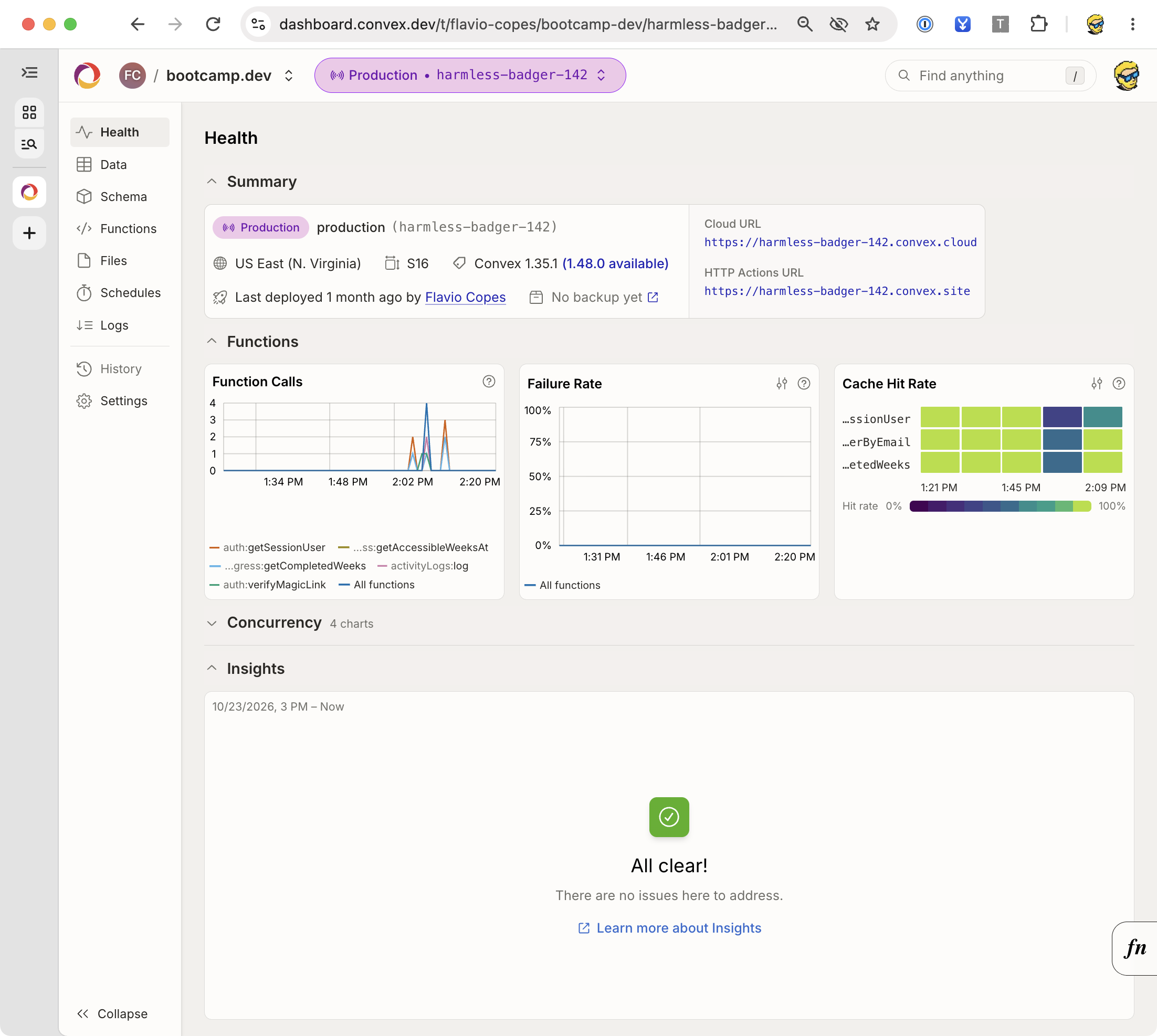
The Health panel gives you an overview of a deployment. Here is my Bootcamp production deployment, showing function calls, failure rate, and query cache hits.
Debug common problems
| Symptom | What to check |
|---|---|
api.tasks is missing from generated types | Confirm the function file exports it and convex dev completed successfully |
| Frontend connects but shows the wrong data | Check which deployment URL was embedded during the frontend build |
| Signed-in user gets an unauthenticated error | Check issuer, audience, token configuration, and Convex auth readiness |
| One user can edit another user’s task | Inspect the backend mutation’s record ownership check |
| HTTP route returns 404 | Use the HTTP-action URL and verify path and method in convex/http.ts |
| Upload works locally but fails in production | Check production origin, CORS preflight, bearer token, and deployment variables |
| Query gets slow as data grows | Check index range, scan size, returned data, and unbounded collection |
| Time-based state never changes | A clock crossing a deadline doesn’t write data; schedule a mutation or use a display timer |
| Scheduled function can’t find a user | Auth isn’t propagated to scheduled work; use authorized stored context |
| An external job ran but looks unfinished | Reconcile the provider result before retrying the side effect |
| Schema upload fails after adding a field | Existing documents may not satisfy the new validator |
Start with the deployment URL and the function logs. Those often explain a “frontend bug” that is really a different deployment or a rejected request.
For authentication, inspect only the claims needed for diagnosis. Don’t paste full bearer tokens into logs or support messages.
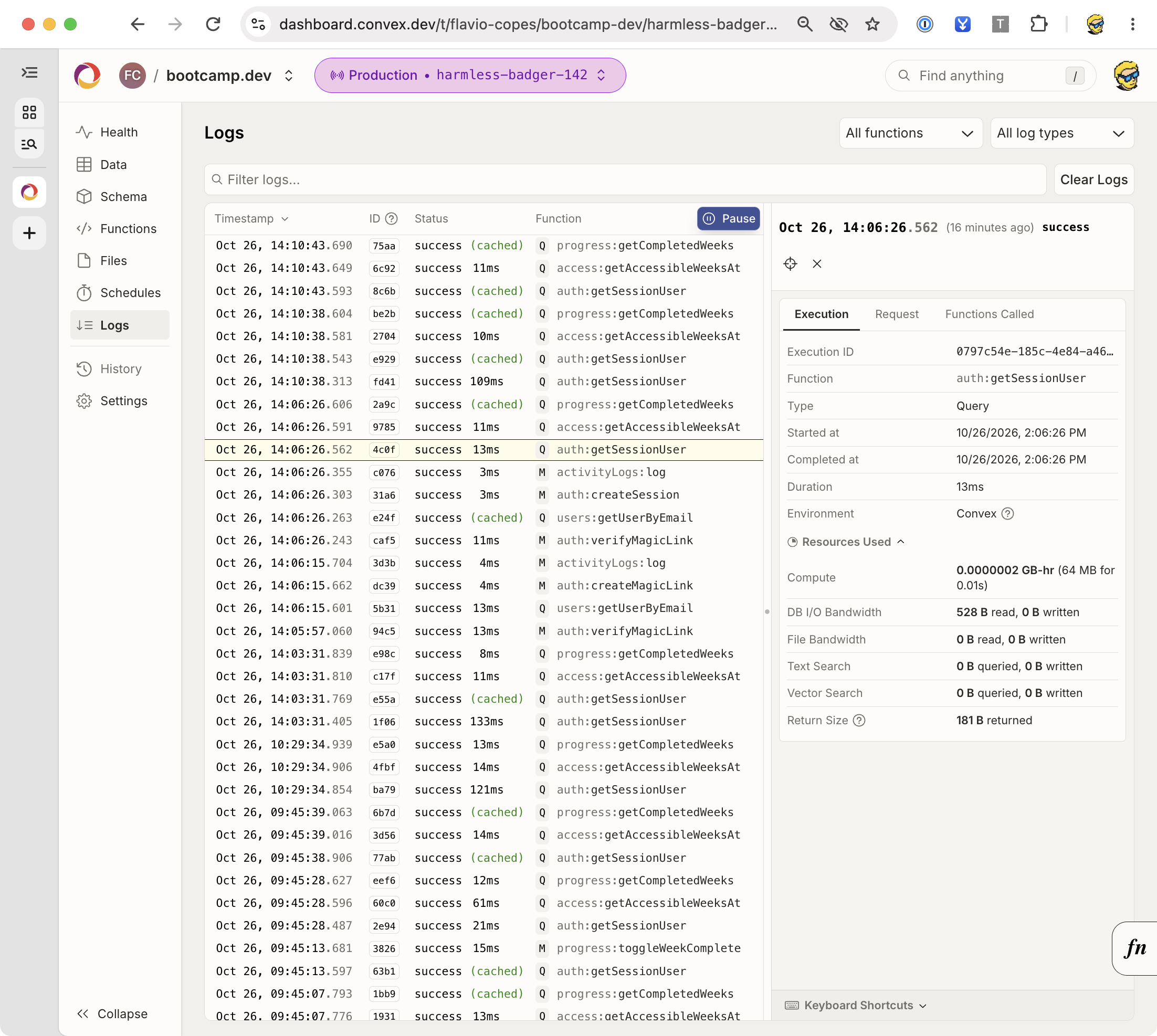
In the Logs panel, you can select an execution to inspect its duration and resource usage. This example is a session lookup in my Bootcamp platform.
How I would use Convex
I would choose Convex for an app where multiple screens need to show the same changing state and I want to keep backend logic in TypeScript.
A small team dashboard, task manager, or app showing background-job progress fits that model. I would start with indexed queries and ordinary mutations, add authentication before real user data, and introduce actions only for work that needs the outside world.
The membership starter is a concrete example of a different pattern: Astro owns the HTTP layer and Convex stores membership-related data. You don’t have to put the Convex browser client on every page to use its backend.
For a mostly static site, I would first ask whether it needs an application database at all. A reactive backend adds little to a page whose content changes only when I publish an article.
I would also compare the operational model with the team’s existing skills. An application already built around PostgreSQL, SQL reporting, and a substantial relational schema has a real migration cost.
Where Convex may be a poor fit
Convex’s database API and function runtime become part of your application architecture.
If your main workload is ad hoc SQL analytics, you may prefer a database and reporting system built around SQL. If you require a particular PostgreSQL extension, Convex doesn’t provide it by translating a TypeScript query.
For a device that must work offline for days and reconcile many conflicting edits, evaluate that requirement separately. A reconnecting live client doesn’t settle the product’s merge rules or persistent offline storage.
For a system with strict infrastructure, regional, compliance, or recovery requirements, verify the actual hosting and operational options before committing to a platform. Self-hosting is available, but it transfers responsibility for operations to you; check the current self-hosting documentation.
The database model is also something to learn. Use indexes deliberately, keep transactions bounded, and design external effects around failure and retries.
If you’re continuing with the app, the next useful exercise is a shared project with viewer and editor roles. Add a membership table, protect every project query and mutation, and write the cross-user tests before building the invitation screen.
Want me to talk about your product? You can sponsor this site.
Related posts about database: