Letting an agent edit my videos
By Flavio
Tagged: AI
How a coding agent edits my Borumi recordings through its MCP server: pause cuts, a word-by-word caption check, and the two checks I keep for myself.
I record my videos in Borumi. It captures the screen, the camera and the microphone as separate tracks, and it burns captions into the picture.
Since late September a coding agent does the editing. I record, I press one button, and about 20 minutes later there’s an edit waiting for me to watch. This post is how that works, with the numbers from real videos and the rules the agent learned from my corrections.
How the agent reaches the editor
Borumi ships an MCP server inside the app. It’s a local command, borumi mcp, and it gives the agent 49 tools: read the timeline, read the transcript, trim, split, change segments, export.
The app has to be running with the project open. The agent drives the same editor I use, it doesn’t edit files on disk.
Every change happens inside a transaction. The agent calls begin_project_edit, makes its changes, then calls commit_project_edit. I asked for one transaction per phase, so I can undo the cuts in the app without losing the transcript fixes.
This is the one place where I prefer an MCP server over a command line tool. For my to-do app I went the other way, and replaced the MCP server with a CLI.
The four phases
The agent follows a skill, a Markdown file with the whole procedure. The edit has four phases, then I come in.
1. Fix the transcript
Borumi transcribes what I say, and the captions come from that transcript. Every wrong word ends up on screen.
So the agent reads the whole transcript first and fixes the names. It checks each one against a real source, like the project’s README. On my videos it has turned “not repo” into NoteRepo, “Cloud Code” into Claude Code and “the license is meet” into MIT.
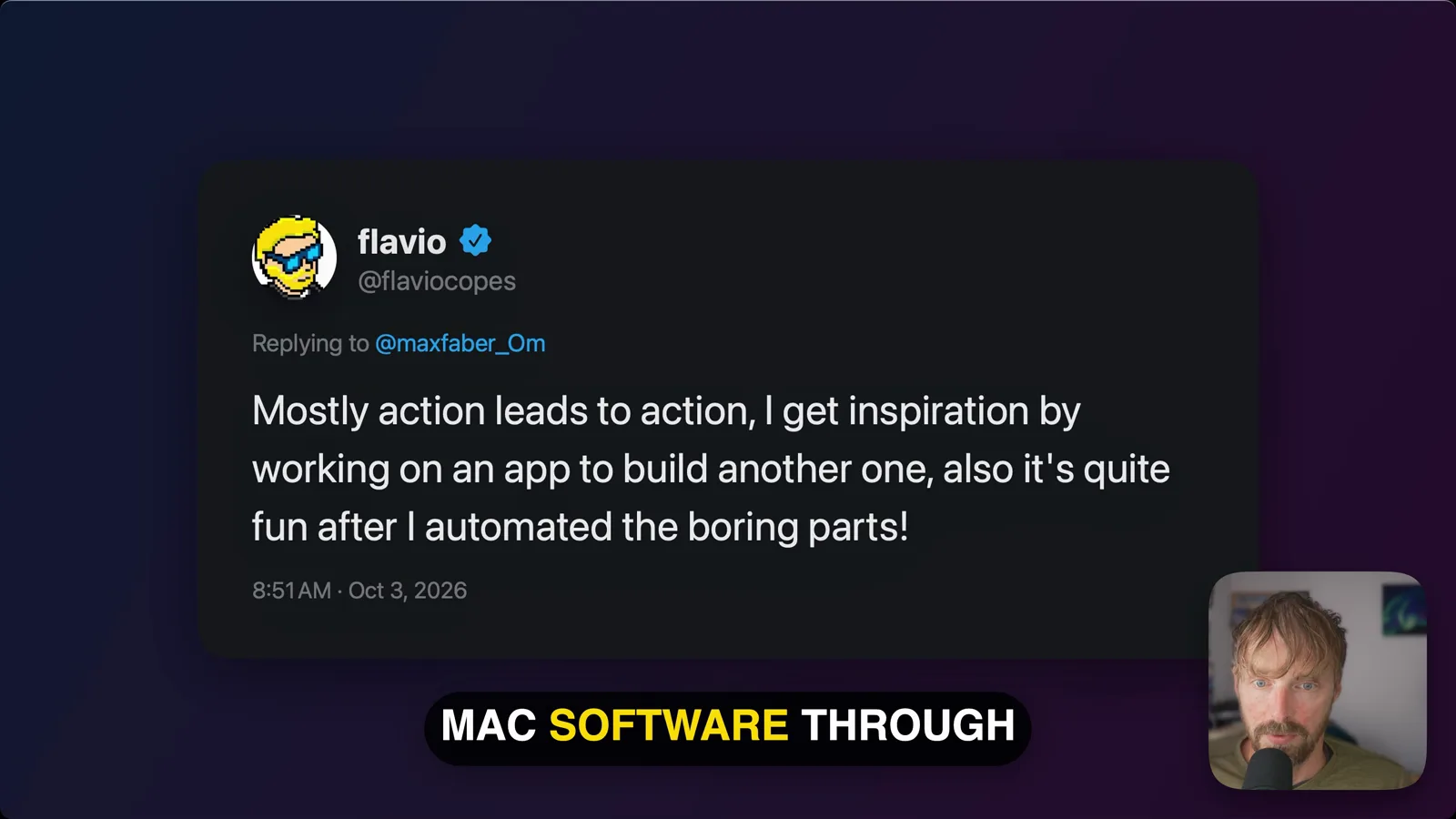
On one video the transcript said “MacSoftware”. Here’s the frame from the published video, with the fixed caption:
2. Cut long pauses and bad takes
I talk slowly, and on the first video the agent cut too much. I told it:
don’t do a thousand cuts… don’t cut any time I do a bit of silence, only longer pauses
The rule now is a number. Only silences of 1.5 seconds or more get touched, and each one is shortened to about 0.8 seconds, so it still sounds like a pause.
Bad takes go too: a sentence I start, abandon and say again. Small stumbles like “the the” stay, and so does every “um”. I tried muting the fillers on one video and dropped the idea.
Before cutting a silence the agent checks what the screen shows. If a demo is running, or I’m scrolling or typing, the silence is part of the video and it stays.
3. Hard cuts everywhere
Borumi crossfades a cut when its transition is left on auto. On a screen recording that shows as ghosting, with two screens blended for a moment.
So the agent sets every join to a plain cut:
{"segment_id": "<id>", "type": "video", "properties": {"transition": {"kind": "cut"}}}On an 8-minute video that was 46 joins across the camera and the screen.
4. Check every caption word
Phase 1 only catches names. The captions still have small mistakes: a missing “at”, “famous” where I said “infamous”.
For this the agent exports the edited audio and transcribes it again with two other models, Whisper and NVIDIA’s Parakeet, both running on my Mac. A script compares the three transcripts word by word and prints every place where they disagree.
Each model fails in its own way. Whisper hears “Cloud” for Claude and “mode” for moat, and it tidies my repeats away. Parakeet is literal and writes down every “uh”. When two versions agree and the sentence makes sense, the agent takes that one.
Silence that isn’t silent
Borumi has a tool that finds silence, detect_speech. On my first video it marked a mumbled “I don’t know” as silence.
Now the agent measures the microphone level inside every range it plans to remove. This is the command, on a stretch of 0.78 seconds:
ffmpeg -hide_banner -nostats -ss 27.10 -to 27.88 -i mic.wav \
  -af astats=measure_perchannel=none -f null - 2>&1 | rg "RMS level"
On my recordings these are the levels:
| What | RMS level |
|---|---|
| Speech | -12 to -30 dB |
| Room tone | around -46 dB |
| Gated silence | around -90 dB |
Anything above -40 dB inside a “silence” gets transcribed before it’s cut. If there’s a real word in there, it stays.
The listen list
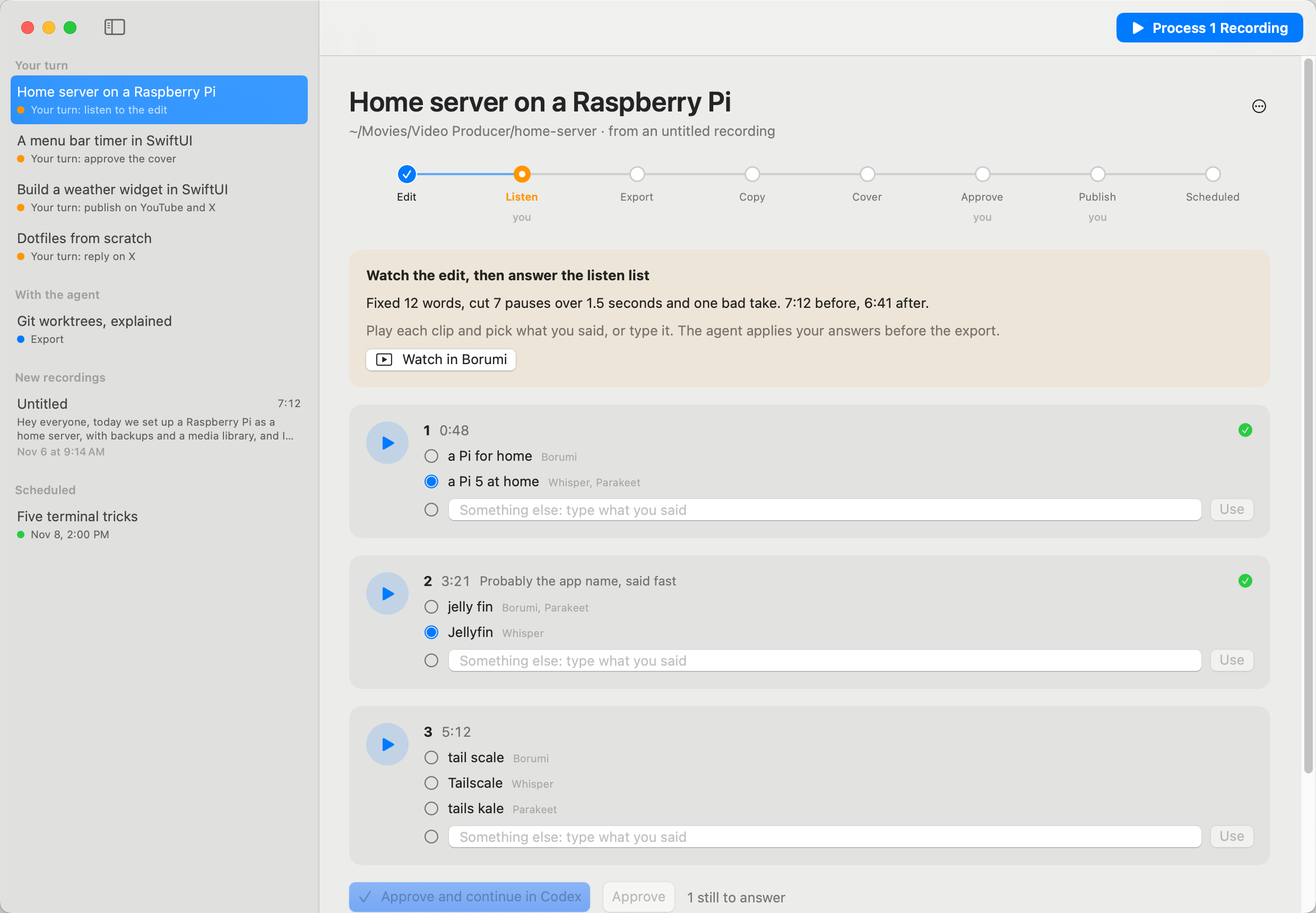
Sometimes the three transcripts disagree and none is clearly right. The agent doesn’t guess. It cuts a short audio clip around the spot and puts it on a list for me.
On my video about releasing an app every day, the list had one item, at 5:11:
| Source | What it heard |
|---|---|
| Borumi | there is no nothing shipped that should be pushed to GitHub |
| Whisper | there is nothing shipped that should be pushed to GitHub |
| Parakeet | there is no nothing shipped that shouldn’t be pushed to GitHub |
Should or shouldn’t flips the meaning of the sentence. I played the clip. I had said “shouldn’t”, and only Parakeet got it.
On a course lesson, both Borumi and Whisper wrote “the data that Maya provides me”. I had said “my app”.
I answer the list in Video Producer, a Mac app I built for this. It plays each clip and shows the versions to pick from. This screenshot uses the app’s sample data:
One video, minute by minute
These are the times the agent logged on October 3 for How I release a new app almost every day.
| Time | What happened |
|---|---|
| 13:42 | The agent starts from the Borumi project |
| 13:43 | Two mishearings fixed: “block posts” to blog posts, “MacSoftware” to Mac software |
| 13:49 | Cuts done, 8:02 down to 7:07 |
| 14:00 | All 46 camera and screen joins set to a hard cut |
| 14:00 | Edit ready, with one line for me to listen to |
| 18:02 | I answer the listen check |
| 18:10 | Export done: 3840×2160 at 60 fps, 704 MB |
| 18:13 | Title, description, 10 chapters, 13 tags and the cover are ready |
| 18:15 | I approve the cover and the title |
| 18:19 | Scheduled on YouTube |
The agent worked for 18 minutes on the edit and 11 on the rest. The four hours in the middle are me doing something else.
The export goes through Borumi too. Its presets stop at 1080p, so the agent asks for a custom size:
{
  "type": "custom",
  "width_px": 3840,
  "height_px": 2160,
  "fps": 60,
  "quality": "very_high"
}
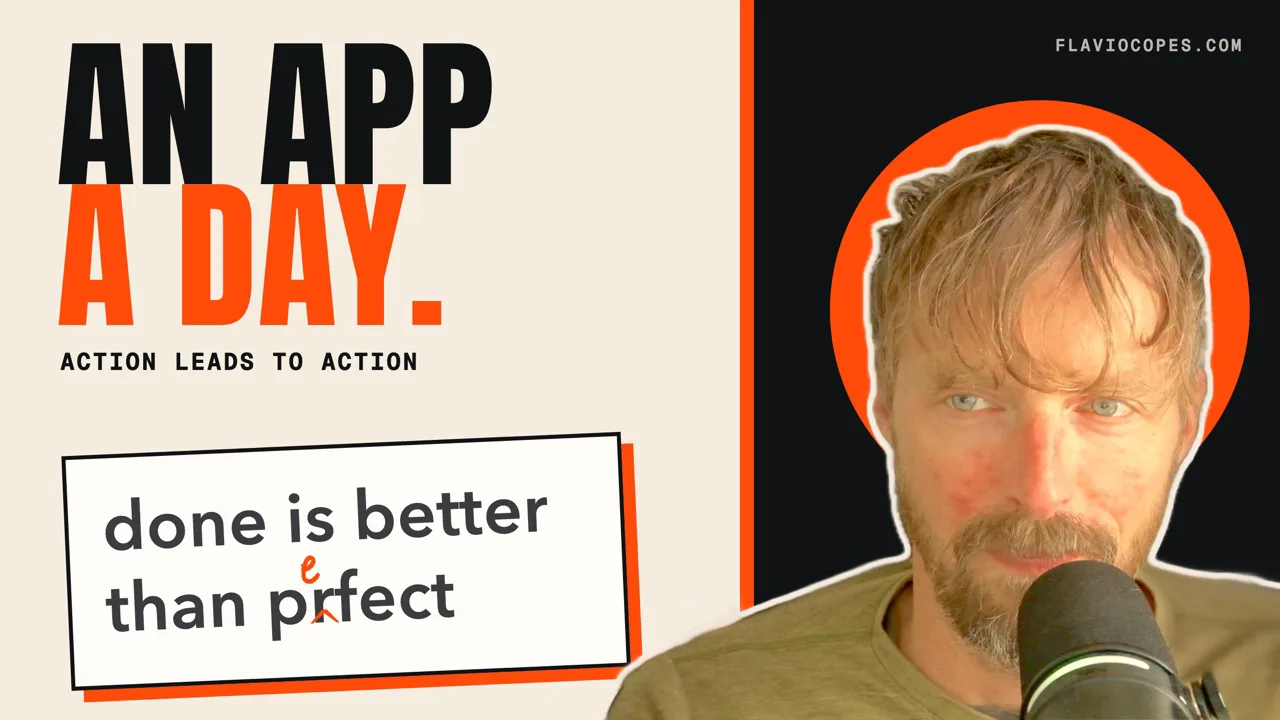
The cover is rendered from HTML, with a frame of me cut out from the camera file:
The numbers on six videos
The same procedure ran on all of these. The longer ones are course lessons.
| Video | Before | After | Cuts | Caption fixes | Listen list |
|---|---|---|---|---|---|
| App a day (YouTube) | 8:02 | 7:07 | 23 | 28 | 1 |
| App walkthrough | 10:46 | 10:35 | 6 | 36 | 3 |
| Course lesson | 12:27 | 12:11 | 13 | 34 | 5 |
| Course lesson | 26:29 | 24:23 | 95 | 57 | 6 |
| Course lesson | 35:58 | 31:20 | 69 | 65 | 3 |
| Course lesson | 64:51 | 52:52 | 242 | not logged | 4 |
A 65-minute recording lost 12 minutes to 242 cuts.
Look at the caption column too. Even a 10-minute video had around 30 wrong words or passages in its automatic transcript.
What I keep for myself
I watch every edit before it’s exported. YouTube can’t replace a video file after upload, so a mistake has to be caught here.
I answer the listen list, pick the title out of three, and approve the cover.
I also upload the video myself and post it on X. The agent used to drive YouTube Studio in a browser, and I stopped that in October.
One experiment I rejected: re-voicing my audio with an American accent. We tried it on one video and I rejected the result.
Gotchas
The connection to Borumi sometimes resets in the middle of a task. The agent has to check whether its last transaction was committed before doing it again.
Project ids are short aliases like 783b, and they can change after a reconnect. The agent looks them up again each time.
The microphone and camera files can start a few seconds apart. A cut time has to be converted through each segment’s own range, or the picture drifts away from the sound.
Borumi refuses to export to a folder that doesn’t exist yet, so the agent creates it first.
The whole procedure, the skill and the app are in Video Producer. For the wider picture on tools built for agents to drive, see creator tools for agents.
Want me to talk about your product? You can sponsor this site.
Related posts about ai: