
An app by Flavio
Video Producer
Record in Borumi, click Process, and a coding agent edits the video, checks every word of the transcript, exports it in 4K, writes the copy and renders the cover. You do two checks and the upload. Mac app, command and agent skill, full MIT source included.
Buy Video Producer · $20One-time purchase. Tax included. Full source code.
macOS 15 or later · Apple silicon and Intel
Video Producer takes a screen recording from Borumi to a video that’s ready to upload. You record, click Process, and a coding agent does the editing: it fixes the transcript, cuts the long pauses, checks every word against Whisper, exports in 4K with subtitles, writes the title and the description, and renders the cover. You do two checks in the app, then the upload in YouTube Studio yourself.
I built it for my own channel. The slow part of a video was never the recording, it was the transcript: a wrong name in the captions is burned into the video forever, so every word has to be checked. Since October 2026 my videos go through this app. There are 23 in it right now, at one phase or another.
Here’s the whole flow in 30 seconds, from Process to the reply on X:
The recordings, titles and channel in the video are made up.
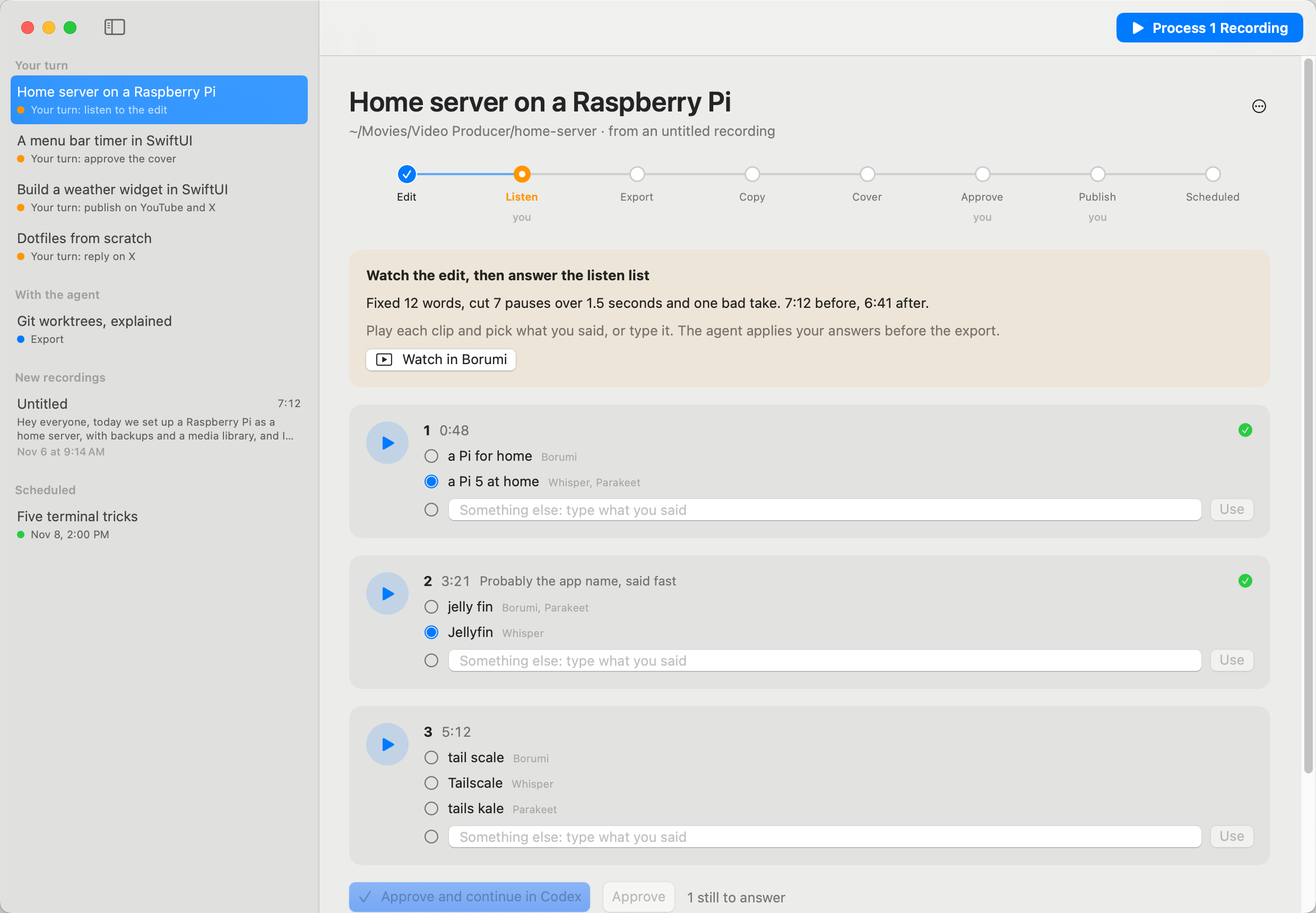
How a video goes through
The sidebar lists your Borumi recordings. Click the blue Process button and the app opens a draft in Codex or Claude Code with one prompt for every new recording. You read it and send it. From there the agent works through eight phases and reports each one back to the app with the videoproducer command, so you see where every video stands.
| Phase | Who | What happens |
|---|---|---|
| Edit | agent | Transcript fixes, cuts of pauses over 1.5 seconds, hard cuts, the word-by-word check |
| Listen | you | You watch the edit in Borumi and answer the listen list |
| Export | agent | It applies your answers, then exports the 4K video and the SRT |
| Copy | agent | It writes the title, the description with chapters, the tags and the post for X |
| Cover | agent | It renders the thumbnail |
| Approve | you | You pick the title and approve the cover |
| Publish | you | You schedule it in Studio and post the video on X |
| Scheduled | you | Once it’s live, you reply on X with the link. Done |
Every phase can start from a fresh chat, because the state lives on disk next to the video. When the agent stops for a check, the video moves to Your turn. After the check, Continue opens the next chat.
The two checks
Some words the transcript checker can’t settle on its own: Borumi, Whisper and Parakeet heard different things, or the majority doesn’t make sense. Each one gets a short clip. You play it and pick the version you said, or type the words. That’s the listen check, and it’s the reason the captions end up right.
The cover check shows the thumbnail at full size and as a card in the feed, under your channel name. You pick the title from three, or write your own, and approve, or send the agent back with a note.
Ready to publish
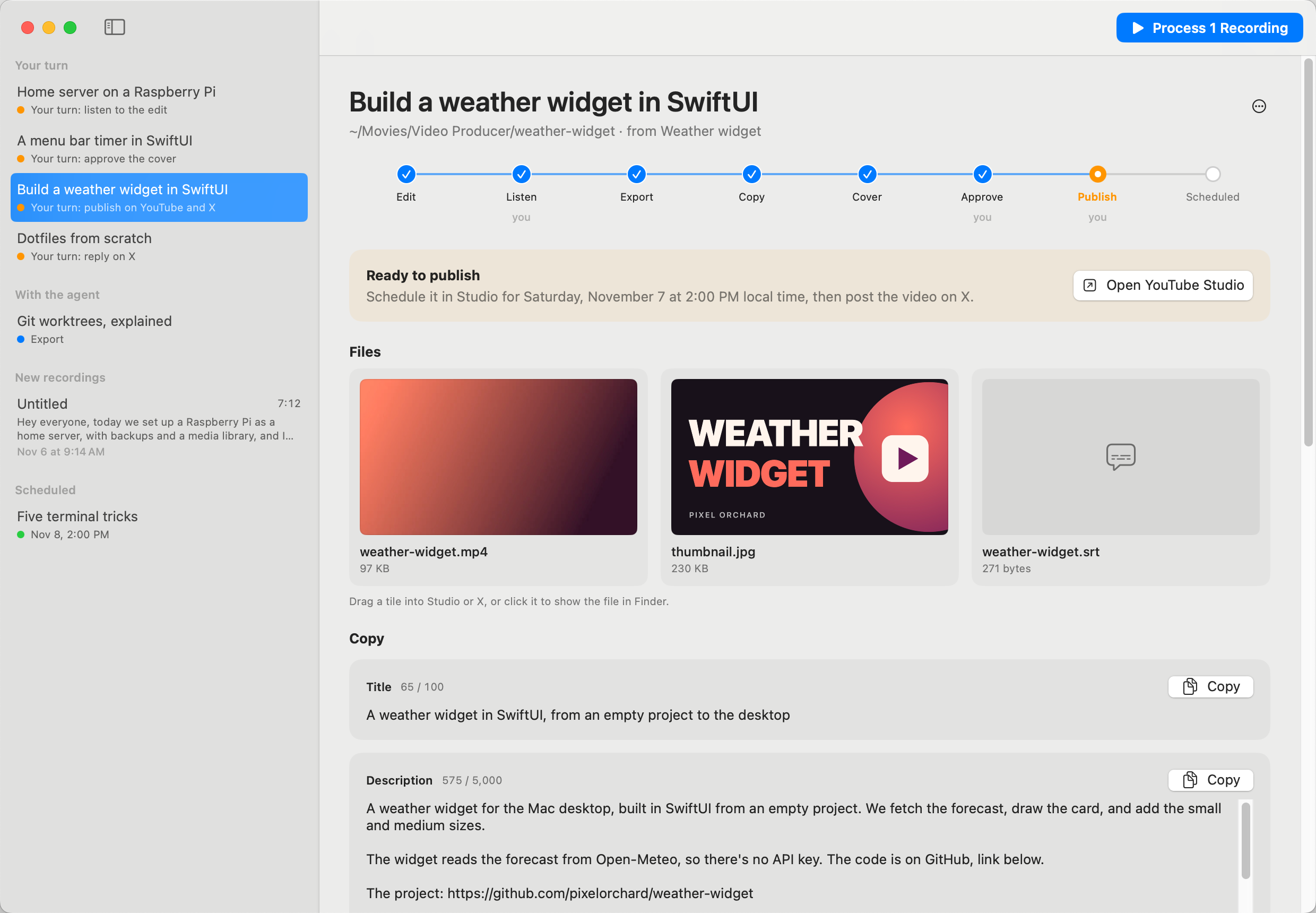
The Ready view has the video, the thumbnail and the subtitles as tiles you drag straight into Studio. The title, description and tags each have a Copy button and a character counter. Below them are the Studio steps and the date: the next free day at your publish time, one video a day.
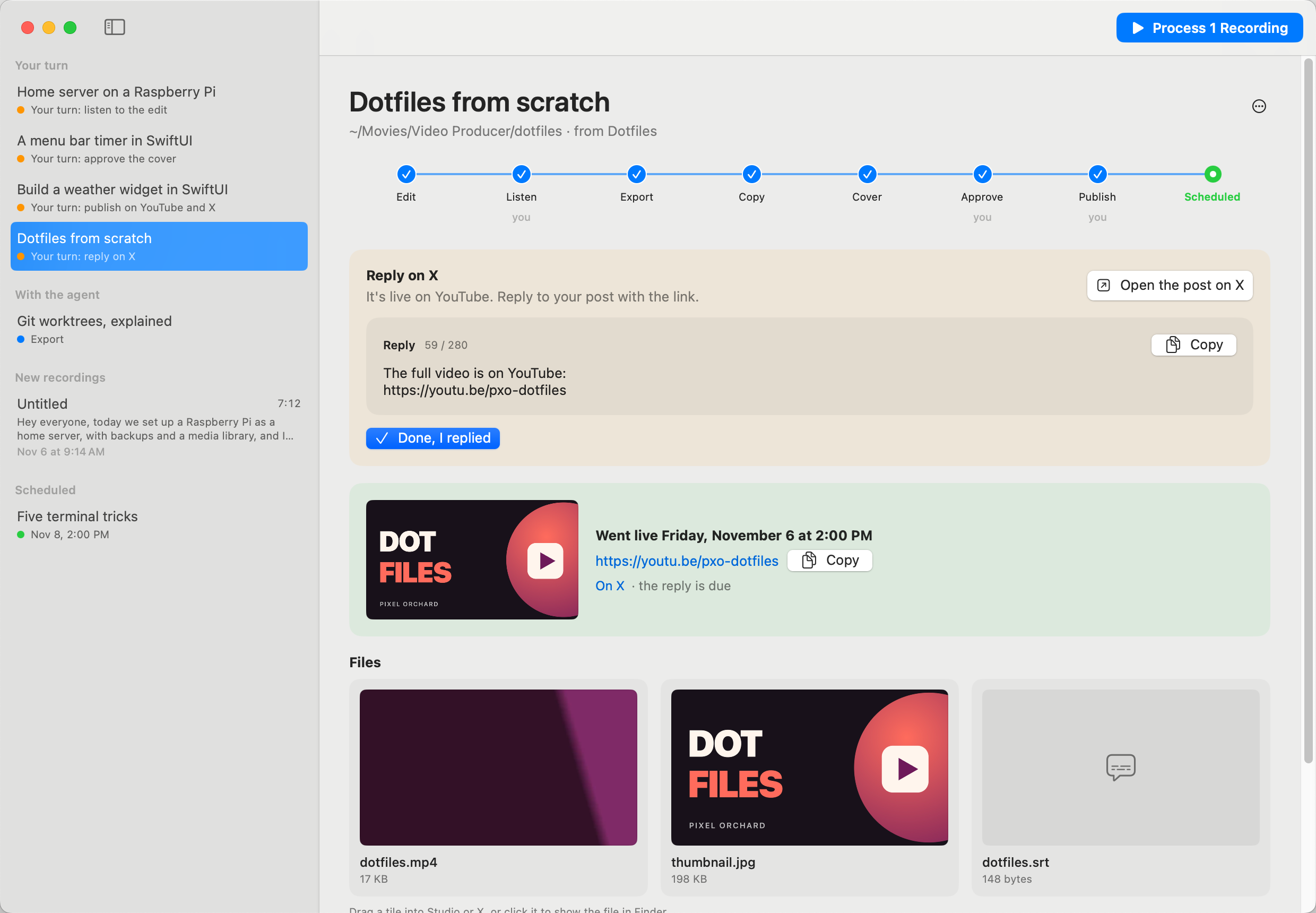
The video goes up on X as a native upload at the same time. The YouTube link waits: a scheduled video opens a “private video” page until it goes live, so the app brings the video back to Your turn when the time passes, with the reply to post.
The agent’s side
The agent follows a skill that ships inside the app, with the whole workflow: how to edit in Borumi through its MCP, how to verify the transcript with Whisper and Parakeet, how to export, how to write the copy and render the cover. Video Producer installs it for Codex and Claude Code with one click.
Your channel comes from the app’s settings: the name and handle, the lines that end every description, the last tag of every video, and a line about how you write. The agent reads them with videoproducer settings --json, so nothing about the workflow is tied to a particular channel.
Nothing in the app touches YouTube or X. There’s no API and no browser automation: you upload and post by hand, which keeps your account out of trouble.
What to know before you buy
Video Producer needs macOS 15 or later, and the transcript checker runs Whisper through MLX, so the agent’s checks need an Apple silicon Mac.
It reads recordings from Borumi, and the agent edits through Borumi’s MCP. Without Borumi there’s nothing to produce.
You need a coding agent that opens links: Codex, or Claude Code in the Claude desktop app. Pick it in Settings. The agent needs ffmpeg and uv on the PATH for the checks, and Google Chrome for the covers.
The upload is yours. The app hands you the files and the copy, and you do the clicks in YouTube Studio and on X.
What you get
$20 once, tax included. You get the notarized Mac app, the videoproducer command, the youtube-video agent skill and the full source under the MIT license.
Video Producer runs on macOS 15 or later, on Apple silicon and Intel.
After you pay, your Polar receipt has two downloads and a license key. The key turns on automatic updates: enter it in Video Producer → License… and the app checks for new versions once a day and installs them in place. A key works on 3 Macs. The app works without one, and so does your own build from the source.