
An app by Flavio
CSV File Renamer
Use a two-column CSV to preview filename changes, catch missing files and collisions, and save renamed copies on Mac.
Buy CSV File Renamer · $20One-time purchase. Plus tax where it applies.
macOS 14 or later · Apple silicon and Intel
The scanner gave you Scan 1.txt, Scan 2.txt and Scan 3.txt. The delivery spreadsheet already has the names the client wants. Copying them one at a time is how a name ends up on the wrong file.
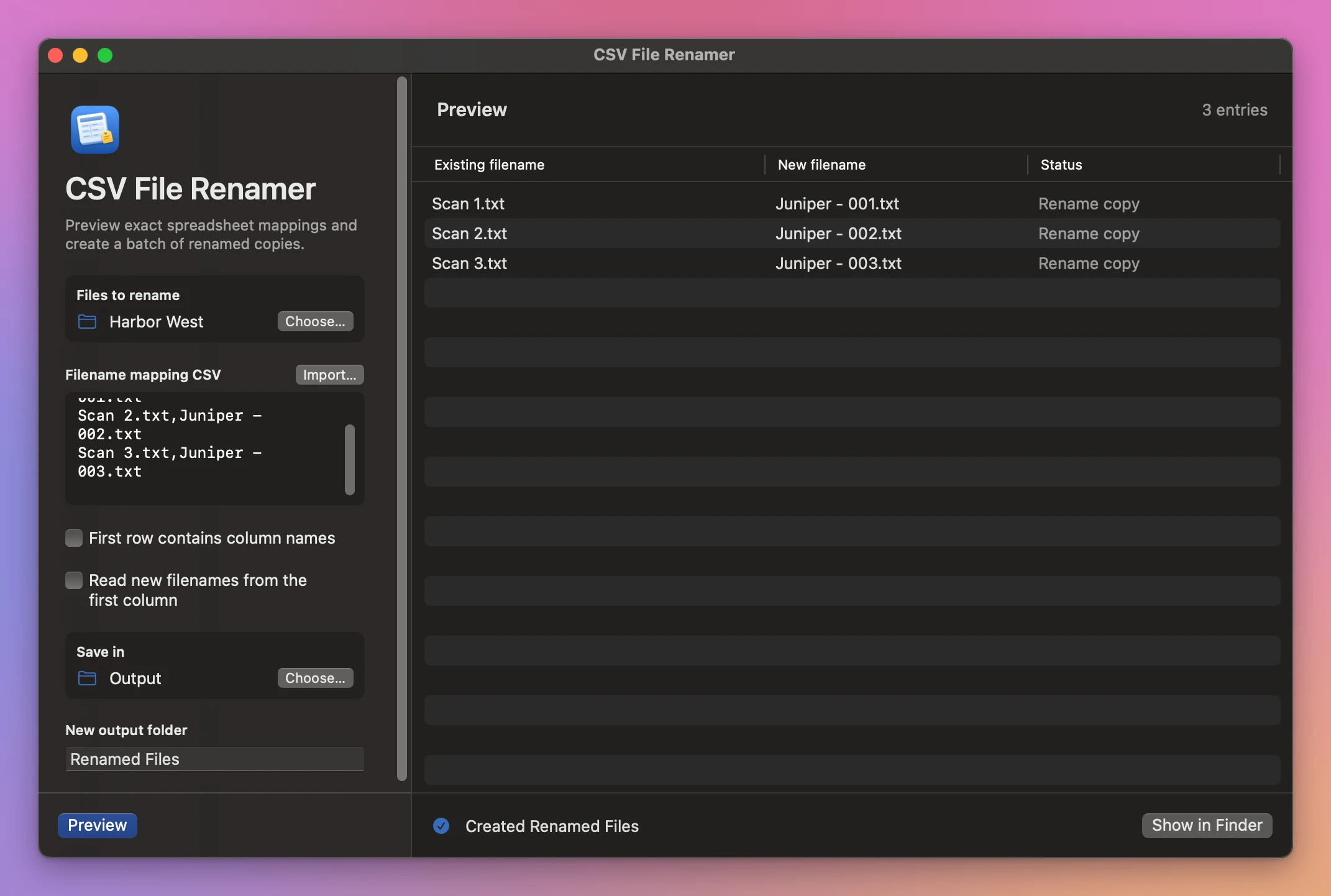
CSV File Renamer reads the old and new names from a CSV. It pairs them with the files in the selected folder and shows the new names before making the copies.
Who it’s for
- Photographers. The school or the client sends a spreadsheet that matches
IMG_4021.jpgto a student’s name. Rename hundreds of portraits from that list. - Ecommerce sellers. Your product photos come back from the studio as
DSC_0012.jpg, and your store wants them named by SKU. Your product list already has both columns. - Archivists and librarians. You scan documents and need them named by catalog number before they go into the archive.
- Office and HR teams. You have a folder of scanned forms or certificates and a list of who each one belongs to.
- Video and podcast producers. You rename raw files to match the shot list or episode plan before handing them to the editor.
Why not use Finder’s rename
Finder’s Rename can add text, replace text or number files in sequence. It can’t give each file a name from a list. When every file needs a different name, you end up renaming them one by one, and with 300 files one of them goes wrong.
CSV File Renamer takes the names from the spreadsheet you already have, shows you every change before it happens, and works on copies, so the originals are always there if something in the list was wrong.
Check the spreadsheet against the folder
Import two columns from Numbers, Excel or Google Sheets as a UTF-8 CSV. Tell the app if the first row has column names, or if the new names come first. It remembers both choices for the next batch.
The preview catches missing files, repeated source names and output names that differ only in capitalization. A conflict blocks the batch so you can fix the spreadsheet first.
Deliver the renamed files
Click Create Renamed Copies to make a new folder. Rename map.csv records which original supplied each renamed copy. To discard the batch, remove its output folder.
Buy CSV File Renamer
$20 plus tax where it applies, paid once. Download the app from the purchase page or your Creem receipt.
Unzip the download and drag the app to Applications. It runs on macOS 14 Sonoma or later on Apple silicon and Intel Macs. File processing happens on your Mac.
The app checks for updates once a day. When a new version is ready, click Install and Relaunch. To check anytime, choose CSV File Renamer → Check for Updates….