
How to use CSV File Renamer
CSV File Renamer
Use a two-column CSV to preview filename changes, catch missing files and collisions, and save renamed copies on Mac.
Free to read. You can explore the guide before buying the app.
On this page
Install
Download the ZIP from the purchase page or your Creem receipt. Unzip it and move CSV File Renamer to Applications. The app is signed and notarized, and runs on macOS 14 Sonoma or later on Apple silicon and Intel.
The app checks for updates once a day. When a new version is ready, click Install and Relaunch. To check anytime, choose CSV File Renamer → Check for Updates….
If your copy still asks for a key, download the latest version from your purchase page and replace the old app in Applications.
Prepare a CSV
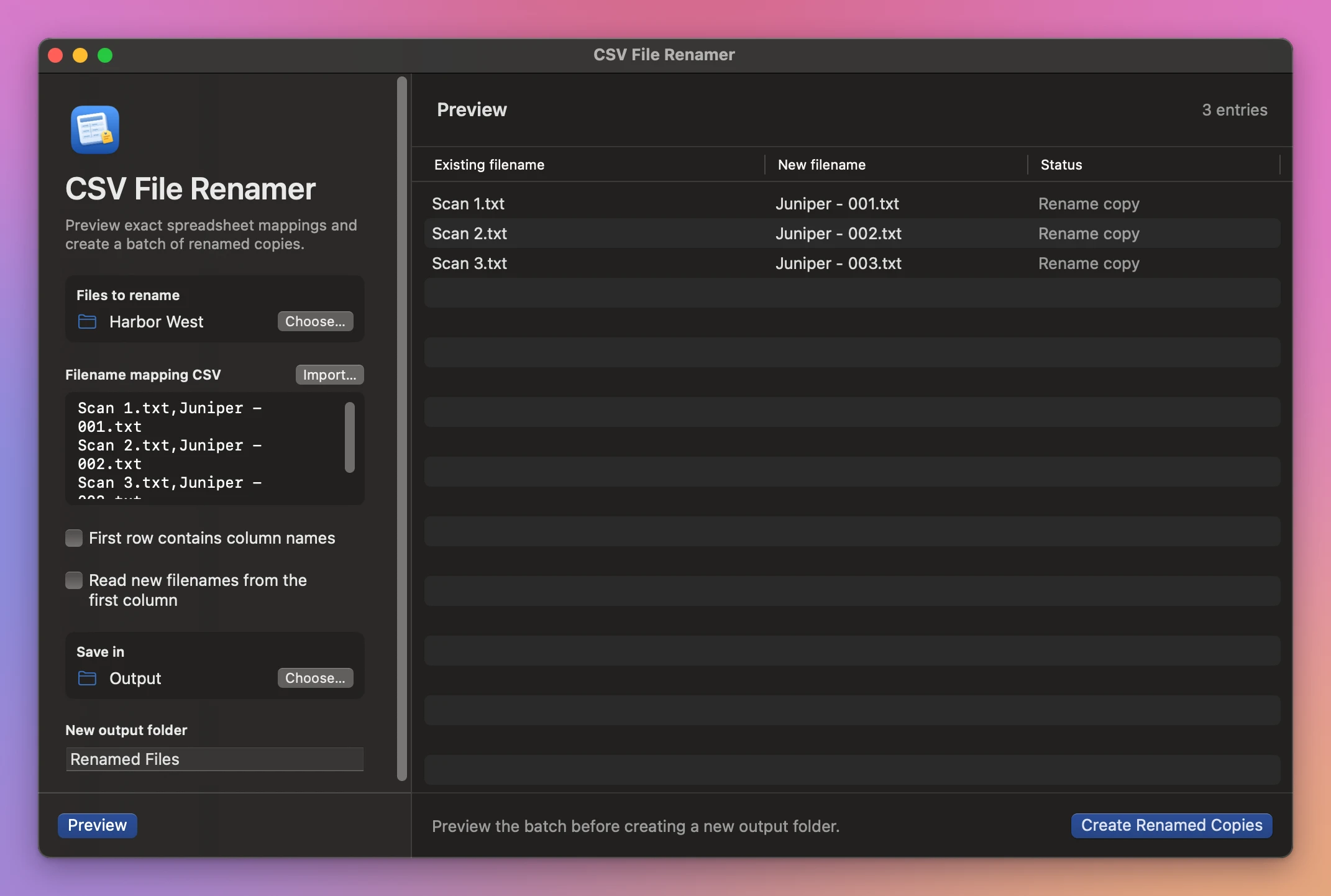
Put the original filenames in the first column and the proposed filenames in the second. Include each file extension. The selected source folder should contain the files at its top level.
Scan 1.txt,Juniper - 001.txt
Scan 2.txt,Juniper - 002.txt
Scan 3.txt,Juniper - 003.txt
Use Import… to open a UTF-8 CSV, or paste the CSV into Filename mapping CSV. Enable First row contains column names if your CSV has a header. Enable Read new filenames from the first column if the columns are reversed.
A filename containing a comma goes in quotes. To include a quote in a quoted filename, write it twice.
Preview and make copies
Choose the source folder and Save in location. Enter a new output folder name, then click Preview. Check the old and new columns and resolve every missing file, repeated source filename or output collision.
Click Create Renamed Copies. The new folder contains the renamed files and Rename map.csv. The original files are still available under their original names.
If an output folder already exists, choose a different name or location and preview again. Changes to the inputs also require a new preview. Cancel stops the work before delivery.
See CSV File Renamer → · $20 including tax.