
How to use Client File Collector
Client File Collector
Paste a client’s filename list or import a CSV, review exact matches and missing files, then copy the selected originals into a delivery folder.
Free to read. You can explore the guide before buying the app.
On this page
Install
Download the ZIP from the purchase page or your Creem receipt. Unzip it and move Client File Collector to Applications. The app is signed and notarized, and runs on macOS 14 Sonoma or later on Apple silicon and Intel.
The workflow works as soon as the app opens. For automatic updates, enter your key under Client File Collector → License…. A key works on three Macs. Deactivate This Mac frees an activation.
Supply the list
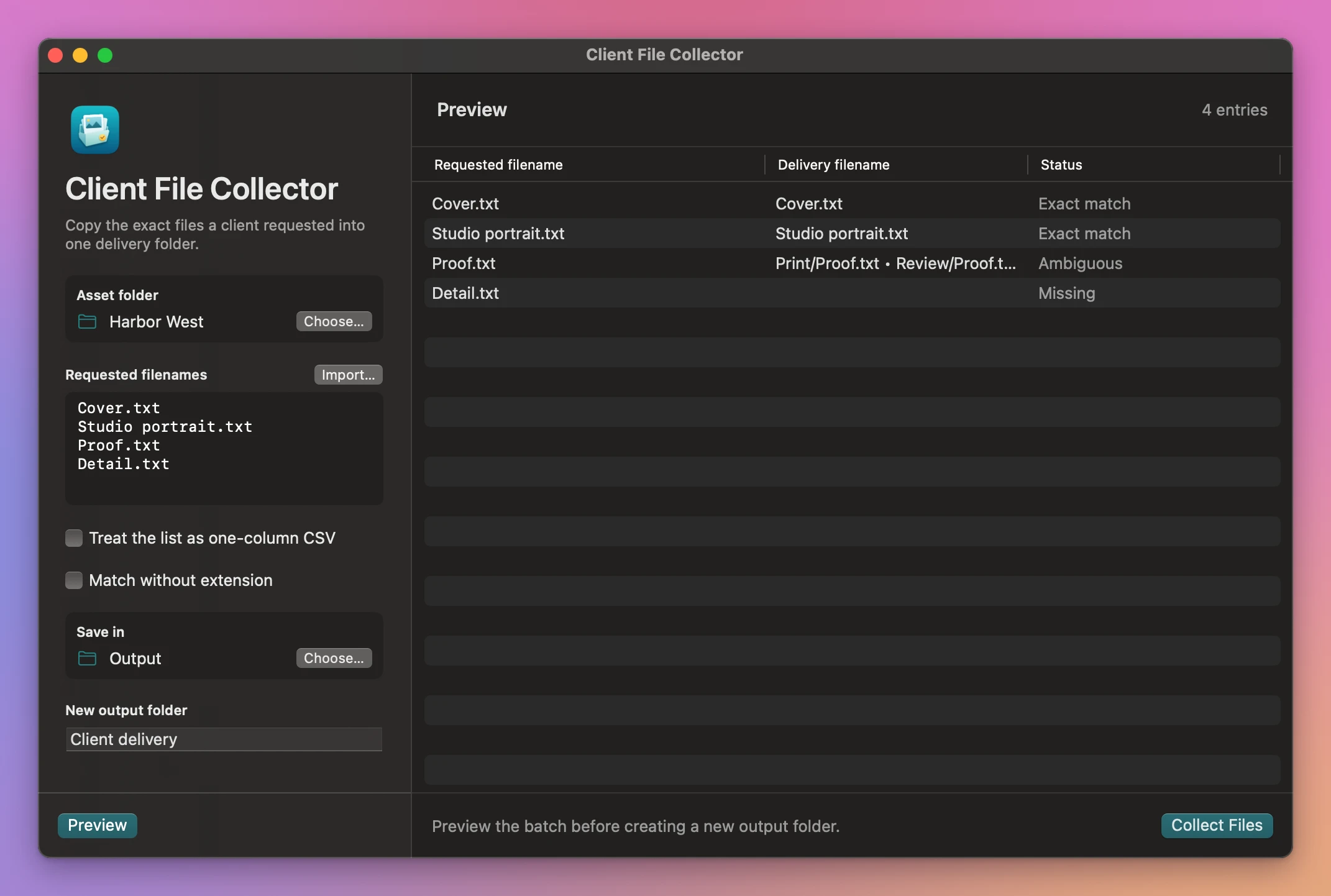
Choose Asset folder, then paste one filename per line in Requested filenames.
Cover.txt
Studio portrait.txt
Proof.txt
Detail.txt
Import… reads a text file. For a UTF-8 CSV, enable Treat the list as one-column CSV. Use a single column without a header. Put quotes around a name containing a comma.
Check missing and ambiguous names
Choose a destination under Save in, enter a new output folder name and click Preview. The app looks through subfolders for each exact filename. With Match without extension on, an extensionless request can match a single file stem.
In the Harbor West example, Cover.txt and Studio portrait.txt matched. Two copies of Proof.txt made it ambiguous. Detail.txt was missing. Check the listed paths and edit your requests before previewing again, or collect the matches you already have.
Collect the copies
Click Collect Files, then Show in Finder. The delivery folder contains copies and Collection report.csv. Filenames that would clash in the delivery get a numbered suffix.
If an output folder already exists, choose a different name or location and preview again. Changes to the inputs also require a new preview. Cancel stops the work before delivery.
See Client File Collector → · $20 including tax.