
How to use Photo Metadata Cleaner
Photo Metadata Cleaner
Export oriented PNG copies and get a before-and-after list of metadata tags for each photo.
Free to read. You can explore the guide before buying the app.
On this page
Install
Photo Metadata Cleaner requires macOS 15 Sequoia or later, on Apple silicon or Intel. Download the ZIP from the order page or your Creem receipt. Unzip it and move the app to Applications.
The app checks for updates once a day. When a new version is ready, click Install and Relaunch. To check anytime, choose Photo Metadata Cleaner → Check for Updates….
If your copy still asks for a key, download the latest version from your purchase page and replace the old app in Applications.
Prepare the files
Start with an ordinary single-frame photo. Click Add Photos…, or drop photos on the window, and choose the metadata preset under Export settings. The export applies the original’s orientation and keeps its visual dimensions, using a PNG copy.
Click a photo in the Export queue to see it with the metadata it holds: the location, camera, date taken, lens, exposure settings and captions. Each one is marked Removed or Kept for the preset you picked. Photos with a location get an orange Has a location label in the queue.
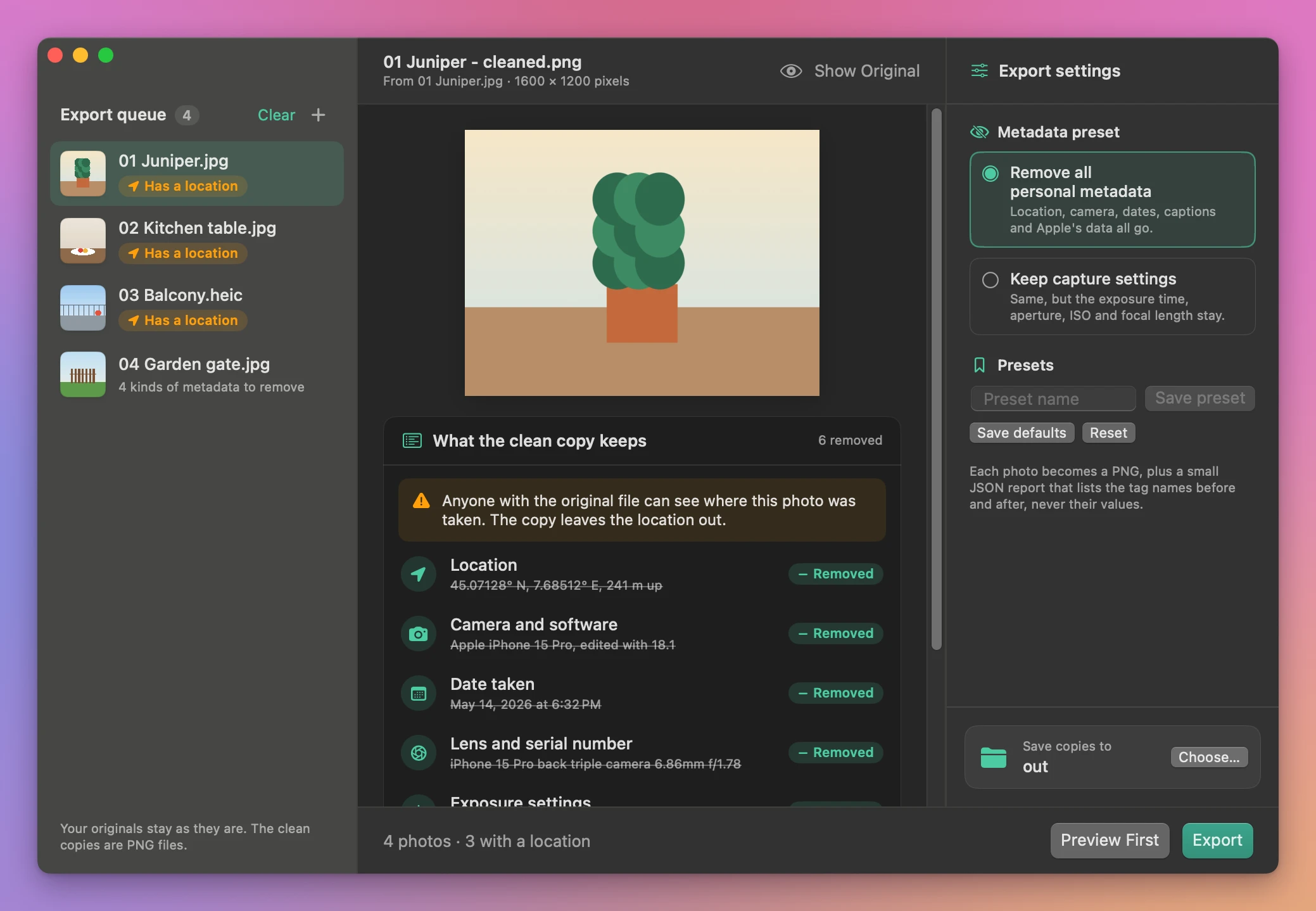
The JSON report lists tag names before and after exporting without showing their values. Structural fields such as the image dimensions and color profile can remain. The app checks for personal metadata after encoding.
Save and find the result
Under Save copies to, click Choose… to pick an output folder, then click Export. Each photo in the queue gets a green Cleaned or red Failed label, and the window switches to the results: every clean copy with a thumbnail, what was taken out, Open for the PNG and Report for its JSON report. Show in Finder, or Show output in the bar at the bottom, opens the folder. Existing files are kept and repeated output names get a number.
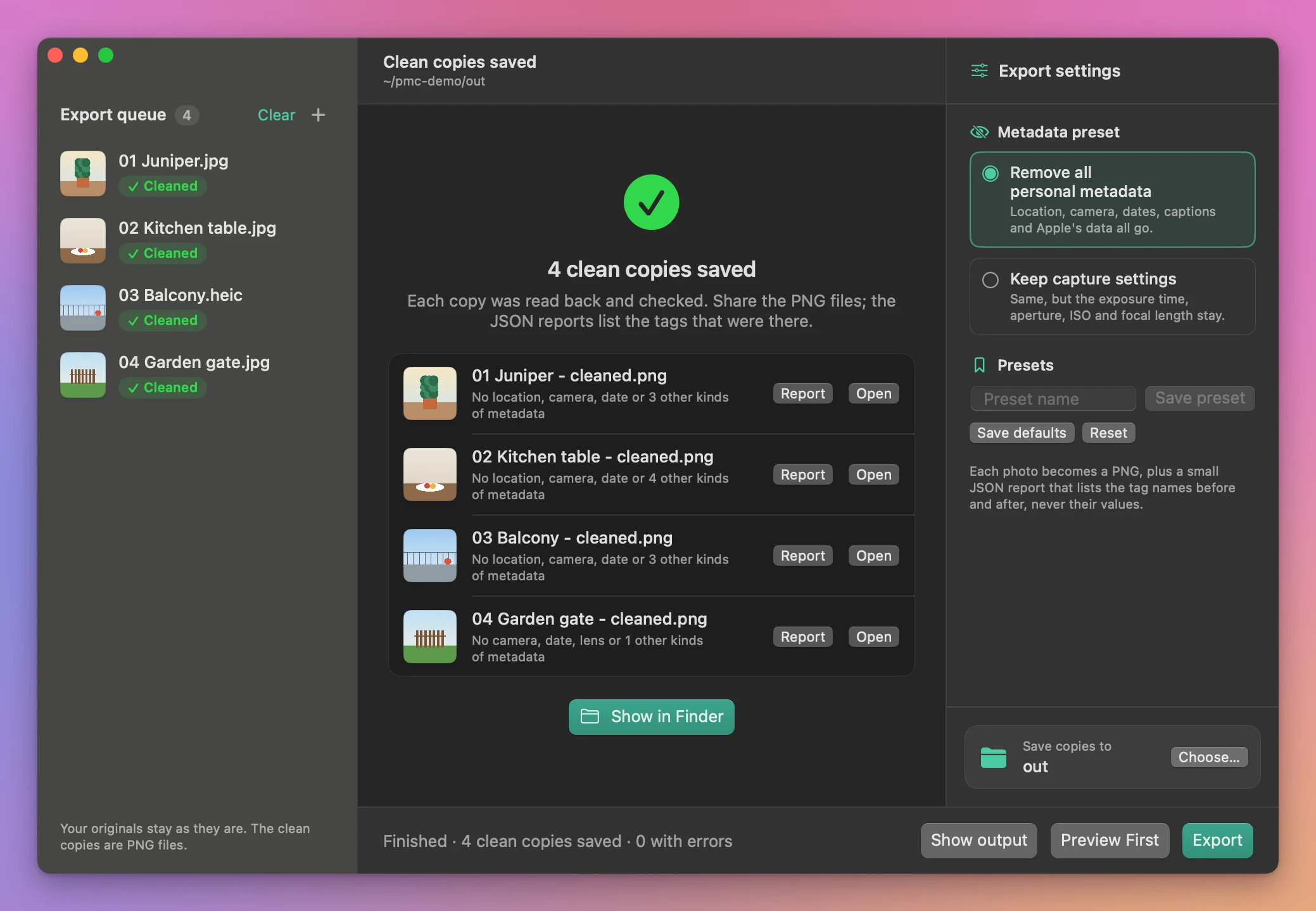
Cancel stops the batch. Copies that finished before cancellation stay in the output folder.
Exports single-frame PNGs up to 120 megapixels. Details visible in the image itself remain visible after cleaning.
File processing happens on your Mac. The app uses the internet to check for and download updates.
See Photo Metadata Cleaner → · $20 including tax.