How to turn Apple Notes into Word documents
By Flavio
Notes can't save a Word file, but TextEdit can: copy the note, paste it, save as Word 2007 (.docx). Here's what survives that trip, why a note with a picture can't take it, and how to save many notes as Word files at once.
Someone asked you for a note “as a Word file”, or you want your notes in Word or Pages to keep working on them.
Notes can’t save a .docx. TextEdit, the text editor that comes with every Mac, can. Copy the note, paste it into TextEdit, and save it as Word 2007 (.docx) Document. That works for a note made of text. For a note with a table, the table falls apart, and for a note with a picture, TextEdit won’t offer Word at all.
The screenshots are from macOS 15 Sequoia, and the notes in them are made up for this tutorial. The test Mac has no Word or Pages, so every .docx here was opened in TextEdit.
How do I copy a note into a Word file?
- In Notes, click inside the note, press Command-A to select all of it, then Command-C.
- Open TextEdit. It starts on a new document. Press Command-V.
The note “Trip to Lisbon” pasted with its title, headings, bold and italic, the link and the table, all looking like they do in Notes.
- Press Command-S, type a name, and open the File Format menu.
- Pick Word 2007 (.docx) Document and click Save.
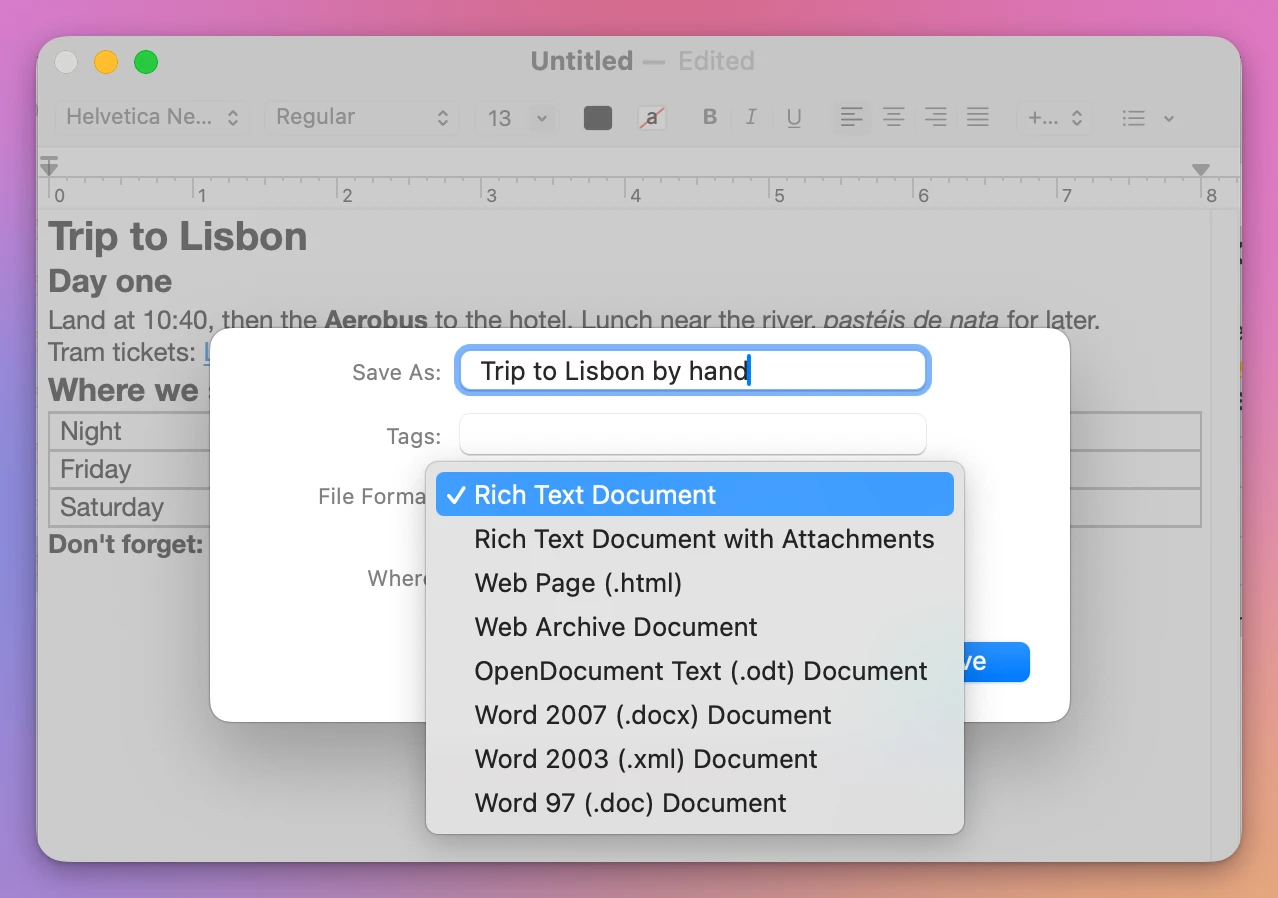
Word 97 (.doc) is the older format. Pick Word 2007 (.docx) unless someone asks for .doc.
What survives?
Open the saved .docx again and the table is gone. Each cell became a line of its own, nine lines in a row:
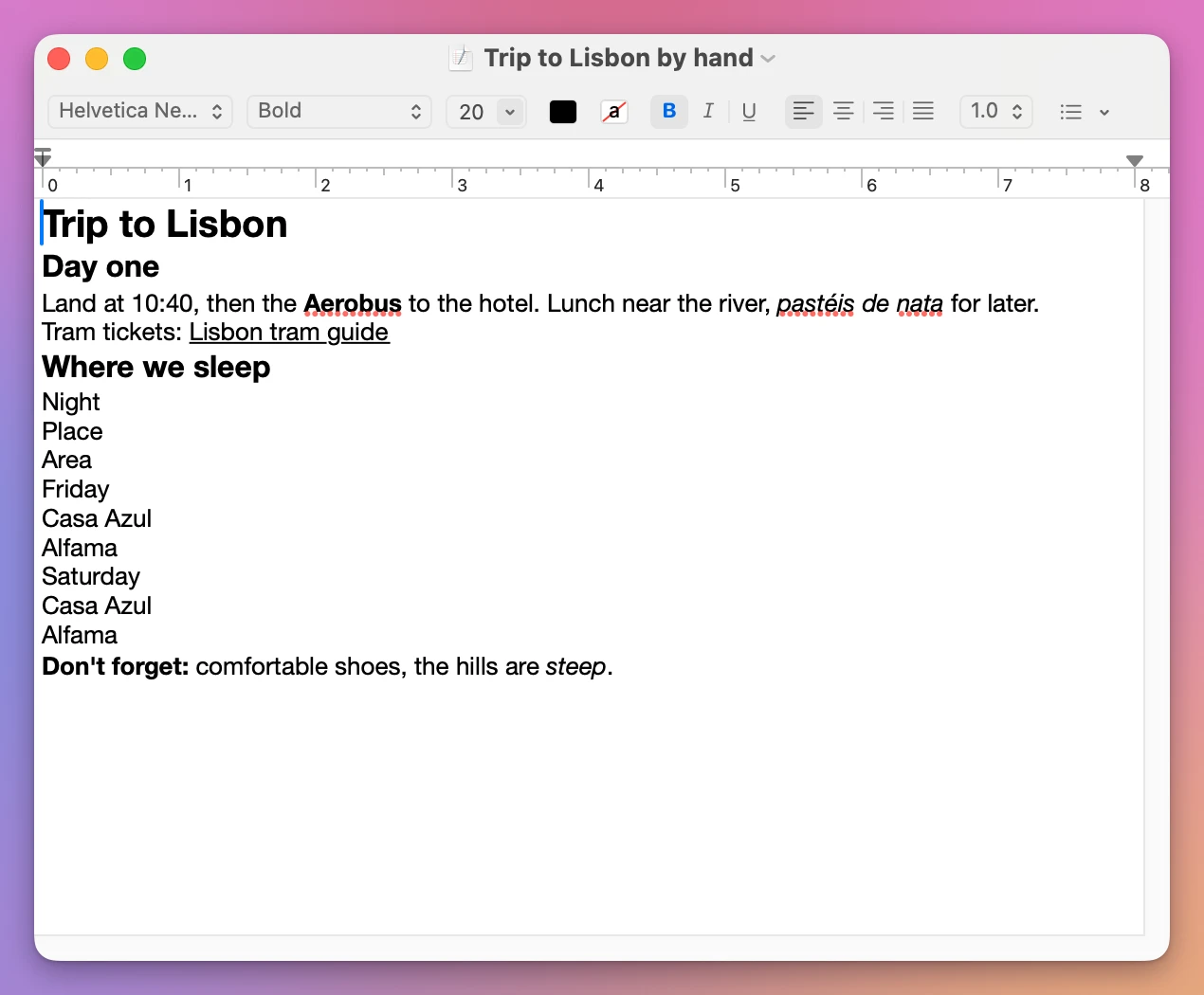
The link looks the same, underlined, but the file has no address behind it any more. The headings and the bold and italic words made it.
The picture is worse. Pasting “Sunset sketch” into TextEdit brings the picture along, but then the File Format menu offers only Rich Text Document with Attachments and Web Archive Document. There’s no Word in the list, so a note with a picture can’t become a .docx this way.
| By hand with TextEdit | Exporter for Apple Notes | |
|---|---|---|
| Headings, bold, italic | Yes | Yes |
| Table | Flattened, one line per cell | Kept as a table |
| Picture | TextEdit won’t save Word with it | Inside the .docx |
| Link | Words underlined, no address | Words underlined, no address |
| Notes at once | One | Every ticked note |
| Note’s dates | No | On the page and on the file |
How do I save many notes as Word files?
Exporter for Apple Notes is a Mac app I made that saves notes from Notes as files, Word included. It’s not made by, affiliated with or endorsed by Apple, and it costs $19, paid once.
- Click Show My Notes, and Allow the first time your Mac asks if the app can control Notes.
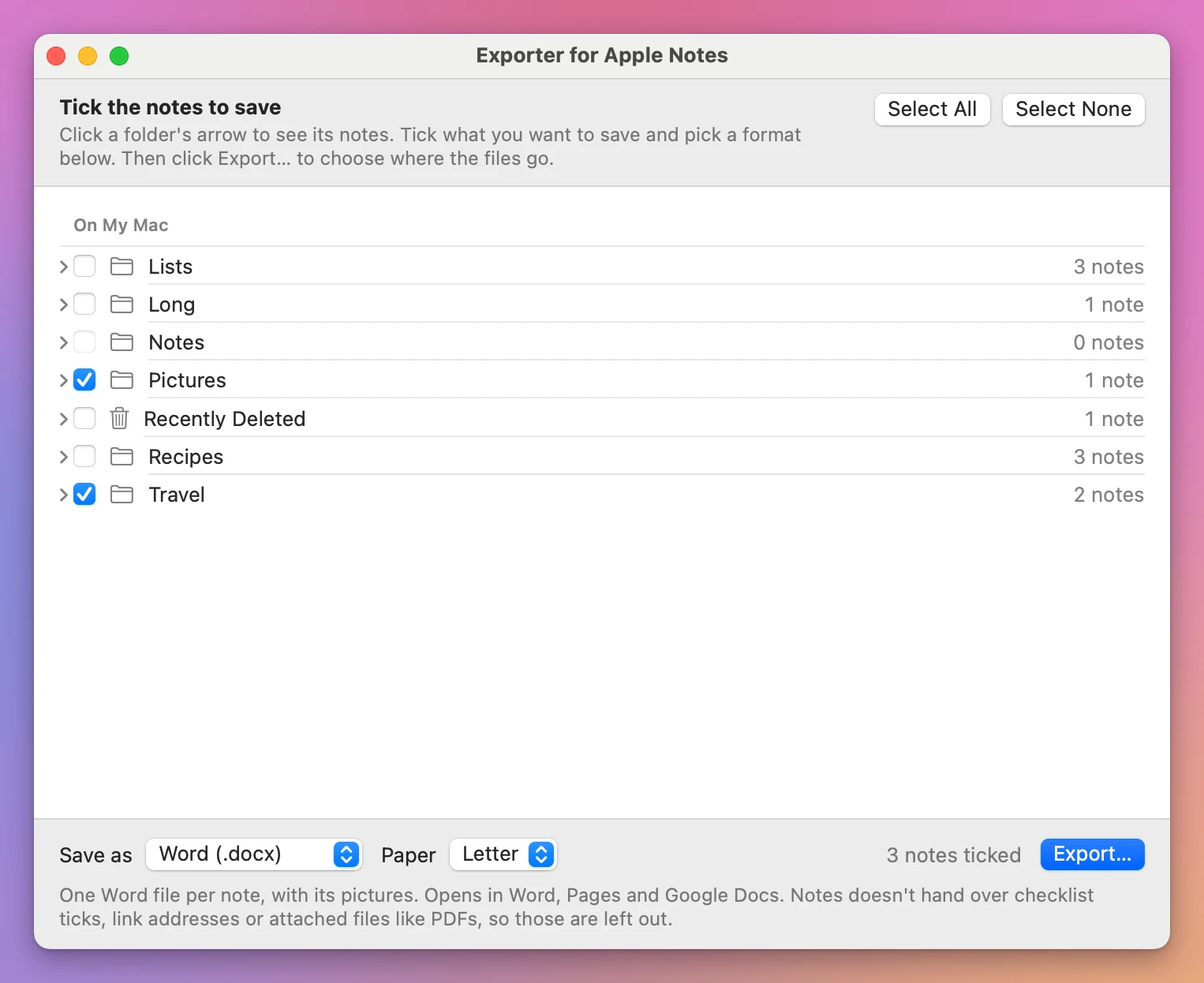
- Tick the folders or the notes you want. Here it’s Pictures and Travel, three notes.
- Set Save as to Word (.docx), pick A4 or Letter next to Paper, and click Export…, then Export Here.
The same “Trip to Lisbon”, saved by the app and opened in TextEdit, still has its table. Under the title there’s the date the note was created:
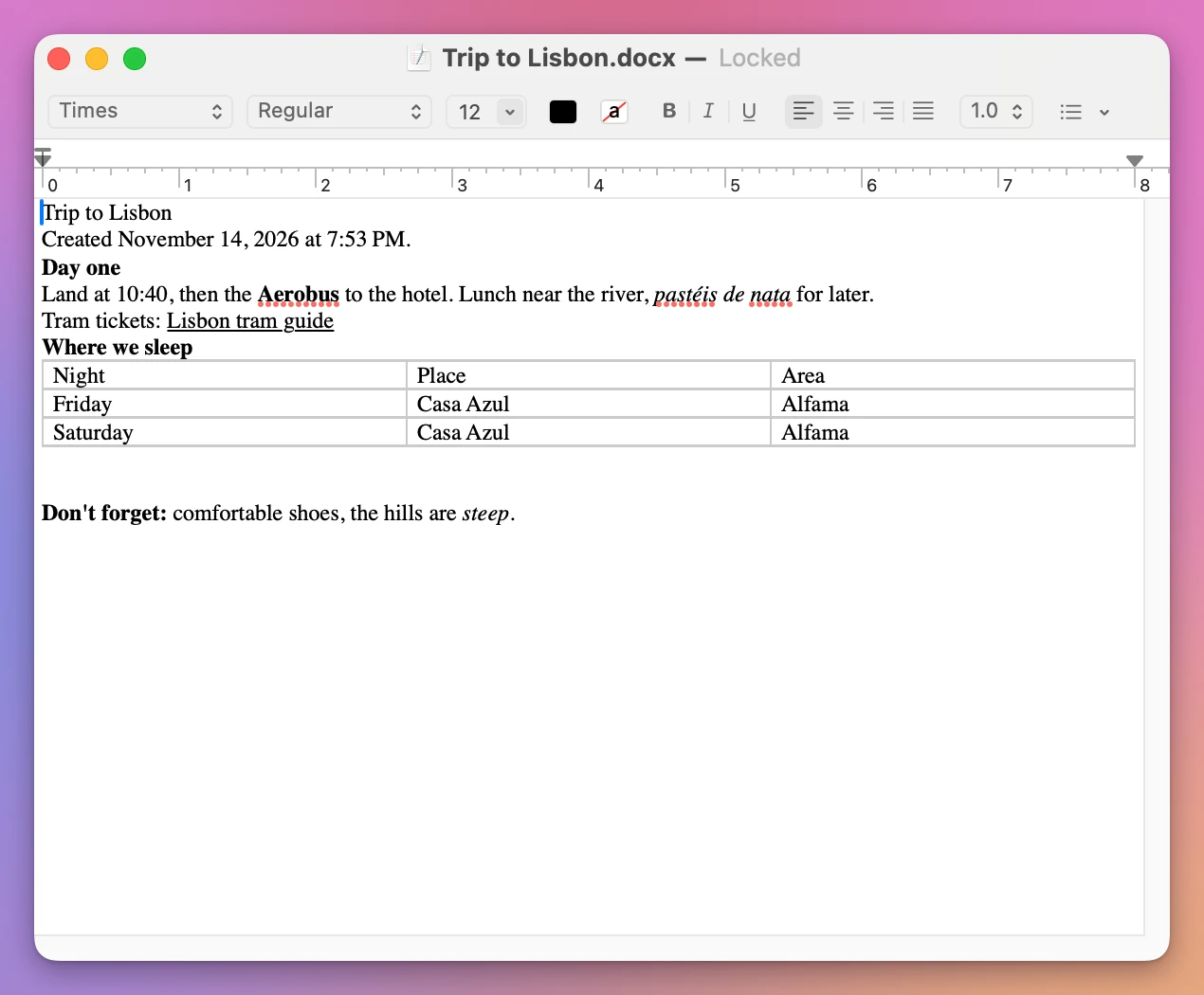
TextEdit marks these files “Locked” in the title bar. Type in one and it asks whether to Duplicate it or Overwrite it, because it says editing in place “might cause you to lose some of the original formatting”. Pick Duplicate if you want to edit in TextEdit.
“Sunset sketch.docx” is a different story in TextEdit: it showed the title, the dates and the line of text, and no picture. The picture is in the file, though. Select it in the Finder and press Space, and Quick Look shows it under the text:

What the app can’t bring over is what Notes doesn’t hand to other apps: checklists come out as plain bulleted lists without their ticks, links lose their address, and files attached to a note, like a PDF, are left out.
If you only need PDFs, the tutorial about exporting a note as a PDF has Notes’ own way, and the one about exporting all your notes at once shows what a whole export looks like in the Finder.
Get Exporter for Apple Notes
Save your notes from the Notes app as files: one PDF, Word file, text file, Markdown file or web page per note, in folders named like your Notes folders, with the pictures and the notes' dates.
See Exporter for Apple Notes → · Read the docs · $19. See the app page for tax details.
Want me to talk about your product? You can sponsor this site.