How to tell which DJI video files are one flight, from their names and lengths
By Flavio
A DJI drone splits a long flight into parts with different names. Add each part's length to the time in its name: if you get the next file's time, they're one flight. A worked example on a card with two split flights and two single clips.
On a DJI card full of files like DJI_20261018101730_0008_D.MP4, the parts of one flight don’t share anything in their names. Each part is named after the moment it started, and gets the next number.
That’s enough to group them by hand. Take a part’s start time from its name, add its length, and look at the next file. If the next file starts at that exact time, it’s the same flight.
What you need
- The names, from the Finder.
- The length of each video. QuickTime Player shows it at the right end of its controls when you open the video. For a long name, the time is the six digits after the date:
20261018101730is 10:17:30.
I tried this on a stand-in card: a disk image formatted like a drone’s card, with made-up clips named the way a newer DJI drone names them, two flights split into parts and two short clips. The parts are cut at 2 minutes instead of the 4 GB a drone stops at, so the lengths are shorter than on a real card. The tutorial about why a drone splits a flight shows the whole card in the Finder.
Read the lengths
Open a video in QuickTime Player and move the pointer over it. The length is on the right of the timeline. Here’s DJI_20261018104405_0011_D.MP4:
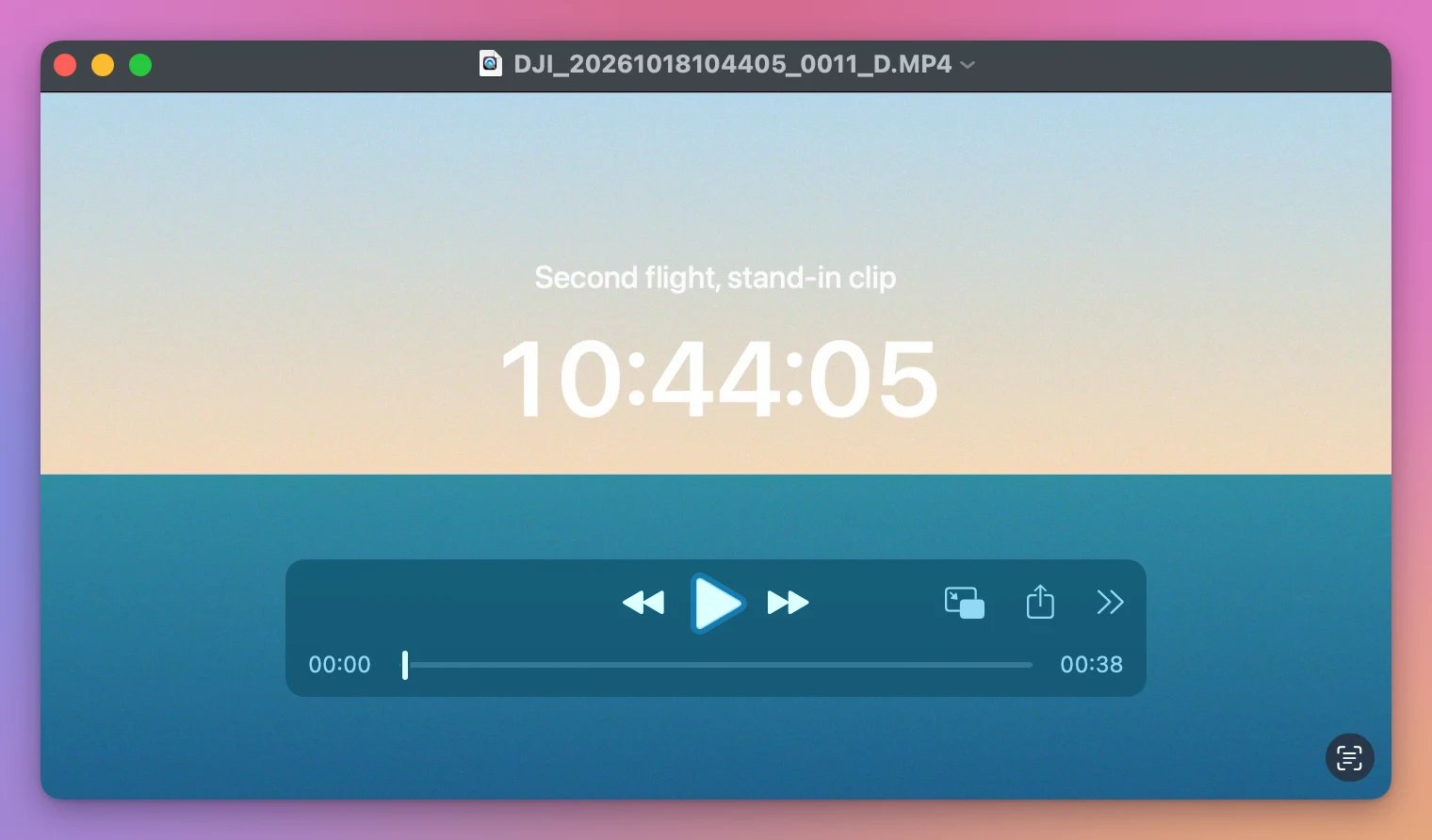
The name says it started at 10:44:05, and it lasts 38 seconds, so it ended at 10:44:43.
Do the sum for every file
Here are the 7 videos of the stand-in card, in the order the Finder sorts them by name:
| File | Starts | Length | Ends | Next file starts | Same flight as the next? |
|---|---|---|---|---|---|
..._0007_D.MP4 | 10:15:30 | 2 min | 10:17:30 | 10:17:30 | Yes |
..._0008_D.MP4 | 10:17:30 | 2 min | 10:19:30 | 10:19:30 | Yes |
..._0009_D.MP4 | 10:19:30 | 47 sec | 10:20:17 | 10:42:05 | No, almost 22 minutes later |
..._0010_D.MP4 | 10:42:05 | 2 min | 10:44:05 | 10:44:05 | Yes |
..._0011_D.MP4 | 10:44:05 | 38 sec | 10:44:43 | 11:00:12 | No, over 15 minutes later |
..._0012_D.MP4 | 11:00:12 | 35 sec | 11:00:47 | 11:15:20 | No |
..._0013_D.MP4 | 11:15:20 | 52 sec | 11:16:12 |
So the card holds:
- one flight in three parts,
0007to0009, 4 minutes 47 seconds; - one flight in two parts,
0010and0011, 2 minutes 38 seconds; - two single clips,
0012and0013.
Two more things to check on a real card:
- The size. Every part but the last stops at the same size. On my stand-in that’s 149.4 MB at 2 minutes. On a drone’s card it’s close to 4 GB.
- The settings. The parts of a flight have the same picture size and video format. QuickTime Player’s Window > Show Movie Inspector shows both.
With older names like DJI_0001.MP4 there’s no time in the name, so only the order, the sizes and the lengths are left. The tutorial about DJI file names shows both kinds.
When the times are a second off
My stand-in parts start exactly where the previous one ends. On a real card, a part’s name only has whole seconds, so allow a second or two either way. A gap of minutes is a new flight. A gap of a second is the same one.
Let an app do the sums
Joiner for DJI is a Mac app I made that does this check for every file on the card and joins the parts of each flight into one video. It’s not made by, affiliated with or endorsed by DJI. It costs $20, paid once.
It reads the numbers, the video settings and the start time saved inside each file, and puts the parts that continue each other in one row. Then it waits for you, with the reason under the row:
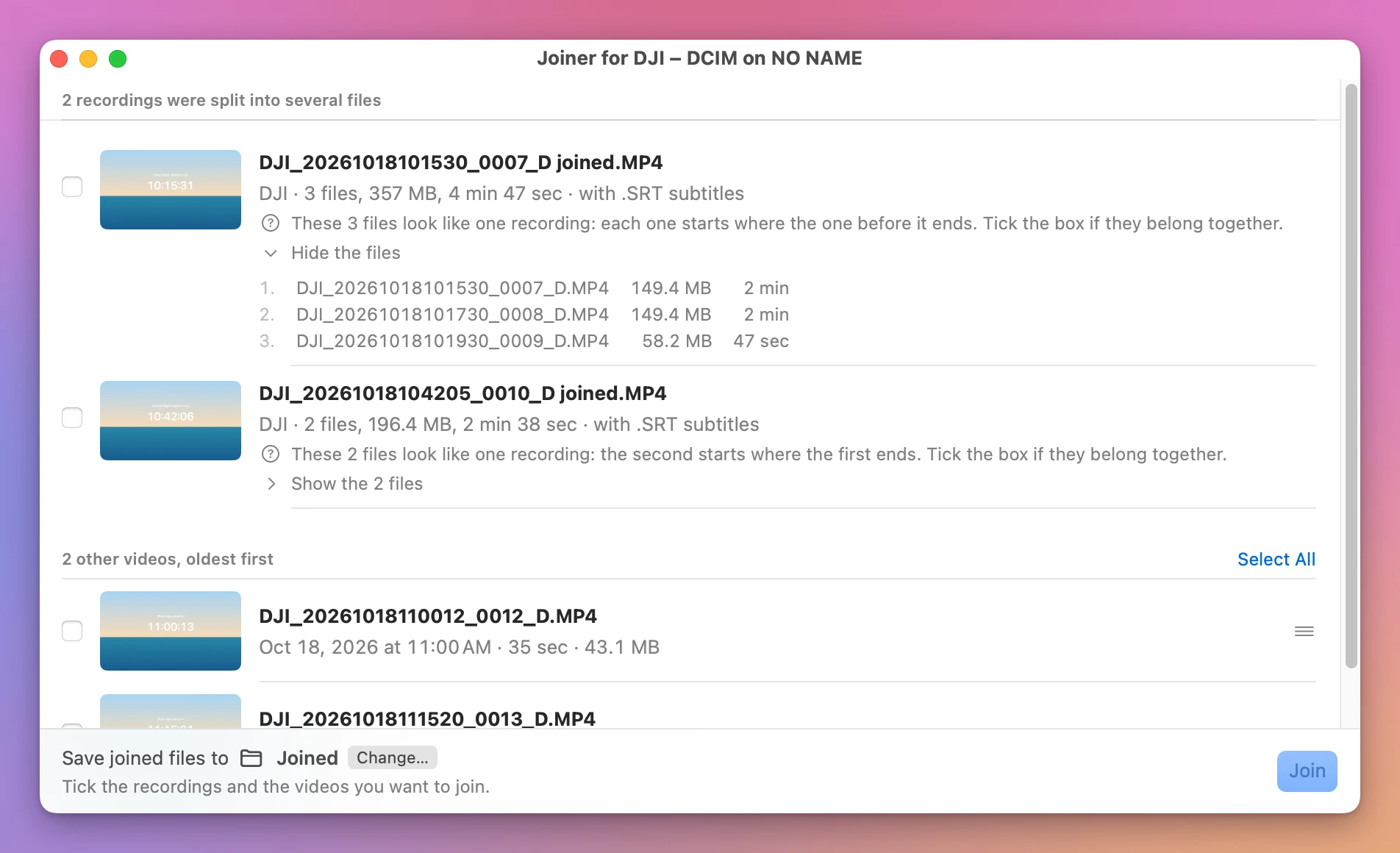
It found the same two flights and the same two single clips as the table, with the same lengths: 4 min 47 sec and 2 min 38 sec. A file it can’t read breaks the chain, so the parts on either side show up apart instead of being guessed together. Tick the rows you agree with and click Join.
Get Joiner for DJI
Put the parts your DJI drone split a flight into back together, into one video on your Mac, straight from the card, with the .SRT flight data merged to match. Nothing loses quality, and the small .LRF files can go with the originals.
See Joiner for DJI → · Read the docs · $20. See the app page for tax details.
Want me to talk about your product? You can sponsor this site.