How to download all the files in a list of links on a Mac
By Flavio
Safari and Chrome download one link at a time. Here's the free way for a short list, and how to download a long list of file links into one folder, with a list of the ones that failed.
Someone sent you a list of links to files. Forty PDFs for a course, the attachments column of a spreadsheet, a page of worksheet links. You want every file in one folder on your Mac, without clicking each link.
The short answer: a browser downloads one link at a time, so for a few links you click through them. For a long list, Batch URL Download Queue takes the whole list, downloads every file into the folder you choose, and gives you a spreadsheet of the links that failed, with the reason.
How do I download a few links for free?
Safari and Chrome are enough for a short list.
- Make a new folder for the files, so they don’t mix with the rest of your Downloads.
- If the links are in an email or a web page, Control-click the first link and choose Download Linked File in Safari, or Save Link As… in Chrome.
- If the links are plain text (a document, a spreadsheet cell), copy one, paste it in the address bar and press Return. A PDF often opens in the browser instead of downloading. Save it from the File menu.
- Move the files into your folder, and tick the link off your list.
The first download from a new site in Safari asks whether to allow downloads from that site.
It works, and it costs nothing. The cost is attention. With 40 links you click 40 times, and you keep track yourself. Two links that both lead to report.pdf come out as report.pdf and a copy with a number added, and nothing tells you which link each came from. A link that answers with an error page looks like a download that finished until you open it.
What goes wrong with a long list?
Three things, on top of the clicking:
- Lines that aren’t links. A list someone typed has notes, an
ftp://address, an email, “see the attached spreadsheet”. You find them one by one. - Servers that hiccup. A busy site answers “try again later” or drops the connection halfway. In a browser, you have to notice and click again.
- No record of what failed. At the end you don’t know which of the 40 are missing, and you can’t send the list of broken links back to whoever sent them.
How do I download a whole list at once?
Open Batch URL Download Queue. The window tells you the three steps, and its one big button is always the next one.
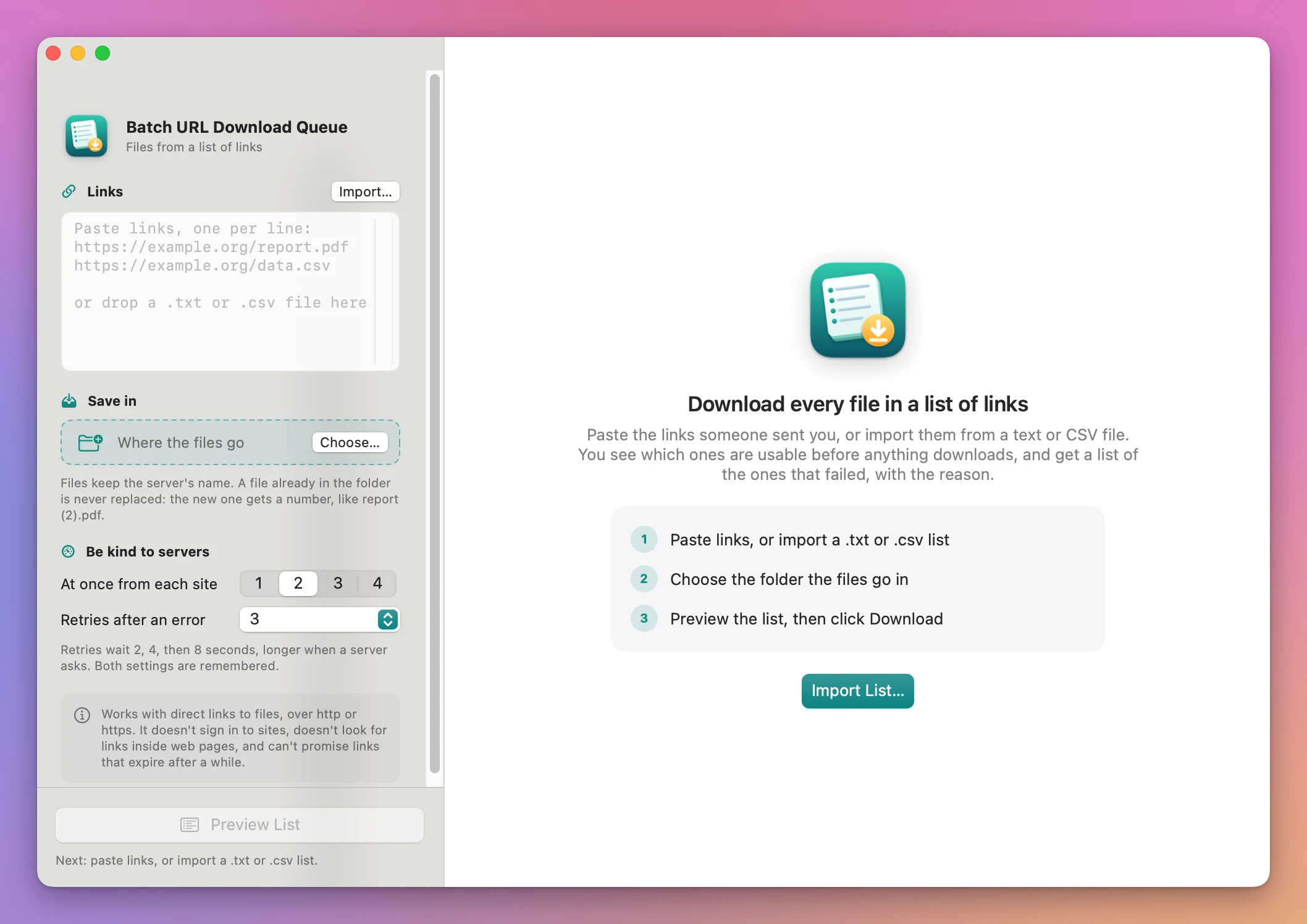
The example below uses a made-up list of 15 lines, reading-list.csv, with a title column, a link column and a notes column. The files came from a test server running on the same Mac, which is why every link starts with 127.0.0.1. Some of its links were set up to fail on purpose: a missing file, a server error, a server that’s busy at first, a link that needs a sign-in.
- Add the list. Paste the links into the Links box, one per line, or click Import… and open the
.txtor.csvfile. The CSV doesn’t need cleaning up: the app finds the link on each line. Here the pills under the box read 11 links, 1 repeat and 2 not links. - Choose the folder. Click Choose… under Save in. The example used a folder called Papers.
- Leave the settings, or go easy. At once from each site is 2 and Retries after an error is 3 by default. For a site that slows down when you hit it, set the first one to 1.
- Click Preview List.
The preview is where the long list gets checked. The two lines that can’t be downloaded are at the top, in orange, with the reason: the ftp:// link says “Only http and https links can be downloaded, not ftp:// links”, and the note says “No web address on this line”. The repeated link shows once. Every link has a checkbox, so you can untick the ones you don’t need.
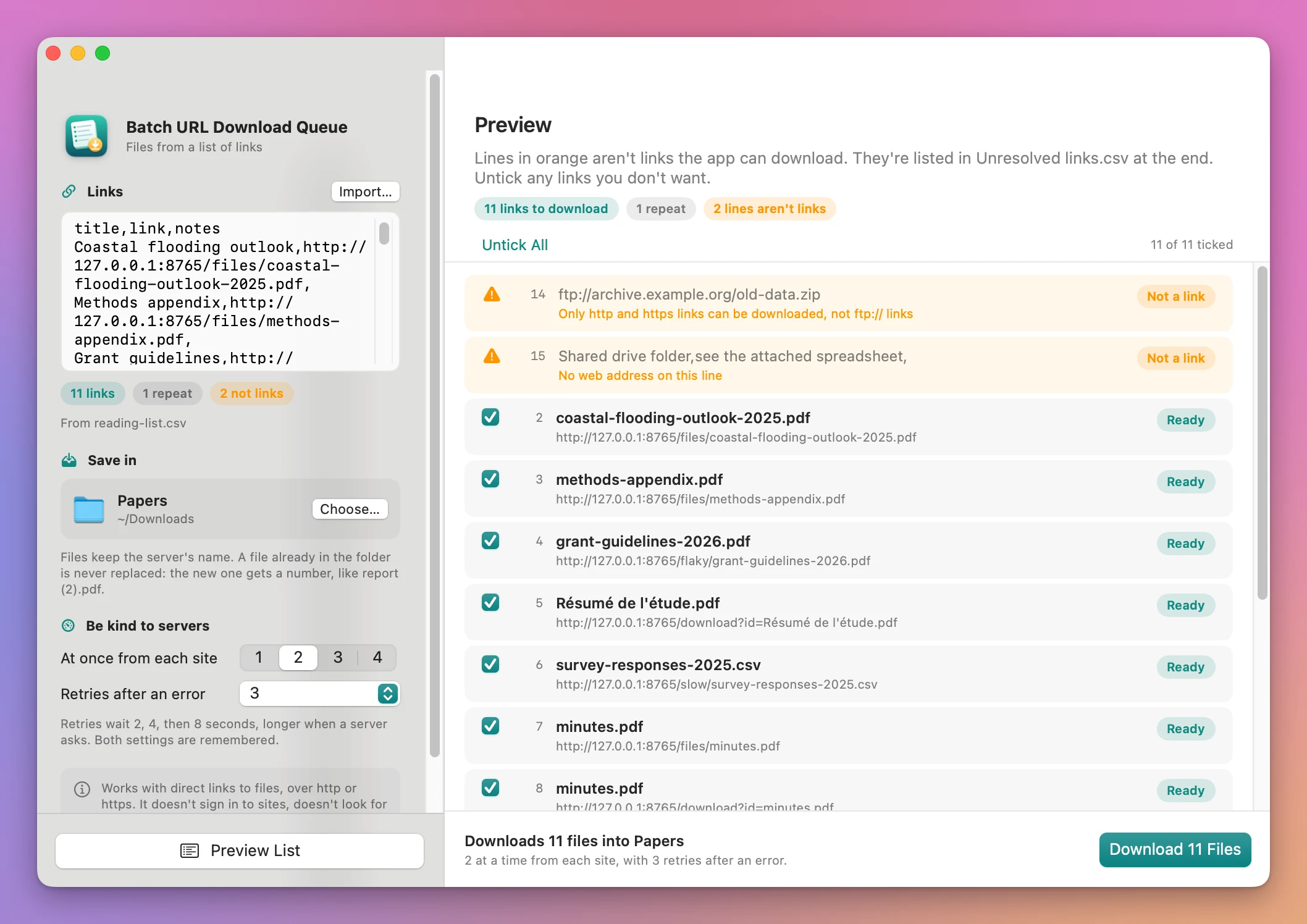
Click Download 11 Files. Each row shows its progress. The link set up to be busy at first answered with an error, the app waited and tried again, and the file came down. The link set up to drop its connection halfway continued from where it stopped. Two links both pointed to minutes.pdf, so the second one became minutes (2).pdf.
What do I get at the end?
The result screen says “9 files downloaded, 2 couldn’t be”, and puts the links that need a look at the top:
budget-2024.xlsx: “Not found on the server (HTTP 404)”.archive-2019.zip: “The server had an error (HTTP 500). Gave up after 4 tries.”members-only-report.html: the site sent a web page instead of the PDF. The link probably needs a sign-in. The page is saved as.htmlso you can look at it.
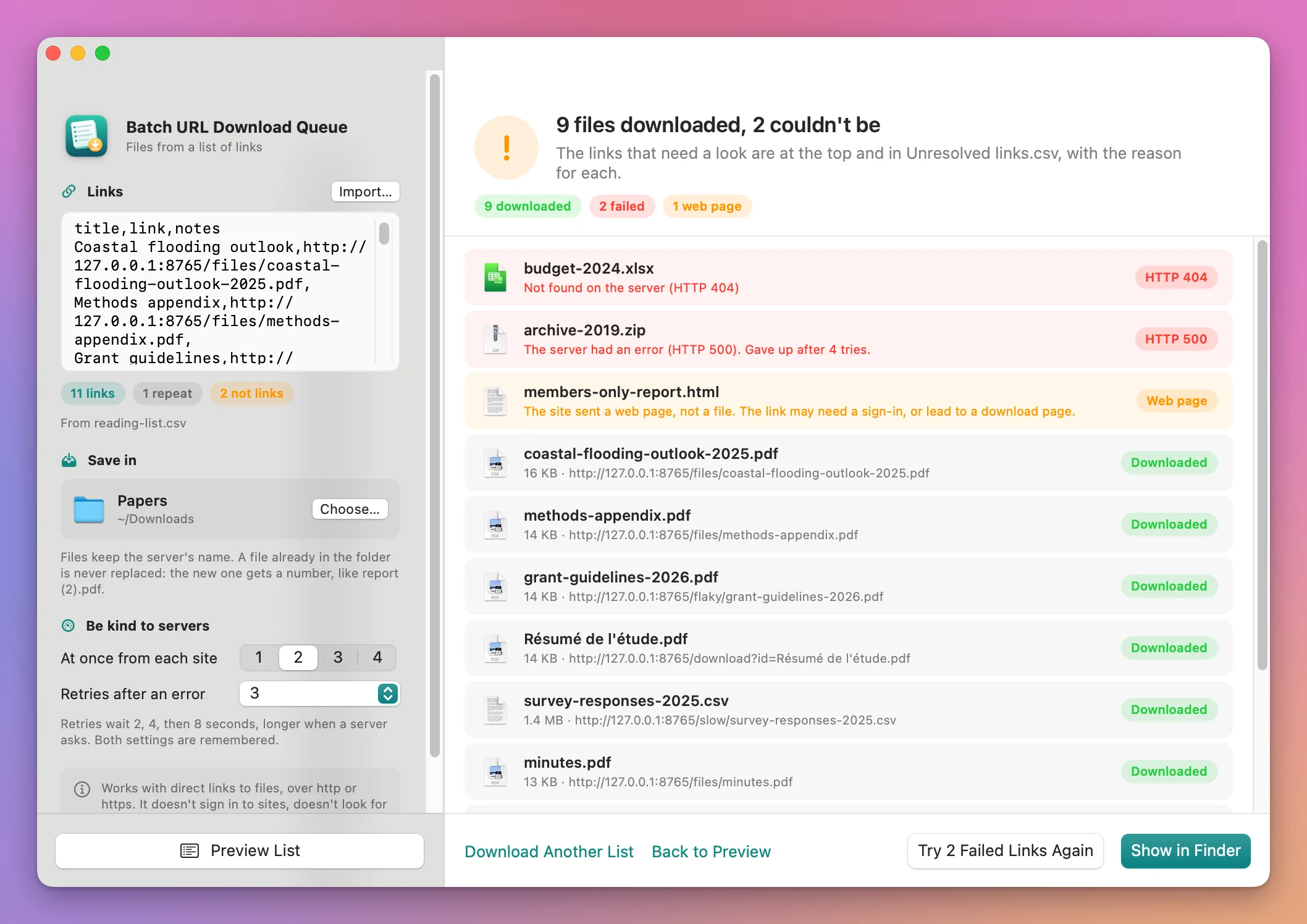
Show in Finder opens the folder with Unresolved links.csv selected. It has a row for each problem, with the line number, the link, the HTTP status, the reason and how many attempts were made. In the example it had five rows: the two failed downloads, the web page, and the two lines that weren’t links. That’s the file you send back to whoever wrote the list.
Can I stop and finish later?
Yes. Stop keeps the half-downloaded files in the folder. In the example, a stop left survey-responses-2025.csv at 459 KB. After quitting and reopening the app, the same list and the same folder showed “1 to resume” in the preview, and Resume Download finished the file from 459 KB. Files that were already there were skipped.
Continuing a file from the middle needs the server to support it. When it doesn’t, that file starts over.
Browser or app?
| Safari or Chrome | Batch URL Download Queue | |
|---|---|---|
| 40 links | 40 clicks or pastes | One list, one click |
| Lines that aren’t links | Found as you go | Listed first, with the reason |
| A busy server | You notice and click again | Retried after a few seconds |
Two files called minutes.pdf | A number added, from an unknown link | minutes (2).pdf, with its link shown |
| Quitting halfway | You check what’s missing | Same list, same folder, it continues |
| What failed | Your memory | Unresolved links.csv |
The app is for direct links to files. It doesn’t sign in to sites, it doesn’t look for links inside a web page, and a link that expires works only while it’s valid. To save the web pages themselves to read later, that’s what Page Saver does.
Batch URL Download Queue costs $19 plus tax where it applies, paid once, and runs on macOS 14 or later.
Get Batch URL Download Queue
Paste a list of links, or import a .txt or .csv, and download every file into one folder. Preview the list first, retry server errors, resume after a quit, and get a CSV of the links that failed and why.
See Batch URL Download Queue → · Read the docs · $19. See the app page for tax details.
Want me to talk about your product? You can sponsor this site.