GoPro videos out of order in the Finder? How to see each recording's chapters in a row
By Flavio
Sorted by name, the Finder mixes the chapters of different GoPro recordings together. Two clicks put them back in the order you filmed them, with the camera's small files out of the way.
You open your GoPro’s card on the Mac and the videos are in a strange order. The first part of a ride is followed by a video from the next day, and the rest of the ride is further down the list.
The Finder isn’t wrong, it’s sorting by name, and GoPro names don’t sort the way you filmed. Sort by Date Modified instead, and turn on Use Groups so the videos sit together, away from the camera’s small files. Each recording’s chapters then follow each other, in order.
Why are they out of order?
A GoPro cuts a long recording into chapters, and names them like GX010141.MP4, GX020141.MP4, GX030141.MP4. The two digits after GX are the chapter, the last four are the recording. (The tutorial about GoPro file names has every part.)
The Finder sorts names from the left. The chapter number comes before the recording number, so every first chapter on the card sorts before every second chapter.
I tried this on a stand-in card: a disk image formatted like a camera’s card, named NO NAME, with made-up clips named the way a GoPro names them and dated like the camera would date them. Here it is in list view, sorted by name:
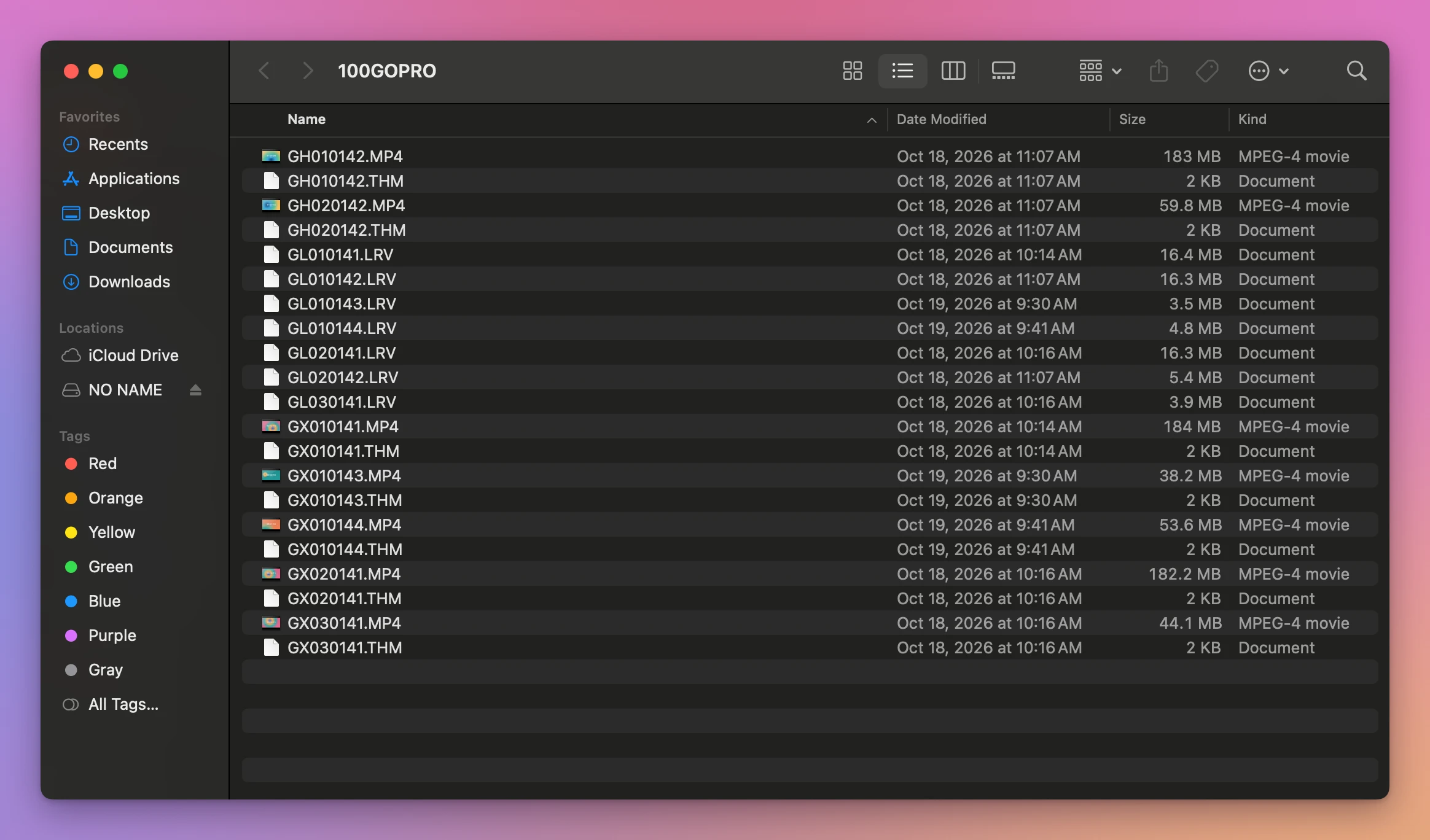
Recording 0141 is GX010141.MP4, GX020141.MP4 and GX030141.MP4, and two other recordings, GX010143.MP4 and GX010144.MP4, land between its first and second chapter. The .LRV and .THM files the camera writes next to each video make the list longer still: 21 files for 7 videos.
How do I put them in the order I filmed them?
The camera saves each chapter when it’s full, so its Date Modified is the time that chapter ended. Sorting by it puts the chapters of a recording one after the other.
- Open the card in the Finder, then
DCIMand100GOPRO. - Choose View > as List.
- Click the Date Modified column. If the newest is at the top, click it again to put the oldest first.
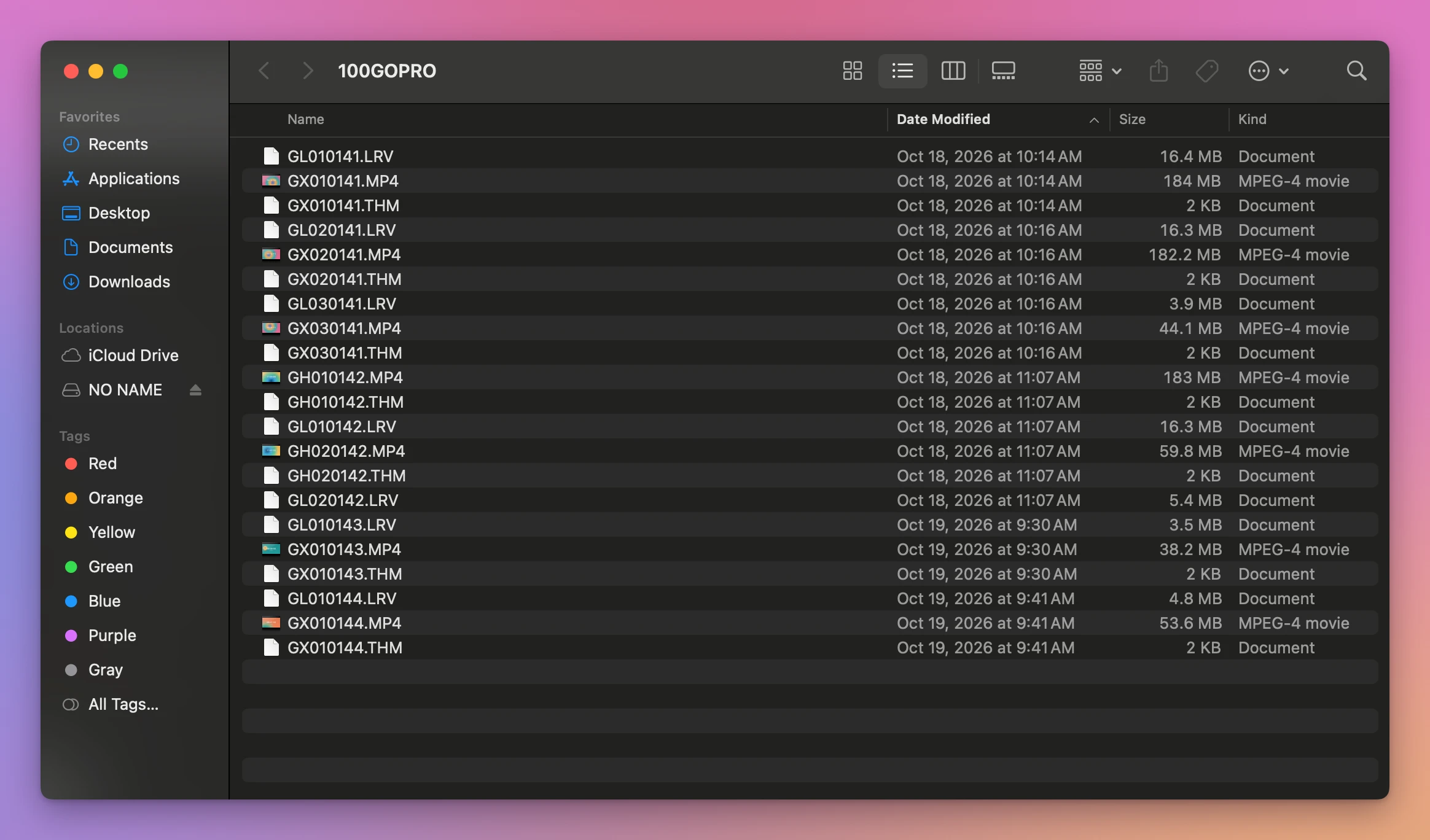
The chapters are in order now, but each one still has its .LRV and .THM around it.
- Choose View > Use Groups. The Finder groups by kind: the videos go in Movies, the small files in Other.
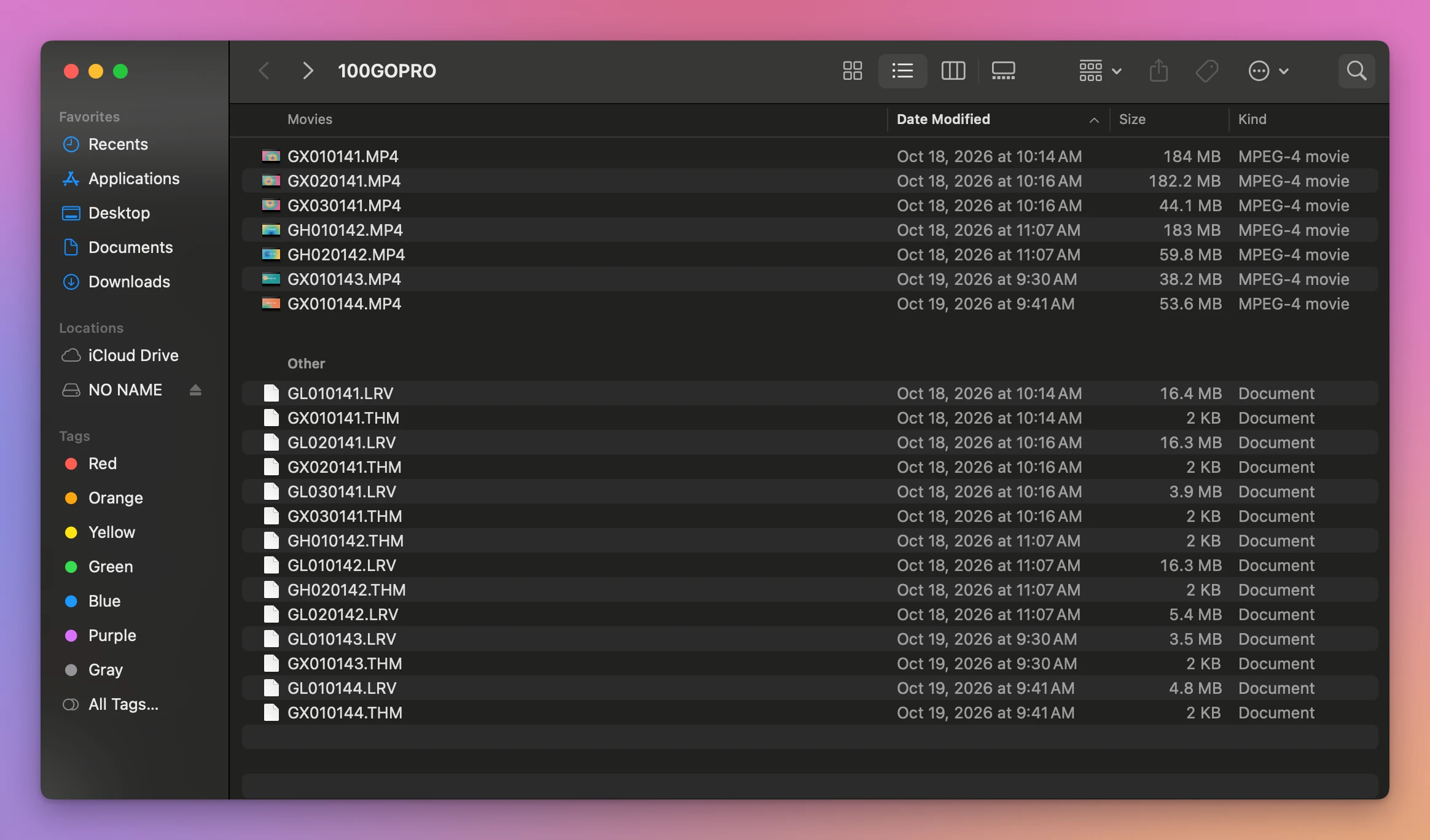
That’s the card in the order it was filmed: recording 0141 in three chapters, recording 0142 in two, then the two short ones from the next day.
GX020141.MP4 and GX030141.MP4 both show 10:16 AM, because the Finder only shows the minutes. It still sorted them right: chapter 2 ended at 10:16:00 and chapter 3 at 10:16:30, and the sort uses the seconds too.
Here are the ways I tried, side by side:
| How the list is sorted | Chapters of one recording together? | Small files |
|---|---|---|
| Name | No, other recordings in between | Mixed in, the .LRV files together |
| Size | No, the big chapters first | All at the bottom |
| Date Modified | Yes, in order | Mixed in, next to their video |
| Date Modified, with Use Groups | Yes, in order | In their own group, Other |
When the dates aren’t right
The date sort trusts the dates on the files. Two things can spoil them:
- The camera’s clock was wrong. The order still comes out right as long as the clock was running, because the chapters are dated one after the other. Only the dates you see are off.
- The files were copied by something that doesn’t keep dates. A copy made by dragging in the Finder keeps the Date Modified. If a copy shows today’s date on every file, sort by name and use the numbers: same last four digits, then the two digits after
GXorGH.
Let the app put them together
Joiner for GoPro is a Mac app I made that reads the names for you and puts each recording’s chapters back into one video. It’s not made by, affiliated with or endorsed by GoPro. It costs $20, paid once.
It shows each split recording as one row, whatever order the Finder had them in. Show the 3 files lists the chapters in order. A click on a row plays it in a small panel in the corner of the window:
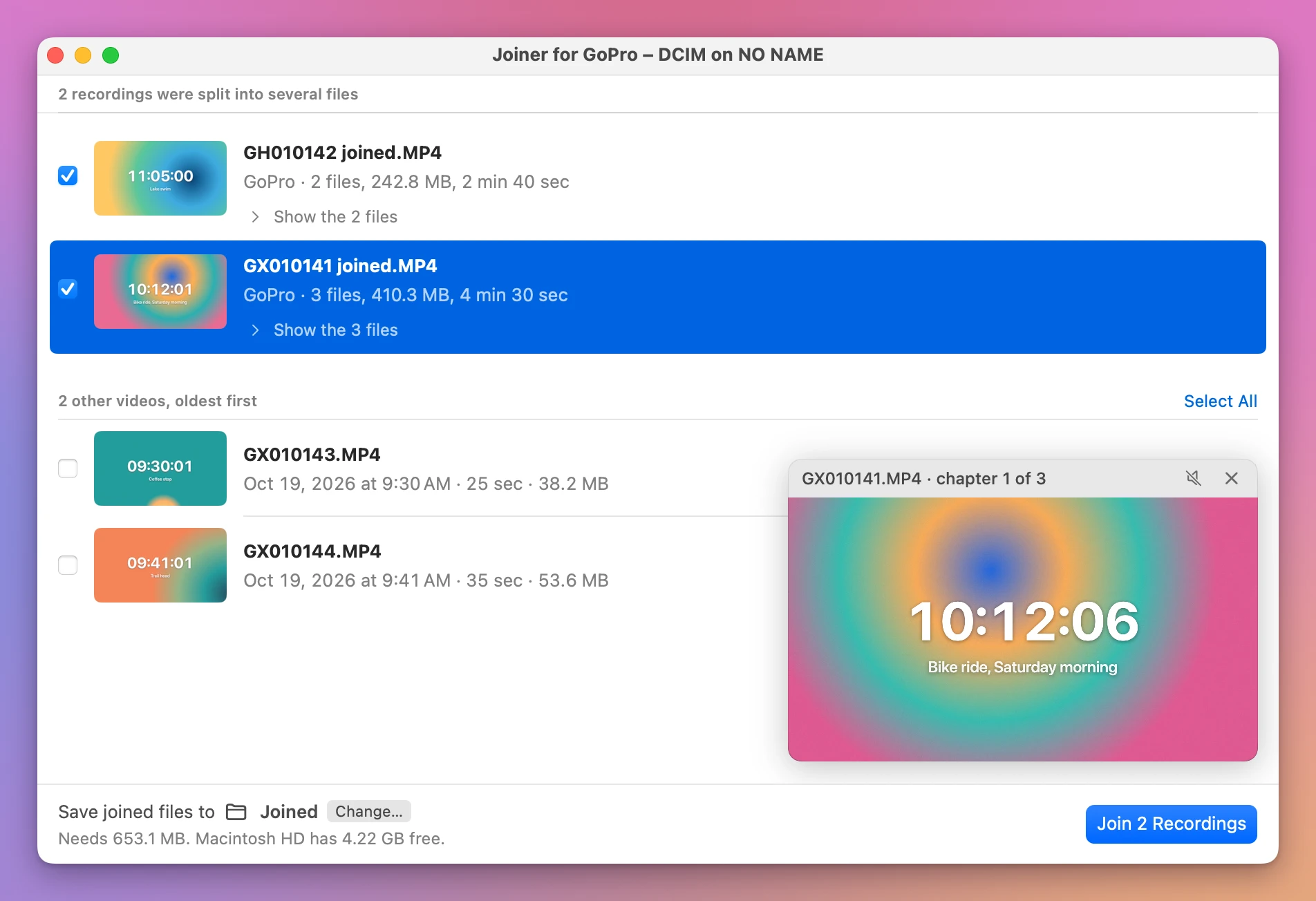
Before the join, the panel plays chapter 1 and says so: “GX010141.MP4 · chapter 1 of 3”. After Join 2 Recordings, a click on the row plays the joined video, the whole recording from start to end. The videos the camera didn’t split, GX010143.MP4 and GX010144.MP4, are listed under the recordings, oldest first.
Get Joiner for GoPro
Put the chapters your GoPro split a long recording into back together, into one video on your Mac, straight from the card. Nothing loses quality, the GPS and motion data stay, and the small .THM and .LRV files can go with the originals.
See Joiner for GoPro → · Read the docs · $20. See the app page for tax details.
Want me to talk about your product? You can sponsor this site.