Where a Kindle keeps your highlights: My Clippings.txt, and how to read it on a Mac
By Flavio
Every highlight, note and bookmark you make on a Kindle goes into one text file on it, My Clippings.txt. Here's where to find it from a Mac, how to read it in TextEdit, and what each line means.
You’ve been highlighting passages on your Kindle for months, and you’d like to read them on your Mac. They’re already on the Kindle, in one plain text file named My Clippings.txt, in the same documents folder as your books.
Every highlight, note and bookmark goes into that file, one after the other, for every book. It’s plain text, so TextEdit opens it.
This is about a Kindle that shows up in the Finder as a disk. The tutorial about a Kindle that doesn’t show up explains which ones do.
Find the file
I tried this on a stand-in Kindle: an 8 GB disk image formatted FAT32 like a Kindle that shows up as a disk, named Kindle, with a documents folder. On the Mac it behaves like an older Kindle plugged in by cable. Its My Clippings.txt is one I made, with highlights from public-domain books in the layout a Kindle writes, so the passages are real lines from those books and the notes, locations and dates are made up.
Plug the Kindle in, click Kindle in the Finder’s sidebar and open documents. The file is there with the books:
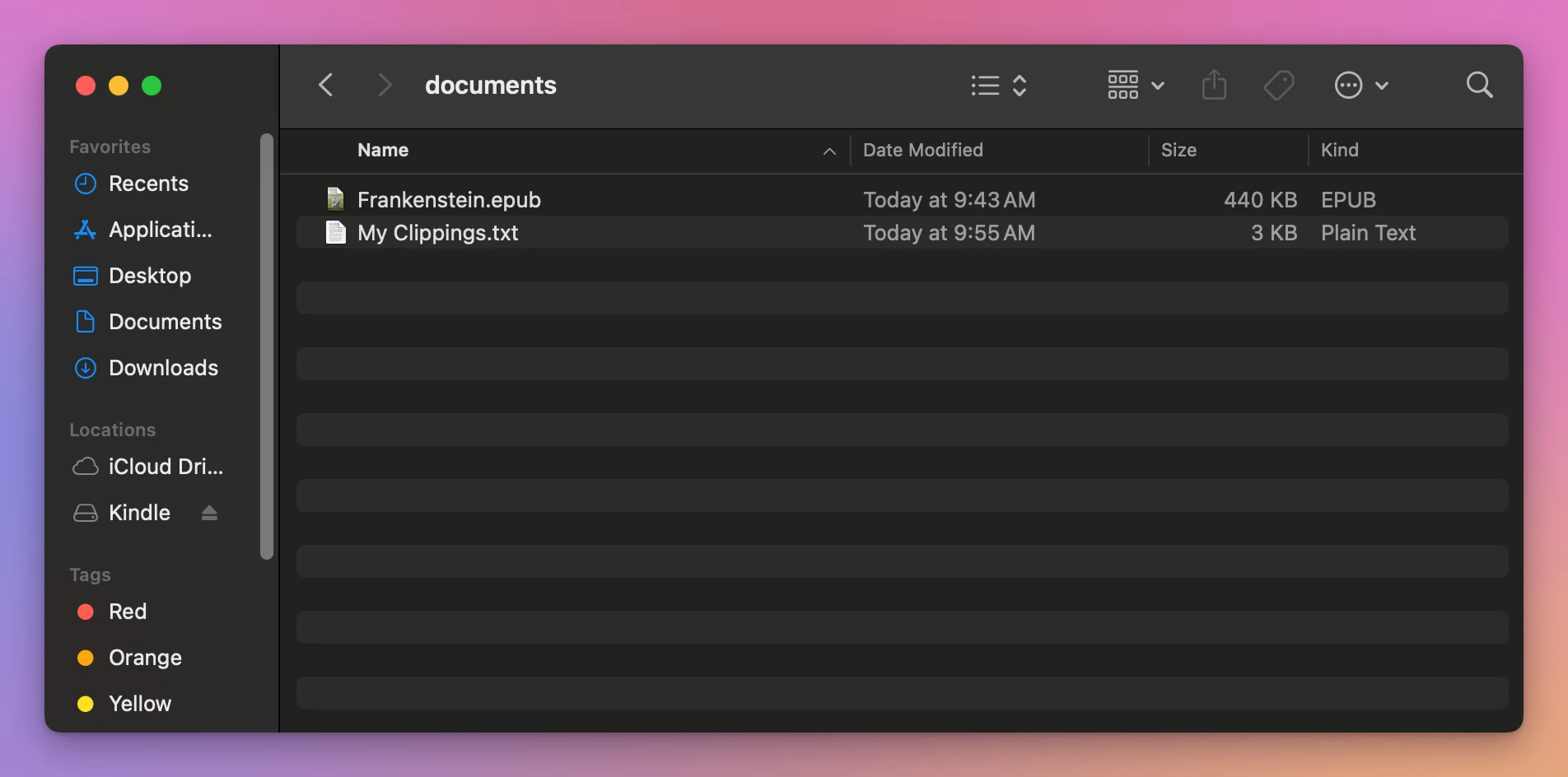
Mine is 3 KB with 14 entries. Yours grows with every highlight you make.
Read it in TextEdit
It’s plain text, so TextEdit opens it. I’d drag it to the Desktop first and open that copy, so nothing you type can change the Kindle’s file. Here’s mine in TextEdit:
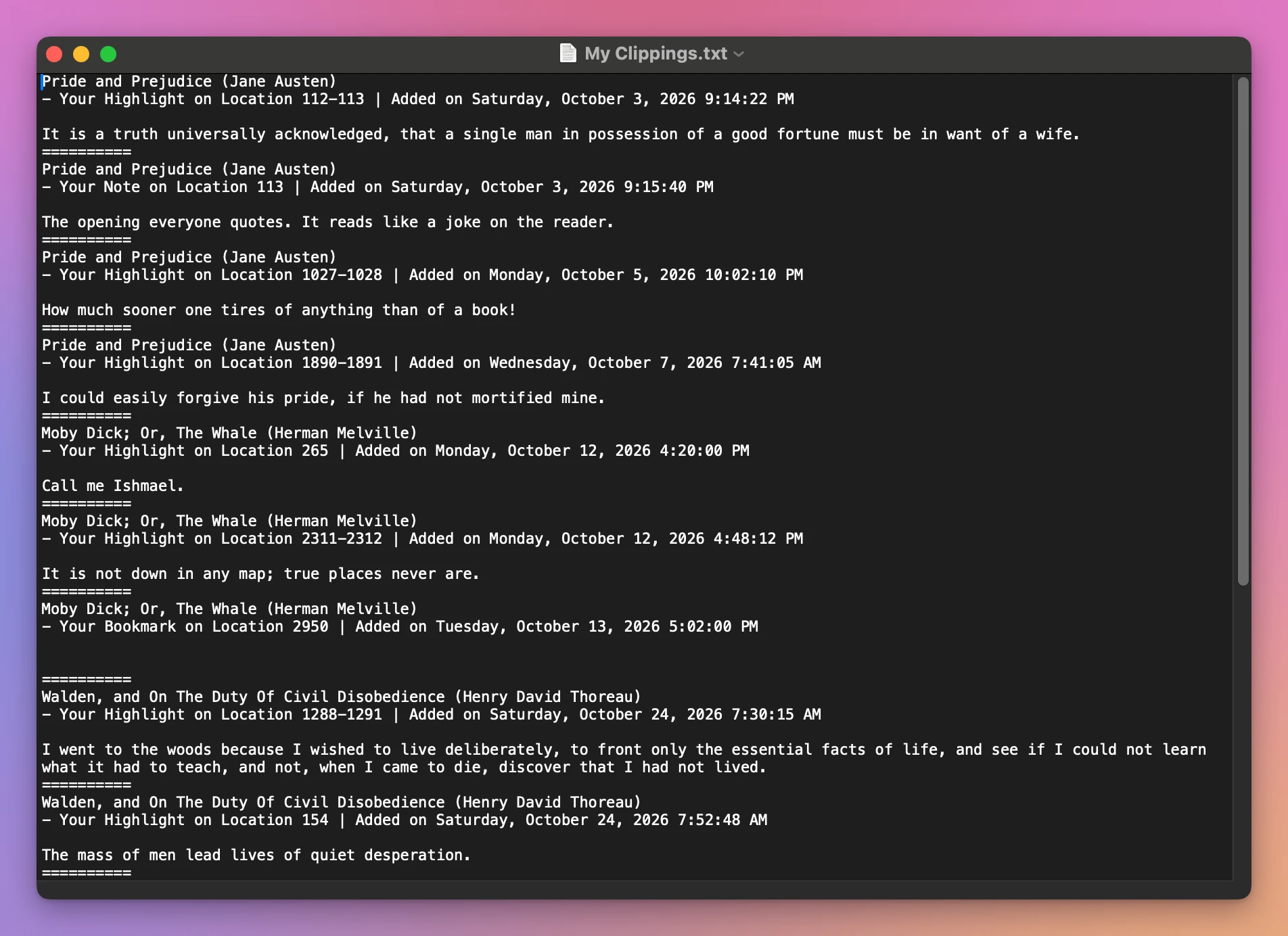
Each entry has the same four parts, then a line of ten = signs. Here’s the first one in my file:
Pride and Prejudice (Jane Austen)
- Your Highlight on Location 112-113 | Added on Saturday, October 3, 2026 9:14:22 PM

It is a truth universally acknowledged, that a single man in possession of a good fortune must be in want of a wife.
==========| Line | What it says |
|---|---|
Pride and Prejudice (Jane Austen) | The book’s title, then the author in brackets |
- Your Highlight on Location 112-113 | What it is, a Highlight, a Note or a Bookmark, and where in the book |
Added on Saturday, October 3, 2026 9:14:22 PM | When you made it |
| The empty line, then the text | The passage you highlighted, or the note you typed. A bookmark has no text |
========== | The end of the entry |
Where reading it by hand stops
The file is in the order you made things, not by book. My 14 entries cover 5 books. On a Kindle you’ve used for years, the highlights of one book are spread across a long file, between those of everything else you read at the same time.
A note is a separate entry from the passage it’s about. In my file, the note “The opening everyone quotes” comes right after the first highlight of Pride and Prejudice, and nothing but the location, 113, ties the two together.
My Clippings.txt in TextEdit | Transfer for Kindle | |
|---|---|---|
| Order | The order you made them, all books mixed | By book |
| A note | A separate entry, matched by location | Under the passage it’s on |
| A bookmark | An entry with no text | Counted, like “1 bookmark” |
| Find one book | Edit > Find, one entry at a time | Click the book |
Read them by book
Transfer for Kindle is a Mac app I made that reads My Clippings.txt straight from the Kindle and shows the highlights by book. It’s my own app, not made by, affiliated with or endorsed by Amazon. It costs $20, paid once.
Click Highlights at the top. On the stand-in, it listed the 5 books with their counts, and showed the passages of the one I clicked, with the note under the passage it’s on:
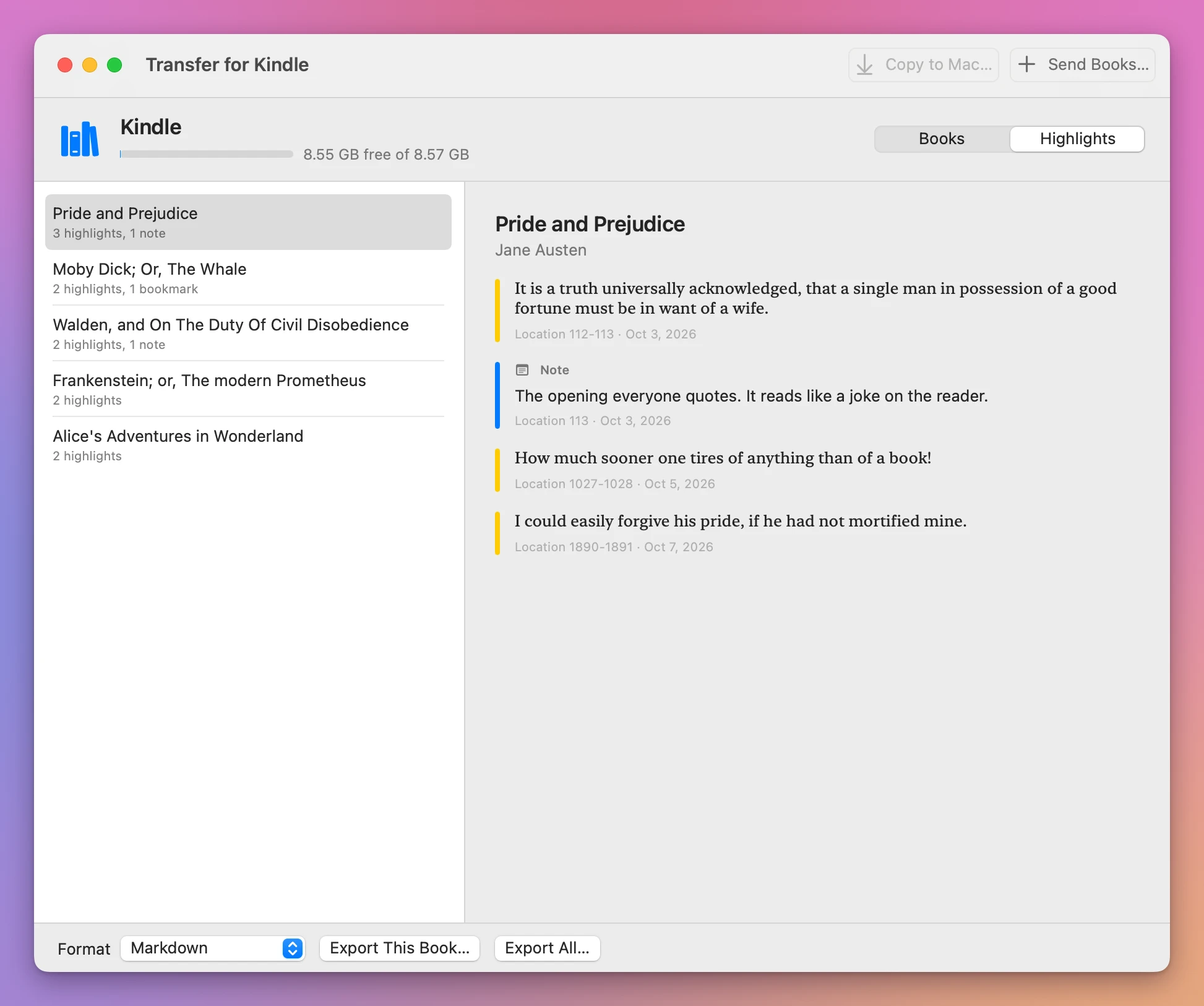
It only reads the file: after all my tries, the Kindle’s My Clippings.txt still had its 3,005 bytes and its 9:55 AM date. At the bottom you can save them as Markdown, plain text or CSV, which is the next tutorial.
I also used it on my own Kindle, an older one that shows up as a disk, and it showed my highlights by book and exported them.
Get Transfer for Kindle
Plug your Kindle into your Mac and see its books, send your own EPUB, PDF and other books to it by cable, copy books back, and save your highlights. An EPUB is turned into a book the Kindle opens, on your Mac, with nothing uploaded.
See Transfer for Kindle → · Read the docs · $20. See the app page for tax details.
Want me to talk about your product? You can sponsor this site.