Which book formats a Kindle reads when you copy them over USB
By Flavio
A Kindle opens some files copied over the cable and ignores others, and the Finder copies them all without a word. Here's Amazon's list, what it means for EPUB, Word files and pictures, and a test with the same book in five formats.
When your Kindle shows up on your Mac as a disk, you can copy any file into its documents folder. The Finder doesn’t check anything. Some of those files show up on the Kindle as books, and the others never do.
Amazon lists the formats on its Kindle Paperwhite page, in two groups. The ones the Kindle reads natively are the ones you can copy over the cable:
- Kindle Format 8 (AZW3)
- Kindle (AZW)
- TXT
- unprotected MOBI
- PRC
The second group are formats it reads “through conversion”: HTML, DOC, DOCX, JPEG, GIF, PNG and PMP, and on the newer Paperwhite listing also EPUB, RTF and BMP. That’s the conversion Amazon does when you send a file with Send to Kindle, from its website or its apps, so those files reach the Kindle through your Amazon account, not over the cable.
| Format | Copied over USB | Through Send to Kindle |
|---|---|---|
| AZW3, AZW, MOBI (without DRM), PRC | Read natively | |
| PDF, TXT | Read natively | Also accepted |
| EPUB | Not in the native list | Converted |
| DOC, DOCX, RTF, HTML | Not in the native list | Converted |
| JPEG, GIF, PNG, BMP | Not in the native list | Converted |
“Unprotected” means without DRM, the lock some stores put on the books they sell.
The same book in five formats
I tried this on a stand-in Kindle: an 8 GB disk image formatted FAT32 like a Kindle that shows up as a disk, named Kindle, with a documents folder. On the Mac it behaves like an older Kindle plugged in by cable. It can’t open books, so what happens on the Kindle’s screen comes from Amazon’s list above.
The book is Alice’s Adventures in Wonderland from Project Gutenberg, as an EPUB and as plain text. I also made a Word document and a PDF of the same text, and saved the EPUB’s cover picture as a JPEG. The Finder’s Kind column tells them apart:
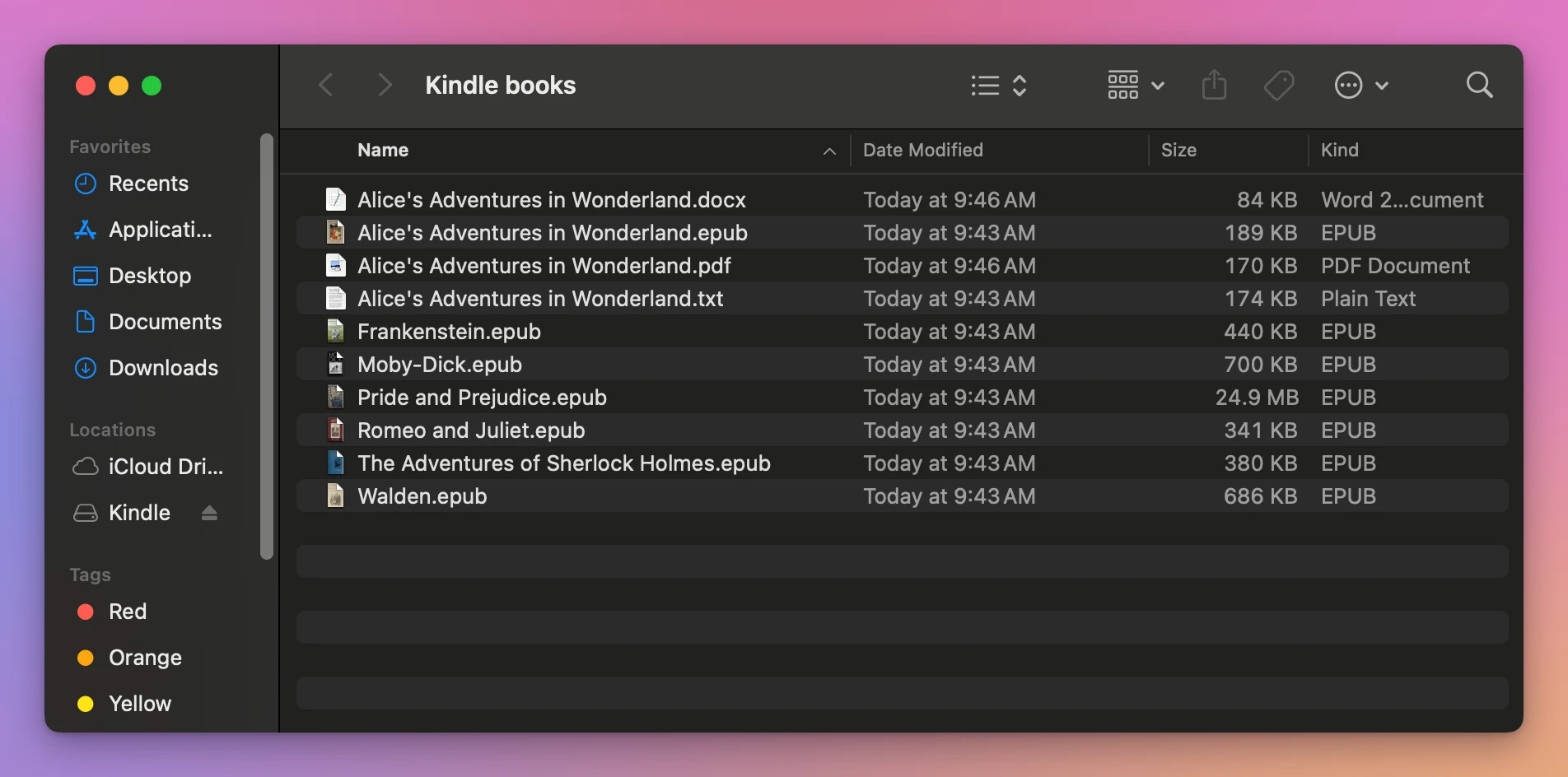
The Finder copies any of them into documents without a word, as it did with an EPUB in the tutorial about putting an EPUB on a Kindle. Here’s what Amazon’s list says about each:
| File | Size | Over USB, per Amazon’s list |
|---|---|---|
Alice cover.jpg | 105 KB | JPEG isn’t in the native list |
Alice's Adventures in Wonderland.docx | 84 KB | DOCX isn’t in the native list |
Alice's Adventures in Wonderland.epub | 189 KB | EPUB isn’t in the native list |
Alice's Adventures in Wonderland.pdf | 170 KB | Read natively |
Alice's Adventures in Wonderland.txt | 174 KB | Read natively |
Where doing it by hand stops
The Finder copies whatever you drop, so the check is yours: look at the extension or the Kind column, compare it with Amazon’s list, and leave the rest on the Mac. For a Word document, open it and save it as a PDF first. For an EPUB, there’s no app on the Mac that turns it into a Kindle format.
Let the app check each file
Transfer for Kindle is a Mac app I made that sends books to a Kindle over the cable. It checks every file before sending it, turns an EPUB into a MOBI on the Mac, and turns down what the Kindle doesn’t read, with what to do instead. It’s my own app, not made by, affiliated with or endorsed by Amazon. It costs $20, paid once.
I clicked Send Books… and picked the five files:
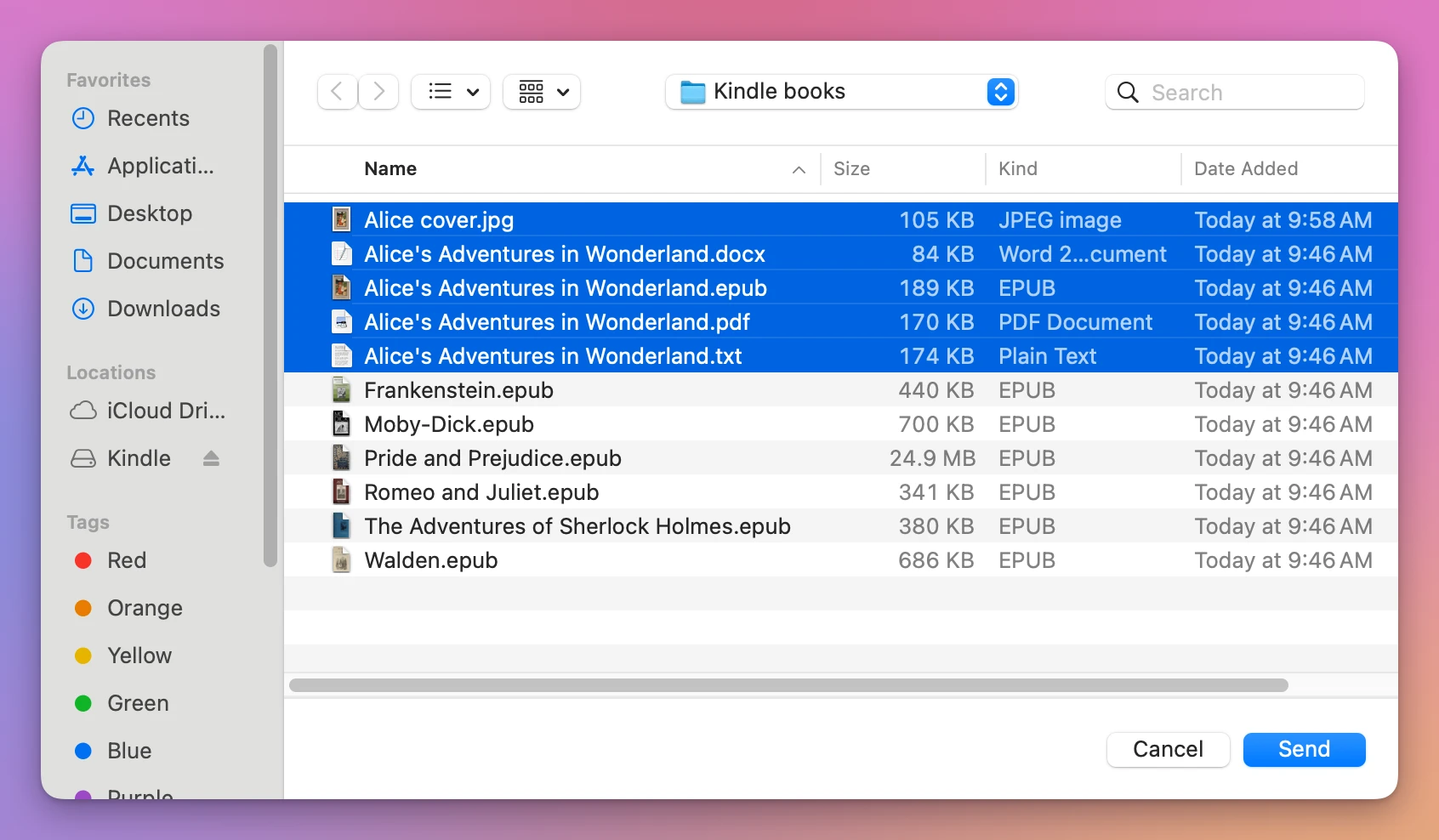
Three went, two didn’t, and each line says why:
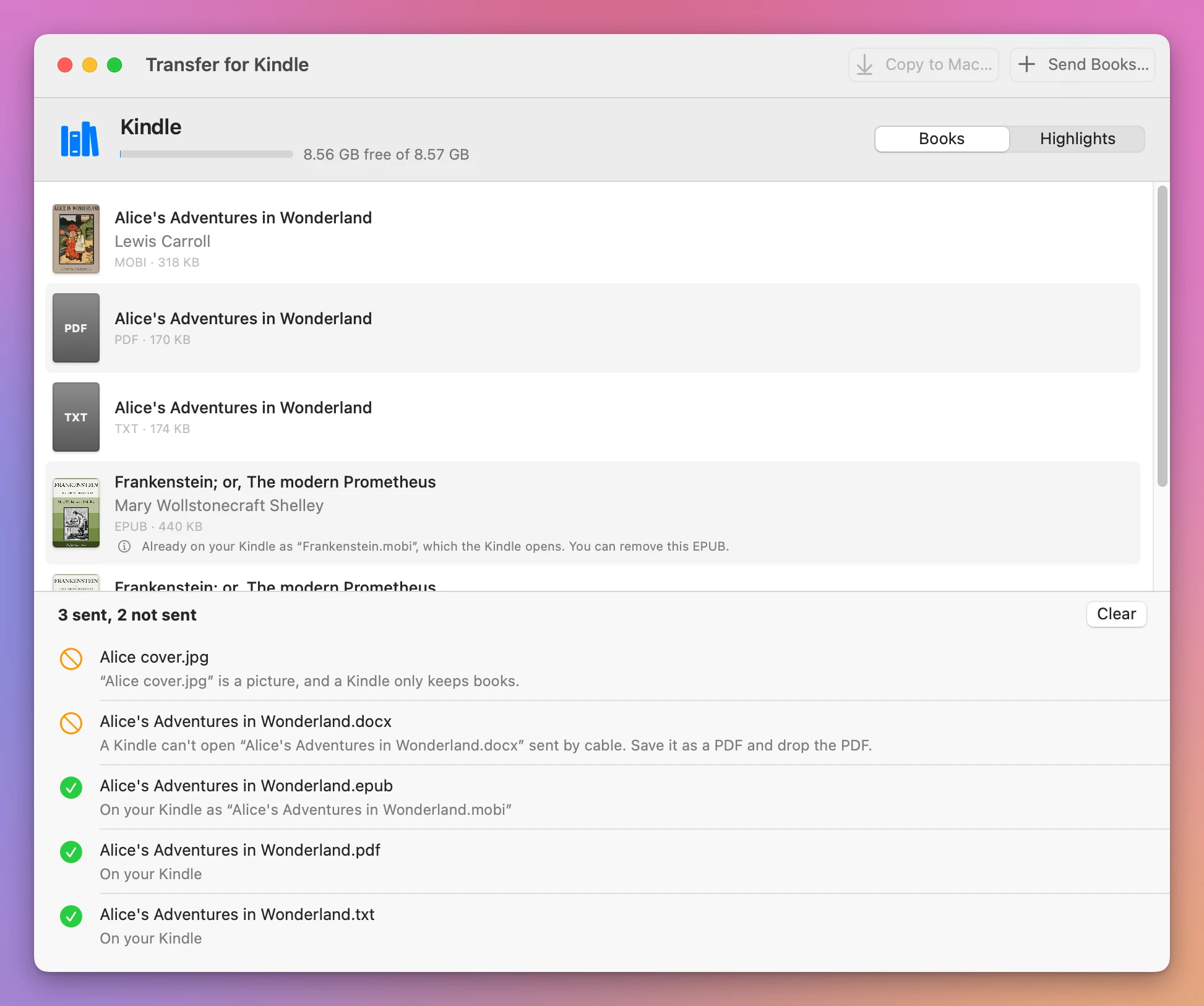
| File | What the app did | On the Kindle |
|---|---|---|
Alice cover.jpg | Not sent: “a picture, and a Kindle only keeps books” | Nothing |
.docx | Not sent: “Save it as a PDF and drop the PDF” | Nothing |
.epub | Turned into a MOBI on the Mac | Alice's Adventures in Wonderland.mobi, 318 KB |
.pdf | Sent as it is | Alice's Adventures in Wonderland.pdf, 170 KB |
.txt | Sent as it is | Alice's Adventures in Wonderland.txt, 174 KB |
The list of books then had Alice three times, as MOBI with its cover, as PDF and as TXT. The PDF and the text file show a plain cover with their format, since they have no picture of their own.
An EPUB that got onto the Kindle another way, with the Finder for example, gets a note in the list: “The Kindle can’t open this EPUB. Drop the EPUB on this window to send it as a book the Kindle opens.” Once the MOBI of the same name is there, the note says the EPUB can be removed.
I also sent a DRM-free EPUB to my own Kindle with the app, an older one that shows up as a disk, and it opened there.
Get Transfer for Kindle
Plug your Kindle into your Mac and see its books, send your own EPUB, PDF and other books to it by cable, copy books back, and save your highlights. An EPUB is turned into a book the Kindle opens, on your Mac, with nothing uploaded.
See Transfer for Kindle → · Read the docs · $20. See the app page for tax details.
Want me to talk about your product? You can sponsor this site.