How to move a group of tabs to another Chrome window
By Flavio
Move a Chrome tab group to another window by dragging its name, or to a new window from its menu. The group keeps its name and color either way.
To move a tab group to another Chrome window, drag the group by its name, the colored label at the start of the group, and drop it on the row of tabs of the other window. Every tab of the group comes along, and the group keeps its name and its color.
To give the group a window of its own, right-click its name and choose Move Group to New Window.
Both are built into Chrome. If you want every group from every window in one place at once, Tab Reunion, the extension I built, does that in one click.
What does the group menu offer?
Right-click the group’s name. A panel opens with the name, a row of colors, and these items: New Tab in Group, Move Group to New Window, Close Group, Ungroup and Delete Group.
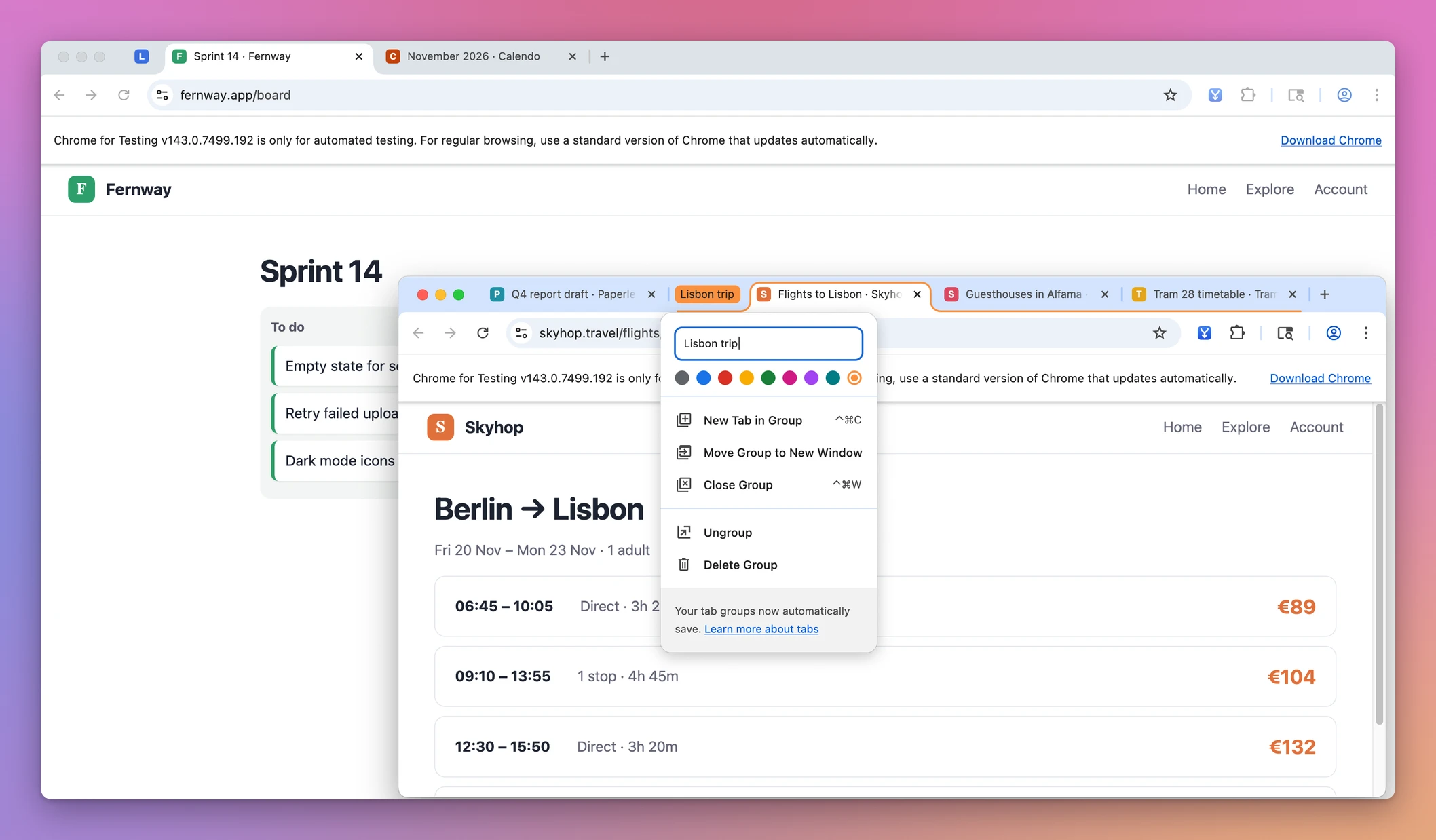
The tabs, sites and groups in these screenshots are made up.
Notice what’s missing: the menu can send a group to a new window, but it has no item for a window you already have open. For that you drag, or you move the group’s tabs with the tab menu, as below.
Be careful with the two items at the bottom. Ungroup keeps the tabs open and removes the group. Delete Group removes the group, and Chrome’s help says it’s also removed on your other devices when tab groups sync with your Google Account. If you only want the group out of the way, Close Group closes its tabs and keeps the group saved, so you can open it again from the bookmarks bar or the menu.
How do I move a group into a window I already have open?
Drag the name. Click and hold the group’s name, move it over the tab row of the other window, and let go. Here the “Lisbon trip” group came from a smaller window and now sits at the end of the main one, still orange, still called “Lisbon trip”, with its three tabs:
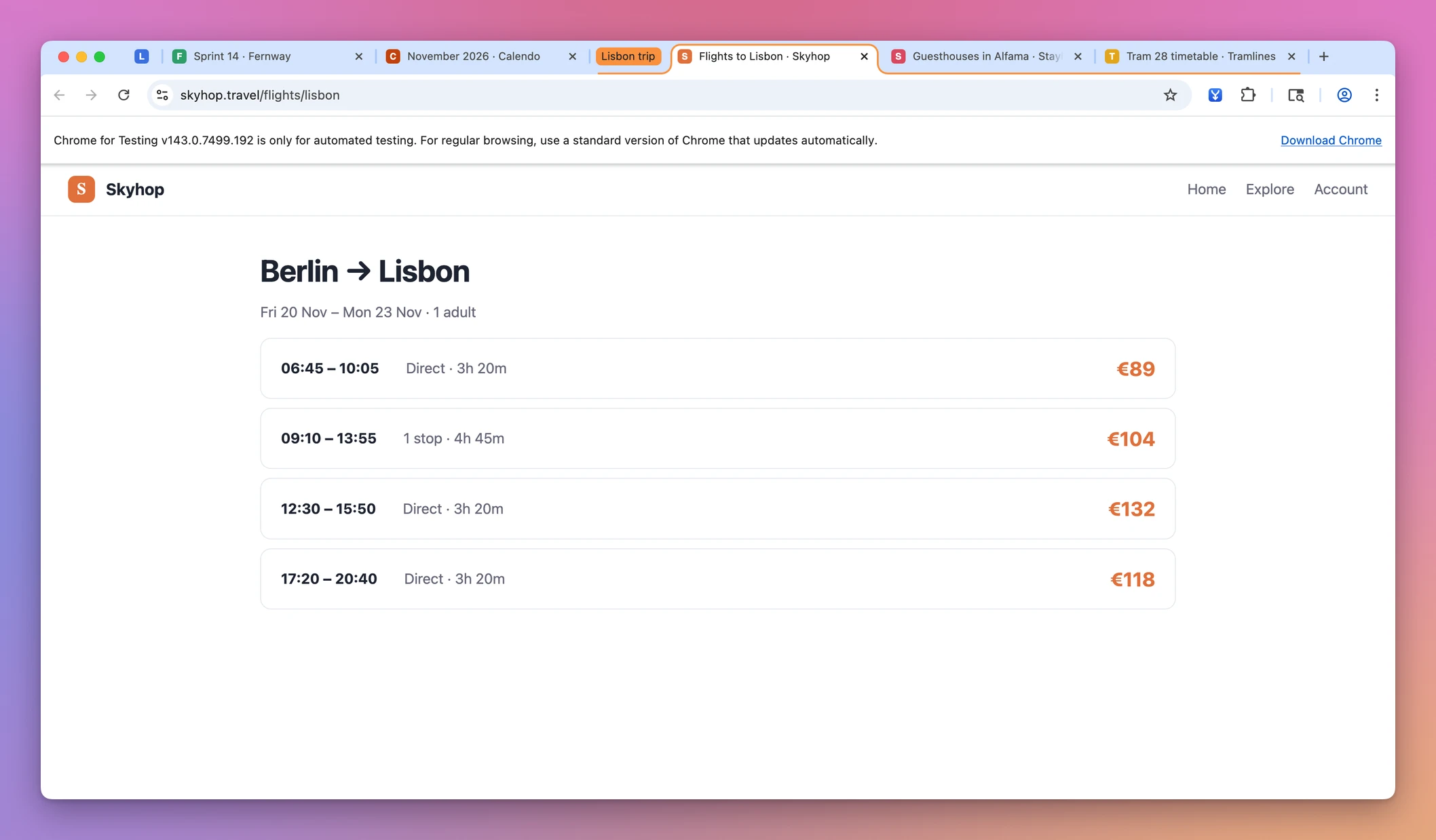
If the window it came from has nothing left in it, Chrome closes that window.
Use the tab menu. If dragging is awkward, select the group’s tabs: click the first tab of the group, hold Shift and click the last one. Right-click one of them and choose Move Tabs to Another Window, then pick the window. With every tab of the group selected, the group arrived in the other window with its name and color.
What survives the move?
| Way | Where it goes | Name and color | Notes |
|---|---|---|---|
| Drag the group’s name onto a tab row | A window you pick by dropping there | Kept | The whole group moves |
| Right-click the name, Move Group to New Window | A new window | Kept | No option for an existing window |
Shift-click the group’s tabs, Move Tabs to Another Window | A window from the submenu | Kept, with every tab of the group selected | Works without dragging |
| Tab Reunion | The window you’re in | Kept, collapsed state too | Every group from every window at once |
A pinned tab you move with Move Tab to Another Window stays pinned in the window it lands in, at the left end of the tab row.
Bringing every window’s groups into one
The free ways move one group at a time. That’s fine when there’s one group in the wrong place.
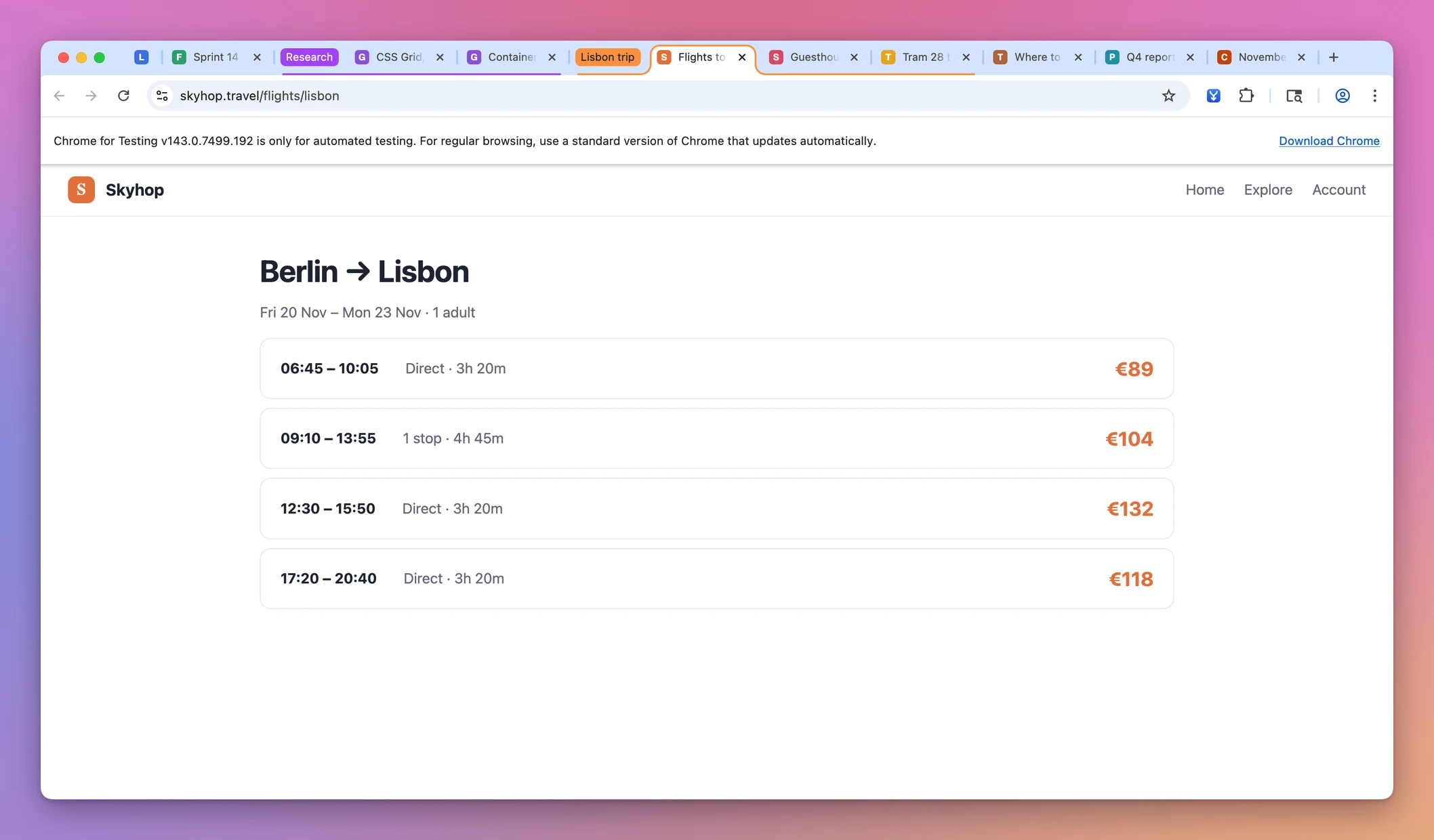
When groups are spread over several windows, like a “Research” group in one and a “Lisbon trip” group in another, Tab Reunion brings them all into the window you’re using. Click its toolbar button, or press Option+Shift+M on a Mac (Alt+Shift+M on Windows and Linux). Each group moves whole, with its name, its color and whether it was collapsed. Pinned tabs stay pinned, the tabs keep their order, and the empty windows close.
Tab Reunion isn’t on the Chrome Web Store. You add it from a folder with Developer mode, a switch on the chrome://extensions page that lets Chrome load an extension from your computer. The Tab Reunion page has the steps, and merge all Chrome windows into one shows what happens to every tab in a merge, duplicates included.
Get Tab Reunion
Too many Chrome windows? Move every tab into the window you're using, keeping tab groups, their order and pinned tabs.
See Tab Reunion → · Read the docs · $20. See the app page for tax details, with full source code.
Want me to talk about your product? You can sponsor this site.