How to open a WhatsApp chat export on a Mac
By Flavio
A WhatsApp export is a zip with a text file and the photos, videos and voice notes of the chat. Double-click it in the Finder, open the text file in TextEdit, and press Space to look at a photo. Here's what each file is.
Someone sent you a WhatsApp chat they exported, or you exported one yourself, and now there’s a zip on your Mac with a name like WhatsApp Chat - Nora Field.zip. You want to read it.
The Mac opens it with what it already has. Double-click the zip in the Finder to get a folder, open the text file inside with TextEdit, and press Space on a photo to see it. For a short chat, that’s all you need.
What’s inside the zip?
Here are two exports on a test Mac running macOS 15 Sequoia: one from an iPhone, a chat between Nora Field and Sam Okafor, and one from Android, a group called “Hill walkers”. The chats and the people are made up. A double-click on each zip in the Finder made a folder with the same name next to it. In the Finder’s list view, the arrow next to a folder shows what’s in it:
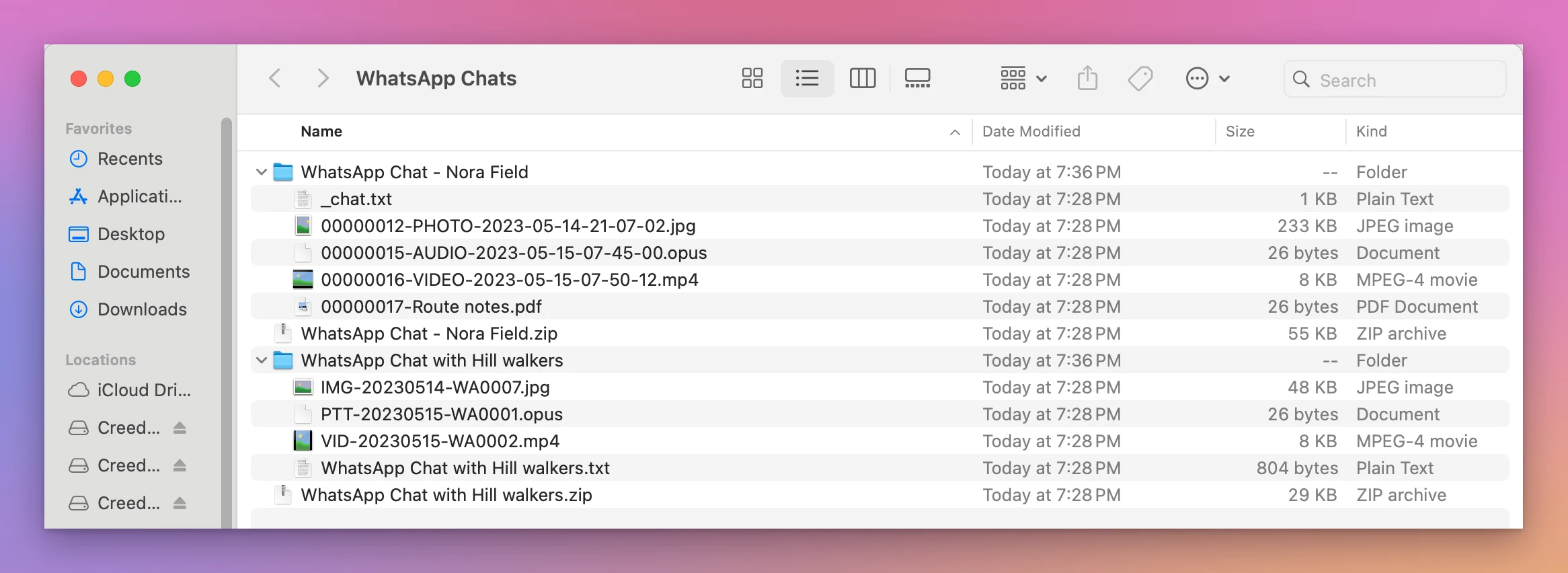
There’s one text file with every message, and one file for each photo, video, voice note or document that came with the export. The names are different on the two phones:
| iPhone export | Android export | |
|---|---|---|
| The text file | _chat.txt | WhatsApp Chat with Hill walkers.txt |
| A photo | 00000012-PHOTO-2023-05-14-21-07-02.jpg | IMG-20230514-WA0007.jpg |
| A video | 00000016-VIDEO-2023-05-15-07-50-12.mp4 | VID-20230515-WA0002.mp4 |
| A voice note | 00000015-AUDIO-2023-05-15-07-45-00.opus | PTT-20230515-WA0001.opus |
| A photo in the text | <attached: 00000012-PHOTO-….jpg> | IMG-20230514-WA0007.jpg (file attached) |
| How a line starts | [14/05/2023, 21:04:01] Nora Field: | 5/14/23, 9:05 PM - Nora Field: |
| WhatsApp’s own lines | Under a name, like the encryption notice | No name: Nora Field added Priya Raman |
These two write the date in different ways, day first with seconds and month first with AM and PM, so yours may look different again.
The iPhone names say when each file was sent: 00000012-PHOTO-2023-05-14-21-07-02.jpg is a photo from May 14, 2023 at 21:07:02. The Android ones have the day only, and a number for that day.
The Finder listed the .opus voice notes as “Document”, with no picture.
How do I look at the photos?
Click a photo in the Finder and press the Space bar. Quick Look shows it without opening an app, with an Open with Preview button at the top.
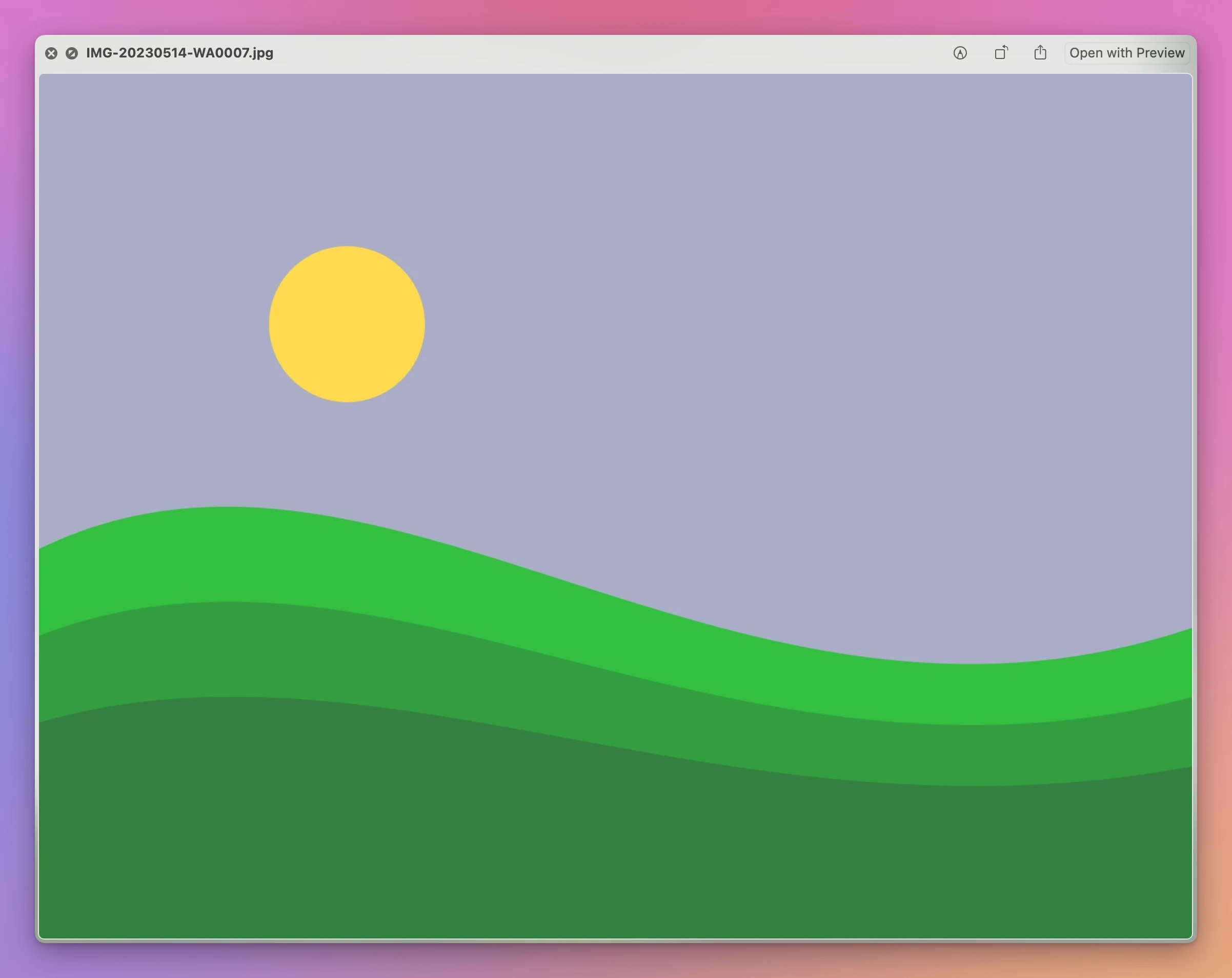
To match a photo with its message, look for its file name in the text file.
How do I read the messages?
Double-click the text file. It opened in TextEdit on the test Mac. Each message starts on a new line with its date, its time and the sender. A message with several lines carries on below without a date, like Sam’s “Bring a jacket” here:
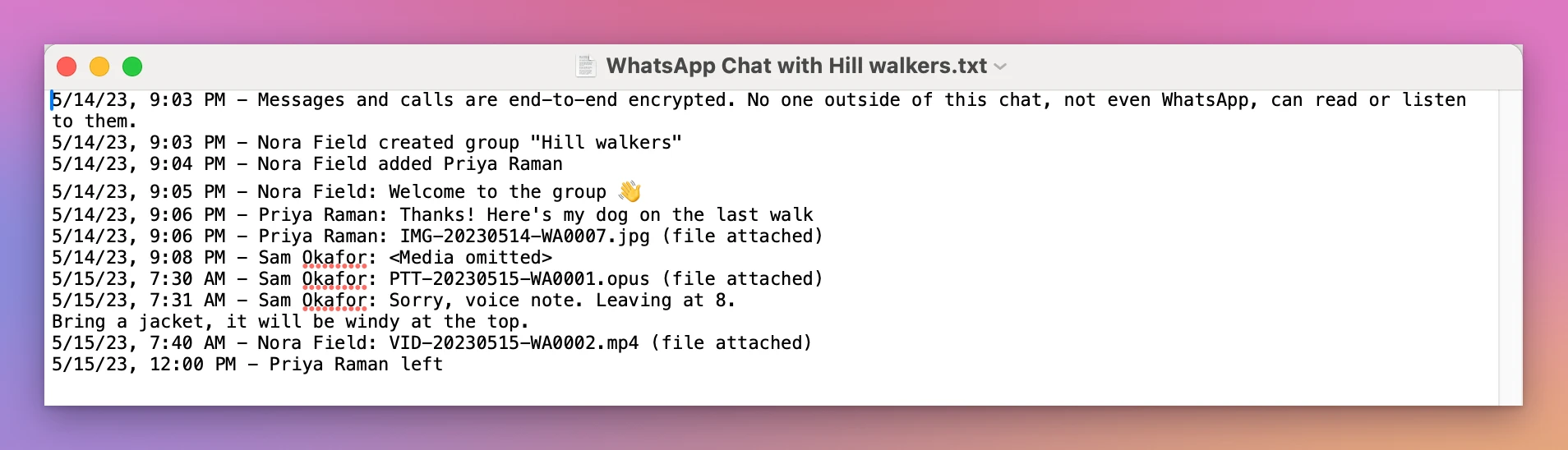
Edit › Find › Find… (Command-F) finds a word in the whole chat.
Be careful with changes: TextEdit saves them into the file itself. The zip keeps the original, so don’t delete it.
For reading a short chat, or finding one message, the Finder and TextEdit are enough. A long chat is a wall of dates, and the photos sit in another window. The tutorial on saving a chat as a PDF covers printing it.
See it as bubbles in Chat to PDF for WhatsApp
Chat to PDF for WhatsApp is a Mac app I made that shows an export the way it looked on the phone, then saves it as a PDF. It’s my own app, not made by, affiliated with or endorsed by WhatsApp or Meta. It costs $20, paid once.
Click Choose a Chat… (or File › Open Chat…, Command-O) and pick the zip. It also takes the folder you unzipped or the text file inside it. Here’s the Android group, with nothing saved yet:
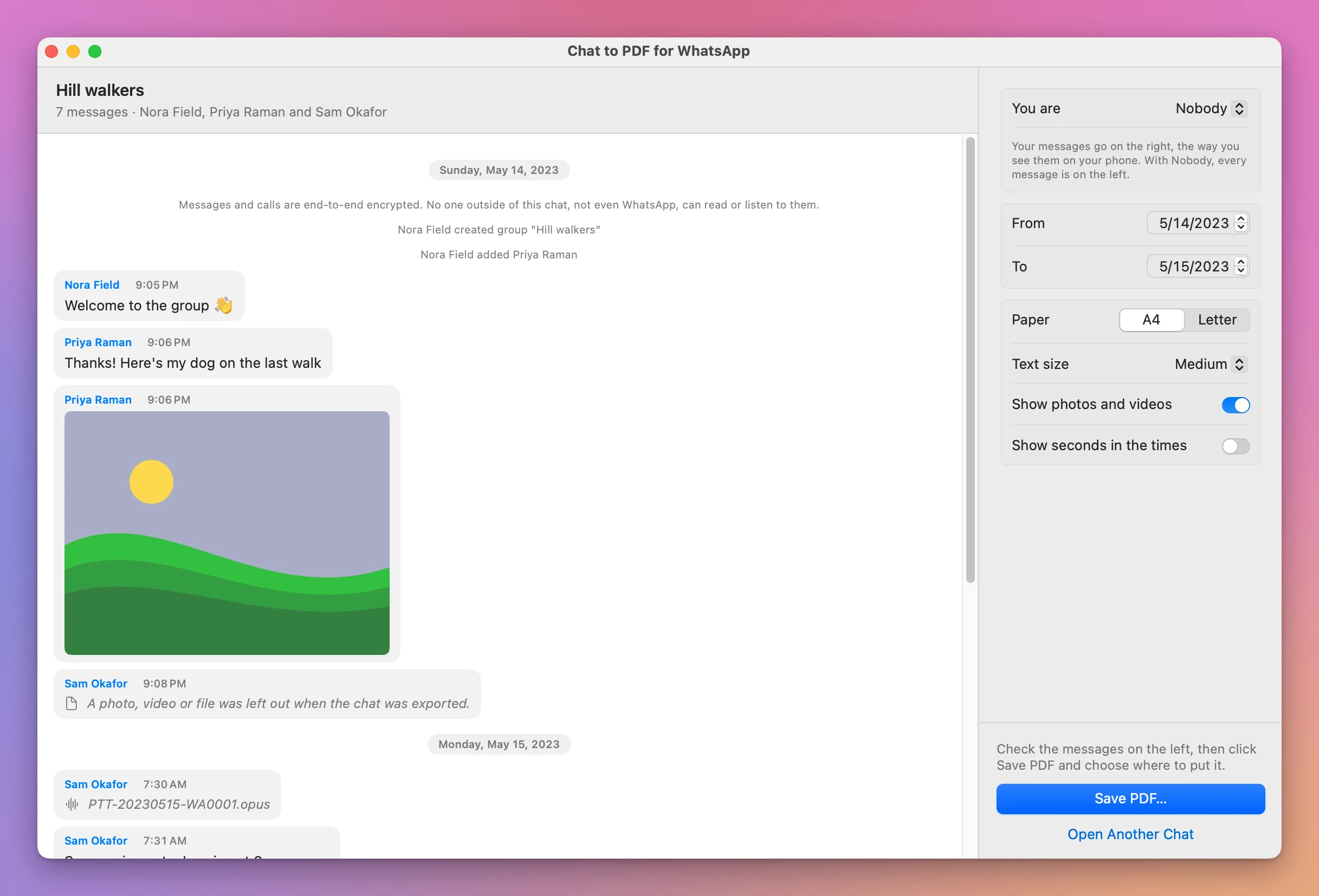
- Each day has a heading, like “Sunday, May 14, 2023”.
- WhatsApp’s own lines are centered in grey.
- The photo is inside Priya’s bubble, and the voice note is a line with its file name.
- Where WhatsApp wrote
<Media omitted>, the bubble says “A photo, video or file was left out when the chat was exported.”
For a group, You are started on Nobody, with every message on the left. Pick your name there and your messages move to the right.
The app reads the zip without unzipping it next to your files. It works on a temporary copy of its own, deleted when you click Open Another Chat or quit the app.
Get Chat to PDF for WhatsApp
Turn a chat exported from WhatsApp into a clean PDF: every message with its sender, date and time, the photos where they were sent, and page numbers. For a lawyer, a court, a landlord, or to keep.
See Chat to PDF for WhatsApp → · Read the docs · $20. See the app page for tax details.
Want me to talk about your product? You can sponsor this site.