How to see when a photo was taken on a Mac
By Flavio
Open the photo in Preview, choose Tools › Show Inspector, and look at Date Time Original in the Exif tab. The Finder's dates are about the file, not the photo. Here's where each date shows and what it means.
You have a photo file and you want to know when it was taken. The Finder says one date, Photos another, and neither looks right.
A photo file can carry two kinds of dates. The date taken is written inside the file by the camera or the phone, and it’s in the photo’s own details, called EXIF. The file’s dates, Created and Modified, are kept by the Mac and change when the file is copied, saved or downloaded. Preview shows the date taken for free: open the photo, choose Tools › Show Inspector, and look at the Exif tab. For a whole folder at once, Photo Date Fixer shows both dates side by side.
The photos here are drawings made for this tutorial: a camera photo taken on August 15, 2023 at 2:20 PM, and a scan with no date inside. Both files are dated February 10, 2024. The screenshots are from macOS 15 Sequoia.
How do I see it in Preview?
- Double-click the photo. It opens in Preview.
- Choose Tools › Show Inspector, or press Command-I.
- Click the tab with the i in a circle, then Exif.
Date Time Original is when the photo was taken. Date Time Digitized is usually the same for a camera photo.
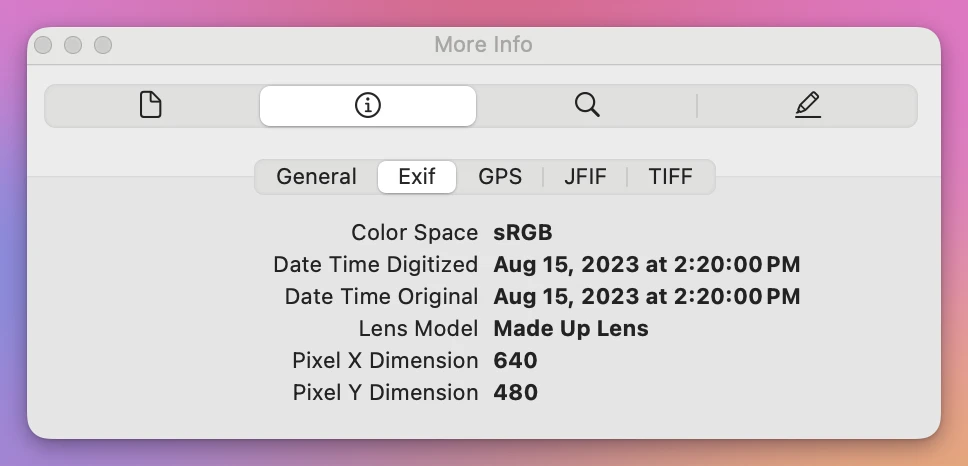
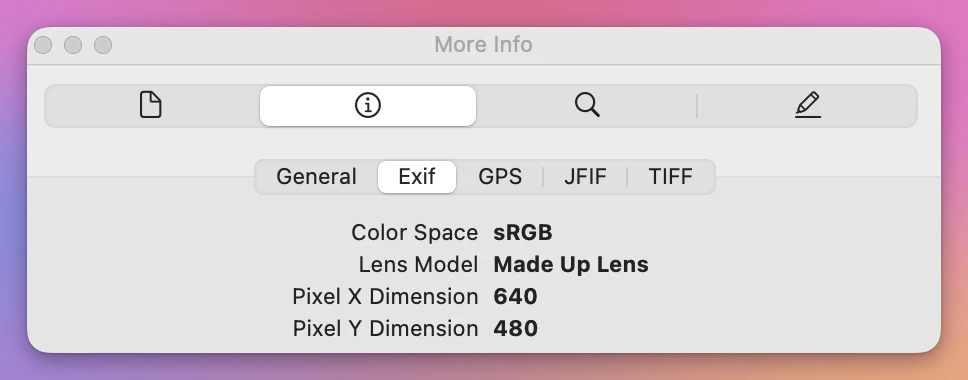
On the scan, the same tab has no date at all, because a scanner doesn’t know when the print was taken:
The Inspector’s first tab, the one with the page icon, shows Creation date and Modification date. For the scan they said February 10, 2024 at 10:00 AM. Those are the file’s dates, the same ones the Finder shows.
What does the Finder show?
Select the file and choose File › Get Info. Created and Modified are the file’s dates:
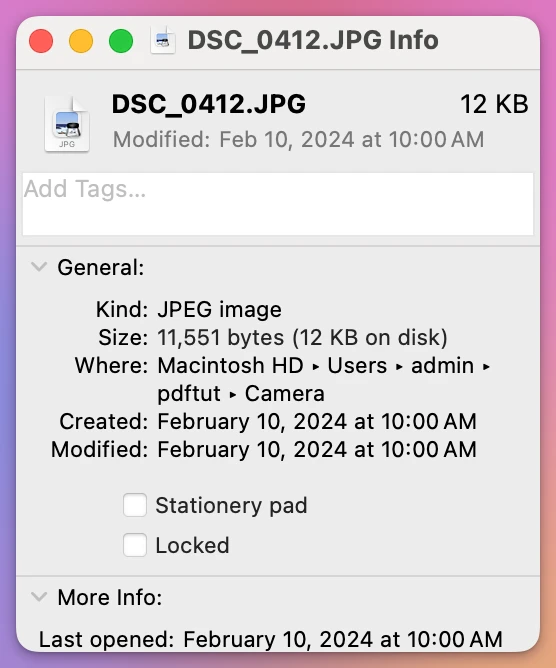
The camera photo was taken in August 2023, and Get Info says February 10, 2024, the day the file was copied here. The Finder’s list view has the same two dates as columns. On the test Mac it offered no column for the date taken.
And in Photos?
Select a photo in Photos and choose Window › Info, or press Command-I. The date under the name is the one Photos files the photo by. For the camera photo it was the date taken, August 15, 2023 at 2:20 PM:
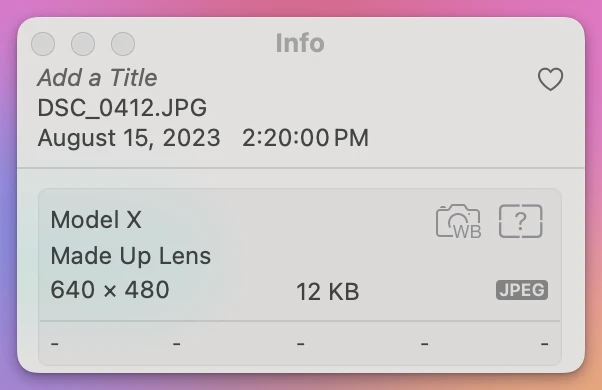
For a photo with no date inside, Photos uses the file’s date instead. The scan showed February 10, 2024, the date of the file. That’s why scans and photos saved from chats often end up on the wrong day, as the tutorial on scanned photos and the one on WhatsApp photos show.
Photos also lets you change its date with Image › Adjust Date and Time…. That changes what Photos shows, and leaves the file’s dates and the date inside the original file as they were.
Where each date shows
| Where | What it shows | What it means |
|---|---|---|
| Preview, Inspector, Exif tab | Date Time Original | When the photo was taken. Missing on a scan |
| Preview, Inspector, first tab | Creation date, Modification date | The file’s dates |
| Finder, Get Info or list view | Created, Modified | The file’s dates |
| Photos, Window › Info | One date | The date taken, or the file’s date when there’s none |
See both dates for a whole folder
Preview answers it one photo at a time, for free. To see a whole folder at once, Photo Date Fixer, a Mac app I made, lists every photo with Date Taken and File’s Date side by side. It costs $19, paid once, and it isn’t made by, affiliated with or endorsed by Apple.
Click Choose Photos… and pick the photos or a folder. Nothing changes when you add them:
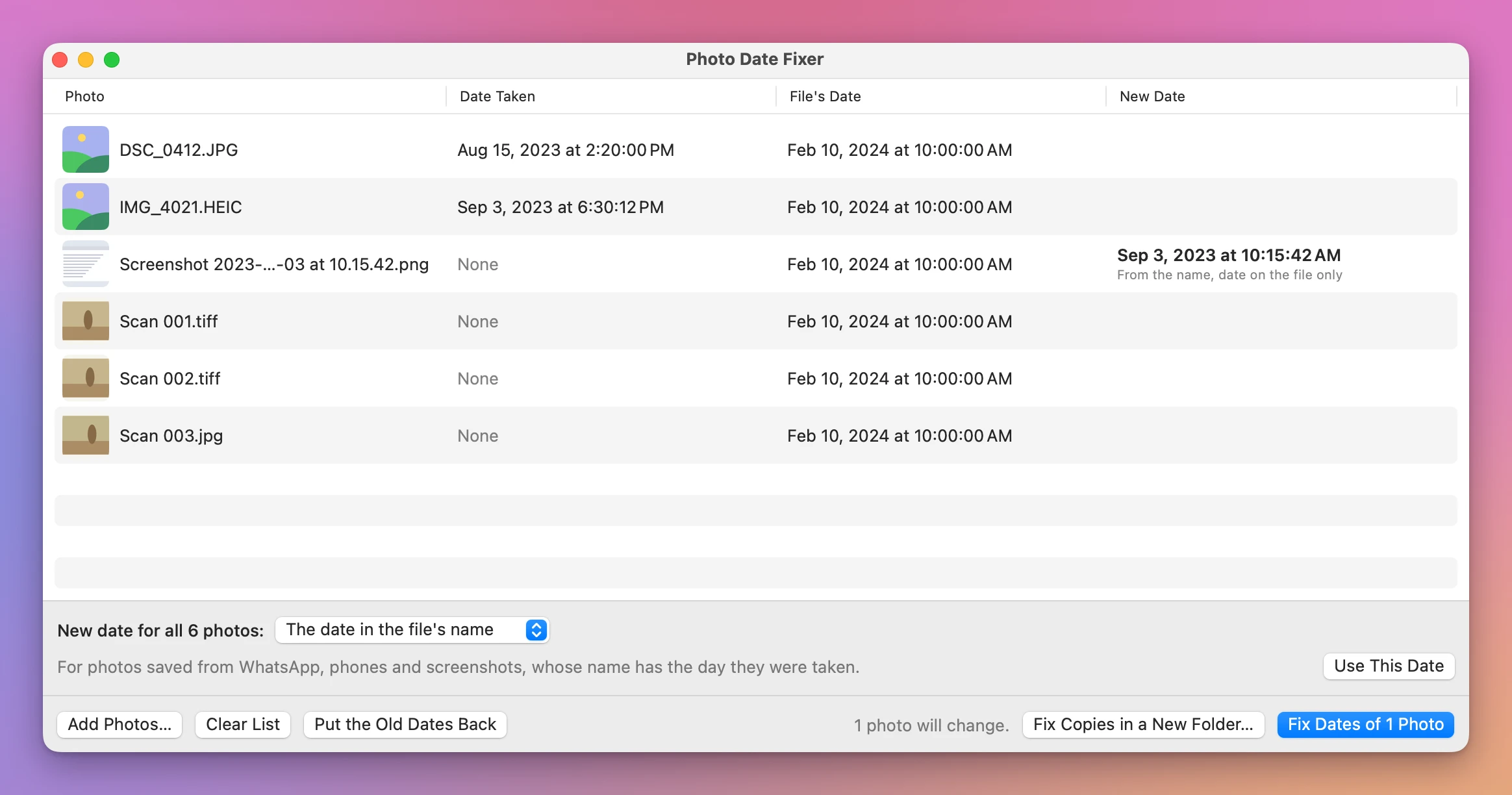
None in the Date Taken column means there’s no date inside. The screenshot already has a New Date from its name, September 3, 2023 at 10:15:42 AM, marked “date on the file only”: for PNG files, like screenshots, the app sets the date on the file and not inside.
From there you can give the photos their real date, inside the file and on it. Nothing changes until you click Fix Dates.
Get Photo Date Fixer
Give scans, photos saved from WhatsApp and photos from a camera with the wrong clock their real date, inside the photo and on the file, so they sort on the right day in Photos and in the Finder. The picture is never re-compressed, and one click puts the old dates back.
See Photo Date Fixer → · Read the docs · $19. See the app page for tax details.
Want me to talk about your product? You can sponsor this site.