How to use Redis Hashes
By Flavio Copes
Learn how to use Redis hashes to store object-like items with multiple fields under one key, using HMSET, HGETALL, HSET and HINCRBY to manage their values.
A Redis hash is a data type that stores multiple field-value pairs under a single key. If you think of a Redis string as a variable, a hash is more like a JavaScript object: one key, many named properties.
So far with Lists and Sets we saw how to correlate a key with a value, or a group of values.
Hashes let us associate more than one value to a single key, and they are perfect to store object-like items.
For example, a person has a name and an age.
We can create a person:1 hash:
HMSET person:1 name "Flavio" age 37The person:1 key naming is a common Redis convention. The prefix tells you what kind of item it is, and the number identifies the specific one. person:2 would be another person.
To get all the properties of a user, use HGETALL:
HGETALL person:1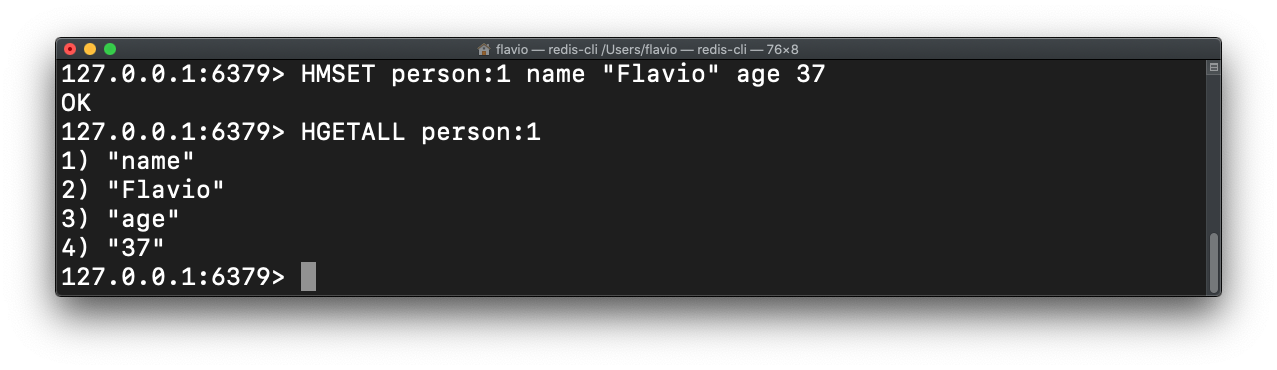
If you only need one field, HGET is cheaper than fetching everything:
HGET person:1 nameThis returns "Flavio".
You can update a hash property using HSET:
HSET person:1 age 38Since Redis 4.0, HSET also accepts multiple field-value pairs, so it does everything HMSET does. HMSET still works, but it’s considered deprecated. New code can use HSET for both creating and updating:
HSET person:1 name "Flavio" age 38You can increment a value stored in a hash using HINCRBY:
HINCRBY person:1 age 2Now age is 40. Pass a negative number to decrement.
Other useful hash commands
HDEL removes a field from the hash:
HDEL person:1 ageHEXISTS tells you if a field exists, returning 1 or 0:
HEXISTS person:1 nameHKEYS lists all the field names, and HVALS lists all the values.
One thing to watch out for
Every value in a hash is stored as a string, even if it looks like a number. HINCRBY works because Redis parses the string as an integer before incrementing.
If the field holds something that’s not an integer, like "thirty" or "38.5", the command fails with:
(error) ERR hash value is not an integerThe fix is to keep counters and other numeric fields strictly numeric, and use a separate field for any human-readable version. For floats there’s a dedicated command, HINCRBYFLOAT.
See all the hash commands here.
Want me to talk about your product? You can sponsor this site.