Are YouTube live streams saved after they end?
By Flavio
Are YouTube live streams saved? Usually, if they run under 12 hours, but the channel decides. Where to find the replay, and how to keep your own copy.
Usually yes. YouTube can archive a live stream automatically when it runs less than 12 hours, and the replay shows up as a video on the channel.
But it’s the channel’s choice. The owner can make the replay private or delete it, and a stream longer than 12 hours may not be captured at all. Here are the cases, and what you can do if you want a copy that doesn’t depend on YouTube.
Where do I find the replay?
As a viewer, look on the channel. Once a live stream is over, the channel may post a replay or highlights of it, and they show up as videos on the channel.
If you’re the streamer, open YouTube Studio, click Content in the left menu, then the Live tab. Your archived streams are there.
When isn’t a live stream saved?
These are the cases the archive page in YouTube Help describes:
- The stream ran longer than 12 hours. YouTube says it may not be captured at all.
- The owner changed its visibility. From the Live tab, Visibility can make the archive private.
- The owner deleted it, with More, Delete, then Delete forever. Owners who stream from their phone can also do it from My videos, during and after the stream.
The same page recommends keeping a local archive of your stream as a backup.
Can I go back to the start while it’s still live?
Often you can. While a stream runs, viewers can pause and rewind it. YouTube calls this DVR, and its help page sets the limits:
- You can never go back to before the stream went live.
- The streamer can turn it off with Enable DVR in the stream settings, except for webcam and mobile streams.
- On streams longer than 12 hours, rewind may be limited or unavailable.
When DVR is off, viewers can still watch a recording of the whole stream once it’s available.
How do I download my own live stream?
If it’s your channel, YouTube Studio can download your own videos. Go to Content, select the video, open its menu and choose Download.
It has limits:
- the file is an MP4 in 720p or 360p, depending on the video
- you can download the same video up to five times a day
- it’s not available for a video that was removed, has a copyright or Community Guidelines strike, or uses a preapproved audio track
To get every video you uploaded at once, Google Takeout does it in bulk.
Record it on your Mac while it’s live
The archive and the Studio download both come after the stream ends, and only if YouTube kept the archive. The other way is to record the stream while it’s on.
Broadcast Keep is the Mac app I made for this. You paste the link of the live stream and it saves an MP4 in the folder you pick. From current point records from the moment you paste the link. From beginning asks YouTube for the part that’s still available to rewind, catches up, and keeps going live.
Record only streams you own or have permission to save, like your own channel’s or your company’s. The app doesn’t give you the right to copy someone else’s broadcast.
Here it is recording. The surf cam stream is made up, and a local stand-in for the download tool served it:
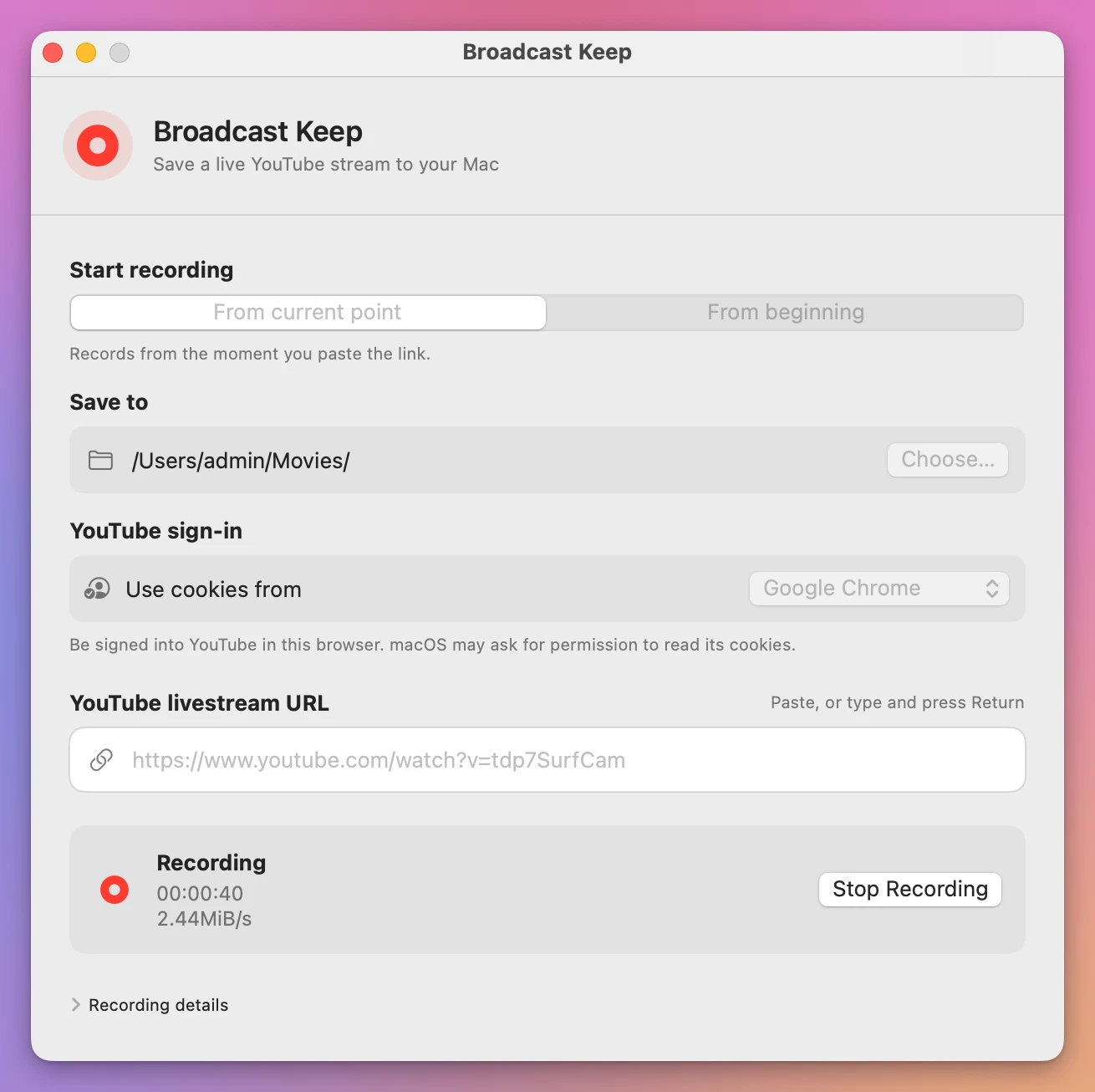
When you click Stop Recording, the app puts the video and the sound in one MP4 and shows Recording saved, with Reveal in Finder.
It only records while the stream is live. Once it has ended, the app skips it, so for a finished stream the archive and the Studio download are what’s left.
Which way should you use?
| YouTube’s archive | Download from YouTube Studio | Record live with Broadcast Keep | |
|---|---|---|---|
| Who can do it | Happens on the streamer’s channel | Only the channel owner | You, on your Mac, for a stream you may save |
| When | After the stream ends | After the archive exists | While the stream is live |
| What you get | A video on YouTube | An MP4 in 720p or 360p | An MP4 in your folder |
| Streams over 12 hours | May not be captured | Only if the archive exists | Doesn’t depend on the archive |
| Can disappear | Yes, the owner can hide or delete it | No, it’s your file | No, it’s your file |
| Cost | Free | Free | $20, paid once |
For your own streams, start recording as soon as you go live, because what YouTube no longer serves can’t be recorded later. The step-by-step guides are Record a YouTube live stream to an MP4 on your Mac and, if you joined late, Save a YouTube live stream from its beginning.
Get Broadcast Keep
Record a YouTube live stream to an MP4 on your Mac, from now or from the earliest part YouTube still has, even if you joined late.
See Broadcast Keep → · Read the docs · $20. See the app page for tax details.
Want me to talk about your product? You can sponsor this site.