How to join GoPro chapters with QuickTime Player on a Mac, and what the export changes
By Flavio
QuickTime Player can put a GoPro recording's chapters back into one video. With HEVC chapters, both of its save options compress the picture again, and one of them took 22 minutes. Here's what happened, step by step.
A GoPro cuts a long recording into chapters, like GX010141.MP4, GX020141.MP4 and GX030141.MP4. QuickTime Player, already on your Mac, can put them back into one video: open the first, add the others to the end, close the window and save.
It works. What you get isn’t the GoPro’s video, though. With GX chapters, which are HEVC, both formats QuickTime Player offers compressed every frame again. The file came out smaller than the chapters, and with the format it picked for me, the save took 22 minutes for 4 and a half minutes of video.
I tried it on a stand-in card: a disk image formatted like a camera’s card, named NO NAME, with a made-up 4 minute 30 second recording split into three chapters the way a GoPro names them, 1080p HEVC at about 12 Mbit/s. The tutorial about QuickTime Player and other videos covers the same steps with H.264 clips.
How do I join the chapters?
- Open the first chapter,
GX010141.MP4, in QuickTime Player. - Choose View > Show Clips.
- Choose Edit > Add Clip to End…, open the card’s
DCIMand100GOPROfolder, pickGX020141.MP4and click Choose media.
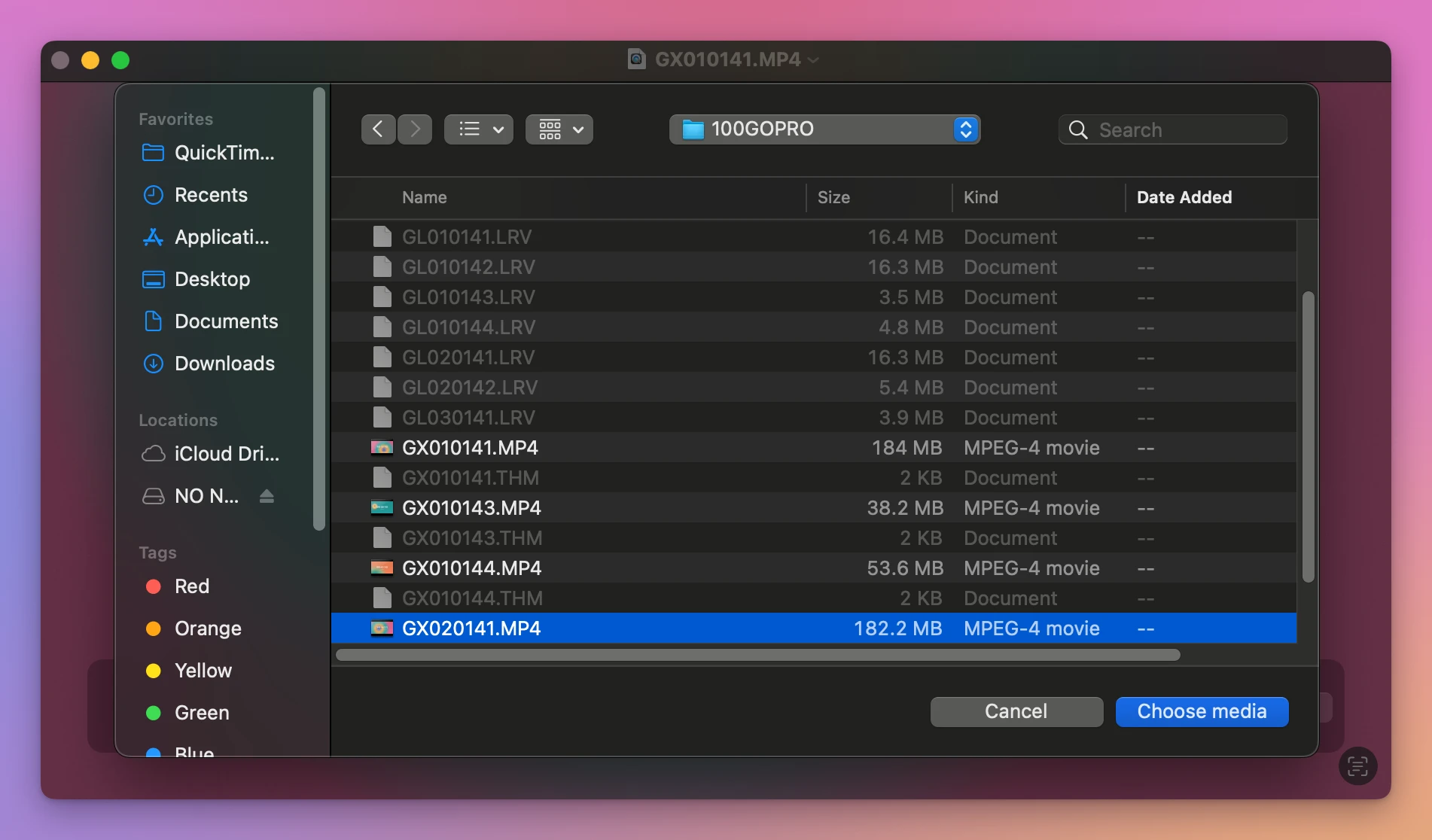
The window lists the files by name, so chapter 2 is below GX010143.MP4 and GX010144.MP4, two other recordings. Pick the chapters by their last four digits, in the order of the two digits after GX. The .LRV and .THM files are greyed out.
- Add
GX030141.MP4the same way. With the second clip selected in the strip, the menu item is called Insert Clip After Selection… instead, and it does the same thing here.
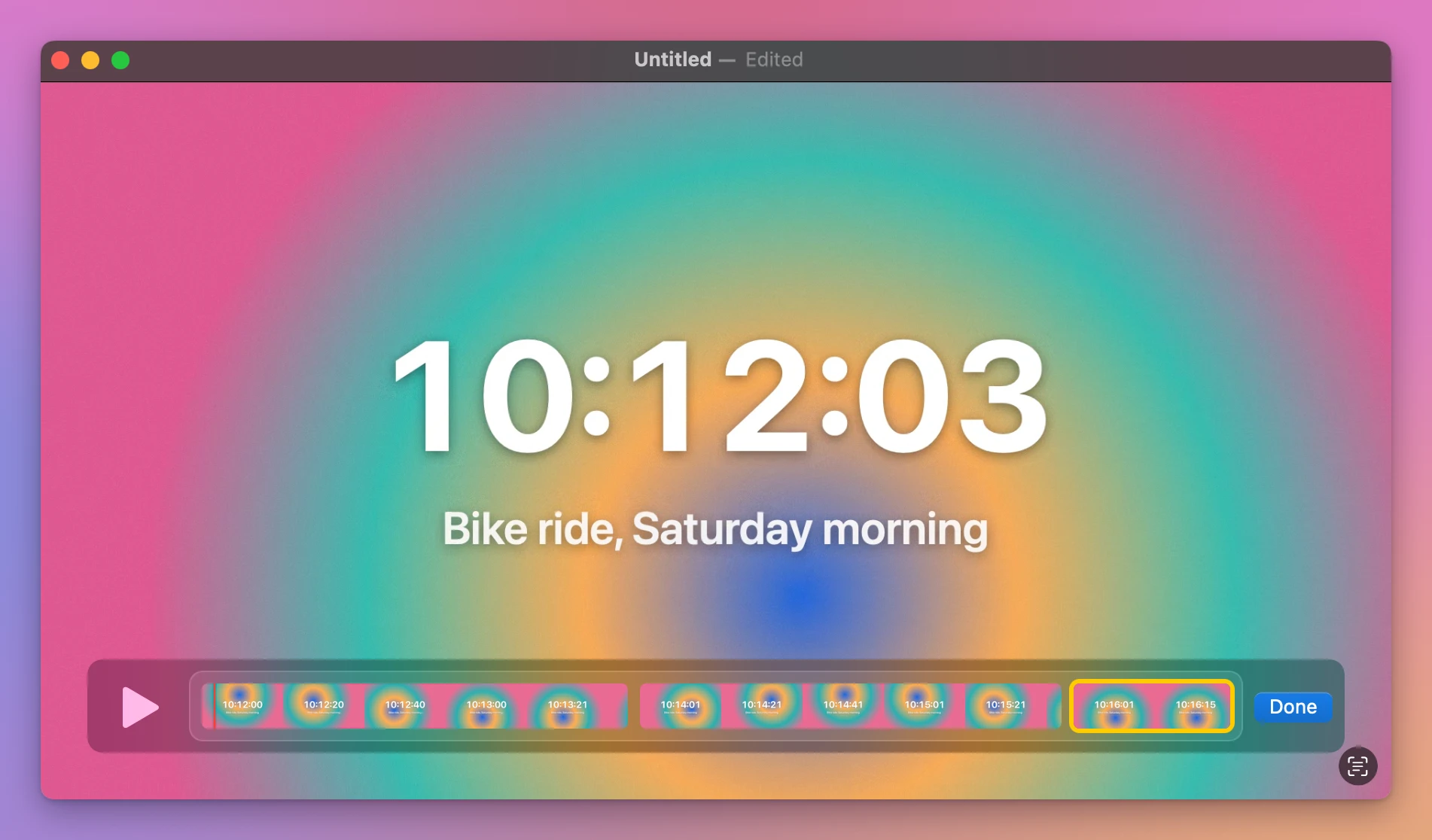
- Click Done, then close the window. QuickTime Player asks if you want to keep the new document.
Where does it save, and in what format?
File > Save… is greyed out after adding clips, so closing the window is the way to save. The dialog has two things to look at:
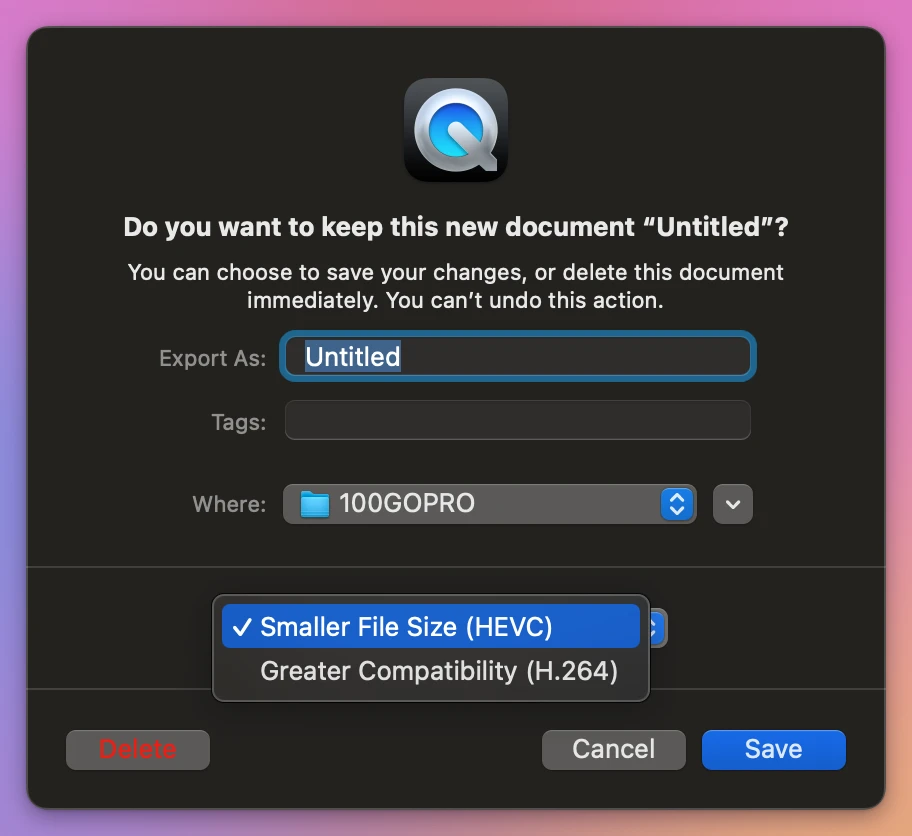
- Where was set to
100GOPRO, the folder on the card the chapters came from. Change it to a folder on your Mac, or the new video goes on the card, next to the chapters. - The format menu was on Smaller File Size (HEVC). The other choice is Greater Compatibility (H.264).
What does each format do to GoPro chapters?
I saved the same three chapters with each format, to a folder on the Mac:
| Time | Size | The picture | |
|---|---|---|---|
| The three chapters | 410.3 MB | HEVC, 12.2 Mbit/s | |
| Smaller File Size (HEVC) | About 22 minutes | 266.7 MB | Compressed again as HEVC, 7.8 Mbit/s |
| Greater Compatibility (H.264) | About 2 minutes 15 seconds | 360.2 MB | Compressed again as H.264, 10.5 Mbit/s |
| Joiner for GoPro | About 5 seconds, with its check | 410.4 MB | The chapters’ frames, unchanged |
While it saves, the window shows a progress bar. With HEVC, 16 minutes in, it was three quarters done:
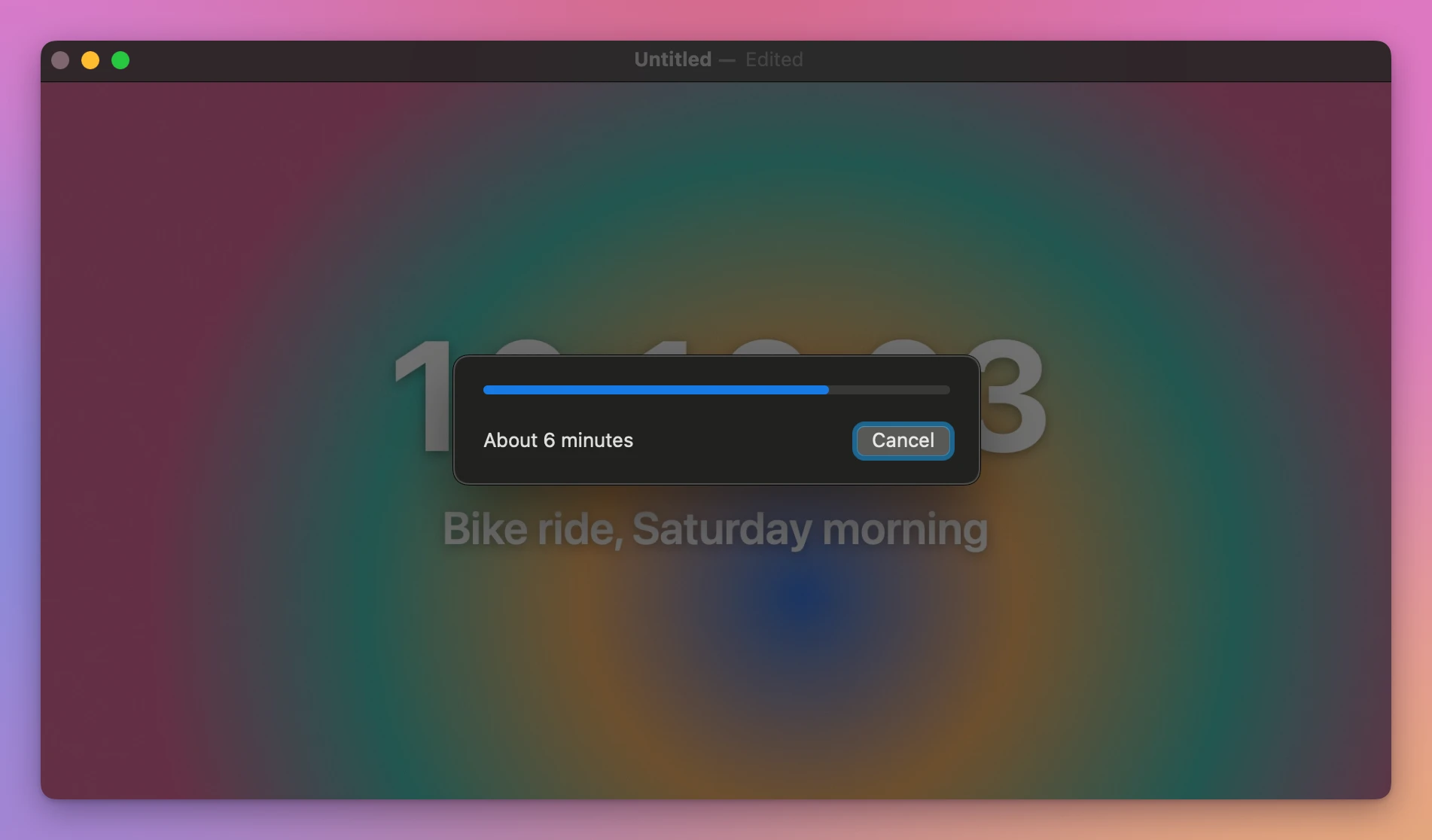
The times are from a virtual Mac I use for testing, which is slower at compressing video than a real one. Both QuickTime Player files lasted 4 minutes 30 seconds, like the chapters, with every frame there, and the sound stayed AAC.
Both choices decode every frame and compress it again, because the chapters are HEVC. With H.264 clips, choosing H.264 copies the frames as they are, as the QuickTime Player tutorial shows. GoPro’s GX files are HEVC, and neither option kept them as they were.
QuickTime Player also wrote a .mov file, with the picture and the sound only. A GoPro keeps its GPS and motion data in an extra track inside the .MP4, and on a second set of made-up chapters that had a track like that, QuickTime Player’s file didn’t have it anymore. The tutorial about GoPro file names explains why GX means HEVC.
A way that keeps the chapters as they are
Joiner for GoPro is a Mac app I made that joins a GoPro’s chapters straight from the card, without compressing anything again. It’s not made by, affiliated with or endorsed by GoPro. It costs $20, paid once.
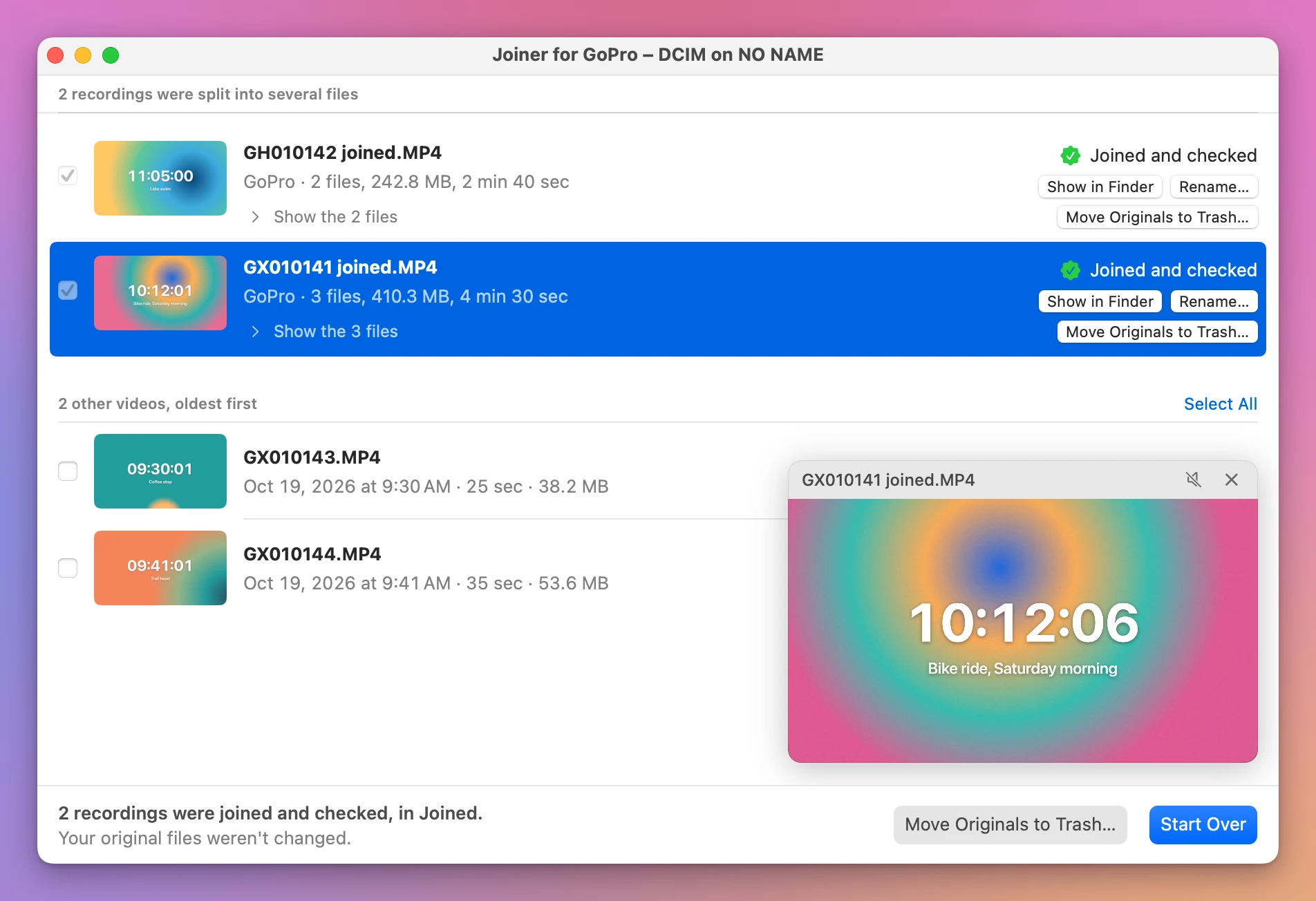
There’s nothing to pick in a list: it groups the chapters by their names and shows each recording as one row, ticked. The joined video goes to your Movies folder unless you click Change….
On the same stand-in card, Join 2 Recordings wrote GX010141 joined.MP4 and GH010142 joined.MP4 in about 5 seconds. Before saying Joined and checked, it compared each joined file with its chapters, piece by piece. GX010141 joined.MP4 is 410.4 MB, the size of the three chapters together, and stays an .MP4.
Get Joiner for GoPro
Put the chapters your GoPro split a long recording into back together, into one video on your Mac, straight from the card. Nothing loses quality, the GPS and motion data stay, and the small .THM and .LRV files can go with the originals.
See Joiner for GoPro → · Read the docs · $20. See the app page for tax details.
Want me to talk about your product? You can sponsor this site.